The 5 best AI app builders for agencies: Tested and reviewed in 2026
.png)


For agencies that build custom internal tools for clients and other lightweight operational software, the opportunities have never been better. The best AI app builders for agencies massively speed up the process of building client apps compared to hand-coding or using drag-and-drop low-code tools from a few years back.
Of course, the AI tool boom has brought with it its fair share of venture-funded snake oil. Not every AI app builder is as good as its marketing claims. To figure out what the best AI tools for agencies are, I built the same internal request tracker in a wide range of AI app builders to see which ones can deliver something you can share with a client. These were the five I liked the most.
Best AI app builders for agencies at a glance
| Tool | Best for | Standout features | Pricing |
|---|---|---|---|
| Softr | AI app builder for agencies | AI Co-Builder, native database, 21+ data sources, built-in auth and user permissions, | Free plan available; paid from $19/month |
| Lovable | Pitch mockups and early prototypes | Prompt-to-app generation, Supabase backend, GitHub sync, Visual Edits | Free plan available; paid from $25/month |
| Bubble | Complex custom apps | Visual workflow editor, mature ecosystem, pixel-level design control, AI blueprint generation | Free plan available; paid from $69/month |
| Bolt | Code-based builds | Full-stack code generation, GitHub sync, one-click deploy | Free plan available; paid from $25/month |
| Retool | Internal tools | Enterprise integrations, build on top of existing databases, tailored for internal users | Free plan available; paid from $10/month |
What to look for in an AI app builder for agencies
Agencies delivering tools to clients have a different selection criteria than solopreneurs, startups, and hobbyists. This isn't a list of the best AI app builders; it's the best AI app builders for agencies. That means I was looking for:
- Multi-user support. You need to be able to deliver internal tools and client portals with real authentication, roles, and permissions. Tools that make it hard to manage authentication will make your life miserable.
- Predictable pricing as you scale. Token-based billing and per-end-user fees can get messy when you have multiple clients with multiple apps. It's awkward to quote a client based on credit consumption instead of a flat fee.
- Visual and AI editing in the same tool. Visual editors are great for small changes and fine-tuning features; AI agents are great for big sweeping features. Having both in the same tool is the best of both worlds.
- Data source compatibility. You have to deal with whatever data your client provides. Whether it's in Airtable, Google Sheets, Postgres, HubSpot, or Notion, an AI app builder that can connect to it is abetter.
- Workflow and automation. Internal tools rarely stay simple. They start as "show me a list of X" and end as "and when this changes, notify Y, route it to Z, and update the dashboard." Tools that can't do that quietly get rebuilt elsewhere.
- White-labeling and branding. Does the client see the tool's brand or yours?
1. Softr — best AI app builder for agencies
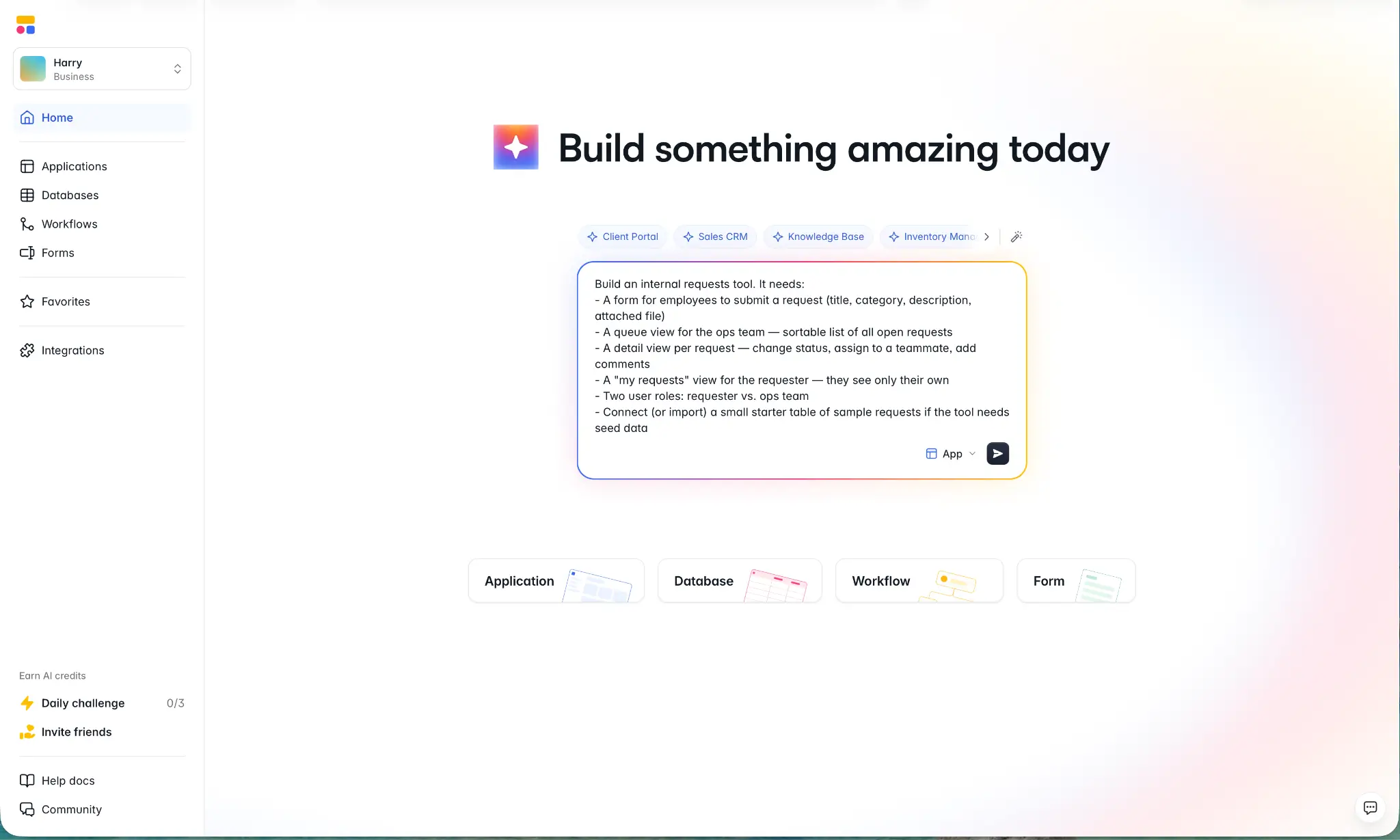
Softr is the best AI and no-code app builder for agencies. It enables you to build business apps like client portals, internal tools, CRMs, dashboards, knowledge bases, inventory management systems, and anything else you can think of quickly and easily.
To build my internal request tracker I used Softr's Co-Builder which combines an AI agent with a visual user interface. I started with a prompt describing the various interface requirements, features I needed, and user structure. The agent then asked a series of follow-up questions getting into specific technical details (without being too hard to understand), before spinning up the working preview. From prompt to prototype took ten minutes.
After that, I was able to use the no-code tools to change settings, like having the status tags of requests pre-populated in the form, and set up Google Auth. With about 20 minutes of tweaking I had a working app with a request form, a queue view for the ops team, role-scoped permissions, and a clean detail view per request that was ready for testing.
The big thing wasn't that the Co-Builder was fast, but that it was so cleanly integrated with the rest of the UI. If you've ever used a vibe coding tool, you'll know that big sweeping changes that are simple to describe (like adding a user profile page) are easy but making tweaks or configuring settings (like setting up auth or form defaults) can be a total role of the dice. By having both the AI for fast iteration and the no-code UI (with the feature set to back it up) in the same tool, Softr is incredibly capable at shipping real apps.
Pros and cons
Pros:
- Prompt to prototype takes minutes; prototype to production takes hours. Softr is fast, even if you aren't a developer or the most technical team member.
- User authentication is a real danger zone when building apps, and Softr has it solved. You can allow anyone to use your app, set it to invite-only, or have it limited to your organization. There are different auth methods available, including Google though that does require some technical set up.
- Workflows, conditional forms, and AI agents are all real features native. Apps aren't just forms connected to a database, they can be real tools that automate any part of a workflow. The visual builder is also a lot simpler to use than writing opaque custom code that your agency then has to maintain.
- Connects to major data sources like Airtable, Google Sheets, HubSpot, Notion, Supabase, standalone SQL databases, and more. Wherever your clients keep their client lists, you can integrate it.
- Predictable pricing. Tiers are clear so you can quote your clients' accurately without worrying that they'll accidentally rack up an unexpectedly large bill.
Cons:
- May not be the best fit for regulated industries with strict compliance requirements. If everything requires an audit trail, Softr won't be as easy to configure.
- Less suited for code-based development workflows.
Best features
- AI App Builder: Go from prompt to prototype in minutes, and prototype to production in a day.
- Native database and database integrations: Use Softr Databases, or sync in real time with Airtable, Google Sheets, HubSpot, Notion, SQL, Supabase, and more.
- Built-in user management: Login, password reset, account pages, and custom onboarding flows.
- Advanced permissions: Custom user groups with page-, block-, record-, and field-level access control.
- Visual workflows: Create branching automation with triggers, actions, and AI assistance; no scripting required.
- Ask AI: Let app users query live data in plain English.
- 100+ templates to work from: Including CRMs, project trackers, employee directories, and client portals you can adapt rather than build from scratch.
Pricing
- Free: Unlimited apps, with access to Softr Workflows and Softr Databases, 5 app users, 5 AI credits, and 5,000 database records
- Basic: $19/month for unlimited apps with 42+ integrations, Team: 5 + Client: 5 app users, 10 AI credits, 50K records, and 2.5K workflow actions
- Pro: $99/month for unlimited apps with 45+ integrations and custom code, Team: 10 + Client: 50 app users, 50 AI credits, 500K records, and 10K workflow actions
- Business: $329/month for unlimited apps with 52+ integrations, Team: 30 + Client: 100 app users, 100 AI credits, 1M records, 25K workflow actions
- Enterprise: Custom pricing
Get started with Softr's great free plan.
2. Lovable — best for pitch mockups and early prototypes
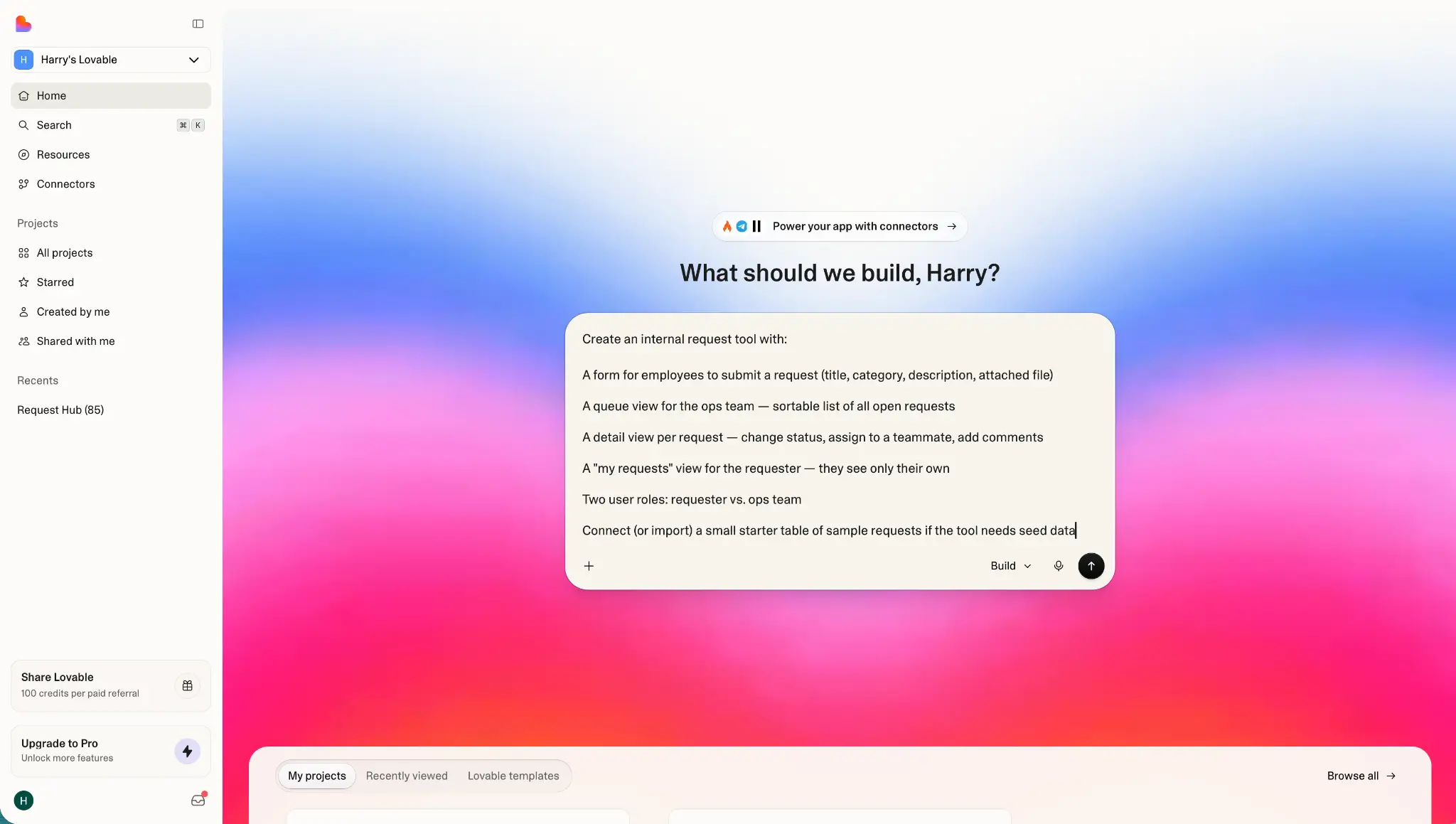
Lovable generates web apps from a plain-English prompt. Describe what you want and a few minutes later you've got a working prototype with a Supabase backend handling the data side.
For spinning up pitch mockups during a discovery call, it's hard to beat. You can show a client what their app or portal could look like in just a few minutes and iterate while they watch. It's a great way to close the deal quickly. The prototype exports to GitHub and the code is clean enough that a developer can take it from there without too much swearing.
The trouble starts when you try to ship the prototype as the actual product. End-user permissions exist, but they're basic and not the kind of thing you want to build and control with vibe coding. Similarly, connecting the app to a client's Airtable base or Google Sheet means either migrating everything into Supabase or trusting the AI to write the API integration code. Either way, you're on the hook to maintain things. Iterating heavily also burns through credits fast, which makes quoting client work a challenge. Sometimes a prototype takes a few prompts, sometimes it takes dozens.
There's also Lovable's security stumbles to consider. There was a flaw discovered in April 2026 that exposed every vibe-coded project created before November 2025. Lovable patched it quickly and has been transparent about the underlying issues, but there's still enough security questions hanging over Lovable's overall implementation that using it for production apps comes with risks that you may not be comfortable passing on to your clients.
Instead, use Lovable for what it's actually good at: Fast prototyping. Once you have the job, the production build is a different conversation.
Pros and cons
Pros:
- Fast prompt-to-prototype for React apps. You have a clickable mockup in minutes.
- Live preview with inline edits for easy iteration on a client call.
- Accepts screenshots, sketches, and documents as input, with visual references translated directly into the generated UI.
- GitHub sync and code export.
Cons:
- Credit-based pricing plus separate Lovable Cloud hosting makes billing both expensive and hard to predict.
- Multi-user permissions and external auth aren't a native feature.
- Enough security questions for concern.
Best features
- Prompt-to-prototype: Plain-language prompts produce working full-stack prototypes. not design mockups.
- Visual Edits and live preview: You can adjust UI elements without re-prompting.
- GitHub sync and export: Export your code as a real repository so handing off to a developer is simple.
- Multi-modal input: Prompt with text, screenshots, sketches, Figma mockups, and documents.
Pricing
- Free: 5 credits/day, 30/month cap, public projects only
- Pro: $25/month for 100 credits/month and 5 additional credits/day
- Business: $50/month with 100 credits/month, SSO, team workspace, role-based access
- Enterprise: Custom pricing
Lovable Cloud (the hosted backend) is billed separately based on requests, storage, and bandwidth so monthly costs can run higher than your plan price.
3. Bubble — best for complex custom apps
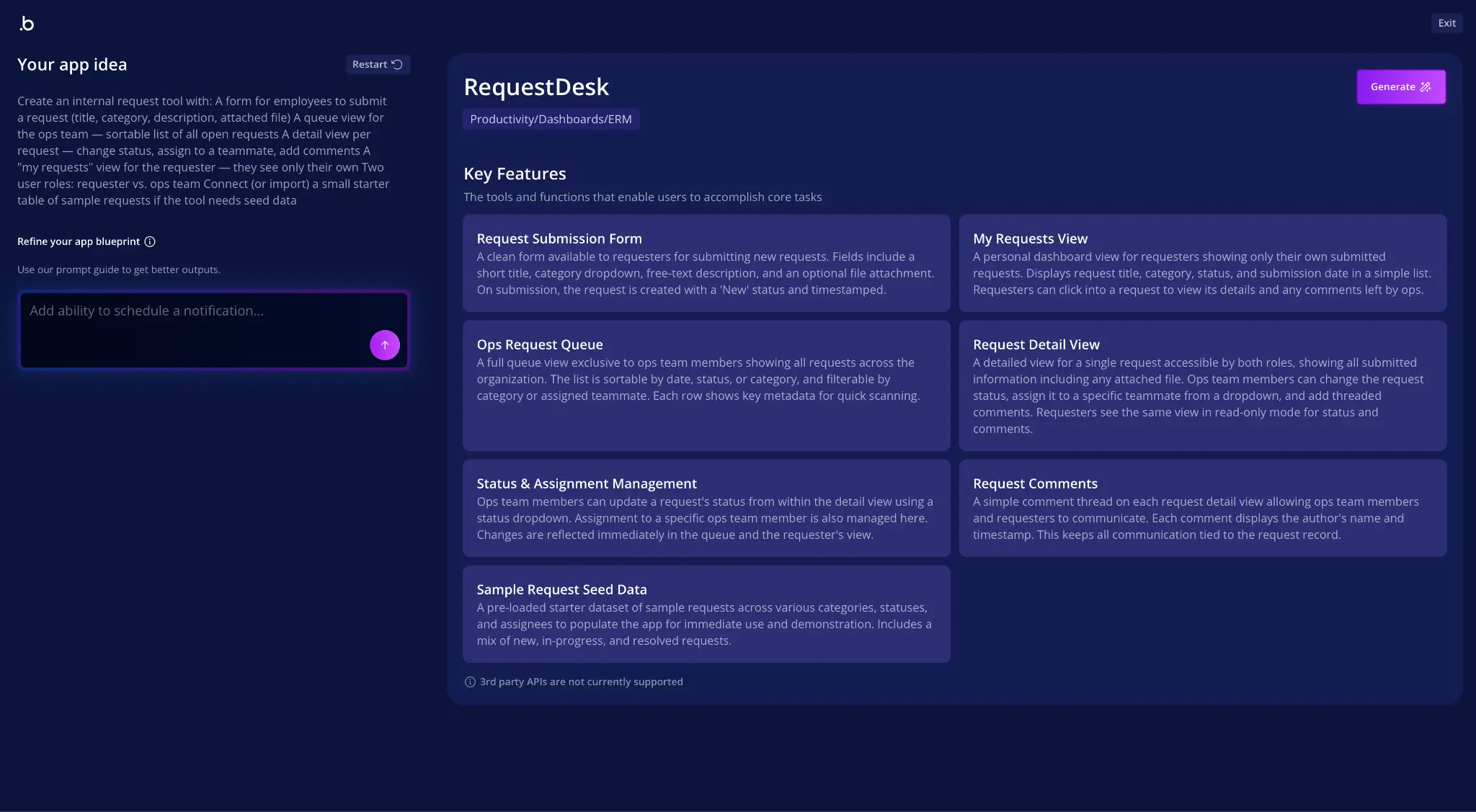
Bubble is one of the heavyweight players in the visual no-code world. It's been around for almost a decade and over the past year or two it's added deep AI app builder features. From a prompt, the AI generates a blueprint for you to sign off on. That then becomes a starting point in the visual editor, which you build from there with either AI or the no-code tools. It's not a pure vibe-coding tool like some of the others on the lists.
There are agencies whose whole business is custom Bubble development. If that's you, the AI features only make it an even more solid pick. For other agencies, it still represents a solid option. It's a mature platform that makes it suitable for building custom marketplaces, SaaS products, and complex apps. Bubble doesn't promise to ship things in minutes; it works on a time frame of days or weeks with the full-stack set up to warrant the additional time.
Bubble has a deep plugin ecosystem, a native database, and pixel-level design controls. For agencies looking to quickly ship internal tools then move on, it's overkill. But for agencies looking to build enterprise ready apps, it might be the right fit.
Pros and cons
Pros:
- Pixel-level design control. Bubble apps can be built to match any design.
- Bubble is a mature tool. There's a plugin ecosystem, great help docs, and even a developer certification program.
- The ceiling for what you can build is high. Bubble can be used to make marketplaces, custom SaaS tools, and complex applications.
- Long track record and is widely used by agencies.
Cons:
- Steep learning curve. Bubble can be closer to low-code than no-code. It's full feature-set makes it powerful, but also complex.
- Usage-based pricing scales unpredictably. Quoting clients for ongoing costs can be a challenge.
Best features
- Visual workflow editor: Build conditional logic, scheduled tasks, and external API calls without writing code.
- Native relational database for complex business data.
- Plugin marketplace that covers most integrations the platform doesn't handle natively.
- Pixel-level design tools: Full control over layouts, animations, and app behavior.
Pricing
- Free: Limited to testing the platform
- Starter: $69/month with basic features and white labelling
- Growth: $249/month with version control and 14 days of logs
- Team: $649/month with team and security features
- Enterprise: Custom pricing
4. Bolt — best for code-based builds
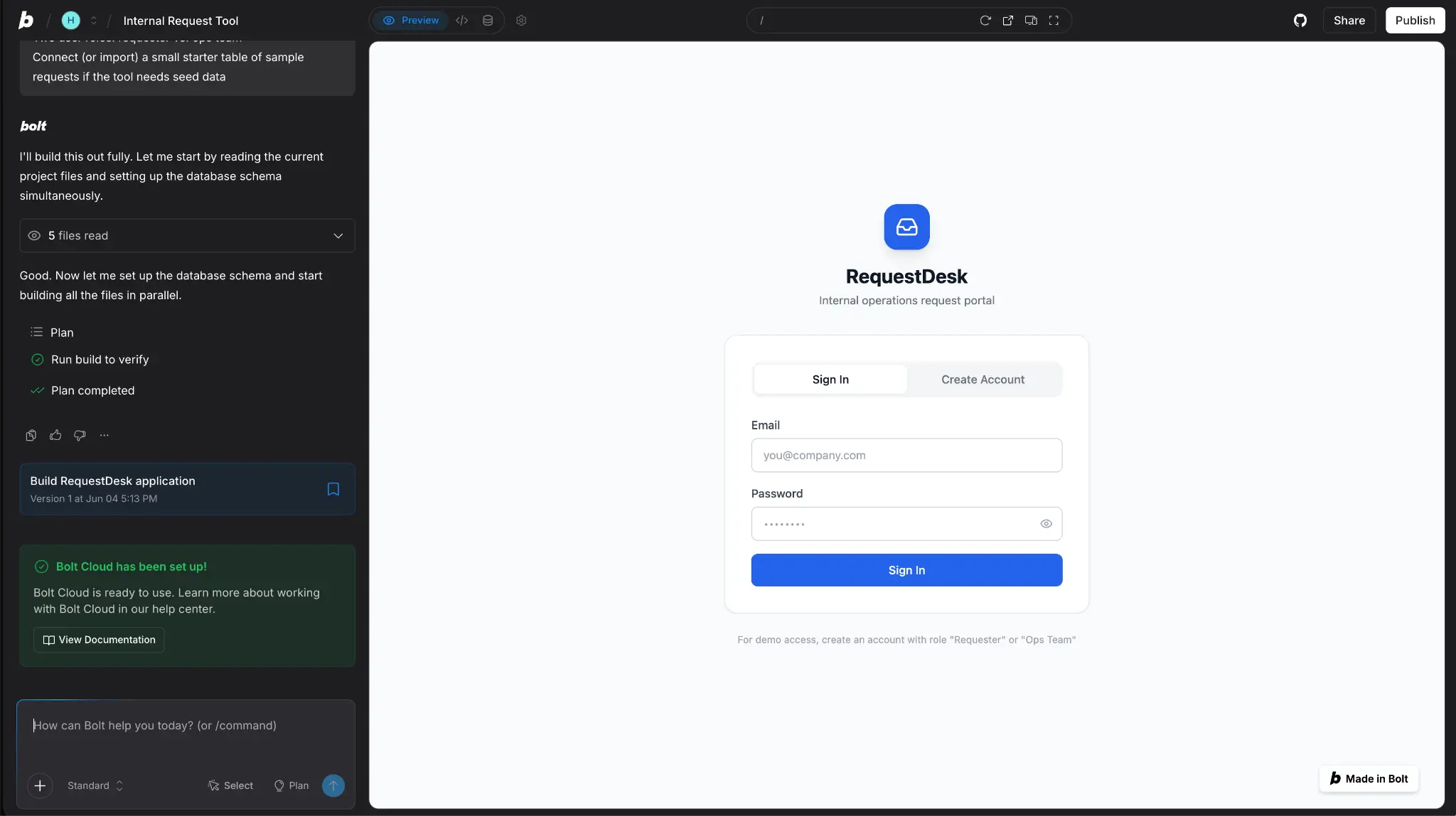
Bolt generates full-stack apps that run with real code. If you know what React, Node, and Postgres are, and more importantly, want an AI app builder that works with them, then Bolt may be the tool for you. With its terminal and file editor as well as the prompt-based AI app building infrastructure, Bolt is a hybrid between a typical developer environment and a no-code builder. And that's both the reason to use it and the reason to avoid it.
For an agency with technical talent available, Bolt is a compelling middle ground. It can be faster than building an app from scratch and more flexible than some strict no-code tools, while not alienating the client-facing non-technical team.
For agencies without developers, Bolt is a riskier prospect. While the marketing claims that non-technical builders can use it, I feel you need to be able to at least glance over what the AI is generating to both make the most of it and safely build out infrastructure like authentication.
Pros and cons
Pros:
- Real development environment in the browser. If you want Node.js, npm, and terminal access without having to run anything locally, it. could be a good fit.
- Build your own design system, or import from Figma.
- Generates real code. You can export everything to Github and hand it off to a dev team or the client.
- One-click deploys with Bolt Cloud.
Cons:
- Token-based pricing makes costs unpredictable.
- Auth, permissions, and data security are configured manually. That means you can make mistakes if you don't know what you're doing.
Best features
- Full-stack generation: Real tech stack with React for the frontend, Node for the backend, and Postgres for the database from a single prompt.
- GitHub sync and export: Real repository, full code ownership.
- Good design tools: Import designs from Figma or create a design system in Bolt for branded apps.
- Designed for agencies: Team features and white labelling are baked in from the start.
Pricing
- Free: 1M tokens/month, 300K daily limit, Bolt branding on hosted sites
- Pro: $25/month for 10M tokens, no daily limit, custom domains
- Teams: $30/member/month with centralized billing and admin controls
- Enterprise: Custom pricing
5. Retool — best for internal tools
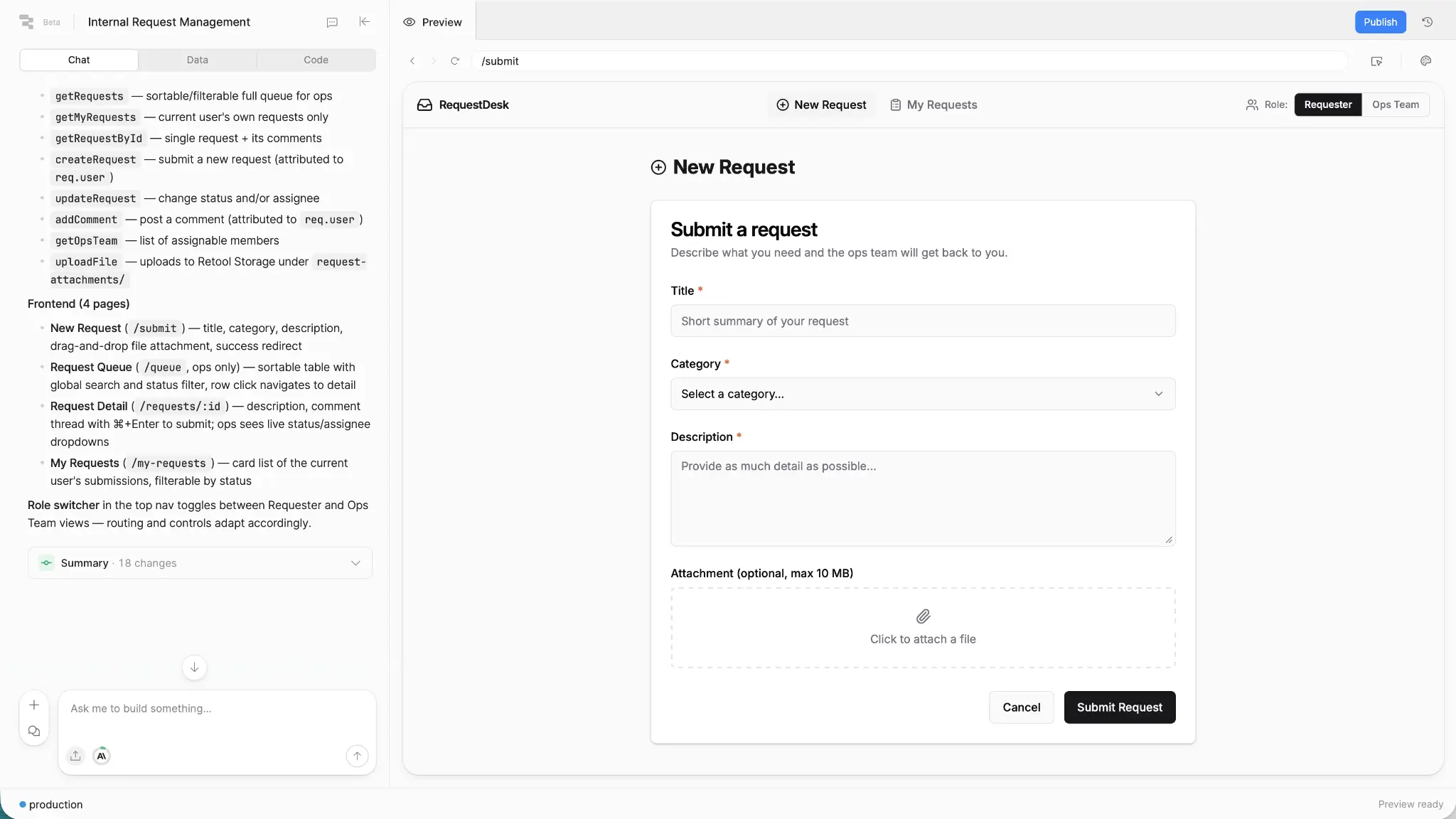
Retool is a low-code platform dedicated to building internal admin tools. It combines an AI-powered app builder, visual development UI, and real code under the hood so you can build apps however you like.
Retool connects to a wide range of database systems including Postgres, MySQL, MongoDB, BigQuery, and around a dozen other options. Alternatively, you can use its built-in managed Postgres.
For agencies working with clients with real databases and technical teams, Retool might be the right tool. It enables you to build admin panels, dashboards, and other internal apps on top of their existing infrastructure, rather than having to start from scratch.
Crucially, Retool is explicitly for internal tools. It has all sorts of safety, security, and compliance features built in to support that use case, but it's not designed for allowing external access. If that's a dealbreaker, it's the wrong tool
Pros and cons
Pros:
- Dedicated agency plan.
- Specifically designed for building internal tools, so has appropriate security and compliance features in place.
- Combines a solid UI, AI agent, and production quality code.
- All-in-one platform that enables building, testing, and running an app in production.
Cons:
- Per-seat pricing for end users can make simple tools prohibitively expensive at scale.
- Although building external tools is possible, it's not as easy as it is with some other apps. It's only available on higher tiers.
Best features
- Build on top of your existing infrastructure: Retool can integrate with your database and infrastructure, so you're not starting from scratch. You can also self-host it.
- Security and compliance-first features: Including audit logs, analytics, SSO, and source control.
- Enterprise integrations: Connects to most major enterprise apps.
- AI agents and assistants: Build AI into existing tools rather than having to migrate to a different platform.
Pricing
- Free: Limited; 5 users
- Team: From $10/builder/month and $5/internal user/month
- Business: From $50/builder/month and $15/internal user/month
- Enterprise: Custom pricing
There's also a dedicated agency plan.
Pick the tool that fits the work
Softr is the best AI app builder for agencies. It can handle client portals, internal tools, and almost anything else you can throw at it. Its pricing scales predictably, manages tricky problems like auth with ease, and makes the boring infrastructure work as simple as typing a prompt or tweaking a few settings in the visual editor.
If you want something a bit more code-forward, Lovable and Bolt have you covered. Neither hides the production code away so, if you're technical, you can take their output and build from them. Retool similarly exposes the code, but it's better suited to building internal tools. Otherwise Bubble is a mature platform that earns its spot for complex applications like marketplaces and SaaS platforms.
So if your agency is looking for an AI app builder, start with Softr. It's free to try.
Frequently asked questions
Which AI app builder is best for agencies?
Do agencies need a developer to use these tools?