


An introduction to Airtable API: Pros, cons, and how to set it up

[.blog-callout]
TL;DR
- Two APIs: Airtable uses the REST API for record CRUD operations, and the Metadata API to fetch table schemas.
- Key limitations: Lacks detailed data formatting for lookups, selects, and dates, and has a strict cap of 5 requests per second.
- The no-code path: Connect Airtable directly to Softr to build portals and internal tools without custom code, or migrate to Softr Databases to bypass API limits. [.blog-callout]
Airtable is a spreadsheet-database hybrid that lets you create structured databases that can power custom applications. With more than 300,000 businesses and 80% of Fortune 100 companies using the platform, it's clear that Airtable has a lasting impact on how teams organize their data.
Here at Softr, we love Airtable. It's one of the data sources our users connect to power their portals and internal tools. But there is one area of the product that has long lagged behind the rest: the API. If your business runs on Airtable, understanding what its API can and can't do will save you a lot of guesswork.
In this article, you'll learn about Airtable's API, what it does well, what it could improve on, and how to set it up with JavaScript or using HTTP requests and Postman.
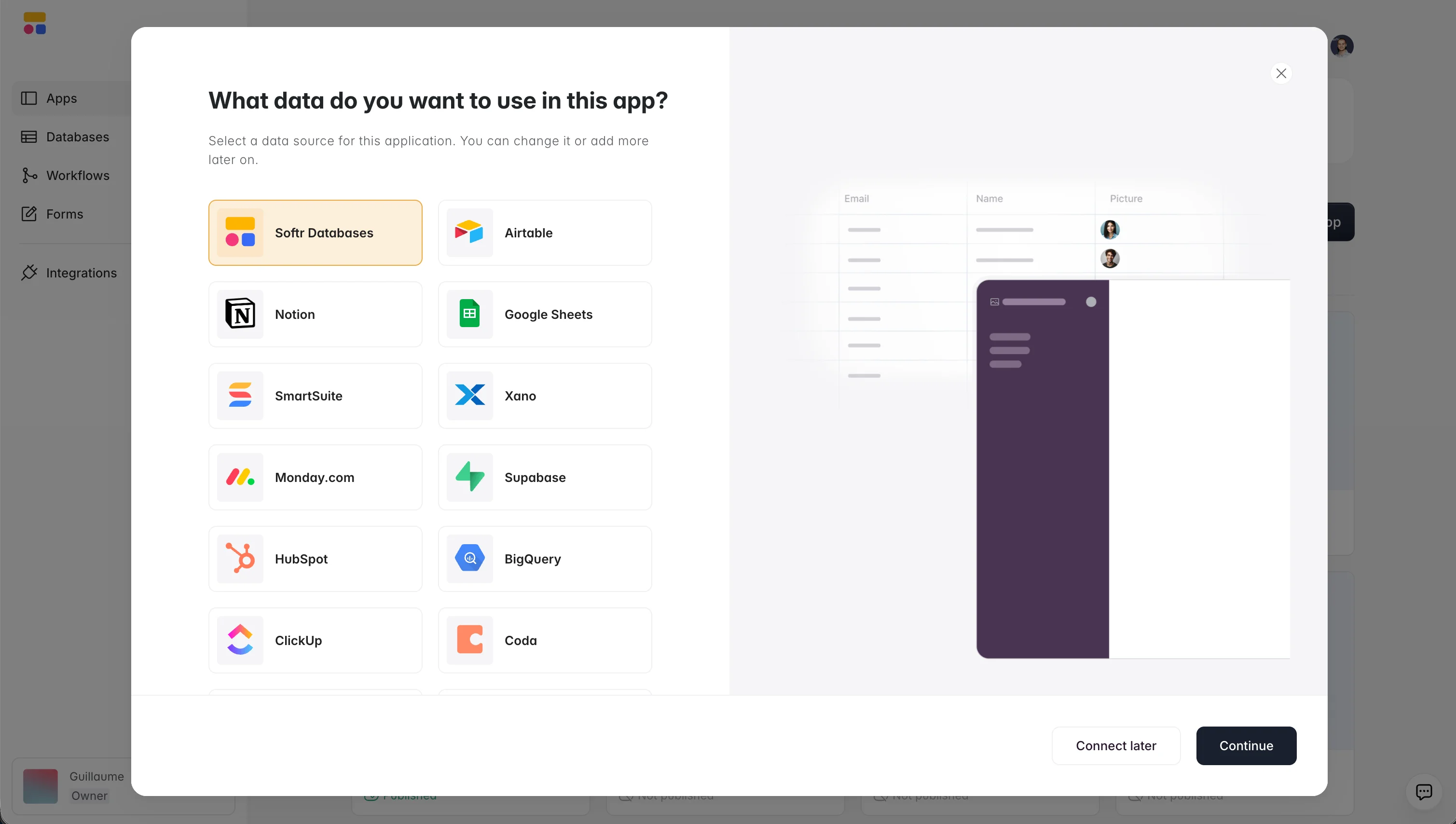
"I find Softr very intuitive and easy to navigate, which is great for someone who is not a programmer by nature. It integrates very nicely with Airtable and other databases we are already using, so it just sits on top of the systems we have." - Natalie S., Director of Operations
The Airtable API structure
Airtable has two APIs, each with its own unique place in your workflow:
- REST API is Airtable’s open, or public, API, that lets you fetch record data.
- Metadata API is used by developers to fetch information about the Airtable data itself.
Let’s take a closer look at each of them.
{{cta-1}}
REST API (the regular API)
This regular API is RESTful, which means it closely follows REST semantics, a collection of guidelines for creating scalable and lightweight web APIs. It uses JSON to encode objects and relies on standard HTTP codes to signal operation outcomes.
You’re using this API every time you create, read, update, and delete a single record from your Airtable bases.
But if you want to retrieve information about your bases, tables, and views, you'll need to use the Metadata API.
Metadata API
This API gives you the ability to retrieve information about the structure of your bases and tables.
For example, if you want to retrieve information about the data in a new record, like pictures or text, you’d use the REST API. But if you want to fetch information about the record itself, the Metadata API needs to be employed.
The metadata API uses token-based authentication, like Airtable's standard REST API, which means users need to generate and paste their Airtable account's API key (available from their account page) into an Airtable integration, like Softr.
In 2021, Airtable opened up its Metadata API in an effort to make the platform more extensible, i.e. suited to making changes and adding new features. Accessing it required a developer's token which users could request. Unfortunately, because of overwhelming interest, Airtable had to temporarily pause the creation of new developer tokens.
What's great about the Airtable API
Before we get into our critiques of the Airtable API, we'll list some things that the Airtable API does really well.
The Airtable API documentation
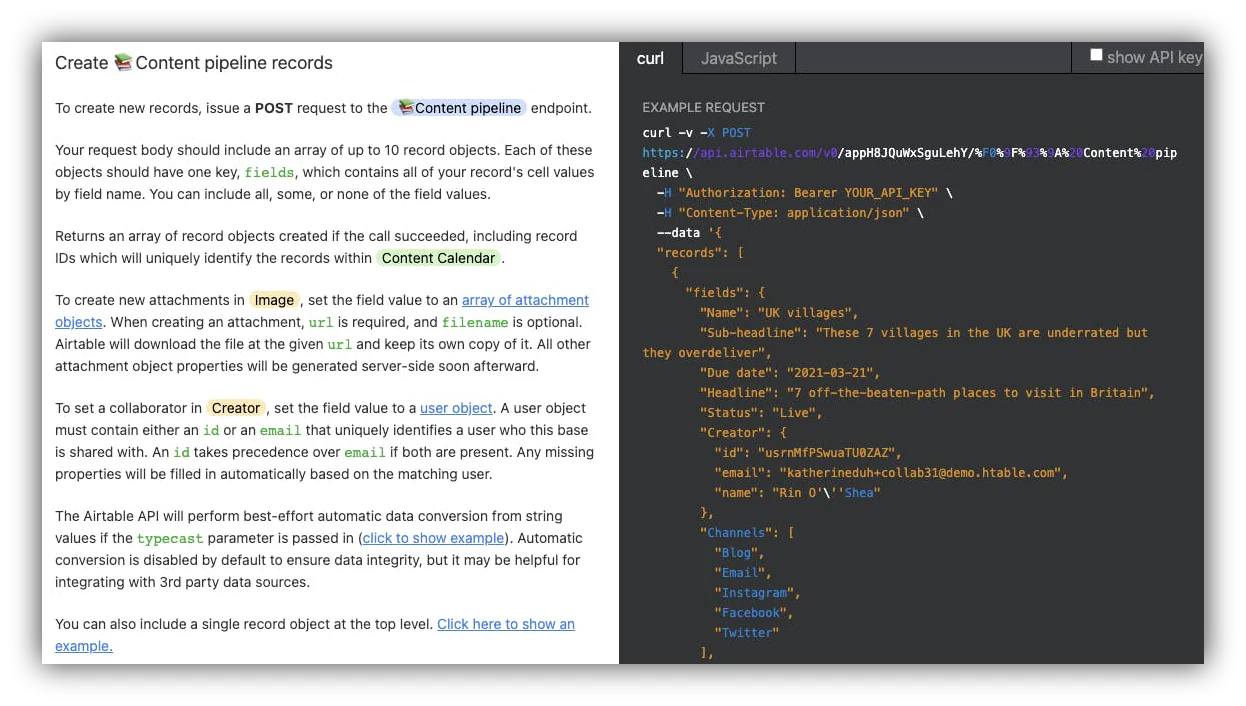
The Airtable API docs are personalized, comprehensive, and to the point. When using the regular API, documentation will be dynamically generated for each of your bases. This makes the documentation easier to understand since the names of your columns will be shown directly in the docs.

Two other great features of Airtable's API are the value and call examples. The Airtable API documentation pulls data from existing records to showcase what values could be used for a specific parameter.

Call examples work similarly. Using existing data from your base, an example API call is generated on the right-hand side of the doc.
Bulk operations
Bulk operations let you apply the same actions to a set of items. For example, using Airtable’s bulk field action, you can make changes to the field permissions or grouping of multiple fields at the same time.
Not every RESTful API supports interacting with multiple entries. Fortunately, Airtable allows up to 10 records for the create, update, and delete calls.
The data formatting of the attachment field type
One of the field types that Airtable keeps great formatting data on is the attachment field.

The typecast parameter
When creating or updating records that make use of the Single select or Multiple select properties you might run into the issue of posting a string that does not exactly match an existing option.
By default, the Airtable API will throw an INVALID_MULTIPLE_CHOICE_OPTIONS error. However, you can make use of the typecast parameter to create a new option if no exact match was found.
What we wish the Airtable API did better
Despite the amazing features listed above, there are a few improvements we would love to see in the Airtable API. The issues that we'll be discussing apply to both the REST and Metadata API.
Data formatting issues in the Metadata API
It's important to know how the data you're working with is formatted. Below are a few data types listed that are missing important information about their formatting.
Linked records
When working with linked records in Airtable, you're creating a relationship between two tables. But if you make an API call to the Metadata API, unfortunately, no additional information about this relationship is provided.

Lookups
Similar to linked records, API calls to records with lookup fields contain no more information than the lookup's type, id, and name. When using lookups, it's important to know what field it is you're looking up, which relationship that field comes from, and what aggregation formula is used to look up the records (AVERAGE, COUNT, SUM, etc.)
Single/multiple select properties
When working with single and multiple select properties, once again, no more information than the type, id, and name of the column is provided.Ideally, all of the options created in the field would be included in an API call.

Dates
When users retrieve a record from the Metadata API, the only information available about a date field is its name. But dates can be formatted in dozens of ways, and this is vital information that the Metadata API doesn’t include. Below is a part of the Metadata API call response.

Currency
Similar to dates, no further information about a currency field's formatting (currency symbol, decimals) is provided. As with dates, there are many different currency symbols, making this an important detail of a currency field type.

Data formatting issues in the regular API
Airtable’s regular, REST, API also has some drawbacks when it comes to dates, currency, and duration. Let’s take a look at some of these data formatting issues.
Dates
When retrieving a record with a date field from the regular API, only the record id, date field, its name, and value are available. It’s useful to have information about the date and time format, as well as the time zone. Therefore, very often one would need to use date formulas to come up with workarounds for fetching the date formatting correctly.

Currency
As with the Metadata API, if you retrieve information about a currency, the currency symbol and decimals are missing.

Duration
The same goes for time units in duration data types. A duration can be anywhere from milliseconds to hours. Unfortunately, no unit information about durations is provided.

API rate limits
For performance and security reasons, every API needs to have a request limit. Airtable's API is limited to only 5 requests per second, per base. That might be sufficient in some cases, but for more sophisticated use cases it’s not.
We’d love it if Airtable made it possible to request an increase in the API rate limit like Stripe or some Airtable alternatives like Coda or Google Sheets do.
Other inconsistencies
Unfortunately, the Airtable API lacks consistency in some cases. For example, API doesn't return empty fields. Ideally, when retrieving a table's records, all of the fields should be included in the response, regardless of whether they contain data.
If your business uses Airtable as its main database, some of these issues could keep you from completing complex use cases. The Airtable API doesn't provide all the needed information in some important cases, which can lead to inefficient workarounds. When that happens, teams often replicate their database on a different service that retains the formatting details Airtable leaves out.
If you reach that point, Softr Databases is a natural place to land. You can import an entire Airtable base, with all its tables and fields, in a few clicks, and because the database is native to Softr, your app reads and writes data instantly instead of waiting on third-party API calls. It also comes with a robust REST API of its own, so you keep full programmatic access without inheriting Airtable's rate limits.
All in all, Airtable is an amazing product. There are many successful businesses with Airtable as the primary tool in their software stack. We would love the API to keep up with the overall quality of the platform.
How to use the Airtable API
There are two main ways to use Airtable’s API to perform CRUD (create, read, update, and delete) operations. You can do that using:
- HTTP requests
- Javascript
How to use Airtable API in 5 steps: HTTP requests
For this method, we’ll use Postman, a platform for building and using APIs, to make our first call.
- First, login or sign up to Airtable
- Add a base. You can either create this from scratch or follow one of Airtable’s templates. The templates start out with dummy data you can manipulate, but if you’re looking to start from scratch, you’ll need to import your data into the new base yourself.
- Generate your API Key. To do this, go to your Airtable account and generate the key from there.
- Next, visit https://airtable.com/api where you’ll have your workspaces and bases. Click on the base you just created. You’ll see the API documentation that Airtable has automatically generated for you based on your base and table schema.
Note: On the right-hand side of the screen, you’ll see that the documentation is broken down into two categories: Curl and JavaScript. Curl will basically be your raw HTTP requests. More on JavaScript soon.

- Now, go to Postman to make your first call.
The Airtable API: the good, the bad, and the areas of growth
Airtable’s API structure is divided into two APIs:
- REST API is used when you create, read, update, and delete (CRUD) information.
- Metadata API is used when you’re retrieving information about the data itself.
The Airtable API has quite a few benefits, including
- Personalized and comprehensive documentation
- Possibility for bulk operations
- Excellent data formatting on attachment field types
- The Typecast parameter
However, there are also a few drawbacks we have to mention here. For example, there are quite a few formatting issues when it comes to
- Linked records
- Lookups
- Single or multiple select properties
- Dates
- Currency
If you find yourself fighting these limits, remember that Airtable doesn't have to be where your data lives. Importing your base into Softr Databases gives you a more performant, AI-ready foundation while keeping the same structure your team already knows.
That said, Airtable is still a solid solution for streamlining processes, workflows, and projects while organizing your data. And if coding isn't your thing, you can pair Airtable with Softr to build secure client portals, internal tools, and CRMs without ever touching the API. Softr is a full-stack platform: it gives you native Softr Databases, an interface builder, Workflows for automation, and 21+ data sources including a REST API connector. You can describe the app you need to the AI Co-Builder, start from a template, or build it visually, and if Airtable's API limits ever push you to move your data, you can import your base into Softr Databases and keep going without missing a beat.
Frequently asked questions
Does Airtable have an open API?
How do I connect the Airtable API to a Softr app?
Can Airtable pull external data from another API?
What are the main limits of the Airtable API?
Do I need to code to build an app on top of Airtable data?


