
Most AI business app builders oversell how well their apps hold up once real teams start relying on them. I tested the top platforms in 2026 to find the ones that can actually support day-to-day operations, from internal tools and client portals to dashboards and workflow systems. Let’s dive in.
Best AI business app builders at a glance
| Tool | Best for | Standout Features | Pricing |
|---|---|---|---|
| Softr | Building real business software with an AI-native setup | • AI Co-Builder • Built-in relational database & 21+ data source integrations • Granular, role-based permissions • Native workflows • Supports visual, no-code editing after AI generation | Free plan available Basic: $19/month |
| Bubble | Complex SaaS apps and marketplaces | • Visual workflow builder • Built-in database • API Connector and plugin ecosystem | Free plan available Starter: $59/month |
| Retool | Developer-led internal tools connected to existing data | • Strong database and API connectivity • Drag-and-drop internal app builder • Workflows, mobile apps, and AI agents | Free plan available Team: $10/month/builder + $5/month/internal user |
| Adalo | Simple mobile app MVPs | • Mobile-first drag-and-drop builder • Hosted database • App-store publishing support | Free plan available Starter: $36/month |
| Microsoft Power Apps | Microsoft-first teams building secure internal apps | • Copilot-assisted app planning • Canvas and model-driven apps • Dataverse and Power Automate integration | Free Developer Plan Power Apps Premium: $20/user/month |
| Zoho Creator | Zoho-based teams building workflow-heavy internal apps | • Zia AI-assisted app building • Blueprints for structured processes • Custom workflows and Zoho integrations | 15-day free trial Standard: $8/user/month |
| Base44 | Lightweight AI-generated internal tools and MVPs | • Prompt-based app generation • Built-in backend and authentication • One-click deployment | Free plan available Starter: $16/month |
| Netlify | Deploying frontend-first AI apps and web projects | • Deploy from AI, Git, or API • Unlimited deploy previews • Functions, blob storage, and Netlify Database | Free plan available Personal: $9/month |
| WeWeb | Custom web apps with external backends | • Flexible visual frontend builder • API and backend integrations • Code export, self-hosting, and GitHub sync | Free plan available Essential: $20/month |
What is an AI business app builder?
An AI business app builder turns plain-language prompts into working business software. You describe the app you need, like a content management portal for assigning briefs, collecting drafts, and approving content, and the builder generates the system with a structure behind it.
The best AI business app builders don’t stop at a quick prototype. They help teams create secure, usable systems for real workflows, such as client portals, internal tools, project trackers, CRMs, dashboards, approval apps, and vendor portals.
How I tested the top AI business app builders
I evaluated each AI business app builder based on how well it could support real business operations. Specifically, I reviewed:
- Business-readiness: I looked at whether the platform could build apps teams can realistically use in day-to-day operations, not just generate a polished demo. That includes support for real users, structured data, workflows, permissions, and multi-user environments.
- Ease of use: I evaluated how easy it was for non-technical teams to build, edit, and maintain apps without relying heavily on developers, complex setup, or constant troubleshooting.
- Data management: I tested how well each platform handles business data like clients, projects, tasks, requests, and inventory. The stronger tools include a native database or connect cleanly to your existing data sources.
- Permissions and access control: I looked for built-in role-based permissions and granular access controls, since not every user should see the same data, and managing permissions manually with custom code becomes difficult to maintain over time.
- Integrations: I evaluated how easily it connects to other tools in my tech stack (like Google Sheets, Slack, Airtable, HubSpot, Notion), and APIs, since most business apps need to fit into an existing operational stack.
- Automation: I evaluated how well each tool handled operational workflows like approvals, notifications, task assignments, follow-ups, and status updates, as this is what turns a static app into an operational system that moves work forward.
- Scalability: I considered whether the platform could grow beyond a small initial use case by looking at performance, workflow complexity, user limits, record limits, and overall flexibility as operations scale.
- Transparent pricing: AI credits, user seats, workflow runs, database records, and integrations can all affect cost. I reviewed how clearly each platform communicated their pricing tiers, especially for teams planning to build larger operational systems.
1. Softr — best for building real business software with an AI-native setup
[.blog-callout]
🏆 Why Softr wins: Unlike other AI app builders that leave you to deploy untested code, Softr’s AI Co-Builder gives you an app ready to share with clients or employees immediately, with authentication, permissions, databases, hosting, and user management already built in.
[.blog-callout]
Softr is an AI business app builder for teams that need custom business software they can launch, manage, and scale over time without writing code. You can build SOC 2 and GDPR-compliant client portals, vendor portals, internal tools, CRMs, project trackers, and other systems themselves — without hiring a developer.
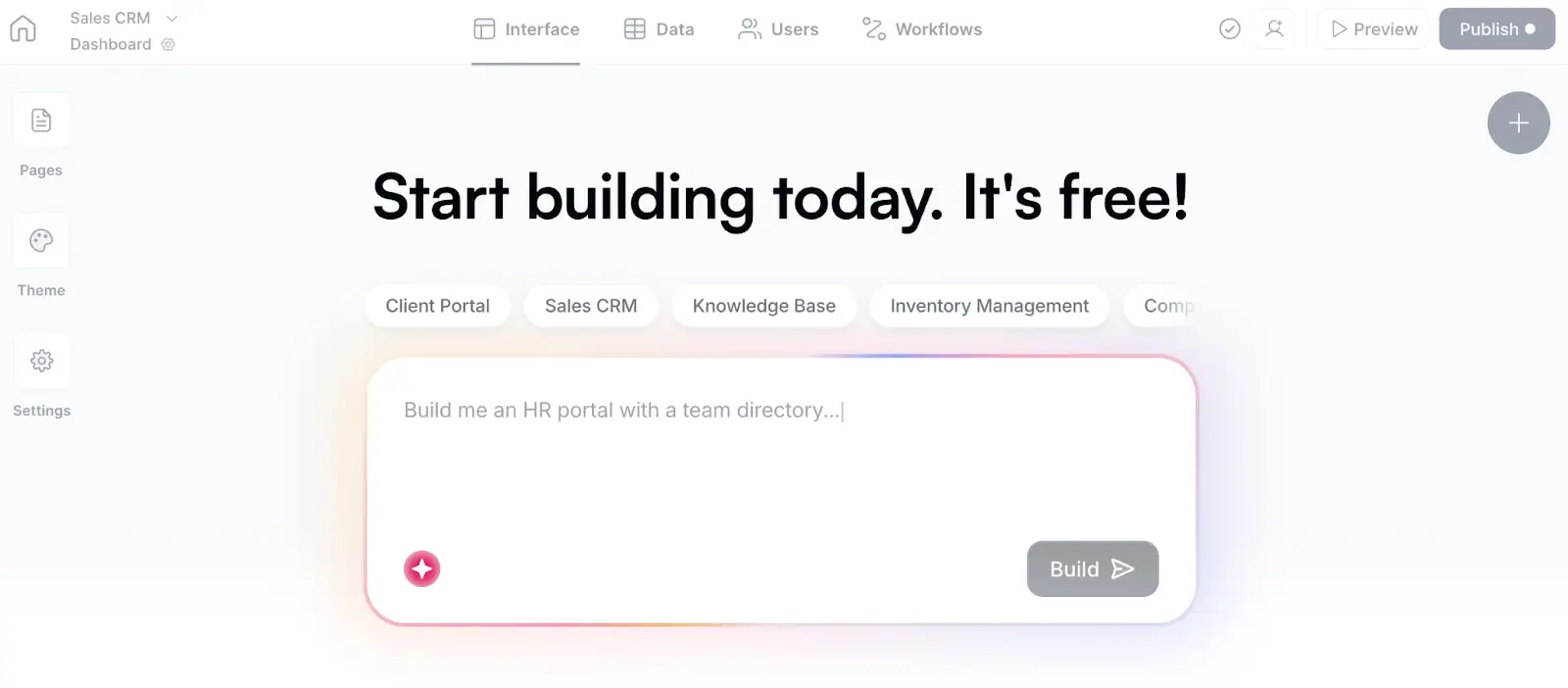
Just describe the app you need in plain language, like “a project management system for a 30-person marketing agency” or “a client portal for a financial services firm managing onboarding, invoices, and approvals,” and Softr’s AI Co-Builder creates a working app with a native database, app pages, utility pages (e.g., login, account settings, password reset), and user groups already in place.
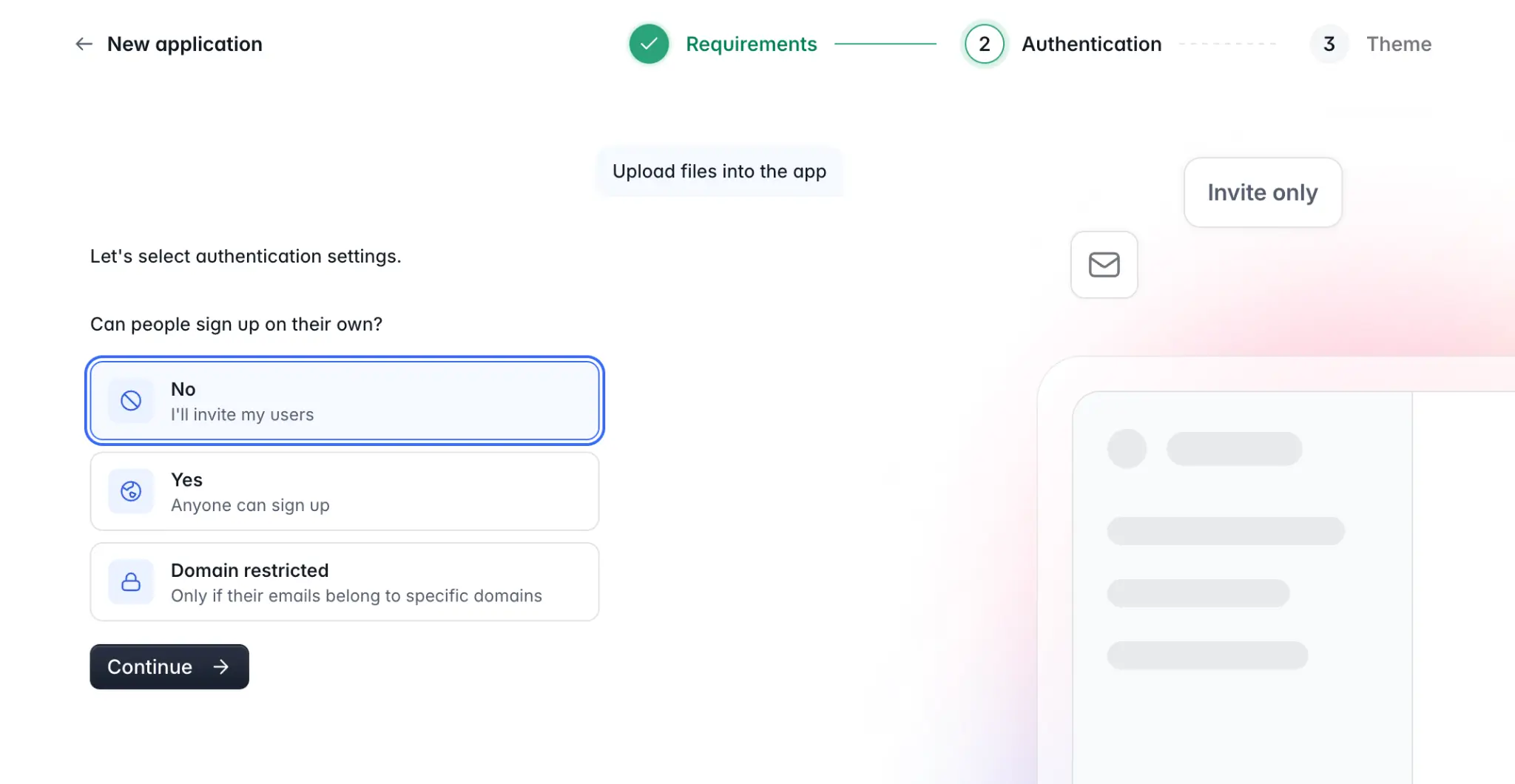
Unlike many AI builders I tested, Softr focuses on the operational foundation first. The AI Co-Builder starts by structuring your database, then layers the interface, permissions, and logic on top. You decide how users should log in and access the app, while Softr handles authentication, password resets, and user sessions behind the scenes.
Once your app is built, you can switch between visual editing and prompting at any time; you’re never locked into re-prompting if you want to make changes. Prefer to work from your own AI assistant? Connect Claude, ChatGPT, or Cursor through the Softr MCP to update your pages, databases, and workflows directly from your chat. During testing, I built a custom client portal in about four minutes flat — and then used the Co-Builder to add additional features like KPI charts for active projects and pending requests.
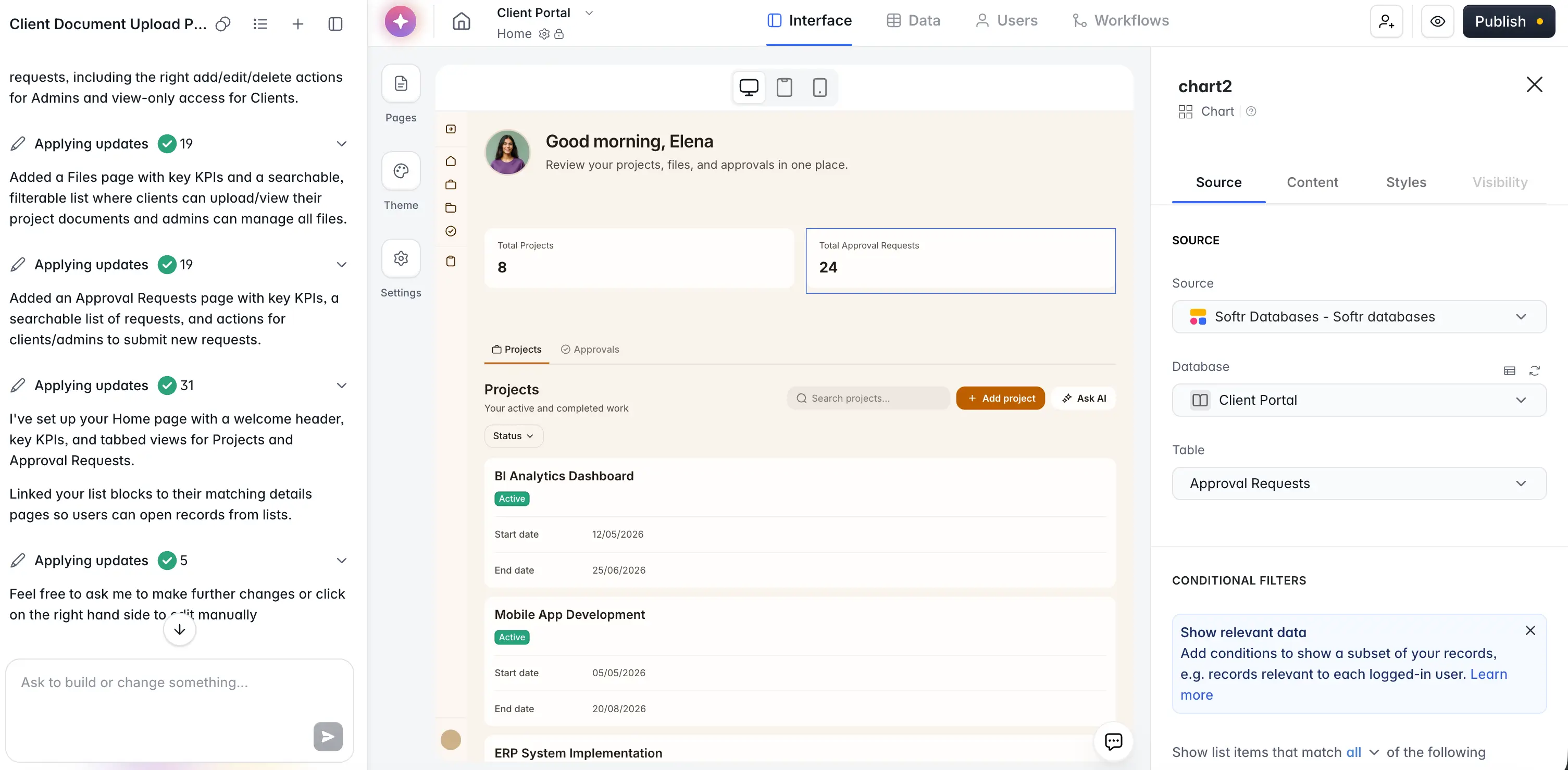
You can control what different users can see, edit, or manage throughout the app, whether that’s giving internal teams full editing access while clients only see their own information.
Softr’s built-in AI features also feel genuinely useful for day-to-day operations. Ask AI lets users query live app data in plain English while respecting existing permissions, and Database AI agents can automatically enrich and autofill records directly inside your database. For example, in my client portal, I added an AI agent that extracts invoice details from uploaded PDFs.
I used Softr’s built-in database for my client portal, but you can also connect to 21+ data sources like Airtable, Google Sheets, HubSpot, and SQL databases.
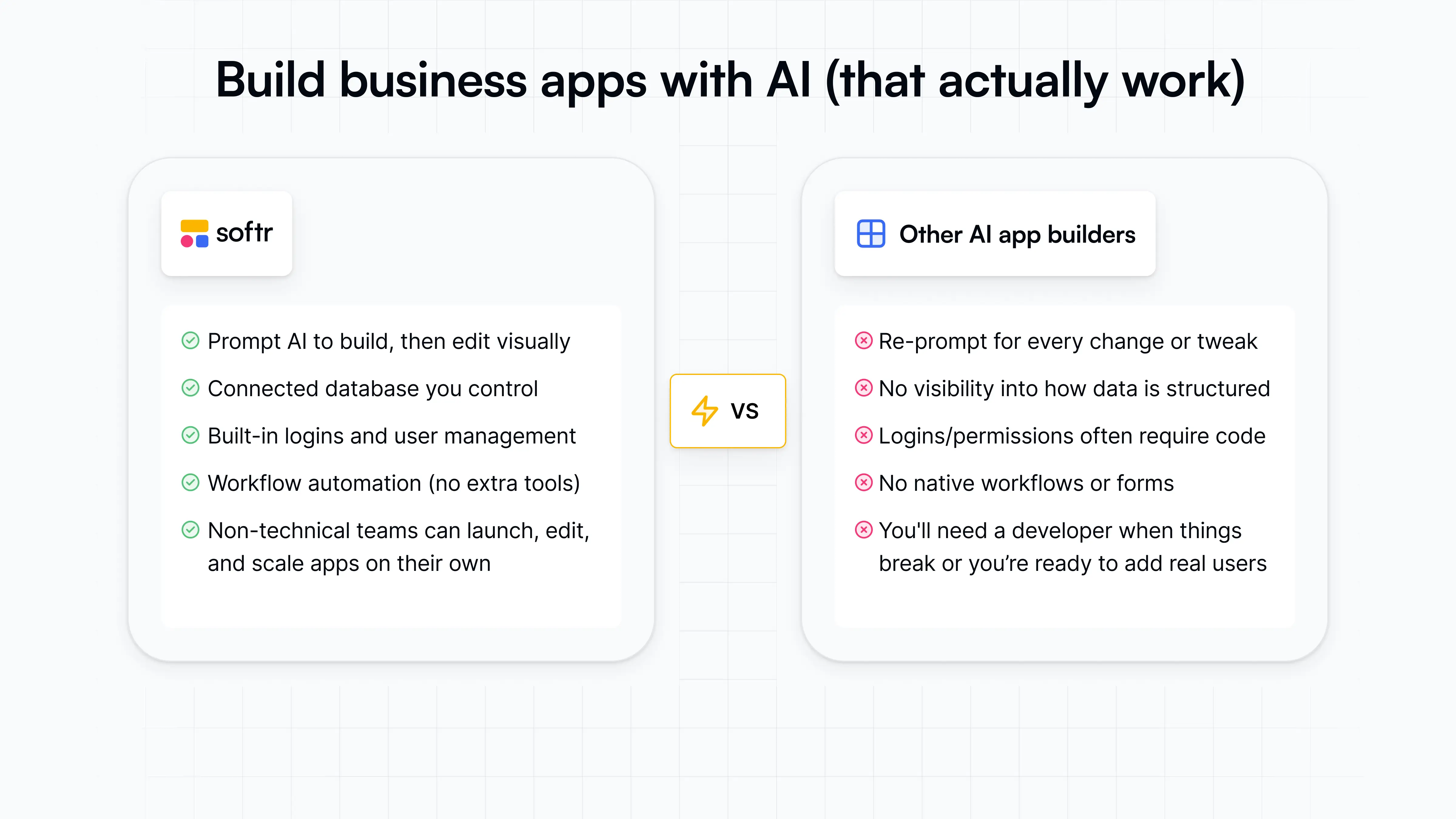
Here’s how Softr compares to other builders:
Softr pros and cons
Pros:
- Business-ready and full-stack from the start: Softr builds apps with the relational database, user logic, and core structure (including utility pages like login, sign-up, page not found, etc.) already connected, so teams can move beyond a rough first draft faster.
- Built for non-technical teams: Operators can describe what they need, then edit layouts, data, permissions, and workflows visually with building blocks without wasting AI credits or waiting on developers.
- Strong fit for multi-user business apps: Softr works brilliantly for portals, intranets, CRMs, project trackers, dashboards, and approval systems where different users need different access levels.
- Flexible data setup: Teams can use Softr Databases as the backend for their business data or connect to existing tools like Airtable, Google Sheets, Notion, HubSpot, ClickUp, monday.com, SQL databases, and more.
- Predictable pricing model: Softr’s flat plans include user, database, workflow, and AI allowances, making it easier to plan costs than tools that rely heavily on open-ended usage or token-based pricing.
- Good balance of AI and visual control: You can use AI to generate or adjust parts of the app, then make precise changes in the visual editor without re-prompting everything.
Cons:
- Less suited for developers who want full control over the underlying codebase
- Not the best fit for SaaS marketplaces
Softr best features
- AI Co-Builder: Softr’s AI Co-Builder turns a plain-language prompt into a working business app with the app structure, database, and logic connected, secure, and ready for users.
- Scalable built-in database: Use Softr Databases as your backend, or connect to external data sources like Airtable, Google Sheets, Notion, HubSpot, monday.com, ClickUp, SQL databases, Coda, and more (with real-time, two-way sync).
- Role-based permissions: Custom user groups and granular access controls help teams share apps with clients, vendors, partners, or employees while keeping sensitive data protected.
- Native workflow automation: Softr Workflows lets teams automate steps like approvals, notifications, assignments, updates, and follow-ups directly inside the platform.
- Ask AI: App users can query live app data in plain English, with answers controlled by the permissions already set in the app (e.g., "which leads haven’t been contacted in 30 days?").
- Enterprise-grade security: Keep your app's data protected with secure authentication, server-side permissions, and full SOC 2 and GDPR compliance.
- API & Webhook connectors: Connect your apps to any external data source or financial, marketing, or sales tool via REST API, and use Webhooks to trigger additional actions or receive events in real time.
- Extensive template library: Choose from 100+ ready-to-use app templates with sample databases (CRMs, recruitment portals, project trackers, and more).
- Vibe Coding Block: Generate custom UI elements and tools for your app by prompting AI, like this drag-and-drop calendar.
.webp)
Softr pricing
Softr offers flat, predictable pricing plans.
- Free: Unlimited apps, with access to Softr Workflows and Softr Databases, 5 app users, 5 AI credits, and 5,000 database records
- Basic: $19/month for unlimited apps with 42+ integrations, Team: 5 + Client: 5 app users, 10 AI credits, and 50K records
- Pro: $99/month for unlimited apps with 45+ integrations and custom code, Team: 10 + Client: 50 app users, 50 AI credits, and 500K records
- Business: $329/month for unlimited apps with 52+ integrations, Team: 30 + Client: 100 app users, 100 AI credits, and 1M records
- Enterprise: Custom pricing
Every plan includes a monthly AI credit allowance, so you can try the AI Co-builder and Vibe Coding block at no cost.
{{cta-2}}
2. Bubble — best for SaaS apps and marketplaces
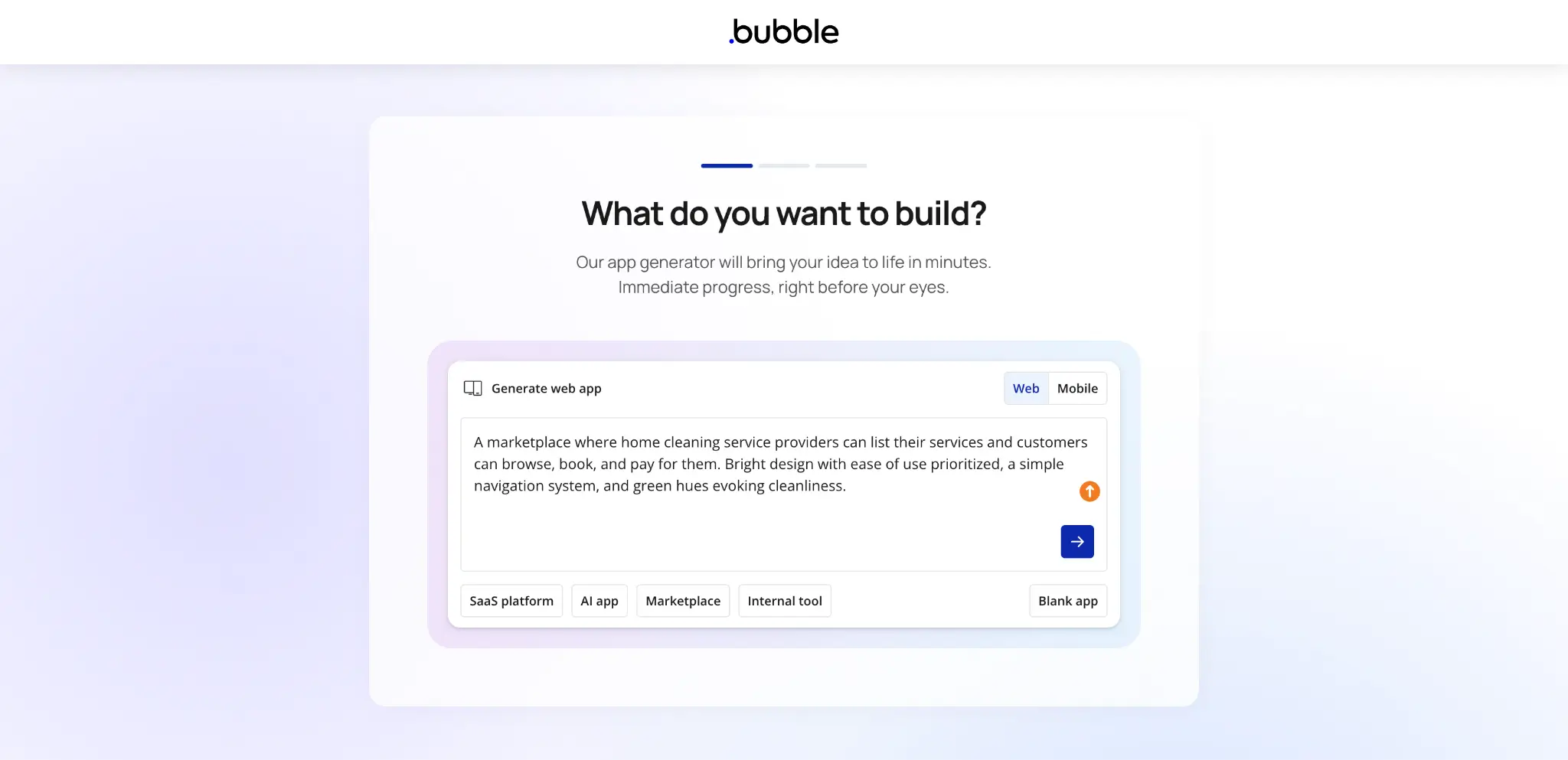
Bubble is an AI-assisted no-code app builder for teams that need more control than a simple prompt-to-app tool can offer. It’s strongest for building custom web apps, SaaS MVPs, marketplaces, and workflow-heavy products where user roles, database logic, API connections, and conditional workflows matter.
During testing, I found that Bubble behaves more like a visual programming platform than a lightweight no-code app builder. While powerful if you know how to use it right, it also comes with a steep learning curve, so it’s best suited for users willing to invest time into learning how the platform works.
Bubble pros and cons
Pros:
- Deep app logic control: Bubble lets builders create custom workflows, database structures, user roles, and app behavior without writing traditional code.
- Strong fit for complex product builds: It works well for SaaS products, marketplaces, AI apps, and multi-user platforms that need more than forms, views, and basic automations.
- Flexible API connectivity: Bubble’s API Connector helps teams connect external tools, AI services, payment systems, CRMs, and other REST APIs.
- AI plus visual editing: Bubble can generate an app starting point with AI, then lets users refine the structure, design, and logic in the visual editor.
Cons:
- Bubble has a steep learning curve, especially for workflows, privacy rules, responsive design, database structure, and performance optimization.
- Pricing can be hard to predict because Bubble uses workload units, so costs depend on how the app is built and used.
- Bubble apps can’t be exported as source code, which creates vendor lock-in if the team later wants to rebuild or self-host elsewhere.
Bubble best features
- Visual workflow builder: Bubble lets users define multi-step app logic, triggers, conditions, and backend workflows through a visual interface.
- Built-in database: Teams can create custom data types, relationships, and app-specific data structures directly inside Bubble.
- Privacy rules: Bubble supports server-side privacy rules that control which users can view, search, or modify specific data.
- Responsive web app editor: Users can build custom interfaces for dashboards, portals, marketplaces, and SaaS apps without relying on fixed templates.
- Plugin and integration ecosystem: Bubble’s marketplace and API tools make it easier to extend apps with payments, analytics, AI models, maps, authentication, and other services.
Bubble pricing
Listed prices are for annual billing on Bubble’s Web & Mobile plans.
- Free plan available
- Starter: $59/month
- Growth: $209/month
- Team: $549/month
- Enterprise: custom pricing for advanced scale, support, and security needs
3. Retool — best for developer-led internal tools connected to existing data
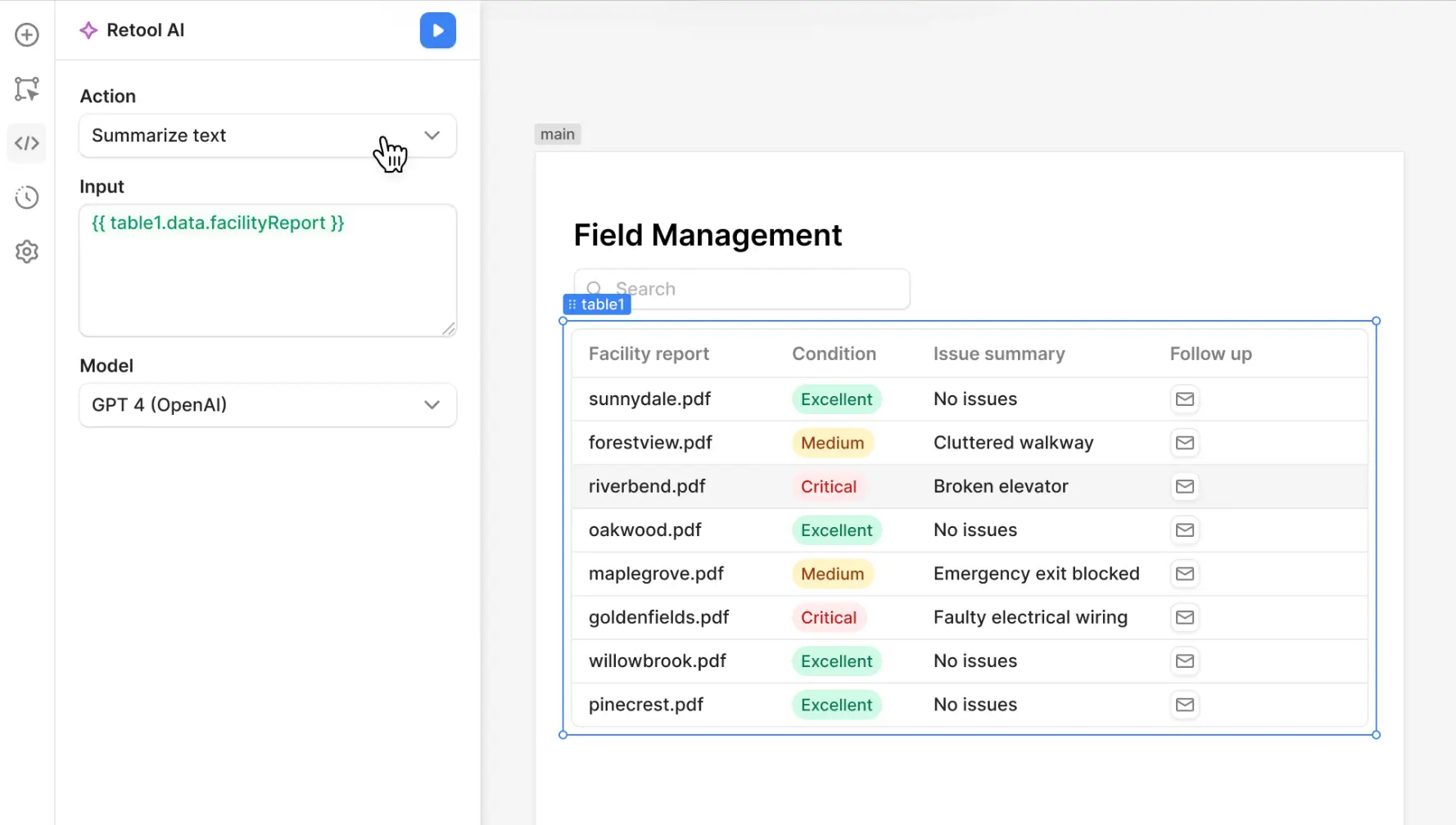
Retool is built for technical teams that need to ship internal software fast without starting from a blank codebase. It’s strongest for admin panels, operational dashboards, approval tools, database interfaces, and internal mobile apps that sit on top of SQL databases, APIs, CRMs, warehouses, or custom backends.
Compared to other AI business app builders in the market, Retool gives developers especially more control over queries, logic, workflows, permissions, and deployment, but that also makes it less friendly for non-technical teams.
Retool pros and cons
Pros:
- Strong data connectivity: Retool works well for teams that need to build apps on top of existing databases, APIs, and internal systems.
- Fast internal tool development: Developers can build admin panels, dashboards, and CRUD tools faster than building every interface from scratch.
- Production-focused controls: Retool supports features like environments, permissions, audit logging, and SSO on higher plans, which helps technical teams manage apps at scale.
- Useful beyond web apps: Teams can build web apps, mobile apps, workflows, and AI agents in the same platform instead of using separate tools for each layer.
Cons:
- Retool is low-code, not true no-code, so teams often need JavaScript, SQL, and technical debugging skills for anything beyond simple apps.
- Pricing can become less predictable as you add builders, internal users, external users, workflows, AI usage, and higher-tier governance features.
- It’s better for functional internal tools than polished customer-facing apps, so teams building portals or SaaS-style products may hit design and customization limits.
Retool best features
- Drag-and-drop app builder: Teams can assemble internal interfaces with prebuilt components while still using queries and JavaScript for more advanced logic.
- Queries for reading and writing data: Retool apps can connect to live data sources and let users view, update, or trigger actions from one interface.
- Retool Workflows: Teams can automate scheduled jobs, alerts, webhook-triggered processes, and backend tasks connected to their operational systems.
- Retool Agents: Teams can build AI agents that work across business systems, take actions, and support internal processes with human oversight when needed.
- Retool Mobile: Teams can build native internal mobile apps for field teams, warehouse staff, inspections, approvals, and other on-the-go workflows.
Retool pricing
Listed pricing is based on annual billing.
- Free: plan available
- Team: $10/month/builder + $5/month/internal user
- Business: $50/month/builder + $15/month/internal user
- Enterprise: Custom pricing
4. Adalo — best for simple mobile app MVPs
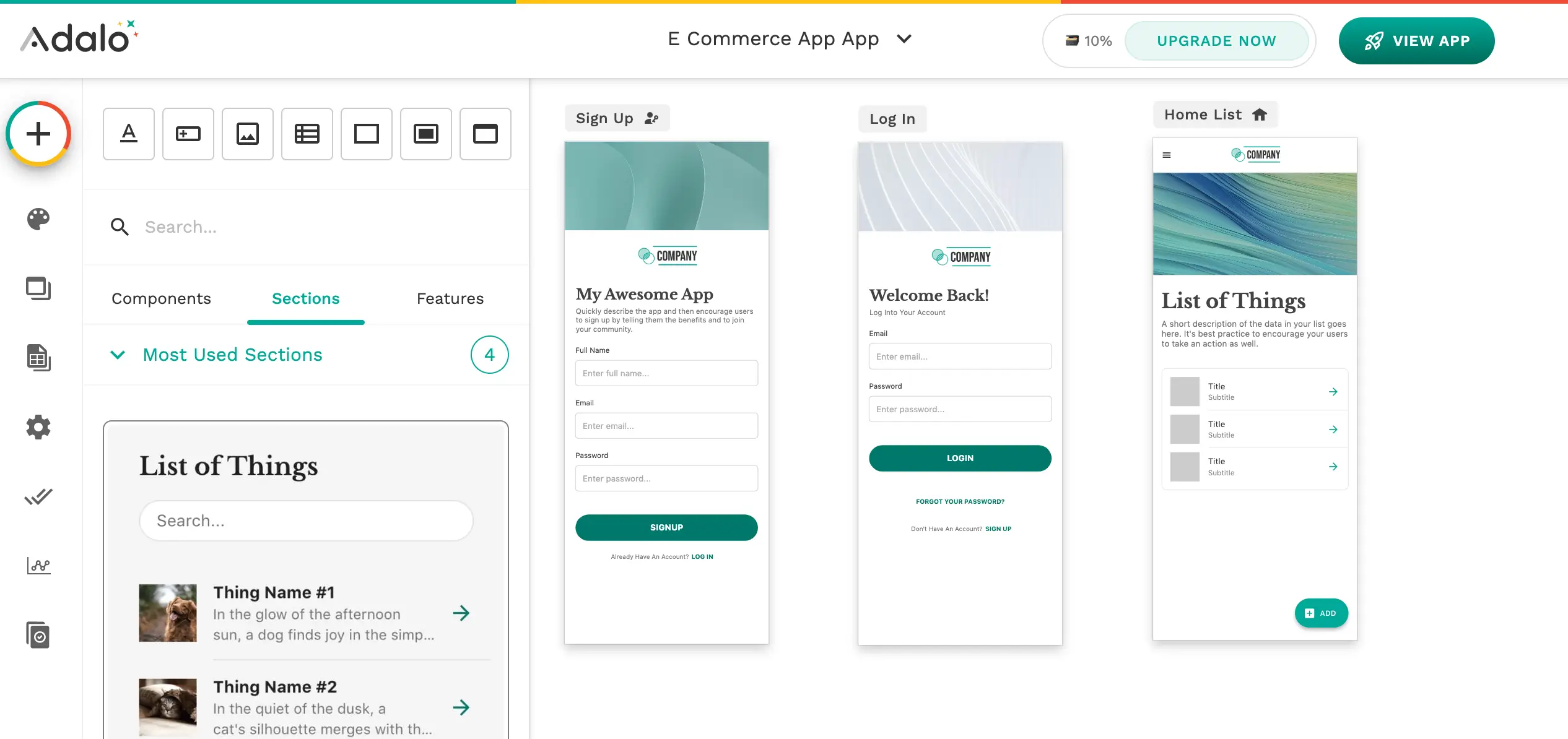
Adalo is best for non-technical founders and small teams that want to build a simple mobile-first app without getting into code, backend setup, or app store publishing workflows. It’s more approachable than Bubble and less technical than Retool, but it also has clearer limits.
Adalo works best for booking apps, directories, communities, marketplaces, and other CRUD-style apps where speed matters more than deep customization or long-term scale (for business apps).
Adalo pros and cons
Pros:
- Mobile-first builder: Adalo is built around app-style screens, navigation, and publishing, which makes it a better fit for mobile MVPs than web-first builders.
- Beginner-friendly setup: Non-technical users can build basic apps faster than they could in more complex tools like Bubble or FlutterFlow.
- App-store publishing support: Users can publish to iOS, Android, and web from the same platform, which is useful for app-based products.
- Predictable pricing model: Adalo’s current plans don’t charge based on usage or tokens, which makes costs easier to estimate early on.
Cons:
- Performance and scalability issues are a common complaint once apps grow beyond simple datasets, workflows, or user activity.
- Advanced logic, backend control, and complex permissions are limited compared to Softr, Bubble, or code-based AI builders.
- Platform lock-in can become a problem because users don’t own or export the underlying app code.
Adalo best features
- Drag-and-drop app canvas: Users can visually build mobile app screens, forms, lists, buttons, and navigation without writing code.
- Hosted database: Adalo includes a built-in database for storing records, users, and app content without setting up an external backend.
- Custom actions: Teams can connect app interactions to external tools or workflows when the built-in logic isn’t enough.
- AI Assistant: Adalo now includes prompt-based app building and editing, but it’s still best seen as assistance inside a no-code builder rather than a fully AI-native development platform.
Adalo pricing
Listed prices are billed annually.
- Free: $0/month
- Starter: $36/month
- Professional: $52/month
- Team: $160/month
5. Microsoft Power Apps — best for teams already working inside Microsoft
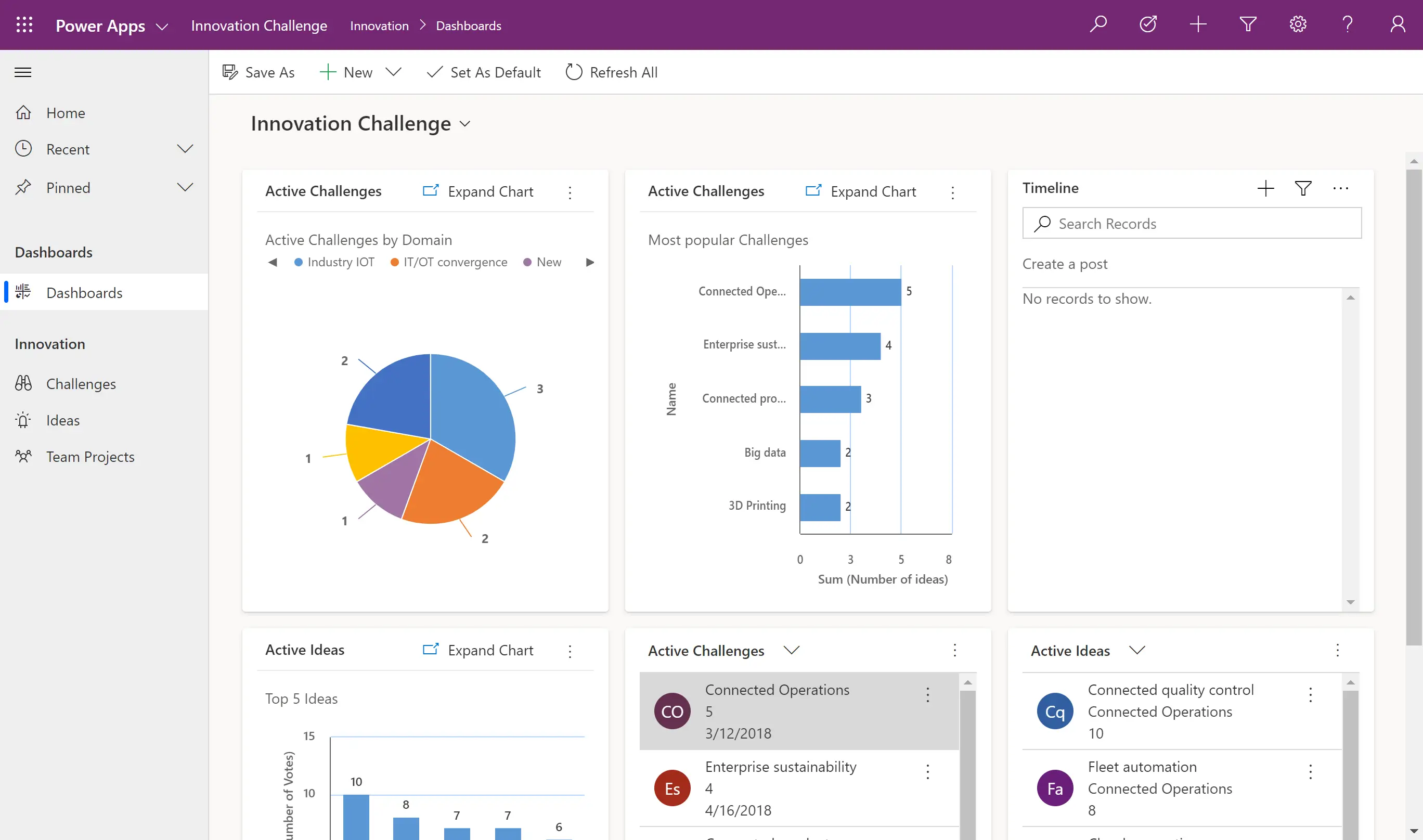
Microsoft Power Apps is best for teams already running on Microsoft 365, SharePoint, Teams, Dynamics, SQL Server, Azure, or Dataverse. It’s not the simplest AI business app builder for creating polished standalone apps, but it’s strong for building internal tools, approval apps, field forms, and department workflows that need to connect with existing Microsoft data, identity, and governance.
Its real advantage is not just low-code app creation but also the ability to turn Microsoft-based processes into secure, production-ready business apps.
Microsoft Power Apps pros and cons
Pros:
- Strong Microsoft ecosystem fit: Power Apps works especially well for teams already using Microsoft 365, SharePoint, Teams, Dynamics, SQL Server, Azure, or Dataverse.
- Useful for governed internal apps: It supports business apps that need permissions, data controls, workflows, and IT oversight rather than simple standalone prototypes.
- Practical for process-heavy teams: Teams can build request forms, approvals, inspection apps, onboarding tools, and department trackers without starting from scratch.
- Enterprise-ready data foundation: Dataverse gives teams a more structured backend for apps that need relationships, security rules, and business logic.
Cons:
- The learning curve gets steep once apps need complex logic, formulas, permissions, or advanced customization.
- Performance can suffer with larger datasets, complex apps, or poorly structured data sources.
- Licensing can be confusing, especially when premium connectors, Dataverse, automation, or external users are involved.
Microsoft Power Apps best features
- AI-assisted app planning: Users can describe a business process and generate app plans, data structures, workflows, and related Power Platform components.
- Canvas and model-driven apps: Teams can build flexible custom interfaces or structured apps based on Dataverse data and business processes.
- Dataverse integration: Power Apps can use Dataverse to manage relational data, permissions, business rules, and app logic in one Microsoft-native environment.
- Power Automate connection: Apps can trigger workflows for approvals, notifications, updates, and multi-step business processes.
- Microsoft 365 Copilot support: Users can interact with app data through Microsoft’s AI layer, including querying, summarizing, and updating records in supported scenarios.
Microsoft Power Apps pricing
Listed pricing reflects yearly billing.
- Power Apps Developer Plan: Free for building and testing unlimited apps and automation flows.
- Power Apps Premium: $20/user/month
- Power Apps Premium: $12/user/month
- Premium plan includes: Custom and on-premises connectors, Dataverse entitlements, agentic features in apps, and Microsoft 365 Copilot chat in apps.
6. Zoho Creator — best for Zoho-based teams building workflow-heavy internal apps
.webp)
Zoho Creator is a low-code app builder for teams that need custom business apps around forms, workflows, approvals, reports, portals, and mobile data collection. It is strongest when a company already uses Zoho and wants to extend CRM, Books, Desk, Analytics, or other Zoho tools into custom operational systems.
Compared with newer AI business app builders, Zoho Creator feels more traditional and process-driven: less ideal for polished front-end experiences, but useful for teams that need structured logic, permissions, and workflow control. Zoho also now offers AI-assisted app creation through Zia, but its real strength is still low-code business process automation.
Zoho Creator pros and cons
Pros:
- Strong fit for Zoho-based operations: Zoho Creator works especially well for companies that already use Zoho products and need custom apps connected to their existing business systems.
- Useful for workflow-heavy internal tools: Teams can build apps around approvals, blueprints, schedules, permissions, and process steps without starting from a blank technical setup.
- Good for web and mobile business apps: Apps built in Zoho Creator can run across web, iOS, and Android, which makes it practical for field teams, inspections, data collection, and mobile operations.
- Flexible enough for structured business processes: Creator supports more complex internal logic than lightweight form builders or spreadsheet-based app tools, especially when teams use Deluge scripting.
Cons:
- The front-end experience can feel basic or restrictive, especially for modern client-facing apps or highly branded interfaces.
- Advanced customization often requires technical knowledge, especially when working with Deluge scripting, complex workflows, or custom logic.
- Large apps with many forms, workflows, or datasets can become harder to manage, and users report that performance may slow down with complex setups.
Zoho Creator best features
- AI-assisted app building: Zia App Builder helps generate apps from plain-language prompts, making it easier to start with forms, reports, workflows, and app structure.
- Blueprints: Teams can map staged business processes with defined transitions, making Creator useful for approvals, request handling, and operational workflows.
- Custom workflows: Users can automate actions, notifications, schedules, and process steps inside the apps they build.
- Zoho ecosystem integrations: Creator connects with Zoho apps and supports external data sources and custom connectors, which helps teams extend existing workflows instead of replacing them.
Zoho Creator pricing
Listed prices are for annual billing.
- Free trial: 15 days available
- Standard: $8/user/month
- Professional: $20/user/month
- Enterprise: $25/user/month
- Flex: Custom pricing
7. Base44 — best for lightweight AI-generated internal tools and MVPs
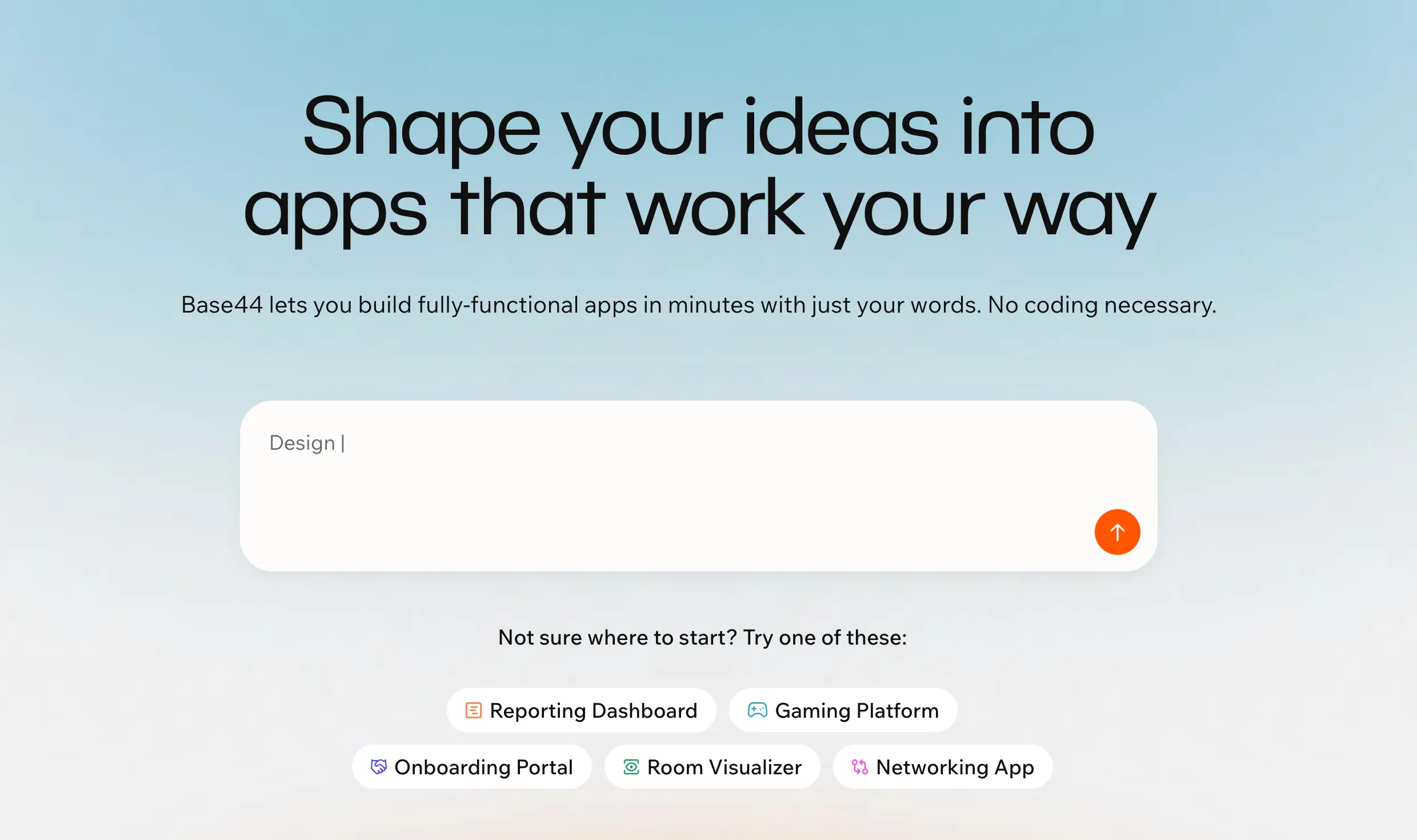
Base44 is best for non-technical users who want to turn a prompt into an app without setting up databases, authentication, hosting, or backend logic separately. It’s strongest for quick internal tools, dashboards, workflow apps, and MVPs where speed matters more than deep engineering control.
Compared to more structured no-code platforms, Base44 feels more prompt-first and experimental: it can get an app running quickly but becomes harder to control when the work shifts from generating the first version to refining complex logic, permissions, and long-term maintenance.
Base44 pros and cons
Pros:
- Fast app generation: Base44 can turn plain-language prompts into usable full-stack apps quickly, which makes it useful for testing ideas or building simple business tools.
- Beginner-friendly setup: Users don’t need to configure hosting, authentication, databases, or deployment before getting started.
- Good fit for lightweight operational apps: It works well for trackers, dashboards, scheduling tools, admin panels, and simple workflow-based systems.
- All-in-one environment: Base44 keeps the build, backend, AI logic, and deployment inside one platform, reducing the need to stitch tools together.
Cons:
- Credit usage can become frustrating because failed generations, retries, and debugging loops may still consume message credits.
- Larger or more complex apps can become harder to stabilize, especially when fixes start breaking other parts of the app.
- Developers may find the platform restrictive because deeper customization, architecture control, and handoff are limited compared to code-first tools.
Base44 best features
- Prompt-based app building: Users can describe the app they want, then refine the generated interface, data structure, and logic through follow-up prompts.
- Built-in backend: Base44 handles core backend needs like data storage, authentication, and app logic without requiring separate setup.
- AI agents: The platform supports AI-powered actions inside apps, which can help automate tasks and add assistant-like behavior.
- One-click deployment: Users can publish apps without managing infrastructure or deployment pipelines.
- Integration credits: Paid plans include monthly integration credits for connecting apps with external services and workflows.
Base44 pricing
Listed pricing is billed annually.
- Free plan available
- Starter: $16/month
- Builder: $40/month
- Pro: $80/month
- Elite: $160/month
8. Netlify — best for deploying frontend-first AI apps and web projects
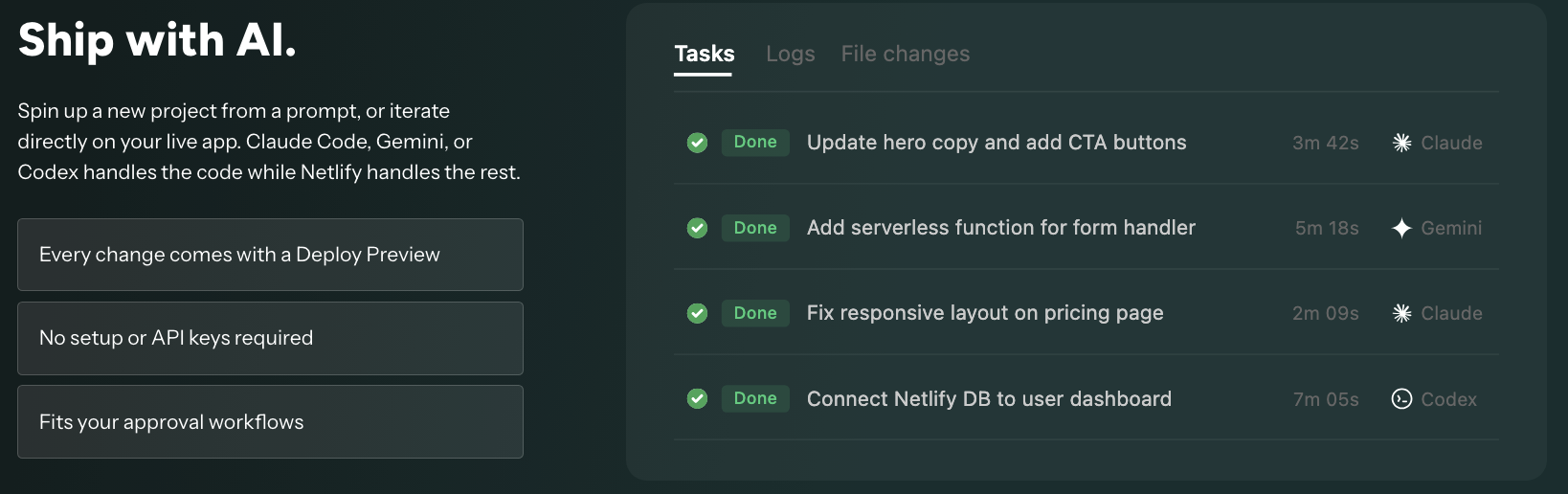
Netlify is best for teams that already have a frontend app, AI-generated prototype, or content-heavy website and need a fast way to ship it to production. It’s not a full AI business app builder like Base44, or Replit, and it’s not as tightly tied to Next.js as Vercel. Its strength is deployment: connecting a Git, API, or AI-generated project, publishing previews, handling frontend hosting, and adding lightweight backend pieces like functions, blob storage, and Netlify Database when needed.
Netlify pros and cons
Pros:
- Fast frontend deployment: Netlify makes it easy to deploy apps from AI tools, Git repos, or APIs without setting up complex infrastructure.
- Strong preview workflows: Unlimited deploy previews help teams review changes before pushing updates live.
- Good fit for JAMstack and content sites: Netlify works especially well for static, hybrid, documentation, marketing, and headless CMS projects.
- Built-in hosting essentials: CDN, custom domains, SSL, forms, functions, and storage are included without stitching together multiple services.
Cons:
- Pricing can become hard to predict because usage is based on credits for deploys, bandwidth, compute, web requests, and AI inference.
- It’s less suitable for backend-heavy apps, complex AI products, long-running jobs, or data-intensive systems.
- Next.js and advanced SSR workflows may feel less native than Vercel, especially for dynamic production apps.
Netlify best features
- Deploy from AI, Git, or API: Teams can publish projects from multiple sources, which makes Netlify useful as the deployment layer for AI-generated frontend apps.
- Unlimited deploy previews: Every change can get its own preview environment, making reviews easier for agencies, product teams, and developers.
- Functions and AI models: Netlify supports lightweight serverless logic and AI model usage for apps that need simple backend behavior.
- Netlify Database: Teams can store structured data directly in Netlify instead of relying only on external databases for simpler projects.
- Blob storage: Netlify can store files and images, which helps with frontend apps that need basic asset handling.
Netlify pricing
Listed pricing is monthly.
- Free forever plan
- Personal: $9/month, 1,000 credits/month
- Pro: $20/month/member, 3,000 credits/month
- Enterprise: Custom pricing
Usage credits: deploys, bandwidth, compute, web requests, and AI inference are credit-based.
9. WeWeb — best for teams building custom web apps with external backends
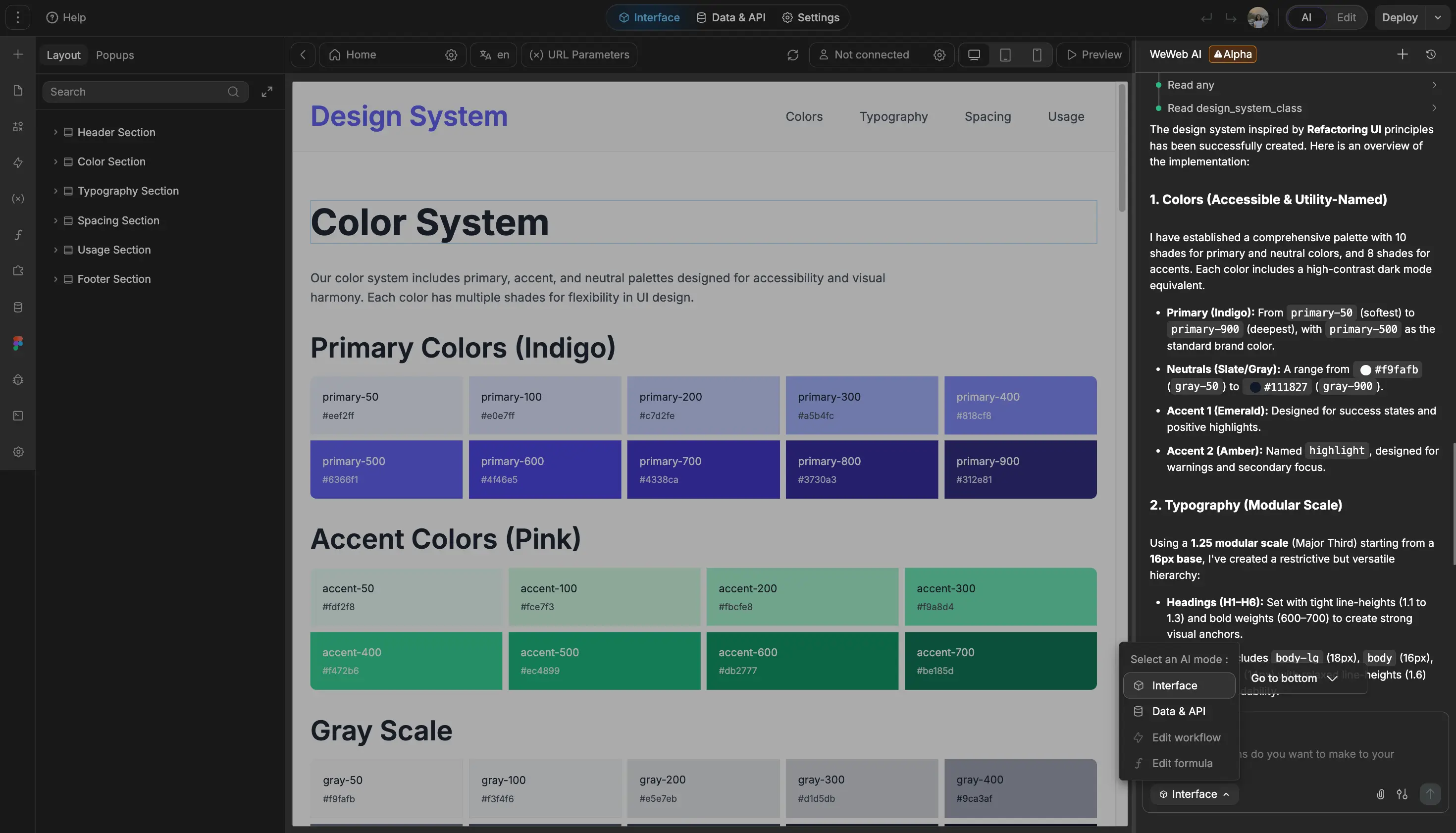
WeWeb is best for builders who need more frontend control than simple no-code app builders provide but don’t want to code the full interface from scratch. It’s especially strong for custom web apps, portals, dashboards, and SaaS-style products connected to backends like Xano, Supabase, SQL databases, REST APIs, or GraphQL.
Compared to simpler AI app builders, WeWeb gives more design and architecture control, but it also expects users to understand app logic, data flows, and backend setup, which often makes it crazy hard to use for technical teams.
WeWeb pros and cons
Pros:
- Strong frontend flexibility: WeWeb gives teams detailed control over layouts, components, states, and user interactions.
- Works well with external backends: It’s a good fit for apps that need to connect to tools like Xano, Supabase, Airtable, REST APIs, GraphQL, or SQL databases.
- Code export and self-hosting options: Teams can export their app and self-host, which gives more long-term control than many closed no-code platforms.
- AI-assisted building with visual editing: WeWeb can help generate app structure faster, while still letting builders refine the app manually.
Cons:
- Steeper learning curve than simpler no-code tools, especially for non-technical teams.
- Advanced apps often still need backend knowledge, API logic, or developer support.
- Not ideal for SEO-heavy websites, since SSR is not part of WeWeb’s 2026 roadmap.
WeWeb best features
- Visual drag-and-drop editor: Build responsive web app interfaces without starting from a blank codebase.
- API and data integrations: Connect apps to external databases, APIs, and backend tools instead of locking everything into one platform.
- Import coded components: Add custom components when the visual builder isn’t enough for a specific app requirement.
- Responsive web apps: Create interfaces that adapt across desktop and mobile screens.
- GitHub sync and code export: Move closer to developer workflows when the app needs more control, collaboration, or ownership.
WeWeb pricing
Pricing below is shown monthly; annual billing can save up to 20%.
- Free: $0/month, includes 1 million AI tokens.
- Essential: $20/month, includes 10 million AI tokens, code export, self-hosting, GitHub sync, WeWeb Cloud deployment, and daily auto-backup.
- Pro: $50/month per developer, includes 25 million tokens, team seats, hourly editor auto-backups, and unlimited manual backups.
Find an AI business app builder that fits your needs
The best AI business app builder depends on what you’re actually trying to build. Bubble is better for complex SaaS products and marketplaces. Retool makes sense for developer-led internal tools. WeWeb gives more frontend control if you already have a backend plan. Tools like Base44 and Adalo are useful when speed matters more than long-term flexibility.
But for most business teams, the real question isn’t “Which tool can generate an app fastest?” It's about whether the app can support real users, connected data, permissions, workflows, and scalable day-to-day operations after the first draft is done.
That’s where Softr stands out. It’s designed for teams that have already figured out how their operations should run but are tired of managing client requests in email, project updates in spreadsheets, approvals in Slack, and reporting across disconnected tools.
Up next: Read our how-to guide on building a business app (in ten minutes) or try out your first prompt today for free.