Building landing pages shouldn’t be complicated. Choose the right platform, and you can spend your time honing your pitch.
The problem is, landing page builders come in many flavors. Some focus on presentation, allowing you to create a digital flyer with a few buttons. Other tools provide much deeper functionality, with AI, workflows, and live campaign data.
To help you make your choice, I’ve tested the best landing page builders in 2026. In this guide, you’ll get the lowdown on each app, including insights from real users.
Best landing page builders at a glance
It’s better to choose your landing page builder based on what you want to achieve, rather than just skimming a feature list. Here’s a shortcut:
| Tool | Best for | Key features | Pricing |
|---|---|---|---|
| Softr | Landing pages connected to databases, users, and workflows | AI landing page builder, native database, user accounts, permissions, forms, workflows, portals | Free plan available; paid plans from $19/mo |
| Unbounce | Conversion-focused paid campaigns | A/B testing, landing page templates, AI optimization, integrations | Paid plans from $22/mo |
| Instapage | Larger paid media teams | Professional templates, no-code editor, optimization tools, team workflows | Paid plans from $79/mo |
| Leadpages | Small business lead generation | Templates, pop-ups, alert bars, Leadmeter, easy publishing | Paid plans from $79/mo |
| Landingi | Affordable landing page campaigns | Landing page editor, smart sections, forms, WordPress publishing | Paid plans from $24/mo |
| Carrd | Simple one-page sites | Fast one-page builder, templates, custom domains, forms | Free to start; paid plans from $9/yr |
How I test landing page builders
Because landing page builders vary in terms of intended use, it’s difficult to compare feature lists directly. When looking at the apps below, I recommend focusing on these key areas of difference:
- Ease of setup: The best platforms provide templates, visual editors, reusable sections, and AI tools.
- Conversion features: A/B testing, pop-ups, sticky bars, personalization, and analytics can all help you convert more visitors.
- Design options: Customization can help you to maintain a distinctive brand on your landing pages.
- Integrations: Can you connect to your CRM, email platform, analytics tools, ad stack, payment tools, and databases?
- Pricing model: Some tools charge by traffic or seats. Others split plans by pages or conversions.
- Scalability: Basic builders will work for a simple form, but you will need something more robust to power full campaigns.
1. Softr — best for data-connected landing pages and business workflows

Softr is the best overall choice when you need to build landing pages that serve as gateways to your business, not just simple sign-up forms.
It’s an AI-native platform that lets you create working apps with AI and visual controls, meaning you can build an entire business system around your landing pages. Rather than just static sites, landing pages built in Softr include backend databases, user accounts, permissions, conditional forms, and more.
Softr Workflows helps you manage everything that happens after someone enters their email. You can set up workflows to process incoming submissions, assign tasks, and pass data to your favorite third-party apps.
If you’re just making a page for your email newsletter, this might be more functionality than you need. But for serious business use cases, Softr is a powerful tool. I was able to generate a user-ready landing page in minutes by simply prompting the AI Co-Builder. From there, it’s easy to connect to a database, or build a workflow that triggers when someone takes action on your page.
What users love
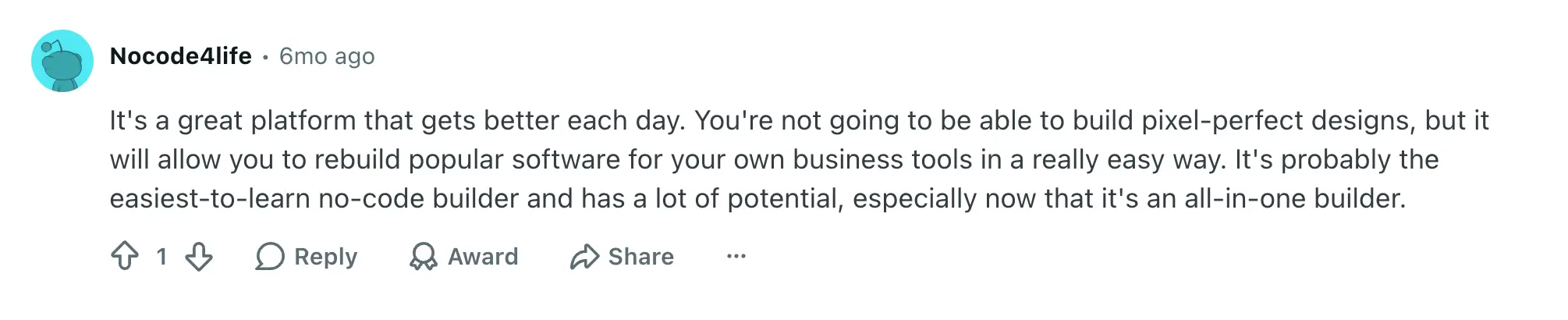
Users consistently praise Softr for being easy to use and quick to set up. They also like the integrations and support. The most common use case is non-technical teams building their tools and workflows without having to wait for help from engineering.
Key features
- AI Co-Builder: Describe what you need and Softr will build the app structure, database, and logic instantly. This means you can generate a feature-rich landing page from a single prompt.
- Visual builder: Design pages, layouts, and forms via simple block-based controls. Edit any element the AI generates without re-prompting.
- Vibe Coding block: Need custom UI for your landing page? Softr lets you vibe code custom blocks that inherit your app’s theme and permissions.
- Built-in relational database: Store and organize business data without leaving Softr, then sync that live data with landing pages, portals, and dashboards.
- Forms and data collection: Capture submissions from landing pages and route them automatically into structured records.
- User authentication: Share business data securely with logged-in users (internal and external).
- Role-based permissions: Serve up different content for clients, vendors, members, teammates, and applicants.
- Workflow automation: Trigger follow-up actions, notifications, and status updates when visitors engage with your landing page.
- Business app templates: Speed up the design process for landing pages and other use cases with 100+ templates.
- Third-party integrations: Connect tools like Airtable, Google Sheets, HubSpot, Notion, monday.com, Coda, ClickUp, SQL databases, and others through REST API.
Pros and cons
Pros
- Lets you build both the landing page and the system behind it
- Strong fit for real business workflows
- Supports user accounts, groups, SSO, and permissions
- Helps you manage data after conversion
- Useful for both external users and internal teams
- Turn any page into a PWA with one click
Cons
- You don’t get pixel-level design control
- Might be more features than you need for simple campaigns or a static page
Best use cases
- Softr works well for lead intake portals, gated resources, client onboarding, membership sign-ups, application pages, and event registration forms.
- It’s also good for serving different content to different groups of visitors, and for connecting landing pages to your business data.
Pricing
- Free: Unlimited apps, with access to Softr Workflows and Softr Databases, 5 app users, 5 AI credits, and 5,000 database records
- Basic ($19/month): Unlimited apps with 42+ integrations, Team: 5 + Client: 5 app users, 10 AI credits, and 50,000 database records
- Pro ($99/month): Unlimited apps with 45+ integrations and custom code, Team: 10 + Client: 50 app users, 500,000 database records, and 50 AI credits
- Business ($329/month): Unlimited apps with 52+ integrations, Team: 30 + Client: 100 app users, 100 AI credits, and 1M database records
- Enterprise (custom pricing, contact sales); includes SSO and priority support
2. Unbounce — best for conversion-focused campaigns

Unbounce is a premium landing page builder for marketers who need to turn traffic into conversions.
Its toolbox includes a drag-and-drop editor, ready-made templates, AI copywriting, and A/B testing. Unbounce can work for any type of campaign, but it’s most useful when you’re driving traffic to your landing pages through paid campaigns. Just be prepared for bigger bills as your traffic scales.
What users love
Most users like the drag-and-drop builder and the templates. We also see marketers mention how quickly they can set up pages and connect them to other key services.

Key features
- Drag-and-drop builder: Create landing pages visually and drop in custom HTML wherever you need it.
- Landing page templates: Start with pre-made designs optimized for sign-ups, downloads, and demo requests.
- A/B testing: Try different page variants on real visitors to see which convert best.
- AI optimization: Unbounce offers AI copywriting and design, along with smart traffic routing.
- Marketing integrations: Connect Unbounce with other apps, like your CRM, email, analytics, and ad tools.
Pros and cons
Pros
- Good conversion optimization tools
- Works well for PPC and paid acquisition
- Flexible page builder
- Stronger performance testing features than some lightweight builders
Cons
- Mobile editing requires extra work
- Expensive once your pages achieve high traffic
- Not designed for complex post-conversion workflows
- Largely restricted to standalone pages
Best use cases
- Using Unbounce makes sense when traffic is expensive and conversion rate matters. It’s not the cheapest option on this list, but if you’re already shelling out for paid campaigns, it might be worth the extra investment.
Pricing
Prices shown reflect annual billing.
- Starter ($22/month): 5 pages, 500 visitors, and 1 user
- Build ($74/month): Unlimited pages, up to 20,000 visitors, and custom scripts
- Experiment ($112/month): Unlimited pages, up to 30,000 visitors, unlimited A/B testing, and 3 users
- Optimize ($187/month): Unlimited pages, up to 50,000 visitors, AI traffic optimization, and 5 users
- Concierge/Agency: Custom pricing for large teams and agencies managing multiple accounts
3. Instapage — best for campaign team collaboration

Instapage is another premium landing page builder, but its emphasis is different than Unbounce’s. This platform is about pumping out polished, optimized landing pages at scale.
Because we’re talking about scale, Instapage is firmly aimed at teams rather than individuals. Collaboration is a key feature, with tools tailored for every department: copy, design, email, paid, and even eCommerce.
In my experience, it’s a fairly intuitive platform to learn and use. But some subscribers think it’s become more complicated over time.
What users love
The core benefit with Instapage is speed. Users like how quickly they can create landing pages using the template library and drag-and-drop controls. The most glowing reviews come from marketers who run multiple campaigns and build landing pages every day.

Key features
- No-code page builder: Build landing pages quickly with plenty of customization options.
- Professional templates: Instapage offers 500 prebuilt layouts covering common campaign types.
- Collaboration tools: Your whole team can review and work on landing pages via the same visual editor.
- A/B testing with AI content: Quickly test variants of your copy and design, and personalize landing pages to each audience.
- Built-in analytics: Check which landing pages are pulling their weight, and which aren’t.
Pros and cons
Pros
- Workflows based around full campaigns, not just landing pages
- Polished templates
- Syncs with popular ad platforms
- Strong collaboration features
Cons
- Premium pricing
- Full feature set takes time to learn
- Not designed to handle post-conversion tasks
Best use cases
- Instapage is most useful when you have a team working on landing pages, as well as clients and managers who need to review before they go live.
- Some agencies use Instapage for managing multiple campaigns simultaneously.
Pricing
Prices shown are billed annually.
- Create ($79/month): Unlimited pages, 15,000 monthly visitors, and unlimited conversions
- Optimize ($159/month): Unlimited pages, 30,000 monthly visitors, unlimited conversions, A/B testing, heatmaps, AI experiments, and optimization tools
- Convert: Custom pricing for enterprise teams
4. Leadpages — best landing page builder for small businesses

For smaller teams, Leadpages offers a nice balance between capability and complexity. It’s not quite in the same bracket as premium tools like Unbounce and Instapage, but you still get more features than you would from a regular website builder.
In recent times, Leadpages has leaned heavily into AI. The primary way to build landing pages is now by typing commands in a chatbox, making the platform fairly easy to use even if you have no web design experience.
What users love
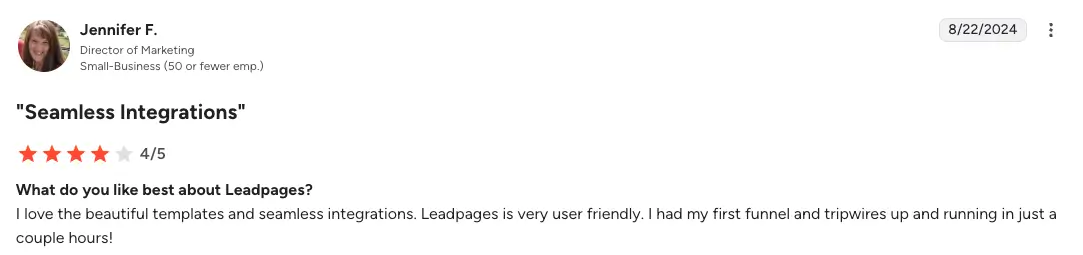
That user-friendly workflow is frequently cited as a plus, although the visual builder gets more praise than the AI tools. Other users point to integrations, as Leadpages connects to several popular marketing and ecommerce platforms (like HubSpot, Mailchimp, Google Ads, and Stripe).
Key features
- AI page builder: Describe what you need and Leadpages’ AI will whip up a first draft.
- Template library: Access ready-to-publish designs for lead magnets, consultations, events, downloads, and more.
- Drag-and-drop visual builder: Customize the layouts and content of your pages with visual edits.
- Conversion helper: The “Leadmeter” points out common conversion issues before you publish a page.
- Third-party integrations: Connect Leadpages with email, CRM, analytics, and payment tools.
Pros and cons
Pros
- Very easy to use
- Good value for small businesses
- Strong lead capture features
- Integrates well with popular tools
Cons
- Not the most flexible for design
- Fewer advanced features than premium platforms
- Not designed for complex data and workflows
Best use cases
- Leadpages works well for small businesses doing lead gen and other low-budget campaigns.
- It’s a good fit if your landing page is important, but relatively simple.
Pricing
Prices shown reflect annual billing.
- Grow ($79/month): Up to 500 pages, 25 custom domains, 10 blogs, 5 seats, 5 active integrations, and 40,000 AI credits
- Optimize ($159/month): Up to 500 pages, 100 custom domains, 25 blogs, 10 seats, smart traffic routing and personalization, 25 active integrations, and 80,000 AI credits
- Scale ($399/month): Unlimited pages, 250+ custom domains, 50 blogs, 25 seats, auto-testing, cross-page learning, 100 active integrations, and 160,000 AI credits
5. Landingi — best landing page builder for teams on a budget

Landingi is a landing page builder that delivers a lot of features at a fairly low price (at first, anyway). It’s not as polished as some tools on this list, but the cost-to-value ratio is hard to argue with.
The platform offers an AI page builder, a visual editor, templates, and a selection of optimization tools. The designs feel slightly less premium, but most users say that Landingi is pretty robust.
It’s worth noting that Landingi’s value is best (by a significant margin) on the cheapest plan. Watch out for the rapid price ramping when moving up tiers.
What users love
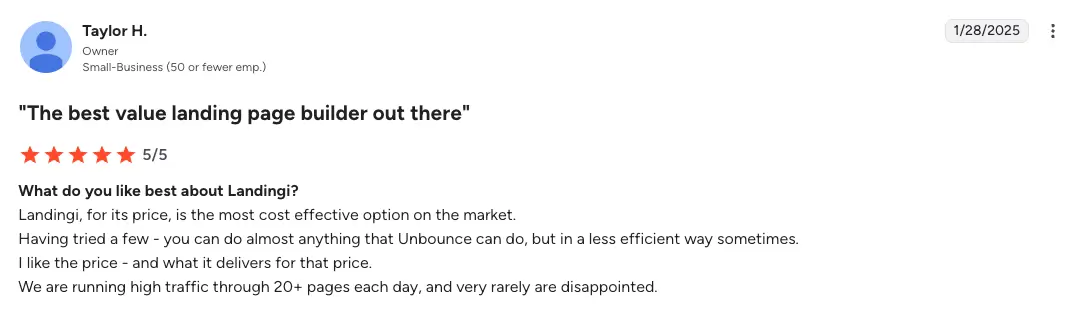
Price is the number one plus for Landingi. Its starter tier is way cheaper than the comparable tier for most other tools on this list. Users also like the integration with WordPress and its sleek design interface.
Key features
- Visual editor: Build campaign pages visually with a dedicated editor designed around landing page creation.
- AI designer: Create and publish pages from scratch via prompts and chats.
- Smart sections: Reuse common page elements across your campaigns.
- Marketing integrations: Connects with a huge list of marketing platforms.
- Multi-language support: Great for reaching customers in new markets.
Pros and cons
Pros
- Loads of features for the price
- AI and visual builder are intuitive
- Smart sections can save time when editing multiple pages and campaigns
- Good WordPress integration
Cons
- Templates and design options are quite limited
- Not as many features as premium solutions
- Weak analytics
Best use cases
- Use Landingi for lead gen campaigns on a tight budget, particularly when you need professional features.
- If your website is built on WordPress, Landingi is an obvious choice.
Pricing
All prices shown billed annually.
- Build ($24/month): 10 active landing pages, 2,000 monthly visits, custom domain
- Optimize ($119/month): 100 active landing pages, 30,000 monthly visits, 3 custom domains, A/B testing, smart sections, funnel tools
- Scale ($229/month): Unlimited landing pages, 100,000 monthly visits, 10 custom domains
- Enterprise: Custom pricing for teams that need more than 500,000 monthly visits
You can also buy extra credits for AI usage and additional custom domains on PAYG.
6. Carrd — Best low-cost landing page builder for simple projects

Carrd is aimed at people who want a very cheap way to build solid one-page websites. It just so happens that the same features work well for landing pages.
The platform provides a drag-and-drop builder with basic templates and a variety of blocks to work from. It’s all pretty intuitive; but be aware that you won’t get the conversion features that come with dedicated landing page builders.
What users love
Carrd is a favorite among digital entrepreneurs because it’s simple and affordable. It’s also surprisingly flexible for a basic site builder.

Key features
- Simple visual builder: Create one-page websites for waitlists, link-in-bio pages, and lightweight landing pages.
- Built-in forms: Collect basic visitor information and send submissions to supported services.
- Custom domains: Use your own domain on paid plans.
- Embeds: Add external widgets, forms, videos, calendars, or other tools.
- Custom CSS and JavaScript: Swap to custom code when you need extra styling or functionality.
Pros and cons
Pros
- Free to start, and paid plans are very affordable
- Minimal learning curve
- Works well for simple form pages
- Fast, no-headache setup
Cons
- No conversion or optimization features
- Limited scaling
- No built-in workflows or A/B testing
Best use cases
- Many people use Carrd for simple sign-up and lead magnet pages.
- If you don’t want to commit to building out a complex landing page, you can test it with Carrd first.
Pricing
- Free to try: With limited features on up to three sites
- Pro Lite ($9/year): 3 sites, no Carrd branding, unlimited elements, premium templates
- Pro Standard ($19/year): 10 sites, custom domains, forms, widgets, embeds, Google Analytics
- Pro Plus ($49/year): 25 sites, advanced forms, downloads, redirects, password protection
What is a landing page builder?
A landing page builder helps you create individual web pages to engage leads and promote campaigns. They're designed to be used by marketers rather than developers.
Most landing page builders provide a visual editor, templates, forms, hosting, integrations, and analytics. Some add A/B testing, personalization, AI features, and more.
This extensive toolbox is what makes landing page builders so useful for marketers. With one platform, you can design and host:
- Lead magnet forms
- Paid search and social ad campaign pages
- Product launches and waitlist sign-ups
- Event registration forms
- Demo requests
- Newsletter subscriber forms
- Membership application forms
It’s worth remembering that these use cases all lead to next steps, like adding a contact to your CRM or triggering an email sequence.
Basic apps tend to offload these tasks via integrations, while more advanced platforms (like Softr) can handle them via built-in features.
How to choose the right landing page builder
Still not sure which app is right for you? Here’s a quick cheat sheet to help you pick the best landing page builder for your business:
- Need more than a static page? Choose Softr. It’s the best option for teams that need landing pages and an end-to-end system to handle conversions.
- Mainly working with paid traffic? Choose Unbounce or Instapage. These platforms have optimization features designed to help you get more conversions.
- Want a dedicated landing page builder for less? Choose Leadpages or Landingi. Both are capable tools, but the pricing is more realistic for small business budgets.
- Want something simple but customizable? Choose Carrd. It’s the easiest to use and the cheapest on this list.
A good landing page is the start of a customer journey, not the end. That’s why it’s important to choose a solution that can handle the next steps.
If you want to build landing pages and workflows without switching apps, Softr is the best platform available. Sign up free today and try building a landing page from a prompt with the AI Co-Builder.
Frequently asked questions
What is the best landing page builder in 2026?
What is the best free landing page builder?
What is the best AI landing page builder?