Organize your product catalog and track stock levels with a built-in Softr Database. Connects natively to Google Sheets if you want to bring your own data.
Data sources supported





.svg)


Resources




Overview
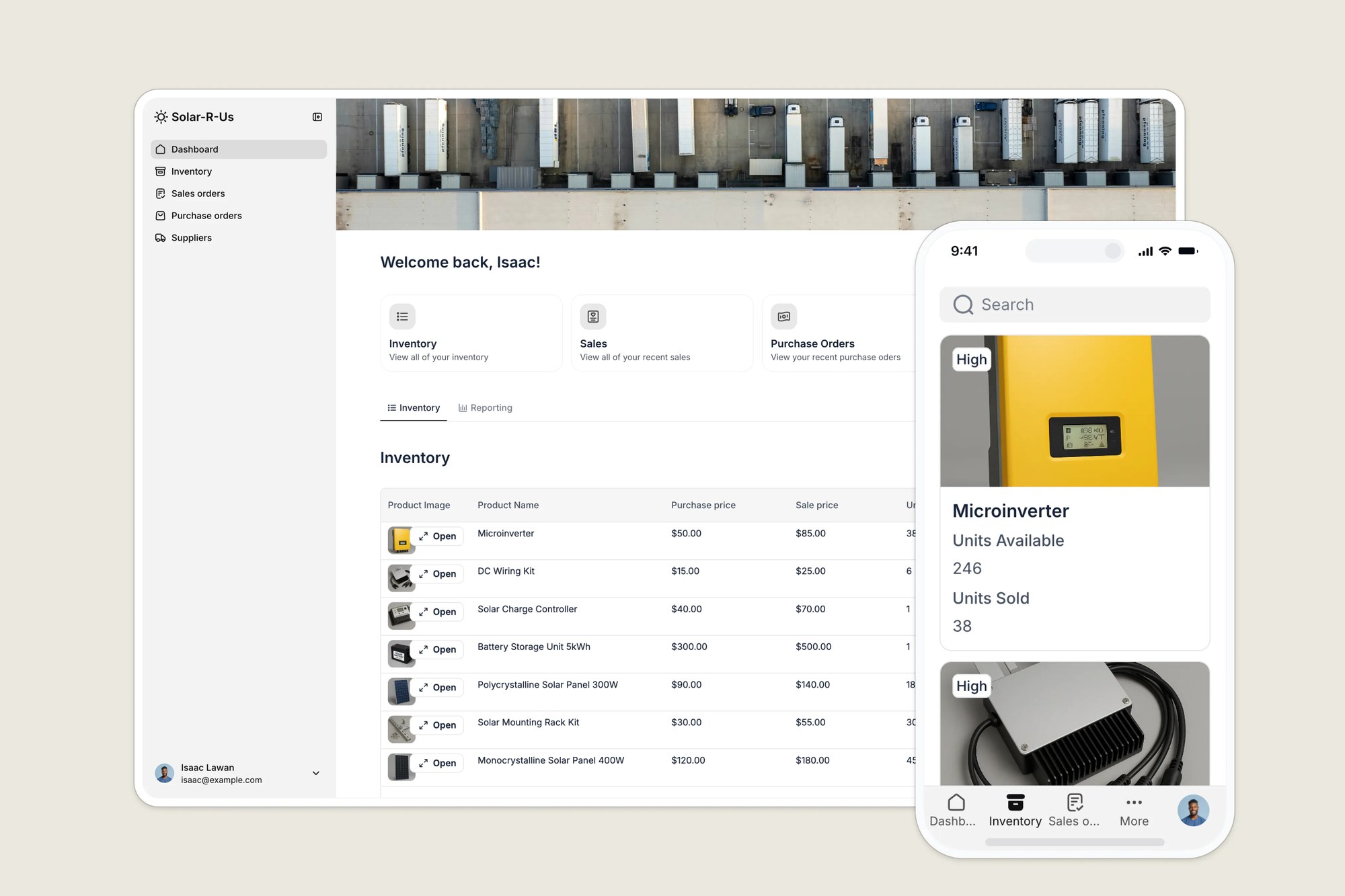
This free template helps you build a flexible product inventory system to maintain accurate stock counts, organize SKU details, and prevent stockouts.
It comes with a built-in Softr Database, so you can get started right away with structured, relational data designed for app workflows rather than manual spreadsheet management. If you already track inventory in Google Sheets, Softr connects to it natively, so you can keep your existing data and power the same app without migrating anything.
Why use this product inventory template?
- Centralize your product data: Move away from scattered spreadsheets. Create a single source of truth for every product, SKU, and variant image to ensure your team is always looking at the latest data.
- Maintain accurate stock levels: Get a real-time view of product availability. Automatically adjust stock counts as orders are processed to eliminate discrepancies between your physical warehouse and your records.
- Scale your catalog easily: Whether you manage 50 items or 5,000, this template adapts to your workflows, allowing you to filter products by category, supplier, or availability status.
Template features:
- Role-based product access
- Product catalog & tracking
- Order & stock management
- Supplier & product linking
- Inventory dashboards
- Mobile inventory lookup
Who is this Google Sheets inventory management template for?
This template is designed for small to mid-sized businesses that need a simple way to track inventory, manage suppliers, and process purchase and sales orders, without a custom-built system. Ideal for:
- Retailers & ecommerce businesses: Track products, SKUs, and orders from your warehouse in real time, whether you sell online or in store.
- Wholesalers & distributors: Monitor inventory levels, streamline reordering, and manage supplier relationships.
- Light manufacturers: Manage components, raw materials, and finished goods in one central hub.
- Field service & repair teams: Track tools, replacement parts, and stock availability across multiple sites.

“What we love most about Softr is the instantaneous, customizable power a no-code platform allows.”

- 1
- 2
- 3
- 4
Frequently asked questions
I've never built a product inventory app before. Where should I start?
Do I need to use Google Sheets to run this template?
What data sources does this template support?
Can I customize the template for my business?
Why do I need a product inventory app?
Why should I use a template instead of just Excel?