6 best customer support platform portals of 2026

It’s easy to get swamped with requests when you’re a growing company working with a small customer support team. Self-service portals empower your customers to find answers, resolve issues, and manage their accounts all on their own, without emails, phone calls, or support tickets piling up.
At Softr, we’re big fans of giving our users the tools they need to build their own solutions, without having to rely on tech support to do the work for them. So, we analyzed the best customer support platforms on the market to see who has the best self-service portals. Let’s talk about what we found.
6 best customer support portals at a glance
| Tool | Best for | Key features | Pricing |
|---|---|---|---|
| Softr | Teams that want a fully customizable, branded support portal without per-agent fees | AI Co-Builder, ticketing, knowledge base, community forums, account management, Ask AI, granular permissions | Free plan; paid plans start at $19/mo |
| Zendesk | Established teams that want a mature, full-featured help desk with built-in ticketing | Help Center, knowledge base, community forums, AI article recommendations, multi-language, analytics | Paid plans start at $55/agent/mo |
| Gorgias | Ecommerce teams on Shopify that want order management inside support | Omnichannel inbox, Shopify integration, order data, AI ticket routing, live chat with AI chatbot | Paid plans start at $10/mo (by ticket volume) |
| Intercom | Teams that want self-service tightly integrated with live chat and an AI agent | Help Center, knowledge base, multi-language, AI search, community forums, Fin AI agent | Paid plans start at $39/seat/mo |
| Freshworks | Teams wanting an affordable, AI-powered suite with a dedicated agent workspace | Knowledge base, community forums, AI chatbots, content recommendations, multi-product support | Free trial; paid plans start at $29/agent/mo |
| Gladly | Larger B2C teams that want true omnichannel support centered on the customer | AI knowledge base, Glad App live chat, community forum, Quick Reply automation, analytics | Paid plans start at $180/hero/mo (10-seat min) |
What is a customer support platform portal?
A customer support platform, also known as a customer self-service portal, is an online hub that allows customers to access information about a company's products or services. It acts as a central element within a larger customer support software system.
A few common features of customer support platform portals include:
- Knowledge base: Searchable articles, guides, and tutorials.
- Community forums: Platforms for customers to interact and share solutions.
- Ticketing system: Ability to submit and track support requests.
- Account management: Access to order history, invoices, and personal information.
- AI chatbots or live chat: Instant assistance for customer queries.
As customer expectations grow, self-service portals have become an essential part of support strategies. Not only do they lead to more satisfied users, but they also free up your support agents from easily solvable queries to work on more complex issues.
Features to look for in customer support portals
What should you look for in customer support portal software? Breaking away from generic advice, here are five advanced features that we think you should prioritize when shopping for the right software vendor:
- AI-powered search suggestions: Intelligent search capabilities that understand customer intent and context to surface the most relevant articles, resources, and FAQs.
- Omnichannel support integration: Integration with your existing support channels like live chat, email, and social media.
- Customizable knowledge base: Flexible content management features that allow you to structure and present information in intuitive ways for your customers.
- Built-in analytics and reporting: Detailed analytics on how customers are interacting with the knowledge base, identifying top queries, content gaps, and user drop-off points.
- API and third-party integrations: APIs that allow the customer portal to connect with your CRM, order management, billing, and other key systems.
1. Softr
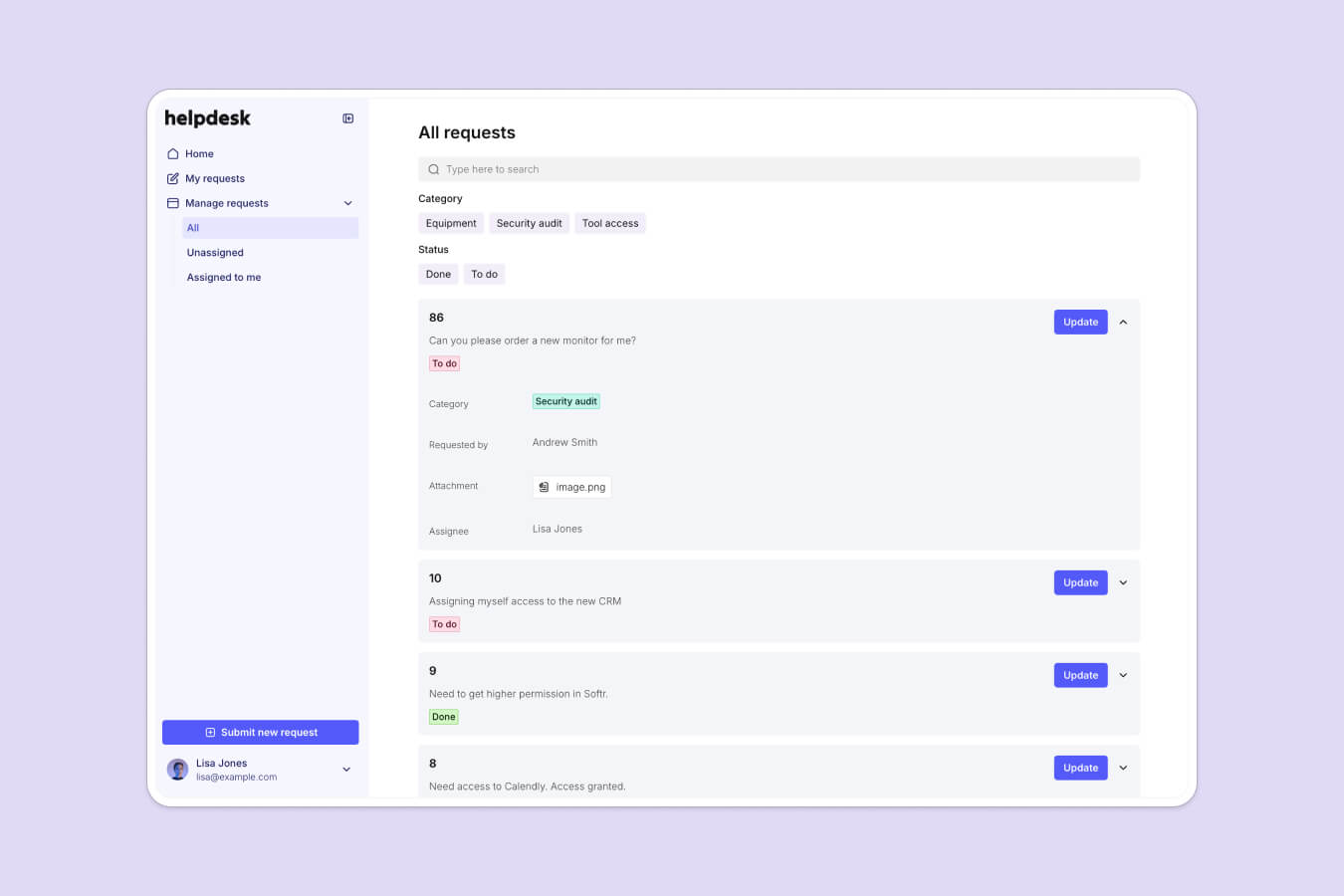
Softr is the first AI-native no-code platform, and it lets you build bespoke customer support portals without any coding knowledge. Instead of paying per support agent for a rigid help desk, you build exactly the support experience your customers need: a ticketing system, a knowledge base, a community forum, and account management, all under your own brand.
The fastest way to start is the AI Co-Builder. Describe the support portal you want in plain language, and it generates a complete app for you, including the underlying database, the pages, and the user permissions. You can also start from a template or build from a blank canvas. Softr is AI-first, not AI-only, so you stay in full control of the result.
For your data, you can use Softr Databases (the built-in database for your tickets, articles, and customer records) or connect to 21+ external sources like Airtable, Google Sheets, and HubSpot. To automate the work behind your portal, Softr Workflows can trigger actions directly from a button in your app, like assigning a ticket or emailing a customer when their request is updated.
Unlike fragile vibe-coded apps that break under real usage, Softr apps are production-ready and secure from day one, with granular access control so each customer only ever sees their own data. You can also add an Ask AI assistant on top of your knowledge base, so customers get instant, self-service answers drawn from your own content.
"Softr lets us create a customer-specific portal with permission control, track tasks, view launch trackers, and share documents in one place. It only took a couple of days to build the entire portal, including permission leveling and custom workflows." — Casey H., G2 review

How to build a support portal with Softr
- Describe the support portal you need to the AI Co-Builder, which generates the database, pages, and permissions for you.
- Set up your data in Softr Databases, or connect Airtable, Google Sheets, or HubSpot if your records already live there.
- Add the support blocks you need: a ticket submission form, a knowledge base, a list of requests, and account management pages.
- Configure user groups and permissions so each customer sees only their own tickets and data.
- Automate the busywork with Softr Workflows, such as assigning tickets or notifying customers on status changes.
- Layer in an Ask AI assistant so customers can self-serve answers from your knowledge base, then publish.
Key features
- AI Co-Builder that generates a full app (database, pages, permissions) from a prompt
- Customizable drag-and-drop interface, plus a Vibe Coding block for limitless custom UI
- Secure user authentication and granular access control
- Softr Databases built in, plus integration with 21+ sources like Airtable, Google Sheets, and HubSpot
- Pre-built templates for customer support
- Community forums for user interaction
- Ticketing system for request management
- Customer account management features
- Responsive design for mobile compatibility
Pricing
- Free ($0): 5 app users, unlimited apps, Softr MCP, 5,000 database records, 500 workflow actions, 5 AI credits
- Basic ($19/month): Team: 5 + Client: 5 app users, custom domain, 10 AI credits
- Pro ($99/month): Team: 10 + Client: 50 app users, custom user groups (up to 3), removing Softr branding, custom code, 50 AI credits
- Business ($329/month): Team: 30 + Client: 100 app users, 1M records, advanced data sources (SQL, BigQuery), 100 AI credits
- Enterprise (custom pricing, contact sales): SSO (SAML, OpenID), security audits, team training, custom invoicing
Pros
- AI-native platform that builds production-ready, secure apps
- No-code platform for advanced solutions
- Ticketing system with account management
- Third-party data source integration
Cons
- Not a plug-and-play support platform
- Slight learning curve for beginners
2. Zendesk
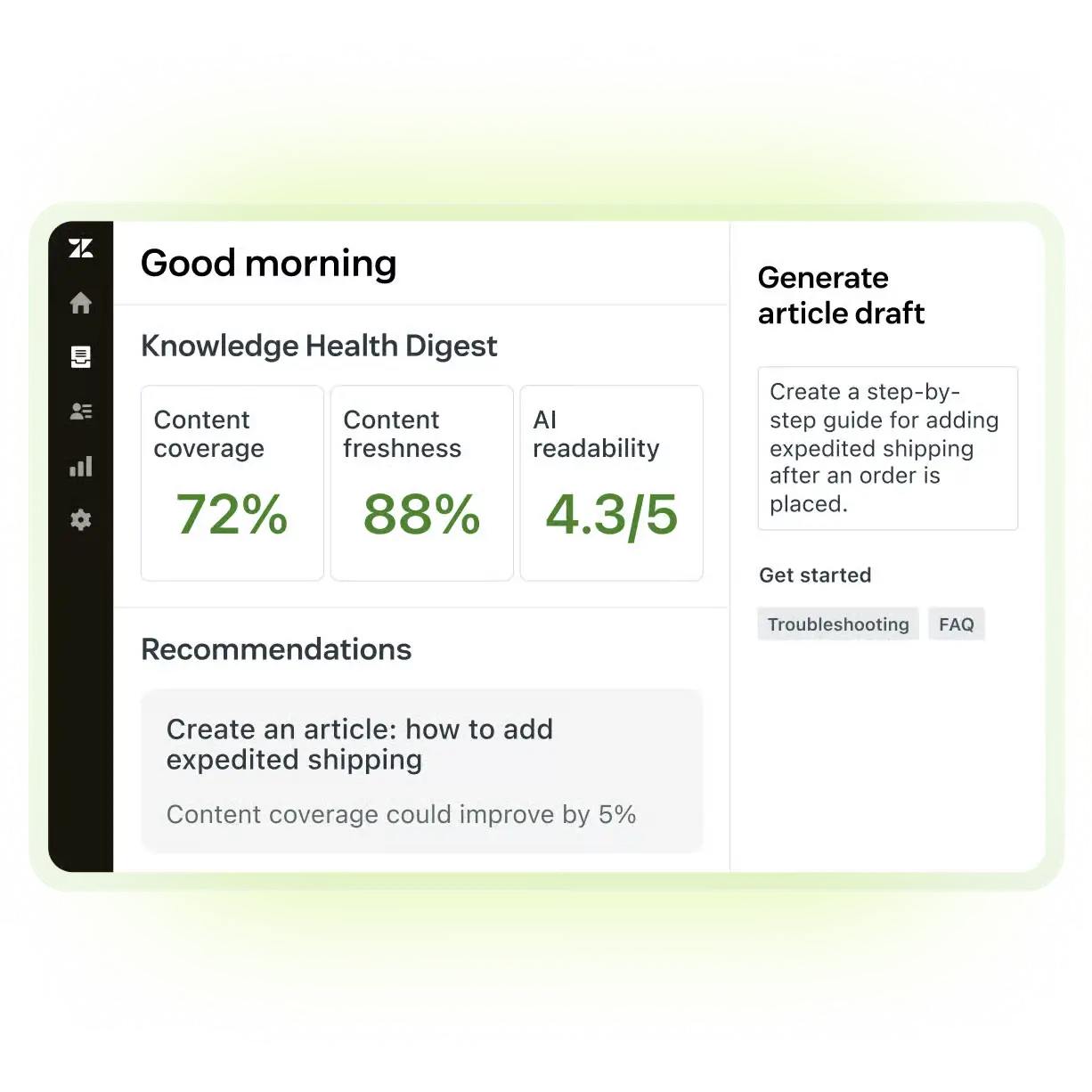
Zendesk's customer support portal, known as the Zendesk Help Center, is a self-service solution that allows customers to find answers and resolve issues without agent involvement. The Help Center integrates with Zendesk's ticketing system, allowing customers to submit and track support requests when self-service isn't sufficient. With a friendly interface and customizable branding, businesses can create a support system that aligns with their brand identity and provides an uninterrupted customer experience.
The Zendesk Help Center offers a knowledge base feature, enabling companies to create and organize articles, guides, and FAQs. You can easily search for relevant content and find solutions to common issues. The portal also supports community forums, where customers can engage with each other, share knowledge, and seek advice. Also, Zendesk's AI-powered article recommendations and intelligent search capabilities can surface the most relevant content based on customer queries.
Key features
- Branding options for a tailored experience
- Knowledge base for content management
- Fully-featured community forums
- AI-powered article recommendations and search
- Integration with Zendesk ticketing system for escalation
- Multi-language support for global users
- Analytics and reporting to track self-service performance
- Mobile responsive design options
Pricing
- Suite Team ($55): Knowledge base, community forums, basic customization
- Suite Growth ($89): Adds multi-language support, enhanced customization, AI-powered article recommendations
- Suite Professional ($115): Adds advanced analytics, priority support, CSAT surveys
- Suite Enterprise (custom): Adds custom roles, sandbox, and advanced AI options
Note: Advanced AI features are a separate add-on (~$50/agent/month).
Pros
- Built-in ticketing support
- Mobile-responsive themes and branding
Cons
- Per-agent pricing can become costly
- Setup can be time-consuming
3. Gorgias
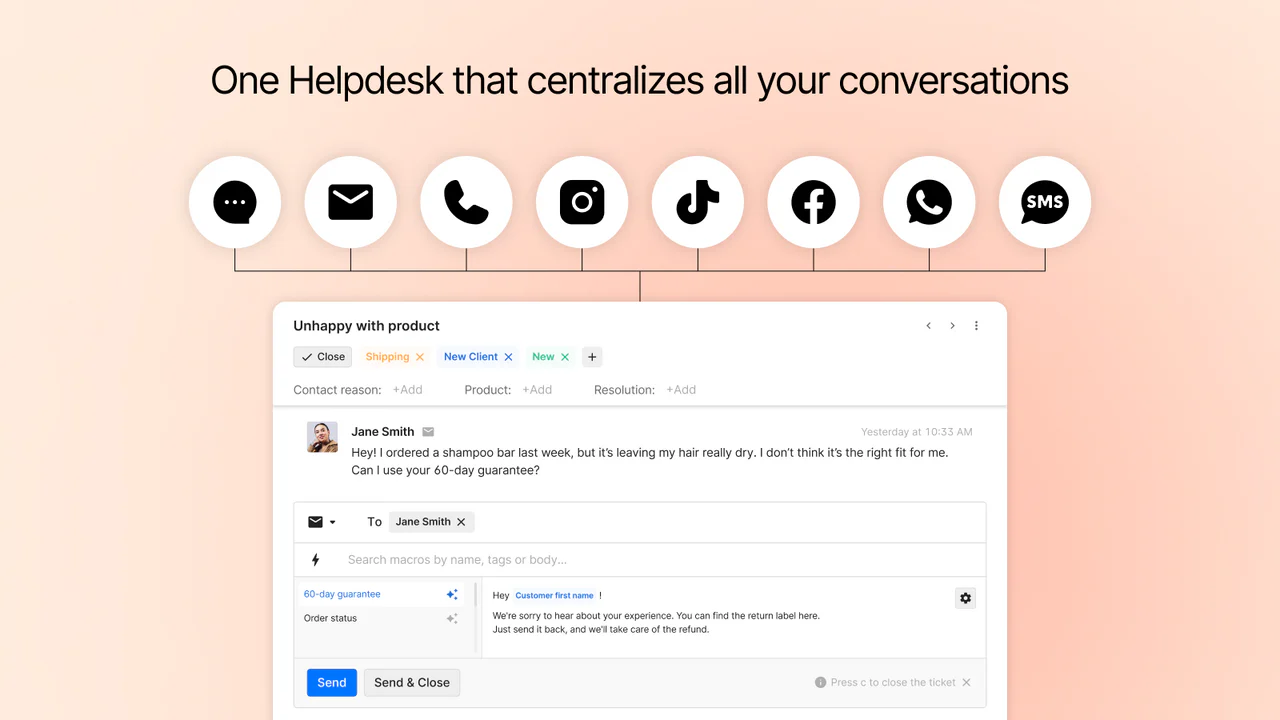
Gorgias lets you build a customer support portal specifically for ecommerce businesses. The portal seamlessly integrates with popular ecommerce platforms like Shopify, allowing support agents to manage customer interactions, orders, and returns from a single place. A helpdesk centralizes all customer conversations across channels like email, live chat, social media, phone, and SMS. Agents have access to complete customer information, such as order history and previous interactions, enabling them to provide personalized support.
The portal's AI-powered features, like automated ticket routing and canned responses, support your existing workflow while improving efficiency. Gorgias also offers a live chat widget that allows customers to engage with support directly from the store's website. The chat widget can be configured to automatically answer common questions using generative AI, minimizing the number of tickets that require human intervention. Moreover, Gorgias lets you generate tailored help center content instantly with AI, saving ramp up time when implementing your customer support portal.
Key features
- Dashboard for managing interactions across channels
- Integration with ecommerce platforms like Shopify
- Customer information like order history and previous conversations
- AI for ticket routing, canned responses, and workflows
- Live chat widget with AI chatbot
- AI-powered help center tailored to the brand
- Self-service order management for customers
- Integration with 100+ third-party apps
Pricing
- Starter ($10/month): 50 tickets
- Basic ($60/month): 300 tickets
- Pro ($360/month): 2,000 tickets
- Advanced ($900/month): 5,000 tickets
- Enterprise (custom): Higher volumes plus dedicated account management
Pros
- Ecommerce-focused features and integrations
- AI-powered automation for improved efficiency
Cons
- Usage-based pricing can be unpredictable
- Advanced features limited to higher plans
- Some learning curve for complex setups
4. Intercom
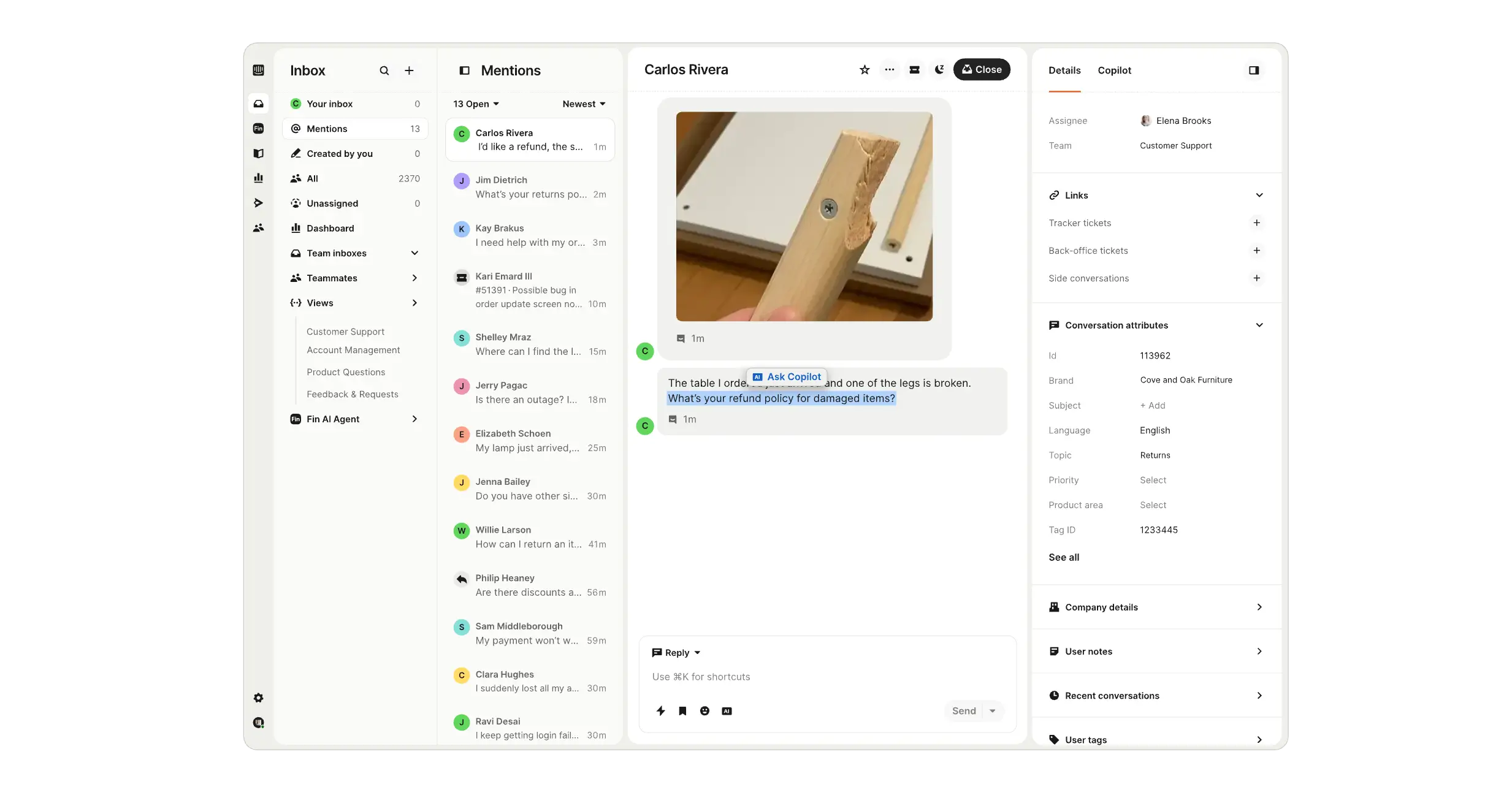
Intercom's customer support portal, known as the Intercom Help Center, is a self-service solution that integrates with its live chat and ticketing system, providing a cohesive experience for users. Your customers can easily search for relevant content and find solutions to common issues using AI. The portal also supports multiple languages, making it perfect for companies with a global customer base.
Intercom's Help Center also includes a community forum, allowing customers to engage with peers on common issues. It fosters a sense of community, while also allowing users to learn from others without any help from support agents. You also get reporting tools to track your company’s self-service performance, mobile-responsive design that makes the portal look good on any device, and plenty of options to customize the feel of your support platform.
Key features
- Plenty of pre-built themes and branding options
- Knowledge base features for information management
- Multi-language support for global audiences
- AI-powered search and recommendations
- Community forums for enhanced interaction
- Integration with Intercom's live chat and ticketing system
- User analytics and reporting suite
- Responsive design that adapts to screen size
Pricing
- Essential ($39): Shared inbox, knowledge base, basic customization
- Advanced ($99): Adds multilingual help center, advanced customization, integrations
- Expert ($139): Adds workload management, SLAs, custom roles
Note: Fin AI is billed separately at $0.99 per resolution.
Pros
- Integration with live chat and ticketing
- Knowledge base for data management
- AI-powered recommendations and search
Cons
- Usage-based pricing can become expensive
- Some advanced features can be expensive
5. Freshworks
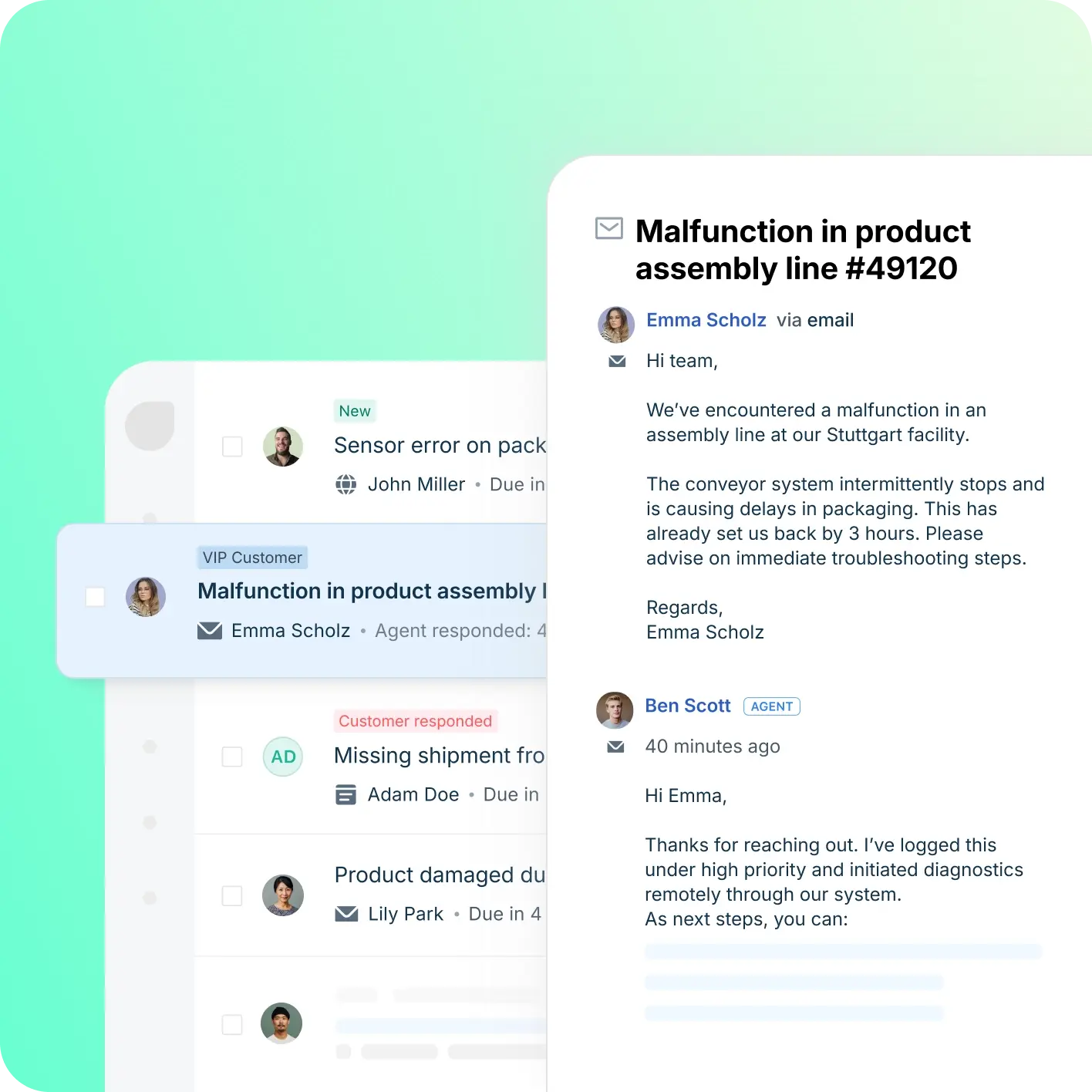
Freshworks' customer support portal, part of their Customer Service Suite, is a comprehensive self-service solution designed to empower customers and reduce the workload on support teams. One of the standout features of Freshworks' support portal is its AI-powered capabilities, including personalized article recommendations and an intelligent chatbot. The platform also supports multiple languages.
The portal supports community forums, where customers can engage with each other, share knowledge, and exchange advice. It also integrates with Freshworks' ticketing system, allowing customers to submit and track support requests when self-service isn't sufficient. Other third-party integrations for WhatsApp, Shopify, WooCommerce, and more are also available. Finally, there’s a dedicated agent workspace to help your support team collaborate on important issues to find solutions.
Key features
- Knowledge base for information management
- Lots of branding options for variety
- Dedicated user forum capabilities
- AI-powered chatbots for instant assistance
- Content recommendations based on customer queries
- Multi-product support for large organizations
- Integration with ticketing tools and third-party apps
- Powerful workspace for support agents
Pricing
- Growth ($29): Automation, collision detection, advanced reporting
- Pro ($79): Adds multiple products, custom roles, CSAT surveys
- Enterprise ($119): Adds unlimited products, IP range restriction, skill-based routing
Note: AI chatbots (Freddy AI) are a usage-based add-on.
Pros
- Powerful self-service features
- Built-in ticketing system integration
- Customizable branding options
Cons
- Advanced features require additional cost
- Per-agent pricing can become expensive
6. Gladly
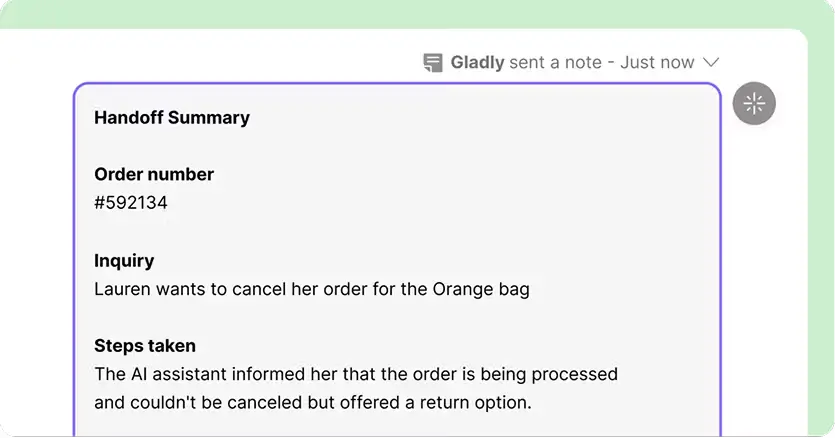
Gladly's self-service portal features an AI-powered knowledge base that intelligently surfaces relevant articles based on customer queries. The knowledge base supports multimedia content, allowing businesses to create engaging and informative articles. Customers can also access a community forum where they can interact with others. All of this integrates with Gladly’s larger communication platform.
The portal includes a customizable live chat widget, Glad App, which enables customers to search for answers and initiate conversations with support agents directly from the website. Glad App can even be configured to provide automated responses to common queries using generative AI, reducing the need for human intervention.
Key features
- Live chat widget with contextual AI
- Usual support for branding and customization
- AI-powered article recommendations
- Knowledge base supports multiple content formats
- Integration with Gladly's communication platform
- Quick Reply feature for automated workflows and routing
- Performance analytics for detailed tracking
- Mobile responsive design for access on any device
Pricing
- Hero ($180, 10-seat minimum): All channels (email, chat, voice, SMS, social) and the self-service portal
- Superhero ($210, 45-seat minimum): Adds premium features and support
- Enterprise (custom): For larger organizations with more complex needs
Note: Gladly Sidekick (AI assistant) is available with pricing on request.
Pros
- True omnichannel support
- Easy-to-use interface for agents
- Built-in knowledge base
Cons
- Higher pricing compared to some competitors
- Minimum of 10 seats required
- Some reported issues with call quality
Build your own secure customer support portal with Softr
The right customer support platform portal is the one that fits your exact workflow without forcing your team to work around rigid templates or expensive agent seats. While off-the-shelf help desks have their place, building your own custom portal with an AI app builder like Softr gives you the ultimate flexibility to create exactly what your business needs (from client onboarding to ticketers and knowledge bases) in a single afternoon, not months of custom development.
Ready to build a better support experience for your customers? Create a free Softr account and get started.