Retool vs Appsmith: Which should you choose in 2026?

No-code app builders are great for non-technical people. But if you know your way around an IDE, you might prefer a low-code tool. Retool and Appsmith are two popular options, each aimed at slightly different use cases.
Retool is a (primarily) cloud-based platform used by technical teams that want a polished, off-the-shelf solution. In contrast, Appsmith is both a cloud-hosted and open-source tool. You can self-host it and bring your own AI models.
Which is right for you? It really depends on how you work and whether you actually need a low-code tool at all. In this guide, we'll introduce both tools in detail, analyze their pros and cons according to real users, and give our own verdict. We'll also help you decide when to go low-code and when to choose a no-code tool like Softr.
Retool vs Appsmith at a glance
| Feature | Retool | Appsmith |
|---|---|---|
| Best for | Engineering teams building internal software | Developers wanting open-source internal apps |
| Main workflow | Drag-and-drop + JavaScript | Drag-and-drop + JavaScript |
| AI capabilities | AI assistant and generation features | AI coding assistance only |
| Data sources | Huge connector library | Decent connector library |
| Self-hosting | Enterprise | Strong open-source/self-hosting |
| Scalability | Enterprise-grade | Good, depends on deployment |
| Deployment | Cloud or Enterprise | Cloud or self-hosted |
| Pricing model | Per-user commercial licensing | Open-source + paid cloud |
| Biggest strength | Mature enterprise ecosystem | Flexibility and open source |
What is Retool?
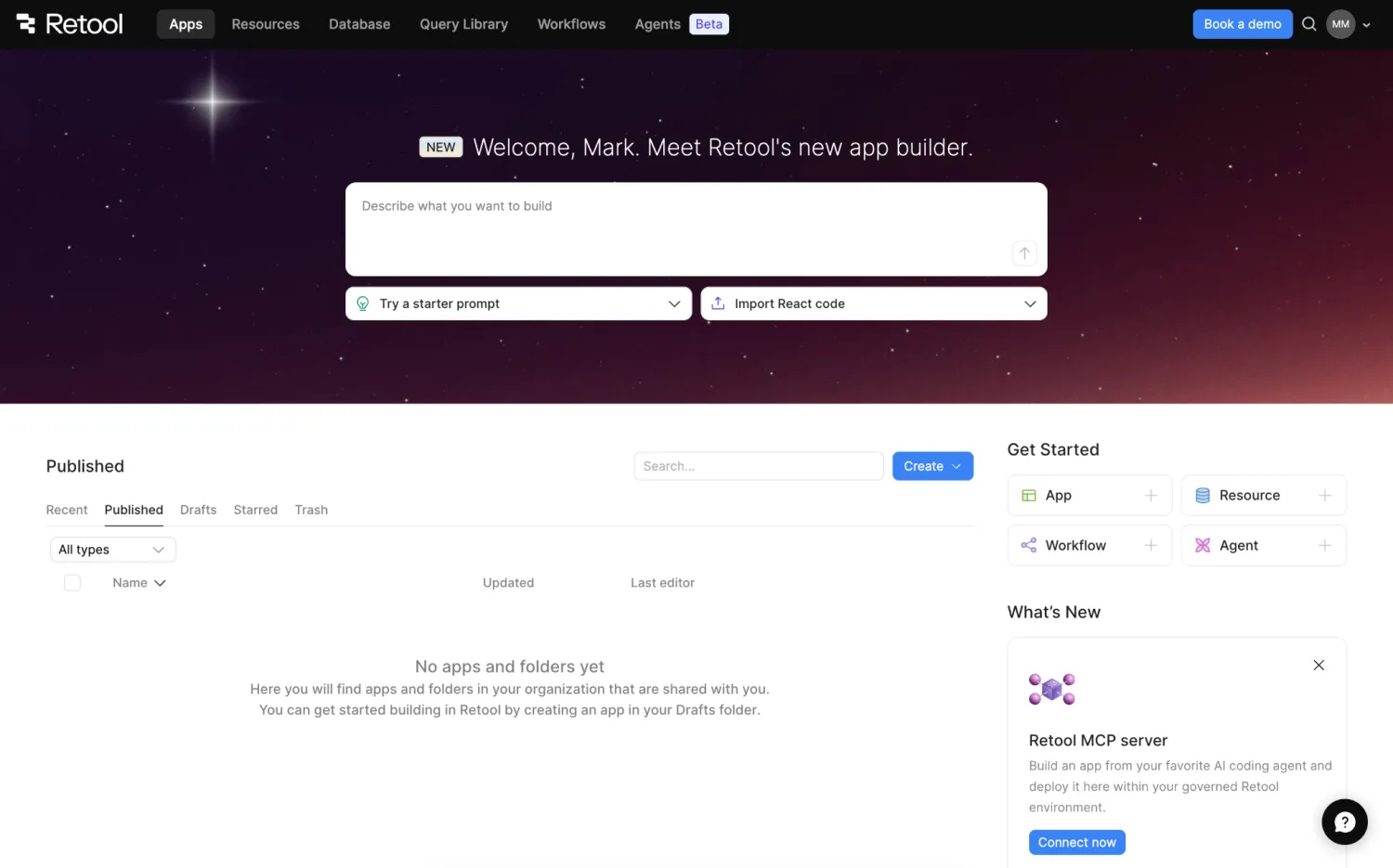
Retool is an AI-powered low-code platform aimed at developers and technical teams. It's designed to speed up the process of building internal tools, dashboards, and automated workflows.
On a surface level, Retool feels more polished than most developer tools. It's also primarily cloud based, with enterprise-level governance. That makes it a popular choice with engineering and ops teams at larger businesses.
Retool pros and cons
Pros:
- Huge library of integrations
- Polished, easy-to-use UI components
- Enterprise-level security
- Mature platform
- Strong built-in AI or bring your own
Cons:
- It's quite expensive
- Only enterprise customers can self host
- Can become a bit JavaScript-heavy
- Non-technical users will struggle
Who is Retool best for?
While Retool is more user friendly than some low-code tools, it's still aimed squarely at developers, engineering teams, and tech-savvy ops teams.
Retool lets you build interfaces through drag-and-drop controls and lean on the AI assistant for the basic structure of your projects. But you will need technical knowledge to ship fully functional apps. If that's a problem, you might be better off with a no-code tool like Softr.
How Retool works
To begin work in Retool, you can either prompt the built-in agent, import a project from other platforms like Lovable and Replit, or connect your favorite MCP host.
You can then build the first draft with AI, connect your data sources, and use the UI drag-and-drop editor to adjust the layout. If you've ever used no-code "vibe coding" platforms, Retool's workflow will feel familiar.
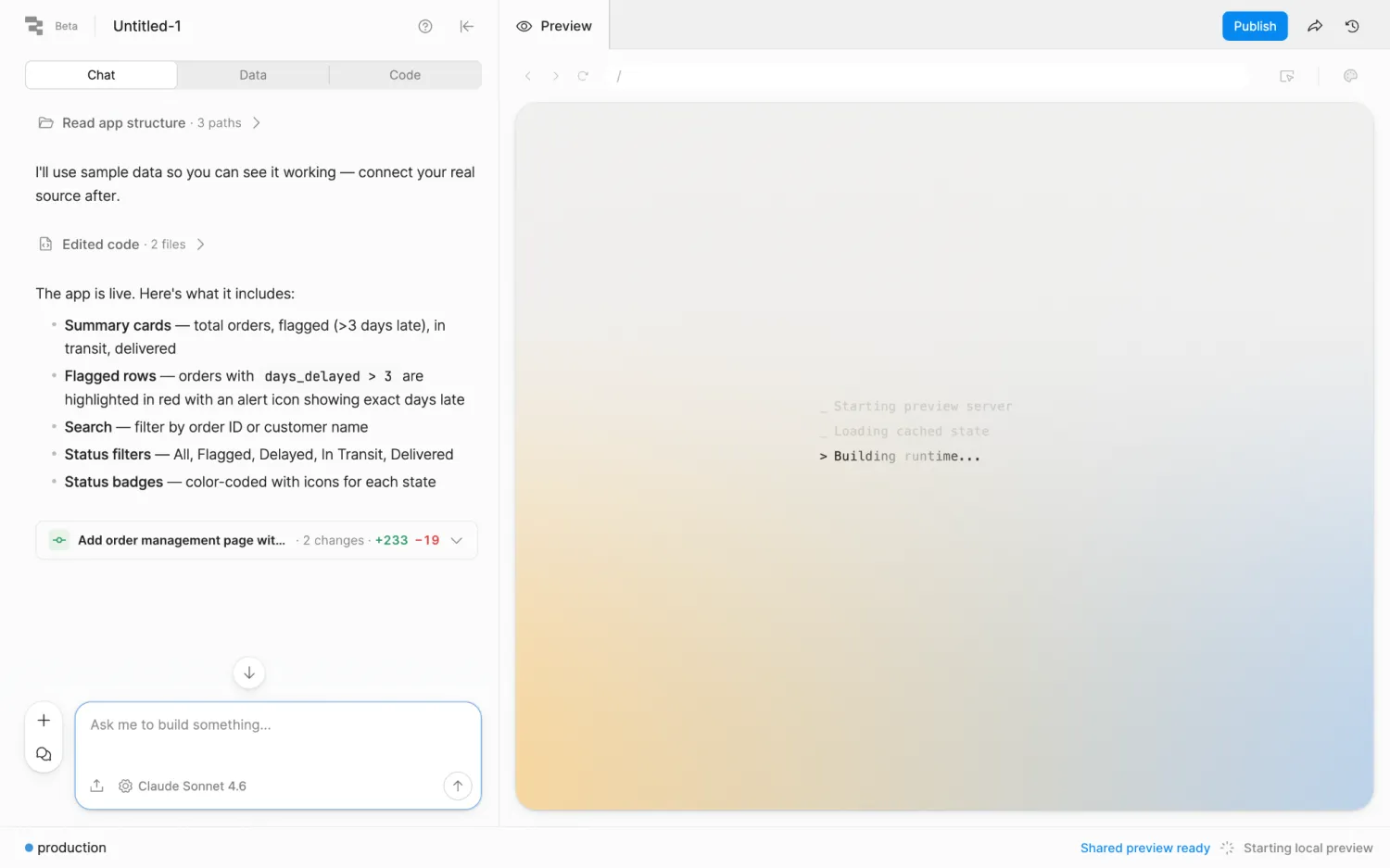
When you're ready to make hands-on changes, you simply switch to the code section. You just move back and forth, adding features with AI, tweaking the code, and previewing the result. Once you're happy with your app, you can launch it on a Retool domain with a couple of clicks.
What is Appsmith?
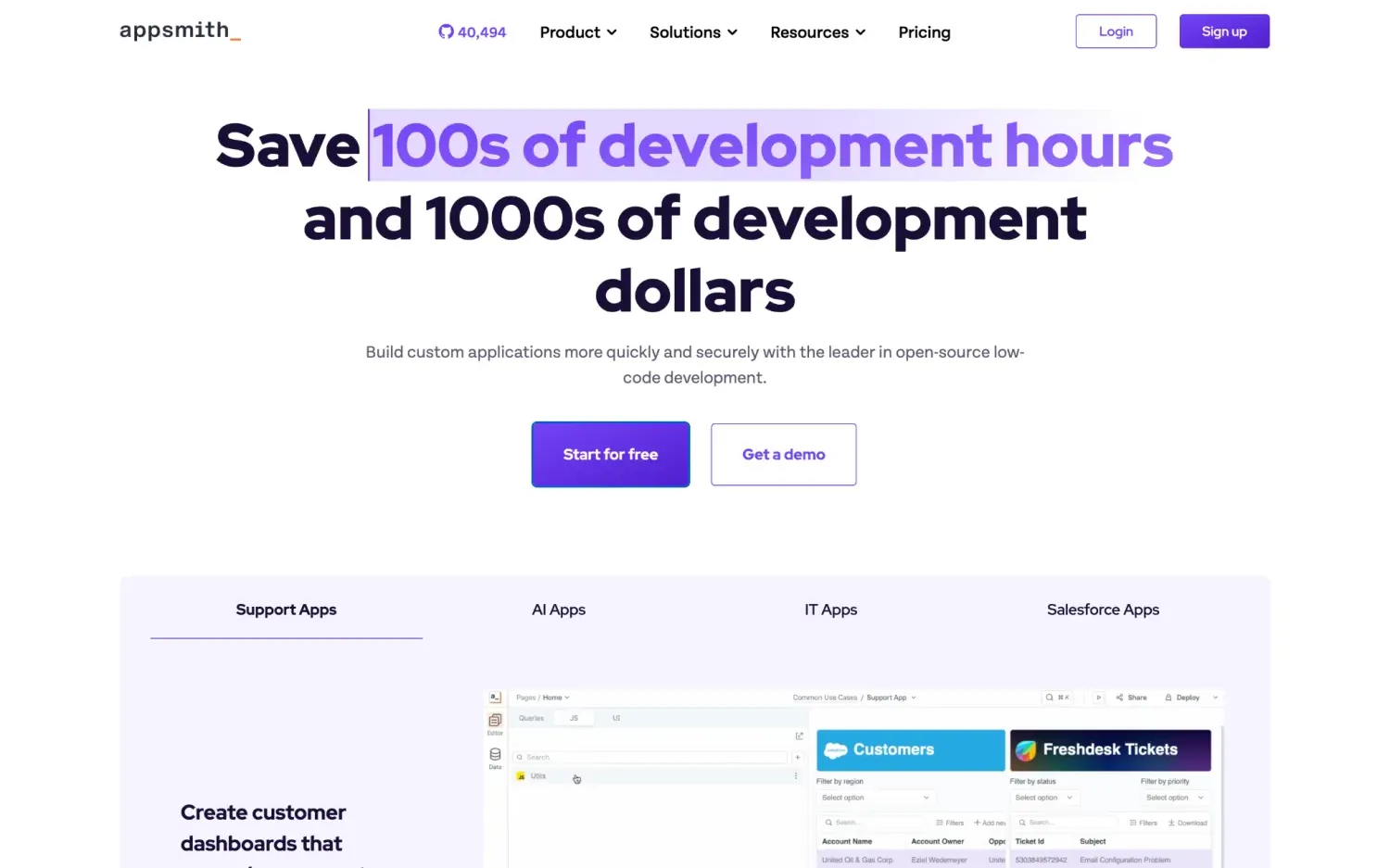
Appsmith is a low-code developer tool that comes in both open source and paid commercial versions. It's designed for building internal apps, admin panels, and CRUD applications.
Compared with other app builders, Appsmith is less reliant on AI. It works more like a traditional IDE, albeit with drag-and-drop editing for UI elements and integrations for popular data sources.
Appsmith pros and cons
Pros:
- Open source version...
- ... that can be self-hosted
- Lower cost than many app builders
- Strong data and AI integrations
- Easy UI customization via drag and drop
Cons:
- Not the most mature ecosystem
- Requires plenty of technical knowledge
- Setup takes time
- UX isn't super polished
Who is Appsmith best for?
Appsmith is clearly aimed at technical founders, engineering teams, and DevOps departments that want to build functional internal tools at speed.
It's especially popular with teams that want to automate systems and workflows without spending big money or handing over control to a cloud-based platform.
How Appsmith works
The workflow in Appsmith is straight to the point. You're immediately asked to connect a data source, and then thrown straight into the editor.
Here, you can start building your interface. Appsmith provides a panel of pre-made, customizable UI elements that automatically work with your connected data source.
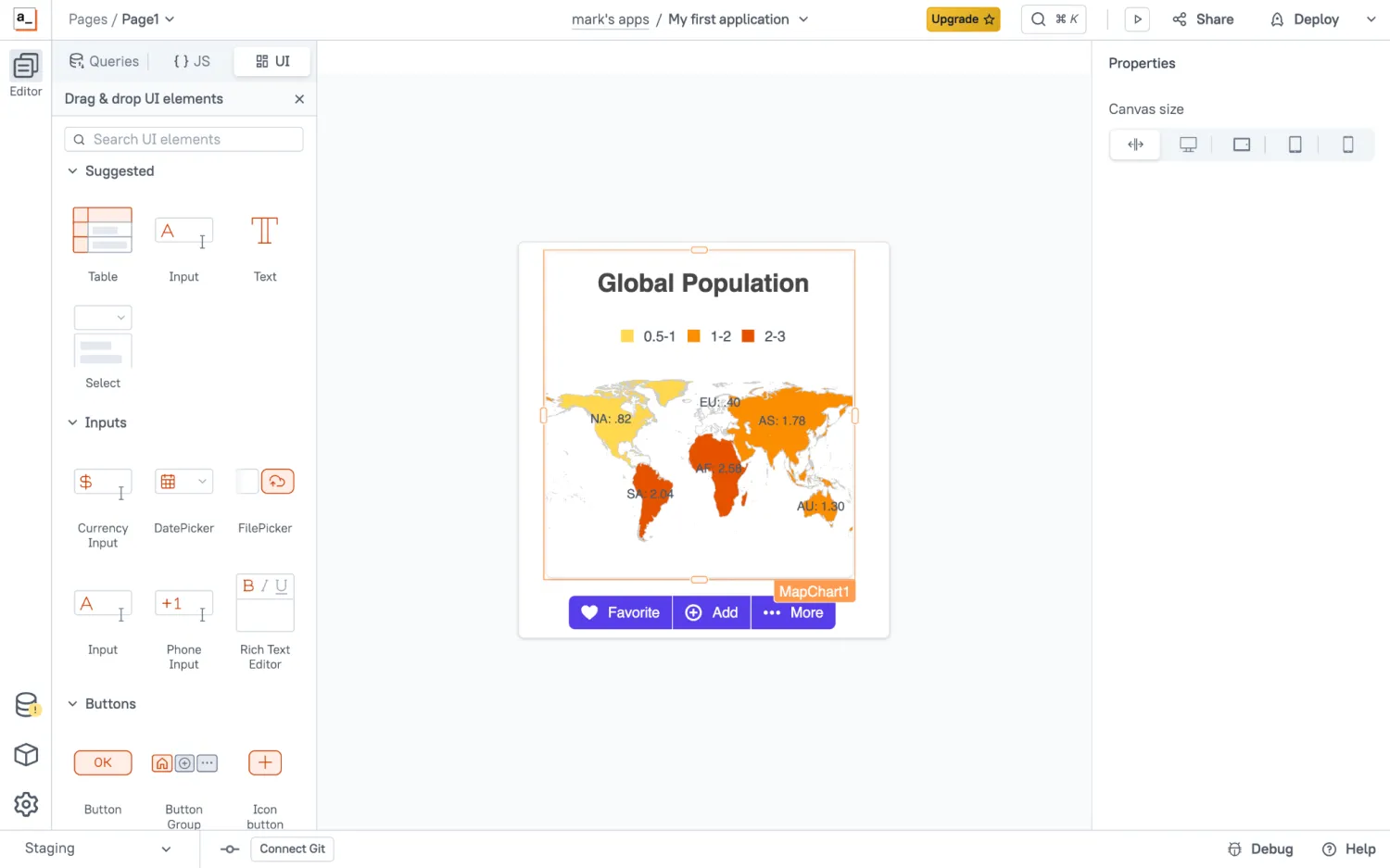
You can configure these elements individually through simple menus. Appsmith lets you create actions, connect data, and style your UI, piece by piece.
But to build anything other than the most basic dashboard, you will need to write some code. There is a built-in AI copilot, but the workflow is much like a traditional IDE, including support for custom packages and libraries. Once you've completed the build, you can deploy your new app with a single click on the hosted version, or export it for self-hosting.
Retool vs Appsmith: Features compared
It's already clear that Retool and Appsmith apply different approaches to the same problem. Let's look at how those two paths compare, head to head.
Which is easier to set up?
While both tools are fairly easy to set up, Retool is ahead here. The setup workflow in Retool is fully guided, and you can get started with prompting before adding key parts later. The interface is more polished, too.
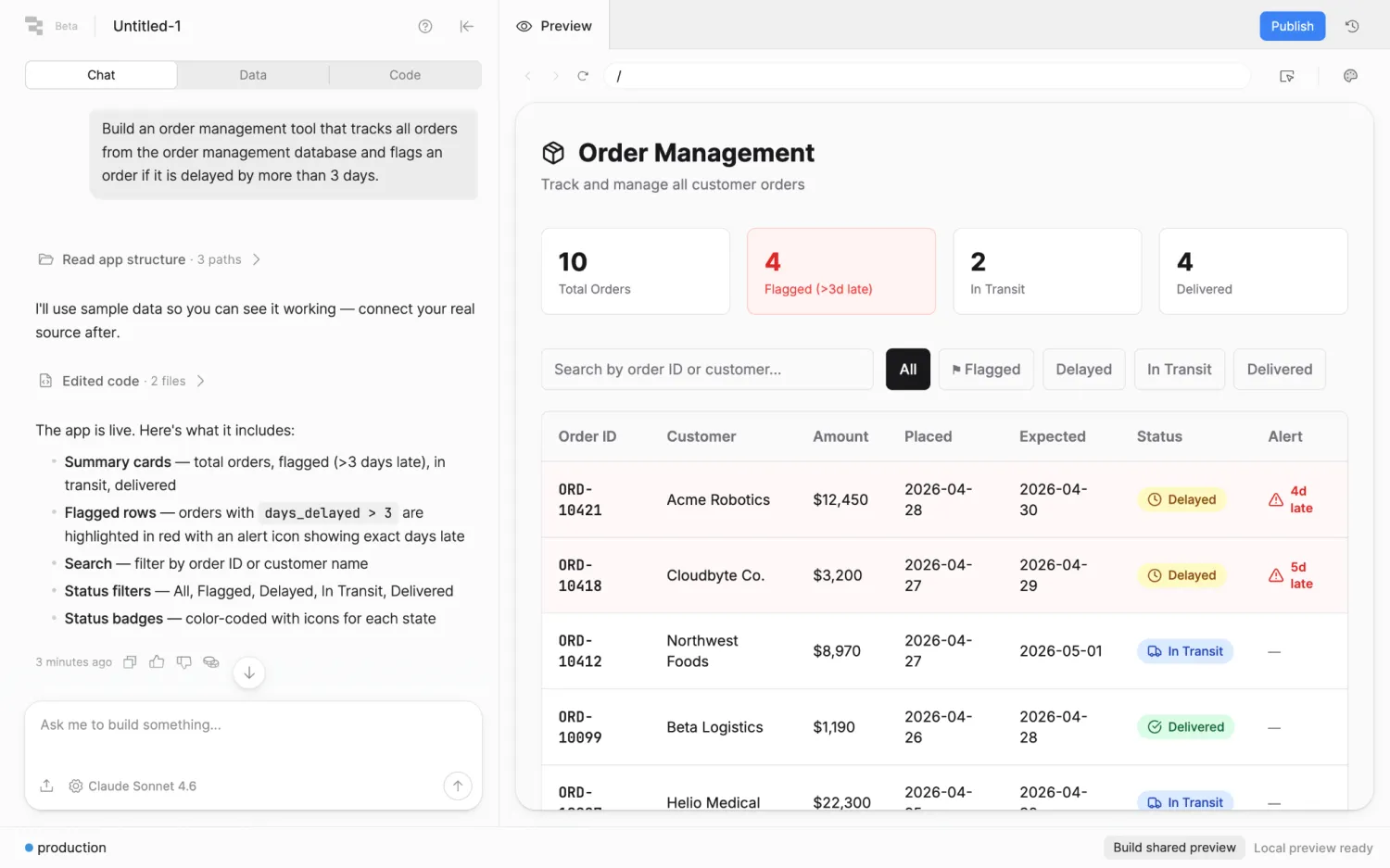
Appsmith is by no means complicated. In fact, the setup process feels almost spartan. However, the design is rougher and you'll need some technical chops to figure out self-hosting and deployment.
Verdict: Retool is a friendlier setup experience; Appsmith is more stripped back and technical.
Which is easier to customize?
This is a much harder call to make. Retool offers a huge library of integrations, covering AI, productivity, analytics, data, and more. It also provides pre-built React components — and on the enterprise plans, you get access to extended permissions and self-hosting. The downside is, you will need to write some code to do anything out of the ordinary.
While Appsmith has fewer integrations, it provides open source flexibility out of the box. That means you can fork the whole thing and change the tool to match your needs. And even if you don't take this option, the UI builder makes it easy to customize the design and functionality of your apps.
Verdict: Appsmith offers more customization options overall.
Which offers the better data integrations?
Focusing specifically on data, Retool still wins on integrations. You can hook up an impressive range of sources, or build your own PostgreSQL-backed database on Retool's cloud-hosted platform. Because Retool syncs with productivity apps, you can easily introduce live data, as well.
In theory, Appsmith can access most of the same data sources.
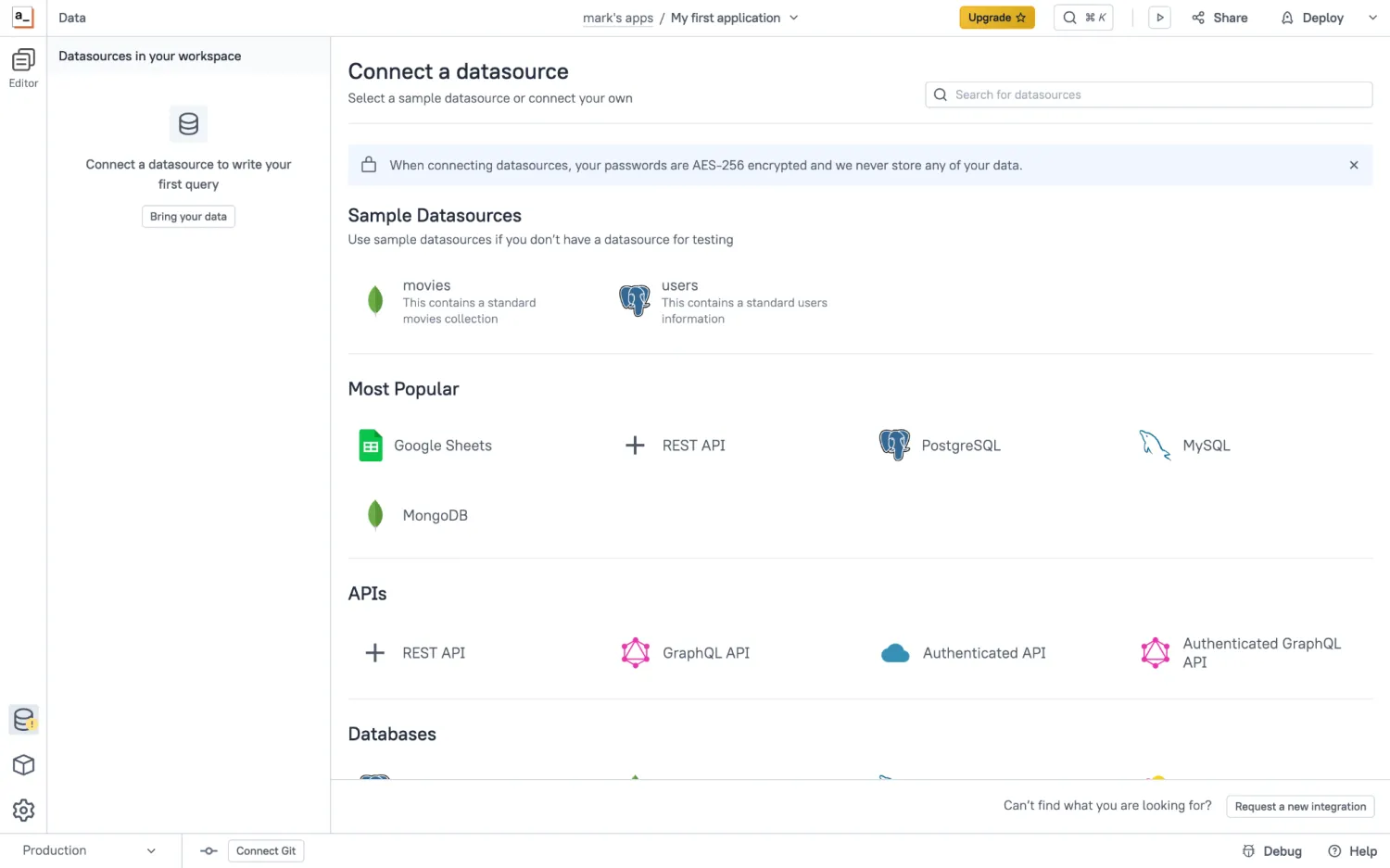
The difference is, there are fewer native integrations with third-party tools. This means you might have to configure some data sources manually.
Verdict: Retool offers more native integrations with data sources and live platforms.
Which handles permissions and security better?
It really depends on who you are. For enterprise customers, Retool provides SSO, role-based access control (RBAC), audit logs, and other important features. But on the most affordable plans, you'll have to go without.
On paper, Appsmith follows the same model. Enterprise users on the cloud-based version get SSO, airgapping, managed hosting, and user management via SCIM. But because there's an open source version, you can theoretically set up whichever security and permissions you want. It just takes a lot more technical input from the user side.
Verdict: Appsmith has a higher ceiling and free Google SSO; both tools offer good enterprise features.
Which has stronger AI features?
The gap is wider here. Retool is now built around AI, following the same type of workflow as vibe coding tools like Replit and Lovable. You can also plug in your own agents and utilize MCP — both useful features if you have an established AI coding workflow.
Appsmith does have AI features, but they are less mature, and restricted to coding assistance. You can't build an entire app from a prompt, for example.
Verdict: Retool's AI features are more mature and capable.
Which is better for scaling?
It depends on your project. For larger data sets, Retool tends to be more stable than Appsmith, which often relies on client-side JavaScript. This can slow things down as your app grows.
That said, Appsmith is cheaper to scale on an organizational level if you use the open source version, so no user-based pricing there. This version also offers more control for technical teams, who can tweak the performance through their own fork.
If scaling is a major concern, Softr might be a better alternative. Our platform is designed for building production apps, with fully managed hosting and infrastructure.
Verdict: Retool offers easier scaling, with a higher per-user cost. Appsmith is cheaper to scale, but can lag with larger data sets. Softr is best for building reliable business apps.
Popular use cases for Retool vs Appsmith
Both Retool and Appsmith are designed to help with building internal apps, but they favor slightly different use cases.
Best use cases for Retool
- Operations dashboards: Useful for tracking performance and operational KPIs.
- Customer support consoles: Give your support staff one place to manage customer accounts and requests.
- Internal CRMs: You can create software that's tailored to your sales processes.
- Finance tools: Internal apps for approvals, reporting, and financial workflows.
- Enterprise admin panels: Good for managing users, data, and systems through a secure interface.
Best use cases for Appsmith
- Internal dashboards: You can gather data from multiple sources in one place.
- Self-hosted business apps: With data stored on your own servers.
- CRUD apps: A quick way to present existing data.
- Developer portals: Good for managing APIs, databases, and internal services.
- Admin interfaces: Custom back-office apps for managing data and workflows.
Retool vs Appsmith on Reddit and real user reviews
While features and first impressions are important, the experiences of real users matter more. Here is what people are saying about Retool and Appsmith:
What users say about Retool
Users who like Retool usually mention speed. They like how quickly they can develop custom dashboards and admin panels, without putting too much pressure on their engineering colleagues.
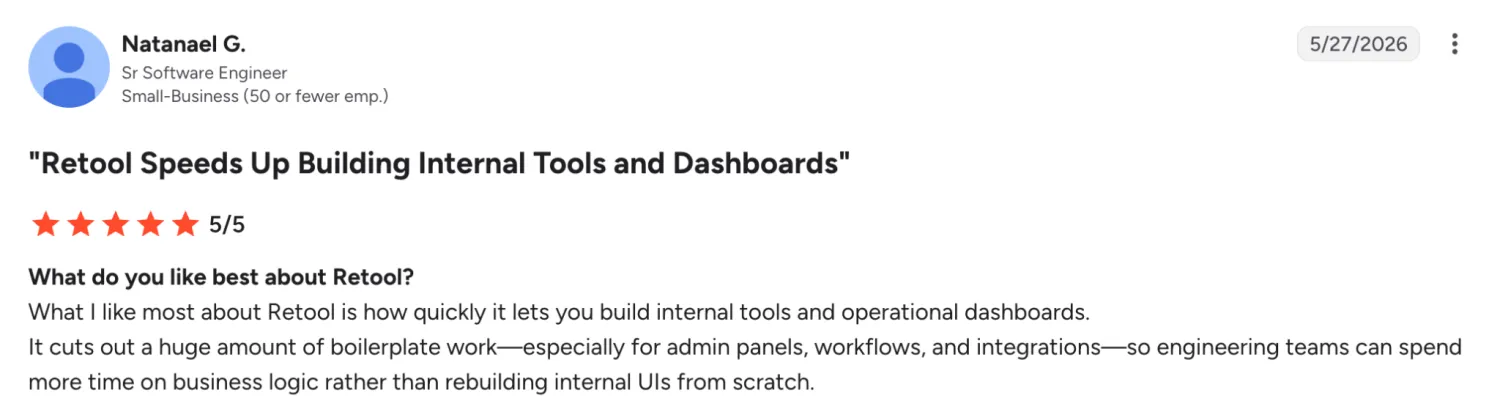
Many also mention flexibility, within the bounds of normal business challenges. However, users do mention that certain areas are less easy to customize, and performance can slow when you work with large data sets.
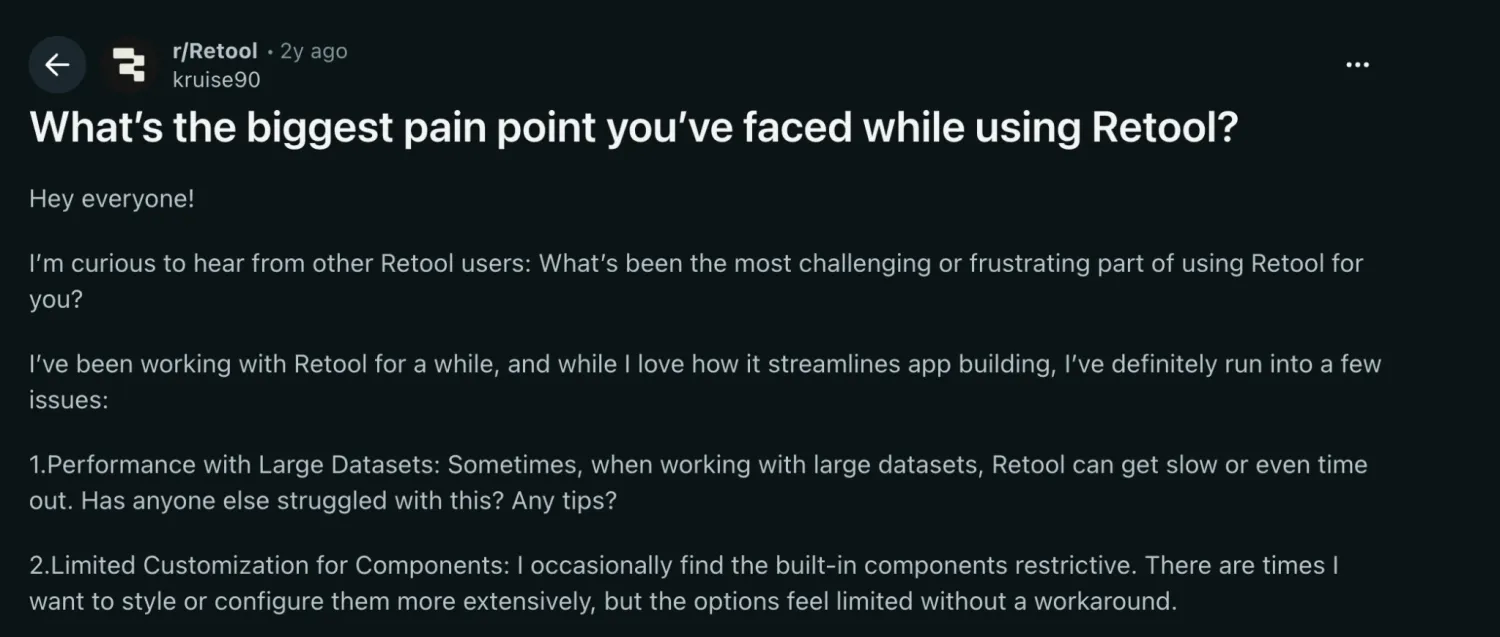
The recent move to make self-hosting available only on enterprise plans is also unpopular.
What users say about Appsmith
Users who like Appsmith tend to enjoy the simplicity of the tool. In some ways, the lack of onboarding and UX polish is an attraction. Developers are also attracted to the open source version, both for the flexibility it provides and the lower cost compared with something like Retool.

On the down side, some users warn about technical issues that can affect performance — particularly in terms of responsive design and displaying tables. Other users highlight privacy issues with the out-of-the-box version.

How pricing compares between Retool and Appsmith
| Plan type | Retool | Appsmith |
|---|---|---|
| Free | Free plan for individual developers; 5 users, unlimited apps, 500 workflow runs/month, 250 AI credits, and 20 agent hours/month | Free cloud plan for individuals and small teams; 5 cloud users, 5 workspaces, 3 Git repos, Google SSO, and public apps Free open source community version |
| Entry paid plan | Team ($10/builder/month + $5/internal user/month): staging, release versions, 5,000 workflow runs/month, and 1,000 AI credits | Business ($15/user/month): workflows, premium integrations, reusable packages, audit logs, unlimited workspaces and Git repos, and removes Appsmith branding |
| Higher paid plan | Business ($50/builder/month + $15/internal user/month): audit logs, advanced permissions, portals, embedded apps, unlimited modules, and custom branding | No additional standard tier; the next step is Enterprise |
| Enterprise | Custom pricing with SSO, source control, observability, white-labeling, dedicated support, and volume discounts | Starts at $2,500/month for 100 users: SAML/OIDC SSO, enterprise security, advanced governance, and premium support |
| Cost variable to watch | Separate pricing for builders and internal users, plus AI credits, agent capacity, and external users | Number of licensed users is the primary cost driver, with Enterprise pricing scaling beyond 100 users |
| Best value for | Teams that need to build sophisticated internal tools while controlling costs for non-builder users | Teams that prefer straightforward per-user pricing with no distinction between developers and end users |
Figures shown reflect annual billing (where applicable) as of August 2026.
The comparison here is quite interesting. Both tools are very affordable at first, but Retool's pricing quickly ramps up as you add users. Meanwhile, Appsmith has a large gap between the Business and Enterprise plans.
In most cases, Appsmith is the cheaper option, particularly if you need a lot of seats. And because there's an open source version, you can avoid paying for the tool at all.
Of course, pricing isn't the only consideration. If you want to build business apps that work perfectly without getting your engineers involved, Softr is definitely worth a look.
Meet Softr: The best tool for non-technical teams that want to build reliable business systems
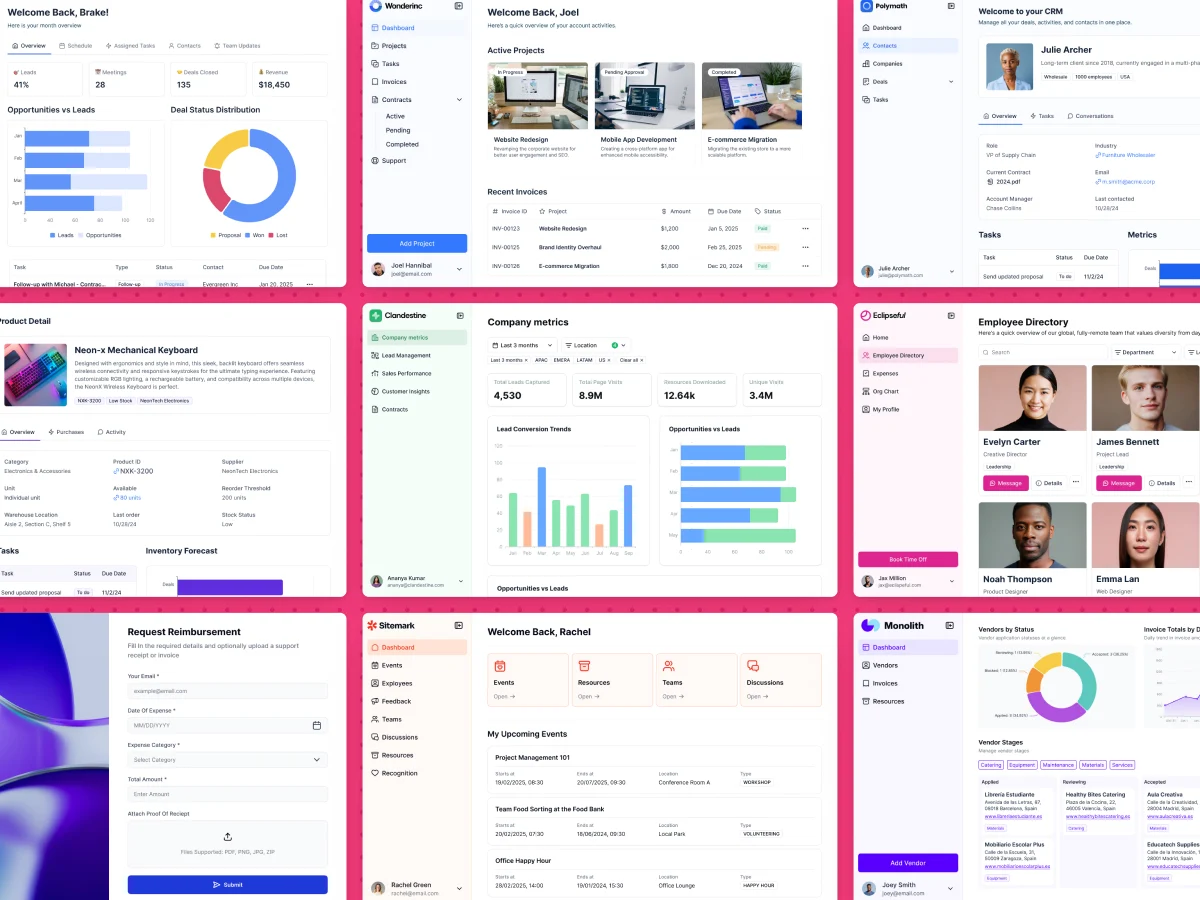
Softr is an AI-powered no-code app builder that lets you create entire business systems without touching a line of code. For non-technical teams, Softr is much more accessible than either Retool or Appsmith; but you still get strong functionality and customization.
Here's why Softr might be the right fit for you:
Go beyond internal interfaces
Retool and Appsmith are primarily designed for building internal software, with access only for your staff. In contrast, Softr lets you build applications for both internal teams and external users. That means:
- Client portals
- Employee portals
- Partner and vendor portals
- Internal CRMs
- Project management systems
- Inventory management apps
- Dashboards
- Knowledge bases
Just as importantly, you can run all of these apps from one platform.
Choose the data model that fits your business
While Retool and Appsmith can connect to external databases, managing multiple sources can be a challenge.
With Softr, the process is much easier. If you're starting from scratch, you can use Softr Databases, our built-in relational database. This lets you manage your app and data in the same place. Alternatively, you can connect and combine 20+ external sources, including Airtable, Google Sheets, Notion, HubSpot, SQL databases, BigQuery, Supabase, and more.
Softr supports real-time, two-way data syncing, so you're always getting up-to-date information.
Automate workflows inside your apps
Real-time data syncing is also useful for building workflows, an area where Softr excels. While Retool and Appsmith support automation, Softr provides a dedicated no-code automation builder.
With Softr Workflows, you can:
- Trigger automations when users submit forms or update records.
- Send emails or Slack notifications automatically.
- Update databases and connected systems.
- Personalize user experiences based on user activity or data changes.
And that's just a small sample. You can build any automation you want using simple controls.
Give every user the right level of access
With Softr, you don't need an enterprise plan to manage user access. All our plans allow you to choose which user groups get to see specific areas of your apps. Our Pro and Business plans offer even deeper control, meaning you can apply permissions at the page, block, record, and field level.
Launch faster with templates and visual building
Retool and Appsmith typically require some manual configuration before you can start launching and using apps.
Softr skips the hassle. With 90+ templates covering common business use cases and a visual drag-and-drop builder, you can move from idea to production at speed (even if you have zero technical knowledge). The Softr MCP also lets you connect assistants like Claude and Cursor to build and manage your business apps, databases, and workflows directly from your chat prompt.
What you can build with Softr
- Client portals: Secure spaces where customers can access projects, documents, invoices, and updates.
- Employee portals: Provide access to company resources, HR information, and approvals in one place.
- Internal CRMs: Create systems that suit your sales and marketing teams.
- Inventory management systems: Track stock, suppliers, and orders with real-time data.
- Operations dashboards: Bring together data from multiple sources to get a quick overview.
Retool vs Appsmith vs Softr: Which one should you choose?
So, time to make a final choice. Deciding which of these tools to lean on really comes down to this:
- Need a powerful, developer-focused platform for building internal tools? Choose Retool.
- Want an open-source, self-hosted app builder with more control? Choose Appsmith.
- Want to build internal tools and client-facing apps quickly using AI and no code? Choose Softr.
Just bear in mind that most businesses don't actually need custom software. If you just want a customized CRM or employee portal, you probably don't need to code it from scratch. Softr can get the job done, without the engineering overhead.
Want to give it a try? Sign up free today to start building your own business apps, without the technical headaches.
Frequently asked questions
Is Retool or Appsmith better for internal tools?
Can you build customer-facing apps with Retool or Appsmith?
Which platform is easiest for non-technical users?
Do you need to know how to code to use Retool or Appsmith?
Can you self-host Retool and Appsmith?