Codex vs Cursor: Which AI tool should you use in 2026?

[.blog-callout]
✨ TL;DR:
- Choose Codex if you want to describe a task, walk away from your screen, and come back to proposed code.
- Choose Cursor if you want to code alongside AI, watching and steering changes file by file.
- Pick Softr if you want to build real business software without any code whatsoever. It’s an AI app builder that creates complete systems from a single prompt.
[.blog-callout]
My dad's a programmer. He’s always bewildered when I tell him about my experiences building with AI. When I mentioned I'd been experimenting with AI coding agents lately, he couldn't get over that someone in marketing was double-dipping into his domain. But hey, that’s 2026 for you.
Two of the tools I’ve tried, Codex and Cursor, are top contenders in this space. Codex is OpenAI's coding agent. You give it a task, and it hands you back a finished pull request. Cursor, on the other hand, is an AI-powered code editor built on VS Code. It lets you write code alongside AI, line by line.
It can be hard to know which one to choose, especially if you’ve heard people singing the praises of both. So keep reading for a deeper breakdown of these tools and learn which one better fits your needs — and learn more about Softr, a strong non-technical alternative.
Note: I reference a few technical terms in this post. Here’s a quick glossary if you’re not familiar with them:
- CLI stands for command line interface, and it's a text-only window where you type commands. Developers use these to run tools, manage files, and “talk” to other software.
- VS Code (short for Visual Studio Code) is a free, popular code editor made by Microsoft. Most developers write code in it. Cursor is a modified version of VS Code with added AI features.
- IDE stands for integrated development environment. It's a single app that bundles everything a developer needs to write, test, and debug code, including an editor, a terminal, a debugger, and version control. VS Code and Cursor are both IDEs.
Codex vs Cursor at a glance
What is Codex?
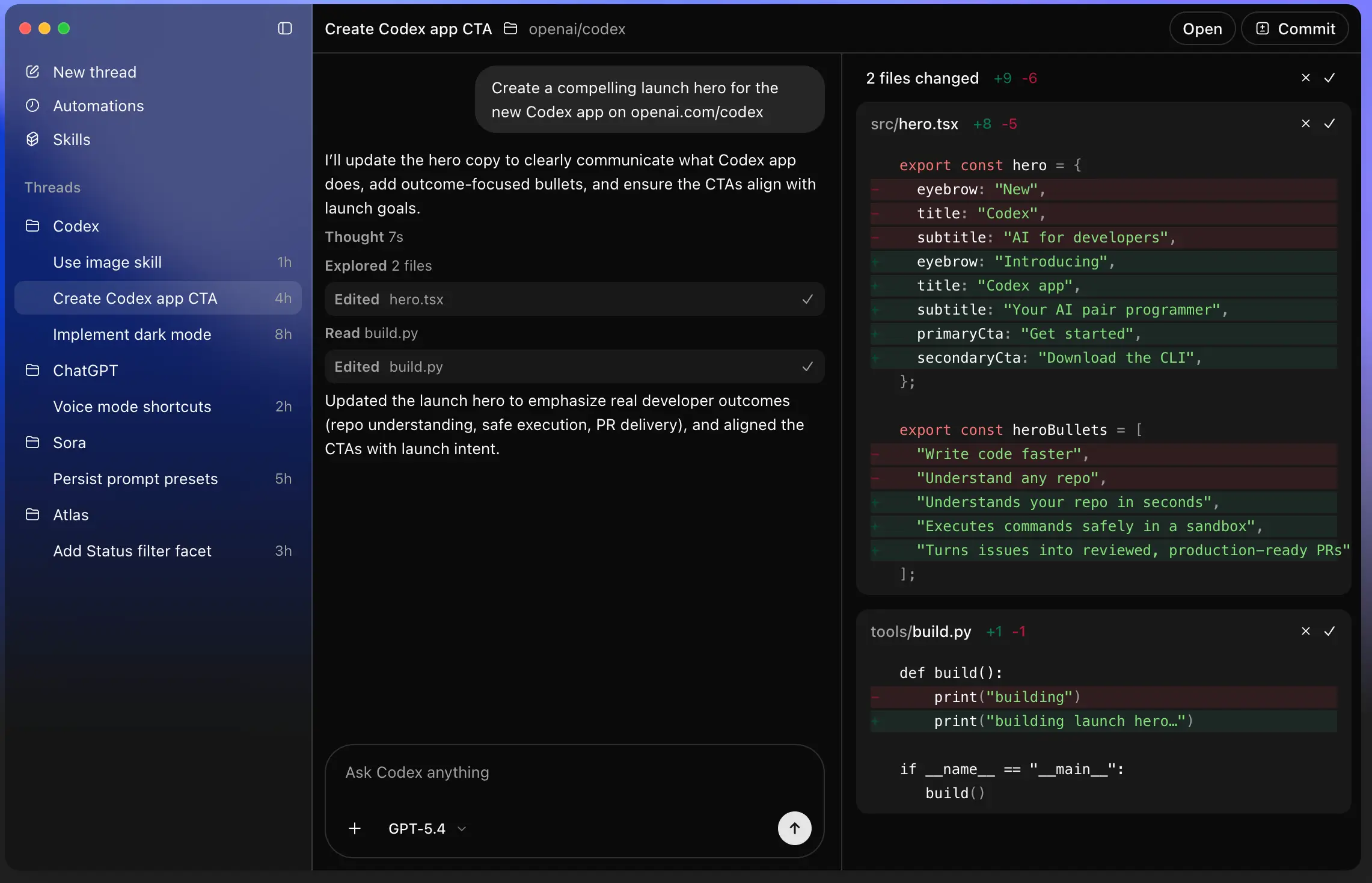
Codex is OpenAI's AI coding agent. It’s powered by GPT models and is built to handle full coding tasks autonomously. All you do is describe what you want, and Codex investigates the codebase, writes the code, tests it, and returns a pull request.
Unlike Cursor, Codex isn’t an editor. It's an agent you can run from a few different access points. There's a web browser and a mobile app for less technically inclined folks, or the terminal for everyone else. You don't watch it type. You feed it a task and check its output.
Who is Codex best for?
If you’re not technical but you use ChatGPT, Codex offers an easy way for you to try vibe coding since it comes with any ChatGPT plan, free or paid. But it was definitely built for developers. Especially ones who have to work through a huge queue of tickets every day. Codex can chew through that queue while they focus on something else. And because it’s pretty methodical, it can handle heavy code reviews as well.
How Codex works
After installing Codex, you point it at a repo (a repository, that’s the folder where all your project's code lives), then just write a prompt. Codex reads any relevant files, plans a change, runs tests, and either commits the result or opens a pull request for review.
What is Cursor?
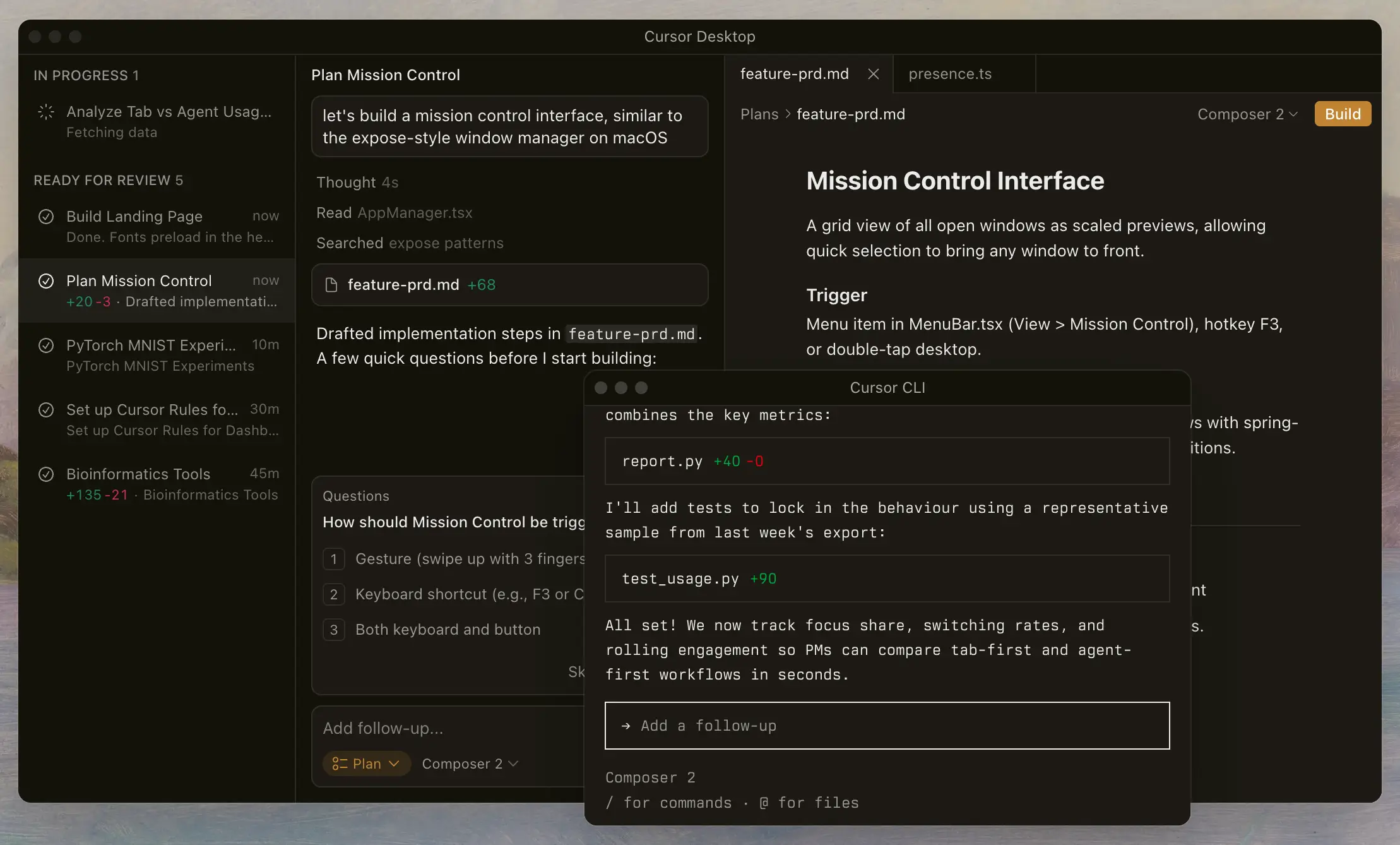
Cursor is an AI-powered code editor built as a fork of Visual Studio Code. If you've used VS Code, the interface is identical. Same sidebar, same keyboard shortcuts, same extensions.
What’s different is that Cursor builds AI directly into the editor. You can rewrite code on the spot with a quick keyboard shortcut, or ask questions in a chat panel that already knows your project. You can also make changes across multiple files at once. Want to hand off bigger tasks to some AI agents? Cursor’s agents can run in the cloud and tackle work in parallel. And you can orchestrate up to eight agents at once on a single prompt.
Unlike Codex, which started as a cloud agent you delegate tasks to, Cursor is built around active, in-editor coding. When you're working in the editor, you watch what it does, accept or reject diffs, and stay in the loop on every change.
Who is Cursor best for?
Because of that in-editor focus, Cursor works best for developers who want a faster version of the editor they already use. But we're in the wild west of AI, where anyone can try their hand at coding, so it's also picking up adoption from non-developers building internal tools.
As a writer, I've talked with plenty of people like me who don't code. From my own experience and from what others tell me, working with the IDE is still challenging for anyone who's never touched a terminal.
How Cursor works
After you download Cursor, you can either start fresh or import your VS Code settings. As you type, Tab runs in the background. That’s Cursor's always-on suggestion engine, watching what you write and predicting what comes next, from whole lines to multi-line edits based on the context of your project.
When you want to work on a larger operation, you can switch to Agents. Describe what you want, and the agent will work across multiple files, run commands, and show you diffs you can accept or reject as it goes.
Codex vs Cursor: Features compared
Okay, let’s zero in on how these two tools stack up.
Which is easier to use and set up?
Codex is faster to set up. If you’re already using ChatGPT, you just click into Codex from the app in the sidebar. For developers who want the CLI, setup takes only a few minutes. You install it through npm or Homebrew, run codex in your terminal, and sign in with your ChatGPT account.
If you already use VS Code, you’ll find Cursor familiar. For someone new to that world, like a marketer or sales lead or recruiter, navigating the login screen and the editor might take some practice. Nothing a little googling or AI prompting can’t help you with, though.
Verdict: Codex wins on raw onboarding speed for non-devs. Cursor wins on familiarity for those already in the VS Code ecosystem.
Which offers more features and flexibility?
If your goal is to code, Cursor's Tab completions and inline editing features will be useful for you. Plus, you can use any OpenAI, Anthropic, or Google model on it (among other models).
With Codex, you're locked into the GPT family of models. That's not to say the new GPT-5.5 isn't impressive. But with new models coming out all the time, you may want different ones for different tasks. For example, I once built a Cursor workflow that used Gemini to process videos of me recording my screen as I built an automation, then switched to Claude to draft a blog post based on that recording. Gemini processes video and audio well, and Claude is better at capturing my voice, so I used each model to its advantage.
When it comes to flexibility, Cursor offers Cloud Agents. These handle bigger tasks autonomously in remote environments. It also comes with Composer (its in-house coding model built for speed) and Bugbot, which reviews proposed code changes before they go live. It also gives you access to most VS Code extensions, including everything from spellcheckers to language helpers to design tools.
Codex offers more depth for hands-off work in the OpenAI ecosystem. You can run several agents at once on different parts of a project, kick off long tasks that keep going in the background, and let Codex control your Mac to do things across apps. It also has a skills system that lets you package reusable workflows, like a release checklist or a code review rubric, that Codex can invoke across future tasks.
Verdict: Cursor offers model flexibility and editor breadth. But Codex lets you go deep inside the OpenAI ecosystem.
Which is best for integrations?
Both support the Model Context Protocol (MCP), which is a standard way for AI tools to connect to other apps. That means both can connect to Slack, Jira, Google Drive, Zendesk, Databricks, BambooHR, and most other business systems with an MCP server.
Cursor also inherits a huge library of VS Code-compatible extensions. That gives it an edge for developers who need very specific tools for their setup. Codex adds Skills, which are reusable workflows you can package with instructions and scripts, as well as computer use, which gives Codex the power to “see,” click, and type in your apps while you work on other things.
Verdict: It depends on what you're connecting. Go with Cursor for editor extensions. Pick Codex for Skills and computer-level automation across apps.
Which is more affordable?
At the entry levels, they're priced the same. You can access them on free plans, and the first paid tier runs at $20/month for either tool.
As soon as you start to scale, pricing differs. Right now, OpenAI is running a promotion that gives you double your usage on the Pro tiers (either $100/month or $200/month — yeah, there are two tiers called Pro, it’s confusing) and that promo lasts through May 31, 2026.
Cursor's equivalent plan, Ultra, is also $200/month. It includes $400 in credits, and gives you 20x more usage than the Pro plan. One thing to note: Cursor uses a credit pool that depletes faster when you pick the most powerful models. But it works more efficiently in Auto mode. That’s where you let Cursor pick the AI model for you based on what it thinks will optimize speed and token usage.
Verdict: At $20, it’s a tie. As prices increase, Codex lets you run more agents, longer, without hitting limits. That said, Cursor’s Auto mode is a real perk. It picks the most capable model for you at the moment, so you don’t drain your credit pool.
Which has better AI and automation capabilities?
As far as AI capabilities goes, Codex runs on GPT models, and the newest GPT-5.5 model is aces at doing things like writing and debugging code. But the trade-off is that Codex is super literal and rewards more precise prompts. It’ll follow instructions exactly, but you do have to give clear ones.
Codex also has Automations, which let you schedule recurring tasks — things like daily issue triage, CI failure summarization, release brief generation, or bug scanning, with results landing in a review queue.
Cursor started as a live, in-editor assistant. That's still where it shines: with multi-file edits and refactors that would take hours by hand. But Cursor 3 leans hard into agent orchestration too. So the editor-versus-autonomy contrast isn't as clean as it used to be.
Verdict: Pick Codex for autonomous tasks tied into the OpenAI ecosystem. Cursor for live, multi-file editing plus agent orchestration. Lots of serious users combine them.
Popular use cases for Codex vs Cursor
Both tools are flexible, but each has its strengths:
Best use cases for Codex
- Ticket-driven development: Hand Codex a Jira ticket, walk away, and come back to a PR. Works especially well for input validation, test generation, and routine bug fixes.
- Code review: Codex is increasingly used to review code written by other agents (or humans). It returns a clean, organized list of issues, ranked by how serious they are, so reviewers can focus on the biggest problems first.
- Cross-codebase refactors: Codex is well suited to long tasks that touch a lot of files at once and need every change to follow the same pattern across the project.
Best use cases for Cursor
- Live pair programming: Tab completions, inline edits, and the chat panel make Cursor a natural choice as a daily driver in the editor.
- Multi-file refactoring with review: When the agent proposes diffs across the repo, you can review them side by side and accept or reject each one before anything lands.
- First drafts of unit tests: Writing tests is slow and repetitive, so many engineers now have Cursor write the first pass of tests for new code. You get a solid starting draft in seconds and refine from there.
In short: Codex earns its keep when you want the AI to drive. Cursor takes the lead when you want to drive with the AI riding shotgun.
Codex vs Cursor on Reddit
In this thread, a user was wondering whether they should reach for Cursor or Codex as their daily driver for coding and bigger refactors.
They liked Cursor under its old request-based pricing model. On the $20/month Pro plan, they were able to send one massive ticket and have it count as a single request, even when the work would’ve taken them hours.
Cursor must’ve figured that out, because it changed its billing in 2025. Now, $20/month gets you $20 of model usage instead of 500 requests. Big, context-heavy tickets burn through that fast. The user thought about upgrading to Cursor Ultra at $200/month, but for the same price, they could get Codex on ChatGPT Pro. So they asked which option was better.
And here's how folks replied. One user made the case for Cursor based on Auto mode alone:

Not everyone agreed, claiming Auto has its limits too. But many said you can stretch your usage by doing your planning and thinking in regular ChatGPT, then switching over to Cursor just to write code. That way you're not burning expensive coding-tool credits on brainstorming.
Another user made the point that they’re different tools for different jobs:

You could also combine them by running a model like Codex inside Cursor. But as one user pointed out in r/vibecoding, where they were weighing Codex, Cursor, and Claude for "serious side projects," that setup has its own quirks:

That experience is common. Anytime you run one company's model inside another company's tool, something can get lost in the routing. Whether it's real rate limiting, internal model swapping, or just perception, enough users report that as an issue that it's worth knowing about before you commit to one workflow.
Common pros and cons mentioned
For Cursor:
- Smooth in-editor experience
- Lets you choose from different AI models
- Auto mode picks a model for you that doesn’t eat into credits
- Huge library of add-ons
- Easy to review changes side by side
- Credit-based pricing can be confusing
- Costs can climb if you always pick the best models
- It's still an IDE, which can be intimidating for non-devs
And for Codex:
- Great at spotting tricky bugs that are easy to miss
- Produces clean code on the backend
- Can run on its own without much hand-holding
- Good at finding bugs
- Generous usage limits on Pro and Enterprise plans
- Very literal, so vague prompts get vague results
- Model quality has been inconsistent at times
How pricing compares between Codex and Cursor
Codex is bundled into ChatGPT plans and uses a credit system tied to token consumption. Cursor sells its own plans and uses a dollar-credit pool that depletes based on the model you pick.
How OpenAI prices Codex: Codex doesn't have a standalone subscription. You get it through your ChatGPT plan. In early April, OpenAI shifted to a token-based credit model that aligns Codex pricing with API token usage. So users on Plus and Pro get credits and can buy more if they hit limits, whereas Business and Enterprise plans support pay-as-you-go and seat-based pricing.
How Cursor prices its tools: Cursor charges a fixed monthly fee. And that includes a dollar-credit pool equal to the plan price. Tab completions and Auto mode are unlimited and don’t draw from your pool, but manually selecting frontier models does. Once you exhaust your credits, you can either upgrade or pay overage at API rates.
Which gives you more for the price? At the $20 tier, both offer about even benefits for individual developers. At $200/month, Codex gives heavy users a lot of room across OpenAI’s models. Meanwhile, Cursor Ultra gives you 20x the Pro credit pool to spend on whichever provider you want—Anthropic, OpenAI, or Google. Neither is easy to budget for, though. That’s partly why teams looking for predictable costs, especially on real production tools, tend to look beyond pure code generators.
Meet Softr: The AI platform for building real business software, no code required
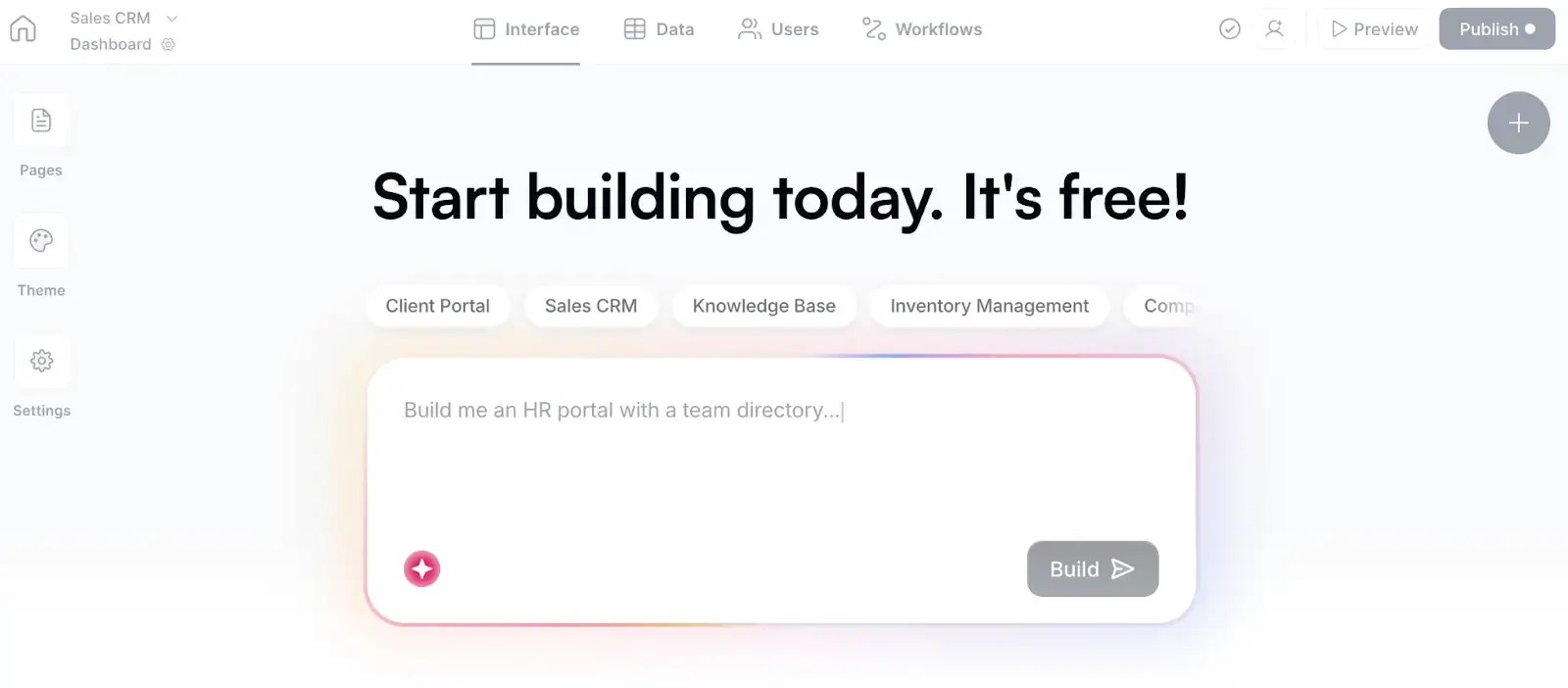
Codex and Cursor are great at generating code. But AI prototypes just don’t cut it anymore. Because as soon as a real user tries to log in to a vibe coded project, they run into major issues. Authentication isn't really set up. Permissions don't match how your team works. The database wasn't designed for production data. And on it goes. Every fix, assuming you know what to do, requires you to submit another prompt and pray you won’t mess up what’s already working.
That's the gap Softr closes. It’s an AI app builder for generating business software. What is an AI app builder? It is a tool that lets you create things like client portals, vendor portals, company intranets, CRMs, project trackers, and dashboards, all without writing code. Tell Softr's AI Co-Builder what you need, and it’ll whip up the database, the application, and the business logic, already connected in a matter of minutes.
Why choose Softr over Codex or Cursor
Codex and Cursor speed up writing code. They don't solve the harder problem of shipping stuff that your team and clients can actually rely on. Softr does.
A secure, working app you can share with real users from day one
Every business app needs the same foundation: a database, authentication, user management, permissions, hosting, and security. Codex and Cursor make you generate that foundation from scratch every time, with no guarantee it's been tested in production. Softr ships it built in. Auth, roles, permissions, and hosting are all there the moment you publish.
Combine data, apps, and workflows on one platform
Softr brings databases, apps, and automations into a single platform. With Codex and Cursor, you're generating code that sits on top of infrastructure you have to assemble and maintain yourself.
For example, you can store and organize relational business data in Softr’s built-in database, or sync it in real time with Airtable, Google Sheets, HubSpot, Notion, SQL databases, and more.
.webp)
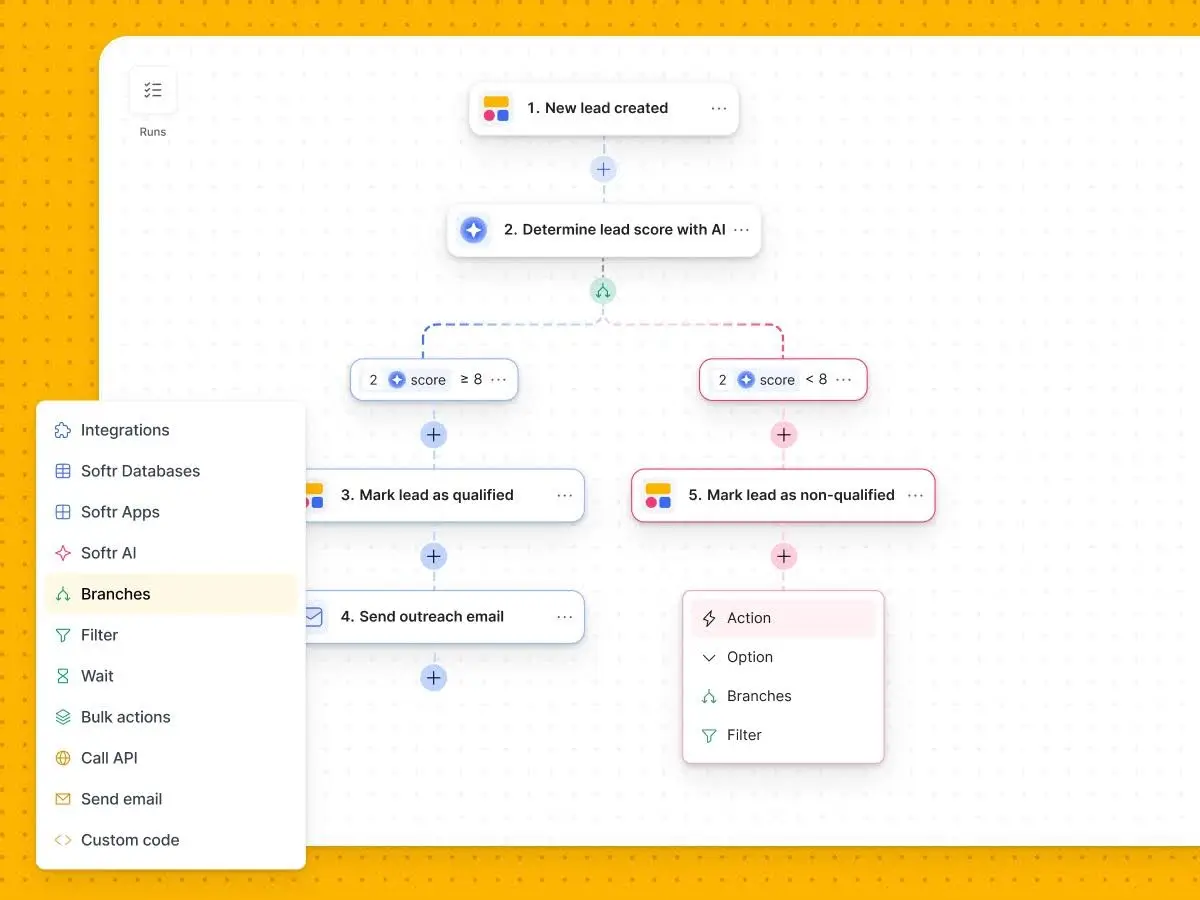
And when you need to streamline operations, you can use Softr to automate workflows across your stack with native integrations. You can trigger workflows when users submit forms, update records, or take action in your app. Route data, branch logic, send notifications, and connect external tools—all without writing backend code.
Switch between AI and visual editing at any time
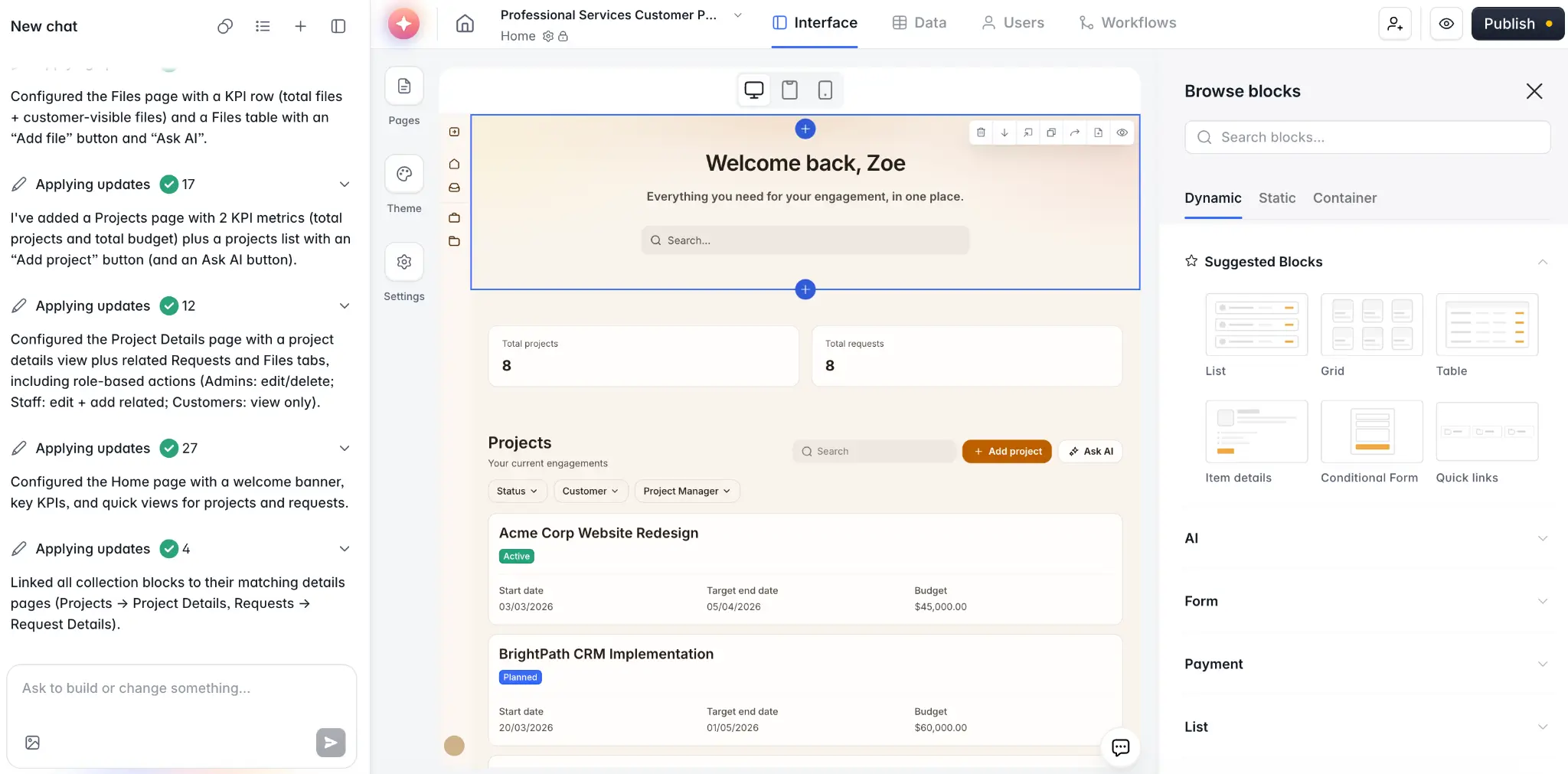
Most AI tools produce things quickly, but make it difficult to let those creations evolve. If you add a new field, change a permission, or update a workflow with an AI tool, you risk messing with what was already working. Softr lets you build with AI when you want speed, then switch to direct editing when you want to modify little details like fields or permissions. That way, you don’t have to worry about breaking things or blowing credits on prompts.
Granular permissions you can trust
Softr lets you create custom user groups: clients, partners, team members, and contractors. And you can define exactly what each one can see and do. Codex and Cursor leave permission logic up to whatever code gets generated. Which is fine for prototypes, but risky for production. Softr makes it visual and reviewable.
Built for non-technical operators
Tapping a developer to build the tools you need is fine. If your team has the resources and the time to spare.
If they don’t, it’s not a problem. Because the people best at designing workflows, managing processes, and owning outcomes aren’t the developers anyway: they’re the operators, team leads, and department heads, the people who know the work and know what they need to accomplish it. Softr removes the developer-shaped bottleneck without handing them a code editor or terminal.
What you can build with Softr
- Client and partner portals: Branded, secure portals where clients log in to view projects, submit requests, and access files.
- Internal tools: CRMs, project trackers, team intranets, employee directories, and dashboards.
- ERPs and operational systems: Custom systems for inventory, vendor management, and field operations.
- Conditional forms: Lead capture, client onboarding, and intake forms that branch based on responses.
- Databases: Manage relational business data natively in Softr Databases.
Codex vs Cursor vs Softr: Which one should you choose?
When to choose Codex
Choose Codex if you're a developer (or a technical builder) who wants an autonomous coding agent. You write a prompt, Codex investigates, codes, tests, and hands you a PR. It's especially strong for ticket-driven work, code review, and long-running refactors.
When to choose Cursor
Choose Cursor if you're a developer who wants AI baked into the editor you already use. The VS Code foundation makes it familiar, the Tab completions and Composer make it fast, and the multi-model flexibility lets you tune cost against capability. It's the daily driver pick for active in-editor work.
When to choose Softr
Choose Softr if you don't want to write or maintain code at all. If you're a business owner, operator, or team lead who needs a real production tool, Softr gives it to you. Along with an app, you’ll get everything it needs to run on the backend in one place. You're never locked into prompting, you can edit visually whenever you want, and what you publish actually works the moment users log in.
In short: Codex and Cursor help developers ship code faster. Softr helps non-developers ship working software. Pick based on what you actually need at the end of the day.
Want to see it in action? Try the Co-Builder free and create a custom, secure app in minutes from a single prompt.
Frequently asked questions
Is Codex better than Cursor for AI coding?
Can Codex and Cursor be used together?
Do I need to know how to code to use Codex, Cursor, or Softr?
Why would I choose Softr instead of Codex or Cursor?