Base44 vs Bolt vs Softr: Which AI app builder should you choose? [2026]

AI app builders like Base44 or Bolt feel slightly magical. You just type in what you want, and watch as your idea is coded into reality.
The challenge with these tools is what comes next. Some tools deliver apps that work at first glance, but fold under pressure. Others write code that is difficult to maintain or extend with additional features.
This might not matter if you’re just experimenting. But for business users, real-world performance is pretty important.
I tested and reviewed Base44, Bolt, and Softr at length, and can compare features, pricing, and performance — and I’ve gathered reviews from real users.
Base44 vs Bolt vs Softr at a glance
These three platforms operate in the same broad category, but they have different strengths and weaknesses:
| Base44 | Bolt | Softr | |
|---|---|---|---|
| Best for | Rapid prototypes and experiments | AI-assisted development | Business apps and internal tools |
| Technical requirements | Beginner-friendly | Advanced technical skills | Beginner-friendly; technical skills optional |
| AI app generation | ✓ | ✓ | ✓ |
| Visual builder | ✓ | Limited | ✓ |
| Code access | On paid tiers | ✓ | Not required |
| Built-in database | ✓ | Via Bolt Cloud / integrations | Native Softr Databases |
| External data sources | More limited | Technical integrations | Native Softr Databases, 21+ data sources, and data import functionality |
| User authentication | ✓ | Requires more setup | ✓ |
| Granular permissions | More limited | Build/configure yourself | ✓ |
| Workflows | AI-generated logic | Code-based | AI-generated + visual workflows |
| GitHub | ✓ | ✓ | — |
| Code export | More limited | ✓ | — |
| Customization approach | Prompt-first | Code-first + AI-assisted | Prompt-first + visual builder + MCP |
| Main tradeoff | Reliability, context, credits | Tokens, debugging, technical complexity | No code ownership/export |
That’s the high-altitude overview. Now, let’s zoom in on the contenders.
What is Base44?
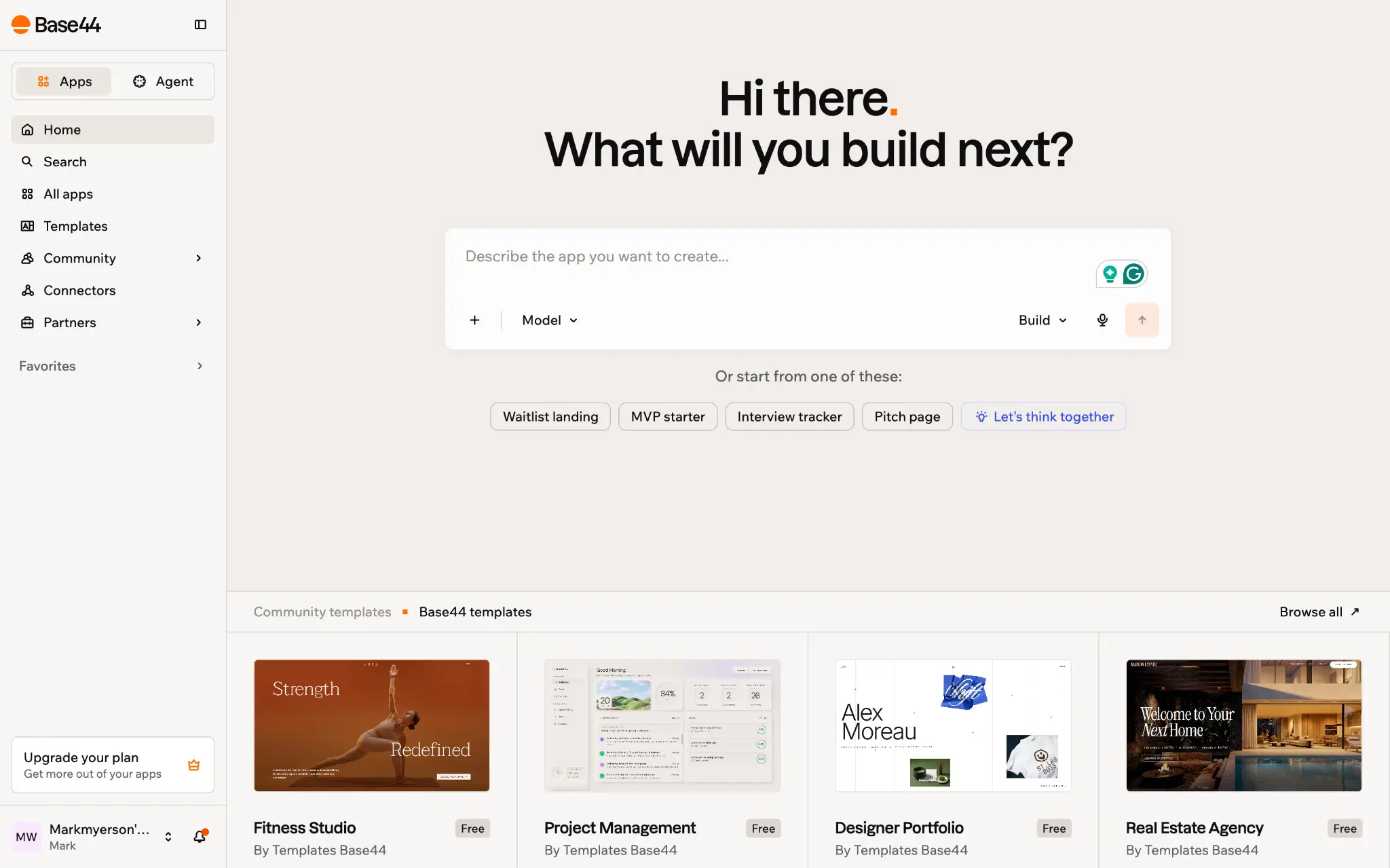
Base44 is a multi-purpose vibe coding platform that allows you to build web apps, websites, browser plugins, and other projects.
It’s primarily aimed at non-technical types, with a largely code-free workflow.
Who is Base44 best for?
Anyone who needs to validate ideas quickly will like Base44. The workflow allows you to progress rapidly from an idea to a fully working prototype.
That’s why Base44 is popular with founders, designers creating functional prototypes, and business teams that need simple custom tools.
How does Base44 work?
The workflow in Base44 is very simple. You prompt; the AI generates. This platform doesn’t ask too many questions. You always get a first draft, even if your instructions are vague.
Then, you iterate. Base44 lets you make adjustments by prompting the built-in AI. If you want to change specific elements, you can click to select them and then enter your instructions. There’s also a code editor, buried in the settings (if you’re on a paid plan).
The lack of friction here means you can produce functional apps very quickly. But that comes at the cost of control (and security). It feels more like a simple website builder than a development tool.
What is Bolt?
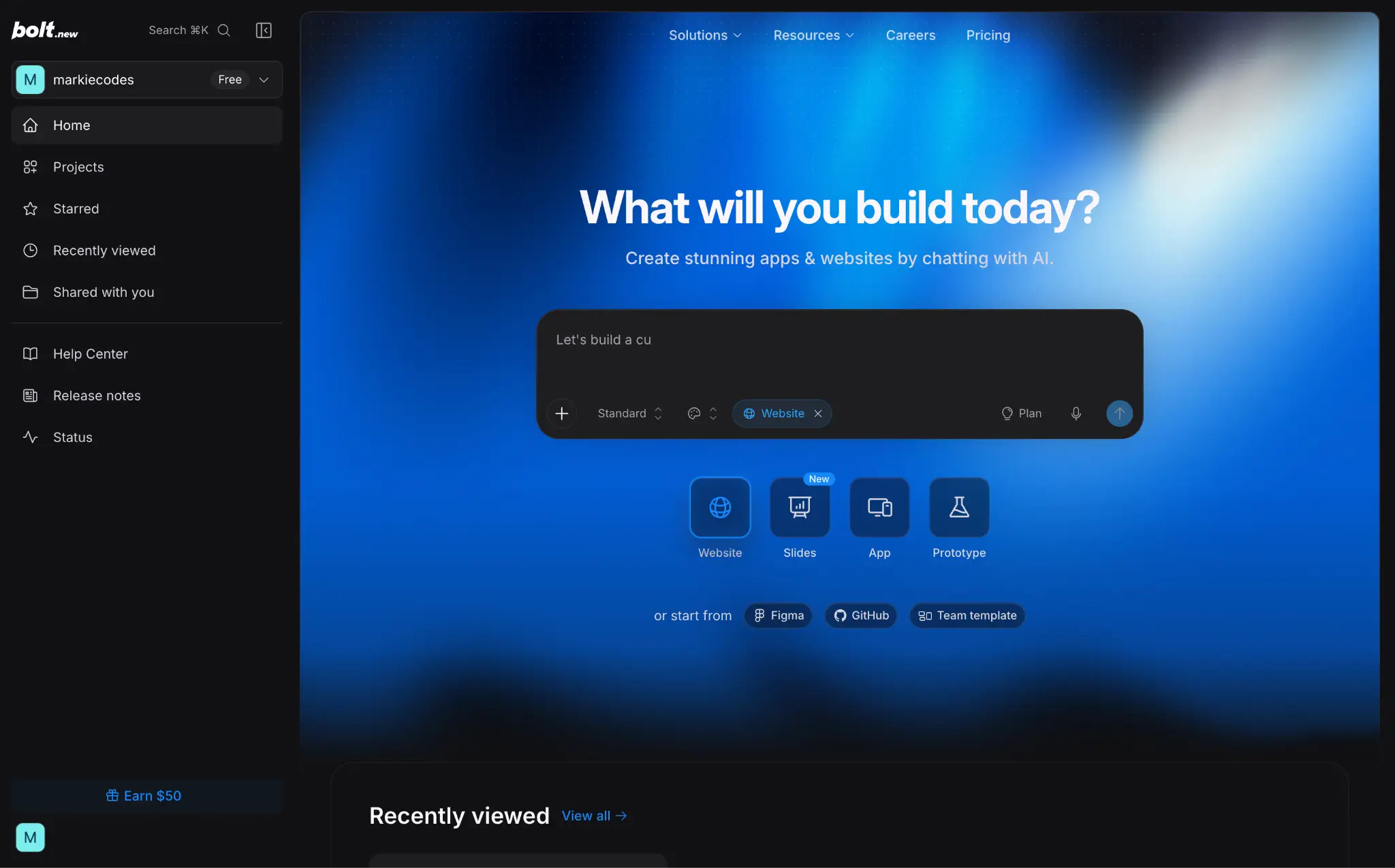
Bolt is an AI-powered development platform for building apps, websites, and slide decks.
In practice, it feels closer to a traditional IDE than a no-code app builder, although many non-technical people use the platform. The AI generates full apps from text prompts, but you have direct access to the code, dependencies, and key files.
Who is Bolt best for?
While anyone can use Bolt, this platform is best suited to developers and technical founders who are happy to wade into the code.
For these users, the platform is good for generating first drafts, testing new features, and extending existing projects.
For non-techies, Bolt is more of a prototyping tool; you’ll need patience to build a finished app using only the AI.
How does Bolt work?
Much like Base44, you begin your journey in Bolt with a prompt. You can either set it to work straight away, or enable Plan mode to make the AI think through your project before generating code.
If you’re technically minded, you can also specify what stack you want to use. Bolt also lets you set up connections with apps, and design templated skills.
Once you have the first draft, you can iterate via the AI or navigate the files yourself and make changes by hand. The code is exportable to GitHub, and you can host your data on either Bolt Cloud or Supabase.
In other words, you have lots of control… and all the associated responsibilities.
What is Softr?
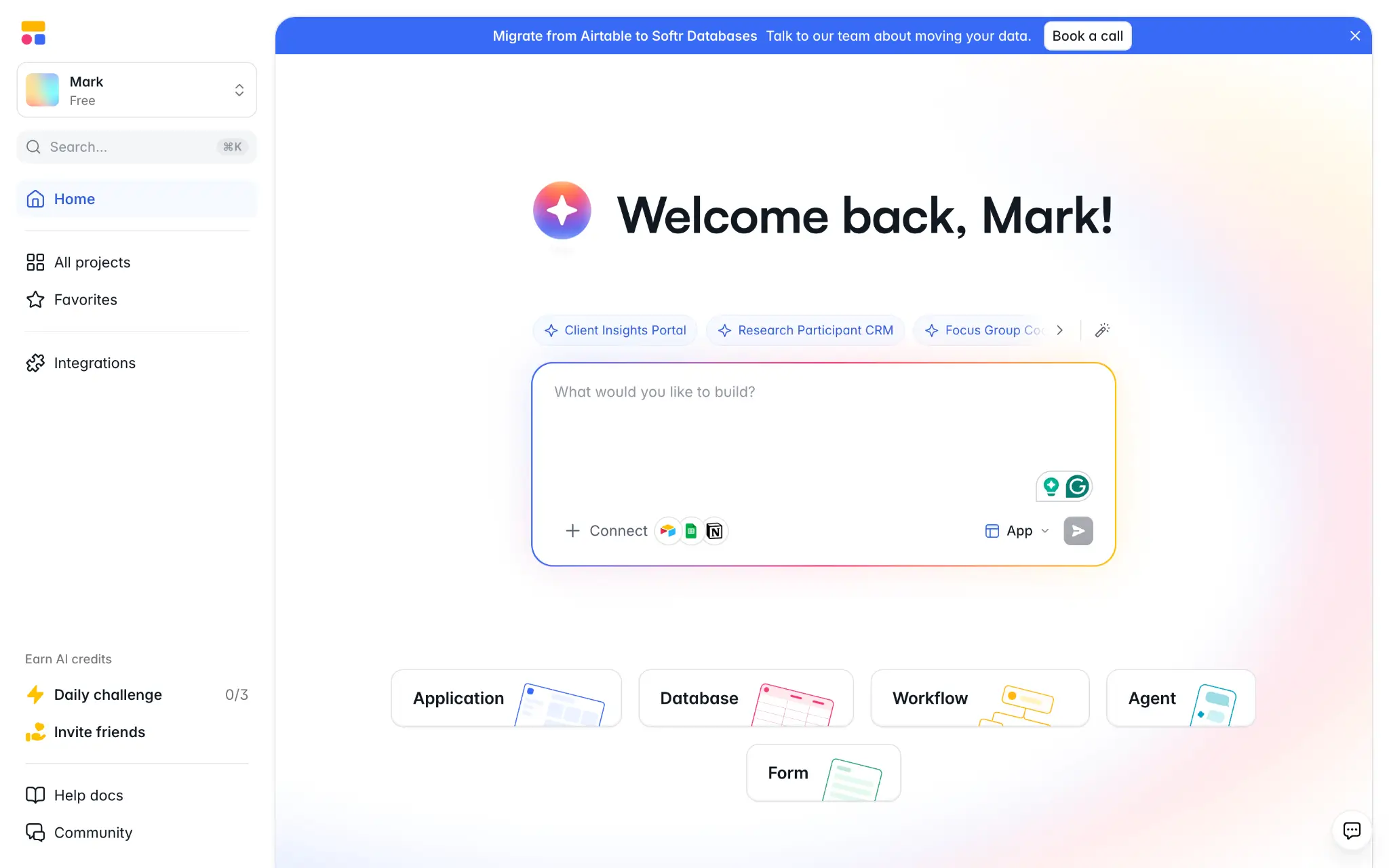
Softr is an AI-powered app builder for teams that want to create secure, production-ready business apps without relying on traditional development. That means portals, dashboards, CRMs, internal tools, and more.
Who is Softr best for?
Any business that needs custom software, but doesn’t want to create endless work for the dev team. Softr is used by marketers, ops teams, agencies, enterprise teams, and SMBs looking to make their workflow more efficient.
The strongest use case is building and connecting multiple internal tools on the same platform; many teams actually create entire “operating systems” with Softr.
How does Softr work?
Softr combines AI generation with a visual builder, giving you different ways to build and refine your app.
Start by describing what you want to build. Softr's AI Co-Builder generates the app and its underlying structure, including the interface and database, so you're not starting from a blank canvas.
Once you have the structure in place, you can get more granular through the editor. Click any element, and a panel slides in from the right with options for its design, functionality, and content. This makes it easy to make precise changes directly rather than re-prompting the AI every time.
Softr also includes a built-in relational database, user management and permissions, and a workflow builder for creating automations visually or with AI. For more custom functionality, you can generate components with the Vibe Coding block, while the Softr MCP lets you build and manage databases, apps, and workflows from your own AI assistant.
Base44 vs Bolt vs Softr: Features compared
All three of these platforms lean on AI to generate apps. But after the first draft, they begin to diverge.
Here’s how Base44, Bolt, and Softr compare for features:
Which is easiest to use and set up?
For raw speed, Base44 provides the fastest route from eureka moment to working prototype. The AI often does a decent job from a single prompt, and you don’t need to get technical.
Bolt also gets off to a fast start. But making changes or troubleshooting can be slow, especially if you’re not a pro developer.
Overall, Softr is the easiest to use. The AI speeds up the initial build, and you can make changes through simple menus.
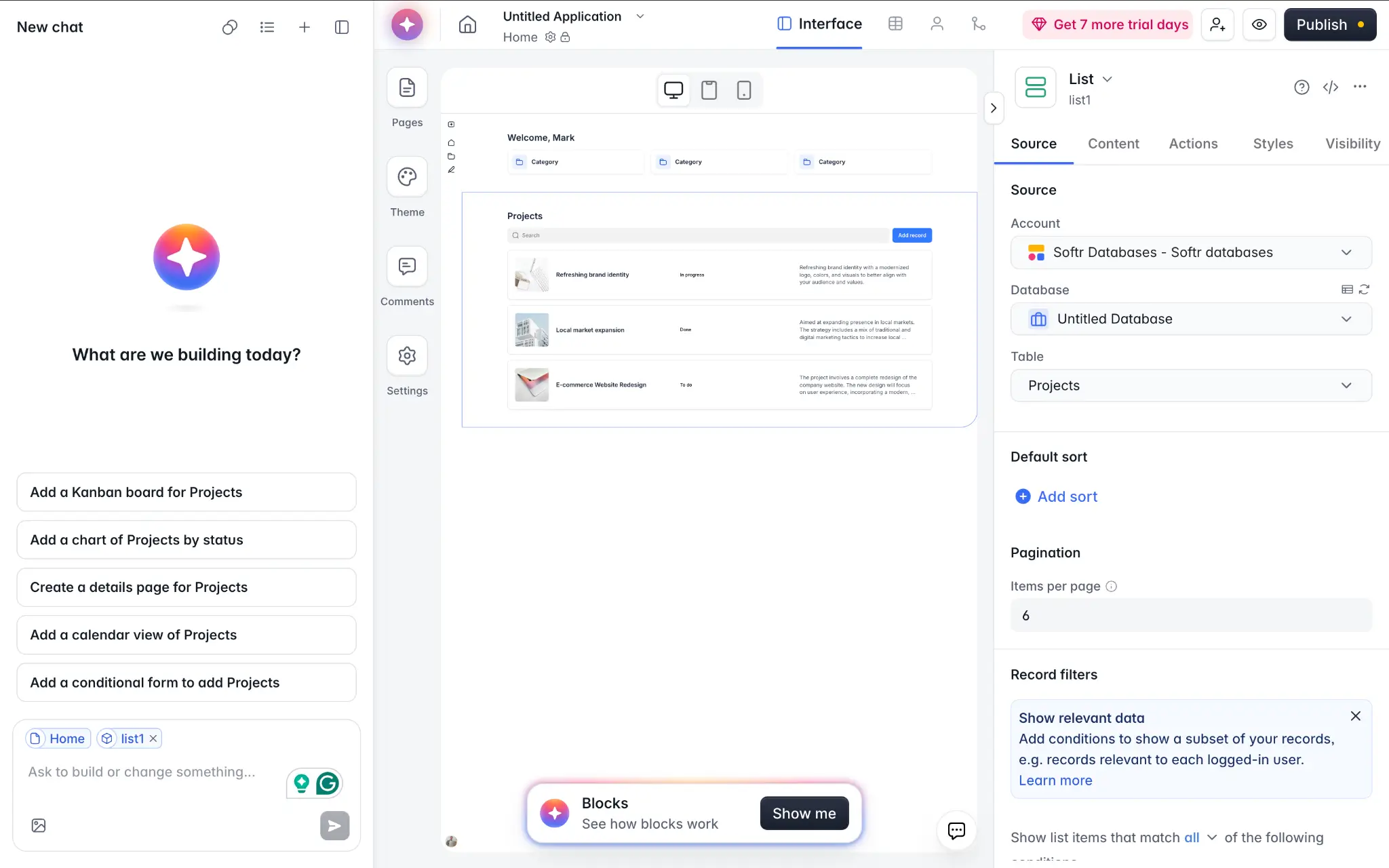
Plus, Softr apps require very little maintenance; there’s no custom codebase or infrastructure to wrestle with.
Verdict: Base44 gets off the line fastest, but Softr is easier to use in the long run.
Which offers the most features and flexibility?
If you’re technical, Bolt offers the most flexibility because you can edit the AI outputs by hand. It also has built-in user authorization and analytics.
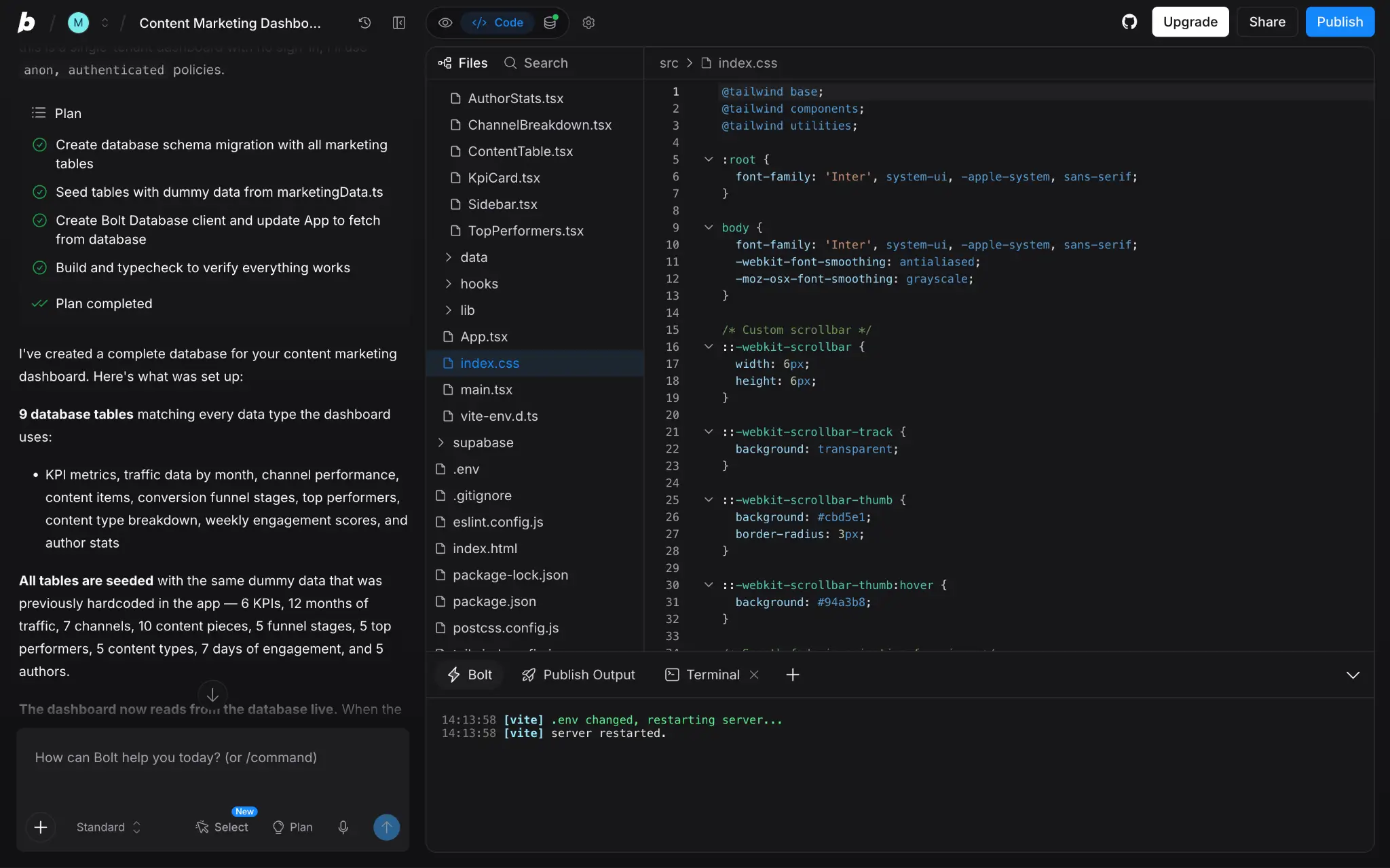
For most other people, Softr is the best option. It offers live data syncing, integrations, automations, user management, and more. Just as importantly, these features are robust for everyday use.
Base44 covers much of the same ground. The difference is, the features are honed for building simple digital products.
Verdict: Bolt offers the most flexibility for coders. Softr leads for non-technical users, apart from true experimenters.
Which is best for data and integrations?
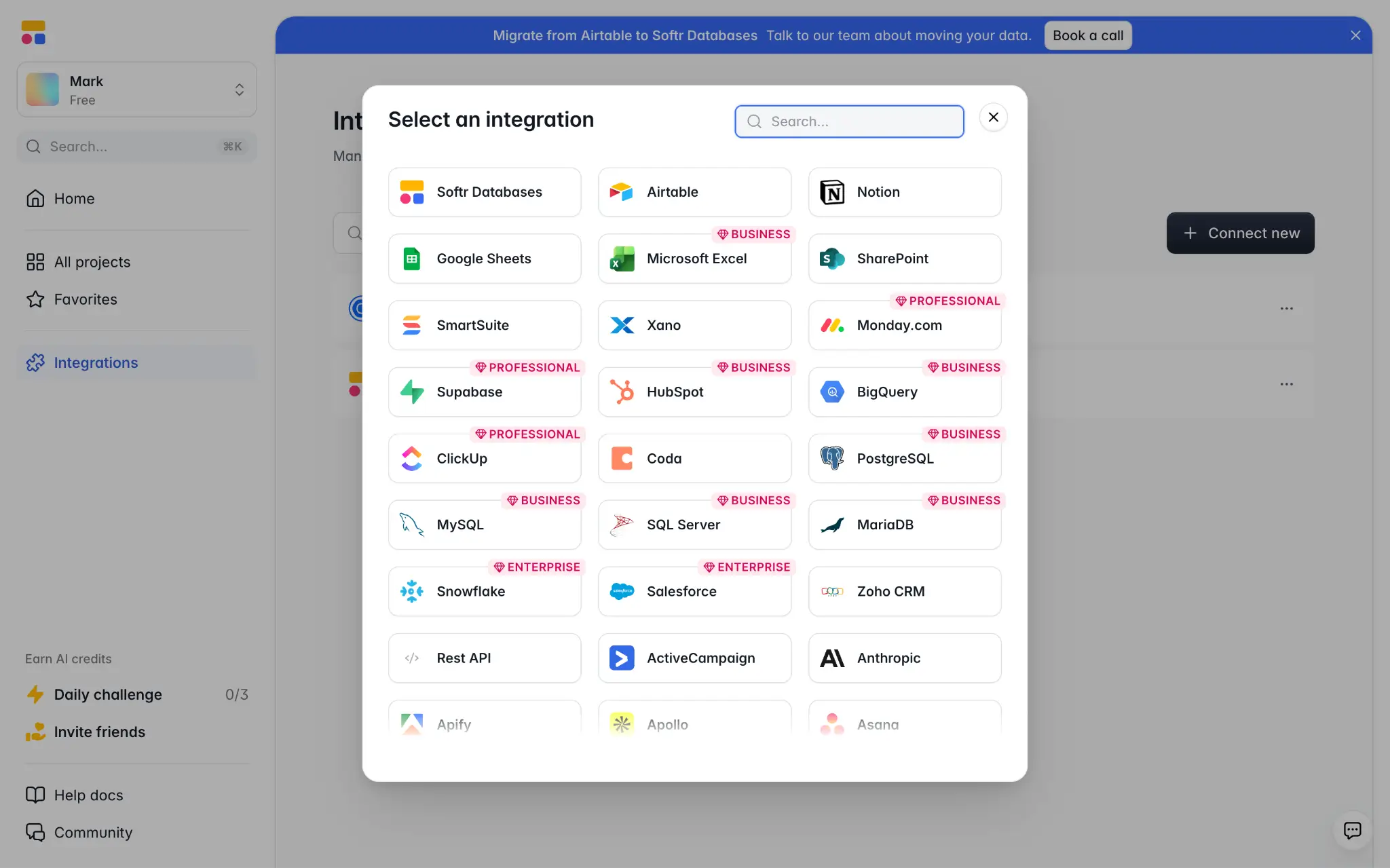
In this category, Softr is the clear winner. The platform has a built-in relational database, and you can hook up 20+ external sources via simple integrations. It also provides native integrations for popular business apps including Notion, HubSpot, Salesforce, Gmail, Xero, and more.
Base44 automatically connects your projects with a built-in managed database. This is convenient, but you can’t easily switch to an external database. On the plus side, the platform connects with a dozen productivity apps.
Bolt offers more freedom, with custom API connections and support for Supabase and GitHub. But setting up these integrations requires some technical nous.
Verdict: Softr offers the best native integrations and data sources; Bolt can do plenty if you’re happy to code.
Which handles users and permissions best?
All three apps provide user management features. And so, the choice comes down to your specific needs.
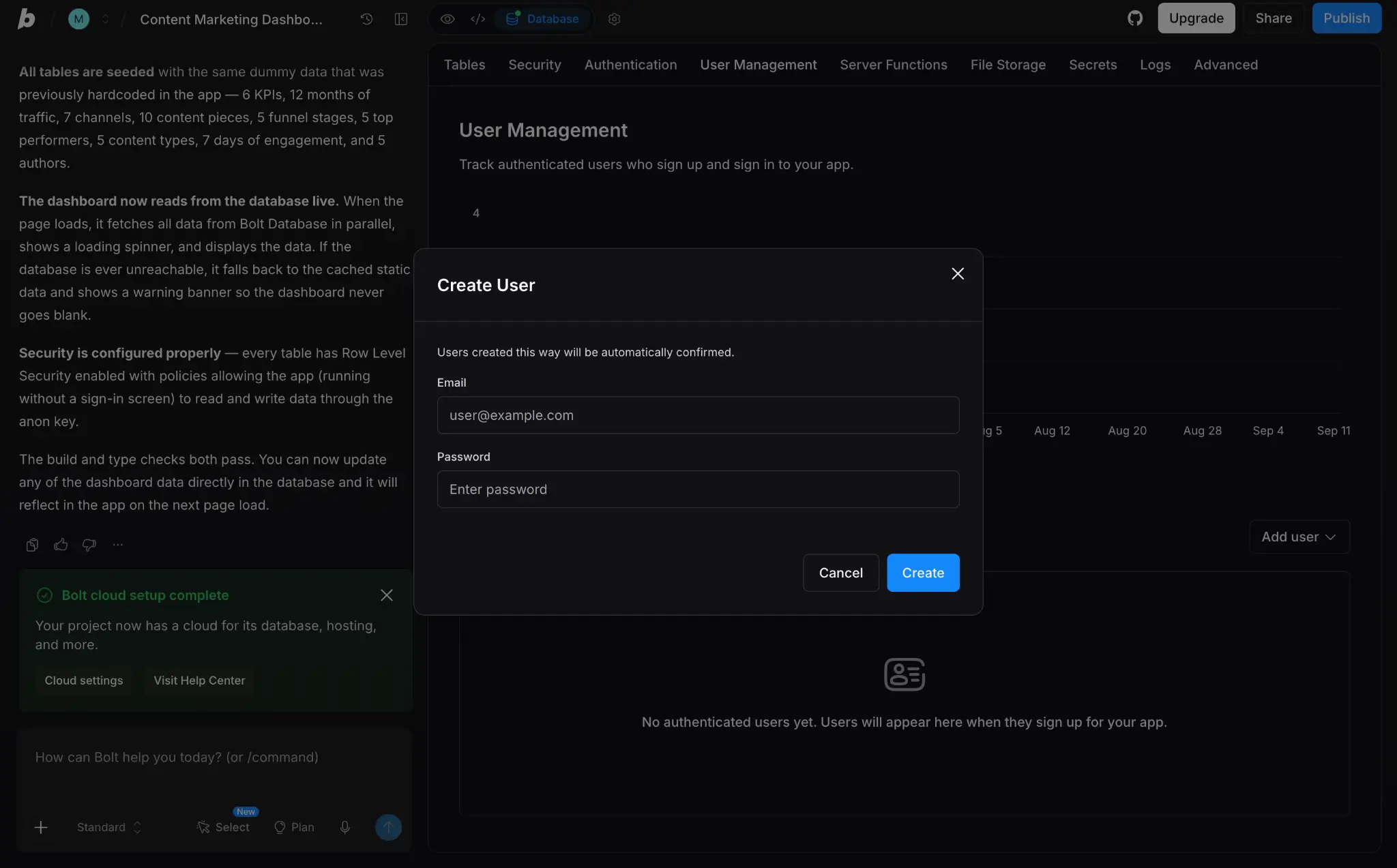
Base44 handles basic permissions well. You can assign admins, editors, and users through simple dashboard settings. But you’ll need to be on an Enterprise plan to create and manage custom user groups.
With Bolt, you have to add users by creating new rows in your database. You gain more features, such as granular admin controls, once you reach teams-level pricing.
You get a very complete set of tools with Softr, with built-in authentication and custom user groups. You also have complete control over which people can see individual pages and elements.
Verdict: Softr provides the most complete features on most plans. Bolt offers similar for Enterprise clients; Base44 covers the basics.
Which has the best workflows and automation?
With support for direct code editing, Bolt allows technical users to get creative with workflows and automation. Bolt gives technical users the freedom to code custom workflow logic directly. Base44 and Softr take more structured approaches that are more accessible to non-coders.
With Base44, you can create logic via AI. This can work well, but some Base44 users complain about troubleshooting.
In contrast, Softr provides both AI and a visual workflow builder — think Zapier or Make. This means you can describe the automation you want and have AI create it, then inspect and refine the logic visually rather than relying on repeated prompting.
Verdict: Bolt wins for coders. Softr’s AI Co-Builder and visual editor trumps Base44’s AI output.
Which has the best AI capabilities?
With AI app builders, there’s a difference between “fastest” and “best.”
Base44 gets you to that first draft quickly. But some users find that the AI loses context as you iterate, and eats credits to fix its own mistakes.
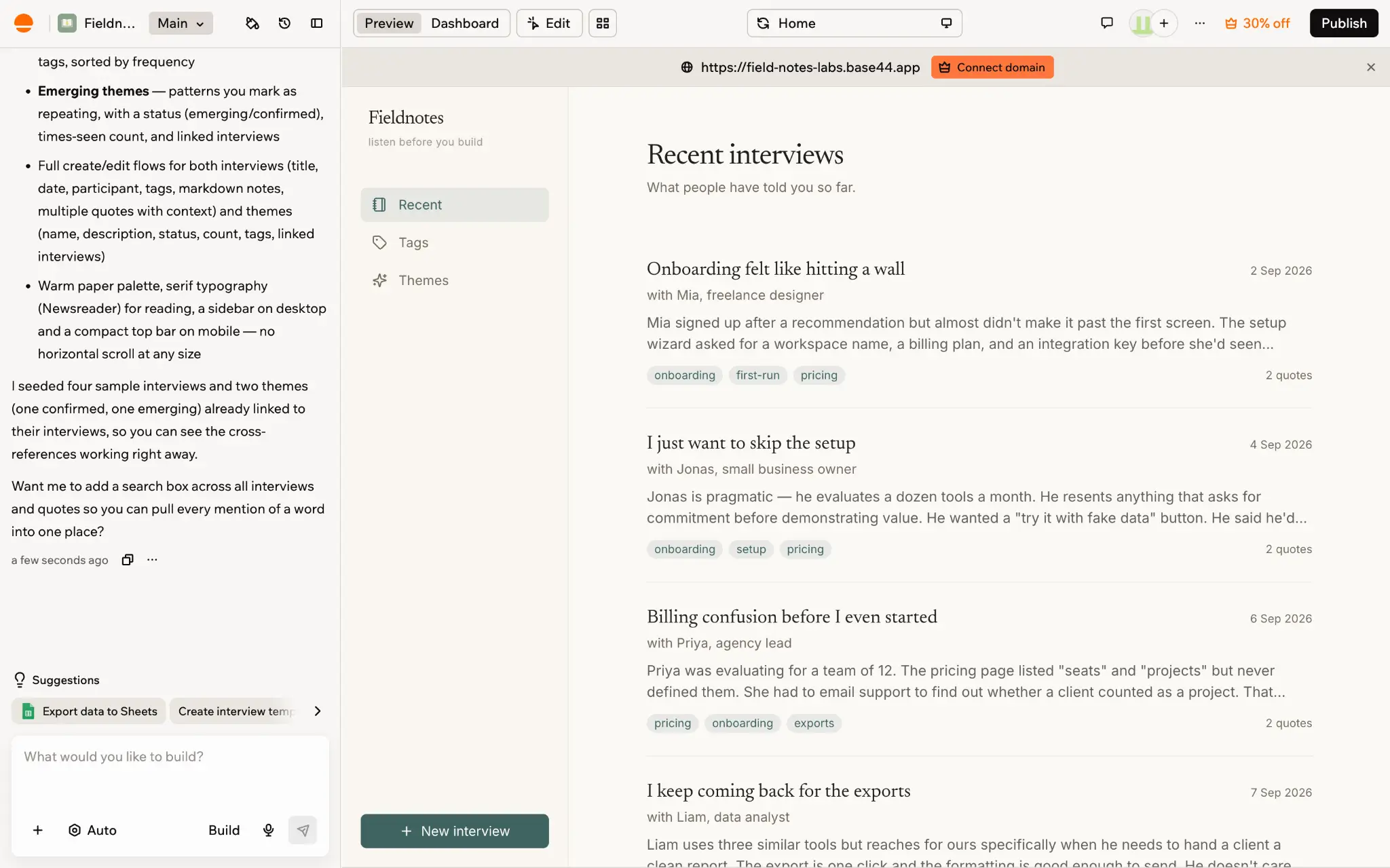
In contrast, Bolt’s outputs seem to be more measured. The planning feature helps here, ensuring you don’t spend tokens on the wrong concepts. Although, debugging can still require patience (and plenty of tokens).
Softr takes a more structured approach to AI generation. Instead of relying on generated code for every part of the app, its AI works with Softr's built-in app, data, permissions, and workflow systems. For more custom requirements, you can use the Vibe Coding block or work with Softr through MCP. What this means, essentially, is that you don’t have to go back and forth to fix broken code.
Verdict: The AI outputs from Bolt and Base44 are great for first drafts; Softr’s structured AI builds help you to avoid code wrangling.
Popular use cases for Base44 vs Bolt vs Softr
Base44, Bolt, and Softr are aimed at slightly different audiences. Here’s how we would use these platforms:
Best use cases for Base44
- Rapid product prototyping: Good for testing an idea without setting up a technical stack (or hiring a developer).
- Internal experiments: Teams can build lightweight tools to test a workflow.
- Basic business apps: Useful when your requirements are pretty simple.
- Proofs of concept: Get a basic version of your product up and running.
Best use cases for Bolt
- Advanced prototyping: If your idea goes beyond basic features.
- Custom code projects: The built-in editor lets you jump between the AI and traditional development.
- Assisting developer teams: Technical staff can build features faster with help from the AI.
- Building with GitHub: You can export and host your code in its own repository.
Best use cases for Softr
- Custom internal tools: Build your own CRMs, project management systems, and internal workflows.
- Custom external apps: Design portals for clients, vendors, and partners; this is popular with agencies.
- Working with existing data: Softr can work as a layer on top of your database, allowing users to view and update records.
- Creating complete business systems: Many business users design multiple apps and connect them.
Base44 vs Bolt vs Softr on Reddit, G2, and other reviews
So, you’ve seen our take on these three AI app builders. But what do users think? They’re the people who know the platforms best.
Here’s what they’re saying:
What Base44 users say
For people who like Base44, the positives are speed and cost savings. Users love how they can whip up a quick prototype in minutes, without buying in technical support. Some of these users have built multiple products using Base44.
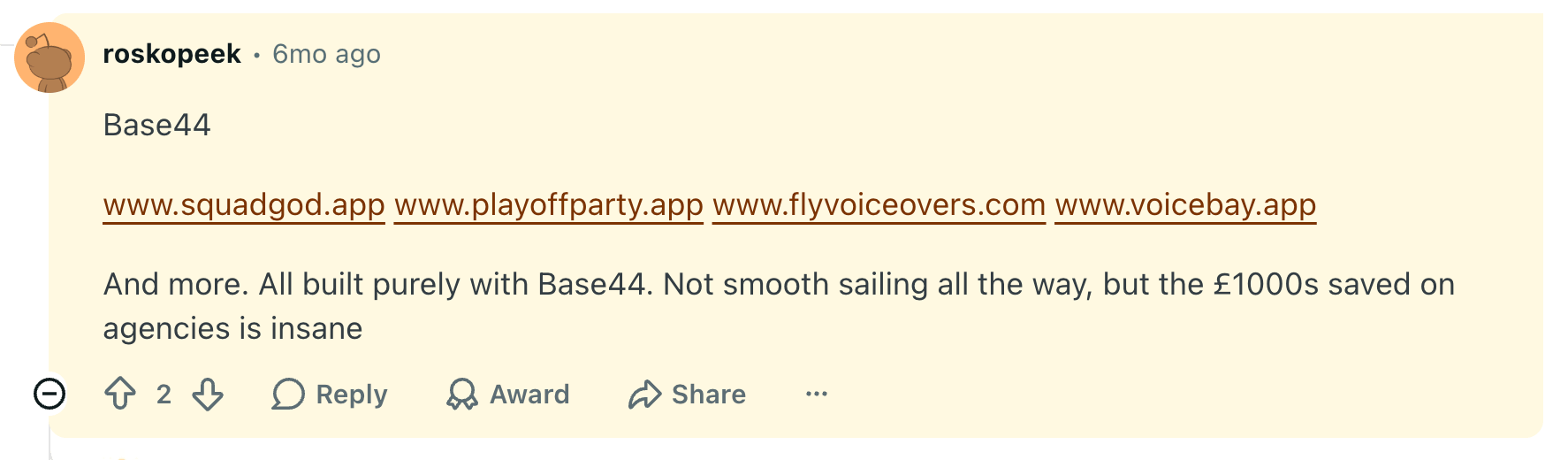
The negatives often revolve around stability, debugging, and scaling. Some of these voices are true vibe coders, who often come across bugs that feel difficult to break through.
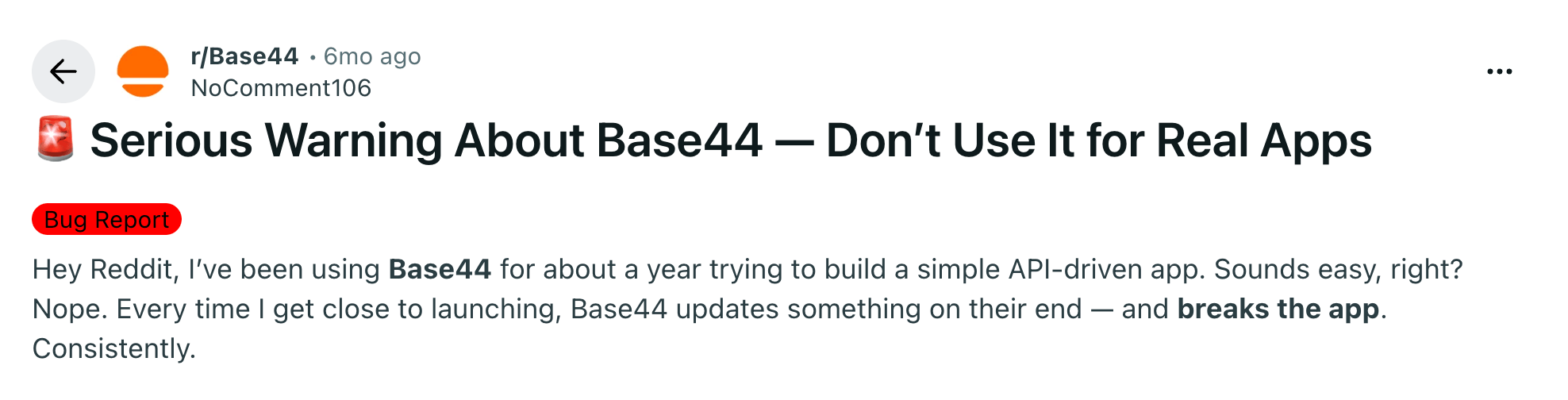
Technical users seem to have better luck in ironing out the creases, and many recommend migrating away from Base44 for production apps.
What Bolt users say
While we believe that Bolt is best suited to technical users, many non-coders have found some success with the platform — particularly for simple apps.
.webp)
Developers also like using Bolt for rapid prototyping and exploring new feature ideas.
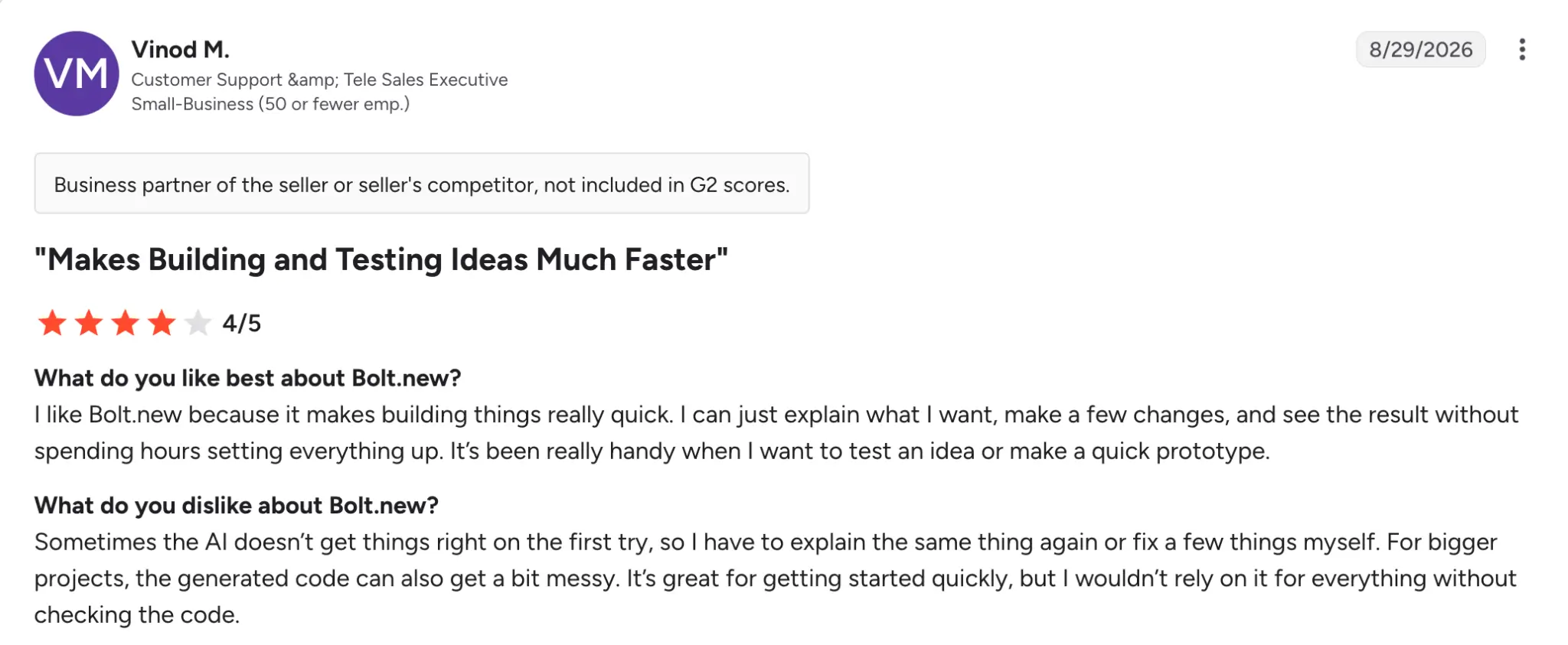
Complaints about Bolt mention the quality of the generated code. This can also lead to issues with reliability and maintenance.
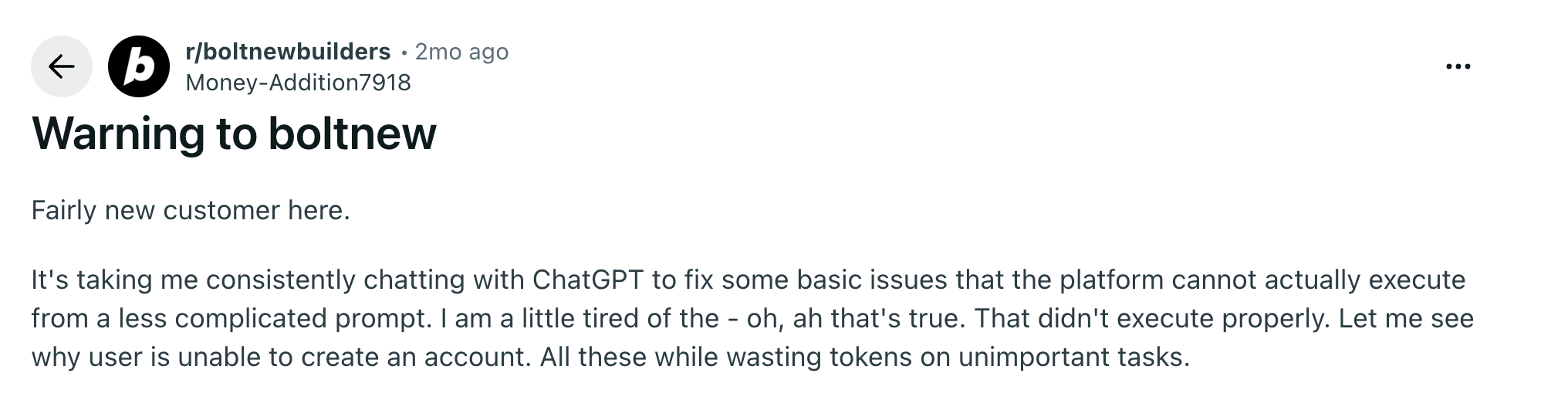
Some users say they burn through a lot of AI tokens trying to fix the problems.
What Softr users say
Many people use Softr to build internal tools. For this purpose, users are very positive about the platform.
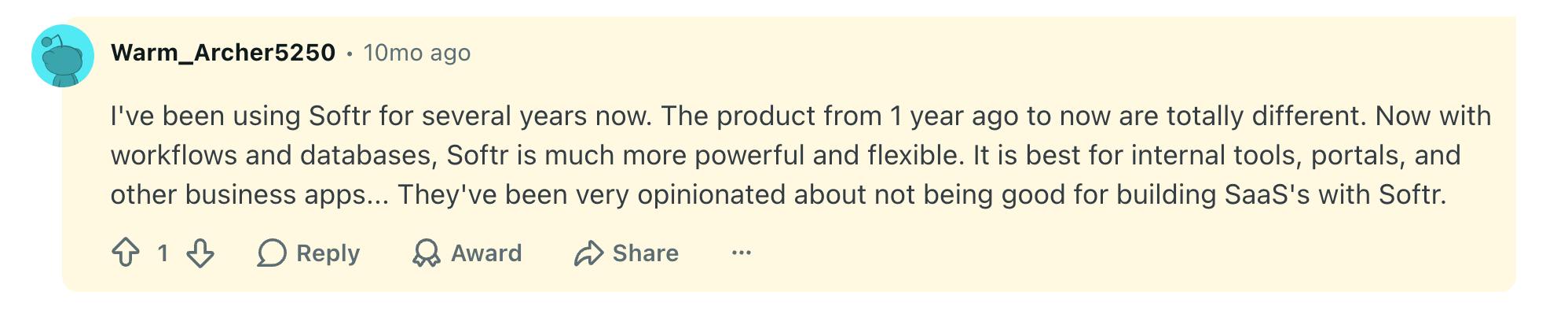
Building web apps and live directories is another popular use case. Users praise Softr for providing more features than other similar platforms.

The same goes for client portals.
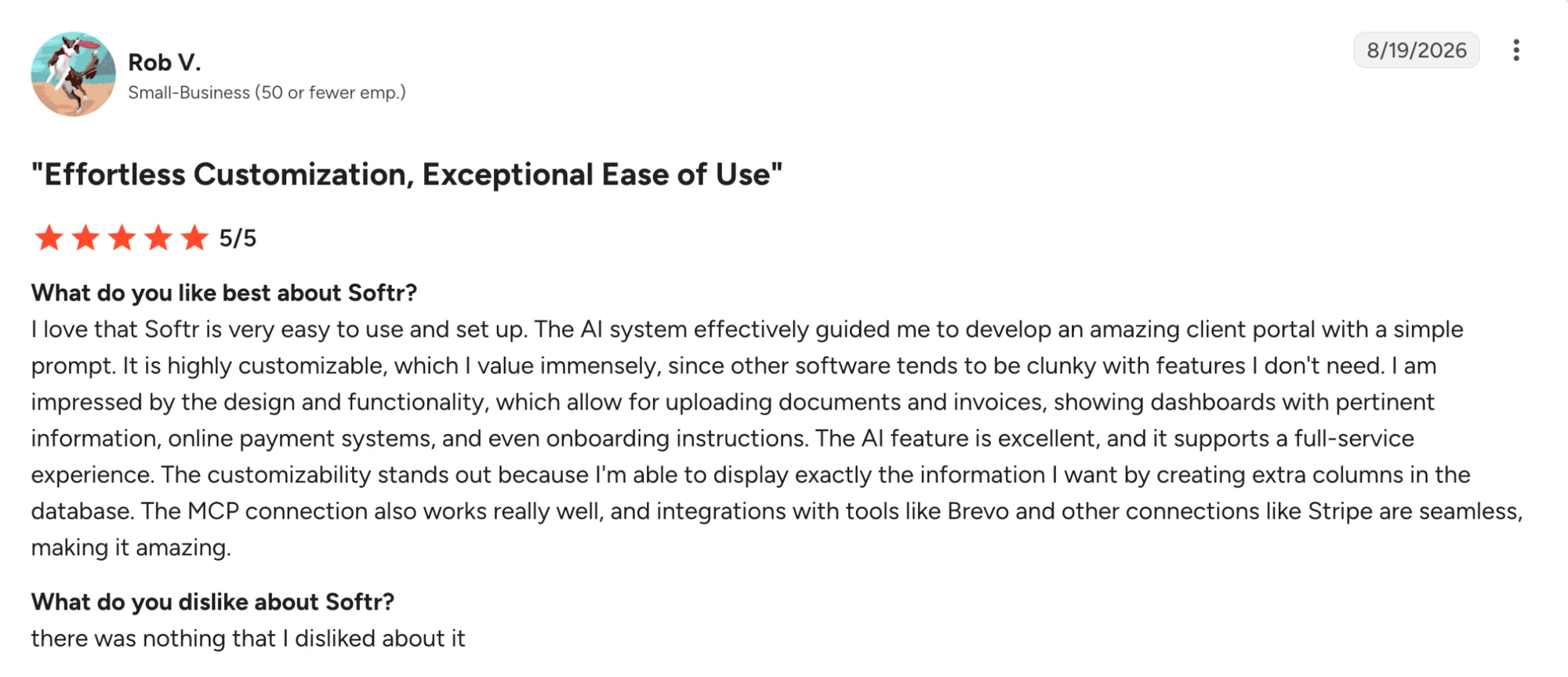
Of the three apps, Softr has by far the most public feedback from users. On G2, the platform holds a rating of 4.7/5 stars from 739 reviews.
Common pros and cons compared
| Tool | Users love | Common complaints |
|---|---|---|
| Base44 | Speed, simplicity, AI generation | Reliability, context, credits |
| Bolt | Speed, code control, flexibility | Tokens, bugs, debugging |
| Softr | Usability, support, business functionality | No code ownership/export |
How pricing compares between Base44, Bolt, and Softr
All three apps offer a free plan. After that, the pricing tiers seem fairly similar — except you get a very different package with each platform. (Monthly prices below are based on paying annually.)
| Base44 | Bolt | Softr |
|---|---|---|
| 5 apps; 25 message credits, 100 integration credits | 10MB file limit; 333k requests, 300K tokens/day, 1M tokens/mo | Unlimited apps, databases, workflows, and agents; 39 integrations; 5+ AI credits |
| Starter ($16/mo): Unlimited apps, custom domain; 100 message credits, 2,000 integration credits | Pro ($18/mo): Removes branding, hosting, private projects; 1M requests, 10M+ tokens/mo | Basic ($19/mo): Custom domain, conditional forms, automated data backups, more workflow actions; 10+ AI credits |
| Builder ($40/mo): AI model selection, GitHub; 250 message credits, 10,000 integration credits Pro ($80/mo): 500 message credits, 20,000 integration credits |
Teams ($27/member/mo): Access management, private registries; 10M+ tokens/mo | Pro ($99/mo): Remove branding, OTP, granular permissions, comments, custom code, 44 integrations; 50+ AI credits |
| Elite ($160/mo): Premium support; 1,200 message credits, 50,000 integration credits | Enterprise: Custom incl. SSO, dedicated support & onboarding, data governance | Business ($329/mo): 2FA, user syncing, progressive web apps, push notifications, 51 integrations; 100+ AI credits Enterprise: Custom incl. SSO, advanced security, audit logs, custom success manager |
| Credits | Tokens/usage | Plan + usage limits |
With Base44 and Bolt, the price you pay is largely governed by how much AI building you want to do.
Softr uses plan-based pricing, with generous limits on users, records, workflows, integrations, and AI credits.
Base44 vs Bolt vs Softr: Which should you choose?
Picking an outright winner would be misleading. The choice is more about finding the platform for your situation.
Choose Base44 if…
- You want the fastest route from idea to prototype.
- You’re comfortable relying on AI to do most of the work.
- Your project is fairly simple.
- You’re experimenting rather than building a long-term business tool.
Choose Bolt if…
- You (or someone on your team) is comfortable with code.
- You want to keep control while using AI.
- GitHub and code ownership matter to you.
- You value flexibility over simplicity.
Choose Softr if…
- You’re building software for actual business tasks.
- Your team isn’t full of tech geniuses or don’t want to bog down your developers.
- You need structured business data.
- You need multiple user types with different permissions.
- You want to make changes through a visual editor.
- You need internal tools, portals, CRMs, dashboards, or similar business applications.
Still not sure? We would recommend trying them for yourself and see which fits your needs. They all have a free plan, remember.
Sign up today with Softr to see how easily you can turn your workflow into a working app.
Frequently asked questions
Is Base44 better than Bolt?
Is Softr better than Base44 and Bolt?
Can I build a real business app with Base44, Bolt, or Softr?