


[.blog-callout]
TL;DR
- Softr now connects directly to Supabase, giving you real-time read and write access to your Postgres data without writing code.
- Build dashboards, portals, and internal tools on top of your live Supabase database, then control exactly what each user group can see or edit with granular permissions.
- Combine Supabase with Softr Databases, Airtable, HubSpot, BigQuery, and Softr's other 21+ data sources in the same app. [.blog-callout]
We're thrilled to introduce Supabase as a new data source within Softr. With this integration, creating custom interfaces on top of your Supabase backend has never been easier. Connect your database and start building in minutes, no coding required.
Connect to Supabase in seconds
Forget manual imports or relying on third-party tools. Softr provides direct read and write access to real-time Postgres data in Supabase, allowing you to quickly build and customize robust applications without writing a single line of code.
Here's what you can achieve:
- Seamless access to production data: Instantly connect to your live Supabase database, allowing your team to interact with real-time data directly within your internal tools.
- Business apps: Effortlessly create dashboards, portals, and internal tools using your Supabase data.
Scale without record limits
Say goodbye to the record and performance limitations of traditional no-code databases like Airtable. With Supabase as your backend, you can build scalable internal tools that grow with your business, all without needing to be a developer. Softr's native connectors are built to handle production traffic, so your app stays fast even as your Supabase tables grow into the hundreds of thousands of rows. If you'd rather avoid managing an external database entirely, Softr Databases gives you the same speed natively, with no separate backend to maintain.

Customize to fit your exact workflow
Control exactly which CRUD actions your users can perform with granular permissions and conditional filtering. This ensures data privacy while making your data accessible across your organization and to external partners. Restrictions are enforced on the backend, not just hidden in the interface, so a client logging in can only ever reach their own records. And if you need a layout beyond what pre-built blocks cover, the Vibe Coding block can generate a fully custom UI from a plain-language prompt and connect it securely to your Supabase tables, CRUD actions included.

"I find Softr very intuitive and easy to navigate, which is great for someone who is not a programmer by nature. It integrates very nicely with Airtable and other databases we are already using, making it nice that it just sits on top of the systems we have. I also love the ability to control access globally, which is really important for data security and privacy." - Natalie S., Director of Operations, G2 review
Join with other data sources
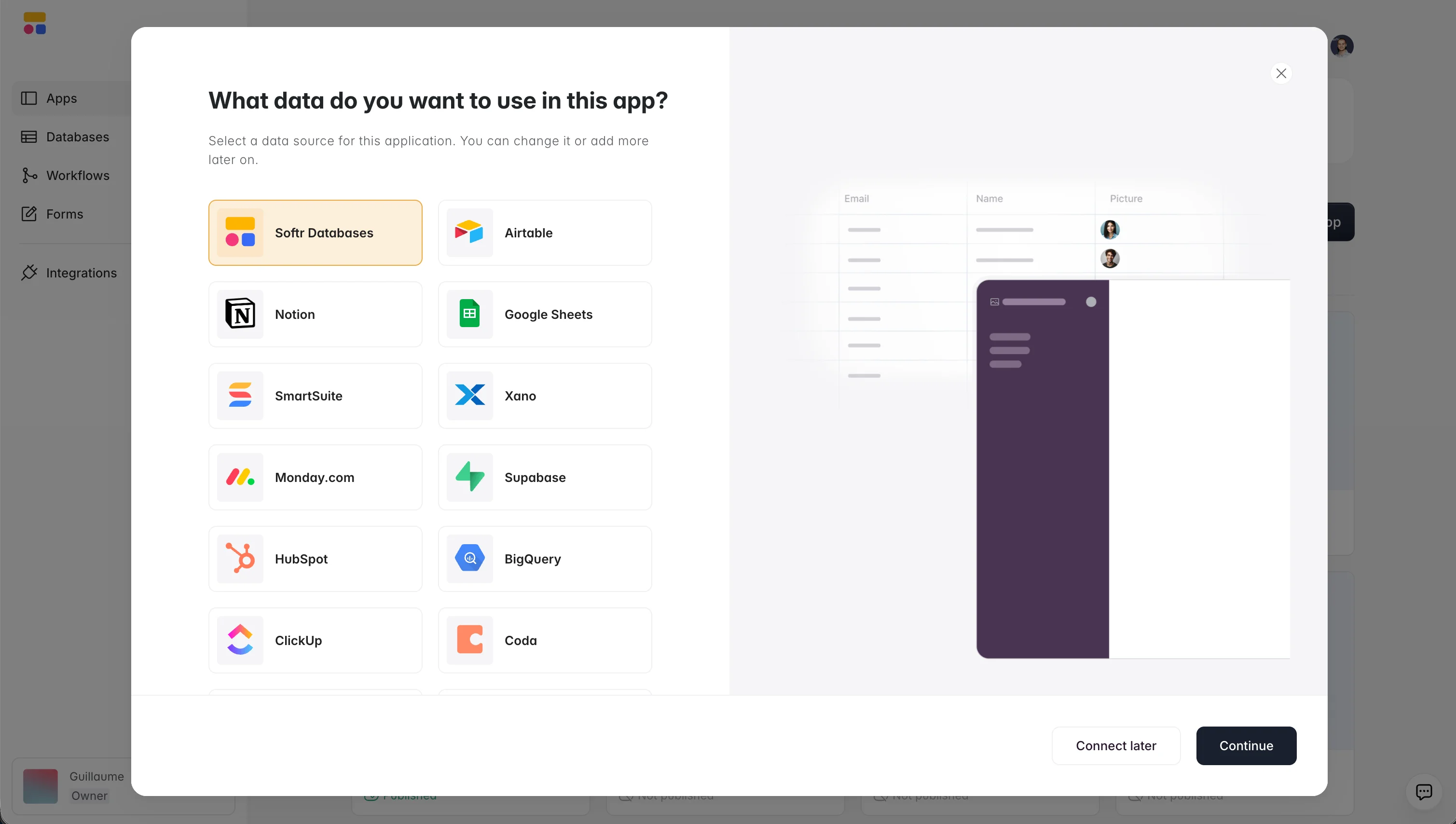
Easily integrate your Supabase data with Softr Databases, Airtable, HubSpot, BigQuery, and more, all within a single application. This seamless connectivity allows you to create comprehensive, data-driven applications that meet your exact needs.

"I love the ease with which I can link my Airtable database with Softr. Every change reflects instantly. Thanks to Softr, my clients now have a clear portal to see the products we offer, allowing me to adapt our offerings based on their feedback." - Rémi C., G2 review
How it works
- Connect your Supabase data: Access your Supabase data directly in seconds by connecting your database to your Softr workspace.
- Build with blocks: Use your tables or create custom queries to display and edit your data, and adjust styles and layouts. Add user authentication, roles, and permissions, or describe the page you want to the AI Co-Builder and let it assemble the blocks for you.
- Share with your team and clients: Invite your clients and teammates to use your app, streamlining collaboration and data sharing.
Visit our help doc for more details, or head to your Softr workspace and add Supabase as a data source to start building.
Frequently asked questions
What is Supabase, and why would I connect it to Softr?
Do I need to know how to code to connect Supabase to Softr?
Can I use Supabase alongside other data sources in the same app?
Is it safe to expose Supabase data to clients or external users through Softr?
What if I don't use Supabase? Do I need an external database to use Softr?


