


The ultimate guide to Airtable scripting: How to run scripts in automation


[.blog-callout]
TL;DR
- Airtable scripting lets you write JavaScript snippets to automate tasks like converting currencies, building reports, removing duplicates, finding and replacing text, and scheduling shifts.
- Scripting requires a paid Airtable plan, comfort with JavaScript, and ongoing maintenance whenever your data structure changes.
- If your goal is to give your team a usable app on top of your data, Softr Workflows handle automations visually, triggered straight from buttons and forms in your app, with no code to write or debug.
- Softr connects to Softr Databases, Airtable, and 21+ other data sources, and the AI Co-Builder can build apps, databases, and workflows from a plain-language prompt. [.blog-callout]
For advanced users who want to get deeper into Airtable and start introducing automation into their bases, Airtable offers the option to create their own scripts, essentially implementing snippets of code to automate specific actions and tasks.
Because of the technical nature of the topic, however, it is quite difficult to find documentation about it and figure out where to get started.
Fret not, as we've put together a guide to bring some clarity and guidance. Below you'll learn how scripting works, get five ready-to-adapt examples, and see when a visual workflow builder is the faster path. If you want your team to actually use this data in a real app, you can also grab a free Softr template and skip the build entirely.
What is Airtable scripting and how to get started?
The scripting app allows you to write code in Airtable. This allows you to introduce automation elements in your projects, automatically running specific tasks and actions. This is especially helpful if you’re looking to:
- Streamline repetitive, multi-step workflows
- Put data validation and formatting on auto-pilot
- Enable cross-table search and reporting
- Import external data from specific sources
Before you commit to writing code, it's worth knowing there's a visual alternative for many of these jobs. Softr Workflows run the same kinds of automations (formatting data, sending notifications, enriching records, generating documents) without a single line of JavaScript, and they're triggered directly by what users do in your app. We'll come back to that, but keep it in mind as you read the script examples below.
{{cta-1}}
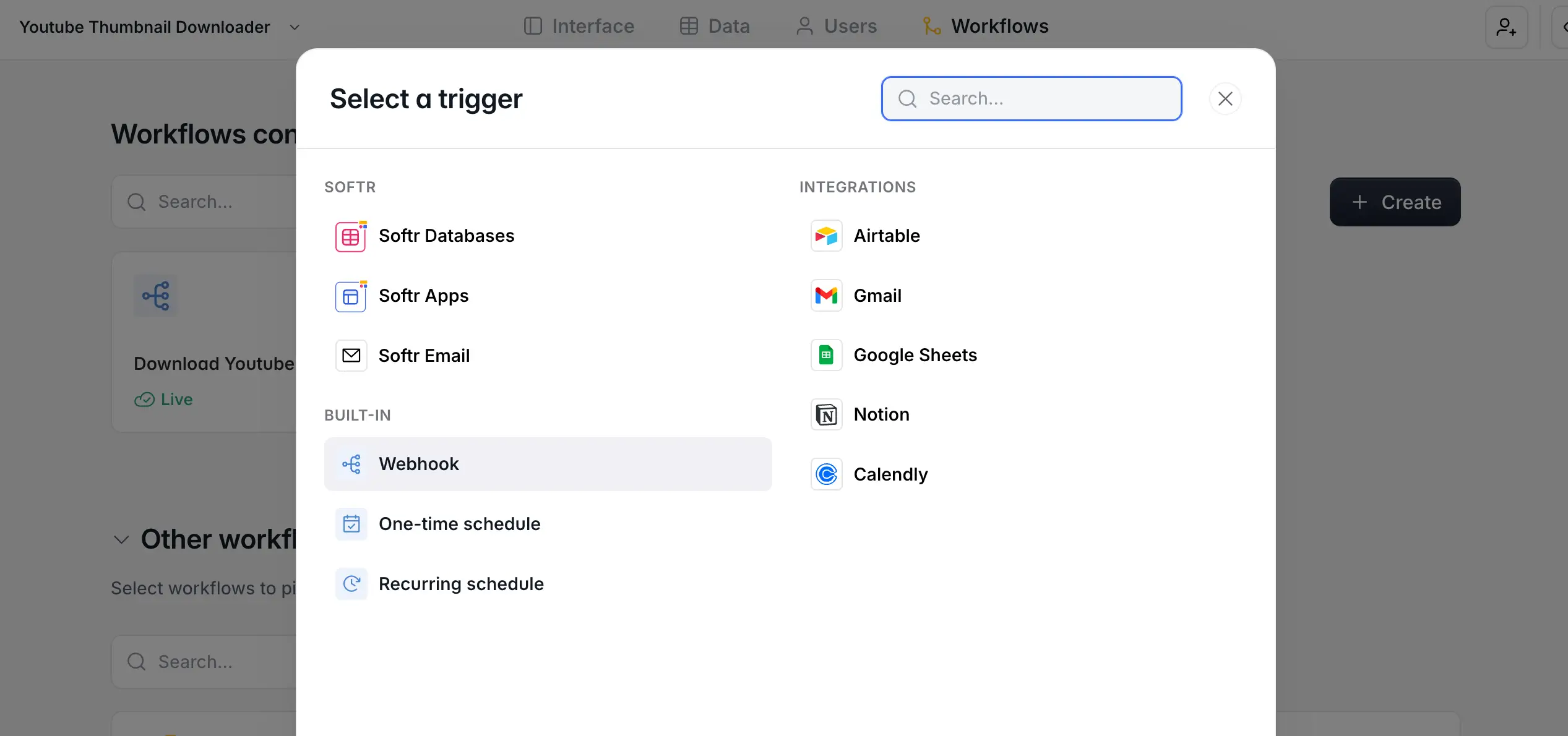
To get started with scripting on Airtable, you must first install the scripting app from the Airtable Marketplace. Please note that you must be on the pro plan to do so (you have the ability to sign up for a trial first).
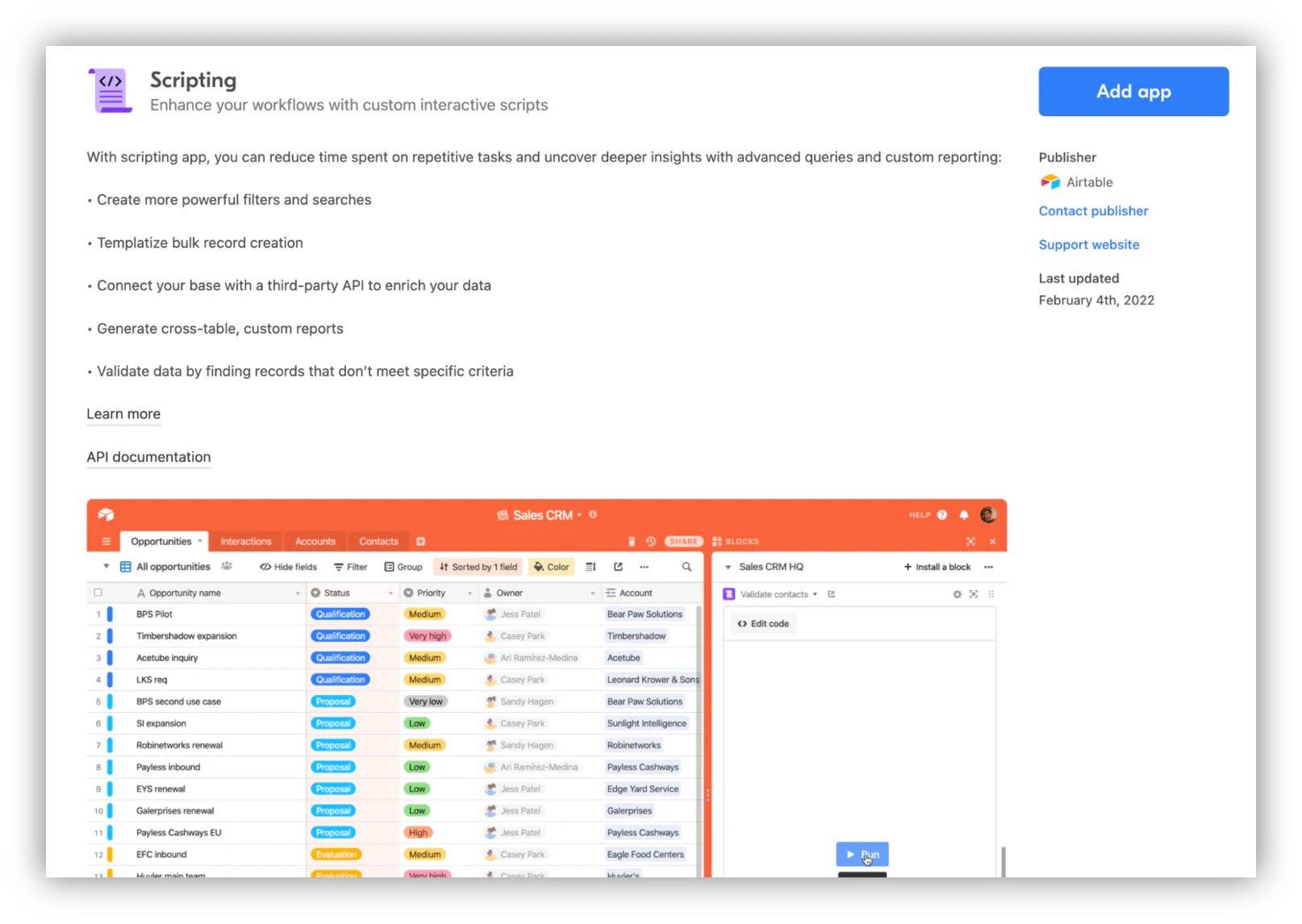
The next step is to add the Scripting app on one of your bases (watch for the number of apps per base, depending on your plan). Once you have, you’ll be onboarded with a welcome screen, some templates you can pre-select (more on that later), and a bit of documentation.
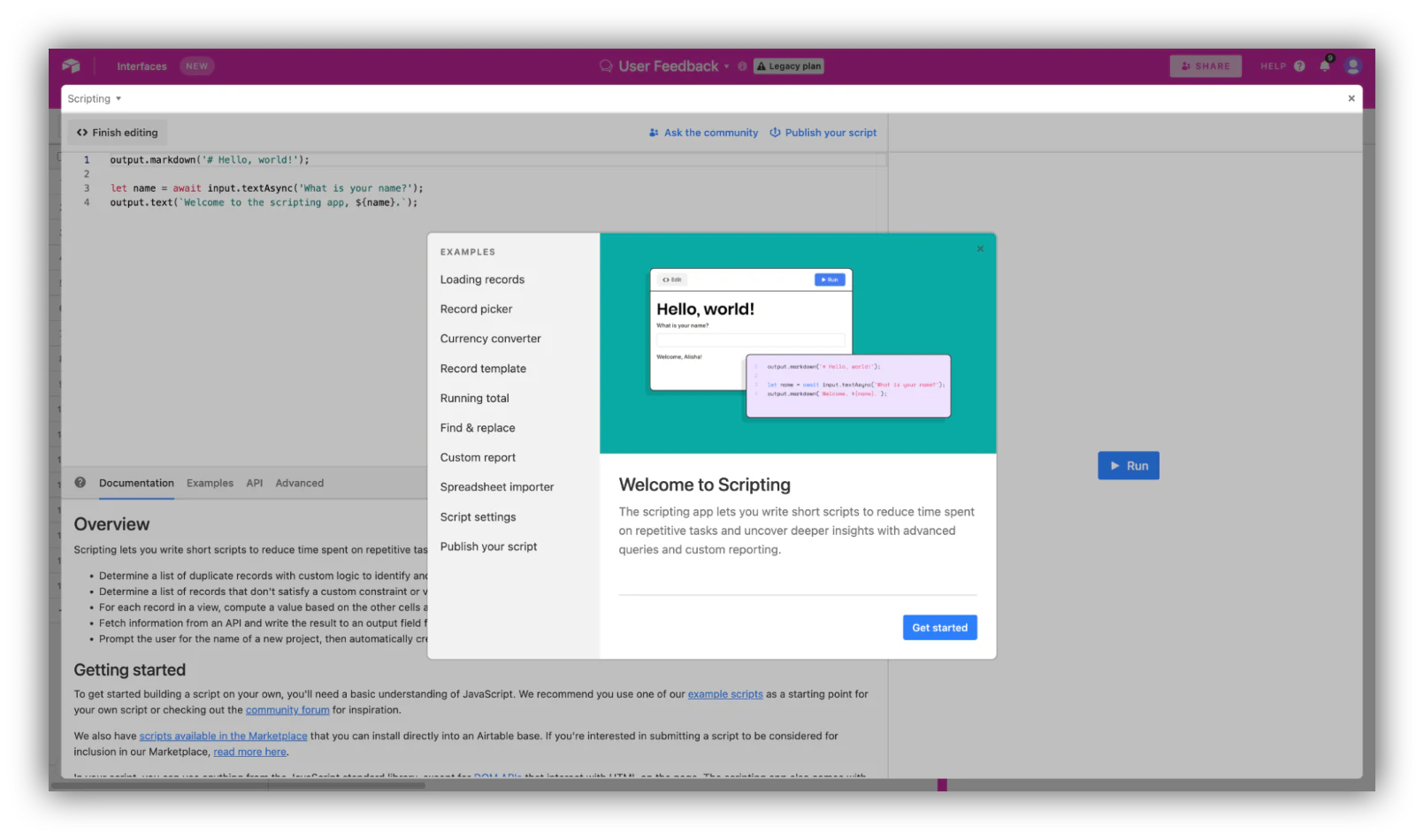
After a couple of onboarding screens, you are ready to go!
The interface of the scripting app will be familiar to anyone that has ever used a code editor. It is composed of three panes: A coding area for you to actually type and edit, an output area to run your code and see if it works, and a documentation area where you can find useful information and templates.
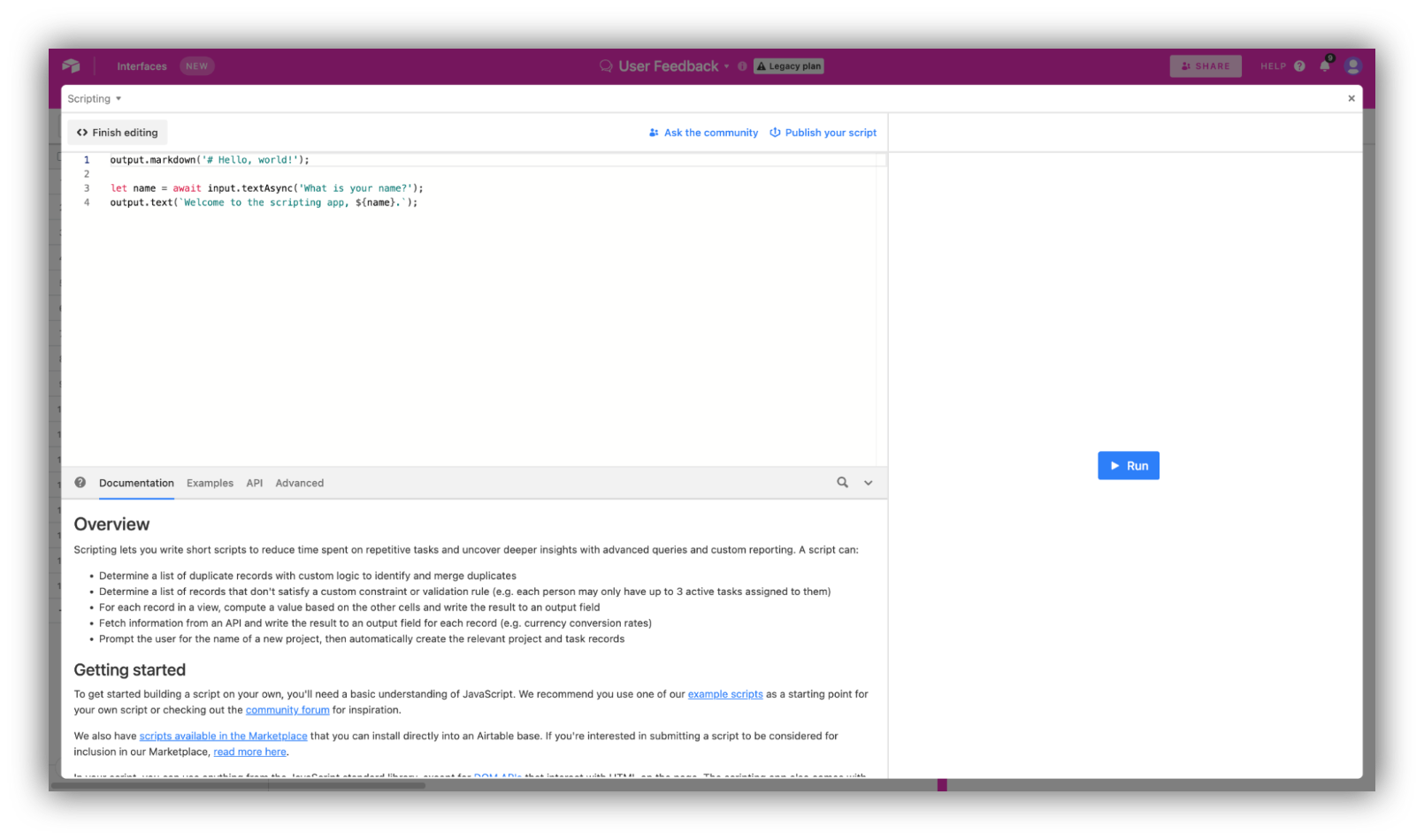
Coding in the scripting app will require you to be fluent in using Javascript, as well as some notions of HTML for the API section. Find out more details in the documentation Airtable provides, along with references and other resources.
If you’re not a developer, don’t worry! Non-technical folks are thankfully also able to enjoy the app thanks to the numerous templates and examples available in the script section of the marketplace. As a matter of fact, Airtable encourages tech-savvy users to share their own scripts by publishing them for the rest of the Airtable community, so we might see an increase in template apps in the near future.
To get you started, we've gathered 5 Airtable scripting examples you can implement in your bases today. Let's jump into it.
5 examples of useful Airtable scripts
From a simple currency converter to a shift scheduler, here are five scripts you can get started with when learning about Airtable scripting.
1. Converting one currency to another
Straightforward but super-useful, this script uses an API to look up the current price of any currency and automatically convert it to a different one. You can adjust it to fit whichever use case fits you best.
This is particularly handy if you're working with international businesses and/or clients and need to display financial data in one specific currency.
Here's the script (make sure to update it with the name of your table and fields):
// Convert an amount from one currency to another using a free exchange rate API
let table = base.getTable("Invoices");
let query = await table.selectRecordsAsync({
    fields: ["Amount", "From Currency", "To Currency", "Converted Amount"]
});
for (let record of query.records) {
    let amount = record.getCellValue("Amount");
    let from = record.getCellValueAsString("From Currency");
    let to = record.getCellValueAsString("To Currency");
    if (!amount || !from || !to) continue;
    let response = await fetch(`https://api.exchangerate.host/convert?from=${from}&to=${to}&amount=${amount}`);
    let data = await response.json();
    await table.updateRecordAsync(record, {
        "Converted Amount": data.result
    });
    output.text(`${amount} ${from} = ${data.result} ${to}`);
}
Find it in the Airtable scripts examples library.
2. Creating a custom report
Using this script, you are able to automatically filter records in a base of your choice and generate a summary of that data in a report. This is especially powerful to use as a starting point to create further data visualizations, reports, and dashboards.
Here's the full script:
// Filter records and generate a summary report grouped by status
let table = base.getTable("Projects");
let query = await table.selectRecordsAsync({
    fields: ["Name", "Status", "Budget"]
});
let summary = {};
let total = 0;
for (let record of query.records) {
    let status = record.getCellValueAsString("Status") || "No status";
    let budget = record.getCellValue("Budget") || 0;
    if (!summary[status]) {
        summary[status] = { count: 0, budget: 0 };
    }
    summary[status].count += 1;
    summary[status].budget += budget;
    total += budget;
}
output.markdown(`## Project report`);
for (let status of Object.keys(summary)) {
    output.markdown(`**${status}**: ${summary[status].count} projects, $${summary[status].budget} budgeted`);
}
output.markdown(`**Total budget across all projects:** $${total}`);
Find the entire script in the Airtable scripts examples library.
3. Removing duplicates
Anyone that’s ever worked in spreadsheets knows how annoying pesky duplicates can be. Scripting is a great way to automate such repetitive, menial tasks, identifying duplicates without the need for human involvement and removing them from your base.
Here's the full script (make sure to update it with the name of your table and the field to check):
// Find and delete duplicate records based on a key field
let table = base.getTable("Contacts");
let keyField = "Email";
let query = await table.selectRecordsAsync({ fields: [keyField] });
let seen = new Set();
let duplicates = [];
for (let record of query.records) {
    let value = record.getCellValueAsString(keyField).trim().toLowerCase();
    if (!value) continue;
    if (seen.has(value)) {
        duplicates.push(record.id);
    } else {
        seen.add(value);
    }
}
output.text(`Found ${duplicates.length} duplicate records.`);
// Airtable allows deleting up to 50 records per call, so batch the deletions
while (duplicates.length > 0) {
    await table.deleteRecordsAsync(duplicates.slice(0, 50));
    duplicates = duplicates.slice(50);
}
output.text("Duplicates removed.");
Find the full script in the Airtable Marketplace.
4. Finding and replacing
When dealing with large sets of data, finding and replacing specific snippets can quickly turn into an annoyance at best, and a massive undertaking at worst. This script allows you to automatically find occurrences of a specific text or string and replace it with another.
Here's the script (make sure to update it with the name of your table and field):
// Find a string in a text field and replace it across all records
let table = base.getTable("Tasks");
let fieldName = "Notes";
let findText = "TODO";
let replaceText = "In progress";
let query = await table.selectRecordsAsync({ fields: [fieldName] });
let updates = [];
for (let record of query.records) {
    let current = record.getCellValueAsString(fieldName);
    if (current && current.includes(findText)) {
        updates.push({
            id: record.id,
            fields: { [fieldName]: current.split(findText).join(replaceText) }
        });
    }
}
output.text(`Updating ${updates.length} records.`);
// Batch updates in groups of 50 to respect Airtable's API limits
while (updates.length > 0) {
    await table.updateRecordsAsync(updates.slice(0, 50));
    updates = updates.slice(50);
}
Find it in the Airtable scripts examples library.
5. Scheduling shifts based on availability
This script is ideal for managing staff schedules for businesses, from retail to restaurants, call centers, and more. Based on three tables (shifts, people, availability), the script automatically looks up the availability of your staff and assigns them a shift accordingly. Pretty smart, no?
Here's the script (make sure to update it with the names of your three tables and their fields):
// Assign people to open shifts based on their submitted availability
let shifts = base.getTable("Shifts");
let availability = base.getTable("Availability");
let shiftQuery = await shifts.selectRecordsAsync({
    fields: ["Day", "Assigned Person"]
});
let availabilityQuery = await availability.selectRecordsAsync({
    fields: ["Person", "Available Day"]
});
// Build a lookup of who is available on each day
let availableByDay = {};
for (let record of availabilityQuery.records) {
    let day = record.getCellValueAsString("Available Day");
    let person = record.getCellValue("Person");
    if (!person) continue;
    if (!availableByDay[day]) availableByDay[day] = [];
    availableByDay[day].push(person[0]);
}
for (let shift of shiftQuery.records) {
    if (shift.getCellValue("Assigned Person")) continue; // skip already assigned
    let day = shift.getCellValueAsString("Day");
    let candidates = availableByDay[day];
    if (candidates && candidates.length > 0) {
        let chosen = candidates.shift(); // assign first available, then remove
        await shifts.updateRecordAsync(shift, {
            "Assigned Person": [{ id: chosen.id }]
        });
        output.text(`Assigned ${chosen.name} to the ${day} shift.`);
    } else {
        output.text(`No one available for the ${day} shift.`);
    }
}
Find it in the Airtable Marketplace.
How to find more Airtable scripts and publish your own in the Airtable Marketplace
There are plenty more things you can achieve by creating your own scripts, but also by engaging with the Airtable community. Check out the Example Script Showcase to find out some of the great work from Airtable users around the world and to submit your own.
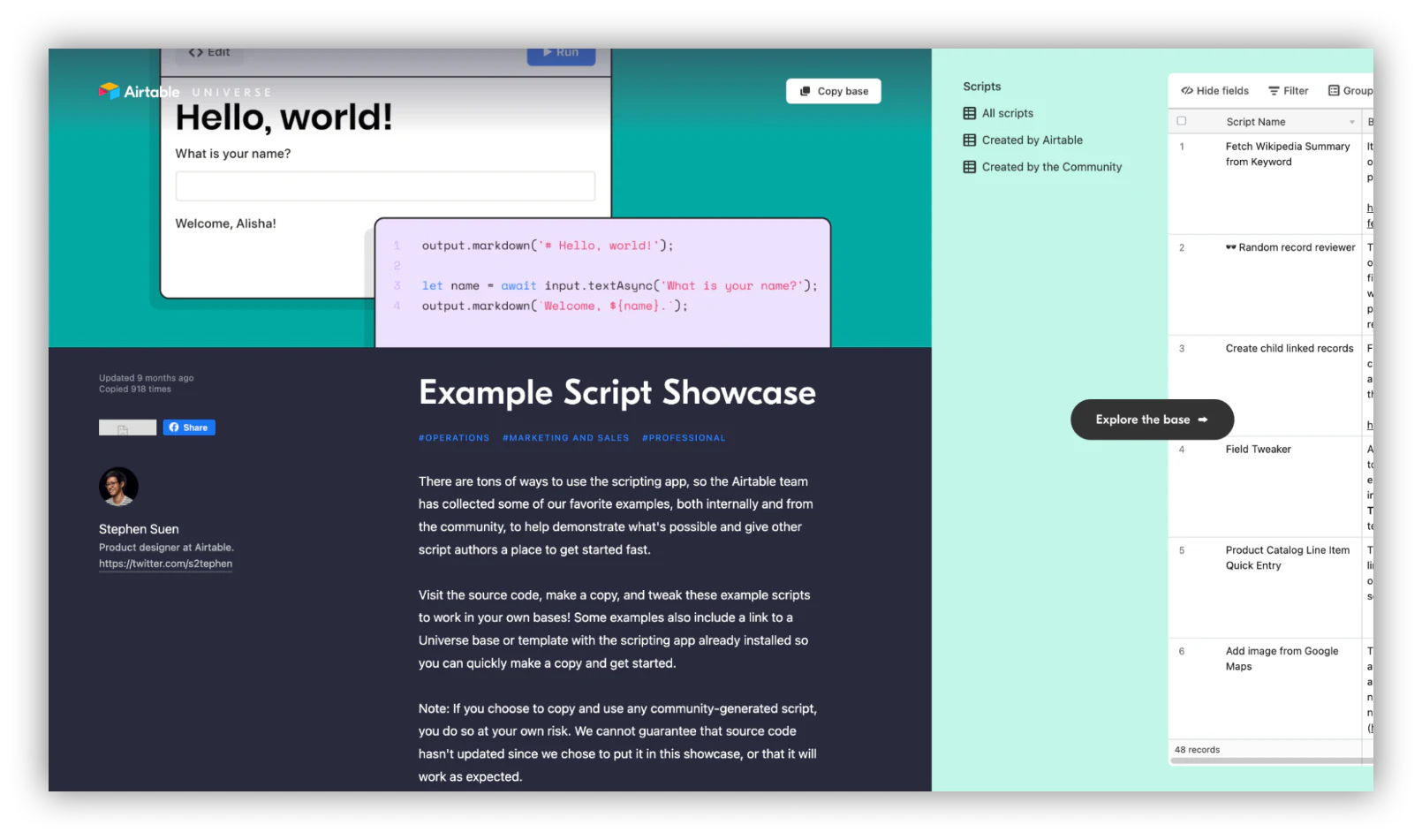
You are also able to submit your scripts to be available in the Airtable Marketplace! To do so, make sure to remember the following rules:
- The script should be able to run immediately, without edits from users
- The script code has to be clean, easy to use and documented properly
- The script details should be thorough and explicit (name, description, video explainers, etc)
Find out more in the guide provided by Airtable for Marketplace submissions.
When a visual workflow beats a script
Scripting is genuinely useful, but it comes with a cost: you need to be fluent in JavaScript, the script breaks whenever someone renames a field or restructures a table, and it runs in isolation rather than as part of an app your team actually uses. For many of the jobs above (notifying people, enriching records, generating documents, moving data around), a visual workflow gets you there faster and is far easier to maintain.
That's the idea behind Softr Workflows. Instead of writing code, you pick a trigger and chain together actions visually. The big difference is that these workflows are triggered directly by what your users do in the app, like clicking an action button or submitting a form, so the automation runs exactly when it's needed.
"A trigger is the core of the workflow: it is the event, schedule, or manual action that initiates the automation process. Instead of just storing the data, a form trigger launches a workflow to run downstream business logic immediately on submission." - Romain Minaud, Product Manager at Softr

If even building the workflow by hand feels like too much, you can describe what you want to the AI Co-Builder and have it generate the app, the Softr Databases behind it, and the workflow logic for you. Softr connects to Softr Databases, Airtable, and 21+ other data sources, so you can keep your existing Airtable base and still build a usable app on top of it. For more ideas, see our guides on Airtable automation and workflow automation ideas.
Pick the right tool for the job
Airtable scripting is a powerful option when you need precise, code-level control and have the JavaScript skills to maintain it. But if your real goal is to give your team a reliable app on top of your data, a visual workflow builder will usually get you there faster and with less to break.
Try the examples above in your own base, then explore how Softr Workflows can replace the scripts you'd otherwise have to write and maintain. You can start from a free Softr template or describe your app to the AI Co-Builder and have it built for you in minutes.
About Softr
Softr is an easy-to-use no-code platform that turns your data into business apps, client portals, and internal tools. Build on Softr Databases, Airtable, Google Sheets, or any of 21+ data sources, then control access for your end-users with users and permissions based on roles, logged-in status, or subscription plans. If you're using Airtable, you can start from one of Softr's templates and build your app in a few minutes with drag and drop, no developers required.
Frequently asked questions
Do I need a paid Airtable plan to use scripting?
Do I need to know how to code to use Airtable scripting?
What can Airtable scripts actually automate?
What's the difference between Airtable scripting and Softr Workflows?
Can I automate my Airtable data without writing scripts?


