


Airtable pricing and plans: Is it worth it in 2026?


Airtable is a great choice for teams who’ve outgrown spreadsheets. It’s easy to start, free to try, and flexible enough to build custom workflows without writing code.
But as your team grows, the cost of Airtable can increase quickly. With seat-based pricing, usage limits, and frequent upgrade prompts, many teams find themselves paying more than expected.
In this guide, we’ll break down Airtable’s 2026 pricing plans, what each tier includes, and where hidden costs often show up. We’ll also show how to reduce those costs by using Softr as a more affordable alternative to Airtable, giving you deeper flexibility without jumping to a higher plan.
Airtable pricing and plans at a glance
| Free | Team | Business | Enterprise Scale | |
|---|---|---|---|---|
| Price | $0 | $20/seat/mo | $45/seat/mo | Custom |
| Records per base | 1,000 | 50,000 | 125,000 | 500,000 |
| Attachment storage | 1 GB | 20 GB | 100 GB | 1 TB |
| Automation runs/month | 100 | 25,000 | 100,000 | 500,000 |
| AI credits/month | 500/user | 15,000/user | 20,000/user | 25,000/user |
| Workspaces | 1 | 1 | Unlimited | Unlimited |
| Revision history | 2 weeks | 1 year | 2 years | 3+ years |
| Admin panel & SSO | No | No | Limited | Yes |
| Portals | Not available | Add-on from $120/mo | Add-on from $150/mo | Custom |
Will Airtable’s pricing change due to the acquisition?
Bending Spoons completed its acquisition of Airtable on September 4, 2026, an all-cash deal first announced on August 4. Airtable has not announced any pricing change, and the rates above are current.
What we can point to is the buyer’s track record. After Bending Spoons bought Evernote, prices rose in successive rounds, and the free plan was cut to 50 notes, with existing users moved onto the new limits rather than grandfathered in. WeTransfer’s free tier was capped at 10 transfers per month, and Meetup’s organizer costs more than doubled.
If your Airtable bill is already a concern, it’s worth modelling what a 30% to 50% increase would mean at your current seat count. Softr connects directly to your existing Airtable base, so you can move your team’s apps onto a platform you control without repricing every seat. Book a free migration consultation and our team will help you plan the move.
Airtable's pricing structure explained
Airtable’s pricing is based on both seats and usage. Each plan offers a different balance of storage, record limits, automations, AI credits, and features. In short, the more data you manage, the more automations you run, and the more collaborators you add, the more you’ll pay.
Seat-based billing
- You only pay for users with editor-level access
- Viewer roles are free
- Annual billing offers a lower price per seat than monthly billing
Usage limits by plan
Every Airtable plan includes specific limits on:
- Records per base: from 1,000 to 500,000 (on the Enterprise plan)
- Attachment storage: 1 GB to 1 TB per base
- Automation runs per month: 100 to 500,000
- Revision history: 2 weeks to 3 years
Features by plan tier
- Free: Basic tools, limited users and automations
- Team: Adds Gantt view, Interface Designer, sync options, and higher usage caps
- Business: Includes admin controls, two-way sync, and verified data
- Enterprise: Custom scale, audit logs, SSO, and advanced governance
AI credits included
- AI credits are included in each plan on a per-user basis
- Plans include between 500 to 25,000 AI credits/user/month
- There’s no separate AI fee (as long as you stay within your monthly credit limit)
💡Pro tip: To keep costs down, only assign paid editor seats to users who actively build or update content. View-only users don’t count toward your seat total.
With the preliminaries out of the way, let's take a look at each pricing plan and compare features and limitations.

1. Airtable's Free plan: Features, limits, and when to upgrade
Airtable’s Free plan is ideal for solo users or small teams testing out the platform. You get access to core database functionality, basic interface designer, and limited automations — enough to build a lightweight data system without paying anything. But once you start working with live business data or collaborating across teams, the limitations become clear.
Key features included in Airtable’s Free plan:
- Up to 5 editor users per workspace (unlimited read-only collaborators)
- 1,000 records per base
- 1 GB of attachment storage per base
- 100 automation runs per month
- 1,000 API calls per month
- 2-week revision and snapshot history
- 500 AI credits per editor/month
- Interface Designer access (with restrictions)
Limitations
- No Gantt or timeline views
- No security or compliance features
- No extensions or syncing
- No access to admin controls or permissions
- No portals included
- No advanced app building
- Very limited data and automation capacity
💡 Pro tip: Want more flexibility without upgrading? With Softr, you can turn your Airtable base into a functional business app: custom layouts, user roles & permissions, and real-time sync included. You can even keep your data inside the app using Softr’s built-in database.
Pricing
- Free forever (no credit card required)
- Only editor roles count toward the 5-user cap
Best for
Freelancers, early prototypes, or teams exploring Airtable’s capabilities before committing to a paid plan.
2. Team Plan: Best for growing teams that need more automation and collaboration
The Team plan is Airtable’s most popular paid tier. It unlocks more robust collaboration tools, higher usage limits, and advanced views like Gantt and Timeline. It’s a good fit for small to midsize teams building internal tools, managing operations, or collaborating with clients without reaching the strict limitations of the Free plan.
What’s included in Airtable’s Team plan:
- 50,000 records per base
- 20 GB storage per base
- 25,000 automation runs/month
- 100,000 API calls/month
- 1-year revision and snapshot history
- 15,000 AI credits per paid user/month
- Interface Designer, Gantt, Timeline, and Calendar views
- Extensions and apps
- Sync from external sources (read-only)
- Personal and locked views
- Table- and field-level permissions
- Portals available as a paid add-on (from $120/month)
Limitations
- No admin panel or organization-wide controls
- Limited to read-only syncing
- Editor-level users are billed regardless of usage intensity
- No two-way sync or verified data
✨ Need two-way sync and deeper customization? If you submit new data (for example, a new record for a client) in your Softr app, it instantly sends back to your database and vice versa. No manual updates, no duplications. Try it out with our free Client Portal template.
Pricing
- Cost: $20/seat/month billed annually ($24 billed monthly)
Best for
Internal teams that need good data structure; think operations, project managers, or consultants managing recurring workflows or client accounts.
3. Business plan: Built for teams that need cross-team scale
The Business plan is designed for larger teams and organizations managing multiple departments, or growing Airtable adoption across clients and internal teams.
Unlike the lower tiers, this plan supports unlimited workspaces and adds advanced admin-level features and security.
Key features of the Business plan
- 125,000 records per base
- 100 GB storage per base
- 100,000 automation runs/month
- Unlimited API calls/month
- 2-year revision and snapshot history
- 20,000 AI credits per paid user/month
- Two-way sync between bases and workspaces
- Admin panel with org-level controls
- Verified data (flag official datasets)
- SAML-based SSO
- Domain-restricted forms
- Up to 20 synced tables per base
- Portals available as paid add-on (from $150/month)
Limitations
- Still capped at 125,000 records/base
- No access to audit logs or federated user provisioning (Enterprise only)
- Requires a company domain for purchase—public email domains not accepted
- Higher price jump vs. Team tier
Pricing
- $45/seat/month billed annually ($54 billed monthly)
Note on hidden costs: As of October 2025, Airtable no longer offers prorated refunds for mid-cycle seat removals. If you downsize your team partway through a billing period, those seats are non-refundable until the next cycle.
Best for
Mid-to-large organizations with growing Airtable adoption across teams, or client-service firms that need more structured data governance and sharing capabilities.
4. Enterprise Scale plan: Advanced scale, control, and support
The Enterprise Scale plan is in a league of its own, including pretty much everything you can think of, from dedicated support and admin controls to audit logs and data loss prevention.
This plan is especially relevant for larger companies looking for premium features. If that sounds like your organization, you should get in touch with the sales team directly for more information.
Key features included in Enterprise Scale
- Custom limits: 500,000+ records per base, 1 TB+ storage
- Up to 500,000 automation runs/month
- 3+ year revision and snapshot history
- 25,000 AI credits per user/month
- Enterprise API access
- Audit logs and activity tracking
- SCIM and federated provisioning
- Admin Hub for central IT oversight
- On-prem or advanced syncing options
- App sandboxing and DLP (data loss prevention) features
- Priority support and onboarding assistance
Limitations
- No publicly listed pricing (requires sales conversation)
- Overhead of procurement and setup for smaller teams
- AI credit ceiling still applies (no unlimited usage)
Pricing
- Custom quote only (based on user volume, data size, and security needs)
Best for
Enterprises with strict IT requirements, legal oversight, or compliance needs. Good for industries managing sensitive data, like finance, healthcare, education, law, or global service firms.
What if I want to buy more AI credits?
Since even the Enterprise Scale plan places limits on AI credits, you may wind up needing to pay for more if you max out your monthly usage. Here's what you'll have to spend if you end up in this situation:
| Number of monthly credits | Monthly plans | Annual plans |
|---|---|---|
| 10,000 | $20 / month | $200 / year |
| 20,000 | $40 / month | $400 / year |
| 50,000 | $100 / month | $1000 / year |
| 100,000 | $200 / month | $2000 / year |
| 200,000 | $400 / month | $4000 / year |
Softr lets you extend (or replace) Airtable without overspending
Airtable is a powerful backend, but as your team grows, its costs can scale fast. Most teams experience pricing friction not because they need new features, but because they need to collaborate more efficiently with both internal and external users.
Here’s how that usually plays out:
- You start on the Free plan, but quickly hit limits: 1,000 records, 100 automation runs, no extensions or syncing.
- You upgrade to Team for better views, Gantt charts, and collaboration—but you’re now paying for every editor seat, even for occasional contributors.
- As your work expands, you need permissions, two-way sync, or verified data, and now you're looking at Business, more than double the price per user.
When you end up in this situation, Softr provides a number of solutions. Instead of paying for more Airtable seats or chasing premium features, you can:
- Build a custom frontend interface on top of your Airtable data with secure logins, permissions, and multiple layouts and views (like list, Kanban, calendar, charts).
- Let clients or teammates view and update data without needing an additional Airtable seat through secure, role-based permissions.
- Move to Softr’s built-in database if you want to make your processes even more efficient and cut down on tool sprawl.
- Streamline collaboration by inviting external users to update project statuses, upload files, or manage tasks (without giving them full backend access).
- Extend your stack with 37+ integrations, including Stripe, Zapier, Google Analytics, Mailchimp, and more.
- Use the AI Co-Builder to generate full business apps with interfaces, data structure, security guardrails, and logic included by default.
So, you can use Airtable as your backend and Softr as your interface to scale your needs without scaling your costs. Or migrate your Airtable data to Softr in minutes and store it in a native relational database (which you can then build software on top of).
Let's compare these two apps in more detail so you get the full picture.
Airtable Interface Designer vs. Softr: Which gives you more control?
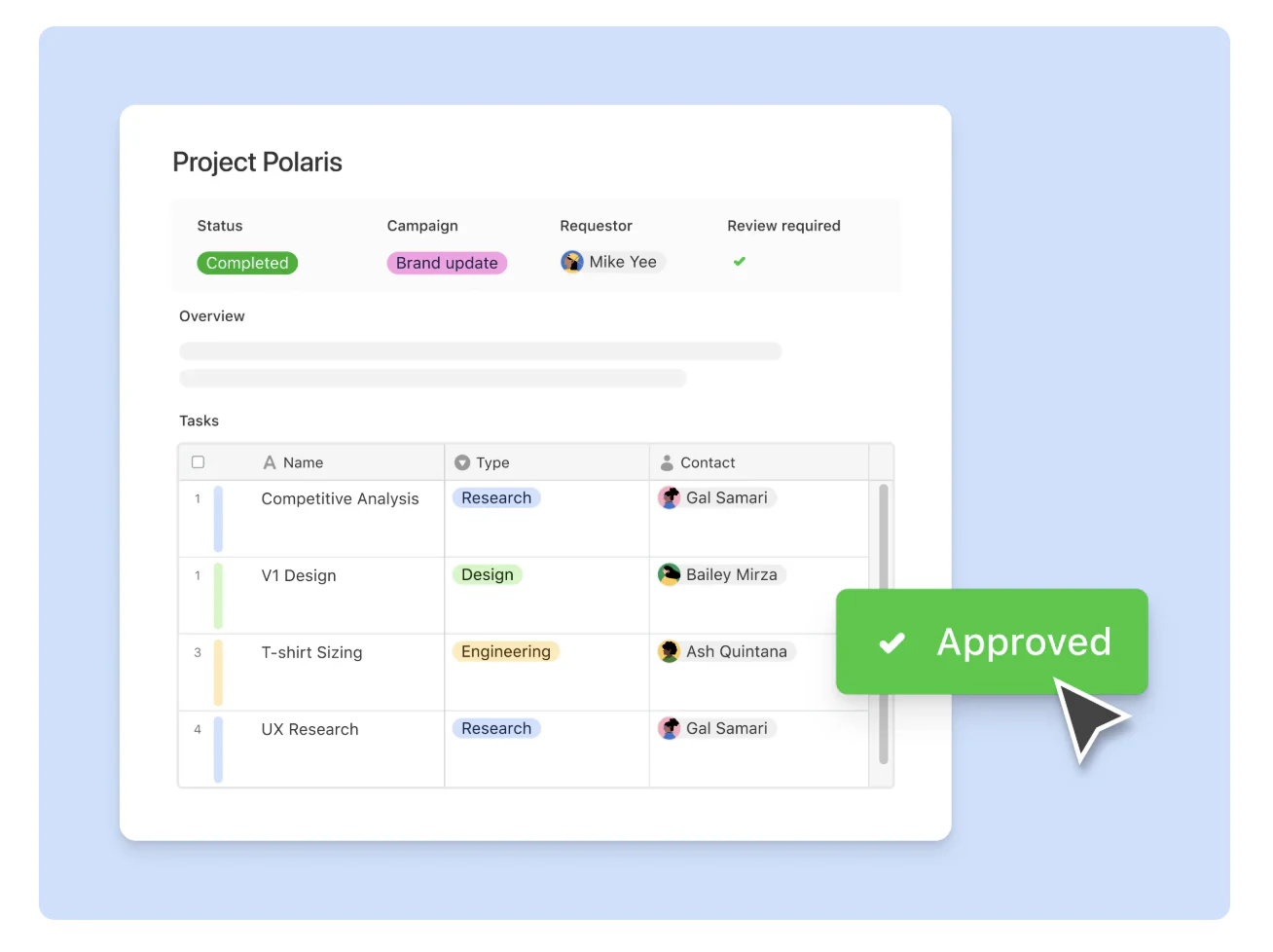
Airtable’s Interface Designer is a helpful way to visualize data from your base, especially for internal stakeholders. But it has clear limitations, particularly when it comes to external access, permissions, mobile responsiveness, and design flexibility.
Softr gives you everything Interface Designer doesn't and goes far beyond the basics, including:
- AI app generation: Describe what you need, and the AI Co-Builder creates a fully-functional app with the database and business logic already connected, secure, and shareable with real users.
- More flexible design: Airtable’s Interfaces offer basic layout options, but no real custom styling or structure control. With Softr, you can fully customize your app’s look and layout using the visual editor and embed charts, calendars, lists, and forms anywhere in your app.
- Built-in vibe coding: Create custom UI elements directly in your app with the Vibe Coding block.
- Granular permissions: Airtable supports table and field permissions (on higher-tier plans), but Interface permissions are limited and not suited for external users. Softr lets you define exactly who can see, edit, or submit what, with user groups, logic rules, and app-wide restrictions.
- More flexible user access: Airtable charges for every editor, even if someone only makes occasional changes. Softr lets you control access through roles and permissions, so you can give teammates, clients, or partners the ability to log in, view, or update data without needing a full seat. Plans are priced by app and usage, not per internal editor.
- Supports external users and public-facing apps: Interface Designer is built strictly for internal use. In contrast, Softr supports public and private apps, user sign-in, and access control—so you can build real client portals, project hubs, and more.
- More powerful forms: Airtable forms are single-page with no conditional logic. Softr lets you build multi-step, logic-based forms with visibility rules—perfect for applications, onboarding, or custom workflows.

- Mobile-ready (PWA): Airtable Interfaces aren’t mobile-optimized or app-friendly. Softr lets you turn your app into a downloadable mobile experience with no extra setup, using its built-in PWA capabilities.
- All-in-one flexibility: With Softr, you can connect to Airtable or 20+ other data sources, or use Softr’s relational database to manage your data inside a single platform.
How companies have saved costs with Softr:
- Marketing agency Strupek reduced operational costs by 58% by building a dashboard on top of Airtable.
- Legal tech firm EvenUp switched off Airtable completely, building a performance tracker app with Softr + BigQuery (and saving $6000 a month in Airtable seat costs).
- Arizona State University used Softr to build an intranet app to share curriculum data with 1200+ unique users — a per-user seat cost that would've been prohibitive in Airtable.
A smarter way to scale with Airtable
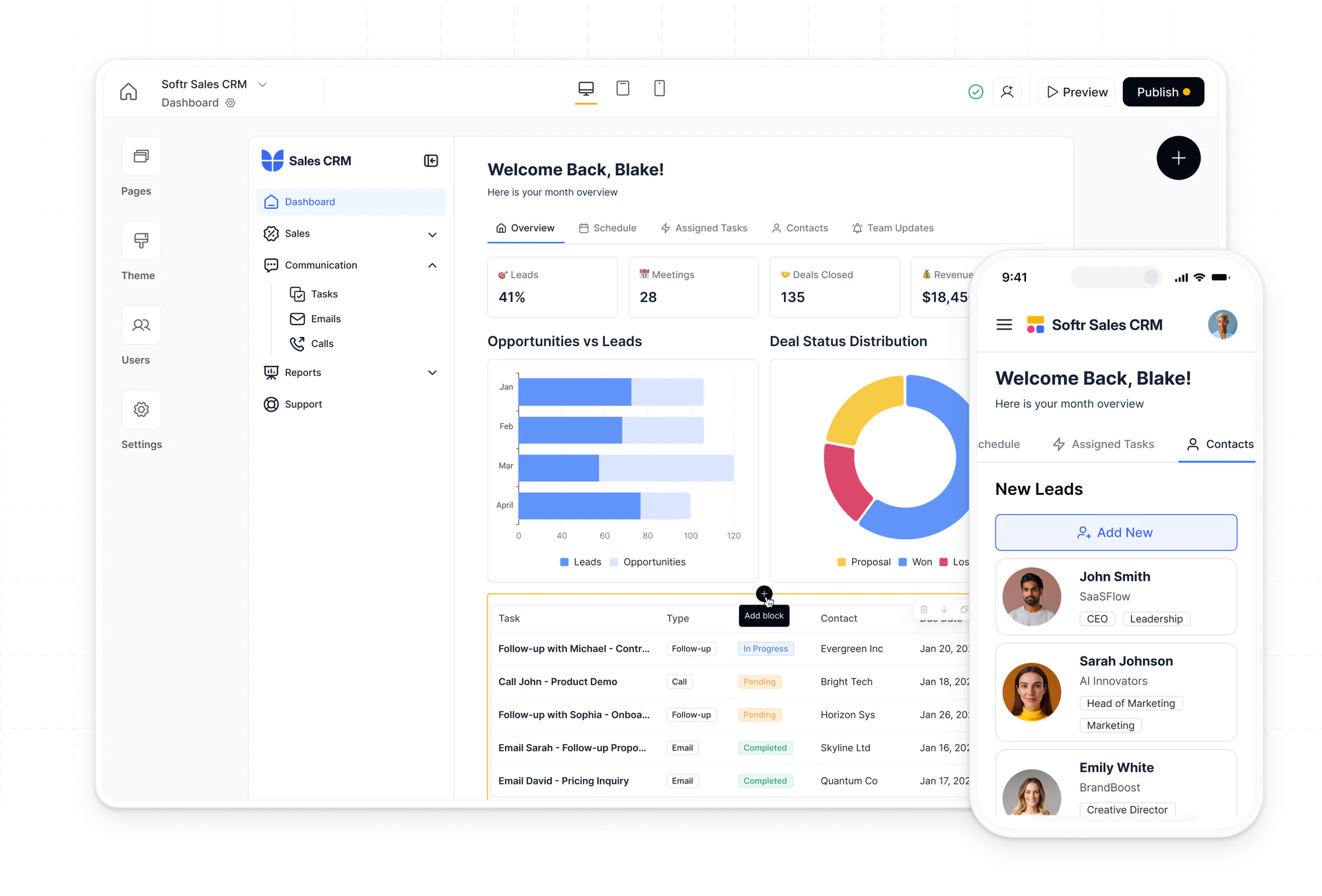
Airtable is great for data management, but as your team grows, so do the costs. Add more records, more seats, more features… and suddenly, you’re subscribed to a much higher plan than you planned for. With Softr, on the other hand, you can create granular permissions for each user group, and the pricing allows more external users to interact with your Airtable data for a much lower price.
Build secure, user-friendly apps on top of your Airtable data, complete with roles, permissions, and custom layouts. Let clients and teammates update info without needing an Airtable seat. And when you want to move beyond Airtable and consolidate your stack, Softr’s built-in database gives you room to grow.
👉 Try Softr free and build a full-stack Airtable alternative.
Frequently asked questions
Is Airtable's Free plan free forever?
How does Airtable's per-seat pricing work?
What happens when I hit a record or automation limit?
What are Airtable Portals and do they cost extra?
Can I use Airtable with external users without paying for extra seats?


