Simplify your procurement process with this easy-to-use purchase request form, enabling streamlined requests and approvals.

Overview
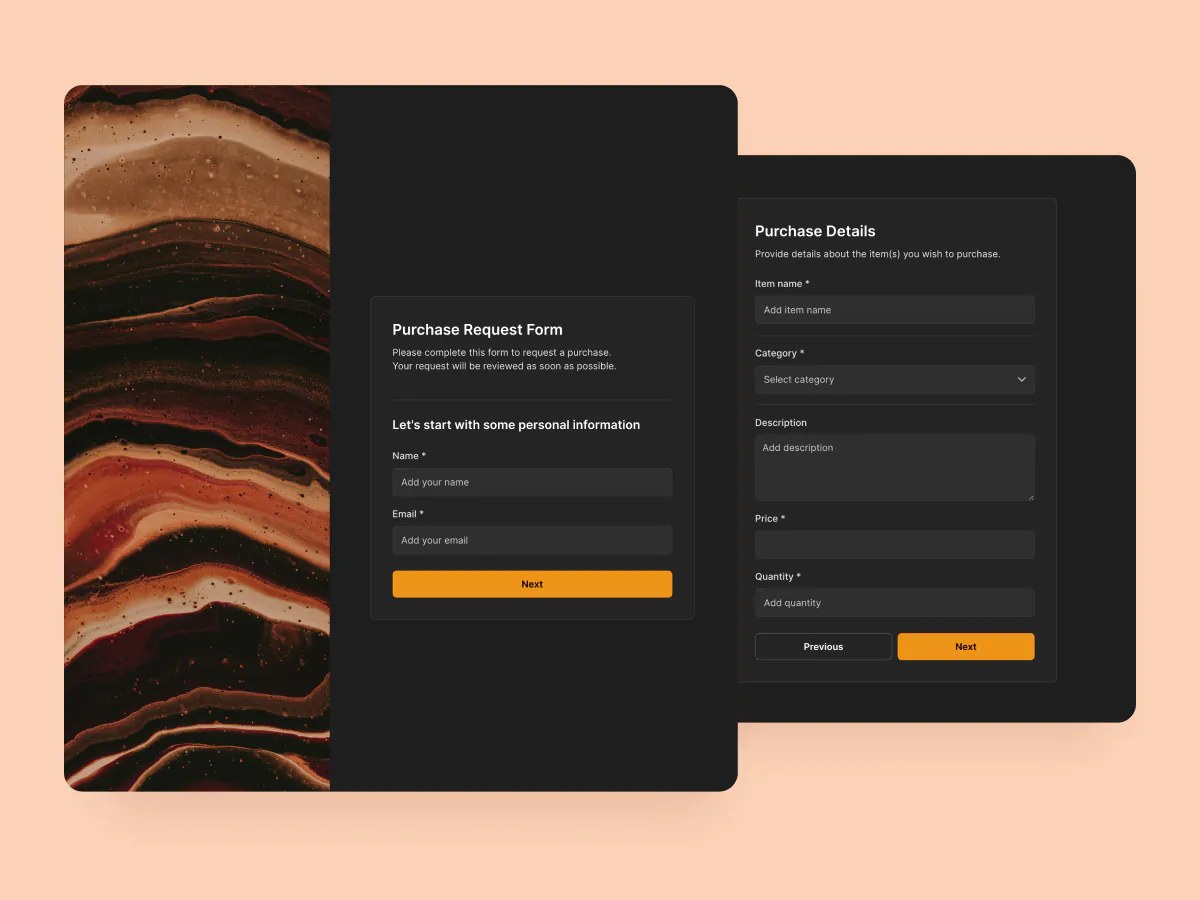
This free purchase request form template makes it easy for employees to submit purchase requests for supplies, tools, subscriptions, or services, without emails, paper forms, or spreadsheets.
The form includes a sample database that captures every request in one spot, so approvers can quickly review submissions, check for documentation, and keep the process moving.
Whether you’re handling one-off expenses or standardizing a formal procurement process, this template helps you stay organized and efficient.
Why use this purchase request form template
- Faster request submissions: Eliminate back-and-forth by guiding employees through a structured request process.
- Trackable and transparent: Keep a centralized log of all requests, complete with vendor info, pricing, and supporting documents.
- Built-in logic: Use conditional fields to tailor follow-up questions based on what the employee is requesting.
Template features:
- Customizable fields
Capture exactly what you need: item name, category (Office Supplies, Software and Subscriptions, Travel and Training, and more), price, quantity, vendor details, and a file attachment for quotes or specs.
- Multi-step form experience
Break the process into logical sections, such as purchase details, vendor information, and documentation. This makes forms easier to complete and ensures cleaner submissions.
- Conditional logic
Show or hide sections based on previous answers, like skipping software-related questions for a physical product request, or showing different fields for internal vs. external vendors.
- Sync with your database
All form responses are automatically stored in your connected data source, and you can trigger approval workflows, status updates, or purchase tracking based on submitted data.
- Responsive design
Team members can submit requests from any device (phone, tablet, or desktop) thanks to a fully responsive design.
- Thank you page
Send employees to a personalized thank you page confirming their request and outlining next steps (e.g. “You’ll hear from us within 48 hours”).
Who is this purchase request form template for?
This template is designed for any team or business that needs a more efficient way to handle internal purchase requests. Here’s how different teams can use it:
- Operations teams: Collect requests for office equipment, software, or services, complete with cost estimates and vendor info, all in one standardized form.
- HR departments: Track training, software, or benefit-related purchases and route requests for approval.
- IT teams: Handle incoming requests for hardware, SaaS subscriptions, or licenses, while gathering the details needed for procurement or provisioning.
- Finance teams: Centralize documentation and data for purchase approvals, budgeting, and reporting.
- Startups & SMBs: Get ahead of purchase chaos by tracking spending and requests from day one, without needing expensive procurement software.

“What we love most about Softr is the instantaneous, customizable power a no-code platform allows.”
- 1
- 2
- 3
- 4
Frequently asked questions
- What is a purchase request form?
A purchase request form is used by employees to formally request a product, service, or subscription. It typically includes what’s being requested, why it’s needed, how much it costs, and any documentation or vendor info needed for approval.
- What data sources can I use this form with?
The template comes with a sample database, but you can also connect it to Google Sheets, Notion, HubSpot, ClickUp, or any of Softr's 17+ supported data sources.
- Can I add conditional logic to the form?
Yes. You can add logic to show or hide questions and sections based on the requester’s responses, making the form shorter and more relevant.
- Is this purchase request form customizable?
Yes. Every part of it is editable, from the Category options (Office Supplies, Software and Subscriptions, Travel and Training, and more) to the approval Status and the vendor and attachment fields.
The fastest way to change it: duplicate the template into your Softr workspace, then prompt the AI Co-Builder, for example "add a Marketing category and require manager approval before Status changes to Approved." Prefer hands-on control? Use the visual editor to edit fields, restyle the form, and connect a custom domain.
- Can I customize this template with AI?
Duplicate the template into your Softr workspace, then prompt the AI Co-Builder to adjust it: add a new category, change the approval flow, or rework the request form layout.
Prefer hands-on control? Use the visual editor to edit fields, update the database, and browse new themes without writing a prompt.
- Can this form trigger automations?
Yes. Softr Workflows can notify a manager or admin by email or Slack when a new purchase request needs approval, or alert the requester by email once Status changes to Approved, so nothing gets stuck waiting on a reply.