This free template from Softr helps you build a custom equipment tracker, fast, no coding required.
Data sources supported





.svg)


Resources


Overview
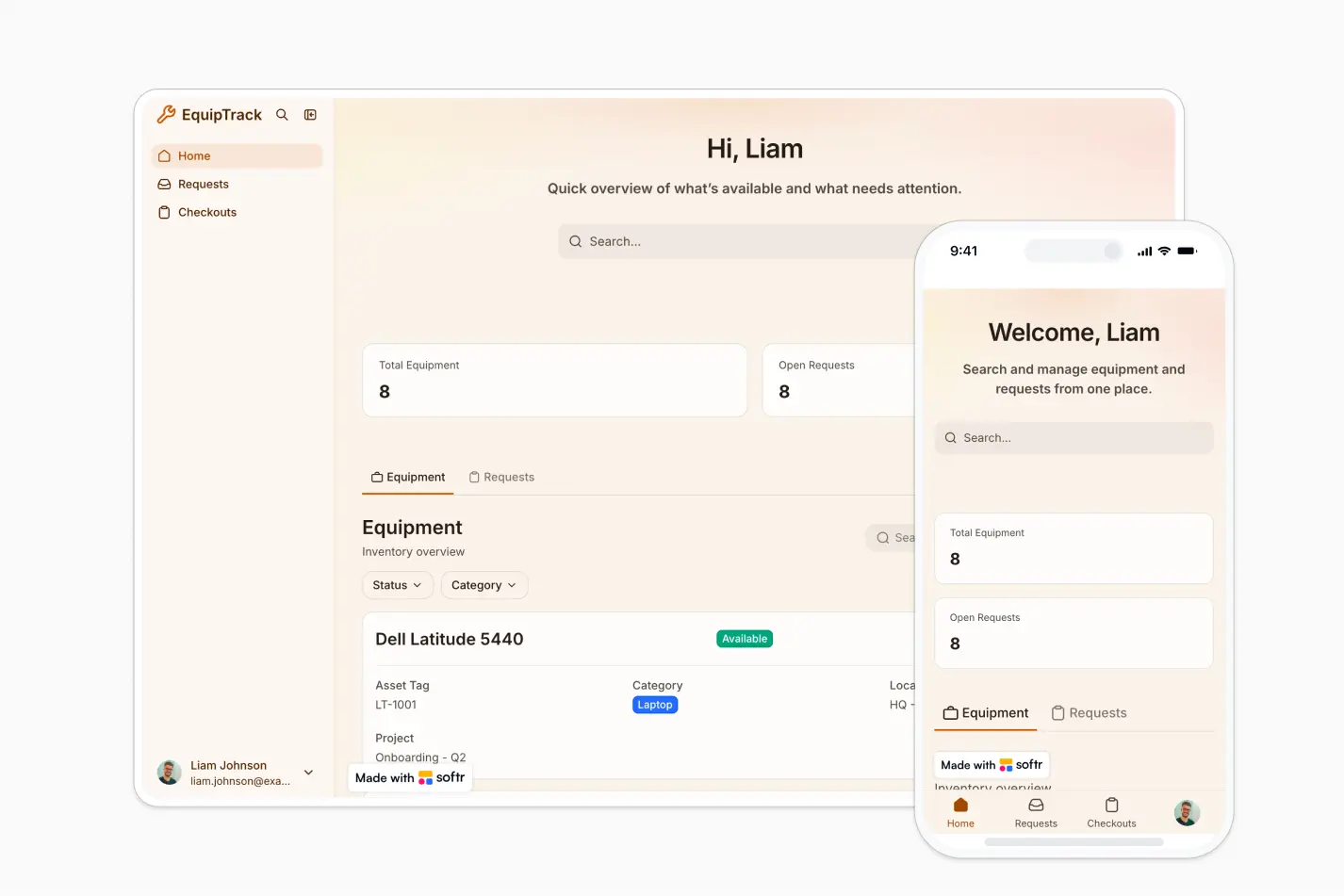
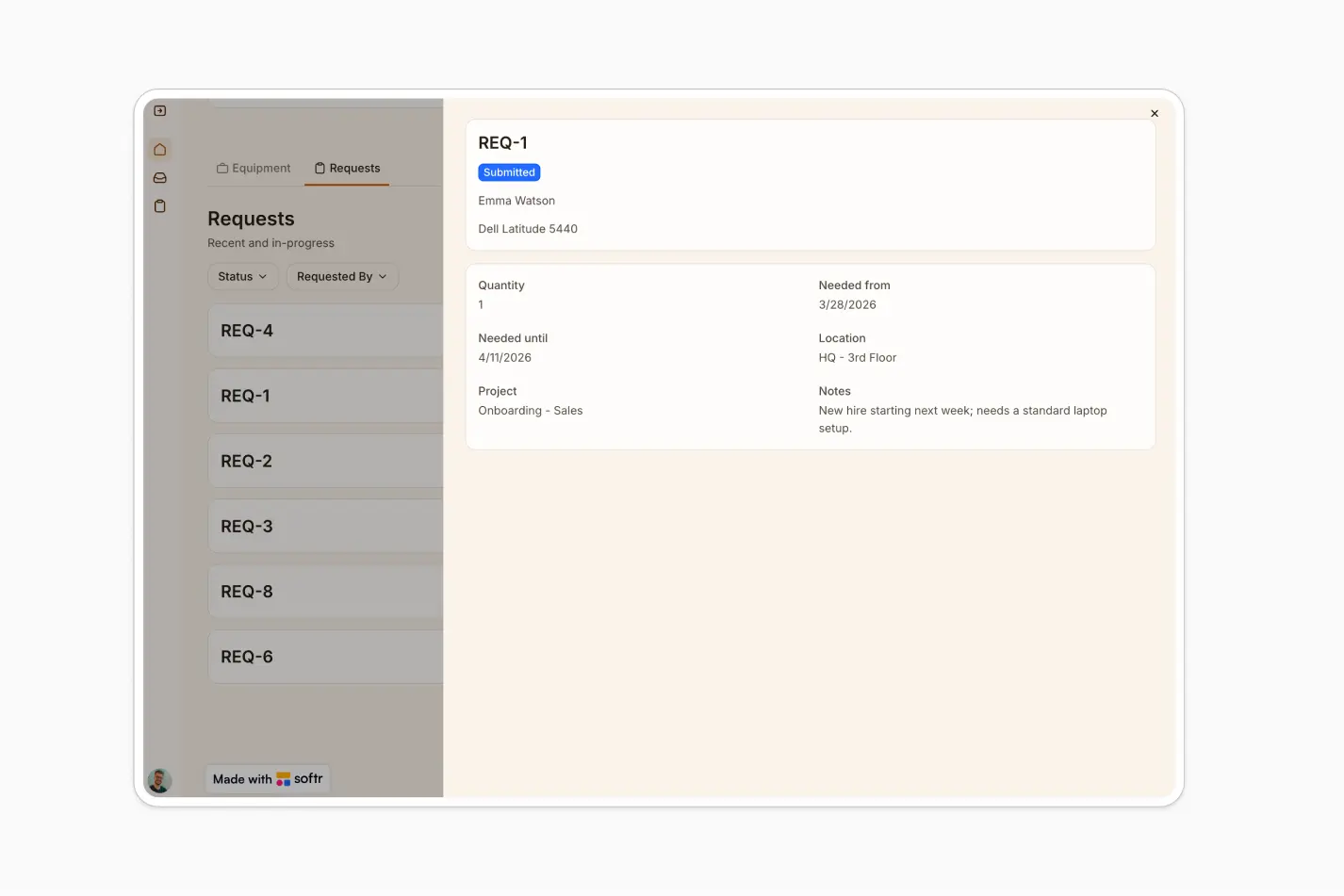
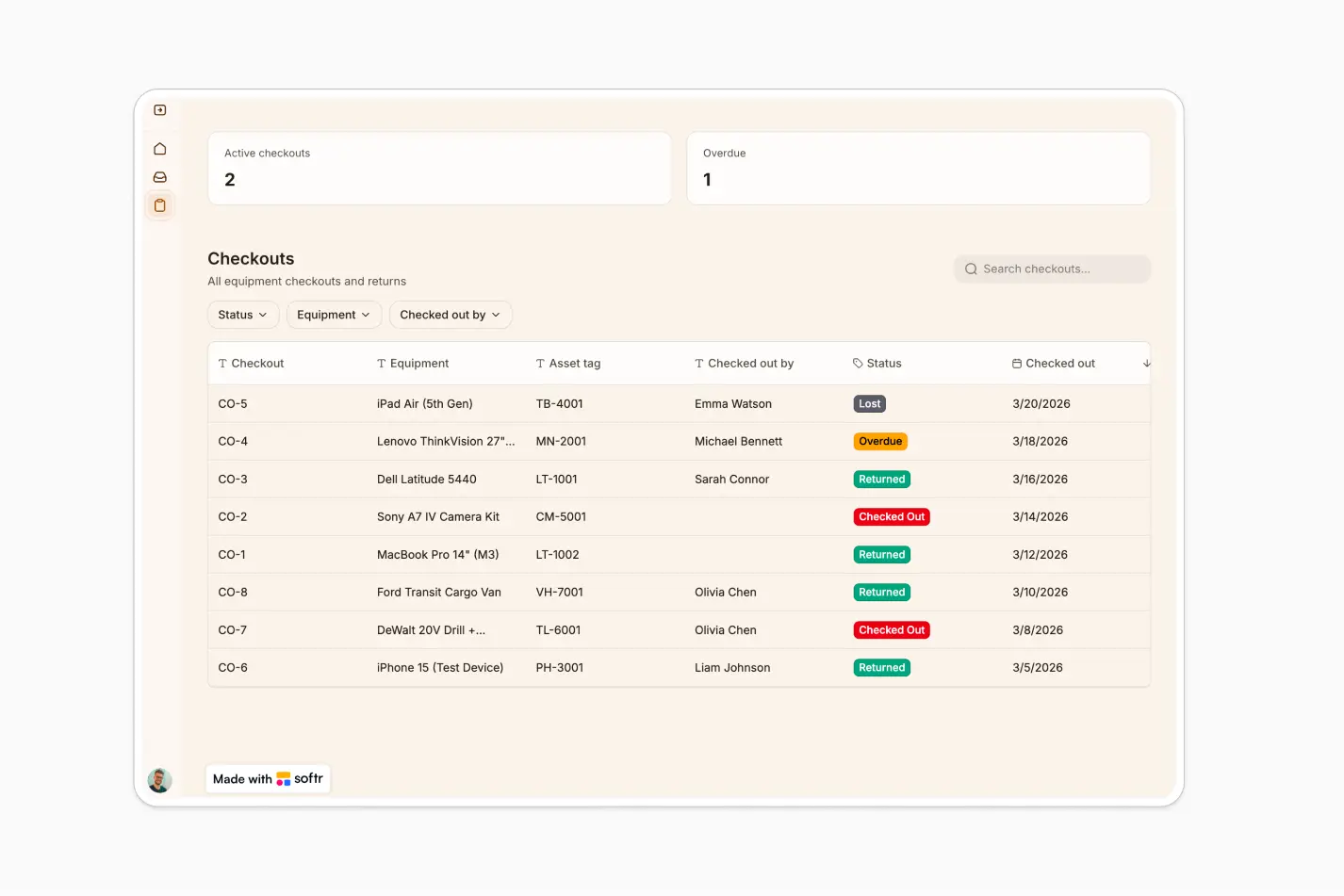
This free template helps you build an equipment tracker using your existing data, so you can manage assets, requests, and checkouts without relying on scattered spreadsheets or manual updates.
It includes a sample database to show how to structure equipment records, request details, checkout activity, locations, projects, and user access. You can also connect to any Softr-supported source like Airtable, Google Sheets, Notion, monday.com, HubSpot, and more.
Why use this equipment tracker template
- Centralize equipment visibility: Track equipment names, asset tags, categories, status, condition, location, and project assignments in one place.
- Streamline requests and approvals: Let employees request equipment, add needed dates, locations, quantities, and notes, then keep managers aligned on status.
- Reduce lost or double-booked assets: Monitor checkouts and equipment availability so your team knows what is in use, what is available, and where each item belongs.
Template features:
- Equipment inventory
- Request management
- Checkout tracking
- Status and condition fields
- Project and location visibility
- Manager and employee access
- Operational dashboards
- AI-assisted lists
Who is this equipment tracker template for?
This template is built for teams that need a simple, secure way to manage shared equipment, requests, and checkouts across projects or locations. It's a great fit for:
- Construction and field service teams: Track tools, machinery, safety gear, and jobsite assignments across multiple projects.
- IT and operations teams: Manage laptops, devices, office equipment, and employee checkout activity from one central app.
- Event and production teams: Coordinate equipment requests, availability, and returns for events, shoots, venues, or temporary projects.
- Schools, nonprofits, and community organizations: Keep shared assets organized and make it easier for staff or members to request what they need.

“What we love most about Softr is the instantaneous, customizable power a no-code platform allows.”

- 1
- 2
- 3
- 4
Frequently asked questions
What is an equipment tracking app?
What can I track with this equipment tracker template?
Can employees request equipment through the app?
How do I edit or customize this template?
What data sources does this equipment tracker integrate with?
Is Softr secure enough for internal equipment management?