7 best WYSIWYG app builders for building user-friendly apps

Building custom software has traditionally meant long development cycles, specialized engineering talent, and ongoing maintenance costs that most teams can't justify for an internal tool or a single client portal.
WYSIWYG app builders remove that overhead. Instead of writing and testing code, you assemble your app from pre-made components, connect it to your data, and see the finished result update in real time as you work.
This guide covers the seven best WYSIWYG app builders for 2026, from lightweight tools for simple business apps to platforms built for complex, enterprise-grade software. If you'd rather skip ahead and see what a finished app looks like, browse Softr's template library for a head start.
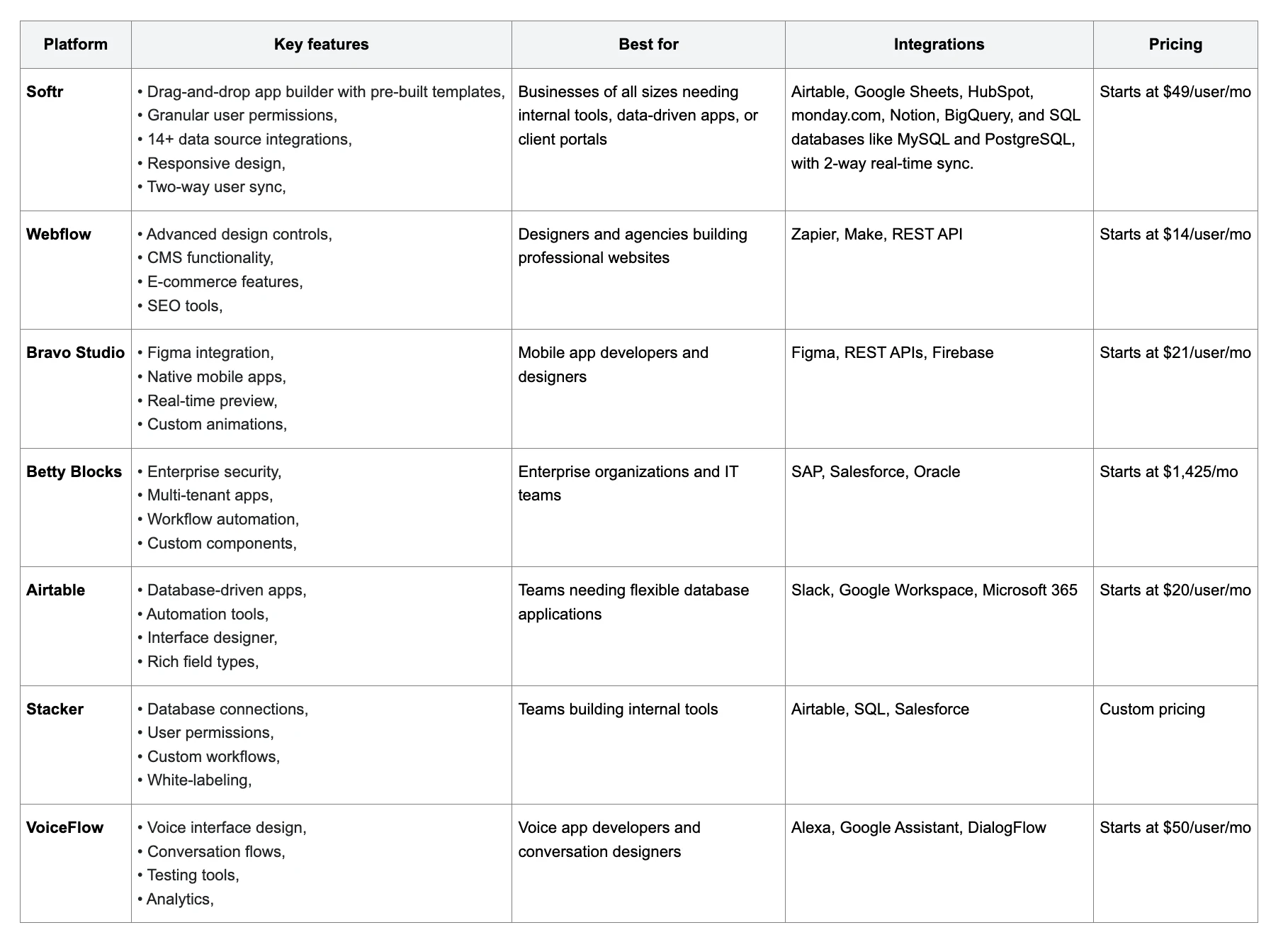
Best WYSIWYG app builders at a glance
| Tool | Best for | Standout feature | Starting price |
|---|---|---|---|
| Softr | Internal tools and client portals | Native database, role-based permissions, AI Co-Builder | Free, from $19/month |
| Webflow | Design-heavy marketing sites and blogs | Pixel-perfect visual CSS control | From $14/month |
| Bravo Studio | Turning Figma designs into native mobile apps | Figma-to-native-app pipeline | From $22/month |
| Betty Blocks | Enterprise citizen development programs | IT governance and approval workflows | From $1,425/month |
| Airtable | Data-first teams already living in spreadsheets | Interface Designer on top of a relational database | Free, from $20/user/month |
| Stacker | Turning an existing spreadsheet into a portal | Fast setup on top of Airtable or Google Sheets | Free, custom pricing above that |
| Voiceflow | Conversational AI apps (voice and chat) | Dedicated conversation design canvas | Free, from $50/month |
What is a WYSIWYG app builder?
A WYSIWYG (What You See Is What You Get) app builder is a visual platform that lets you create business software without knowing how to code. You see the final product of your app in real time as you make changes, so there's no gap between what you design and what your users actually get.
How these app builders work
WYSIWYG app builders simplify software creation with a fully visual, drag-and-drop interface. Instead of writing code, you assemble applications using pre-built components, layouts, and interactive elements, with immediate visual feedback. With Softr, you can also describe the app you want to the AI Co-Builder, which generates the database, pages, and blocks for you, or start from a template and adjust it by hand. Either way, you preview your app instantly and keep editing until it fits.
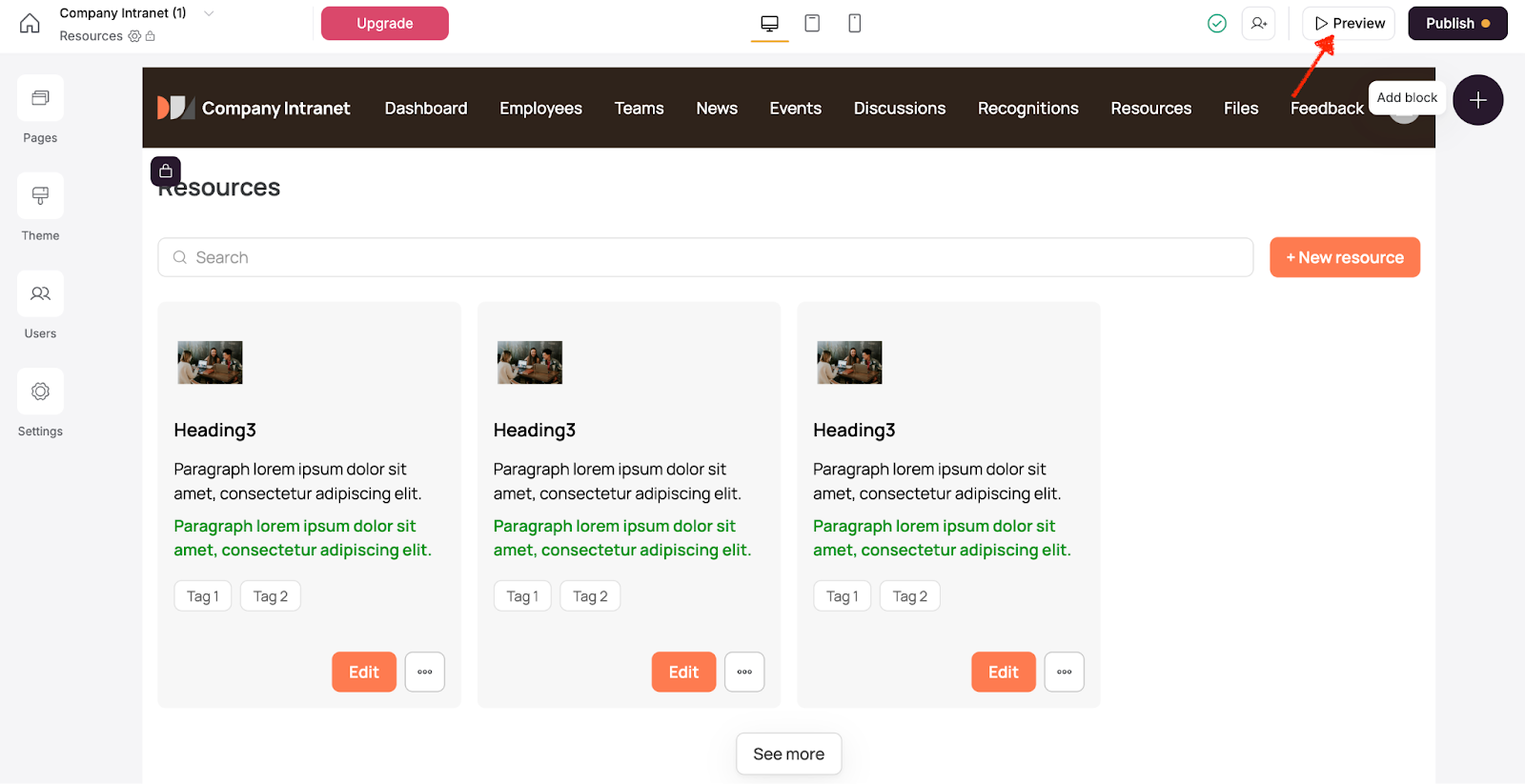
Behind the scenes, the platform manages the parts you don't want to build from scratch: data handling, authentication, permissions, and workflow logic. Some platforms generate underlying code you can export; others, like Softr, keep everything native so there's nothing to deploy or maintain separately.
Changes such as modifying layouts, setting permissions, or connecting external data can be made directly within the editor, so your app stays both visually polished and functionally sound as it evolves.
These platforms handle the complicated technical work in the background, so you can focus on what matters: how the app works, looks, and fits into your team's workflow.
Key benefits of WYSIWYG software
WYSIWYG app builders have changed how apps are developed, offering several benefits:
Time efficiency
Development cycles are much shorter, with projects completed in weeks or even days, instead of months. Plus, real-time previews reduce the need for constant testing and revisions.
Cost reduction
By cutting out the need for professional development teams and shortening development time, app creation costs are reduced, making development accessible to all business sizes.
Accessible development
Not just developers, but anyone on the team, can build apps without coding. With an intuitive interface and a gentle learning curve, even non-technical users can create professional, fully functional applications.
Flexibility and control
You decide how your app looks and works: change layouts, tweak settings, and see updates instantly. Generate a starting point with AI, start from a template, or create something from scratch, and watch your changes happen in real time. With flexible customization options, an application builder makes it easy to scale and adapt as your business grows.
Key features of the best WYSIWYG app builders
Selecting an appropriate WYSIWYG app builder can be slightly challenging, given the wide range of options available.
While many platforms offer similar core features, their implementations, capabilities, and limitations can differ greatly. Knowing which features matter most for your needs is pivotal to making a smart choice.
Easy drag-and-drop interface
A good WYSIWYG builder relies on a user-friendly visual interface. The best no code app builders deliver smooth, responsive drag-and-drop functionality. Elements should align logically, providing clear visual feedback. Look for features like component libraries, layout grids, and alignment tools to maintain consistency and professional design standards.
Templates and customization options
A strong template library provides a good starting point with pre-built designs for common and industry-specific applications. However, the real benefit is in the platform's customization features. It should allow for deep customization of templates while keeping their structure intact. Look for custom CSS, theme builders, and the option to save your templates.
Database and integration capabilities
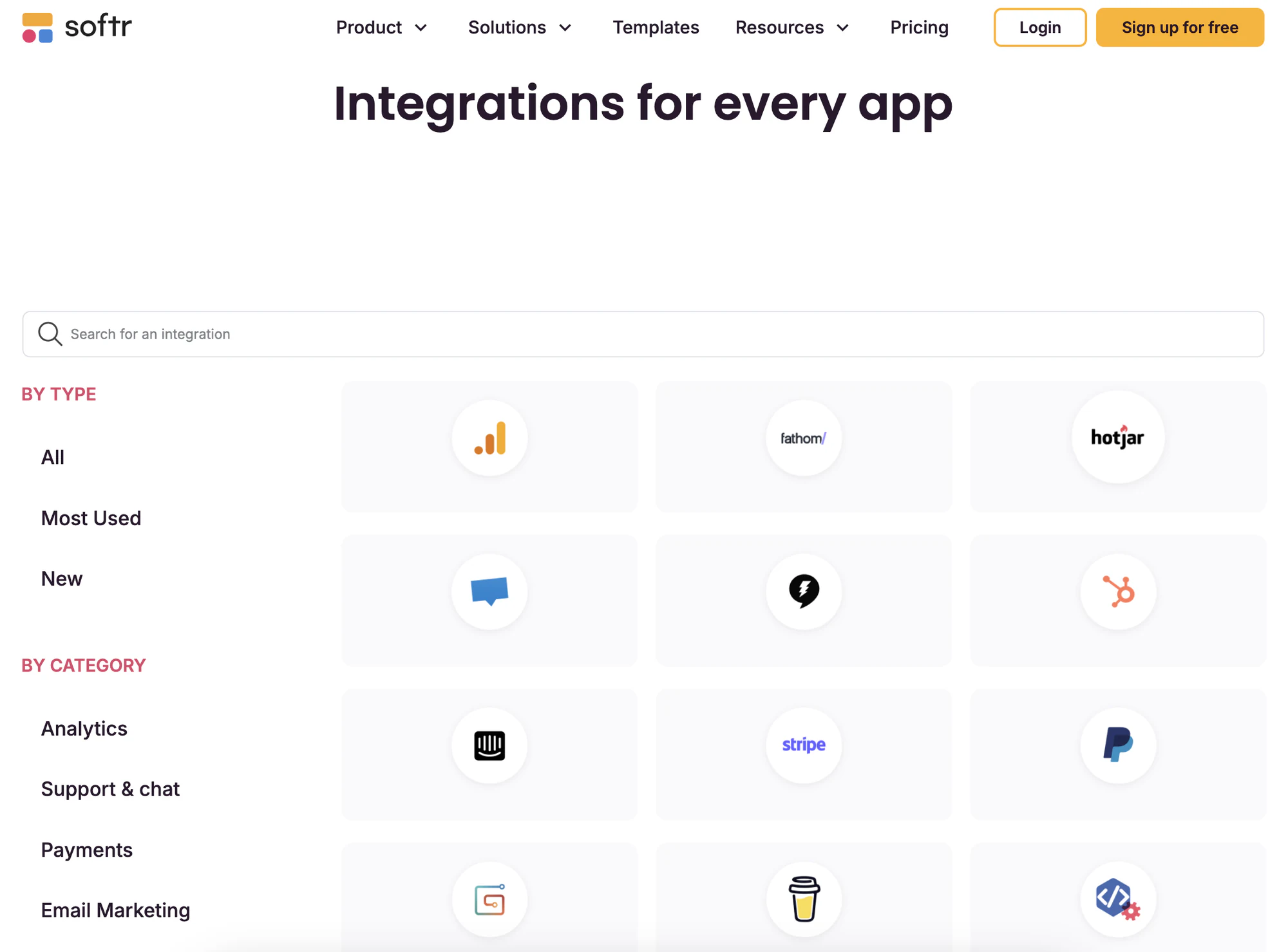
Modern apps need strong database management, ideally starting with a native database rather than relying entirely on a third-party spreadsheet. Look for the ability to create custom data models, link tables, and manage complex queries without coding, plus integration features that go beyond basic API connections, including native integrations, custom API builders, and webhook support for real-time data sync.
Automation features
Workflow automation should let you create complex business logic without coding, such as conditional logic, data transformations, and multi-step processes. Seek platforms with visual workflow builders, scheduled tasks, and the ability to trigger actions directly from app events, like a button click or a form submission, rather than relying only on third-party automation tools bolted on after the fact.
Security and scalability
Security features should include role-based access control, data encryption, and compliance with standards like GDPR and HIPAA. Scalability should cover both technical aspects (handling more users and data) and business aspects (adding features as your organization grows).
Mobile and cross-platform functionality
True mobile responsiveness means more than just adapting to screen size. Look for platforms with native mobile features, offline capabilities, and progressive business app creation. Cross-platform functionality should ensure consistent performance on different devices and browsers, with optimization for specific platforms.
Application versatility
The platform should support both internal tools (like admin panels) and customer-facing apps, with various security and access needs. Look for features that enable different app types, such as user authentication, vendor portals, and white-labeling options.
Pricing structure
Check pricing models based on your usage and growth projections. Consider factors like additional costs for more storage, users, or features; development environment fees; deployment and hosting costs; and support fees. The best platforms offer transparent pricing with clear upgrade paths and no hidden surprises as your app scales.
7 best WYSIWYG app builders users prefer
1. Softr
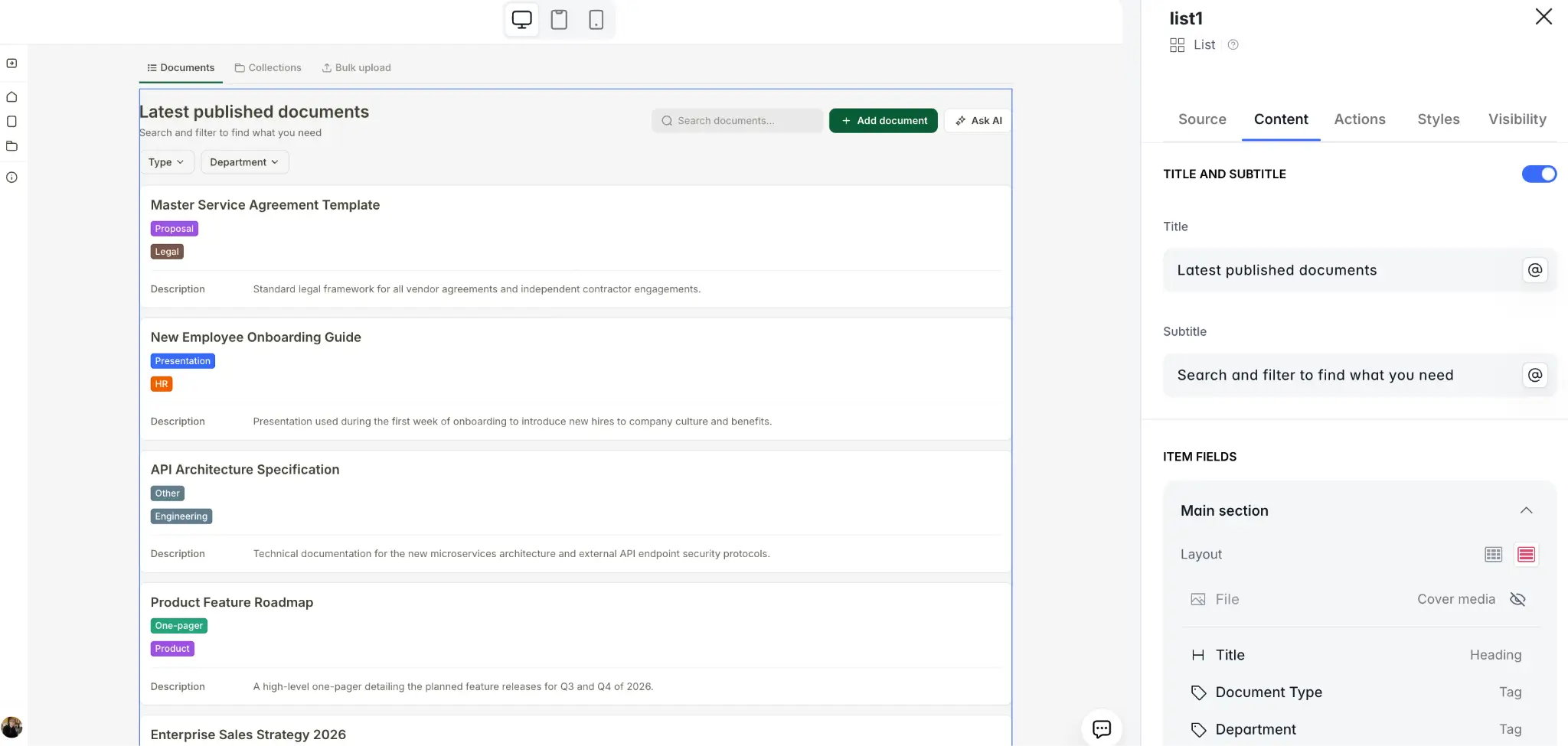
Softr makes it easy to build secure portals and internal tools powered by your business data, without writing a single line of code. Build on Softr Databases, Softr's own native database, or connect to 21+ external data sources like Airtable, Google Sheets, HubSpot, Notion, and SQL databases in just a few clicks. Your data stays synced in real time, whether updates are made in your app or directly in the database.
You can start by describing your app to the AI Co-Builder, which generates the database, pages, and blocks for you in minutes, or start from a template, or build from scratch manually. Once inside the editor, use drag-and-drop blocks with built-in functionality to display and interact with your data in ways that match your workflows, and define who can view or take action within your app with customizable permissions and logic.
From client, partner, and vendor portals to lightweight CRMs, project trackers, and team intranets, Softr helps you automate nearly any client-facing or internal workflow. Plus, your apps are responsive by default, with Progressive Web App (PWA) capabilities built right in.
Key features
- AI Co-Builder: Describe the app you need and the AI Co-Builder assembles the database, pages, and blocks for you. Keep using it inside the editor to add blocks, build pages, or generate custom components from plain language.
- Intuitive interface: Drag and drop to build apps, no coding required.
- Pre-built templates: Start fast with templates designed for dozens of workflows. Customize them to match your data and processes in minutes.
- 21+ data source integrations: Build on Softr's native database, or connect to 21+ data sources, including Airtable, Google Sheets, HubSpot, monday.com, Notion, BigQuery, and SQL databases like MySQL and PostgreSQL, with 2-way real-time sync.
- Vibe Coding block: For the rare custom UI that pre-built blocks don't cover, generate a secure custom component from a plain-language prompt. It connects directly to your data and inherits your app's theme and permissions automatically.
- Granular user permissions: Control what users can view, edit, or create with precise, role-based permissions. Apply rules at the app, page, block, or action level for tailored access.
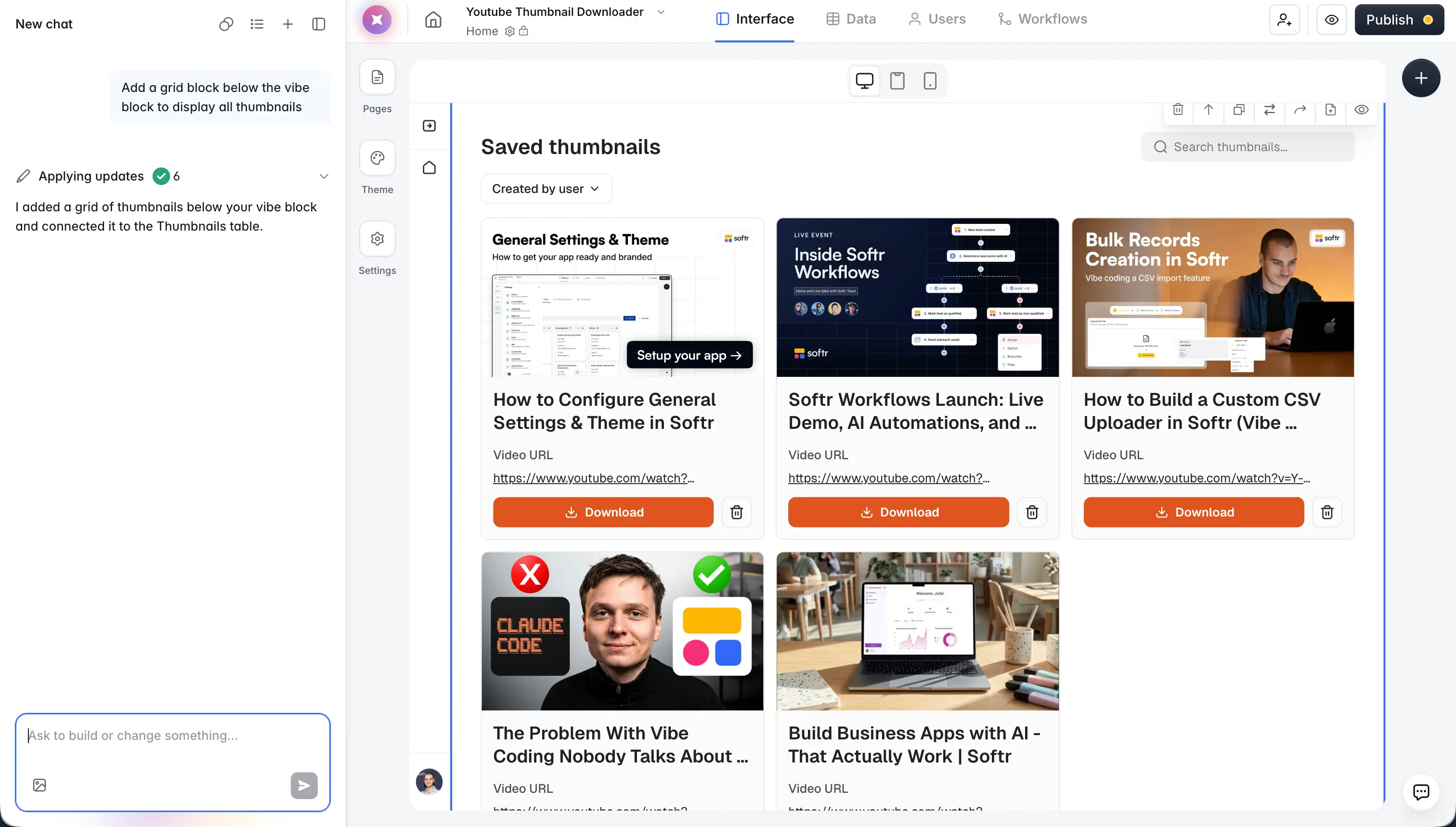
- Softr Workflows: Automate business logic natively, from record-created triggers to multi-step approval chains, without relying on a separate automation tool. If you already use Zapier or Make, Softr connects to those too.
- Multi-step forms: Create intuitive, dynamic forms with logic-driven steps. Send form data back to your source or use it to personalize the app experience.
- Community & live chat support: Access live chat and email support (available for all plans) and join a community of builders for help, inspiration, and best practices.
Best for
Softr is for businesses of all sizes that need internal tools, data-driven apps, or client portals, no coding required.
If you're already using tools like Airtable, Google Sheets, HubSpot, or SQL databases, Softr lets you turn your data into custom, interactive apps in just a few clicks, or move that data into Softr Databases for faster performance.
With an AI Co-Builder for fast starts, a drag-and-drop editor for precision, and real-time sync, you can quickly build apps that fit your needs. Automate workflows, centralize operations, and keep your teams and data connected, all without needing a developer.
"The AI Builder is great to use. The Vibe Coding block is great to use to build custom blocks. It is easy to set up databases, link databases, and preview the UI." - Max M., Operational Excellence Lead, G2 review
Integrations
Softr lets you build natively on Softr Databases or connect to 21+ external data sources in real-time sync.
Integrations include:
- Data sources: Softr Databases (native), plus Airtable, Google Sheets, HubSpot, monday.com, Notion, BigQuery, Supabase, Xano, and SQL databases (MySQL, PostgreSQL, MariaDB, SQL Server).
- APIs: Use the REST API connector to bring in data from any public or accessible API, or connect the Softr MCP to build apps, databases, and workflows from assistants like Claude, Cursor, or ChatGPT.
- Automation tools: Softr Workflows handle most automation natively; Zapier and Make are also available for connecting to thousands of other apps.
- Communication tools: Typeform, Mailchimp, MailerLite, SendGrid, and Google Analytics.
- Payment processors: Stripe, PayPal, and Gumroad for flexible payment handling.
No matter your workflow, Softr makes it easy to bring your data together in one place.
Pricing
Softr offers plans for every stage of your business:
- Free Plan ($0/month): Ideal for testing and small projects.
- Unlimited apps and forms, with access to Softr Workflows and Softr Databases, 5 app users, 5,000 database records, 5 AI credits
- Basic Plan ($19/month): Designed for small teams building simple apps.
- Unlimited apps with 42+ integrations, Team: 5 + Client: 5 app users, 50,000 database records, 10 AI credits per month
- Pro Plan ($99/month): Great for internal tools and client portals.
- Unlimited apps with 45+ integrations and custom code, Team: 10 + Client: 50 app users, 500,000 database records, 50 AI credits per month
- Additional integrations (monday.com, Supabase, ClickUp) and custom user groups
- Business Plan ($329/month): Built for scale.
- Unlimited apps with 52+ integrations, Team: 30 + Client: 100 app users, 1 million database records, 100 AI credits per month
- Advanced integrations (HubSpot, SQL databases, REST APIs) and custom user groups (up to 10)
- Enterprise (custom pricing, contact sales): Custom pricing for enterprise needs.
- Everything in Business, plus custom limits, SSO, advanced security, SLAs, and dedicated support
2. Webflow
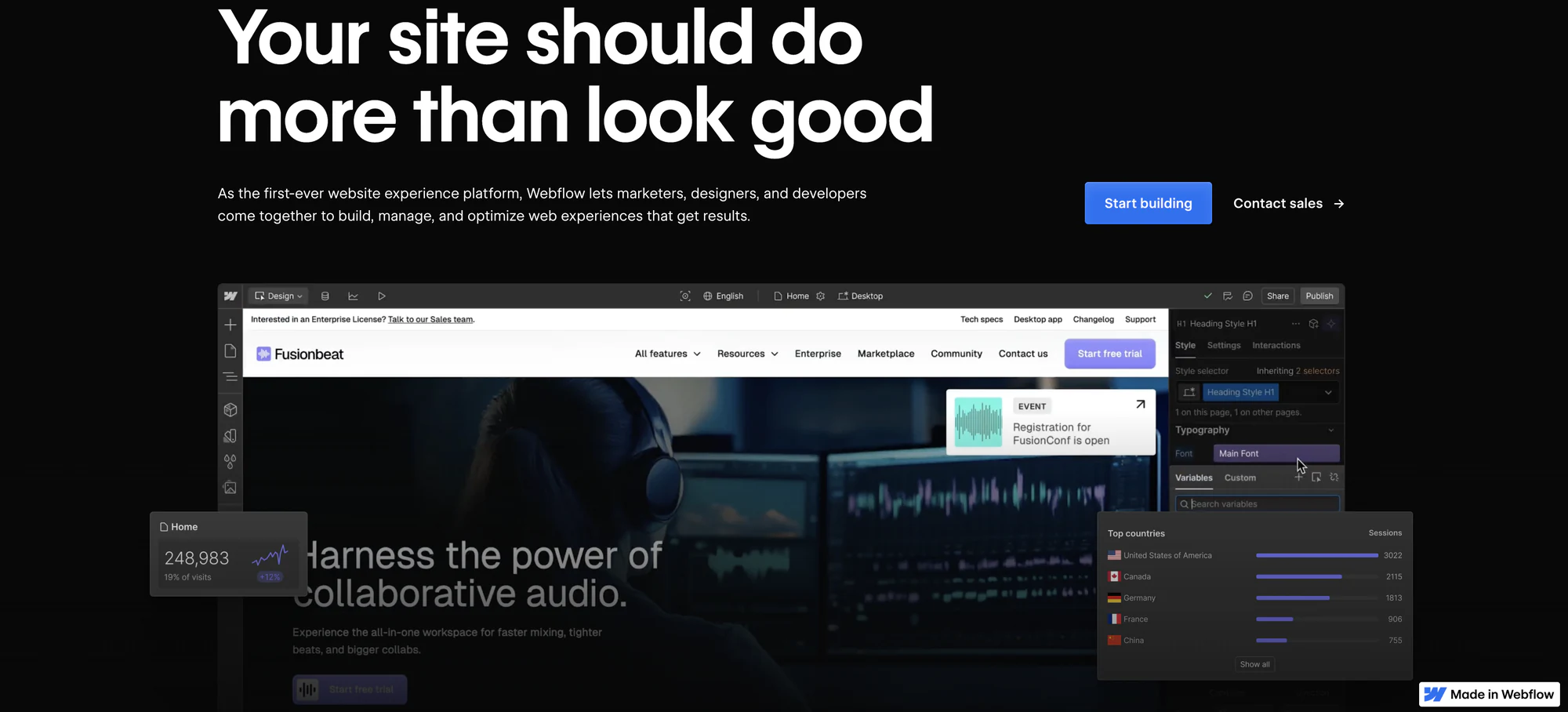
Webflow combines the power of professional web development with an intuitive visual interface, offering control over design and functionality. The platform stands out for its ability to generate clean, production-ready code while maintaining a completely visual development experience.
Unlike traditional WYSIWYG builders, Webflow provides advanced design capabilities that mirror professional development tools, making it particularly appealing to designers and agencies. The platform's CMS and e-commerce capabilities further extend its functionality beyond simple website creation.
Key features
- Visual Development Environment: Webflow's design interface offers precise control over HTML elements, CSS properties, and interactions without coding. It includes responsive breakpoint editing and flexbox/grid systems.
- CMS and Dynamic Content: Webflow's CMS allows for the creation of custom content types, dynamic templates, and complex content relationships. It supports custom fields.
- E-commerce Functionality: Webflow's e-commerce toolkit includes product management, inventory tracking, shipping rules, and tax configuration. It supports both physical and digital products with customizable checkout experiences.
- Animations and Interactions: The animation builder allows for creating interactions and transitions without JavaScript, including scroll-based animations, hover effects, and multi-step animations.
- SEO and Performance Tools: Built-in SEO tools including customizable meta tags, automatic sitemap generation, and 301 redirects. Includes performance optimization features like asset compression and lazy loading.
Best for
Webflow is ideal for design agencies, freelancers, and businesses requiring pixel-perfect websites with sophisticated interactions and animations. The platform particularly suits those who want professional-grade websites without compromising on design flexibility or performance.
The learning curve is steeper than typical WYSIWYG builders, making it most appropriate for users with some understanding of web design principles and those willing to invest time in mastering the platform.
Integrations
Webflow offers integration capabilities through its API and native integrations. Notable integrations include Zapier, Make (formerly Integromat), and various marketing tools. The platform supports custom code embedding for third-party services. E-commerce integrations extend to major payment processors and shipping providers, while the CMS can connect with external services through webhooks and API endpoints.
Pricing
Webflow offers Site Plans, Workspace Plans, and E-commerce Plans, each catering to different needs.
Site Plans (for Hosting):
- Basic ($14/month): Simple sites, 10GB bandwidth.
- CMS ($23/month): Blogs/content sites, 50GB bandwidth, 2,000 CMS items.
- Business ($39/month): Larger sites, 100GB bandwidth, 10,000 CMS items.
- Enterprise: Custom pricing for large-scale needs.
Workspace Plans (for design & collaboration)
- Starter (Free): 2 staging sites, 50 CMS items.
- Core ($19/month): 10 staging sites, custom code.
- Growth ($49/month): Unlimited staging, advanced collaboration.
- Enterprise: Custom pricing for scalability & security.
E-commerce Plans
- Standard ($29/month): 500 products, 2% transaction fee.
- Plus ($74/month): 5,000 products, no transaction fees, $200K sales limit.
- Advanced ($212/month): 15,000 products, best for scaling.
Additional costs may include custom domains, extra seats, and premium add-ons.
3. Bravo Studio
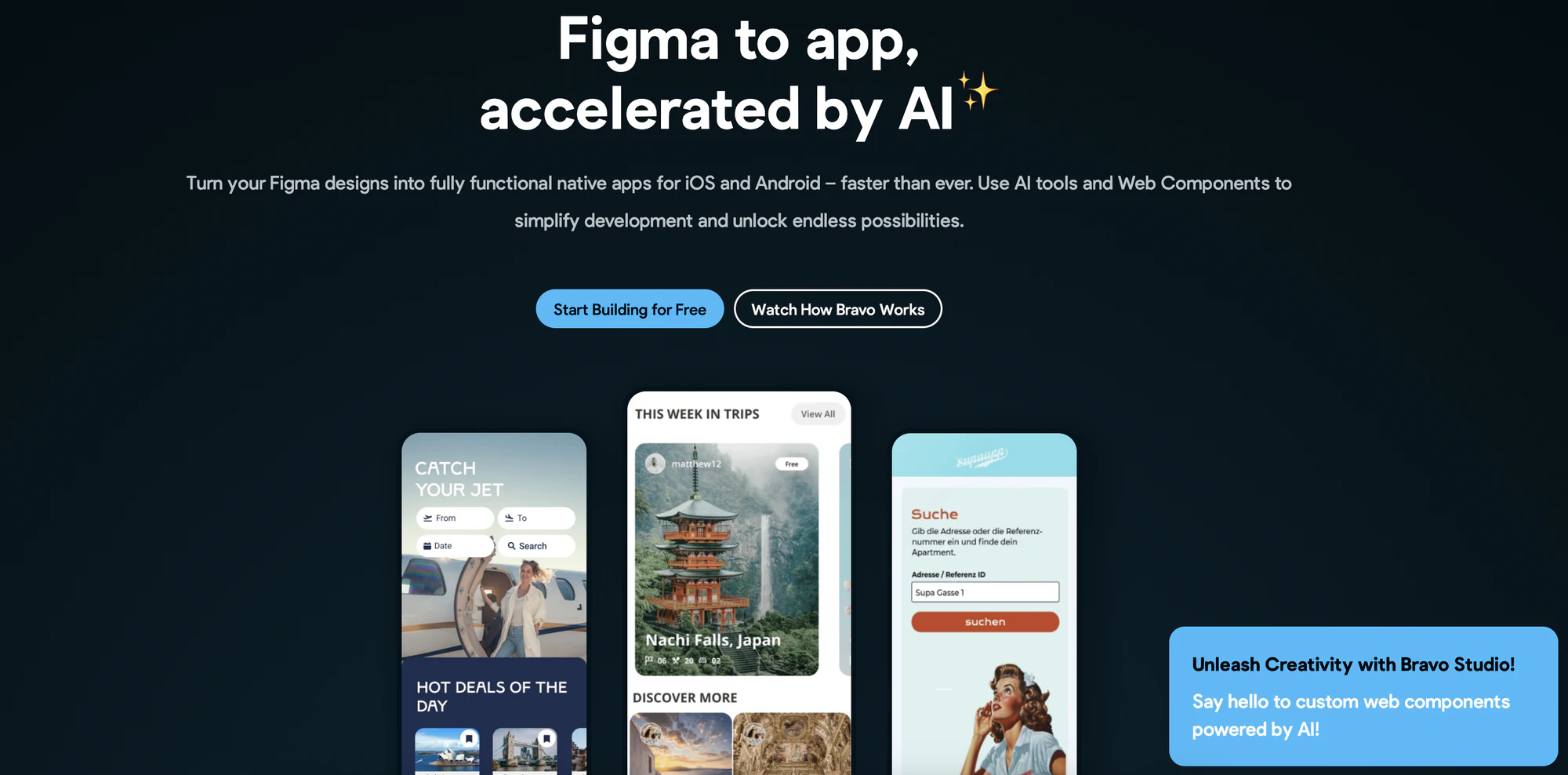
Bravo Studio is changing the game in mobile app development by seamlessly connecting design and deployment. It takes your Figma designs and turns them straight into native mobile apps, removing the usual hurdles between designing and developing.
The platform's unique approach allows designers to maintain complete control over the user interface while providing powerful backend integration capabilities. This combination makes it particularly effective for creating data-driven mobile applications that maintain the polish of custom-designed interfaces.
Key features
- Figma-Native Development: Bravo Studio integrates directly with Figma, keeping all your design elements, interactions, and animations intact. It converts your design files into native mobile components with pixel-perfect precision.
- Native Mobile Components: Automatically turns your design elements into components tailored for both iOS and Android, ensuring genuine native performance and user experience.
- Real-Time Preview System: Offers live previews showing exactly how your app will behave on real devices, updating instantly with any design or data integration changes.
- Backend Integration Tools: Provides a visual interface to connect with REST APIs, GraphQL, and other data sources, enabling complex data operations without coding. Features authentication flow builders and data transformation tools.
- Custom Logic Builder: Visual programming interface for creating complex app logic, including conditional rendering, user flow management, and data manipulation, all without traditional coding requirements.
Best for
Bravo Studio is particularly suited for design teams and agencies that prioritize user interface quality and need to quickly transform their designs into functional mobile applications. The platform excels in scenarios where maintaining design fidelity is crucial.
It's particularly handy for teams already using Figma and those looking to build data-driven apps with advanced interfaces without heavy development work.
Integrations
The platform centers around its core Figma integration but extends to support various backend services. It includes built-in support for REST APIs, GraphQL endpoints, and common authentication providers like Auth0 and Firebase.
Database integrations include support for major providers such as MongoDB, PostgreSQL, and Firebase Realtime Database, while also offering the ability to connect to custom backends through API interfaces.
Pricing
Bravo offers several different plans and add-ons, but the pricing structure can be a bit complex for some. Here’s a detailed breakdown:
- The Free Starter Plan: Provides essential features for exploration and testing, including unlimited starter apps with up to 15 screens and access to the preview functionality on mobile devices. This plan comes with community support and is ideal for those beginning their app development journey.
- The Solo Plan ($22/month when billed annually): Expands capabilities with up to 30 app screens, unlimited projects, and the ability to publish to both iOS and Android platforms. This tier includes Bravo branding on published apps and basic support options.
- The Team Plan ($33.30/seat/month, minimum 10 seats when billed annually): Provides advanced collaboration features including up to 50 app screens per project, versioning capabilities, analytics integration, and dedicated support. This plan includes personalized onboarding and priority support services.
For enhanced functionality, Bravo Studio offers two premium add-ons:
- The Advanced App Add-on ($74/month per app): Removes Bravo branding and includes features like versioning, real-time chat, advertising integration, and analytics tools. It supports up to 80 app screens and includes a complimentary onboarding session.
- The Business App Add-on ($166/month per app): Builds upon the Advanced features, supporting up to 100 app screens and adding capabilities like in-app purchases and advanced analytics.
Bravo Studio offers a free Starter plan for those beginning their app development journey. Additionally, discounts are available for educational institutions and bulk purchases.
4. Betty Blocks
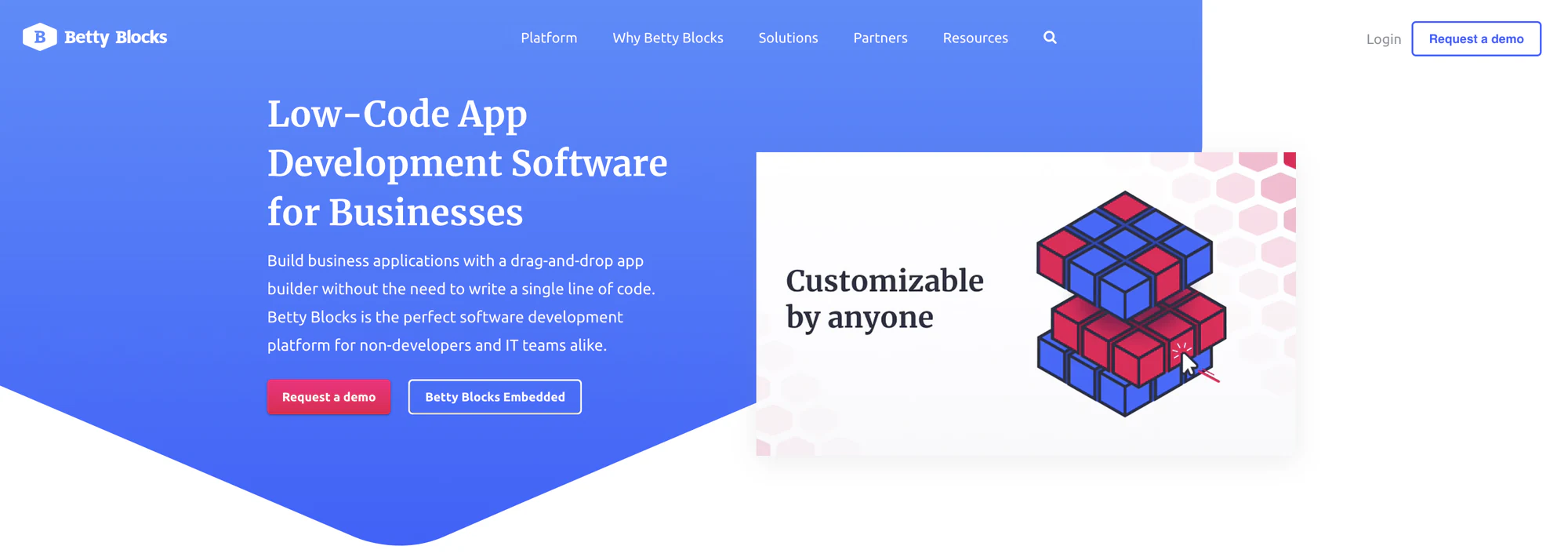
Betty Blocks represents an enterprise-grade no-code platform designed for creating complex business applications at scale. The platform offers both front-end and back-end capabilities suitable for enterprise-level requirements.
What sets Betty Blocks apart is its focus on governance and security, making it particularly attractive to larger organizations with strict compliance requirements. Betty Blocks lets everyday users and professional developers team up to build apps together while ensuring IT has the right level of oversight and security.
Key features
- Block-Based Development: Visual development environment using pre-built blocks for both front-end and back-end development, allowing rapid assembly of complex applications while maintaining enterprise-grade architecture standards and best practices.
- Enterprise Security Framework: Comprehensive security features including role-based access control, audit trails, single sign-on integration, and compliance with major security standards such as ISO 27001, SOC 2, and HIPAA.
- Multi-Experience Development: Unified development environment for creating web, mobile, and portal applications from a single platform, ensuring consistent user experience and data management across all channels.
- Citizen Development Governance: Built-in governance framework that enables IT departments to maintain control while allowing citizen developers to build applications, including approval workflows and development standards enforcement.
- Advanced Workflow Automation: Visual process modeler for creating complex business logic and workflows, supporting both simple automations and sophisticated multi-step processes with conditional logic and parallel execution paths.
Best for
Betty Blocks is ideally suited for enterprise organizations looking to implement citizen development programs while maintaining IT governance and security standards. The platform particularly excels in environments where multiple departments need to create applications while adhering to corporate policies.
The platform also serves organizations requiring complex applications that need to scale across multiple departments or regions, especially those with strict security and compliance requirements.
Integrations
Betty Blocks offers enterprise-grade integration capabilities, supporting connections to major enterprise systems including SAP, Salesforce, Oracle, and Microsoft Dynamics. The platform provides both pre-built connectors and custom integration options through its API management tools.
The integration framework includes support for SOAP, REST, and GraphQL APIs, along with robust data transformation capabilities and enterprise service bus (ESB) connectivity options.
Pricing
Betty Blocks employs an enterprise pricing model that scales based on organizational needs and usage requirements. The platform's pricing structure is customized for each organization, based on the following broad categories:
Single Plan ($1,425/month+):
- One application
- 100 internal and external users
- Two environments
- 99.00% cloud uptime guarantee
Standard Plan ($2,950/month+):
- Unlimited applications
- 100 users included
- Three environments
- 99.25% uptime guarantee
Enterprise Plan ($6,000/month+):
- Unlimited applications and environments
- 100 users included
- 99.90% uptime guarantee
- Advanced support options
All plans include access to the Betty Blocks Public Cloud platform, with additional customization available for enterprise clients requiring specific hosting or security configurations.
5. Airtable
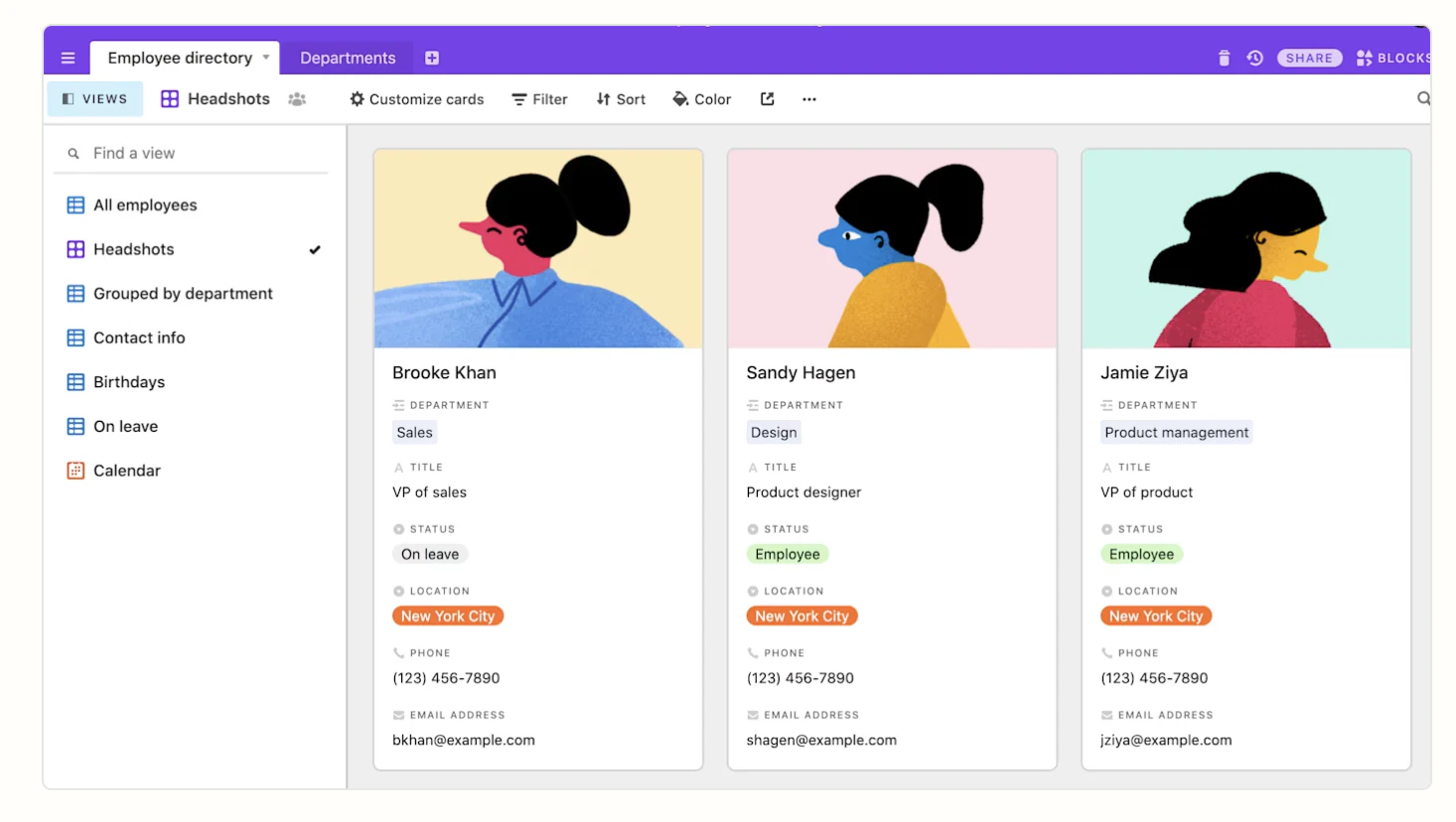
Airtable combines the familiarity of spreadsheets with the power of a database, offering a versatile platform for creating custom applications. The platform's strength lies in its ability to transform complex data relationships into friendly user interfaces through its Interface Designer feature.
Unlike traditional WYSIWYG builders, Airtable approaches app building from a data-first perspective, allowing users to create sophisticated applications based on structured data relationships. This unique approach makes it particularly effective for organizations needing to manage and visualize complex data sets.
Key features
- Interface Designer: Advanced tool for creating custom views and interfaces from database content, including dashboards, forms, and interactive applications. Supports drag-and-drop layout customization and conditional formatting for dynamic user experiences.
- Relational Database Structure: Sophisticated database capabilities allowing complex relationships between tables, lookup fields, and rollup calculations, while maintaining an intuitive spreadsheet-like interface for data management.
- Automation Builder: Visual automation tool for creating complex workflows, including conditional logic, scheduled actions, and multi-step processes. Supports both internal processes and external integrations through a no-code interface.
- Views and Visualization Options: Extensive collection of view types including kanban boards, calendars, galleries, and Gantt charts, each with customizable filters, groupings, and sorting options for optimal data presentation.
- Collaboration Features: Real-time collaboration tools including comment threads, user mentions, and revision history, complemented by granular permission settings and team workspace management capabilities.
Best for
Airtable excels in environments where data management and visualization are primary concerns. It's particularly effective for teams needing to create operational tools, project management systems, and company intranets with custom interfaces.
The platform is ideal for organizations that require flexible, scalable solutions for managing complex workflows and data relationships, especially those transitioning from spreadsheet-based systems to more sophisticated applications.
Integrations
The platform offers extensive integration capabilities through its API and native integrations. Core integrations include popular productivity tools like Slack, Microsoft 365, and Google Workspace, along with automation platforms like Zapier and Make.
Advanced integration options include REST API access, webhook support, and sync capabilities with external databases. The platform also supports custom JavaScript and Python scripting for extended functionality.
Pricing
The platform offers a tiered pricing structure designed to accommodate various organizational needs:
- Free Plan: Provides essential features for small teams, including unlimited bases, basic integrations, and core collaboration tools.
- Plus Plan ($20 per user/month): Introduces advanced features including automatic table syncing, custom branded forms, and extended revision history.
- Professional Plan ($45 per user/month): Adds priority support, advanced interface designer features, and sophisticated automation capabilities.
- Enterprise Plan: Provides custom pricing based on specific organizational requirements, including advanced security features, enterprise-wide administration, and dedicated support.
Additional enterprise features include:
- SAML-based single sign-on
- Enterprise-grade security and compliance
- Custom success programs
- Advanced permissions and controls
- Unlimited workspaces and expanded storage
All paid plans include enhanced features such as increased storage limits, longer revision history, and advanced automation capabilities, with specific limits scaling with each tier.
6. Stacker
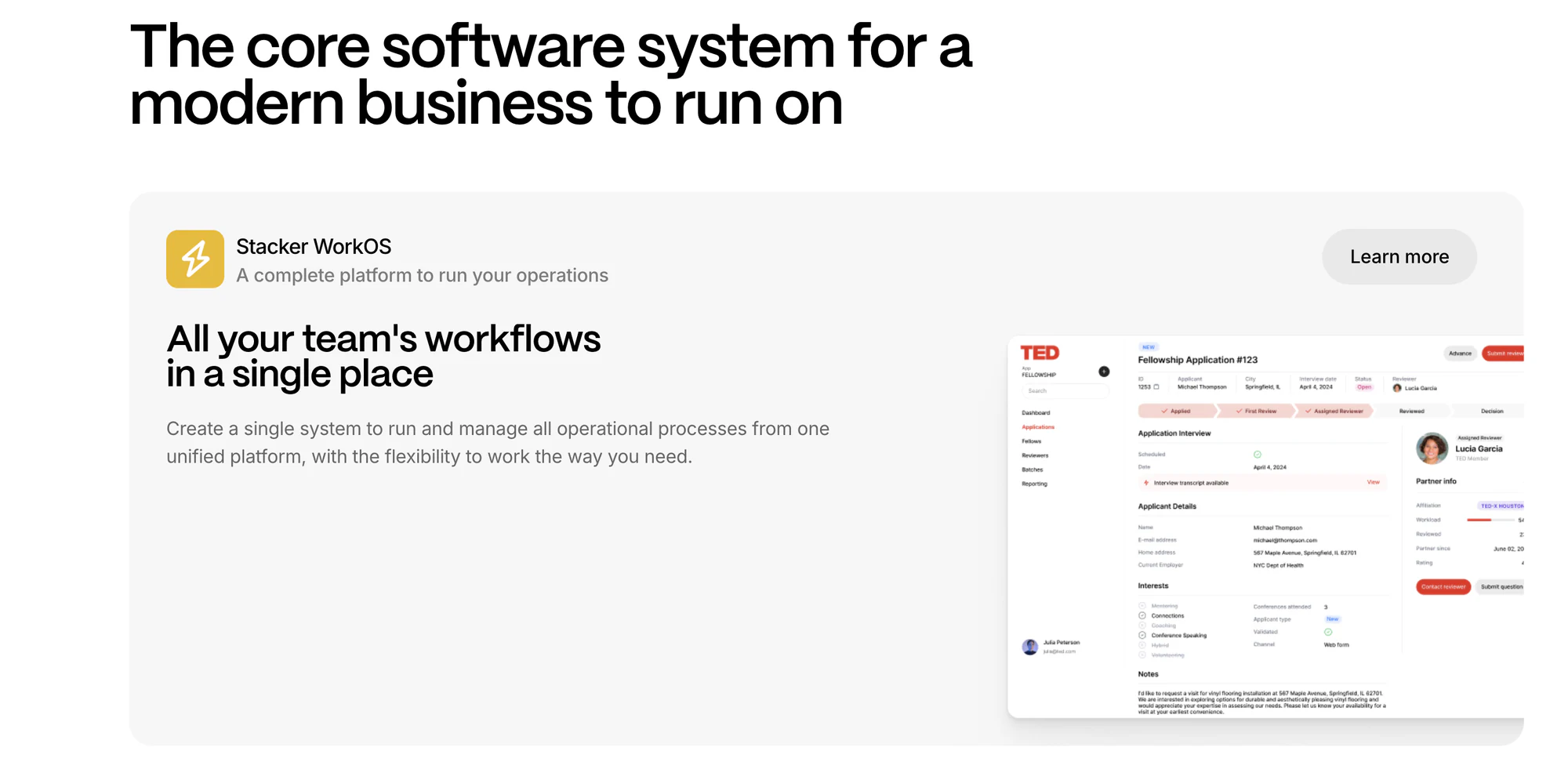
Stacker is a specialized no-code platform designed to transform existing data sources into functional web applications and customer portals. The platform excels in creating data-driven applications, particularly when working with established databases like Airtable and Google Sheets.
The platform's strength lies in its ability to quickly transform complex data structures into user-friendly interfaces while maintaining robust security and permission controls. This makes it particularly effective for businesses looking to create internal tools and customer portals without extensive development resources.
Key features
- Data Source Integration: Advanced connectivity with external data sources, particularly Airtable and Google Sheets, allowing seamless transformation of existing data into functional applications while maintaining real-time synchronization.
- Interface Builder: Intuitive drag-and-drop builder with multiple view options including lists, grids, calendars, and Kanban boards, enabling rapid creation of sophisticated user interfaces without coding requirements.
- User Management System: Comprehensive authentication and permission controls allowing granular access management, role-based permissions, and secure user authentication for both internal and external users.
- Workflow Automation: Built-in automation capabilities for creating complex business logic and workflows, including triggered actions and multi-step processes that streamline operations.
- White-Label Capabilities: Advanced customization options including custom domain support, branding removal, and interface personalization to create fully branded experiences for client-facing applications.
Best for
Stacker is particularly well-suited for businesses needing to create internal tools and customer portals based on existing data sources. The platform excels in scenarios where organizations need to quickly transform their data into functional applications.
It's especially valuable for teams that maintain their data in platforms like Airtable or Google Sheets and need to create user-friendly interfaces for accessing and managing that data.
Integrations
The platform offers strong integration capabilities, particularly with data management platforms like Airtable and Google Sheets. Additional integrations include popular services like Stripe for payments and Zapier for automation.
Advanced integration options include API access for custom connections and webhook support for real-time data synchronization with external services.
Pricing
The platform offers a tiered pricing structure designed to accommodate various business needs, but the exact details are only available on contacting sales:
- Free Plan: Provides essential features for small teams and basic applications, including core functionality and limited collaboration capabilities.
- Pro Plan (Custom Pricing): Expands capabilities with unlimited records, three collaborator seats, and additional views including Kanban and inbox functionality.
- Business Plan (Custom Pricing): Offers comprehensive features including unlimited records, ten collaborator seats, advanced permissions, and custom domain support.
- Enterprise Plan (Custom Pricing): Provides custom pricing with additional features including unlimited workspaces, white-labeling options, enterprise-grade security, and dedicated account management.
All paid plans include unlimited external users, while Pro and Enterprise plans offer unlimited application creation capabilities.
7. VoiceFlow
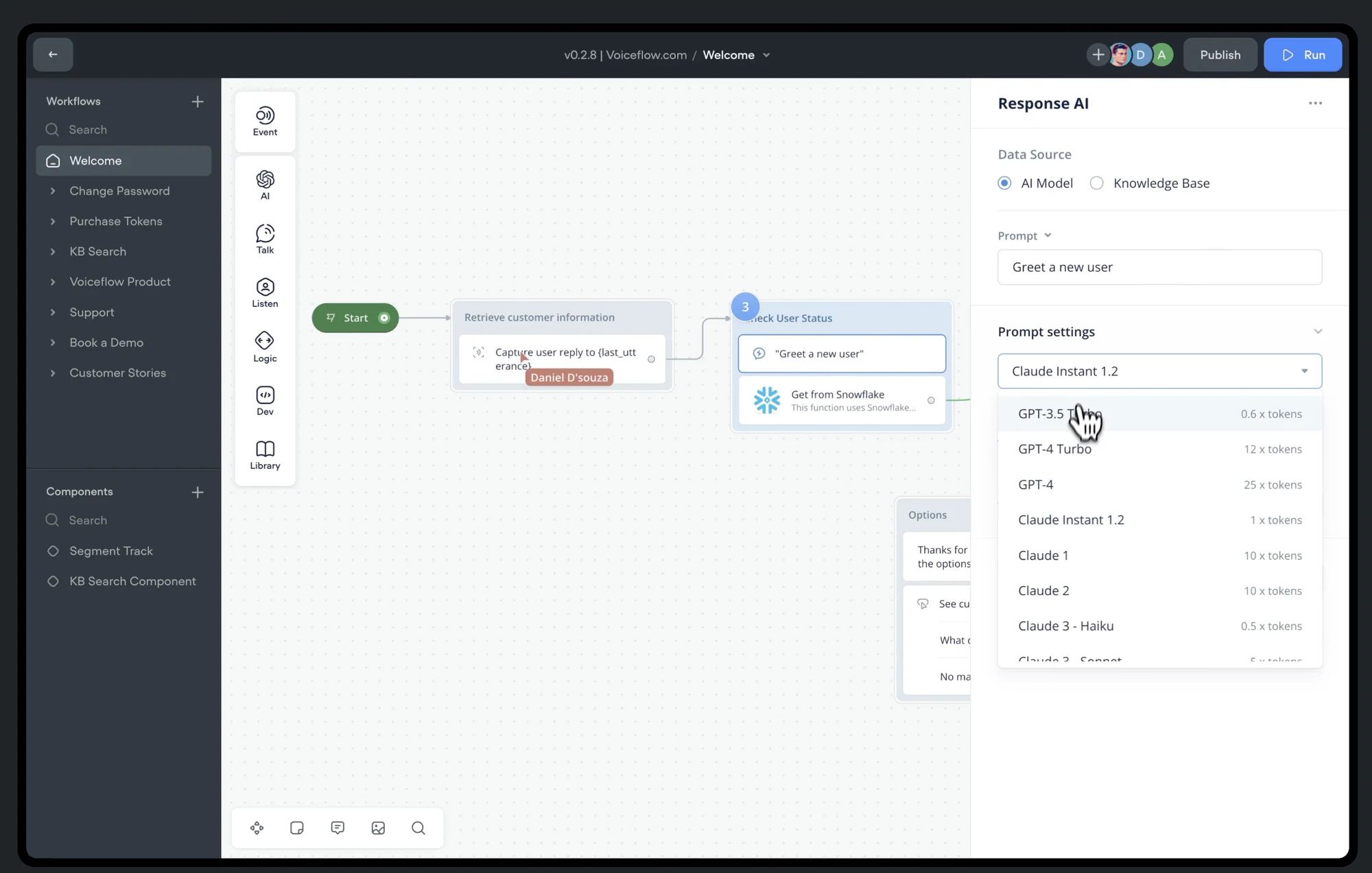
Voiceflow specializes in the design and development of conversational AI applications, setting itself apart from traditional WYSIWYG builders by focusing on voice and chat interfaces. The platform enables teams to create, prototype, and deploy sophisticated conversational experiences without requiring extensive programming knowledge.
Unlike conventional app builders, Voiceflow emphasizes the unique challenges of conversational design, providing specialized tools for managing dialogue flows, user intents, and natural language processing.
Key features
- Conversation Design Tools: Advanced visual canvas for designing complex conversation flows, including branching dialogues, contextual responses, and dynamic content adaptation. Includes specialized tools for handling user intents and fallback scenarios.
- Multi-Platform Deployment: Unified design system that supports deployment across various platforms including Alexa, Google Assistant, chatbots, and custom voice interfaces, while maintaining consistent conversation logic.
- Collaborative Workspace: Team-oriented features including real-time collaboration, version control, and comment systems designed specifically for conversation design workflows and testing.
- Testing and Analytics: Comprehensive testing tools including conversation simulation, user flow validation, and analytics tracking to measure engagement and identify potential conversation breakdowns.
- Natural Language Understanding: Built-in NLU training tools for improving intent recognition and entity extraction, with support for multiple languages and custom vocabulary management.
Best for
Voiceflow is ideal for teams focused on building conversational AI experiences, including voice apps, chatbots, and virtual assistants. The platform particularly suits organizations needing to deploy across multiple conversational platforms while maintaining consistent user experiences.
It's especially valuable for conversation designers, product teams, and enterprises looking to create sophisticated conversational interfaces without deep technical expertise in natural language processing.
Integrations
The platform offers native integration with major voice platforms including Amazon Alexa, Google Assistant, and various chatbot frameworks. It supports connections to custom backends through API integrations and webhook implementations.
Advanced integration capabilities include support for third-party NLP services, custom middleware, and enterprise systems through API connections, enabling complex conversational experiences.
Pricing
With VoiceFlow, all paid plans include access to the full suite of design tools, with scaling capabilities based on team size and deployment needs. Enterprise clients receive additional benefits such as custom training, dedicated support, and enhanced security features.
- Free Plan: Provides essential features for individual designers and small projects, including basic conversation design tools and limited exports.
- Professional Plan ($50/month): Includes advanced features like unlimited projects, advanced collaboration tools, custom integrations, and priority support.
- Team Plan ($125/month): Adds more editors, knowledge base sources, table rows, and AI tokens for larger organizations.
- Enterprise Plan: Offers custom pricing with additional features including a dedicated success manager, custom security requirements, advanced team management, training, and onboarding, as well as SLA guarantees.
How to choose the right WYSIWYG app builder for you
Clarify your project goals, required features, and technical constraints before selecting a platform.
Check technical compatibility
Ensure the builder supports essential features like database integration, third-party services, real-time syncing, and payment processing without compromising performance.
Development speed and ease of use
Match the tool to your team's expertise and timeline. Some platforms offer fast, no-code solutions, while others trade ease of use for flexibility.
Integration capabilities
Look for native integrations with your existing tools and API access for custom connections.
Assess cost and long-term value
Compare licensing fees, maintenance costs, and scalability expenses. Pick a solution that fits your budget and delivers long-term value.
Check for scalability
Choose a platform that can handle growth in user load, performance demands, and feature expansion as your app matures.
Support documentation
Evaluate the quality of platform documentation, availability of learning resources, and level of technical support provided.
These factors significantly impact your team's ability to effectively use and maintain the application. For a broader look at general-purpose no-code building options beyond this list, see our guides on the best no-code app builders and best no-code frontend builders.
Start with your data, not your layout
Whichever WYSIWYG app builder you choose, resist the urge to start with pages and colors. A good app starts with a clear picture of your data: what tables you need, how they relate, and who should see what. Get that right first, and the interface comes together in hours instead of weeks.
Softr is built around that principle. It pairs a native database with granular permissions and an AI Co-Builder, so you can either describe your app and get a working version in minutes, or build it field by field with full visual control. As one operations lead put it, managing external partners through emails and spreadsheets is a nightmare, while a portal only surfaces what's relevant to each user and lets them take action directly.
Start with the free plan, or browse the template library if you'd rather start from a working example than a blank canvas.
Frequently asked questions
What is a WYSIWYG app builder and how is it different from a website builder?
Do WYSIWYG app builders require any coding knowledge?
Can WYSIWYG app builders connect to my existing data, like Airtable or Google Sheets?
What's the difference between a WYSIWYG app builder and a 'vibe coding' AI tool?
Which WYSIWYG app builder is best for building internal tools or client portals?