What is a project management dashboard? Guide + examples


Few things drain a team faster than yet another project status meeting. You don’t need to attend that third call that, quite frankly, “could’ve been an email.” You just need a better way to share and track project updates.
At first, you might be keeping mental tabs on your own tasks. You can remember which client is waiting, which task is stuck, and which deadline is slipping. But as projects, people, and handoffs grow, that informal system starts to break down. Work keeps moving, but visibility across the team starts to get blurry.
This is when most teams start using a project management dashboard. It gives teams a shared view of project health across the board, with an overview of progress, owners, timelines, budgets, workloads, and risks.
The challenge is building a dashboard that people actually use—and not another tool that gets put out to pasture after two weeks. This guide will take a look at what makes a project management dashboard useful, the different ways teams use them, and what to include if you want one that actually improves visibility and keeps work moving.
What is a project management dashboard?
.webp)
Project tracker template →
A project management dashboard is a visual workspace that brings key project information into one place. Instead of jumping between spreadsheets, task boards, emails, and those endless status updates, teams can quickly see what’s on track, what’s delayed, who owns what, and where work is blocked.
Most dashboards combine task status, deadlines, milestones, budgets, workloads, risks, and KPIs into a shared source of truth for day-to-day work and reporting.
They also help different team members make faster decisions:
- Project managers can spot overdue tasks, rebalance workloads, or unblock work before delays spread.
- Department leads can track timelines, budgets, and approvals.
- Leadership teams can compare project health across teams, clients, or business initiatives.
For small teams, this might be a simple view of tasks, owners, and due dates. For growing businesses, it can become a more complete system for tracking workloads, client deliverables, budgets, risks, and progress across multiple projects.
Why you need a project management dashboard
A project management dashboard gives teams one place to understand what’s happening, what’s stuck, and what needs attention. It closes the visibility gaps and reporting inefficiencies that still affect many project teams.
What’s the role of a project management dashboard software?
Project management dashboard software is the platform teams use to create, update, and share project dashboards. It connects all facets of project data, like tasks, owners, deadlines, budgets, resources, milestones, approvals, and risks, turning them into streamlined views teams can use day to day.
Key elements usually include:
Before we break down, it helps to see what a project management dashboard looks like in a real workflow.
Use Softr for AI-powered project management
.webp)
The way a project management dashboard looks depends on who’s using it. A project manager might need visibility into overdue tasks and blockers, while a client only wants to review deliverables and timelines. Contractors may need upload access, while leadership teams care more about budgets, workloads, and overall project health.
That’s why most teams eventually outgrow generic dashboards. Different people need different views, permissions, and workflows—all connected to the same underlying system.
Softr is designed for building exactly this kind of flexible project management workspace. Instead of relying on a simple task board, teams can create customized dashboards, task views, client portals, reporting systems, approval flows, and internal tools around the way they already operate.
By using Softr’s AI Co-Builder, you can skip most of the manual setup process. Instead of configuring every database, dashboard, page, and workflow yourself, you can describe the project management system you want in plain language and generate a working app your team can start using immediately.
All of this happens directly in Softr, with your project database, workflows, permissions, and interfaces built in—and you can connect it to external tools where needed.
A Softr project management dashboard can include:
- Project and task management: The example includes a Kanban-style project view with columns like “In Progress” and “Review,” plus task cards for active work. Teams can quickly track priorities, deadlines, blockers, and project progress from one shared workspace.
.webp)
- Client communication: This includes an in-portal discussion view with comments, replies, and project-specific updates. This way, teams can keep conversations tied to the right task, campaign, or deliverable.
.webp)
- Document management: The file hub shows contracts, deliverables, project briefs, schedules, and uploaded documents in one searchable place. Both teams and clients can easily find the right files without digging through email attachments or shared folders.
.webp)
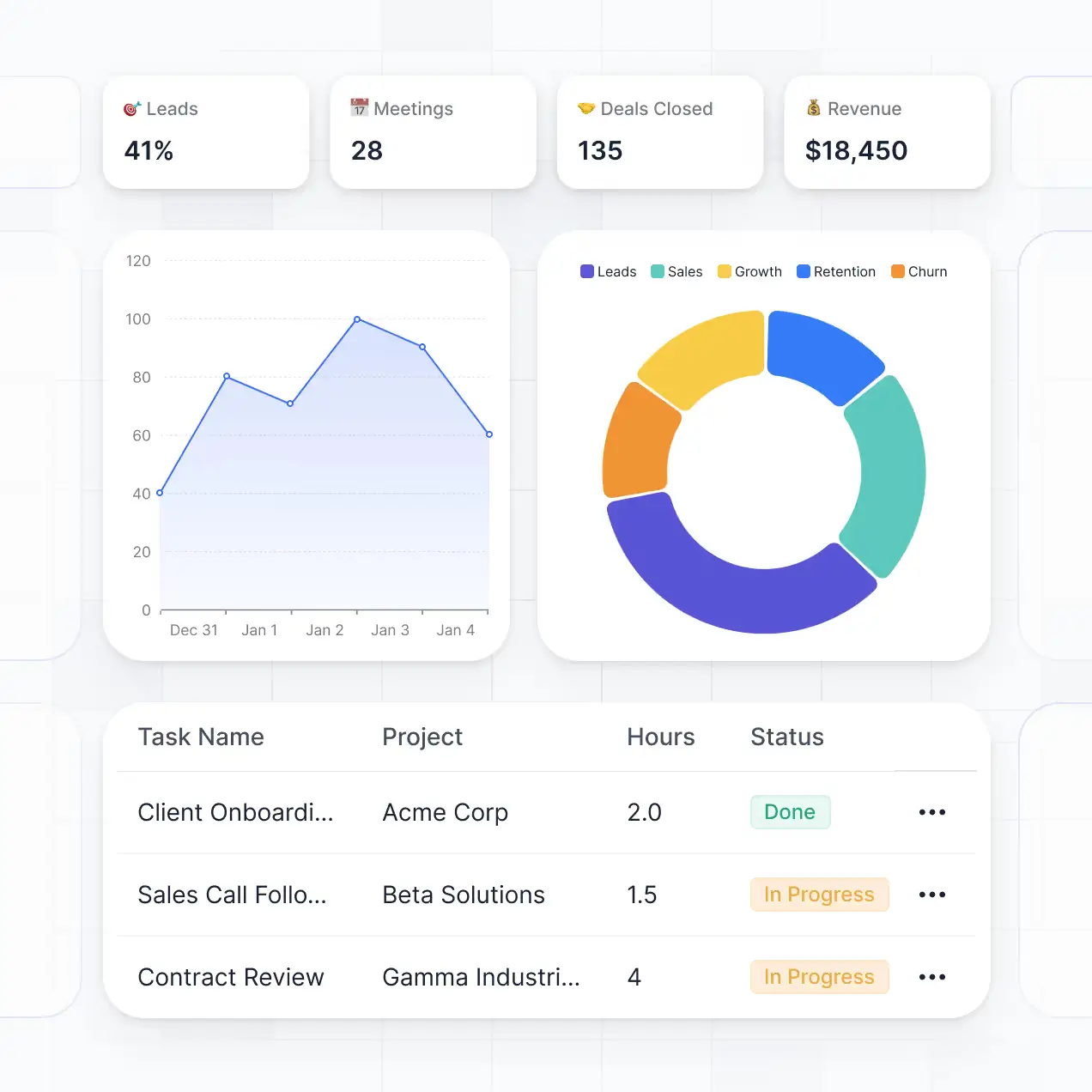
- Reporting and dashboards: The reporting view includes metrics, charts, task tables, hours, project status, and business indicators like leads, meetings, deals closed, and revenue. Managers can move away from “What’s happening?” to “What needs attention?"
- Permissions and role-based access: Employees, clients, contractors, and leadership may all need different views of the same system. Softr lets you create user groups, set granular permissions, and control what each user can view, edit, or submit. Clients can access their own project updates while internal teams keep private tasks, files, budgets, and reports fully protected.
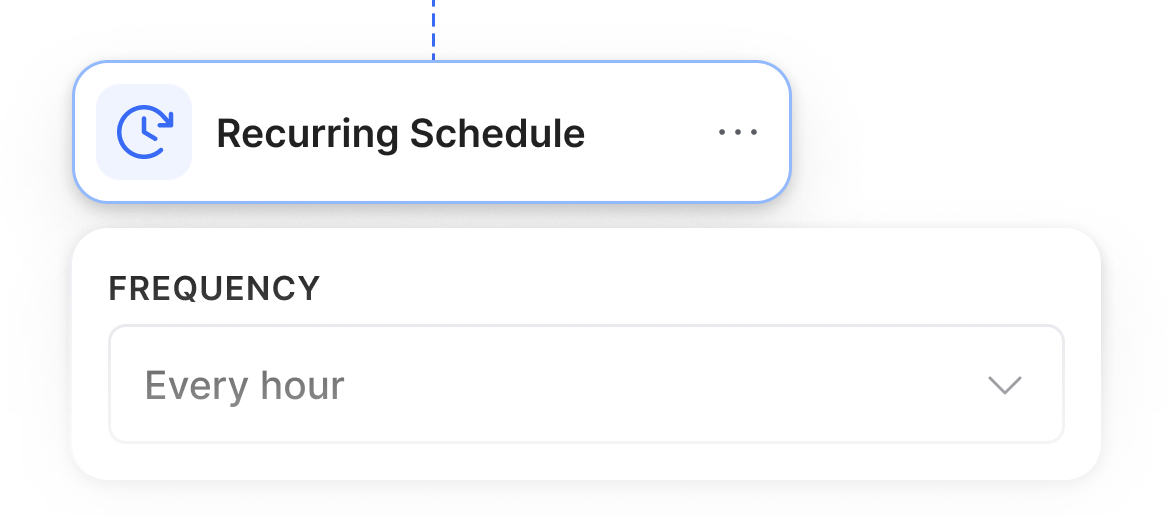
- Workflow automation: Softr’s workflow automation can handle repetitive processes like project intake, notifications, status changes, and approval handoffs, reducing the need for teams to manage every update manually.
- AI-powered search and assistance: Teams can use “Ask AI” features to quickly surface project information, summarize updates, and find relevant tasks, documents, or records without manually digging through dashboards and databases.
Step-by-step guide
Want to build a project management system your team will actually use? Check out our planning guide to get started with Softr.
To break it down in a nutshell, we recommend:
- Mapping out how your work currently runs today: Determine where projects start and end, which tools people use, and where things slow down, break, or fall through the cracks.
- Identifying every user group that will use the system: That includes admins, project managers, team members, clients, or contractors, then clarifying what each group needs to see, submit, edit, review, or approve.
- Listing the core “objects” your project management system needs: That should cover projects, tasks, clients, files, milestones, comments, and approvals.
- Starting with the core fundamentals of your application: That refers to the core pages, your dashboards, user groups, permissions, and one or two key automations. You can layer in dashboards, advanced workflows, AI features, and external integrations once the team has tested the first version of your tracker with real users.
Once you have this diagram in front of you (and you’ve put it into words), just feed it into Softr’s AI builder, and it will build a complete end-to-end system for you with everything connected, secure, and ready for real use. You can continue customizing with the AI or move things around visually with the drag-and-drop editor, then publish and start using with secure logins, hosting, data, and automations in place.
Here’s what it looks like once you log into your Softr account and start prompting:
.webp)
The exact setup will depend on your team’s workflows and priorities. Here’s what building the system with Softr’s AI looks like in practice:
.webp)
An example of a prompt you can test with for something like this is the following:
[.blog-callout]
Create a project management system for a 30-person team that manages internal projects and client-facing work.The system should include a project management dashboard where users can track projects, tasks, deadlines, milestones, owners, priorities, status, blockers, workload, and progress across multiple projects.
Set up different user roles and views for:
- Admins: full access to all projects, users, settings, reports, and permissions
- Project managers: manage projects, assign tasks, update timelines, review blockers, and track team workload
- Team members: view assigned tasks, update task status, add comments, upload files, and flag blockers
- Clients or external stakeholders: view only their own projects, deliverables, files, approvals, and project updates
Include the following sections:
- Project dashboard with high-level project status, task progress, overdue tasks, upcoming deadlines, and active blockers
- Project list with filters by status, owner, client, priority, and due date
- Task board with statuses such as Not started, In progress, Review, Blocked, and Done
- Timeline or milestone view for deadlines and key project phases
- File hub for project briefs, contracts, deliverables, and supporting documents
- Client communication area for comments, updates, and approval discussions
- Project request form for new project intake
- Reporting view with KPIs such as completed tasks, overdue tasks, project progress, workload by team member, and projects at risk
Add automations for:
- Notifying owners when a task is assigned or overdue
- Alerting project managers when a task is blocked
- Updating project status when key milestones are completed
- Sending clients a notification when a deliverable is ready for review
Make the system practical for real business use, with clean navigation, role-based permissions, secure client access, and dashboards that help managers understand what needs attention without manually collecting updates.
[.blog-callout]
At the end of the build, you get a beautiful setup with a project management dashboard built in.
.webp)
A few more areas where a system built in Softr stands out are the following:
- Centralized asset library: Softr’s native relational databases let you store and organize campaign assets, brand files, and templates in one place your team can actually rely on.
- Data integrations with real-time sync: Use Softr Databases to replace spreadsheets and manage data and users in one platform. Or, build your project management system on top of existing data sources (like Airtable, Notion, HubSpot, and many more) with real-time, two-way sync. Link assets to campaigns, requests, and tasks so everything stays aligned and traceable without duplicate work.
- Search and filtering: Find assets by campaign, channel, audience, or status without digging through folders. Use Ask AI to ask your asset database or interface natural-language questions and get permission-aware, accurate answers.
- Built-in approval workflows: With Softr’s native workflows, you can manage asset reviews, approvals, and status updates without leaving the platform and following up via email or Slack.
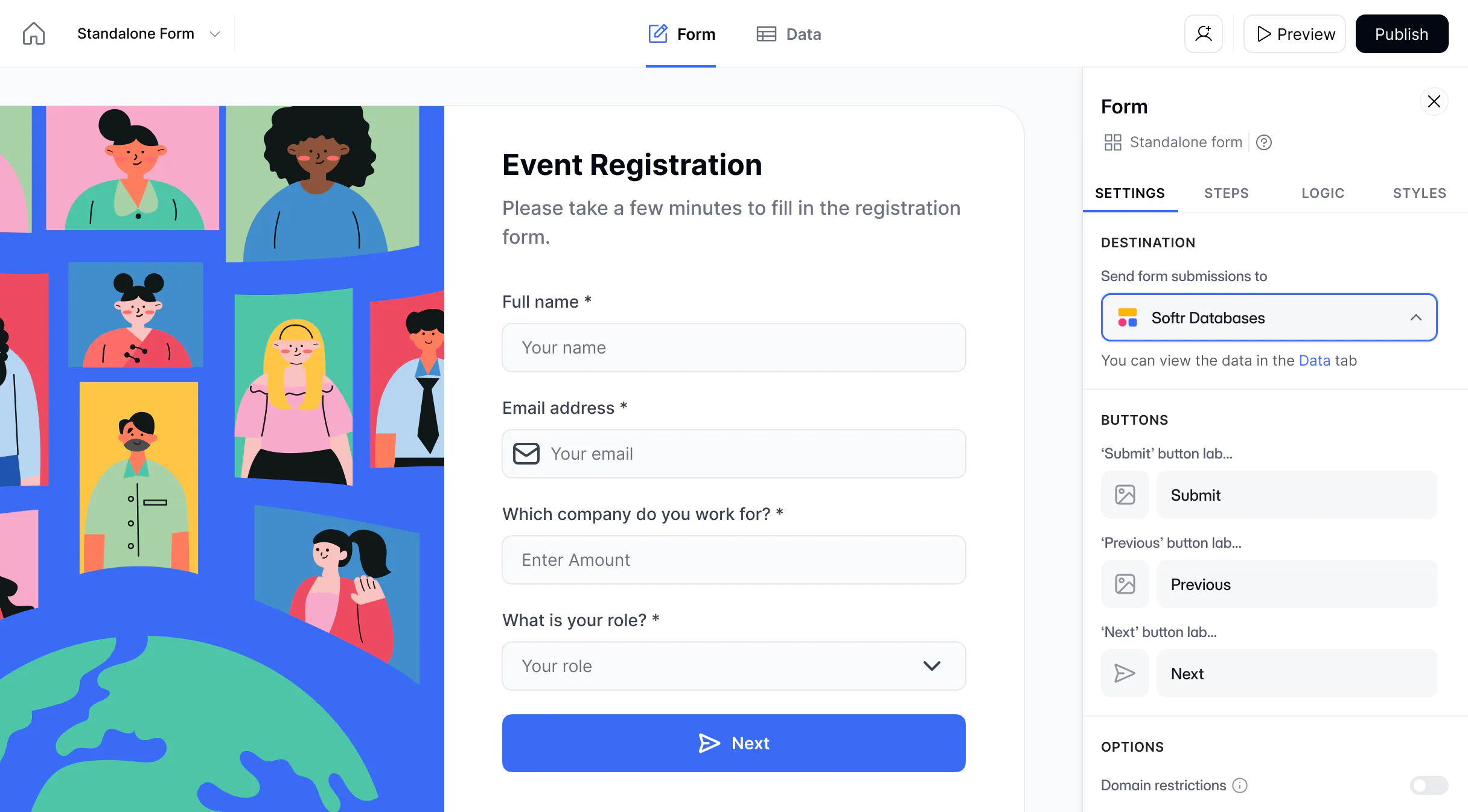
- Lead capture and intake forms: Collect creative requests, campaign briefs, or inbound leads through structured forms that automatically feed into your database and marketing workflows.
Once the core workflow is in place, the dashboard becomes the operating layer for project work. It gives project managers the detail they need, clients the visibility they expect, and leadership a clearer way to understand progress without asking for another status report.
Here’s what real-world users have stated after using Softr for building project management systems:
“We used to send emails to clients to say, ‘this is the status of what we're working on’ — but the Softr app makes it so much more transparent. It gives clients visibility on what we do in a way that makes sense to them.”
Laura van der Sanden, Marketing Services Director at FUGA
Read more about the customer story →
Build a practical project management dashboard with Softr
A good project management dashboard should give your team a clear, reliable way to see what’s moving, what’s stuck, who owns what, and where decisions are needed.
The best setup starts with your real workflow: the projects you manage, the people involved, the data you need to track, and the views each user group needs. From there, you can build a dashboard that supports daily execution, client visibility, reporting, and project decisions without adding more manual admin.
With Softr, you can turn that workflow into a secure project management system with dashboards, task views, permissions, files, automations, and client access built in.
Start with Softr’s SaaS dashboard template, or use the AI builder to create a custom project management dashboard for your team.