How much does vibe coding cost? A realistic breakdown


[.blog-callout]
✨TL;DR:
- Vibe coding tool subscriptions can range from $0-$160/month, but hidden costs (like AI credit usage, hosting fees, and your own time) can push the total much higher.
- The best way to keep vibe coding costs under control is to be strategic with your AI usage. This includes using clear and concise prompts upfront, batching changes, tracking your AI credit usage, and knowing when to stop re-prompting and start fresh.
[.blog-callout]
The DIY reels taking over my Instagram feed make furniture flipping look like a straightforward arbitrage: buy a beaten-up dresser for $50, sand it, paint it, and sell it for $500. What they don’t tell you is that $50 is rarely just $50. Tally up the cost of tools, gas for driving around, and the hours of labour, and suddenly that $450 margin looks a lot less exciting.
Vibe coding has a similar problem. The tools market themselves on what’s possible (“Build a custom app. Get started for free!”) But free tiers come with real limitations, and the full cost reveals itself only once you’re mid-build and committed.
Here’s everything you need to know about how much vibe coding costs. Plus, six practical tips to keep those costs under control.
What is vibe coding?
Vibe coding is a way of building software using natural language prompts. Simply describe what you want to build using plain English, and an AI tool like Claude or ChatGPT takes care of the rest.
You don’t need any coding knowledge to get started—the AI takes care of that. All you need to know is what you want your end result to be (e.g., an interactive quiz to find out what type of mattress is right for you). Really, you could even get away with describing a problem to your AI (“Our customers’ primary reason for returns is that the mattress wasn’t right for them”), have the AI brainstorm solutions, and iterate from there.
If you have coding experience, you can dig a little deeper, and edit the code yourself or export to an integrated development environment (IDE).
How much does vibe coding cost?
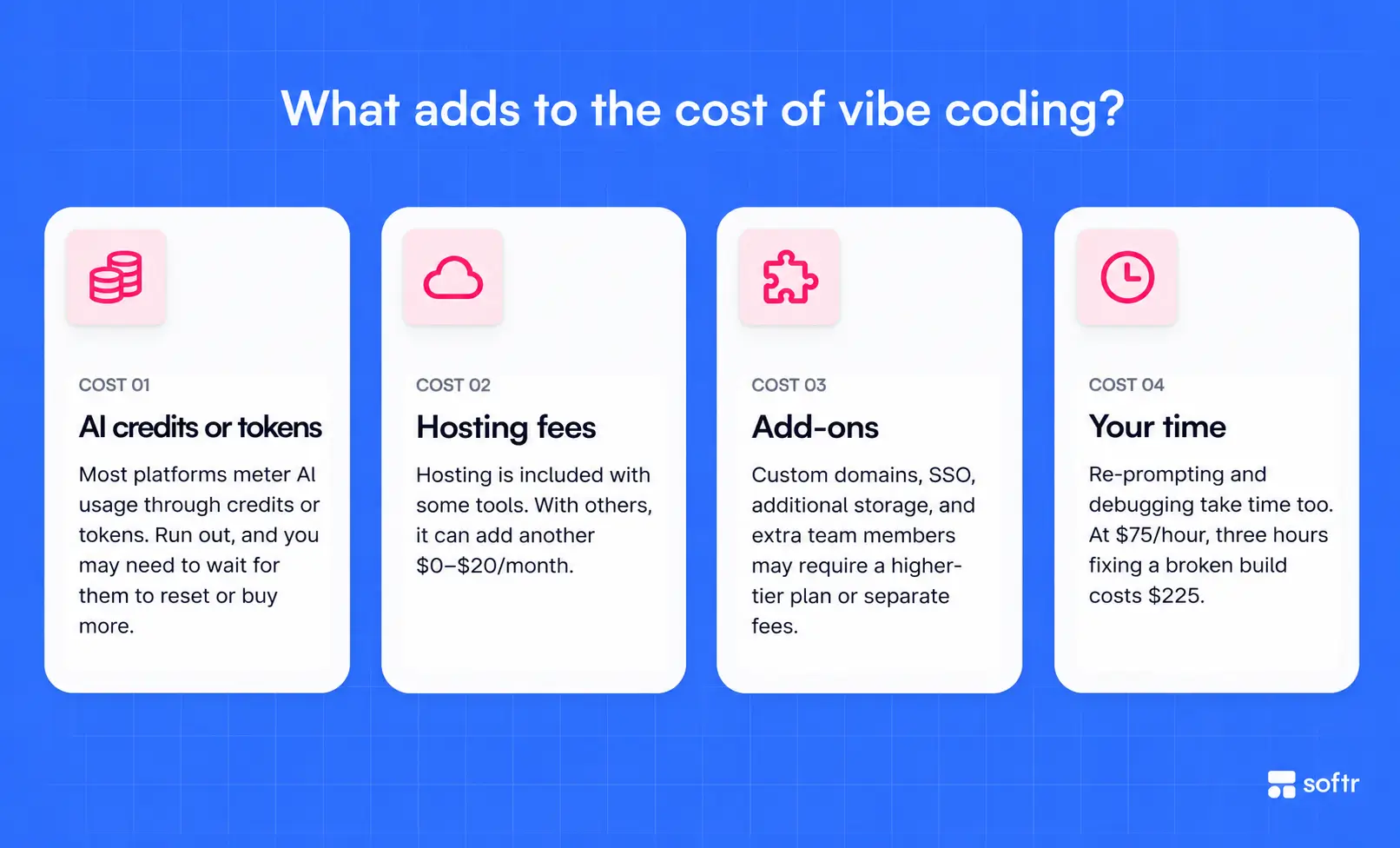
Vibe coding costs are modular in a way that most software subscriptions aren’t. The subscription is just the entry point. What you actually spend depends on a lot of other factors, including:
- Subscription or platform fee. This is the baseline fee you’ll pay for vibe coding. Most tools offer a free tier with limits, but you’ll need to upgrade to a paid plan (usually between $16-21/month) to access higher limits and more AI usage.
- AI credits or tokens. This is where vibe coding costs get unpredictable. Most platforms meter your usage through AI credits or a token system. Once you run out of credits, you’ll need to either wait for them to reset or buy more.
- Hosting fees. Some vibe coding tools include cloud hosting for your apps at no extra cost, while others give you only the code and expect you to deploy it yourself (or run it through a hosting service like Vercel or Netlify). That adds another $0-20/month to your total vibe coding bill.
- Add-ons and integrations. Custom domains, SSO, additional data storage, and extra team members often sit behind higher-tier plans or come with separate fees.
- Your time. You won’t find this listed anywhere on a pricing page, but it’s worth mentioning. The time you spend vibe coding, including re-prompting and debugging, all come at a cost. If your hourly rate is $75, for example, and you spend three hours untangling a broken build, that’s $225 in lost time—on top of your subscription.
Here’s how popular vibe coding tools compare on the costs you can predict upfront:
| Free plan? | Paid plans start at (billed annually) | Hosting included | |
|---|---|---|---|
| Softr | Yes | $19/month, includes 10 monthly AI credits | Yes |
| Lovable | Yes | $21/month and includes 100 monthly AI credits | Yes |
| Replit | Yes | $20/month, includes $20 in monthly AI | Yes |
| Bolt | Yes | $25/month, includes 10M monthly tokens | No |
| Base44 | Yes | $16/month, includes 100 message credits | Yes |
A note on AI credit/token systems: Some vibe coding tool subscriptions include monthly credits—whether that’s AI credits, tokens, or messages. They all give you the same thing (AI processing power), but the rates differ based on which AI model is being used, and the complexity of your input or the AI’s output. Pay close attention to how each platform calculates credit or token usage—it’s rarely on a 1:1 (1 prompt = 1 credit/token). It’s also helpful to choose a tool that lets you track usage. This way, you can monitor your consumption and keep your vibe coding costs in check.
Where do vibe coding costs sneak up on you?

Subscription fees, AI credits, and hosting fees—you can get a pretty rough up-front calculation of how much these will cost you all in every month. But, surprise—there are even more vibe coding costs to be aware of, and they usually show up once walking away feels harder than ponying up.
- Credit burn on iteration. Every time you ask your AI tool to iterate on your build—whether that’s adjusting a layout or fixing a bug—you’re spending precious credits. Complex apps with lots of moving parts require more back-and-forth, which also means more credits. This is the number one cost driver that’s understandably hard to predict.
- User seat limits. Some apps support unlimited collaborators (which is great, but be careful about how quickly teams working together eat up AI credits). Other vibe coding tools, however, usually include anywhere between one to five seats on their entry-level tiers. So adding a sixth teammate means jumping to the next tier entirely, which can double or triple your monthly cost.
- Storage and record limits. Data-heavy apps, such as inventory trackers, CRMs, or client portals, hit database record limits faster than you’d think. Once you start butting up against those limits, the only practical solution is to upgrade to the next paid tier for more storage.
- The debugging tax. AI-generated code is impressive, especially to a non-developer like me, but it’s far from perfect. When something breaks—and at some point, something will—fixing it takes time. Sure, you can use AI to debug, but that’s hoping the AI can sniff out what’s actually wrong instead of making up fixes just to appease you. Failing that, you may need to bring in a human engineer at an additional cost.
- Migration costs. Some tools don’t let you export your app or data in any useful form. If you decide to switch platforms at any point, you may need to rebuild from the ground up, which brings us back to the greatest hidden cost: your time (and, truthfully, your sanity).
6 tips to keep vibe coding costs under control
Vibe coding costs sneak up on you only if you don’t expect the sneaking. But you’ve read this far, so you’re already a step ahead. Here are six ways to keep your costs under control and stay within budget. (The first tip is focused on the vibe coding tool itself, while the others focus on your building habits.)
1. Choose the right vibe coding tool for you
Once you’ve narrowed down your vibe coding options, and before you commit to a paid plan, check three things:
- Is hosting included? If it’s not, you’ll need to look into pricing for hosting services. You can expect anywhere between $0-20/month, on top of your vibe coding tool subscription.
- How does it handle credits when you hit your limit? Some stop you cold, while others let you top up. If you’re vibe coding just for fun, being stopped dead in your tracks might be a nice reminder to go touch grass. Otherwise, the option to top up is critical.
- Do unused credits roll over? Many platforms don’t support this, which can make a higher-tier paid plan with a generous credit limit a worse deal than a lower tier one that you actually max out. If you max out on credits with Softr, you can purchase additional AI credits. Any unused add-on AI credits also roll over for one month, giving you more flexibility to build.
2. Use the free tier or sandbox mode for experimentation
Most of the time, it doesn’t make sense to spend valuable credits on a proof of concept, especially when that proof of concept might not go anywhere. If a vibe coding tool offers a free plan or a sandbox, do your exploratory work there. Test new ideas, try layouts, and be unafraid to break things. Once you know what you actually want to build, move to a paid tier.
3. Prompt with more upfront precision
Your AI’s output is only as good as the information it has to work with. Feed it a vague prompt to start (e.g., “Build a quiz”), and you’ll quickly burn through credits iterating with the AI trying to fill in the gaps and course correct. The more clearly you describe what you want—and, just as importantly, don’t want—from the start, the fewer rounds of iteration you’ll need.
Note: Be careful to not overdo the specifics and send an essay-length prompt. With long inputs, LLMs tend to focus only on the beginning and end, skipping over important instructions in the middle.
4. Batch your changes
Instead of submitting one small change at a time, group related edits into a single prompt. “Change the button color to blue, move the nav to the left, and remove the footer” costs roughly the same as one of those requests individually on most platforms. Submitting each request separately, on the other hand, triples the credit usage for the same outcome.
5. Track your credit usage
Any good vibe coding tool lets you track your credit usage somewhere in the dashboard. Make it a habit to check your balance before and after longer sessions. You’ll quickly develop a gut feel for how much different types of work cost, making budgeting for the next month that much easier.
6. Know when to stop re-prompting
There’s a point in most vibe coding sessions where the AI goes in circles. Each fix introduces a new problem, and every fix costs you credits that don’t actually move your build forward. Recognizing when you’ve come to that point and stepping back (or starting fresh with a cleaner brief) is usually cheaper than continuing.
Keep vibe coding costs predictable with Softr
If you’re building something simple, vibe coding costs are pretty manageable. But once you’re building at scale, accounting for extra seats, additional AI credits, and the occasional debugging spiral, can make the monthly cost tricky to forecast—which makes planning and budgeting harder than it needs to be.
Softr is worth a serious look if you’re vibe coding real business applications (think CRMs, internal tools, or client portals) that need to work reliably and within budget.
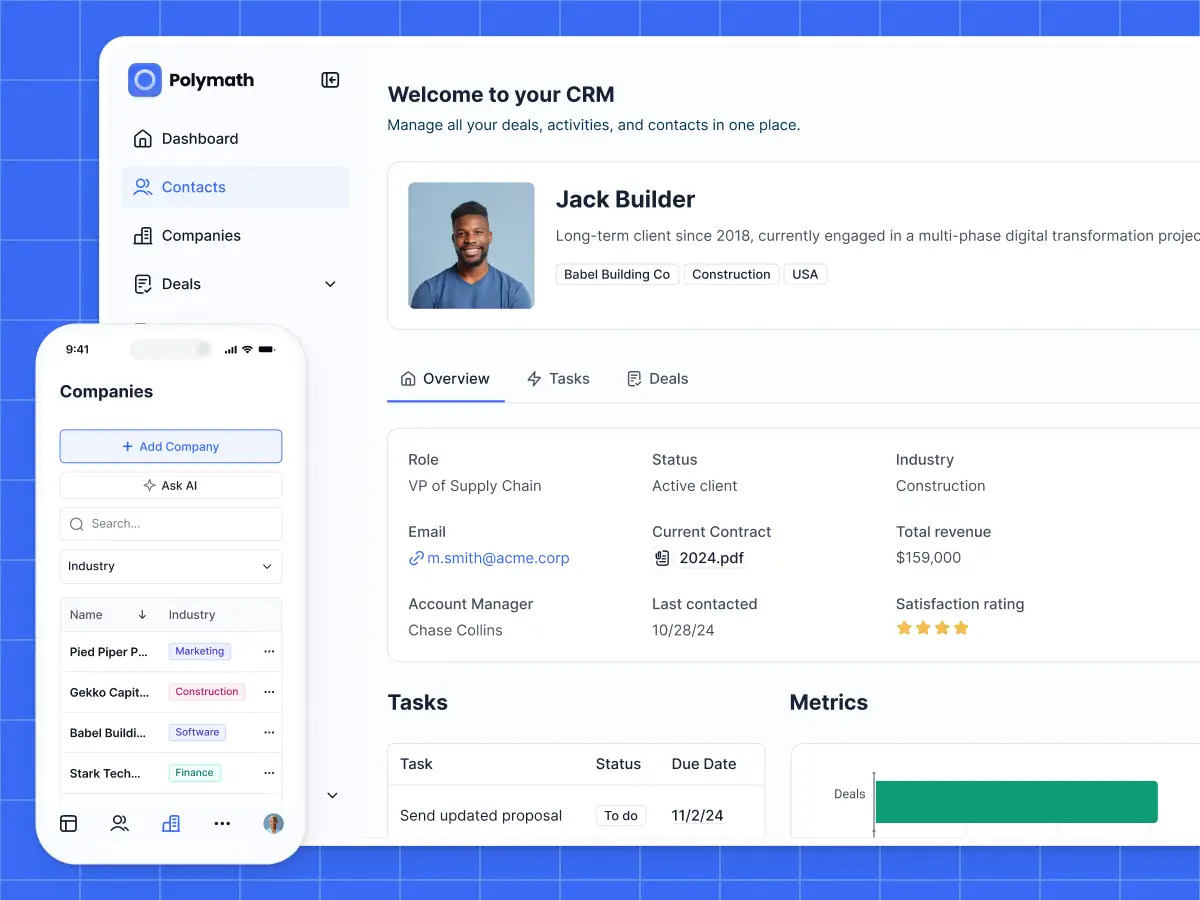
You can use Softr’s built-in AI tools (AKA the AI Co-builder) to build your app, or use the visual drag-and-drop builder to build and make changes yourself. Hosting, databases, and workflow automation are built in, with the option to purchase additional AI credits when you need them.
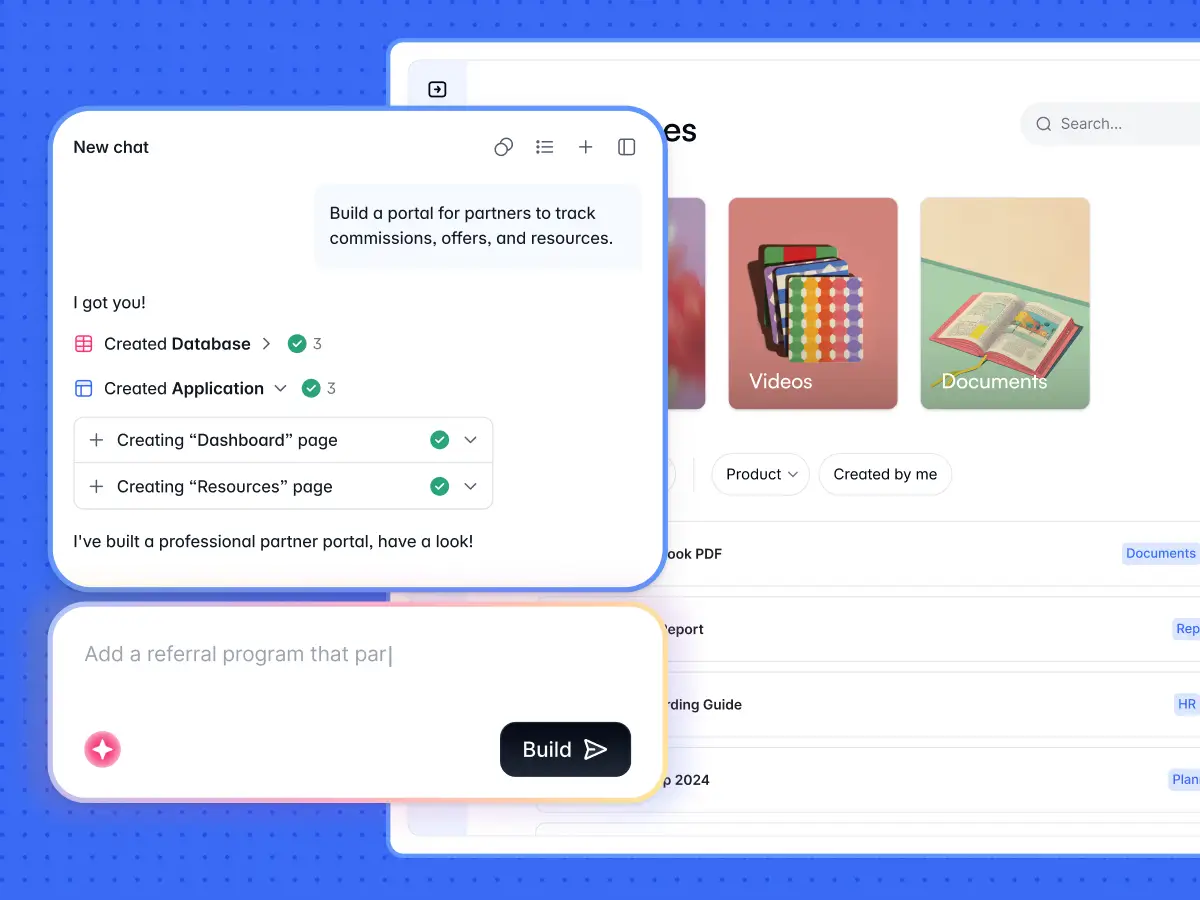
Or, if you already pay for an AI assistant like Claude or ChatGPT, you can connect it to Softr through the Softr MCP. It is included in every plan, including Free, and does not consume Softr AI credits.
From your AI assistant, you can create and manage Softr databases, build apps and pages, create custom Vibe Coding blocks, and build workflows. Everything it creates lives in Softr, where you can inspect it, edit it manually, and keep building without relying on AI-generated code for everything.
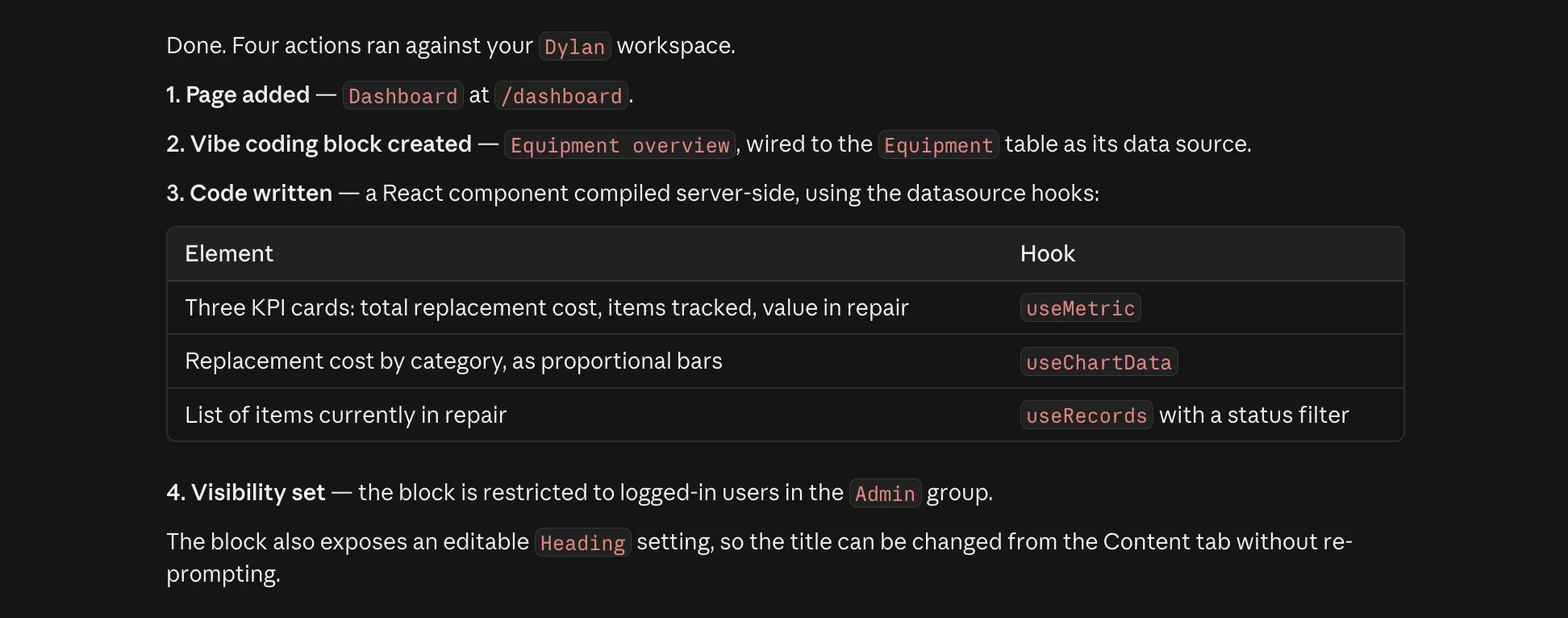
For example, in the screenshot below, Claude Code uses Softr MCP to add a dashboard page, create a Vibe Coding block connected to an existing Softr database, and restrict that block to a specific user group.
That also means the cost of actually running your app is easier to separate from the cost of building it. Hosting is included, and you can start on Softr’s free plan and upgrade as your app and number of users grow.
Try Softr for free to build a business app today, or browse the templates to see what's possible.
Frequently asked questions
How much does vibe coding cost?
What are the hidden costs of vibe coding?
How can you reduce vibe coding costs?