


Top 5 PWA software solutions for 2026: Features, use cases & benefits
Starbucks doubled its daily active users, and Twitter slashed data usage by 70%.
What's behind these success stories? Progressive Web Apps (PWAs).
Progressive Web Apps (PWAs) combine the best of web and mobile apps: they're fast, responsive, and even able to work offline. Unlike native apps, there's no need for app store downloads, plus they work seamlessly across all platforms.
This flexibility means you can boost user experience while cutting development costs, helping you scale more efficiently.
In this article, we'll explore the top PWA software solutions and help you choose the right tool for your business apps, portals, and internal tools.
The top 5 PWA software solutions at a glance
Here's a quick side-by-side comparison before we dig into each tool.
| Tool | Best for | Standout features | Pricing |
|---|---|---|---|
| Softr | Business teams building portals, internal tools, and CRMs without code | AI Co-Builder, native databases and workflows, PWA-ready apps by default, granular permissions | Free plan; paid plans from $19/month |
| Firebase | Developer teams needing a real-time backend | Real-time data syncing, cloud hosting, push notifications, analytics | Free Spark plan; usage-based Blaze plan |
| PWA Builder | Converting an existing website into a PWA | Auto-generated manifests and service workers, app store packaging | Free and open source |
| Workbox | Developers fine-tuning caching and offline behavior | Service worker automation, advanced caching strategies, background sync | Free and open source |
| Webpack | Engineering teams with complex custom builds | Code splitting, lazy loading, Workbox plugin integration | Free and open source |
What are PWAs?
Progressive Web Apps (PWAs) are web applications that behave like native mobile apps, but you access them through a browser. There's no need for app store downloads, since you can access and install these apps via a URL.
All this makes PWAs fast, easy to use, and super convenient.
💡Read More: PWA vs native apps: What is the difference and which one should you choose?
Why PWAs are important for businesses
For businesses, PWAs offer several benefits.
Instead of building separate web and mobile apps, you can develop one PWA that covers both bases, saving time and money. They're also speedy, which means users are more likely to stick around, and searchable through Google, something you don't get with traditional apps.
Another advantage is that PWAs work even when the internet drops, making them ideal for field teams and areas with spotty connections.

Key PWA features
- Offline access: Thanks to smart caching, users can keep interacting with your app, even without Wi-Fi. That's a huge perk for field teams and operations apps where access during downtime is key.
- Push notifications: PWAs let you send push notifications, just like a regular app. This way, you can keep your users engaged with updates, approvals, and personalized messages.
- Cross-platform compatibility: PWAs work across desktop, mobile, and tablets. There's no need for multiple versions, since these apps deliver a smooth experience on any device with a modern browser.
The rise of PWAs
Users want smooth, app-like experiences without cluttering their phones with downloads. On the flip side, businesses are looking to cut down on development and maintenance costs. PWAs are able to meet both these needs.
How?
PWAs offer a fast, responsive, and offline-friendly solution that works on any device. Plus, with Google's focus on mobile-first indexing and performance metrics like Core Web Vitals, they're becoming a smart choice for companies aiming to boost user experience and search rankings.
Industries like eCommerce, travel, and media are already reaping the benefits, using PWAs to boost engagement, lower bounce rates, and simplify cross-platform development. The same logic applies to operations teams: a vendor portal or inventory tracker that installs on a phone like a native app gets used far more than one buried in a bookmarks folder.
As more businesses see the long-term value and scalability, you can expect this trend to only grow stronger.
Key benefits of using PWA software
The global market for PWAs was valued at $1.46 billion in 2023, and with a projected growth rate of 30.5% from 2024 to 2030, it's clear there's something big going on here.
This growth isn't a fluke. It's driven by some serious benefits that PWAs offer.
Cost savings with a single build
Building separate apps for iOS, Android, and web platforms is like paying for three meals when one would've been enough. It's costly and time-consuming.
PWAs, on the other hand, let you build just one app that works across all platforms. This can slash development costs by as much as 75%. That's huge, especially for lean teams. Alibaba, for example, cut costs and (more than) doubled its conversion rates by using a PWA.

Plus, you can build a PWA for as little as $15,000 with an agency, or far less with a no-code platform, which is great news if you're running on a tighter budget.
Faster time-to-market with readymade PWA solutions
When you're under pressure to get an app to market quickly, PWAs are a lifesaver. They come with ready-to-use features like push notifications and offline access, which means less time coding from scratch.
Flipkart Lite is a great example. By using open web APIs, it built a fast, lightweight app that acted like a native one, but with less data and space.

Ultimately, you can stay ahead of the competition, delivering what your audience needs without dragging out the process. Or inflating your budget.
Improved performance and UX
PWAs are all about speed and seamless interactions, which keep users happy and coming back for more.
Take Pinterest, for instance: it saw a 60% boost in engagement after switching to a PWA. The faster loading times and smooth experience, even on slow networks, made all the difference.

And with offline access, users stay connected to your app no matter where they are, ensuring a more consistent, reliable experience.
Cross-platform reach with a single codebase
Why juggle multiple versions of an app when one can do it all?
PWAs run smoothly across smartphones, tablets, and desktops with just one codebase. This not only makes updates easier, but it also widens your audience without the headache.
Uber's PWA is a prime example: it's fully functional even on 2G networks and takes up less than 50KB of data. That's efficiency at its best.
Scaling opportunities for large enterprises
For large enterprises, PWAs offer a scalable and efficient solution to manage millions of users.
Lancome, for one, made the switch to a PWA and saw some pretty impressive results: a 17% jump in conversions and a 53% boost in mobile sessions. Plus, its bounce rates dropped.

What made the difference? The flexibility of PWAs. Lancome could offer a fast, engaging mobile experience to a global audience, all without juggling separate native apps.
How to choose the best PWA software for your business
Choosing the right PWA software takes a thoughtful approach.
The best platform should align with your business goals, technical needs, and user experience expectations. Since not all PWA software is built the same, you'll need to evaluate multiple factors.
Consider the following questions:
What customization options are available?
Customization goes beyond slapping your logo on an app.
The right PWA software should let your team build experiences that fit both your business model and user needs. For example, a client portal might need personalized dashboards per client, while an inventory app might need region-specific views.
Look for platforms offering flexible building blocks, granular permissions, and the ability to extend functionality over time. Plus, those that integrate with third-party tools (analytics, CRM systems) let you enhance functionality over time without redeveloping the entire app.
How user-friendly is it, and how smoothly does it integrate?
While many platforms claim "easy integration," make sure they actually deliver. Think: offering pre-built plugins or modules that you can embed into your current infrastructure.
For instance, if your business runs on CMS platforms like WordPress or Magento, a PWA solution with direct integration plugins will save you time and effort.
And don't forget to check how smoothly the PWA integrates with your existing tech stack, whether it's your CRM, eCommerce platform, or inventory management system. The easier it connects, the faster your team can roll out updates.
Are push notifications, offline mode, and caching supported?
These are the backbone of any good PWA. Push notifications, in particular, drive engagement for industries like retail and media, where timely updates keep users coming back and boost revenue. Make sure your PWA software supports configurable push notifications so you can deliver personalized, targeted messages.
Offline mode and caching are just as critical. The best PWA platforms offer smart caching and background sync, ensuring your app remains functional even without an internet connection. This reduces user frustration and keeps satisfaction high.
While many platforms provide basic offline support, the top options go further by enabling interactions (like adding to a cart) even without a connection. That's what keeps users happy and coming back.
How does it perform in terms of scalability and efficiency?
As your app grows, so must your PWA platform. For businesses with a global reach, you'll want a solution that works seamlessly across different network speeds and devices, from top-tier smartphones to budget models.
Look for platforms offering server-side rendering (SSR), load balancing, and strong Content Delivery Networks (CDNs). These tools help with faster load times and can handle traffic surges. Built-in performance testing tools are also a huge bonus, helping you keep your app efficient as your user base expands.
Is the pricing structure aligned with your business model?
Sure, free tiers are appealing, but they often lack the features you need to scale or customize. A tiered pricing model gives you room to grow without hitting roadblocks.
When you're comparing plans, dig into what's actually included: API limits, storage, premium support, etc. And watch out for hidden costs that can sneak up on you, like charges for custom features or going over traffic limits.
How robust are the support and resources provided?
Strong support can save your team a lot of headaches, especially during a launch.
Don't settle for just basic email or chat options. Look for platforms that offer developer resources and active forums. If you're an enterprise user, having a dedicated account manager or customer success team ensures your app stays optimized and secure as you scale.
Does it meet enterprise requirements for security, support, and performance?
If you're running a large enterprise, you need to prioritize security and support. Choose a platform that handles data securely, complies with regulations like GDPR, and integrates smoothly with your existing security systems.
Documentation, third-party audits, and certifications are also non-negotiables for enterprises. And dedicated support, including 24/7 access, direct support channels, and managed services, should be a priority.
Lastly, don't forget about performance. If you're dealing with sensitive data or financial transactions, advanced security features like SSL encryption and regular vulnerability testing are critical to ensure your platform scales with your needs.
Top 5 PWA software solutions of 2026
Now, let's look at each tool in detail, following the same structure for each: who it's best for, key features, pros and cons, and pricing.
1. Softr
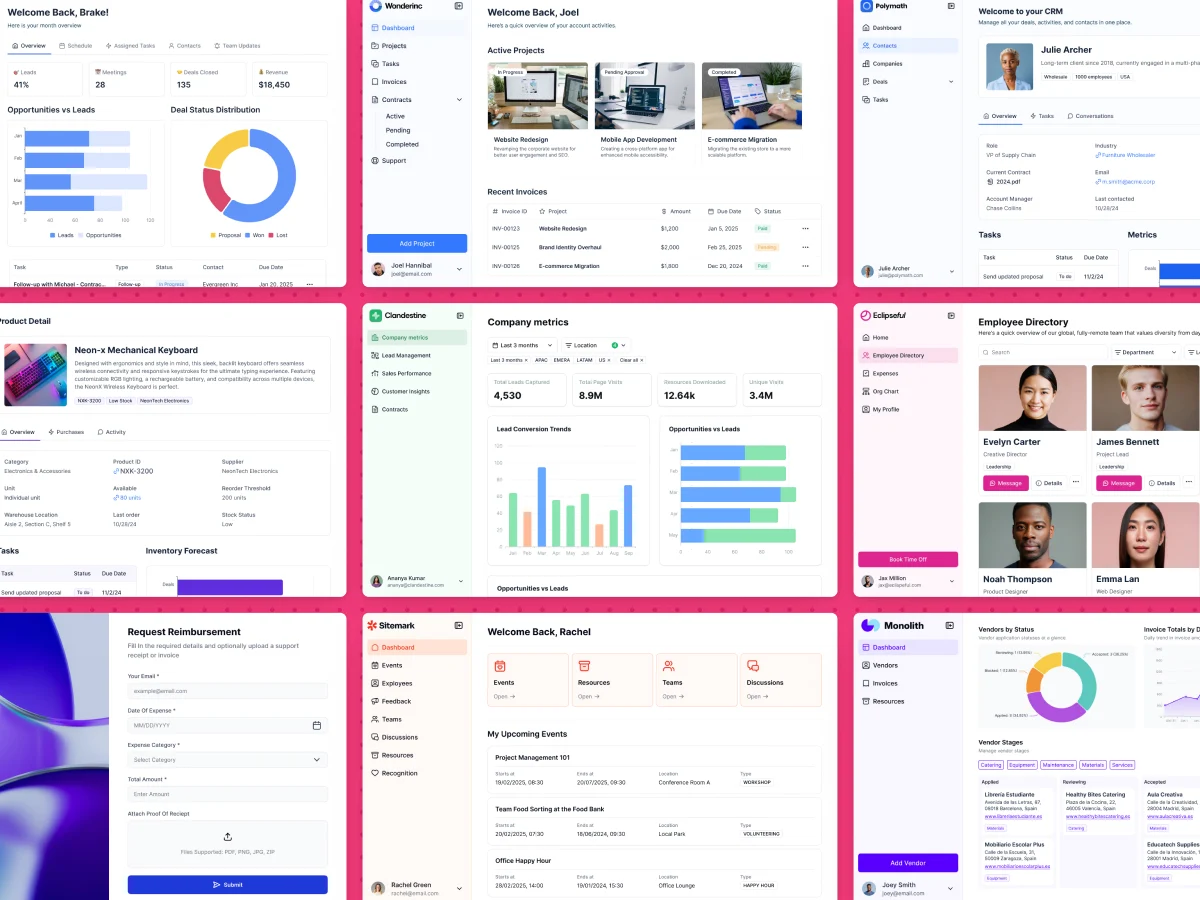
Best for: Business teams (operations, HR, agencies, field services) that want to ship portals, internal tools, and CRMs as installable PWAs without writing code.
Softr is a full-stack, AI-native platform for building business software. You get the interface builder, native Softr Databases, and Softr Workflows in one place, so your app, data, and automations live together instead of being stitched across tools.
You can describe what you need and the AI Co-Builder generates a complete app (database, pages, and permissions included), or start from a template or a blank canvas if you prefer. Either way, every app you build is responsive and PWA-ready by default: turn on the PWA builder and your users can install the app on their phones like a native app, with no app store involved.
"Progressive web apps make it convenient for people on the field to add the app as a shortcut on their smartphone, giving them a native app-like experience." - Guillaume Duvernay, Builder at Softr
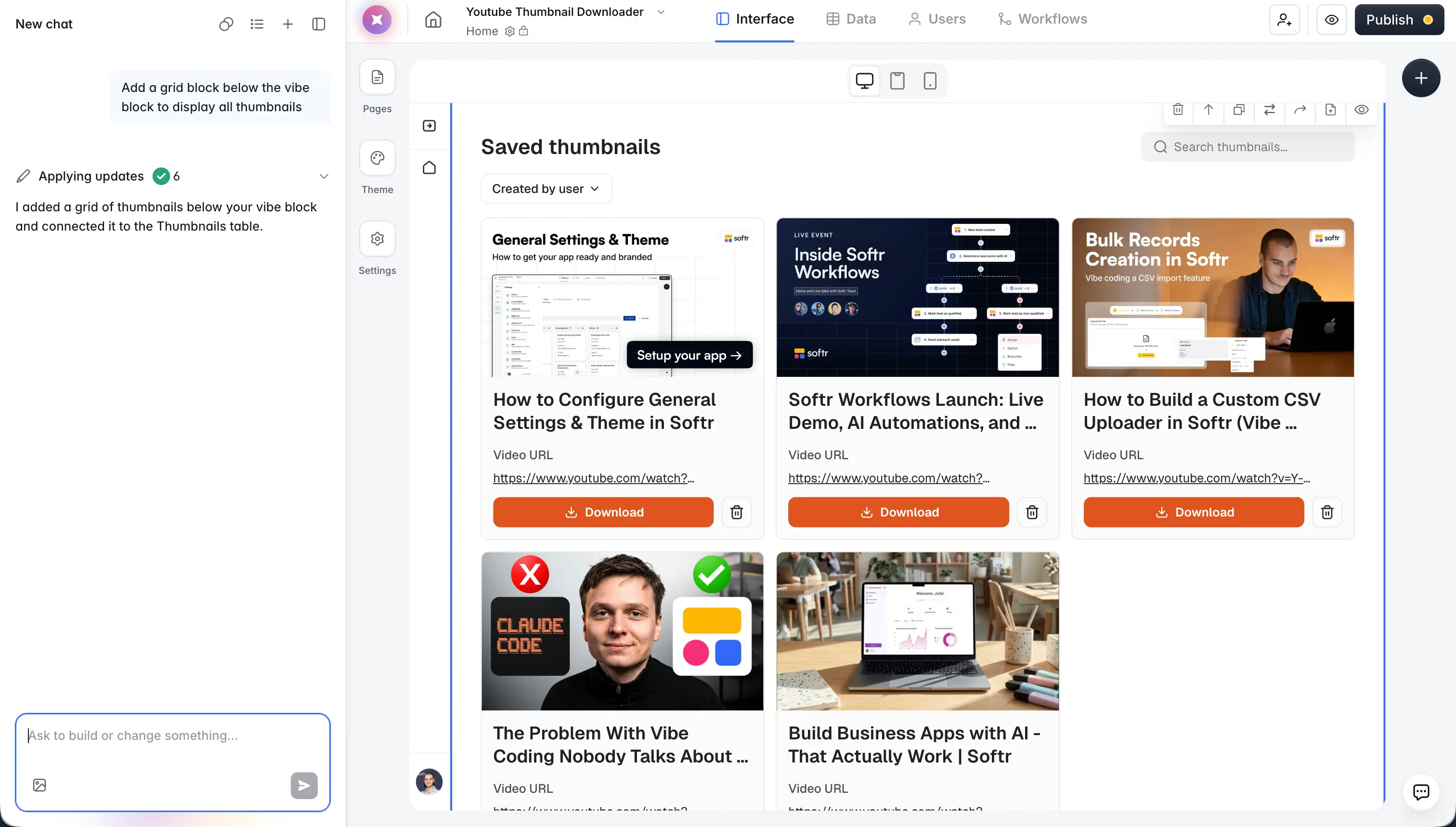
For data, you can use Softr Databases or connect Airtable, Google Sheets, HubSpot, and more, with support for 21+ data sources, including a REST API connector. And when pre-built blocks don't cover a custom UI need, the Vibe Coding block lets you generate fully custom components with AI while keeping your app's theme and permissions intact.
Another plus? You get a responsive support team (free, with an average two-minute response time) and an active user community that helps users solve problems and share tips. Softr's dev team frequently rolls out updates based on user feedback, ensuring the platform keeps improving.
"Customer support is great. The AI Builder is great to use. The Vibe Coding block is great to use to build custom blocks. It is easy to set up databases, link databases, and preview the UI. Softr is helping me build a unified, multi-tenant portal to create visibility for the team and help create a better onboarding experience for property owners." - Max M., Operational Excellence Lead, G2 review
Key features
- AI Co-Builder that generates apps, database schemas, and workflows from plain-language descriptions
- Native Softr Databases plus connections to Airtable, Google Sheets, HubSpot, and 21+ data sources
- PWA-ready apps by default: installable on mobile, responsive on every device
- Granular users and permissions for client portals and multi-tenant apps
- Native Softr Workflows triggered directly by in-app actions (like action buttons)
- Secure infrastructure with SSL encryption, SSO, and GDPR compliance
Pros
- No code or PWA configuration needed: no manifests, service workers, or caching strategies to manage
- Full-stack platform, so you don't need a separate backend like Firebase
- AI Co-Builder assembles apps from battle-tested native blocks, so generated apps are reliable from day one
- Permissions live in a visible panel rather than in generated code, which makes security easy to verify
- Free, fast support and an active community
- Predictable flat pricing instead of usage-based billing
Cons
- Less low-level control over service workers and caching than developer toolkits like Workbox
- Not designed for consumer-scale SaaS products or marketplaces; it's built for business apps, portals, and internal tools
Use cases
Perfect for client portal software, internal tools, CRMs, inventory trackers, and team intranets. It's adaptable, which makes it suitable for small to mid-sized businesses and internal teams at larger companies looking for quick, no-hassle app development.
Pricing
Softr's pricing is flexible, catering to all kinds of budgets. The Free plan covers the basics (5 app users, unlimited apps, up to 3 builders) so you can build and test your first app. Paid plans like Basic ($19/month), Pro ($99/month), and Business ($329/month) scale up app users, database records, workflow actions, and AI credits, with custom user groups and advanced integrations on the higher tiers.
2. Firebase

Best for: Developer teams that need a real-time backend and scalable hosting for custom-built PWAs.
Google-developed Firebase is a comprehensive platform for building high-performance, dynamic PWAs. Especially when you need real-time data, secure hosting, and scalable infrastructure. Its backend services make it a reliable option for devs who want features like real-time data syncing, push notifications, and cloud storage.
Key features
- Real-time data syncing with full backend integration
- Scalable cloud storage and hosting on Google Cloud
- Push notifications, authentication, and machine learning tools
- Built-in analytics, performance monitoring, and crash reporting
Pros
- Real-time database keeps data in sync across all connected clients instantly
- Generous free tier for prototypes and small apps
- Deep integration with the Google Cloud ecosystem
Cons
- Requires developers; there's no visual builder for business users
- Usage-based pricing can become unpredictable as traffic grows
Use cases
Ideal for real-time applications like chat platforms, collaborative tools, and dynamic e-commerce sites. It's also suitable for large-scale projects that require dependable infrastructure and scalability.
Pricing
Firebase offers a free tier (Spark Plan) with limited services, ideal for smaller applications or testing. For larger projects, the Blaze Plan scales with usage, meaning you pay for what you use, and offers features like Firebase Extensions and BigQuery integration.
3. PWA Builder

Best for: Teams that already have a website and want to package it as a PWA quickly.
Microsoft's PWA Builder turns websites into PWAs with ease. Its user-friendly interface automates essential tasks, like generating web manifests and service workers, making it accessible whether you're new to PWA development or have some experience.
PWA Builder also integrates with Microsoft Azure and Visual Studio Code, letting you scale up your projects smoothly. Built-in testing and app store packaging features make the platform a smart choice for businesses wanting a quick, cross-platform solution.
Key features
- Open-source with pre-built and customizable templates
- Seamless integration with Microsoft Azure and Visual Studio
- Support for push notifications, offline mode, and app-like features
- Analytics tools for monitoring PWA performance
Pros
- Fastest path from an existing website to an installable PWA
- Free and open source, with app store packaging included
- Backed by Microsoft with active development
Cons
- You need an existing website first; it doesn't help you build the app itself
- Advanced customization still requires editing generated code
Use cases
Ideal for small projects like company sites and simple business websites, as well as larger projects looking for easy deployment and scalability.
Pricing
PWA Builder is free to use, with additional costs only for premium integrations or services like Azure hosting.
4. Workbox

Best for: Developers who want fine-grained control over caching, offline behavior, and service workers.
Workbox, from Google, is a PWA toolkit designed to simplify service worker management and caching for developers.
It automates essential tasks like installing and updating service workers while offering advanced caching techniques like "stale-while-revalidate" and "cache-first." This means faster load times, smooth offline use, and dynamic caching for media-rich apps.
With features like background sync and push notifications, Workbox also keeps users engaged and ensures your app runs smoothly, even when the network's spotty.
Key features
- Service worker management with automation
- Pre-caching and advanced caching strategies like "stale-while-revalidate" for optimal performance
- Background sync for data reliability during offline interactions
- Navigation Preload for improving page load times during network requests
Pros
- Industry-standard caching strategies maintained by Google
- Granular control over every aspect of offline behavior
- Free, open source, and framework-agnostic
Cons
- It's a library, not a platform: you still build, host, and maintain the app yourself
- Steep learning curve for anyone who isn't a JavaScript developer
Use cases
Great for large-scale apps and media-heavy platforms that need offline access, high reliability, and peak performance.
Pricing
Free and open source, but you'll need technical know-how to make the most of it.
5. Webpack

Best for: Experienced engineering teams managing complex, highly customized PWA builds.
Webpack is another flexible tool for PWA development, offering advanced service worker automation through the WorkboxWebpackPlugin for efficient offline caching.
It helps speed up performance with code splitting and lazy loading, so only the necessary resources load when needed. Plus, Webpack integrates smoothly with other tools like Gulp, so your devs can easily tweak and customize workflows.
Key features
- Service worker automation and code splitting
- Advanced caching and lazy loading for faster load times
- Integration with various development tools for smoother workflows
Pros
- Total control over bundling, optimization, and asset delivery
- Huge plugin ecosystem and community
- Pairs naturally with Workbox for offline support
Cons
- Notoriously complex configuration, even for experienced developers
- No app-building features at all; it's purely a build tool
Use cases
Best for advanced developers tackling large, complex projects. Webpack's flexibility and customization options work for enterprise-level applications that need both scalability and performance optimization.
Pricing
Webpack is free, but depending on your project, you might need extra third-party tools for full-scale deployment.
Build your PWA-ready business app with Softr
When it comes to choosing the best platform for building PWAs, the right answer depends on who's building. If you have an engineering team and need low-level control, Workbox, Webpack, and Firebase are solid picks. But if you're an operations, HR, or client-facing team that needs a working app this week, Softr quickly rises to the top.
Every Softr app is responsive and PWA-ready by default, and the platform covers the full stack: the interface, native databases, and workflows, with the AI Co-Builder handling the heavy lifting. Whether you're building a client portal, an internal tool, or a field service app, your users can install it on their phones like a native app, with no app store and no service worker configuration.
Curious to see how it works? Try Softr for free and describe the app you need. The AI Co-Builder will have a first version ready before you'd have finished reading Webpack's docs.
Frequently asked questions
What is PWA software?
Is a PWA better than a native mobile app?
Can I build a PWA without coding?
How much does PWA software cost?
What kinds of business apps work well as PWAs?


