


[.blog-callout]
TL;DR
- No-code lets people with little or no software background build websites, business apps, and automations without writing code, lowering the barriers to building tech.
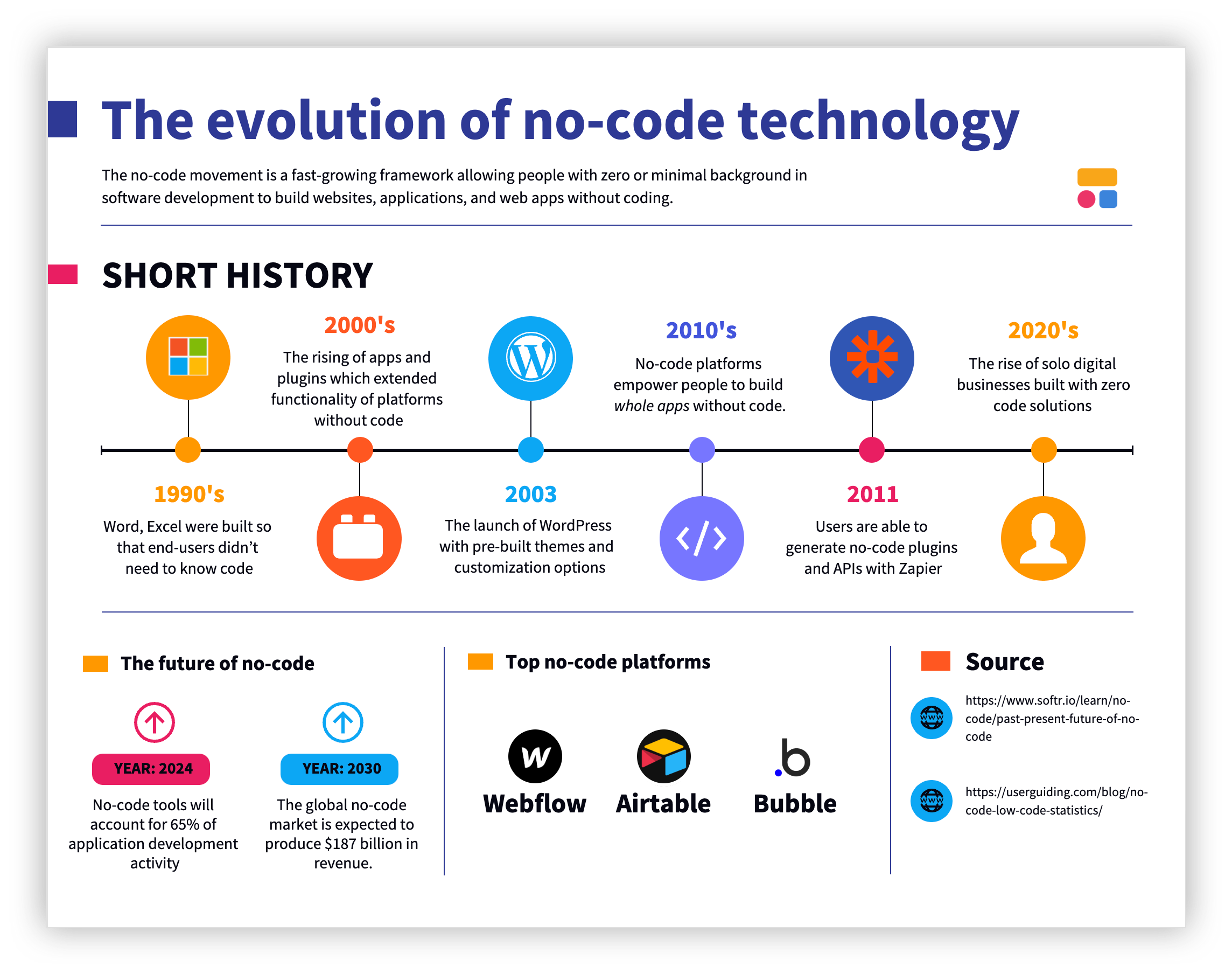
- The movement evolved through three phases: all-in-one software in the 1990s, plugin and app ecosystems in the 2000s, and full app building without code from the 2010s onward.
- Today you can build secure, scalable internal tools, client portals, and CRMs without ever touching code, not just prototypes.
- The next chapter combines no-code with AI: describe what you need and an AI app builder generates a working full-stack app, while no-code keeps it reliable and secure.
- This guide walks through where no-code came from, what it can do in 2026, and where it is heading. [.blog-callout]
For decades, people have been able to operate computers without ever writing a line of code. A similar transformation is happening for people who want to build software, driven by the explosion of no-code technology. The no-code movement is a fast-growing approach that lets people with zero or minimal background in software development build websites, applications, and business apps without coding. It minimizes the barriers to entry into tech and reduces development times and costs. In this guide, we'll trace where no-code came from, what it can do in 2026, and where it's heading next.
What is no-code?
The short definition is programming without coding. It’s using no-code tools that empower you to build a fully functioning, responsive web application or website without code. But it goes a bit deeper than that.
Every piece of technology, no-code platforms included, is built using code. The difference is that no-code platforms provide building blocks that every website or application needs, such as pages, data storage and display, individual user profiles, or file upload. People can then connect these together into their own application via drag and drop or other types of “human-understood” commands that don’t use code.
Low-code vs. no-code: There’s a contrast to low-code technology, which is the term used for applications that can accomplish most basic features without code. While low code is powerful, you need to do some coding for customizations or specific use cases.
The three evolutions of no-code technology
The term “no-code movement” is fairly new in our common vocabulary. The concept that became no-code began in the 1990s as the software was starting to pick up.
Phase 1: The all-in-one platform and single-function software (the 1990s)
In the early 1970s, computers were entirely command-line driven. If you couldn’t code, you couldn’t use a computer. By the 1980s, early graphic user interfaces (GUIs) designed by IBM made it possible to operate basic functions on a computer without needing to know code, but building and using most software was still code-driven.
By the 1990s, innovators like Microsoft and Adobe had built all-in-one programs that massively democratized how many people could use the software. Programs like Word, Excel, and Photoshop were built so that end-users didn’t need to know code in order to use the platform’s core feature set.
These platforms made it easy to accomplish a specific task without code, but you would have to buy another piece of technology to accomplish a different task. Further, if you wanted these systems to connect or communicate in any way, you needed to know application programming interface (API) development and code the connections manually.
Phase 2: Extended functionality, plugins, and app ecosystems (the 2000s)
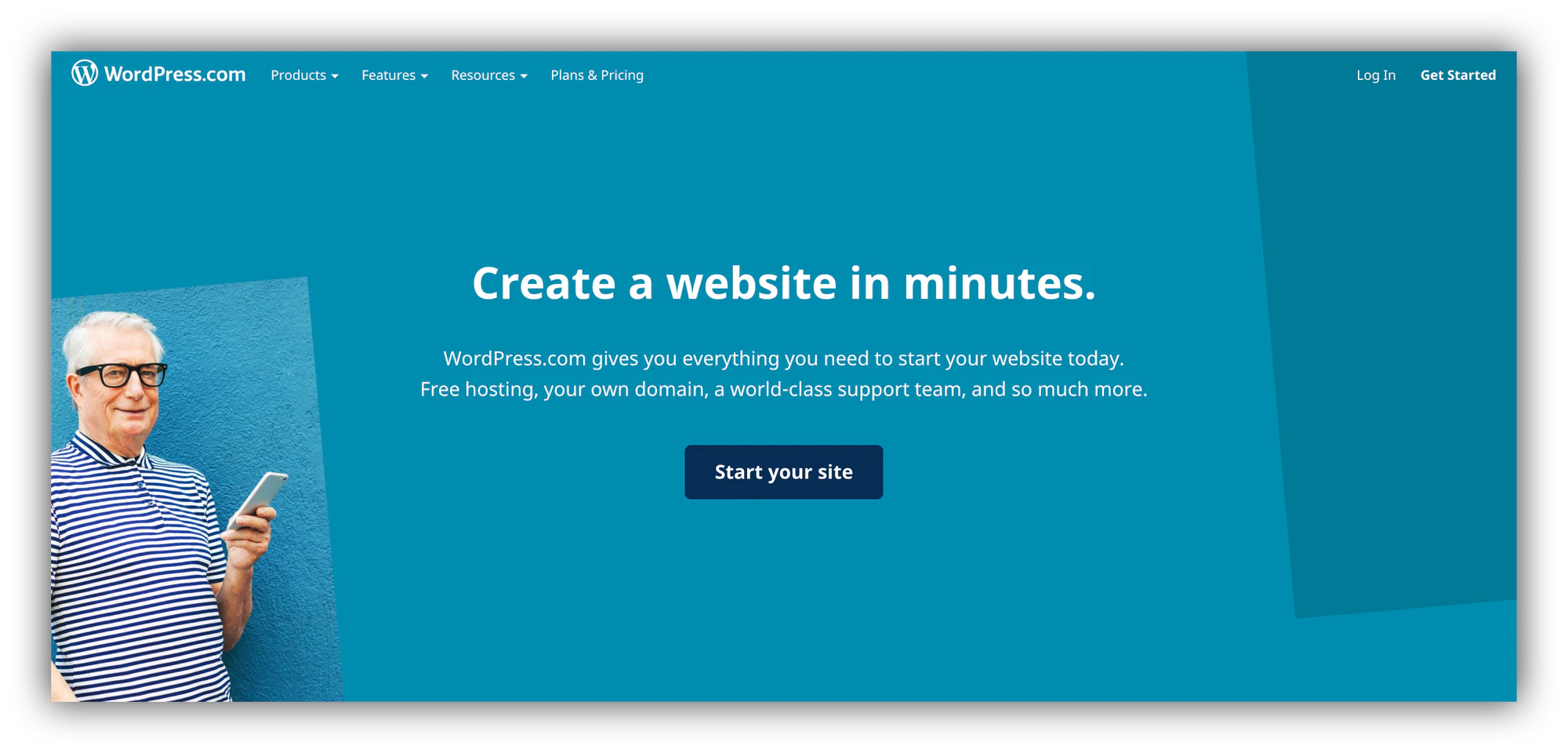
At the turn of the millennium, new players democratized who could use (and even build on) computers. Tech startup Automattic launched WordPress in 2003, revolutionizing how people built their own websites. With pre-built themes with pre-built customization options, the average person could buy a theme (or even access dozens of free themes) to get a basic website live in minutes.
A year later, Automattic launched WordPress Plugins, which were one-click features that you could install on your WordPress site to extend its functionality. According to reports, the first plugins allowed you to sell products via your WordPress site and embed forms to capture visitor information. Salesforce brought this concept to the business world, launching its AppExchange in 2005. Marc Benioff famously purchased the rights to the name “App Store” ahead of Salesforce’s launch, but ultimately chose the name “AppExchange” instead. He gave the “App Store” rights to his mentor, Steve Jobs, as a gift, which Apple used when it launched the App Store in 2008. E-commerce giant Shopify followed suit with the Shopify App Store in 2009.
The promise of apps and plugins was that people could easily extend the functionality of their site without code (or with only a few lines, instead of having to build whole features by themselves). Each app offered standard functionality and many offered premium options. Becoming an app or plugin developer not only became a full-time job for many companies but became a lucrative independent business model that paved to way for the future of no-code.
Phase 3: The ability to build apps without code (the 2010s - Present)
Throughout the 2010s, no-code platforms like WordPress, Salesforce, and Shopify continued to upgrade their core systems to make it easier to build and customize their platforms without code. App creators on these ecosystems also focused more heavily on additional features and customizability, whether in their free plans or by adding these features as premium upsells.
But another innovation happened: no-code platforms started popping up to empower people to build whole apps without code. Instead of relying on plugin developers to make the feature you needed, you could build it yourself. Even API connections got the no-code treatment from no-code platforms like Zapier.
Related Post: The Rise of the Creator Economy
Unlike previous iterations, the sky's the limit with no-code platforms. Instead of only building websites with specific functionality based on available plugins, you can build every feature from scratch to your exact specifications. The platforms themselves are built with code, but the end-user never has to touch the code or learn to code languages to get full value.
What no-code can do in 2026
After years of evolution, no-code platforms now make it easy for builders to create a variety of technology-powered products:
Websites: Build a whole site from scratch, customize the look and feel, and add any responsive features you want to the page including images, videos, or effects.
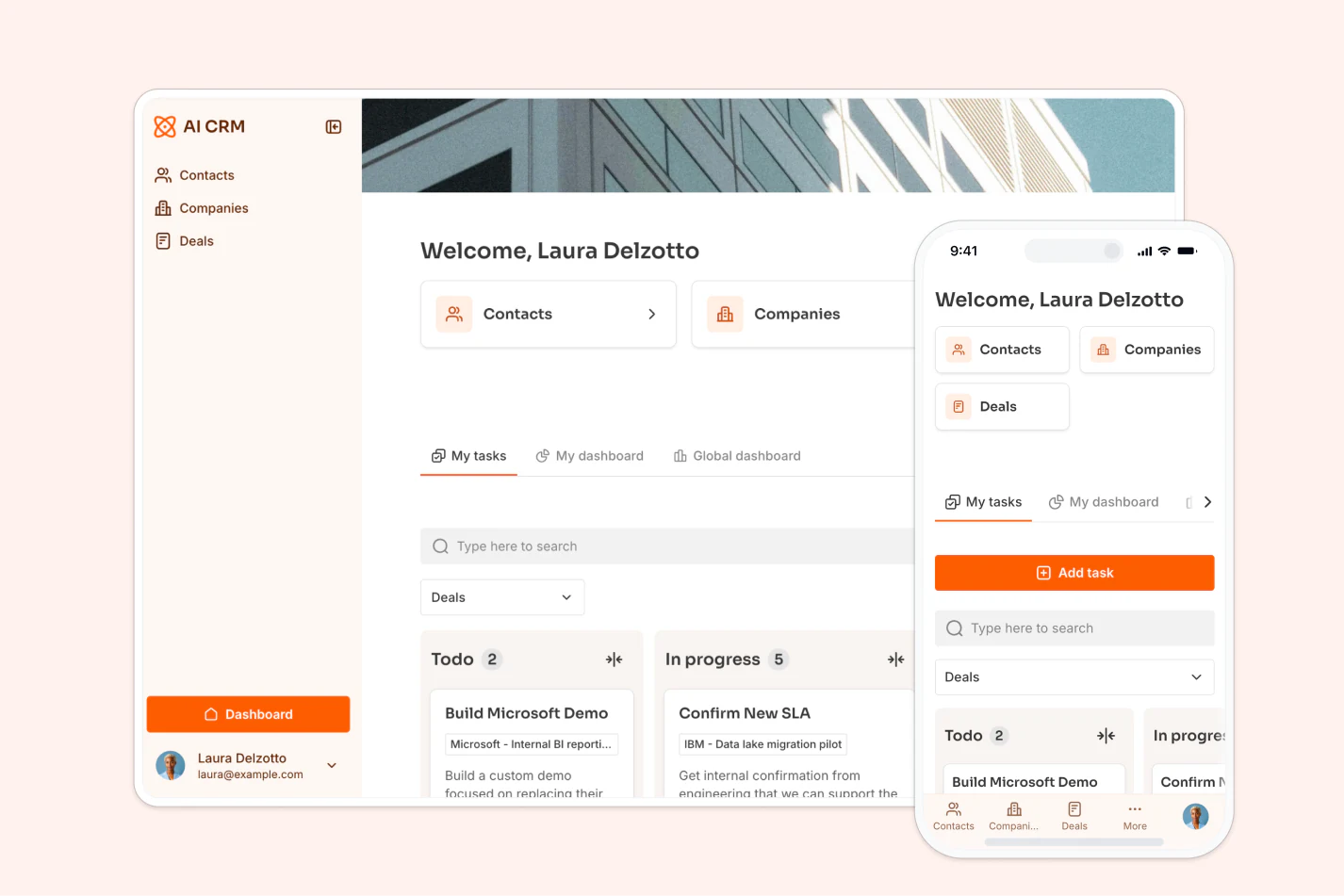
Business apps and portals: Create membership sites, online course platforms, CRMs, and client portals that real teams run their operations on, not just prototypes.
Mobile apps: Build an app that works natively and seamlessly on smartphones. You can even launch these in the Apple App Store or Google Play Store for other people to download and use.
AI features and analysis: Build out logic and embed artificial intelligence into your applications, from letting users ask questions of their data in plain language to running analytics across large datasets.
Automations: Create automated flows for sending emails, invoices, reminders, or any other trigger-based task. With Softr Workflows, these can be triggered directly by actions inside your app, like a button click or a new record.
The future of no-code movement
The earliest iterations of no-code builders helped with wireframes and prototypes, but people assumed you’d need to move to code eventually. Modern no-code builders, on the other hand, are capable of scaling up to thousands of users without ever needing to touch a line of code. This opens up significant opportunities for the future of no-code.
Where it’s heading: no-code meets AI
The clearest signal of where no-code goes next is its convergence with AI. Instead of dragging and dropping every block yourself, you describe what you want in plain language and an AI app builder assembles a working app for you. The interesting part is what AI does and does not change. The speed of building shoots up, but the underlying need for something secure and reliable does not go away. If anything, it matters more.
"The next generation of software will not be code, it is actually going to be a combination of no-code and AI. AI brings the speed and personalization, and no-code brings the guardrails and reliability." - Mariam Hakobyan, CEO and Co-founder of Softr
That distinction is why AI alone has not replaced no-code. In one study of over 100 large language models, 45% of AI-generated code samples contained security vulnerabilities. When an app is generated as raw code, no one can easily see who has access to what. No-code platforms solve this by composing apps from pre-tested building blocks (authentication, databases, permissions) rather than generating thousands of lines of code from scratch. The AI works fast because it is assembling proven pieces, not reinventing them.
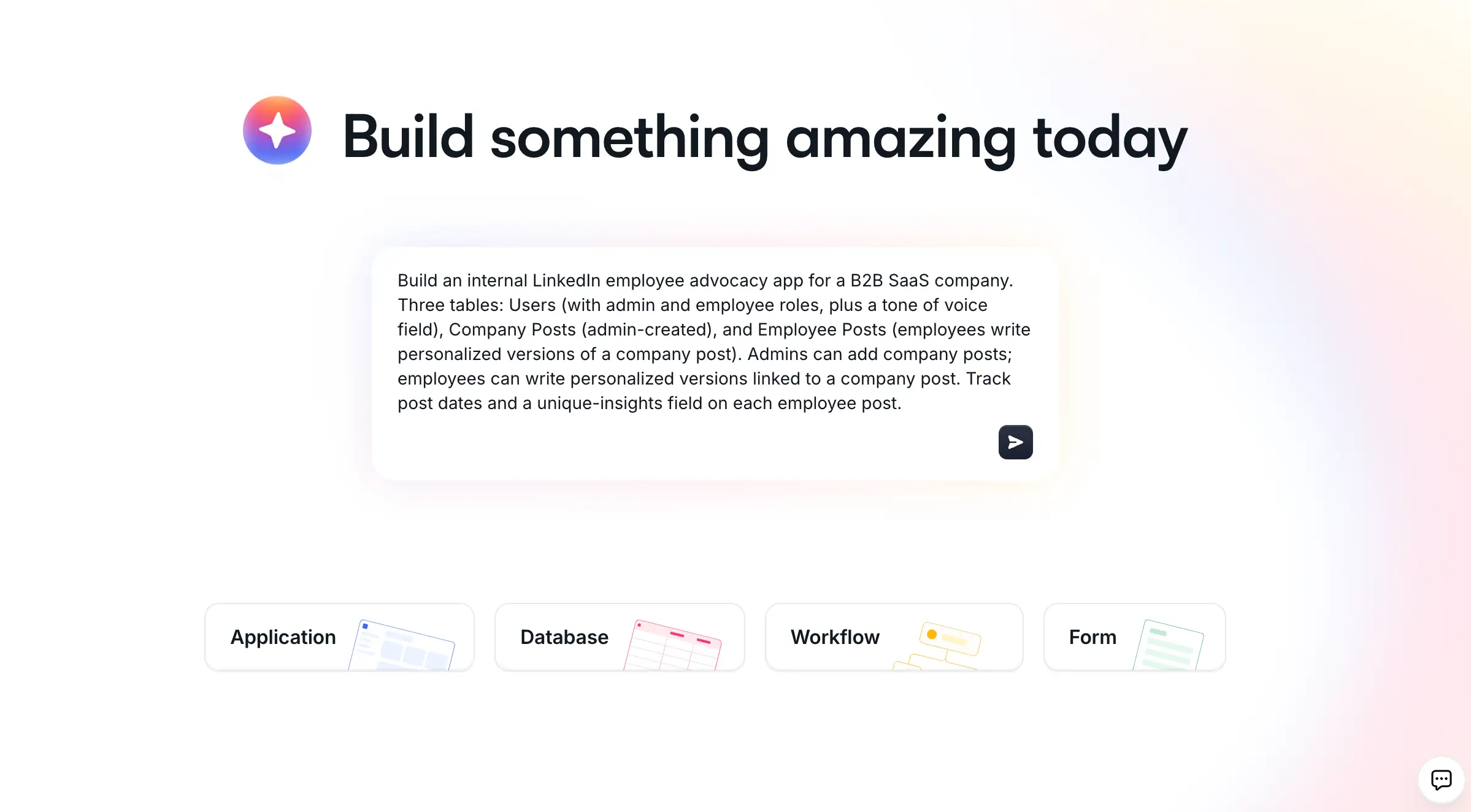
This is the model we follow at Softr, where an AI Co-Builder turns a plain-language description into a full-stack app, complete with its interface, a Softr Database, and users and permissions. You can then layer on Softr Workflows to automate the logic, and ask the database or workflow AI to build pieces for you from a simple description. Builders who already work in Claude or ChatGPT can do the same through the Softr MCP. It is a useful example of where the whole category is heading: AI handles the speed, no-code handles the structure.
"If 2025 was really the era of shiny demos, 2026 is the market shift from prototype to really useful business software." - Mariam Hakobyan, CEO and Co-founder of Softr
1. The no-code tech company
No-code is reaching levels of scalability and customizability that we’re likely to see whole tech companies running on products built without code. This not only democratizes who can build tech companies, but it also creates more opportunities for freelancers and other independent entrepreneurs to build “micro-SaaS” products, like online marketplaces, e-learning platforms, custom client portals, or subscription communities, that bring in great lifestyle revenue streams.
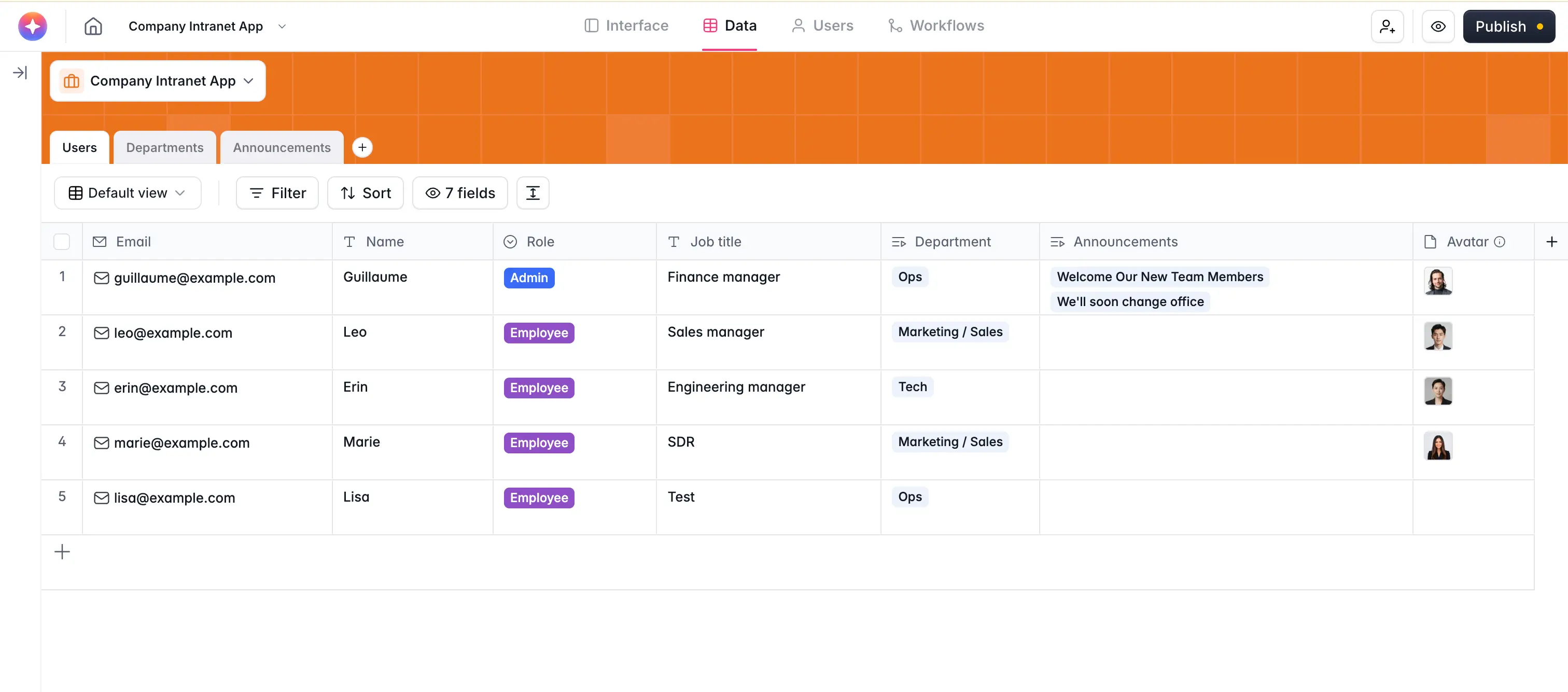
2. Internal apps will be no-code
No-code makes it easy to build custom apps that are secure and user-friendly with no coding required. That means more companies are likely to turn to internal tool builders for employee-use-only applications such as internal communications, time tracking, and task tracking. This is already happening: in one survey, 78% of enterprises said they use or plan to build in-house AI tools instead of relying only on third-party software. It is especially common in lean teams that don’t have the budget for off-the-shelf SaaS, or that have unique needs no existing tool covers.
3. Entrepreneurship accelerated
New founders won’t need to go through the old process of building a wire frame and fundraising to build their MVP. Instead, future no-code tools will make it easier than ever to launch a tech company. You can build a prototype or even a full version one in a few days completely solo, then start testing and selling the product immediately. This will have profound effects for people that want to solve local business problems with technology, but that don’t have a large enough market to interest venture capitalists or software engineers to build a code-based solution.
4. Going beyond business
Beyond business use cases, the no-code movement will make it easier than ever for community groups, nonprofits, and charities to build purpose-built apps for their causes. Outside of organizations, individuals can also build no-code apps for their own life, whether that means communicating with friends, managing their personal community, or building automation to make parts of their life easier or more powerful.
What no-code really changes
The real power of no-code is not that it’s a new way to build apps. It’s the fundamental shift in who can build one. Coding has a steep learning curve, since you have to learn another language just to build a simple calculator function, let alone a complex, responsive application. No-code has reached a tipping point where capable app builders can do the work of a small team of developers, and that is exactly what teams are using them for.
"Customer support is great, the AI Builder is great to use, and the Vibe Coding block is great for building custom blocks. It's easy to set up databases, link them, and preview the UI. Softr is helping me build a unified, multi-tenant portal to create visibility for the team and a better onboarding experience for property owners." - Max M., Operational Excellence Lead, G2 review
The potential is just getting started. As no-code and AI continue to merge, the question shifts from whether you can build the tool your team needs to how quickly you can ship it and trust it in production.
About Softr
Softr is a full-stack no-code platform for building internal tools, client portals, and CRMs. It brings together three pieces in one place: a visual interface builder, native Softr Databases (or a connection to 21+ data sources like Airtable, Google Sheets, and HubSpot), and Softr Workflows for automation. You can generate a complete app from a description with the AI app builder, start from a template, or build from a blank canvas, then control exactly who sees and edits each piece of data with users and permissions. Curious where it fits among the latest tools? See our roundup of the best AI app builders for 2026.
Frequently asked questions
What is no-code, in simple terms?
What's the difference between no-code and low-code?
Can you build production apps with no-code, or just prototypes?
How does AI change no-code app building?
Is no-code secure enough for internal company tools?


