Building databases with MariaDB means navigating complex syntax and deprecated features during version upgrades. MariaDB also poses security challenges. Any error in configuring user permissions can create a threat of unauthorized access.
Moreover, it’s difficult to implement a scalable architecture with MariaDB, especially when handling large volumes of data.
A good Graphical User Interface (GUI) software can make life easy when working with MariaDB.
MariaDB GUI tools can simplify data management and optimize performance. The result? Higher efficiency and a scalable architecture.
First, we’ll break down the key factors to consider when evaluating MariaDB GUI tools. Then, check out our 10 best recommendations.
5 key factors to look for in MariaDB GUI tools
Here’s a handy checklist of features to consider for choosing the ideal GUI tool for your needs:
- Ease of use: GUI tools help manage databases more intuitively. Pick tools that support drag-and-drop functionality with forms for data entry. These capabilities will make the database management process more efficient and reduce errors.
- Data management: A good GUI tool offers quick customization options like adding, deleting, and editing rows. These tools also offer functions to search, filter, and sort your database. You can conveniently manage your database in a few clicks instead of writing SQL queries for every action.
- Multiple data source management: Does your company have data outside of MariaDB, or will it ever in the future? Ensure your GUI tool allows data from multiple sources with seamless integration.
- Visual query building: Look for tools with a built-in query builder to create and edit your SQL queries without writing code manually. This capability will save time when building complex queries for creating tables and other elements.
- Design and modeling: You need a tool to visualize your database with a graphical schema easily. Look for design features that allow you to intuitively create relationships, tables, and indexes without writing SQL scripts.
- Permission management: A good GUI software tool for MariaDB also simplifies the process of managing multiple user accounts. Grant or restrict access for different users with checkboxes and use forms to collect more data.
Lastly, look for tools that support cross-platform functionality. This makes it easier to collaborate with your team members with a consistent user experience on Windows, macOS, and Linux devices.
Top 10 MariaDB GUI tools to simplify database management
Now, let’s look at our 10 best picks for MariaDB GUI tools with the key features and workflows explained for each tool.
Softr
Pricing: Free plan, paid plans start at $19/month
Compatible with: Windows, macOS, Linux
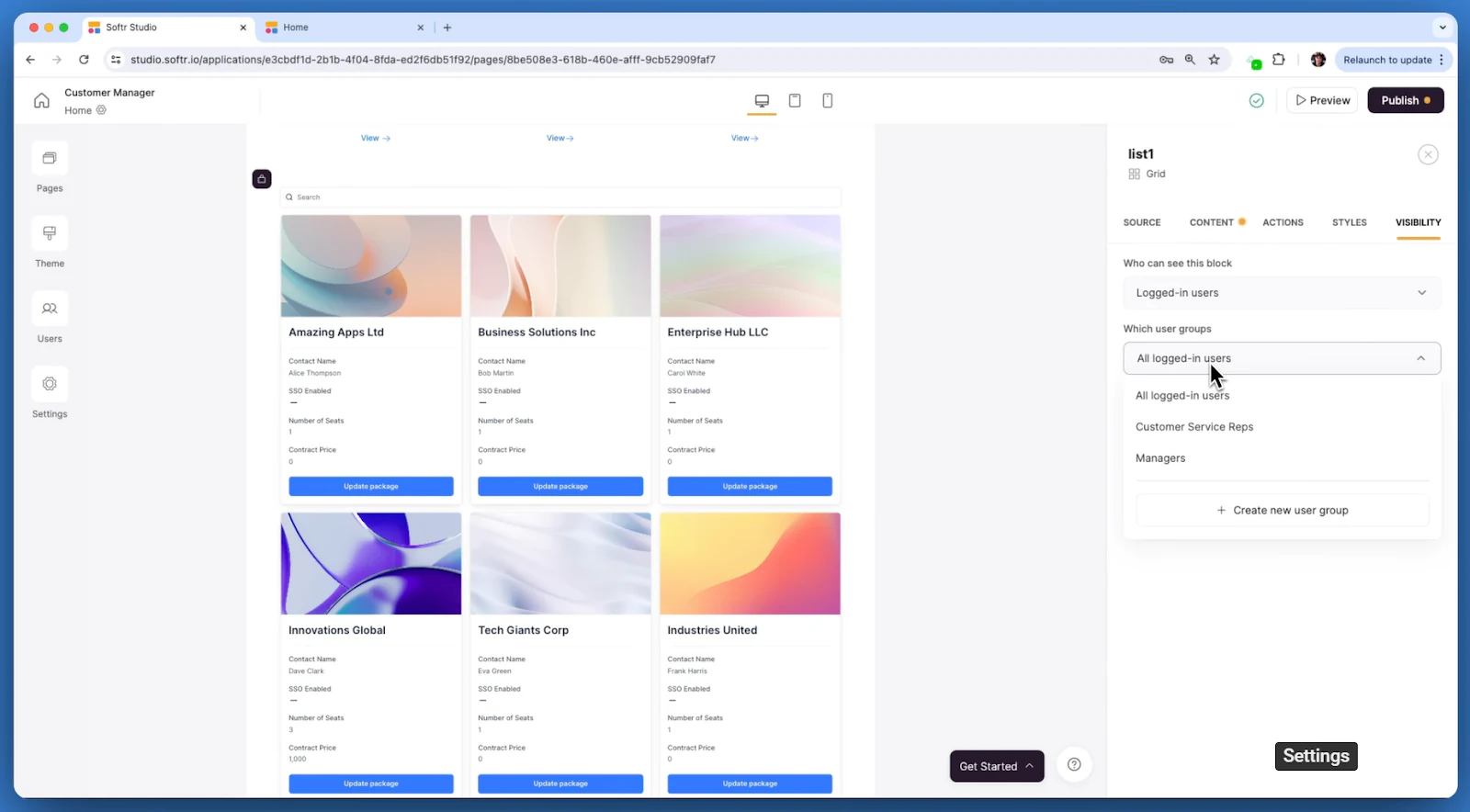
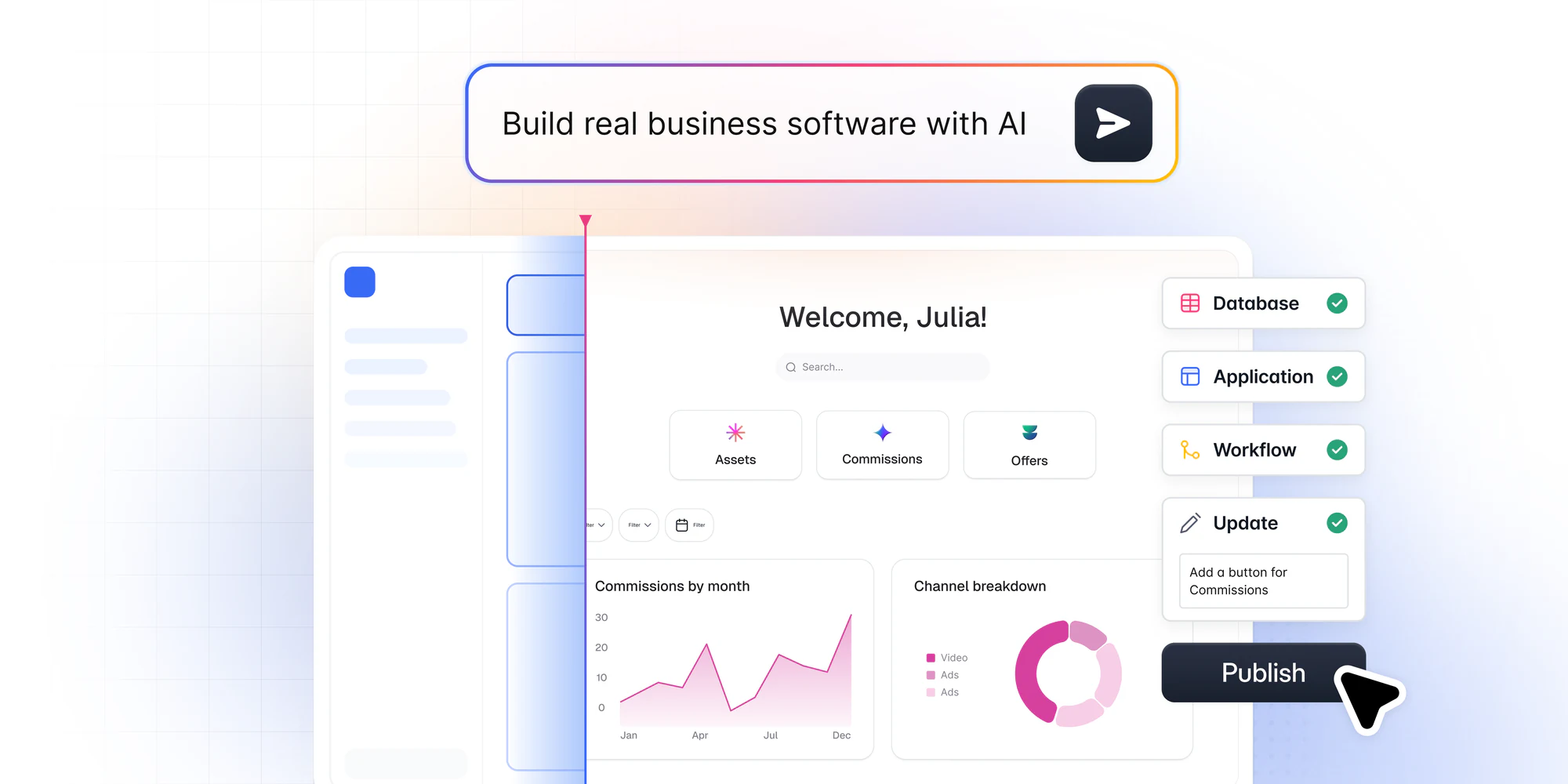
Softr is an AI-native platform that functions as a powerful visual GUI client for MariaDB. It connects your MariaDB database in seconds without manual imports, allowing you to build secure, production-ready internal tools, client portals, and operational databases.
Unlike rigid visual SQL editors, Softr gives you the hybrid flexibility of starting with the conversational AI Co-Builder or configuring your application manually. You can go from zero to a live portal in just three steps:
- Generate your application layout by describing your requirements to the AI Co-Builder, or build visually from scratch.
- Connect MariaDB as your data source or utilize native Softr Databases to map your records.
- Set user visibility rules visually, iterate in the editor, and share with your team or clients.
Softr makes it easy to share database views with different stakeholders, both internal and external, while keeping data protected through granular role-based permissions.
"I find Softr to be the easiest system to connect a database to. As someone less technical, I find it helpful that working with a database in Softr is similar to an Excel spreadsheet."
Joe L., Sales and Strategic Partnerships
What makes Softr a good GUI tool
Softr is a versatile GUI platform to build powerful apps. Whether you’re using a native database or a complex external SQL database like MariaDB, Softr makes it easy to design and develop data-driven interfaces.
Here are a few factors that make Softr the best GUI tool for MariaDB databases:
- AI Co-Builder capabilities: Instruct the AI assistant to generate database tables, pages, or add customized UI blocks from plain text prompts.
- Security and access control: Set granular visibility rules visually so different user groups (like managers and external vendors) only see their permitted rows.
- Unlimited published apps: Build and launch unlimited applications across all plans, including the Free plan.
MySQL Workbench

Pricing: Community Edition available for free, Enterprise edition licensed through Oracle
Compatible with: Windows, macOS, Linux
MySQL Workbench is a unified visual tool for developers and database architects working with MariaDB. It offers a suite of tools for SQL development, data modeling, and server configuration.
You can visually design and manage your databases. The platform also lets you build complex ER models and implement change management operations.
What makes MySQL Workbench a good GUI tool
Database architects can execute SQL queries with multi-node analytics, single-node transactions, and replicated transitions. Moreover, MySQL Workbench provides a comprehensive performance dashboard to identify high-cost SQL statements and IO hotspots. It’s great for optimizing queries quickly.
phpMyAdmin

Pricing: Free
Compatible with: Windows, macOS, and Linux
phpMyAdmin is an open-source software that is purpose-built to manage the MySQL database. The browser-based platform simplifies database management, including browsing and dropping databases and creating tables, columns, indexes, and relations.
You can also manage users, privileges, and access permissions easily. phpMyAdmin lets you execute any SQL statement and run batch queries as well.
What makes phpMyAdmin a good GUI tool
One of phpMyAdmin’s unique value propositions is that it’s available in 72 languages and supports LTR and RTL languages. The software allows you to export data in multiple formats, such as SQL, CSV, XML, PDF, and more.
With the query-by-example (QBE) approach, you can create complex queries. The tool also allows you to work conveniently on the maintenance server and configurations.
HeidiSQL

Pricing: Free
Compatible with: Windows, macOS, and Linux
HeidiSQL is another one of the free MariaDB GUI tools on our list. You can use this tool to edit and customize data structures running on MariaDB.
The tool lets you connect to several servers in one window with the option to connect via command line, SSH tunnel, or pass SSL settings. You can also execute MariaDB queries with distributed transitions, replicated transitions, multi-node analytics, and more.
What makes HeidiSQL a good GUI tool
HeidiSQL lets you export one server or database directly into another database. You can export table rows in different formats, including HTML, CSV, XML, SQL, and more. The tool offers the option to bulk edit tables and customize your databases, regardless of their size, quickly.
Navicat
Pricing: Paid plans start at $14.99/month
Compatible with: Windows, macOS, and Linux
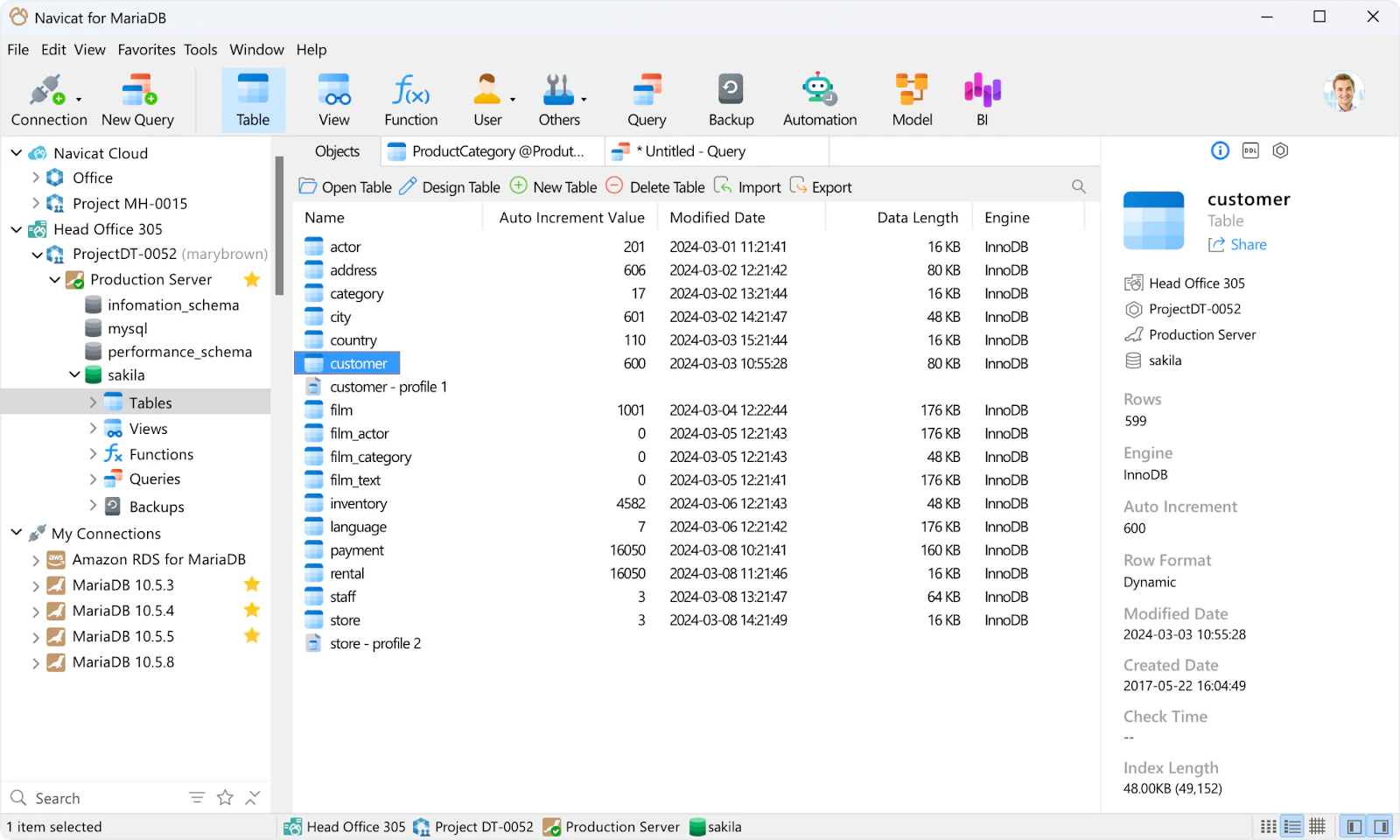
Navicat is a native GUI tool for MariaDB database management. Database architects can connect to MariaDB servers locally or in a remote setting.
The platform offers features like virtual columns, object designer, and storage engines to effectively develop and manage your database. You’ll also find the option to build a data dictionary with ready-made templates to consolidate different documents related to a database.
What makes Navicat a good GUI tool
Navicat’s data viewer lets you view your data in multiple formats like grid, tree, and JSON view. You can edit and delete records or integrate them with data profiling data for visual analytics.
The tool also offers seamless data transfer and synchronization to streamline data management. Besides, you can easily convert a database into multiple models or visualize it with diagrams and graphics.
DBeaver

Pricing: Paid plans start at $11/month
Compatible with: Windows, macOS, and Linux
DBeaver is compatible with multiple database tools, including MariaDB. Developers can use this platform to work with databases like MySQL, PostgreSQL, and Oracle.
DBeaver’s advanced SQL editor lets you highlight syntax, execute multiple queries, and work more efficiently with auto-completion. It also minimizes errors when creating and running queries seamlessly.
What makes DBeaver a good GUI tool
DBeaver supports complex authorization processes, like single sign-up, multi-factor authentication, and Kerberos. This high level of security makes it a good choice for keeping your data secure.
The platform also offers various data visualization capabilities to capture patterns and present relationships.
DbSchema

Pricing: Free
Compatible with: Windows, macOS, and Linux
DbSchema reverse engineers your database structure to visualize data well without writing SQL queries. The platform lets you create tables, add columns, design indexes, and manage data relationships.
Its interactive layout can handle large databases with over 10,000 tables. The tool simplifies database design and helps developers organize their work with diagrams, query results, SQL editors, and similar tools.
What makes DbSchema a good GUI tool
DbSchema works well with multiple MariaDB databases. It also makes it easy to track and apply changes incrementally. The platform also lets you generate migration scripts to ensure two or more versions have the same schema.
Moreover, you can design schemas for any database offline. DbSchema’s data explorer also saves time with quick functions to update records.
Forest Admin
Pricing: Free trial, paid plans start at $48/month
Compatible with: Windows, macOS, and Linux
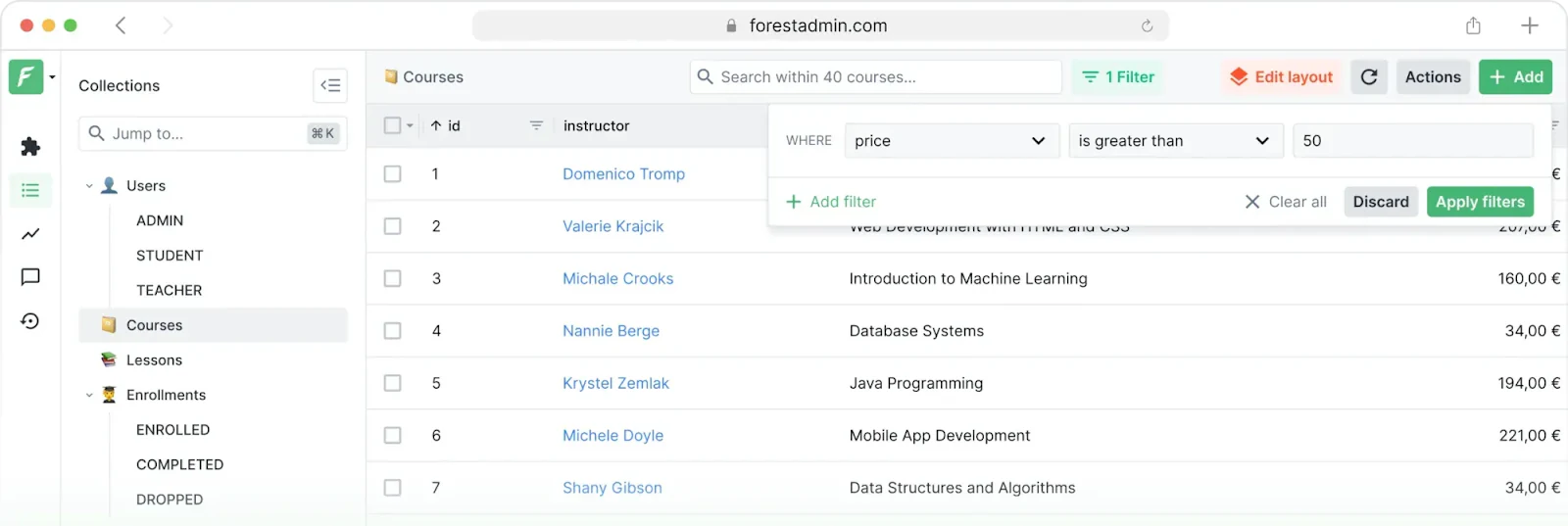
Forest Admin is another one of MariaDB's GUI tools worth exploring. Purpose-built for designing internal apps, the platform offers a fully-featured admin panel to operationalize your data.
Integrate your MariaDB database and customize the admin panel to best fit your needs. You can also connect other databases like PostgreSQL, Microsoft SQL Server, MongoDB, etc. Its architecture ensures that nobody except your designated users has access to your user data.
What makes Forest Admin a good GUI tool
Forest Admin offers an intuitive platform to edit, search, and filter your databases. You can also build automated workflows using trigger-based logic rules.
The tool offers various visualization options to monitor your data accurately and simplify interpretation.
Beekeeper Studio

Pricing: Paid plans start at $7/month
Compatible with: Windows, macOS, and Linux
Beekeeper Studio is a cross-platform GUI software to neatly visualize your MariaDB databases. The platform offers a user-friendly tabbed interface to design your databases by opening multiple queries and tables in different tabs.
Besides, you can pin the frequently used tables for quick access. Developers can also save SQL queries in the built-in storage function and access them anytime in the future.
What makes Beekeeper Studio a good GUI tool
Beekeeper Studio supports several database platforms and makes it easy to work with different types of servers. It’s also easy to track your SQL queries and access any queries you recently executed.
The easy creation and customization capabilities also make Beekeeper a good GUI tool for visualizing your database.
DataGrip
Pricing: Free
Compatible with: Windows, macOS, and Linux
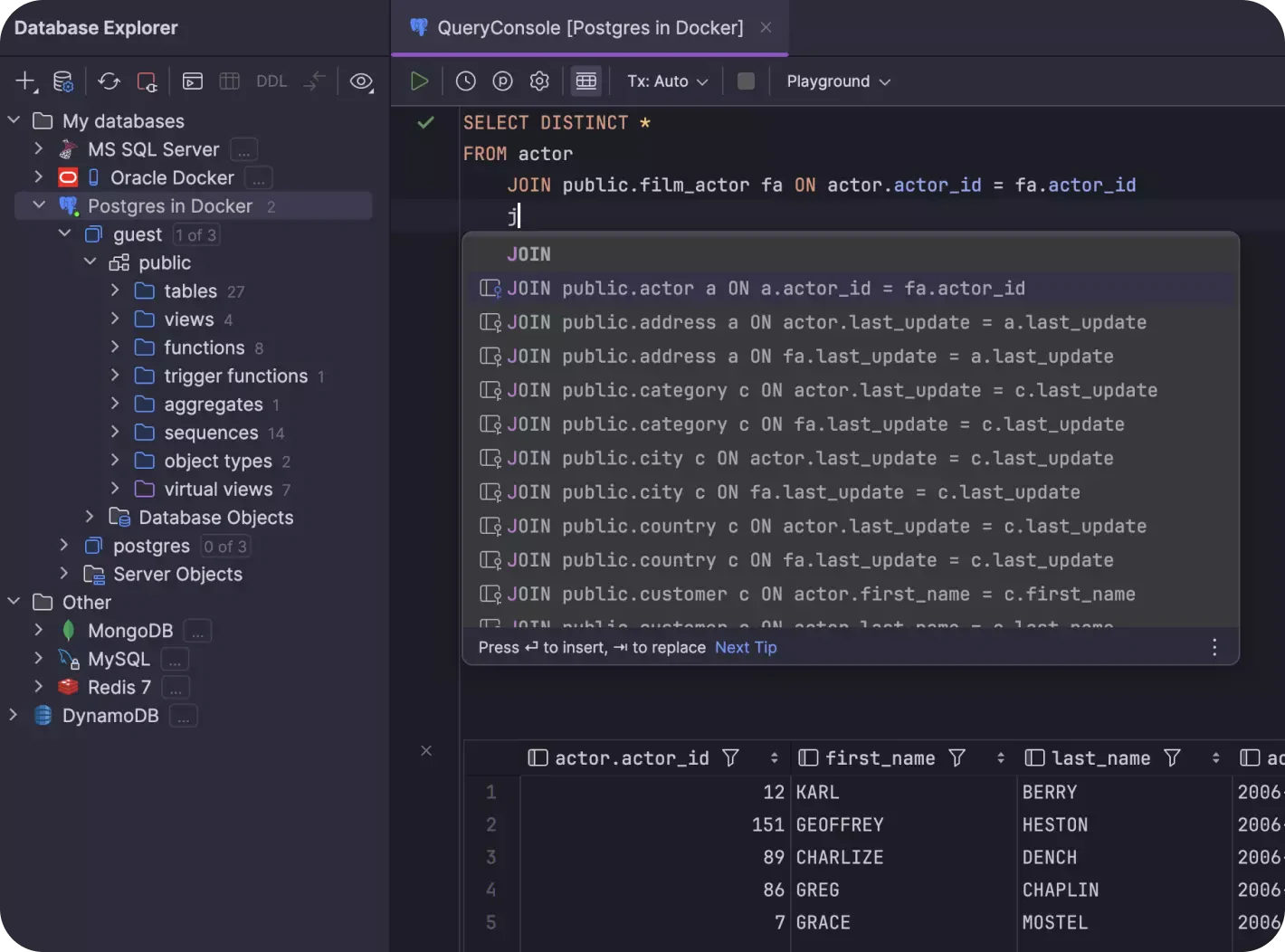
DataGrip is another cross-platform tool for different databases, including MariaDB. The platform offers an intelligent query console to track all the changes and ensure you don’t lose any progress.
Developers can also write code faster by completing context-sensitive code. DataGrip will automatically analyze your table structure and database objects to edit or complete your code.
What makes DataGrip a good GUI tool
DataGrip’s multi-engine database environment is powerful enough to generate SQL queries based on a simple conversation. You just need to explain your data in simple language, and the AI assistant will create SQL commands in seconds.
Moreover, the platform can analyze two or more versions simultaneously to highlight key differences and track changes easily.
Blueprint: Build a custom MariaDB internal app with Softr
Instead of relying on rigid, pre-built SQL clients, you can build a secure, production-ready internal tool or client portal tailored to your team's exact workflow.
Here is a simple blueprint for building your custom MariaDB app:
1. App structure and pages
- User Dashboard: A central landing page displaying metrics, active database counts, and navigation shortcuts.
- Admin Record Manager: A table interface enabling designated managers to update, edit, or delete database rows.
- Client Submission Portal: A custom form allowing external clients or stakeholders to submit requests directly to your database.
2. Database integration and schema
- Primary Data Source: Connect your live MariaDB instance in seconds to query and update records in real time.
- Native Database Support: Use Softr Databases alongside external sources to track app-specific logic like audit logs or record comments without modifying your main MariaDB schema. Softr connects with 21+ external data sources and supports over 30 data integrations overall.
3. AI Co-Builder workflow
- AI-Powered Generation: Describe your application needs to the AI Co-Builder (e.g., "Build an inventory management panel connected to a database"). The AI instantly sets up your theme, basic pages, and navigation. You can also build manually from scratch if you prefer.
- In-Editor Copilot: Prompt the AI Co-Builder to add specific views like Kanban boards or charts, or configure them manually in a few clicks.
- Autopilot Database Schema: Let the Database AI Co-Builder generate tables and relational fields via conversational prompts, or modify columns visually.
4. Visibility and security rules
- Map user roles (e.g., Administrator, Client, Employee) in the studio.
- Configure granular block visibility rules so clients only see their own records, while internal managers access the full database.
Ready to build your own custom GUI? Sign up for free to see how Softr works with MariaDB and other data sources.