


Best HubSpot integrations: 12 powerful add-ons to optimize your workflow

HubSpot has come a long way from its early days as a simple marketing tool.
Now, it’s a powerful, all-in-one CRM that handles everything from attracting leads to keeping customers happy. But, like any platform, there’s always room for improvement, and that’s where integrations come in.
Marketing teams waste hours copying campaign data, sales struggles to keep everything updated, and customer service juggles tools just to see a complete customer view. This constant back-and-forth can create data “silos” that slow things down and cause important details to slip through the cracks.
HubSpot integrations connect your favorite tools to HubSpot so data flows automatically, eliminating manual entry. Each department gets the info they need, exactly when they need it, so everything runs smoothly.
But wait! The HubSpot App Marketplace has thousands of tools. What if you end up choosing something that complicates your work even more?
To make sure that doesn’t happen, we’ve rounded up the top 12 HubSpot integrations for 2026 that make the platform more powerful, efficient, and easy to use.
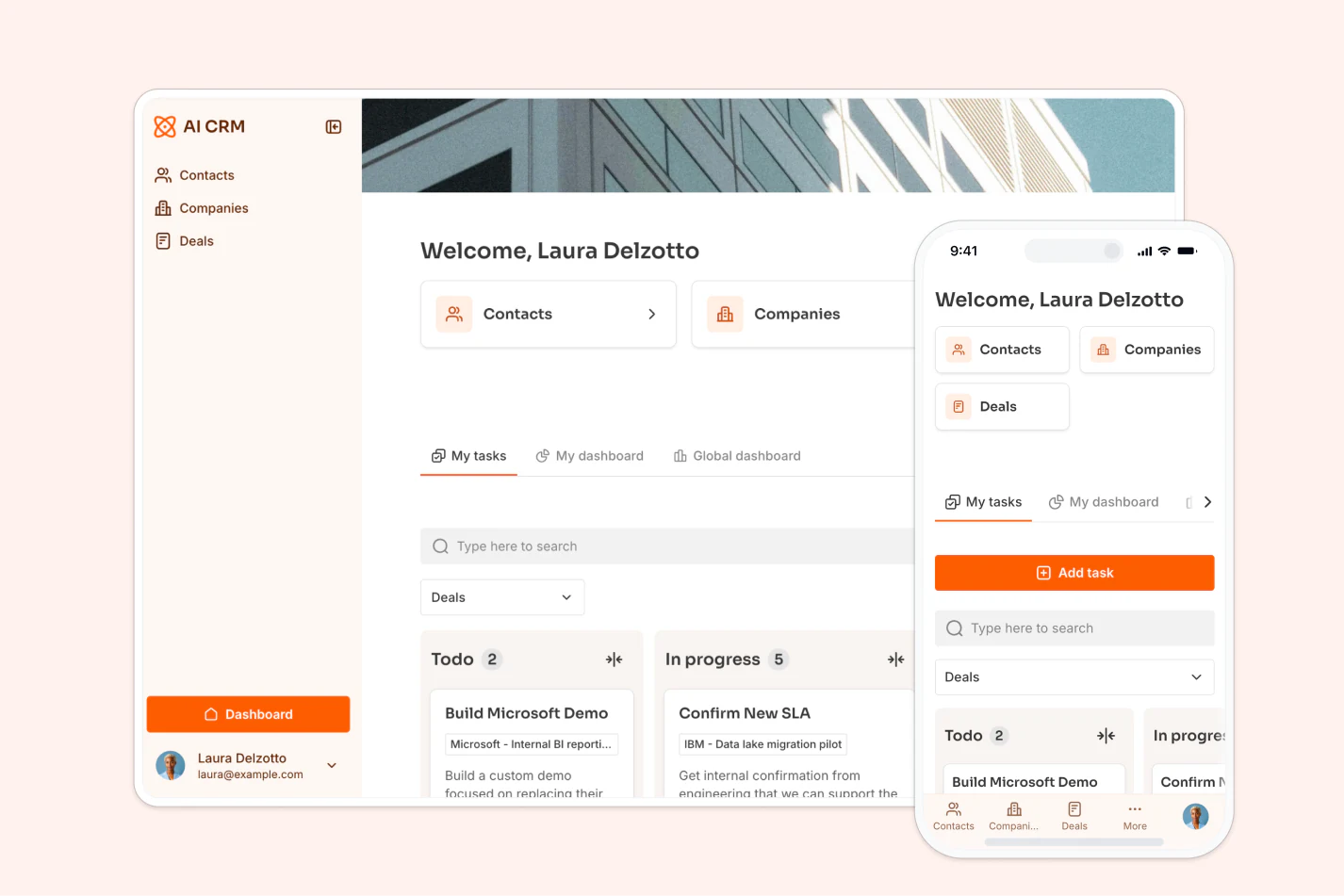
However, before we get there, let’s talk a bit more about HubSpot and what it’s normally capable of.
What is HubSpot?

HubSpot is a powerful CRM platform that has changed how businesses handle customer relationships, marketing, and sales.
Their team recognized early on that people don’t want to be bombarded by ads or interruptions, so they built an "inbound" approach that focuses on attracting customers by creating helpful, engaging content.
It’s all about putting the buyer in control and making their experience enjoyable and memorable. When customers thrive, businesses grow alongside them.
The HubSpot Customer Platform accomplishes this “inbound” approach with the help of 6 core hubs:
- Marketing Hub: All about attracting visitors to your site, converting them into leads, and scaling campaigns. It helps generate leads and track customer interactions with engagement analytics.
- Sales Hub: Gives deeper insights into prospects, automates emails, texts, and follow-ups, and helps close deals faster. Key features include meeting scheduling, call tracking, live chat, document sharing, and generating quotes.
- Service Hub: Keeps you connected with customers through tools like ticketing, team email, reporting, customer feedback surveys, and playbooks.
- Content Hub: Designed for easy use by marketers and developers alike, allowing each to work independently. It also offers personalized experiences for customers.
- Operations Hub: Helps your team sync, clean, and organize customer data while automating various business processes.
- Commerce Hub: Simplifies billing and revenue collection, saving time through automation and offering user-friendly tools for managing payments.
Each hub is built to work together (or independently), allowing HubSpot to handle all areas of your business.
Consequently, HubSpot’s growth doesn’t come as a surprise. Since launching in 2008, the platform has garnered over $2.17 billion dollars in revenue by 2023!
What makes HubSpot so popular is its scalability and ease of use. It grows with your business, meaning it’s just as effective for small startups as it is for big companies. The platform’s user-friendly design helps teams get up to speed fast, while its advanced tools meet the needs of more complex operations.
On top of that, HubSpot’s reporting and analytics tools give businesses real-time insights into every part of their operations. You can track how your marketing campaigns are performing, see how productive your sales team is, and monitor customer satisfaction, all in one place.
While HubSpot’s built-in features are already powerful, its real strength is its flexibility with integrations. The HubSpot App Marketplace has thousands of pre-built integrations with popular business tools, so you can customize HubSpot to suit your exact needs.
These integrations can add new features, automate complex tasks, and create workflows that fit your unique business processes perfectly.
Why do you need HubSpot integrations?
HubSpot is powerful on its own, but today’s business world requires a connected system where data flows freely between marketing, sales, and customer service.
For example, when you connect marketing automation tools with HubSpot, lead data automatically moves into the sales pipeline. And when customer service tools are integrated, support teams instantly see a full history of each customer.
This connected system cuts out the need for manual data entry, lowers the risk of information getting lost, and helps teams give customers a more personalized experience, leading to better results all around.
Let’s take a closer look at the benefits of HubSpot integrations:
Breaks down data silos
No business wants their data to be fragmented across various platforms and departments. Without proper integrations:
- Marketing can miss out on sales insights for campaigns.
- Sales might lack key customer service info.
- Support teams may not see a customer’s purchase history.
- Decision-makers end up manually compiling reports.
HubSpot integrations solve this by connecting your tools, making sure information flows smoothly across systems. This gives you a full, 360-degree view of the customer journey and your operations.
Automates time-consuming tasks
Think about how much time your team spends on repetitive tasks like manual data entry, information transfer between systems, routine follow-ups, report updates, and file transfers.
With strategic integrations, these tasks can be automated, freeing up your team to focus on work that requires human insight and creativity.
For instance, contact information syncs automatically across platforms, meetings update in real-time on calendars, documents are organized automatically, reports are generated and shared, and customer interactions are logged without manual effort.
Amplifies cross-department collaboration
Modern businesses run on teamwork, and HubSpot integrations make this easier by connecting communication channels, keeping everyone on the same page with up-to-date info, and making handoffs between teams smoother.
With shared access to relevant customer data, teams can maintain consistent interactions at every touchpoint.
Improves decision-making
When your tools are integrated with HubSpot, marketing can see how their campaigns affect sales, sales teams get access to a full interaction history with prospects, and support can view the entire customer journey. Management can easily pull comprehensive reports, and analytics become both more accurate and actionable.
Makes scaling operations more efficient
As your business grows, it gets tougher to manage manual processes.
HubSpot integrations help you handle more data without piling on extra admin work, keep things consistent across teams, and add new tools without disrupting what you already have in place. They also help you adapt quickly to changing needs and support growth into new markets or product lines.
Enhances customer experience
Integrations play a key role in improving the customer experience. They make sure communication is consistent across all channels and speed up response times to customer questions.
Plus, they allow for more personalized interactions using complete customer data, reduce errors in service and communication, and enable proactive support based on what customers are doing.
Key categories of HubSpot integrations
There are hundreds, maybe even thousands, of HubSpot integrations to choose from. While some are more popular, each one has its own purpose and meets specific business needs.
To help you find what you’re looking for, these integrations are organized into different categories. Since we can't list them all, here’s a list of key categories for you to check out:
Marketing tools: Softr, Mailchimp, Unbounce, ActiveCampaign
These integrations sync customer data, campaign metrics, and engagement analytics all in one place, so you don't have to worry about duplicate data entry. This way, you can make sure your marketing efforts are aligned across all platforms.
Project management tools: Softr, Asana, Trello, monday.com, Airtable
If you want to connect your CRM to task execution, these integrations are your best shot. They help teams automatically create and track projects based on activities in HubSpot, making sure nobody misses anything in your workflow.
Customer support tools: Softr, Zendesk, Help Scout, Intercom
They act as the ideal bridge between your CRM data and customer service. They give support teams quick access to full customer histories, allowing them to provide faster and more personalized help.
E-commerce tools: Softr, Shopify, WooCommerce, Magento
If you run an online store, e-commerce integrations are great for creating a smooth flow of customer purchase data, order details, and product information. This makes it easier to run targeted marketing campaigns and understand customer buying habits.
Analytics & reporting tools: Google Analytics, Databox, Klipfolio
These tools are all about bringing together data from different sources into easy-to-read reports and dashboards. They give you valuable insights into customer behavior, marketing performance, and sales metrics without the hassle of manually compiling the data.
Automation tools: Softr, Zapier, Make, PieSync
Automating tedious, manual tasks goes a long way. And these integrations do just that by connecting your HubSpot to several business tools. They let you set up custom workflows and trigger-based automations, saving precious time and keeping data consistent across your entire tech stack.
12 Best HubSpot integrations to automate your business workflow
1. Softr
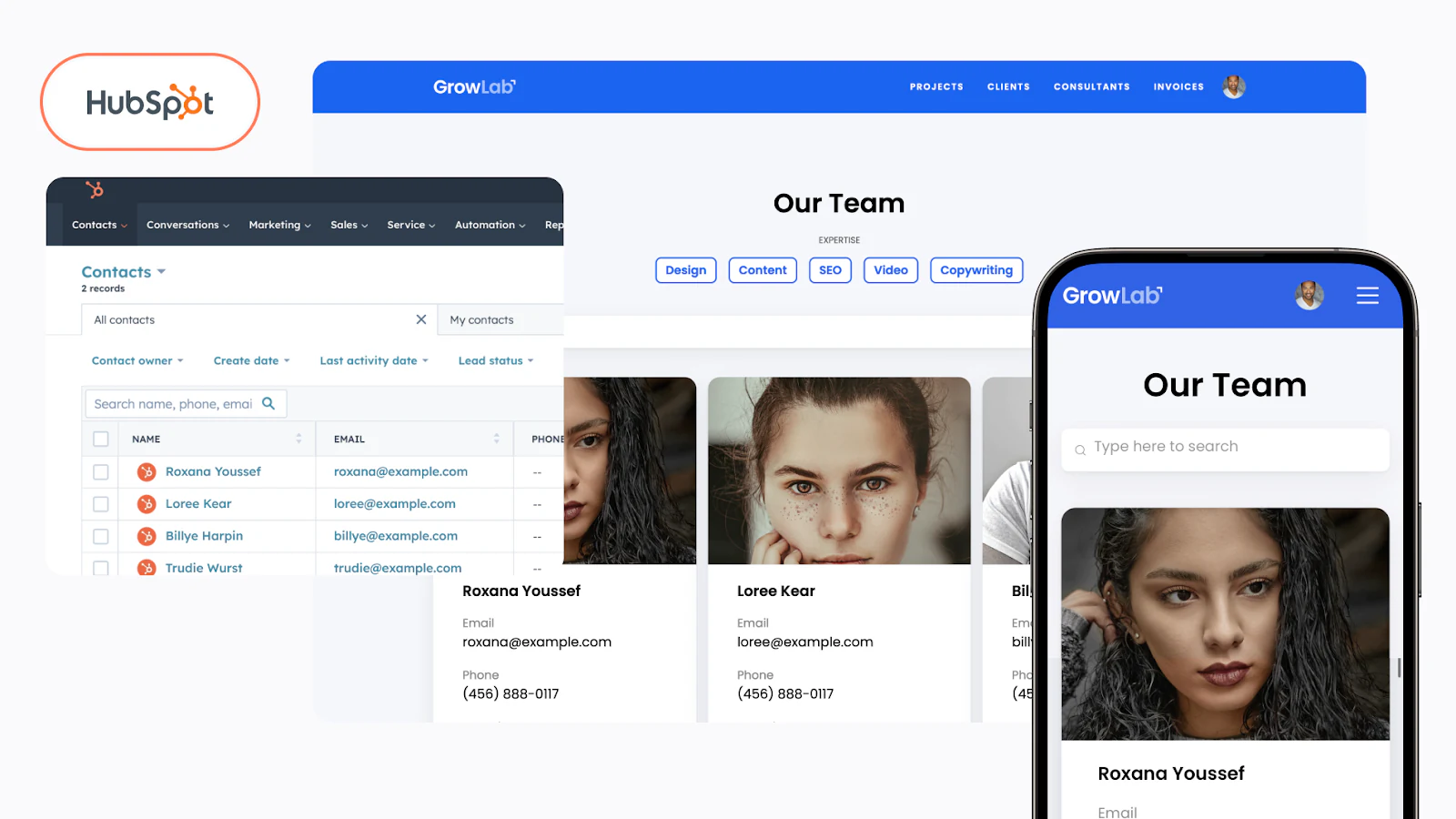
Suppose you want to turn your HubSpot data into a real application: a client portal, a partner portal, or a custom dashboard your team actually uses. The catch? You don't want to write code, and you don't want a fragile, vibe-coded app that breaks the moment real users touch it.
The solution? Softr.
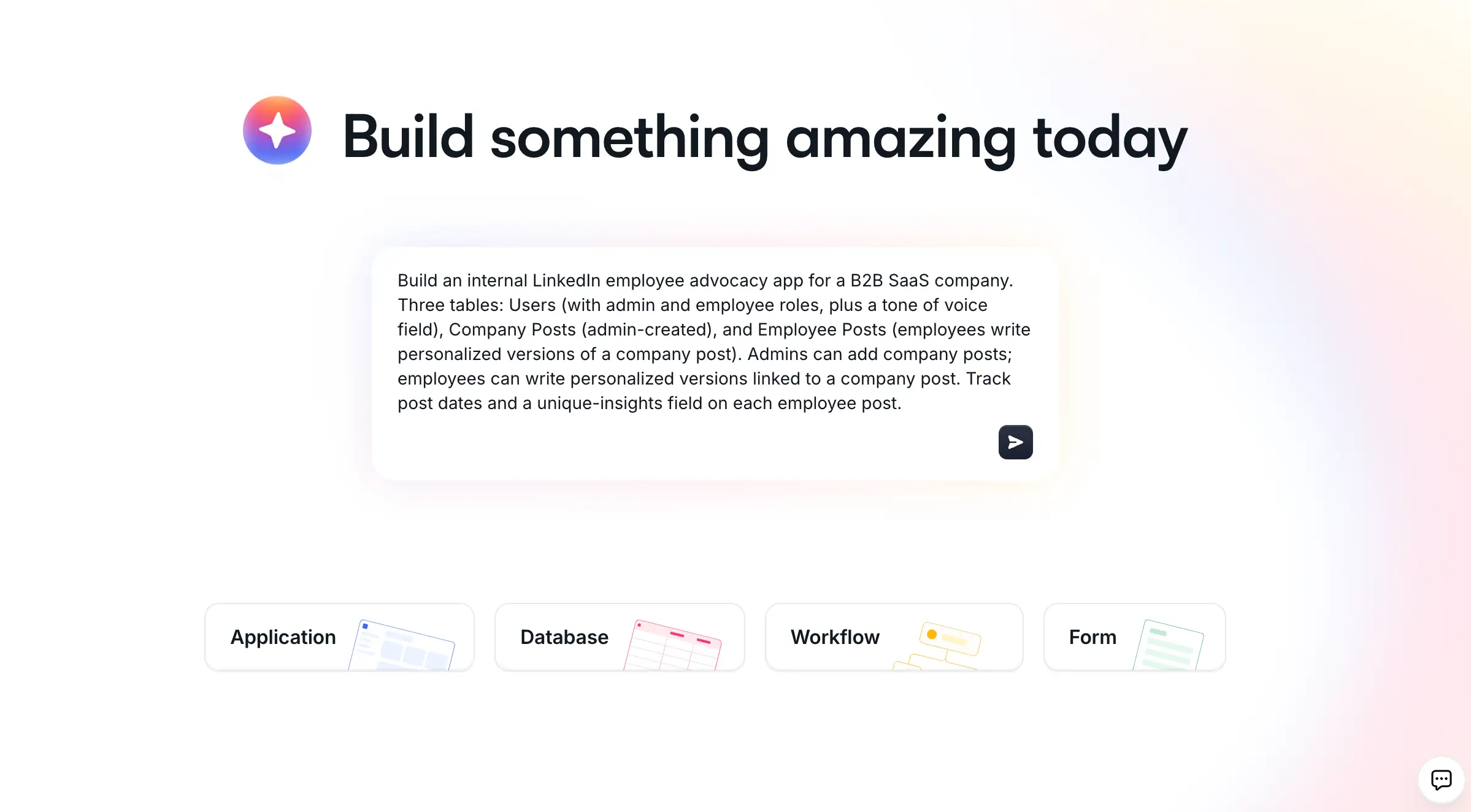
Softr is the first AI-native no-code platform for building production-ready business software. Instead of leaving you with a blank canvas, its AI Co-Builder takes a plain-language prompt and generates a complete app for you: the database, the pages, and the user permissions, all wired together. You get three ways to start (generate with AI, begin from a template, or build from scratch), so it's AI-first, not AI-only. Everything you ship is secure and production-ready from day one, which is what separates it from the brittle apps that quick "vibe coding" tools tend to produce.
On data, Softr gives you the native Softr Databases to store and manage everything in one place, and it also connects to 21+ external sources. HubSpot is one of them, so you can build directly on top of your HubSpot data to create custom portals and interactive forms that boost customer engagement and streamline workflows. Linking your HubSpot account takes a few clicks, and from there you can surface contacts, deals, and other CRM data inside a polished app.
The Softr-HubSpot integration is known for these features:
- It offers real-time data synchronization, so any updates you make in HubSpot show up right away in your Softr application. This means you're always working with the latest information.
- You can customize the look and feel of your apps. Softr lets you design with blocks that cover most needs, and for the last stretch of fully custom UI, the Vibe Coding block generates exactly what you describe.
- It has solid user authentication and granular permission settings, so you can invite clients and partners to collaborate while controlling exactly who sees what.
- You can automate the busywork with Softr Workflows, triggered directly from buttons and actions in your app, or connect to tools like Zapier, Make, and n8n via native integrations when you need them.
"Softr lets us create a customer-specific portal with permission control, track tasks, view launch trackers, and share documents in one place. It only took a couple of days to build the entire portal, including permission leveling and custom workflows."
Casey H., Advisor (Small-Business), G2 review
| Pros | Cons |
|---|---|
| Build custom apps without any coding | Might require you to get a paid subscription |
| Create client-facing portals and dashboards with HubSpot data | Slight learning curve |
| Automate workflows and sync data between the app and CRM | |
| Wide range of customization options |
Pricing: Softr has a free plan plus paid tiers (Basic starts at $19/month, with Pro, Business, and Enterprise above it). You can publish unlimited apps on every plan, including the free one, so pricing scales with your team size and feature needs rather than the number of apps you ship.
2. Zapier
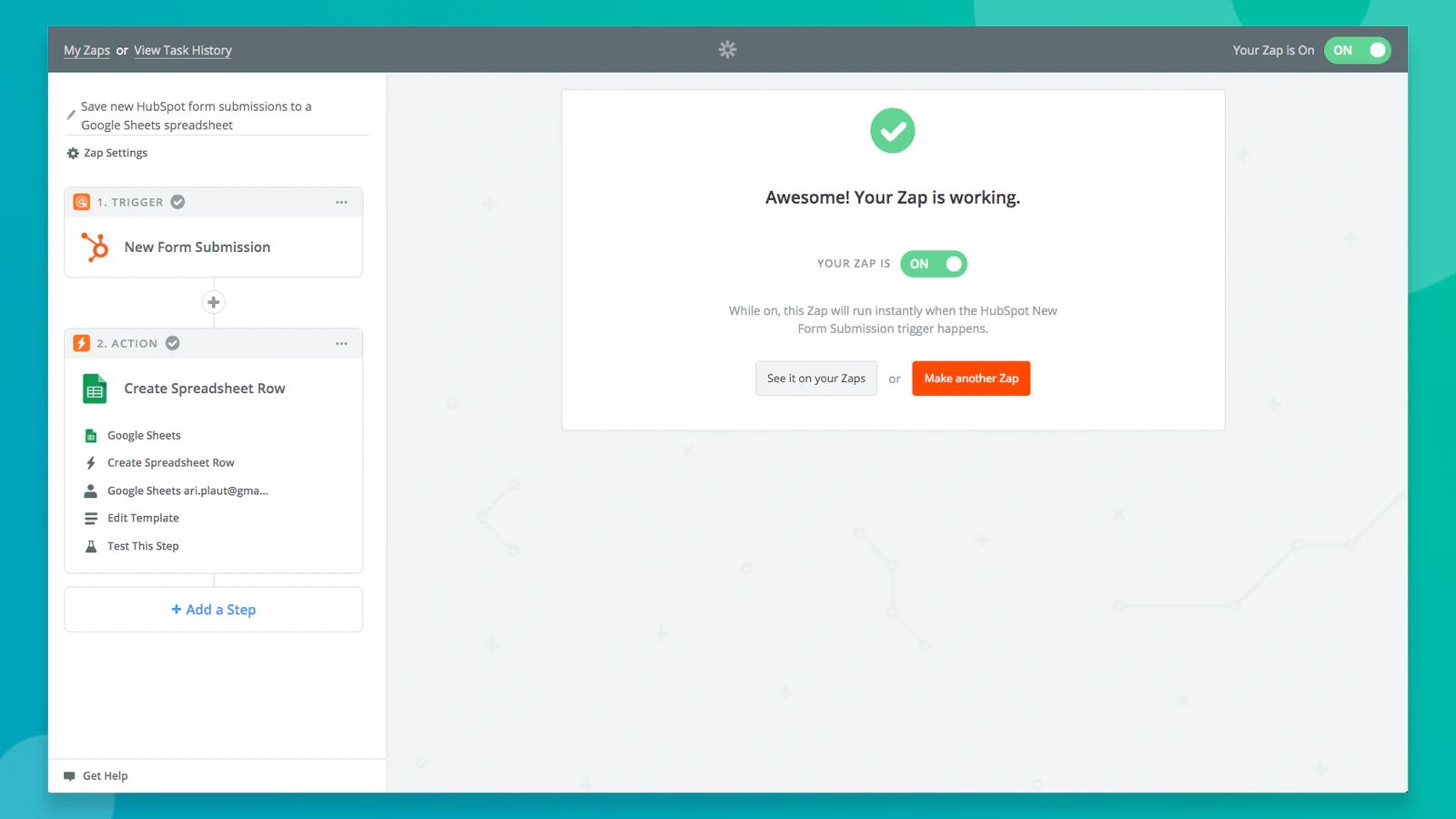
Zapier is one of the best tools for automation, especially when paired with HubSpot. It connects with over 7,000 apps and lets you set up workflows that run on their own, which is a huge time-saver.
The way it works is simple: you set up a “trigger” (like when a new contact is added in Outlook) and then tell Zapier what action to take next, like adding that contact to HubSpot. This way, data flows automatically without any manual work.
| Pros | Cons |
|---|---|
| Run multiple customizable workflows simultaneously | Too many multi-steps automations can get too complex to handle |
| Automate data transfer between tools using triggers and actions | Time delays between triggers and actions |
| Doesn’t require coding | Requires constant monitoring and maintenance |
Zapier connects with popular apps like Slack, Gmail, Dropbox, and QuickBooks, so you can easily sync data, keep your tools updated, and focus more on your actual work rather than data entry.
Pricing: The free plan allows up to 100 tasks and 5 Zaps. Paid palms with more advanced features start at $19.99/month.
3. PandaDoc
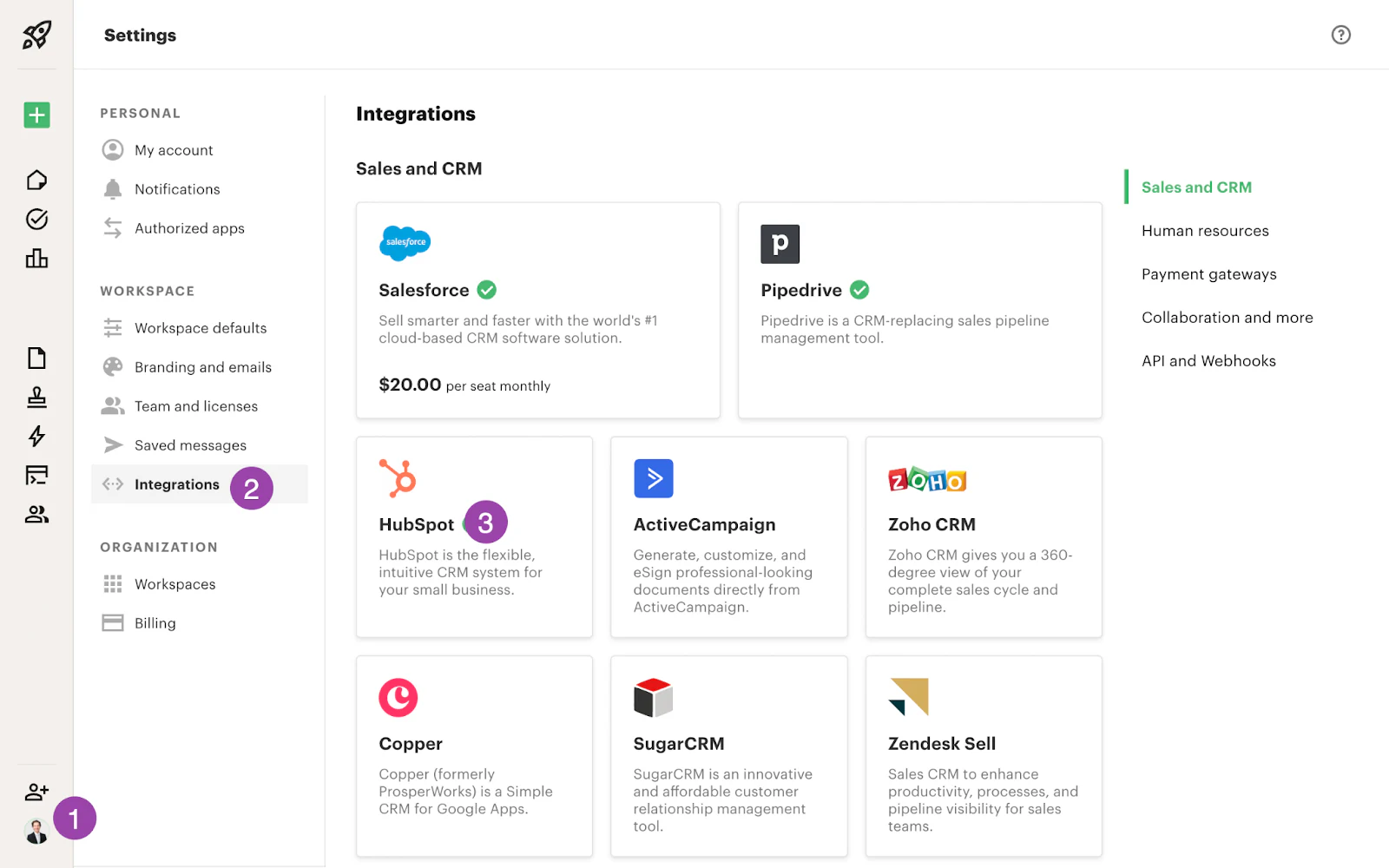
PandaDoc is a popular tool for turning leads into conversions with its all-in-one document workflow platform. It makes it easy to create proposals, generate quotes, draft contracts, use eSignatures, and collect information, all in one place.
Integrating PandaDoc with HubSpot speeds up the way you create and share documents. With HubSpot, you can use ready-made templates for proposals and contracts and get real-time email alerts whenever there’s an update, so you’re always in the loop.
| Pros | Cons |
|---|---|
| Create and share documents directly from HubSpot data | Advanced HubSpot features are accessible in the costlier plans |
| Track document status and changes (opens, views, signs, edits) in real time | Limited customization for document workflows |
| Get instant email alerts with document links without leaving HubSpot | Occasional sync delays |
Pricing: Paid plans begin from $19 per seat per month.
4. Hotjar
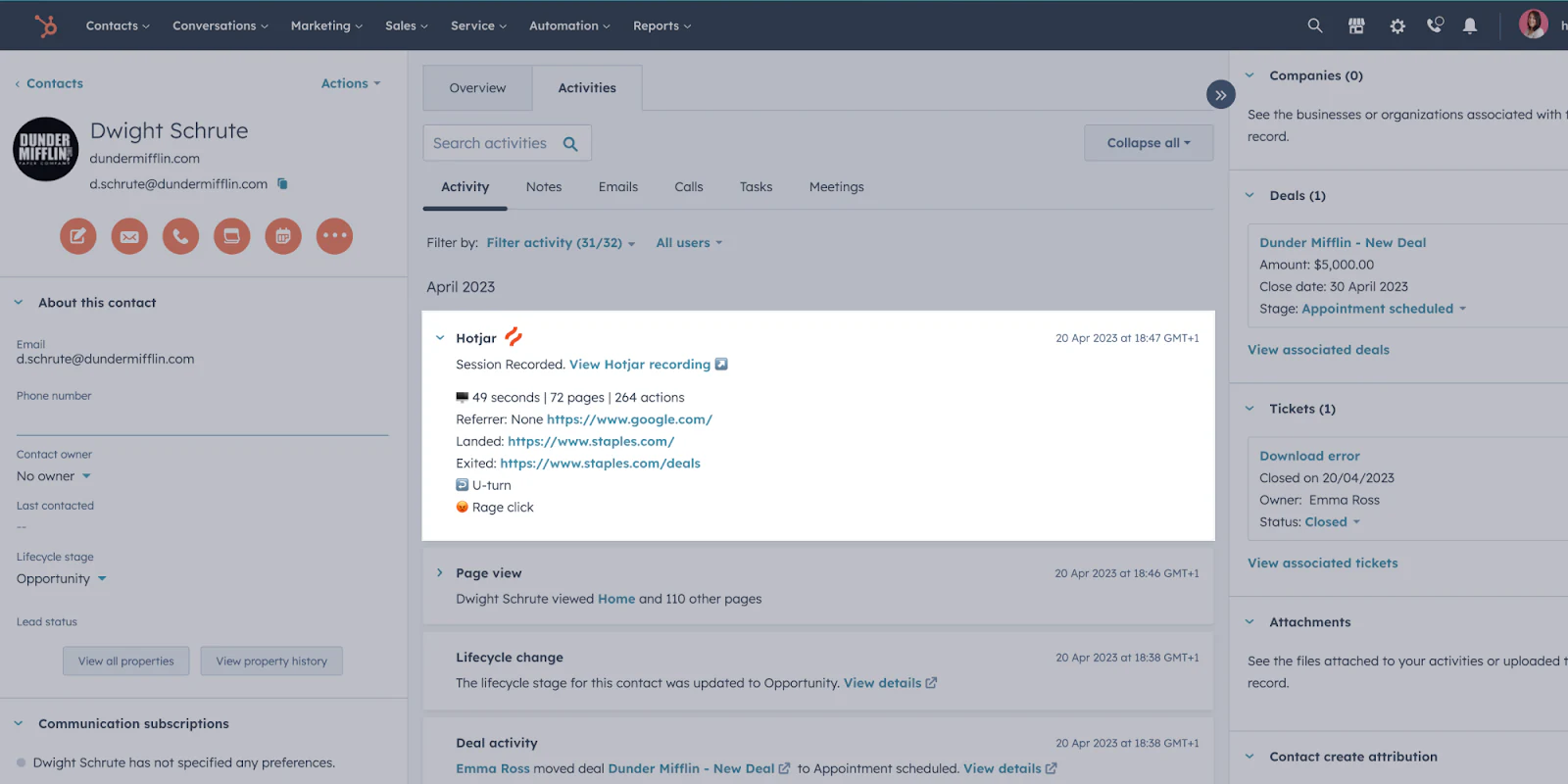
Hotjar is a tool that helps you understand how customers interact with your website. It uses features like surveys, heatmaps, and session recordings to gather feedback and show you where improvements can be made based on user behavior.
When you integrate Hotjar with HubSpot, it connects your customer data, making it easier to match feedback to specific individuals in your database. This combination gives you a clearer picture of your audience and helps enhance their experience.
| Pros | Cons |
|---|---|
| Get detailed heatmaps and recordings from HubSpot data | Can be costly for small teams |
| Conduct targeted surveys to analyze user behavior patterns | Requires technical expertise to set up |
| Use behavior patterns to optimize conversion rates | Can impact website loading speed |
Pricing: Free (up to 35 daily sessions) and paid (from $39 to $213 per month).
5. Eventbrite
If you’re in the event management business, you’ll love Eventbrite.
It’s just what you need to promote your events and sell tickets effortlessly. It takes care of everything from registrations and payments to name tag printing, helping you maximize your event's ROI.
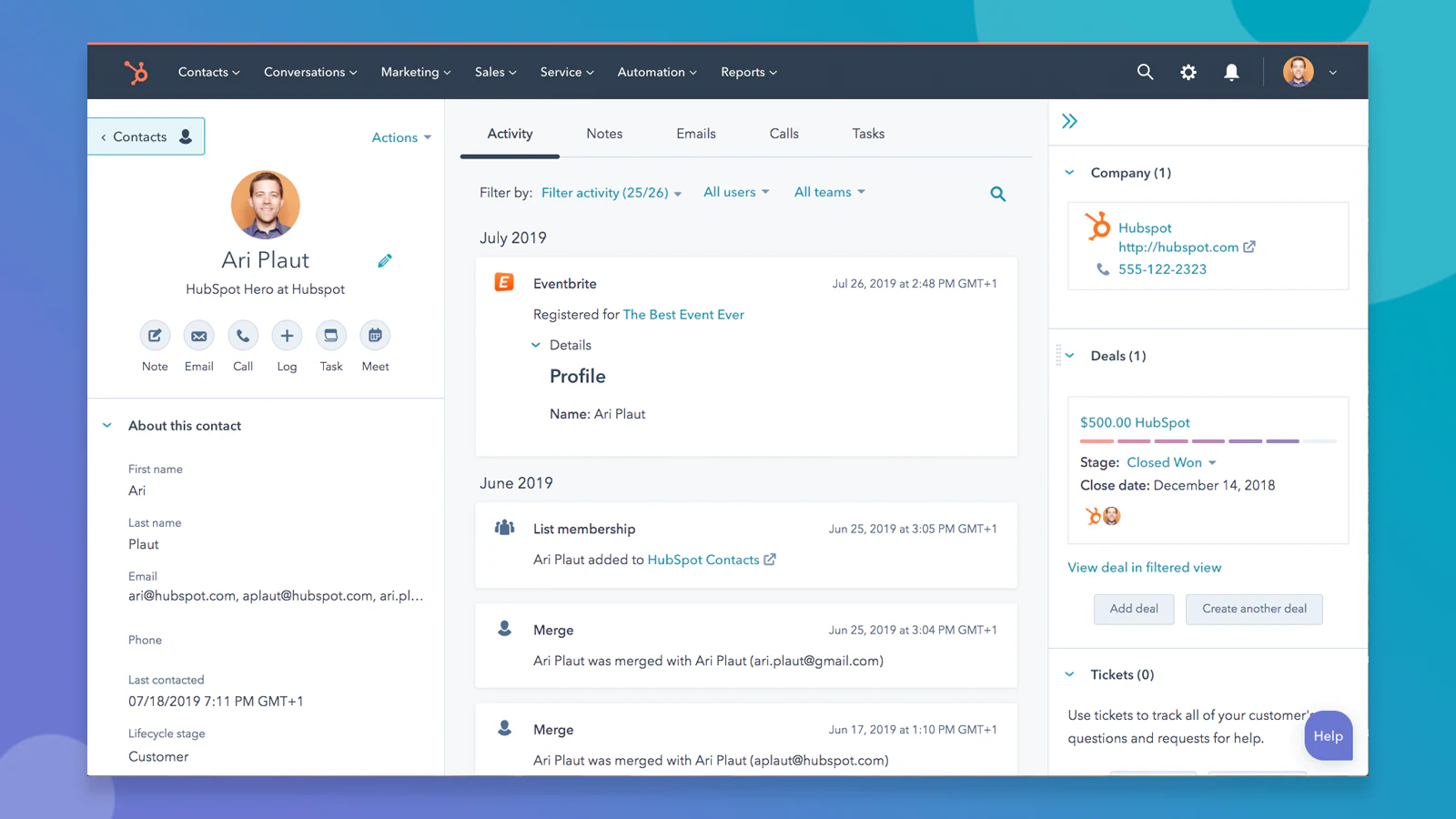
By syncing HubSpot with Eventbrite, you can easily see which leads and contacts have registered for your events, allowing you to segment your audience properly. Plus, you can set up workflows to send customized event reminders and follow-ups, keeping your audience engaged.
| Pros | Cons |
|---|---|
| Autosync attendee data with HubSpot contacts | Limited customization for data mapping |
| Run targeted follow-up campaigns based on attendance and registrations | Sync delays with larger events |
| Track event participation to score better leads | Only high-tier plans have advanced features |
Pricing: It has both free and regional paid plans.
6. Databox

Databox pulls in thousands of metrics from your favorite platforms, presenting them in easy-to-read visuals for analysis and sharing. With this integration in HubSpot, you can easily track and share data, getting real-time insights that help you make better decisions.
While HubSpot gives you a clear view of your data and customer info, Databox allows you to fully customize how you view and interpret this information, so it’s all exactly how you need it.
| Pros | Cons |
|---|---|
| Create customizable, real-time dashboards, gathering all your data in one place | Advanced features available in higher plans |
| Automate report scheduling and sharing | Steep learning curve |
| Use pre-built templates and KPI tracking for HubSpot data | Requires technical expertise to set up custom API configurations |
Pricing: It has a free forever plan (perfect for individuals and small teams). Paid plans go from $59 to $999 billed monthly.
7. Salesforce

What happens when you combine two of the strongest CRMs?
You get a system that connects your teams and lets you work with dozens of apps to engage customers, boost sales, manage e-commerce, and provide great customer service.
Salesforce also works well with other tools like Softr, giving marketing, sales, and service teams a shared view of each customer, so nothing falls through the cracks.
| Pros | Cons |
|---|---|
| Set up bi-directional sync to keep contact, company, and deal data updated | Complex and time-consuming setup |
| Manage sales operations with Salesforce using CRM data | Might face syncing problems and data duplicates if not set up properly |
Pricing: Salesforce has multiple categories of products with each priced differently.
8. Proposify
When someone shows interest in your services, that’s a win, but it’s not a done deal yet. You still need to get that signed contract, and that’s where Proposify can help.
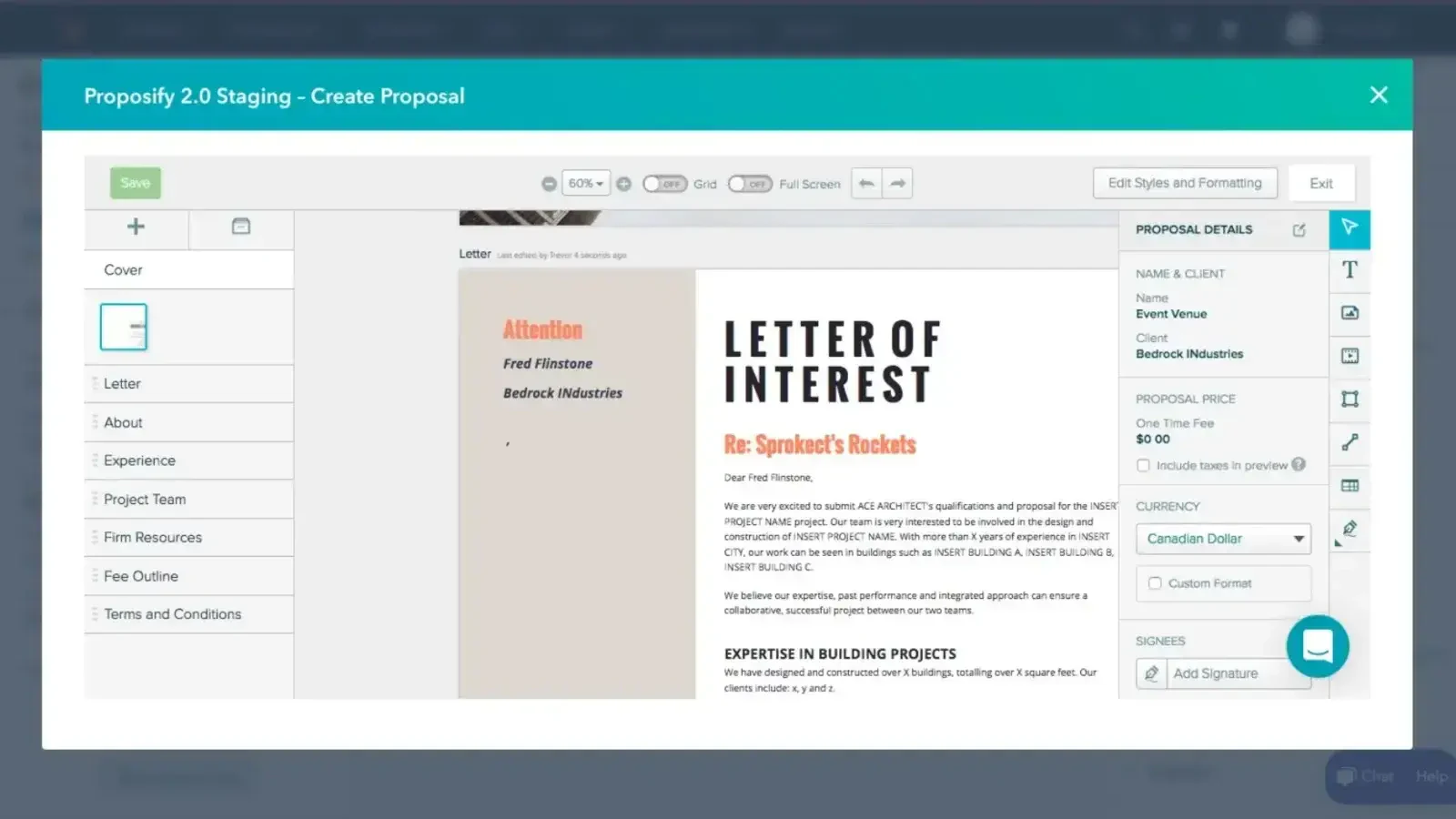
With Proposify integrated into HubSpot, you can create polished, professional proposals, share documents, track client responses, and get legally binding signatures, all from one place. You can pull contacts and deals directly from HubSpot and build visually appealing proposals in no time.
| Pros | Cons |
|---|---|
| Autocreate proposals from CRM data | Advanced features in expensive plans |
| Get status updates in real time | Limited customization of workflows |
| Track proposal metrics like views and signatures directly in HubSpot | Complex proposals tend to lag |
Pricing: Their plans start at $29/month and go all the way to $65/month.
9. Slack
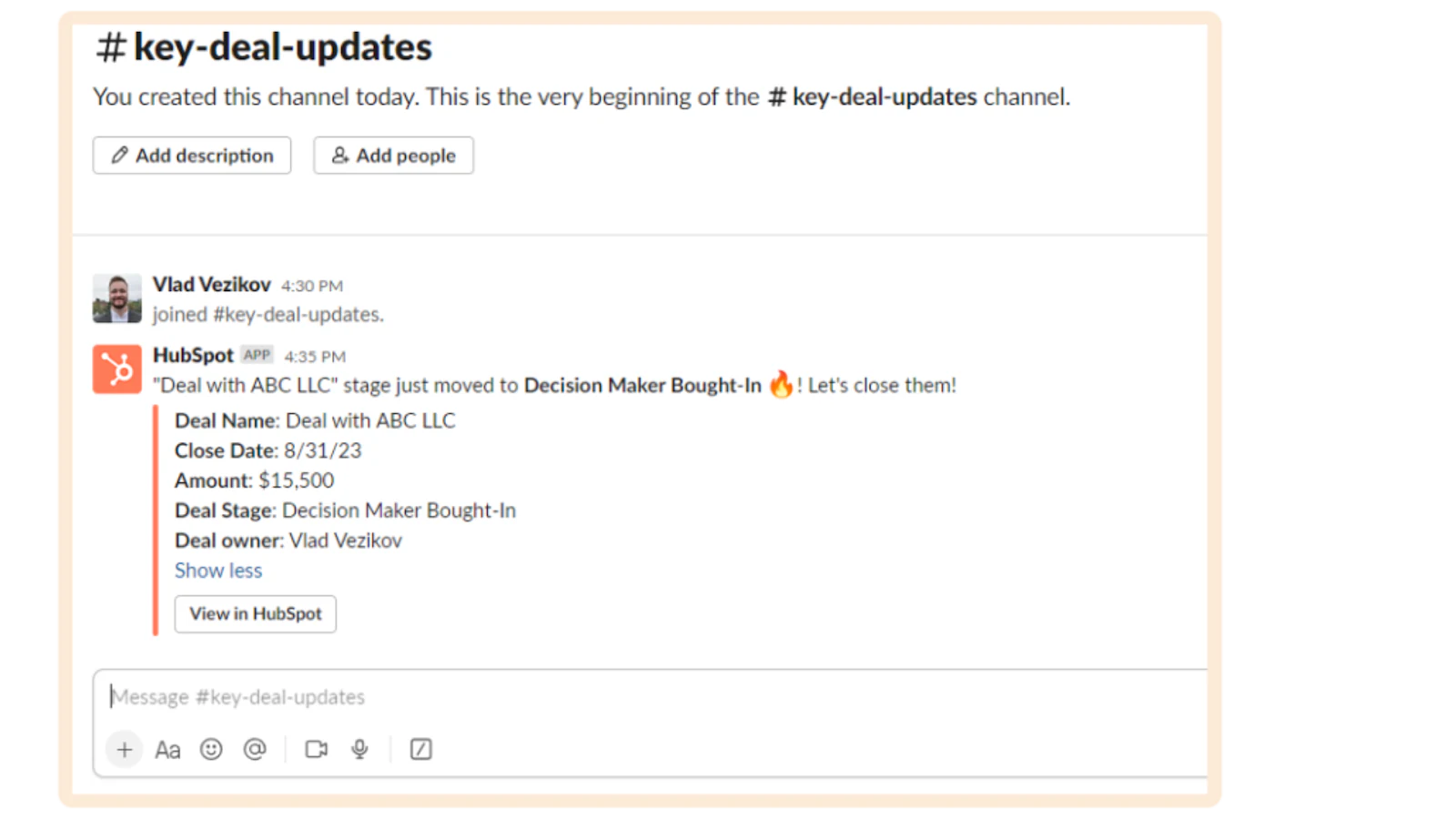
Slack is well-known for keeping teams connected, especially for remote collaboration. In fact, most of us keep Slack open all day anyway.
So why not set up a personal channel that automatically notifies you about new form submissions or leads?
With the HubSpot and Slack integration, you can get a Slack message every time someone fills out a HubSpot form. This way, everyone stays in the loop about new leads, outreach opportunities, and timely responses to incoming inquiries.
| Pros | Cons |
|---|---|
| Receive HubSpot updates directly in Slack | Limited features compared to native integrations |
| Create new HubSpot contacts from conversation threads | Requires a paid Slack subscription |
| Maintain quick communication in real time | Can lead to information overload |
Pricing: It has both free and paid (base tiers starting from $7.25/month) plans.
10. Unbounce
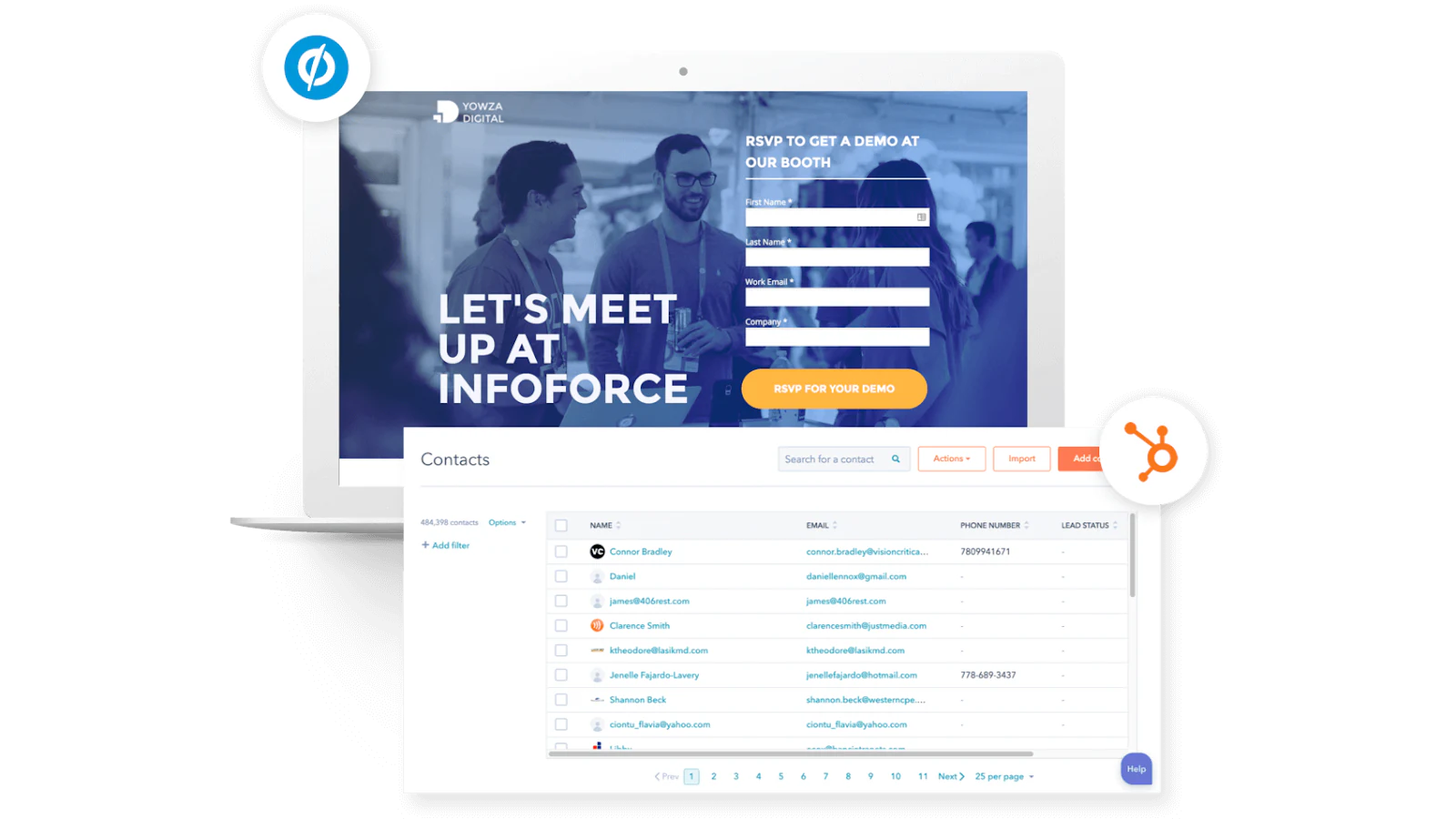
Unbounce is a tool for creating custom landing pages and popups that help you capture and convert leads. It comes with a set of AI tools that generate content and direct visitors to the page boosting your conversion rate by up to 30%.
When you connect Unbounce with HubSpot, new leads from your Unbounce pages automatically sync to your HubSpot database, and you can set up personalized follow-up emails right away.
| Pros | Cons |
|---|---|
| Create landing pages within HubSpot | Requires a paid subscription |
| Sync lead data to your CRM contacts | Might face delays and data discrepancies |
| Track performance analytics | Limited customization options |
Pricing: Unbounce only has paid plans, ranging from $99/month to $649/month. It does have a free 14-day trial, though.
11. Typeform

Turning a visitor into a lead often depends on them filling out a form, whether it’s to collect data, sign up, or give feedback. Typeform makes this easy with tools to create engaging forms (surveys, quizzes, sign-ups) that actually convert.
With the Typeform-HubSpot integration, data collected in Typeform is instantly synced with HubSpot, automatically updating your database with new leads and details. Its interactive features, like Logic Jump, allow you to ask specific questions based on previous answers, helping you better understand and segment your audience.
| Pros | Cons |
|---|---|
| Capture lead info from forms in HubSpot | Complex to navigate |
| Build forms without coding | Connection issues leading to disrupted data |
| Use custom templates to match your brand | Expensive plans |
Pricing: There are two categories of paid plans: core (from $29/month) and growth (from $199/month). If you can’t afford them, you can always start with the free plan.
12. Calendly
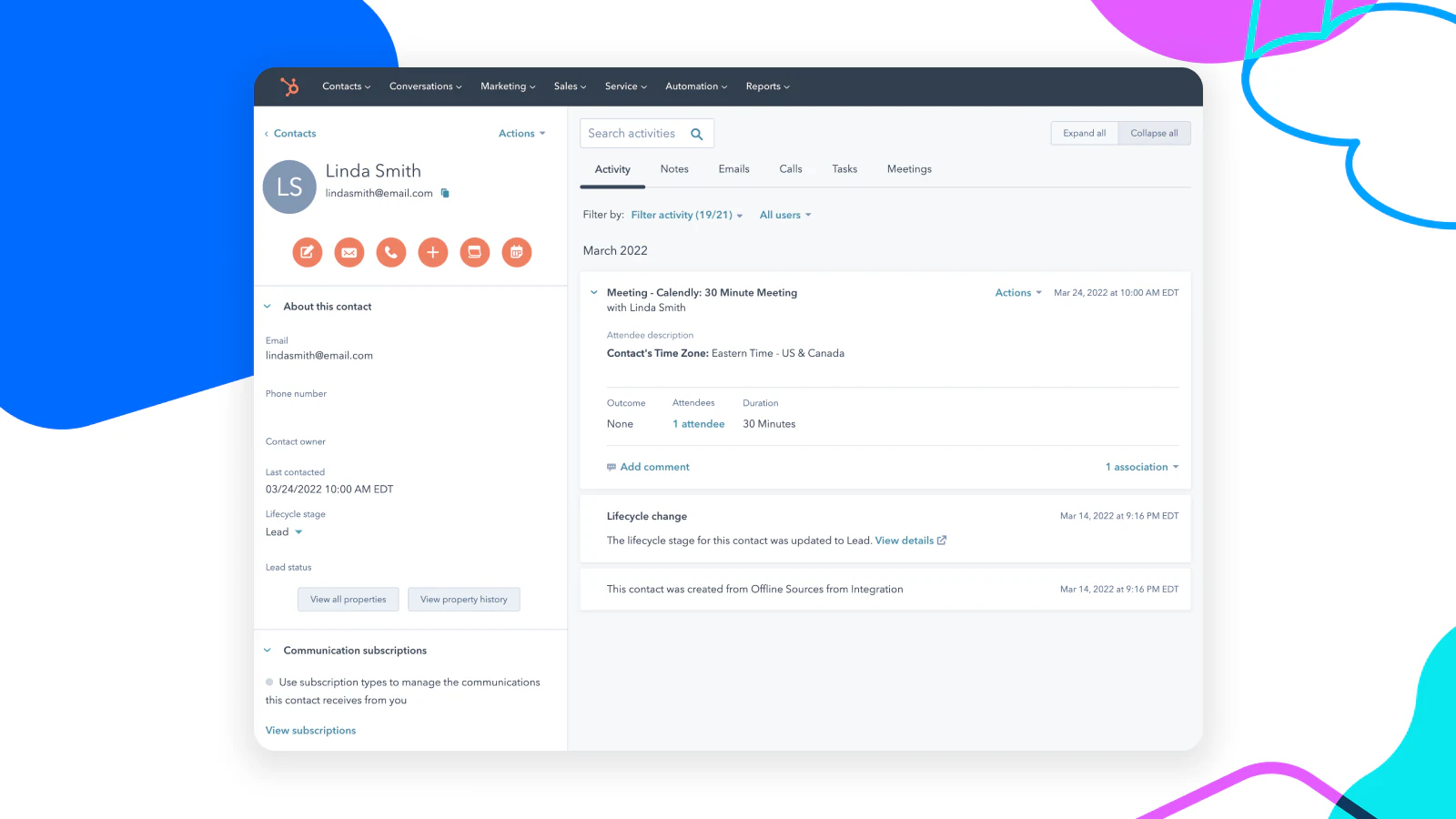
Calendly is an easy-to-use scheduling tool that easily syncs with HubSpot to help you book and manage meetings. You can set your availability and share a meeting link with leads, allowing them to schedule at their convenience.
The HubSpot integration keeps your CRM updated by automatically creating or updating contacts and activities whenever a meeting is scheduled, canceled, or rescheduled. Plus, you can capture responses to custom questions, adding more detailed insights directly to your HubSpot contacts.
| Pros | Cons |
|---|---|
| Autoschedule meetings directly from HubSpot | Limited workflow functionality |
| Monitor booking activity within CRM reports | Too many features can get difficult to manage |
| Syncs contacts to meeting data and attendees | Occasionally unable to send meeting dates and times |
Pricing: It has an Always Free plan and paid plans starting from as low as $12/month.
How Softr integrates with HubSpot to build custom solutions
When it comes to HubSpot integrations, we’ve already mentioned how versatile Softr can be for your business. But let’s break it down a bit more.
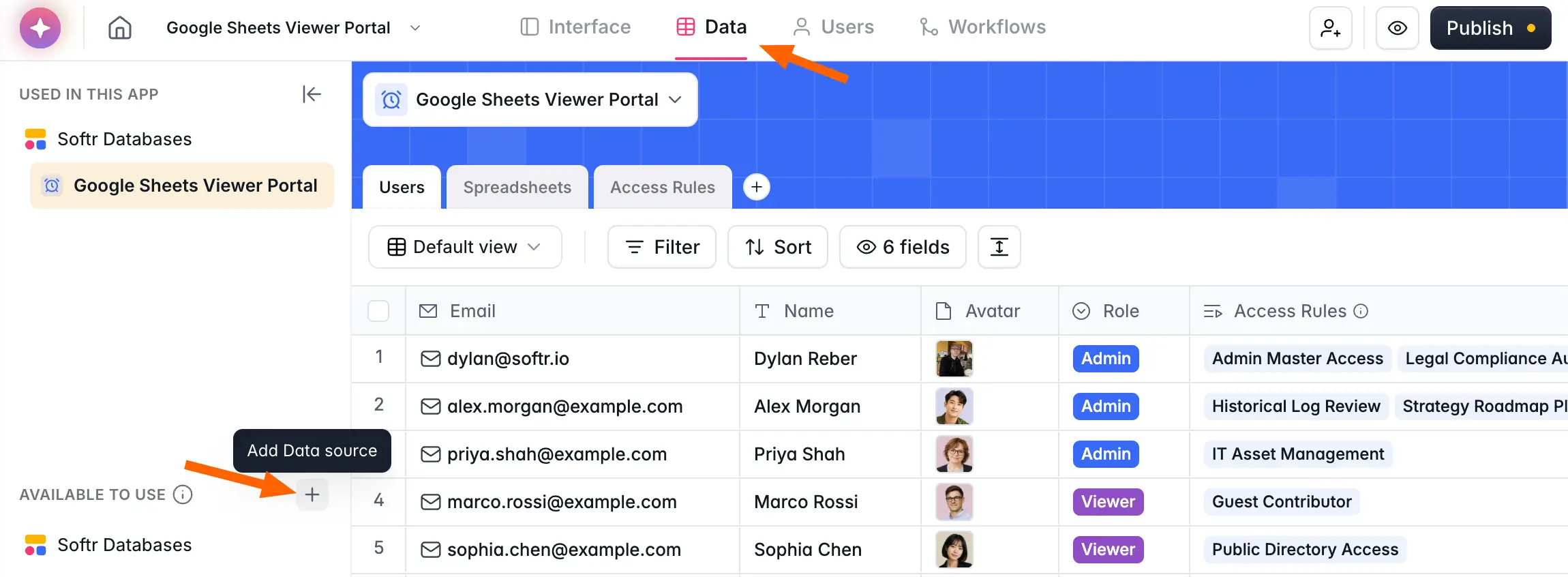
Softr lets you use your HubSpot data to create all kinds of custom applications that fit your business needs. This is really handy for building things like customer and client portals, project management dashboards, or tools that work directly with your CRM data.
This works in real customer setups, not just demos. London-based property managers built a tenant portal that syncs with HubSpot in under three days, letting 160+ tenants submit and track tickets while staff keep working entirely in HubSpot, at roughly half the cost of upgrading HubSpot's own Service Hub. Veterinary sample company Torigen runs 600+ submissions a month from 250+ clinics through a Softr portal that turns each submission into a HubSpot ticket.
"It is easy to showcase what we see in HubSpot to our customers. We are a property management service in Germany and benefit from Softr in that it enables us to showcase exactly what we are doing for our customers."
Verified User, Real Estate (Small-Business), G2 review
One of the biggest perks of using Softr with HubSpot is how flexible and customizable it is. Even without a technical background, business operators can build and adjust their own apps, which means more of the team can solve problems directly instead of waiting on IT or outside developers. And because the AI Co-Builder can generate or edit your database, pages, and permissions from a plain-language prompt, getting from idea to working app is fast.
Some unique features of this integration include:
- Build your app using blocks to control how your data is displayed and adjust styles and layouts, or describe what you want to the AI Co-Builder and have it assembled for you. This is perfect for client and partner portals that cater to HubSpot contacts at different stages of their buyer journey.
- Invite clients, partners, and teammates to collaborate within your app. With granular permission controls, you decide exactly who has access and what they can do.
- Keep your app always in sync with your CRM data. Any change you make in HubSpot reflects automatically in your Softr app, so everyone stays on the same page.
- Automate the repetitive parts with Softr Workflows, triggered straight from actions in your app, helping field and in-office teams keep HubSpot accurate without manual busywork.
Here is a quick way to get an app on your HubSpot data live with Softr:
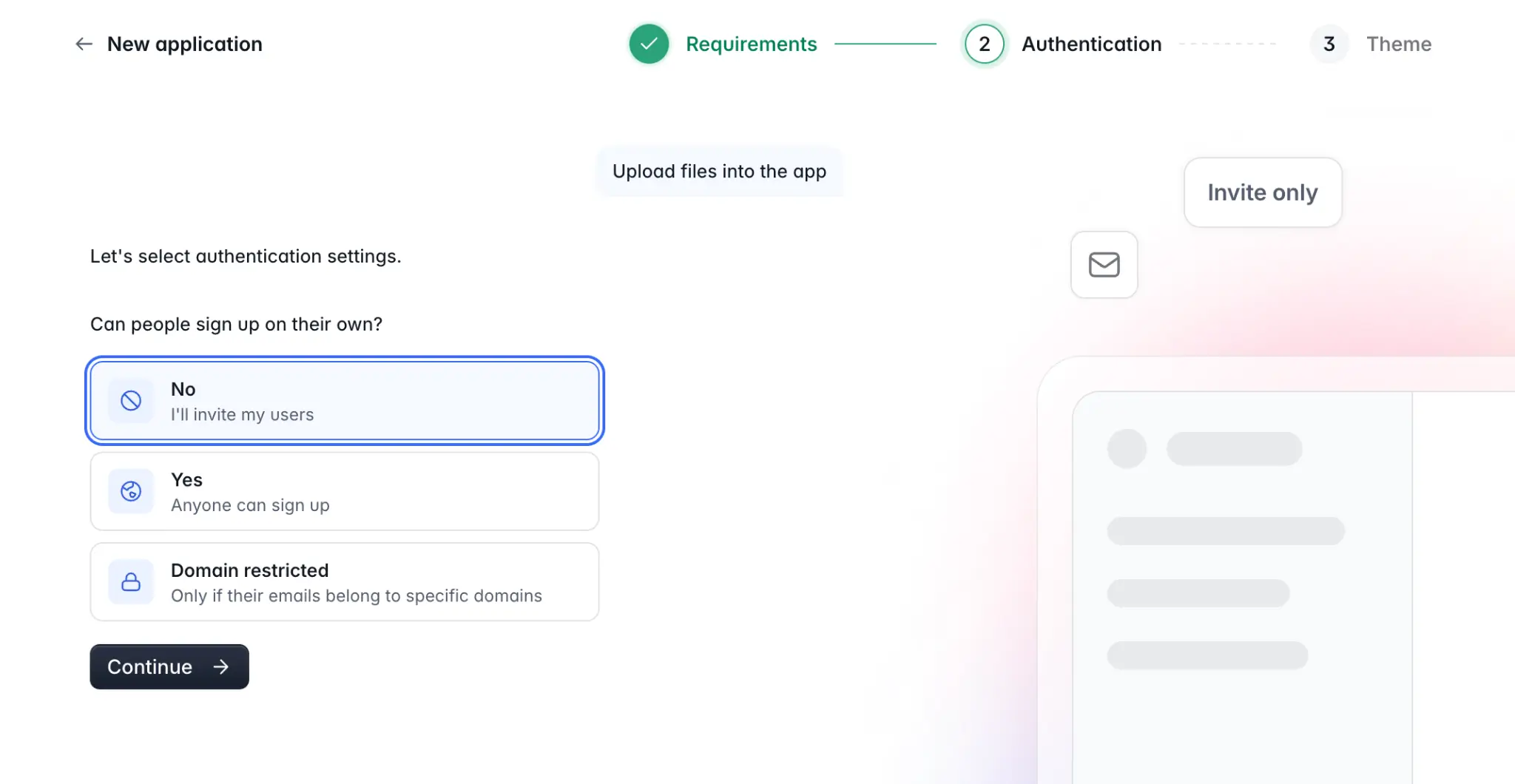
- Sign up for Softr and start a new app, then describe what you need to the AI Co-Builder (for example, "a client portal showing each client their open deals and documents").
- Connect HubSpot as your data source and pick the contacts, deals, and tables you want to surface.
- Set user roles and permissions so each client, partner, or teammate sees only what is relevant to them.
- Refine the pages with blocks (or the Vibe Coding block for fully custom UI) and add any Softr Workflows you need.
- Publish your app and invite users.
Wrapping Up
No one likes dealing with scattered and messy business data and tools. And that’s where HubSpot integrations come in to tidy things up.
The main perks of these integrations include smoother operations, smarter decision-making, better customer experiences, and easier business growth. They reduce manual data entry, bring together different pieces of information, and help teams work together more effectively.
If you're looking for a flexible way to build on top of HubSpot, Softr is a great option. As the first AI-native no-code platform, it lets you turn your CRM data into production-ready apps and client portals without writing code, with the AI Co-Builder doing the heavy lifting on the database, pages, and permissions. You can start for free and turn your HubSpot setup into a real management tool in a matter of days.
So, if you want to really tap into what HubSpot can do and set up a smooth workflow in your organization, give Softr a try today.
FAQs about HubSpot integrations
Have more questions? Here are some common FAQs that you might find helpful:
How easy is it to set up integrations with HubSpot?
Setting up HubSpot integrations is pretty easy, thanks to the step-by-step guides and documentation from both HubSpot and the integration partners.
Are HubSpot integrations free, or do they come at an additional cost?
When it comes to cost, it can vary quite a bit. Some integrations are free, while others, especially the more advanced or custom ones, might need a paid subscription.
How do integrations impact HubSpot's performance and data sync?
As for performance, integrations can affect how HubSpot runs based on things like how much data you're syncing, how often it's updated, and how complex the integration is. But overall, HubSpot is built to manage these integrations efficiently.


