


Google Forms vs Tally: Which form builder is right for you? [2026]

[.blog-callout]
✨TL;DR:
- Google Forms is the simpler choice: It's free, deeply embedded in Google Workspace, and has zero learning curve — but its design is dated and its feature set hasn't kept pace with other form builders.
- Tally is a sleek, text-based alternative: Its document-style editor and clean aesthetic make building forms easy — but with limited database functionality, you'll still need other tools to act on your submissions.
- Softr offers more features on the free plan: Softr is the best free form builder with premium features like unlimited submissions, conditional logic, workflow automation, and a built-in relational database.
[.blog-callout]
If you’re weighing the choice between two form builders, chances are your decision will come down to a few key concerns: features, ease of use, and pricing. But if you’re looking at two form builders that are both easy to use and free, making that choice becomes harder.
This is the case for Google Forms and Tally: both apps have minimal learning curves and deliver solid value at no cost. But while they cover similar use cases, there are some major differences worth knowing about. This guide breaks down how the two form builders compare, and shows you when Softr might be a better fit.
Google Forms vs Tally at a glance
What is Google Forms?
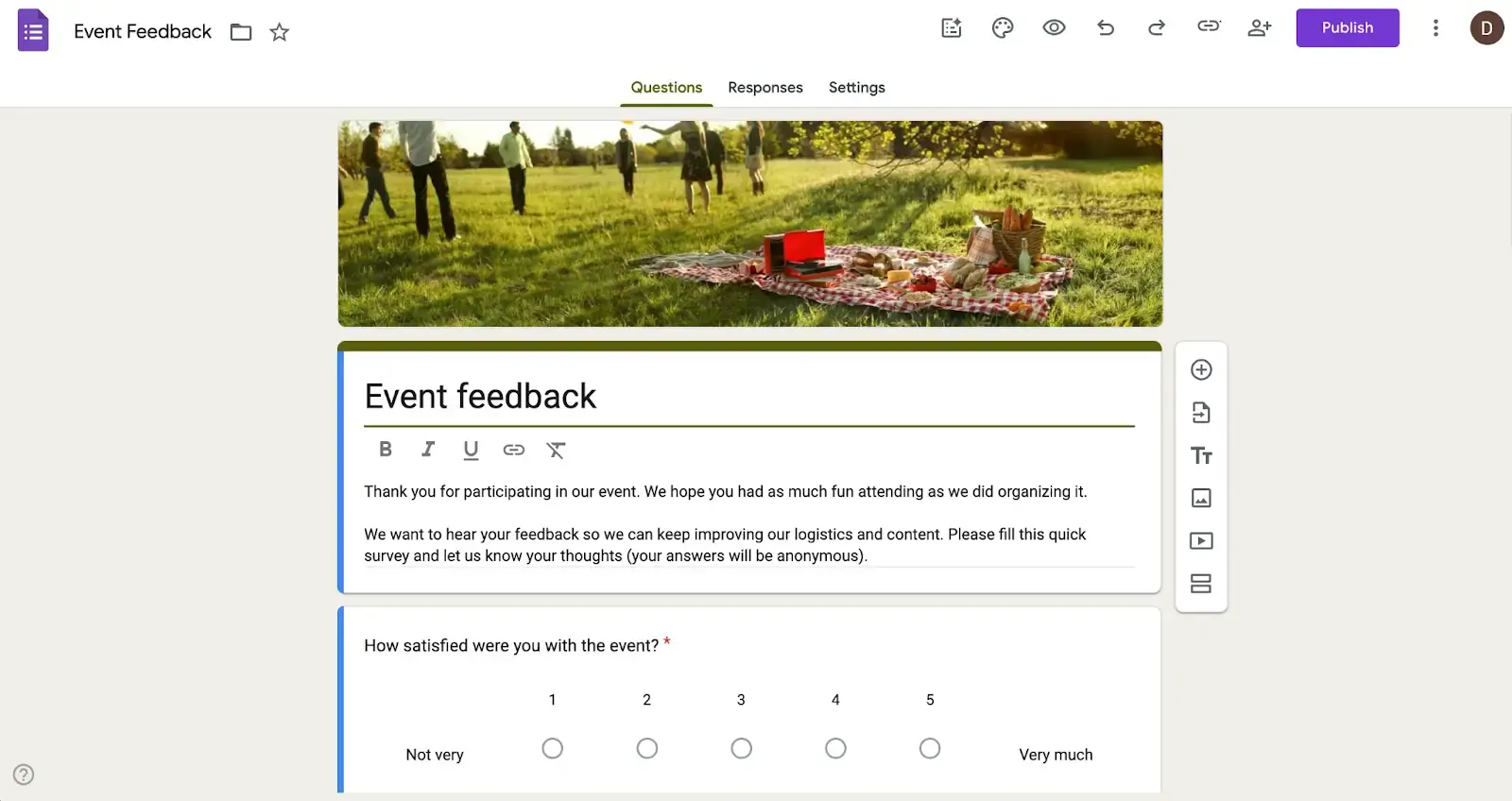
Google Forms is about as lightweight as a form tool can be without becoming a spreadsheet or text document. It’s included for free with every Google account (Workspace not required) and offers a simple interface for building straightforward surveys, quizzes, and registration forms.
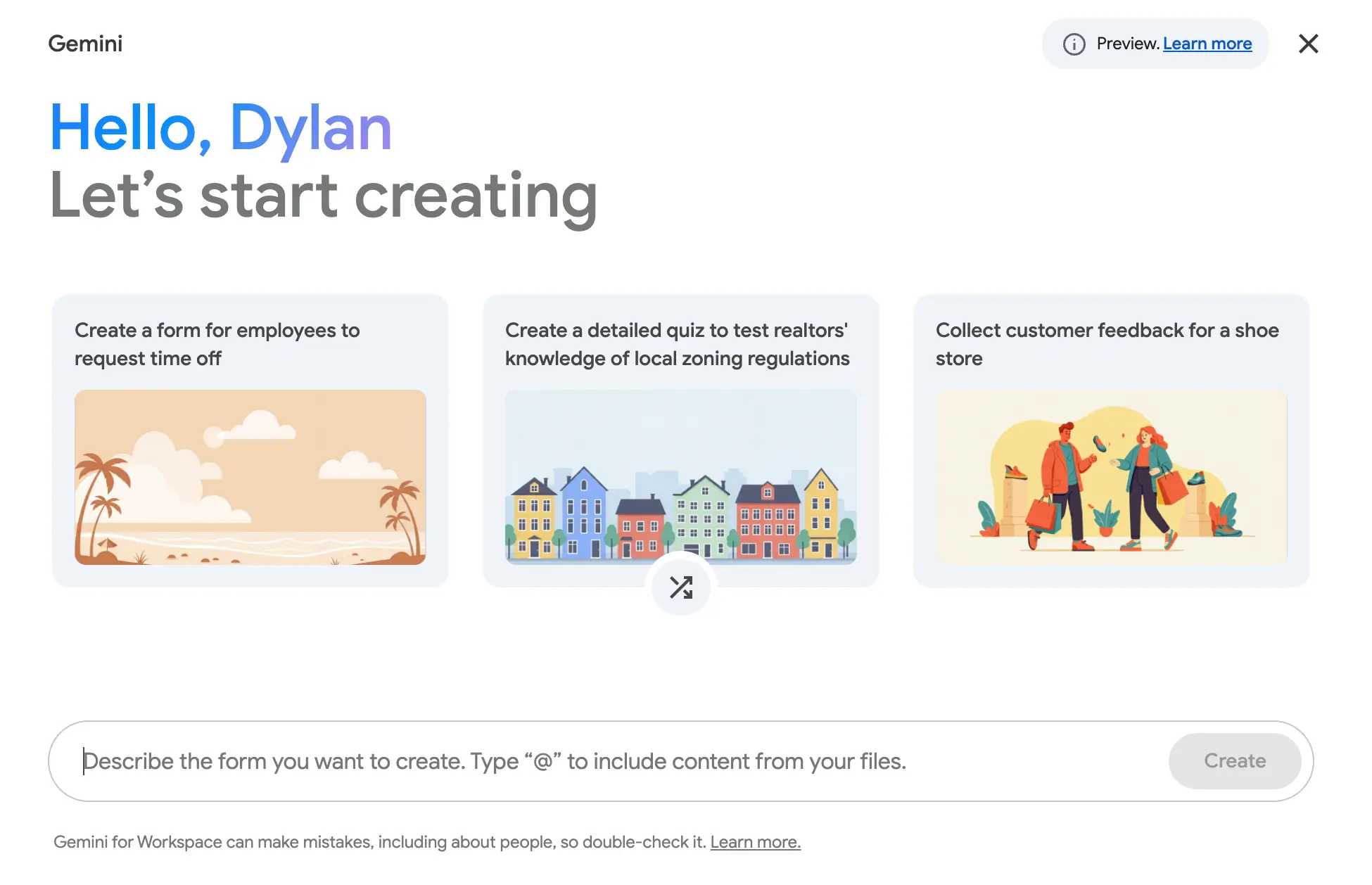
The interface is highly intuitive and should be familiar to anyone who’s used Google apps before. You'll be able to spin up a data collection form in minutes — or seconds if you ask the built-in Gemini assistant to generate it for you.
But while friction is minimal, so are your options. There’s no design customization beyond changing color themes or header photos, no native payment collection, and no meaningful branding control. Every Google Form looks like a Google Form, which can feel generic and impersonal for customer-facing use cases.
Still, if you just want a way to collect responses for your business, Google Forms provides a pretty stellar value at no cost. You get (practically) unlimited responses, conditional skip-logic, and seamless integration with Google Sheets for storing and organizing submission data.
If you’re already working within a Google Workspace and want a painless way to create and publish basic forms, this is a solid choice. But if you need deeper visual customization and advanced logic, you’ll likely want to consider Tally or another alternative
Google Forms’s key features
- Unlimited responses on the free plan: Unlike many form builders, Google Forms has no cap on monthly submissions (so long as you stay under the 10 million cell limit in Google Sheets).
- Gemini AI integration: Google's built-in AI assistant can generate a working form from a text prompt in seconds.
- Skip logic: Users can jump to specific questions based on their previous answers, so they only see what’s relevant to them.
- Quiz mode: Built-in grading tools let you set answer keys, assign point values, and automatically score responses, which is useful for educators and trainers.
- Real-time collaboration: Multiple members of your team can view and edit a form simultaneously, just like with Google Sheets or Docs.
- Auto-sync to Google Sheets: Form responses flow directly into a connected Google Sheet, making it easy to filter and analyze data without exporting to a third-party tool.
- File encryption: Any file submitted through Google Forms is encrypted automatically whether in transit or at rest.
Google Forms cons
- Restrictive design options: Other than changing header images and color themes, you have basically no control over how your forms look.
- Barebones template library: You get 17 pre-made form templates, which pales in comparison to the amount offered by competing form builders.
- Limited native integrations: Google Forms really only works seamlessly with other Google apps. For payment processing, workflow automation, or syncing data to non-Google tools, you’ll have to rely on workarounds or the REST API.
Google Forms pricing
Google Forms is completely free and included with any Google account. If you want to use it as part of a Google Workspace, plans start at $7/month/user.
What is Tally?
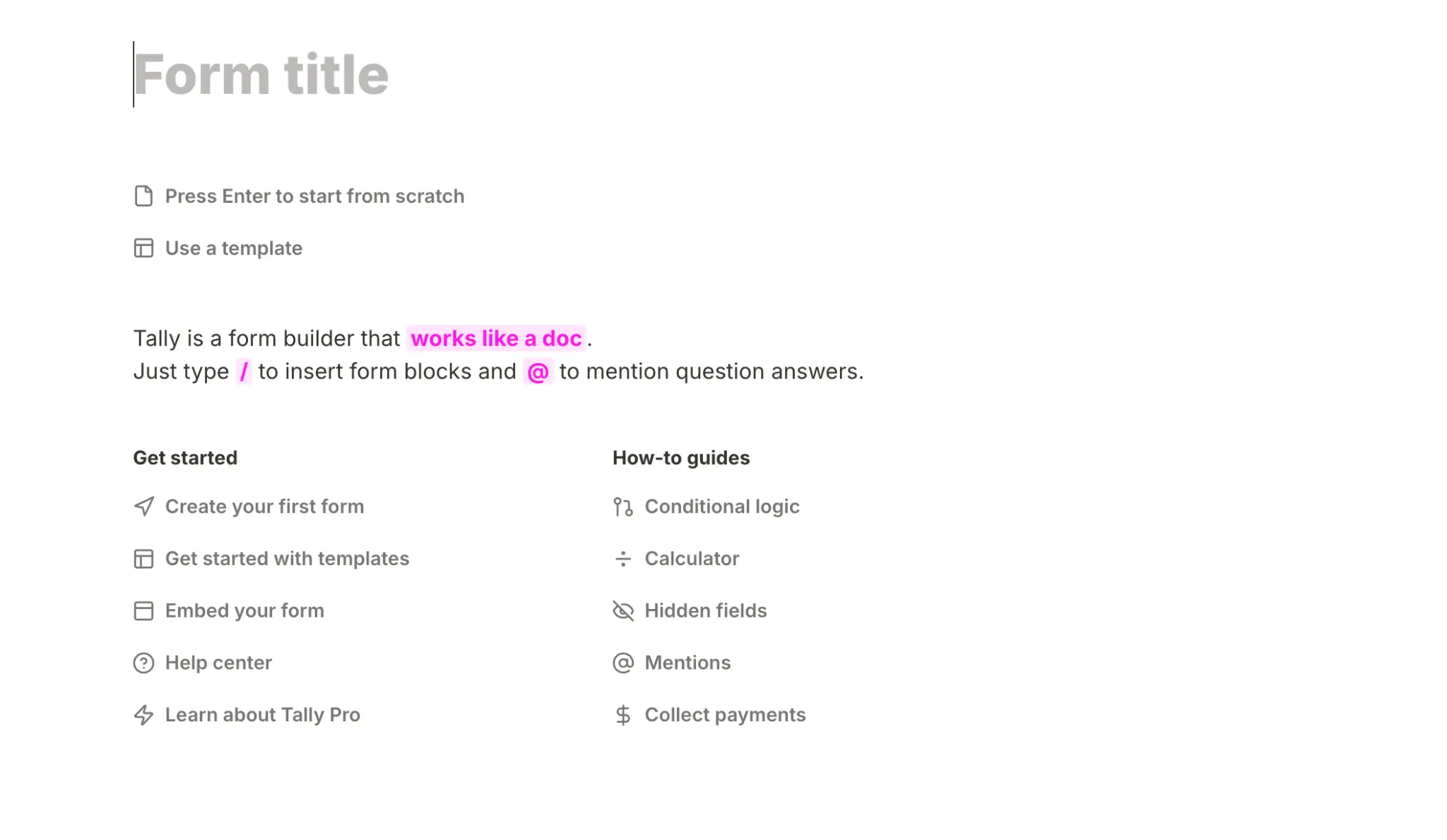
Tally is kind of like the dark horse of form builders. It isn’t as popular as Jotform or Typeform, but its document-style editor is unique in the space, and its free plan punches well above its weight in features.
When I say document-style editor, I basically mean Notion — but for collecting data. Instead of dragging and dropping fields into your form, you add questions by typing them in the page. This doesn’t mean writing everything from scratch, as you can use / and @ commands to do things like add form blocks, conditional logic, or mention answers for answer piping.
Tally takes a little getting used to, and those familiar with Notion’s interface will likely have the easiest time learning the platform. Thankfully, there are over 100 templates (made by Tally and community members) to help you hit the ground running.
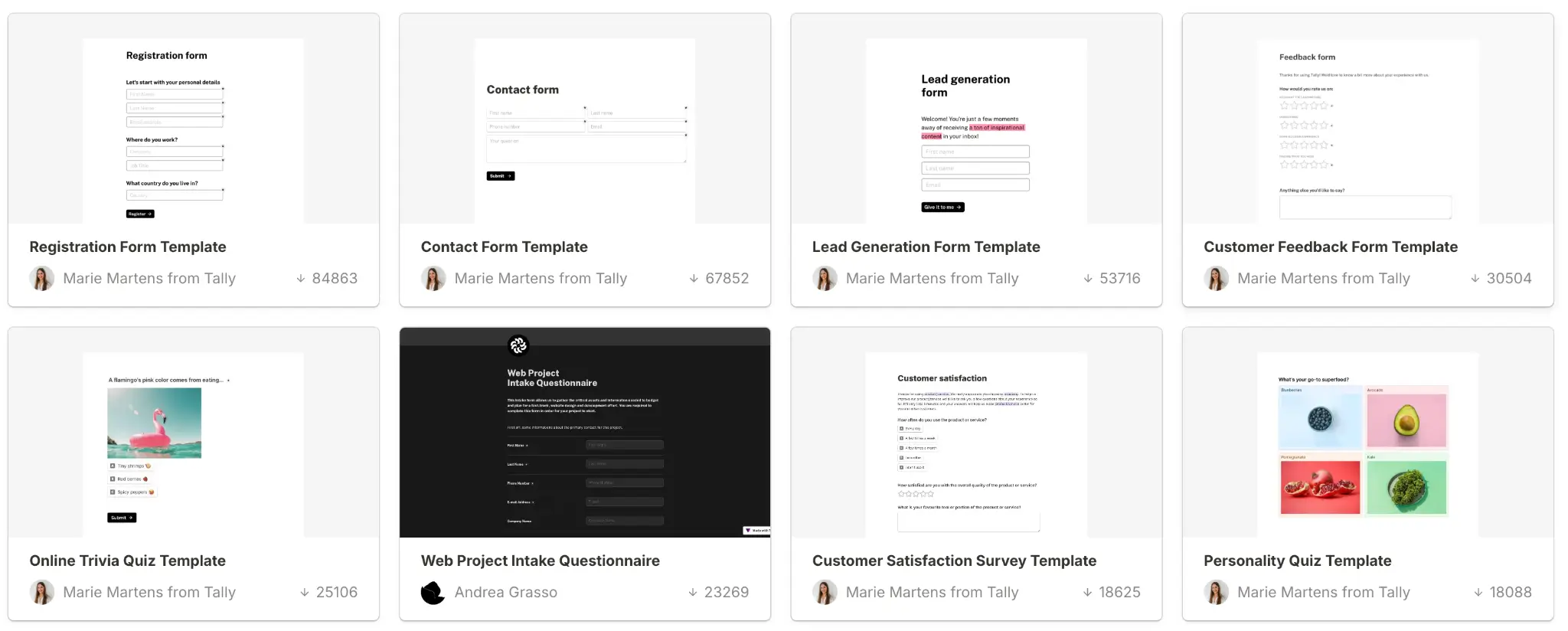
Feature-wise, Tally has a leg up on Google Forms, with advanced conditional logic, payment processing, basic form customization, and native integrations all included on the free plan.
But while Tally claims to offer unlimited submissions, you’re actually subject to fair usage guidelines that “suggest” staying under 50,000 submissions per month. If you go over this number for three or four months in a row, their team will reach out about switching to a custom paid plan.
Speaking of paid plans, you’ll also need one if you want to remove Tally branding or get access to advanced design options, custom domains, analytics, and other features.
Tally’s key features
- Notion-style document editor: Tally's slash-command interface makes building forms feel more like writing a document. It’s fast and fluid once you get the hang of it.
- Free payment collection: Collect payments via Stripe directly through your forms, even on the free plan.
- GDPR compliance: Tally’s data is GDPR compliant, hosted on European servers, and encrypted in transit and at rest.
- Self email notifications: You can set emails to send automatically whenever someone clicks submit on your forms.
- Native integrations: Tally connects natively with external tools like Notion, Airtable, Google Sheets, Slack, Zapier, and others.
- Hidden fields: Pass URL parameters silently through forms to track traffic sources, pre-fill data, or connect submissions to specific campaigns.
- Lightweight and fast loading: Forms are snappy and load quickly without heavy scripts or animations, aiding completion rates.
Tally cons
- Key features are gated: You’ll need to upgrade to the Pro or Business plan to get access to things like custom branding, analytics, custom domains, team collaboration, and advanced customization.
- “Unlimited” submissions aren’t truly unlimited: The only cap for Google Forms is Google Sheets’ 10 million cell limit; Tally claims to offer unlimited submissions but forces you to stay under 50 000/month (per their fair use policy).
- No real built-in database: Submissions are stored in a basic response log rather than a structured database. If you need to filter, update, or act on your data in any meaningful way, you'll need to route it to an external tool like Google Sheets.
Tally pricing
Tally has three plan tiers, and you may also be offered a custom plan based on past usage if you exceed the app’s fair use limits.
- Free: Generous submissions limits, payment and signature collection, conditional logic, and several integrations
- Pro ($29/month): Unlimited team members, custom branding, analytics, and more
- Business ($89/month): Data retention control, email verification, version history
Google Forms vs Tally: pricing
Both Google Forms and Tally can be used (and used well) for free. But while Google Forms doesn’t even have a paid plan to begin with, Tally offers two paid tiers: Pro and Business. Here’s how the two apps compare in overall value.
Key differences:
- Submission limits: While Tally expects free users to stay under 50,000 monthly submissions, your only limit for Google Forms is the 10 million cell limit in Google Sheets. If you’re happy with the more basic features of Google Forms, it allows for considerably more submissions than Tally.
- Feature set: Tally's free plan includes payment collection, design control, and cleaner advanced conditional logic that Google Forms simply doesn't offer. But those extras come with a branding tradeoff until you upgrade to a paid plan.
- Cost ceiling: The only possible cost for Google Forms comes when you want to use it as part of a Google Workspace ($7/user/month). Tally's free plan is generous, but teams that need higher submission limits and advanced features will eventually need to upgrade.
- Integrations: Tally's free plan includes native connections to Notion, Airtable, Make, and more out of the box. Google Forms requires Zapier or API work to go beyond the Google ecosystem.
The verdict: Google Forms wins on raw submission volume and costs absolutely nothing. Tally wins on depth, since even on the free plan it’s more feature-rich than Google Forms. If you do jump to one of Tally’s paid plans, they provide a solid value without making you pay for individual seats.
Google Forms vs Tally on Reddit
Google Forms is super popular. As for why it’s popular, users online tend to agree: it costs nothing, it’s easy to use, and it syncs with Google Sheets. For a lot of people, that's enough.

Other users struggle with its barebone feature set and limited conditional logic, which make it feel outdated compared to other form builders on the market.

On the Tally front, users praise the Notion-like UI and generous free plan, with one Redditor stating they’d be happy to upgrade to a paid tier once their needs expand.

Tally is a relatively new app compared to Google Forms, but it’s still telling that so few negative reviews exist on Reddit. However, one complaint is that its forms are too basic visually. This user considered paying a freelancer to build them a form with custom css to circumvent Tally’s limited design control.

Google Forms vs Tally: a summary
Despite being outpaced by most online form builders (including Tally) in the feature department, Google Forms is still a good choice for teams working in the Google ecosystem who want a no-fuss way to collect information.
Tally does everything Google Forms does and more, but it can have a slight learning curve for teams unfamiliar with Notion’s interface. In the end, choosing between the two really depends on what you need your forms to do.
- Google Forms excels at simplicity and scale. It’s the better choice if you need unlimited free submissions, work primarily in a Google Workspace, and want to build basic forms fast without fussing over logic and design.
- Tally prioritizes flexibility and depth. Users get more control over form design, native payment collection and integrations, and deeper conditional logic on the free plan. Plus, there are paid tiers to upgrade to if you need more advanced features or higher submission limits.
And if you’re only looking at the free plans, remember that Tally asks users to stay under 50,000 monthly submissions, while Google Forms has no such cap.
Softr — the best free form builder for collecting and acting on submission data in one platform
Google Forms and Tally are both solid form builders, but they share a common gap: once you collect data, you'll need other tools to do anything meaningful with it.
Google’s platform may sync with Sheets, but this is still a spreadsheet tool rather than a true relational database. And Tally’s submission log is even more basic, making an external data solution a must.
Softr is a no-code app-builder that lets you build forms, store and manage submissions, and automate workflows — all in one place. You can route every form response to a built-in AI-powered database, sync with external data sources, or combine both approaches.

And while Tally’s free plan is technically limited to about 50,000 submissions per month, Softr gives you truly unlimited forms and unlimited submissions.
Softr’s visual builder supports multi-step forms, advanced conditional logic, hidden fields, and more at no charge. You get better design flexibility than Tally and deeper functionality than Google Forms, without a steep learning curve or core features gated behind paid tiers.
On top of that, you can trigger automated workflows when responses come in or meet specific conditions: no external automation tool needed.
Best for: Teams that want to collect and act on form data in one central platform, without hitting submission limits or paying for basic features.
Why teams choose Softr over Google Forms and Tally
- Replace your stack, not just your form tool: Most teams using Google Forms or Tally still need several other tools to do anything with their submissions. Softr lets you collect, store, automate, and build apps on top of your data in a single platform.
- Deep logic, without the learning curve: Build multi-step forms with conditional routing, hidden fields, and custom validation using Softr’s intuitive visual builder.
- A real database, not just a response log: Every Softr submission is stored as structured data you can filter, update, and act on immediately. No exporting to Sheets or Airtable required.
- Forms that trigger workflows: Softr Workflows lets you do things like automatically add a client to a portal, create a task for your team, or kick off a multi-step approval process when a form response comes in.
- Full design control: Tailor forms to your use case with custom code, branded themes, and domain restrictions. Softr gives you advanced design flexibility without sacrificing functionality.
- No paywalls on features that matter: Softr’s free plan offers unlimited conditional forms, unlimited responses, and custom styling with no catch.
- Granular access control: Restrict form access by domain or email, and use built-in validation rules to ensure the data you collect is clean and reliable from the start.
Google Forms, Tally, or Softr
Google Forms is the old standby of form builders: it’s been around a long time and it’s not going anywhere. Tally, on the other hand, is new, sleek, and still adding features on a regular basis. Both are capable form builders, and which one you choose will depend on how much you value design, logic control, and scalability.
For simple data collection use cases, Google’s app is likely the better choice, while Tally excels at building more involved, visually appealing forms. But if you need to do more than just collect responses, neither app is really built for what comes next.
Instead of routing submissions to a spreadsheet and patching together integrations, Softr stores every response in a native database you can act on immediately, with AI and automation built in. It’s the best choice if you want your forms to power custom apps in real time—portals, dashboards, task management systems, and more—but it also works great as a standalone form builder.
Ready to do more with your form data? Try Softr for free.


