9 best free work order software in 2026


When work orders come in from all directions (repairs, inspections, routine maintenance), it’s hard to keep track using forms, spreadsheets, or scattered emails and texts. These manual methods not only slow things down, they also lead to missed tasks, double work, and confusion about what’s been done and what hasn’t.
Work order management software has become the standard for teams that want to stay organized and keep operations running smoothly. Below, you’ll find the top free tools in 2026, plus tips to help you choose the right one for your team.
The top 9 free work order software comparison table
Before we dive into the detailed review, here’s a quick overview of the best free work order management software:
| Best for | Standout features | Pricing | |
|---|---|---|---|
| Softr | SMBs and growing ops teams with evolving needs across internal and client workflows | • Native Softr Databases, or connect Airtable, monday.com, Google Sheets, and 21+ other sources • AI Co-Builder to generate the app, database, and workflows from a prompt • Filtered views by role (clients, techs, admins) • Role-based access and secure permissions • Task tracking, status updates, and native workflow automations | Free: 5 total users, 5,000 database records, unlimited apps, up to 3 builders Paid: From $19/month for more users, records, and workflow actions |
| MaintainX | Field teams that need fast mobile updates | • Jobs can be submitted, updated, and closed via mobile • Photos, checklists, and comments can be added in the field • Interface designed for ease of use by field technicians | Free: Up to 3 users Paid: From $16/user/month |
| UpKeep | Small maintenance teams managing recurring jobs | • Preventive maintenance can be scheduled in advance • Tasks can be tracked by asset, location, or category • Mobile access available for field teams | Free: 1 user Paid: From $20/user/month |
| Limble | Growing teams that need more structure and asset tracking | • Full asset history and preventive maintenance plans • Custom dashboards and reports • Inventory management and barcode scanning | Free: Limited users/features Paid: From $40/user/month |
| Jobber | Client-facing service businesses managing jobs end-to-end | • All-in-one scheduling, tracking, and invoicing • Client communication and payment collection tools • Self-service client portal | Free: 14-day trial only Paid: From $49/month |
| ServiceTitan | Larger service companies with dispatching and CRM needs | • Real-time job dispatch and team coordination • Built-in CRM, call tracking, and reports • Supports complex workflows across teams | Free: No free plan Paid: Custom pricing |
| eMaint | Teams with compliance and audit requirements | • Inspection checklists and audit logs • Recurring work orders and asset histories • Configurable workflows for regulated industries | Free: 30-day trial Paid: From ~$69/user/month |
| IBM Maximo | Enterprise teams with infrastructure or fleet management | • Scalable asset and facility tracking • Advanced analytics and IoT integrations • Multi-site and enterprise support | Free: No free plan Paid: Enterprise pricing |
| Odoo | Teams looking for work order management plus other business tools | • Modular system for work orders, inventory, HR, and more • Add only the apps you need • Open-source with cloud or on-prem hosting | Free: One app Paid: From $24.90/user/month |
What is work order software?
Work order software helps teams track and manage tasks that need to get done, like repairs, inspections, or client jobs, from request to completion. It gives you a shared system for logging work, assigning it to the right person, and keeping everyone updated.
Some tools are simple and mobile-friendly, while others support detailed workflows, asset tracking, or job scheduling.
Types of free work order management software
There’s no one-size-fits-all tool. The best type of work order software for your team depends on how jobs are submitted, who needs visibility, and how structured your process already is.
1. Spreadsheet-based systems
These tools turn an existing spreadsheet or database into a more organized way to manage job requests. They offer flexibility to set up forms, views, and filters based on your data, but often require some upfront work to structure things properly.
Best for: Teams already using Airtable, monday.com, Hubspot, Google Sheets, SmartSuite, or similar tools who want more structure and control.
2. Mobile-first tools for field teams
Built for technicians and field teams, these apps are designed for speed, making it easy to check job details, upload photos, and mark tasks complete right from a phone. The trade-off is limited flexibility in how jobs are structured or displayed.
Best for: Field service teams or maintenance crews who need simple, mobile-friendly job tracking with minimal setup.
3. Maintenance and asset tracking platforms
These platforms are centered around preventive maintenance, asset history, and service records. They often include inventory tools and checklists but may feel too complicated for teams that don’t manage equipment or recurring tasks.
Best for: Facilities or operations teams responsible for maintaining equipment, sites, or recurring inspections.
4. Job management tools with business features
These systems help teams handle more than just task tracking, often bundling in quoting, invoicing, or scheduling tools. They’re useful if you manage the full lifecycle of a job, though some features may go unused if you only need work order tracking.
Best for: Small businesses looking to manage service work alongside other admin tasks.
5. Enterprise-level systems
These tools are built for scale, supporting multiple teams, locations, and approval workflows. While they offer rich customization and reporting, they often come with a steep learning curve and limited free plans.
Best for: Mid-sized to large organizations with specialized teams or strict reporting needs.
What to look for when choosing a free work order software
If you're exploring free tools, these are the essential features to make your system useful from day one, without hitting a wall as you grow.
- Clean, straightforward interface: Easy for anyone to log in, find their task, and update it without training.
- Role-based access and permissions: Control who sees or edits what, which is perfect for teams, vendors, or clients.
- Basic task automation: Automate assignments, status changes, or notifications to reduce manual follow-ups.
- Built-in estimates and invoicing: Track job costs and bill clients directly from the same tool (great for service teams).
- Simple forms for job intake: Let users or clients submit requests through a form that feeds into your work order list.
- Advanced security: Even free versions should offer encryption, secure access, and admin-level controls.
- Room to grow: Make sure you can upgrade to more users, features, or workflows without rebuilding everything.
1. Softr
best for customizable work order software for SMBs

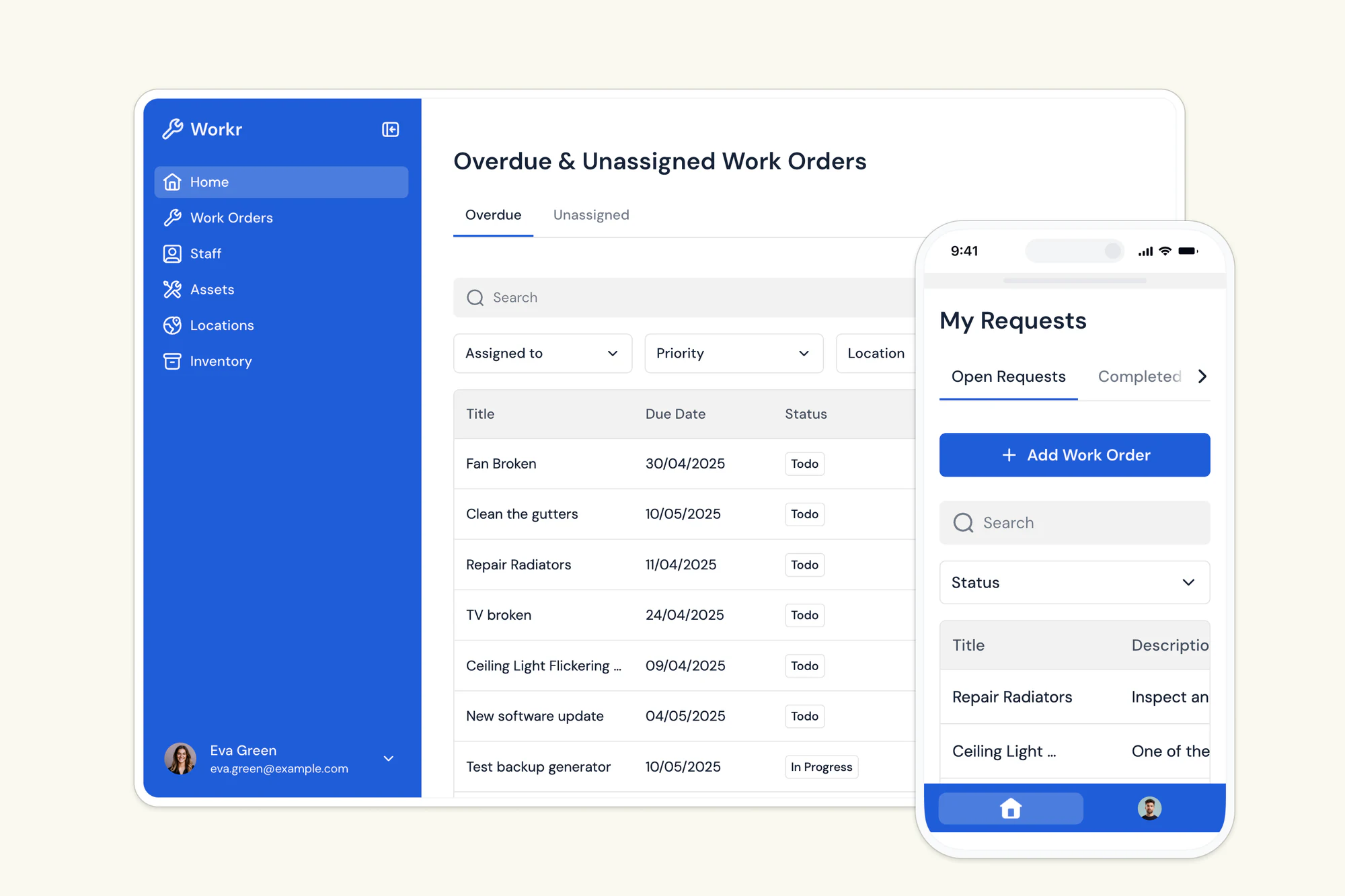
Softr is an AI app builder that lets you build a full work order management app on Softr Databases, its own native database, or connect it to the tools you already use, such as Airtable, Google Sheets, HubSpot, and more.
Why Softr is the best tool for work order management
Most work order software is packed with features you won't ever use. Softr is different. Describe what you need to the AI Co-Builder and it generates a working app (database, pages, and user roles included), or start from a customizable pre-built template, or build your own from scratch using drag-and-drop blocks. Add only the features and views you need for your workflow, whether that's managing job requests, scheduling technicians, tracking statuses, or monitoring performance dashboards.
Who is Softr for?
Small to large teams, especially teams doing maintenance, field service, property management, or construction, who've outgrown spreadsheets, emails, or shared docs. If you need a better system (but not the complexity or cost of enterprise software), Softr is the best tool for the job.
Softr key features for work order management
Softr has all the features teams would need to manage work orders successfully.
Here's a look at some of them:
- Softr Databases: Store your work orders, assets, and technicians in Softr's own native database, with 21+ external data sources (Airtable, Google Sheets, Notion, HubSpot, monday.com, SQL, and more) available if you'd rather connect existing data. Or use the REST API to pull in data from any system.
- 2-way real-time sync: Data stays automatically updated without manual content updates.
- Manage access with custom user groups and permissions: Define roles like technician, supervisor, or admin. Control exactly who sees and edits what with users and permissions.
- Mobile app with PWA (Progressive Web App): Let technicians and field teams access work orders on the go, right from their phones.
- Work order submission: Team members or clients can submit new work orders via customizable forms or directly through a secure portal. Every request gets logged instantly.
- Add photos, files, or notes: Attach important info to each job, like manuals, receipts, checklists, or before/after photos.
- Scheduling & assignment: Assign jobs, set deadlines, and view everything in a calendar or Kanban-style board, or ask the AI Co-Builder to build the board for you by describing what you need.
- Softr Workflows: Trigger automations directly from job status changes or button clicks, like notifying a supervisor when a work order is marked overdue, without relying on a separate automation tool.
- Comments & alerts: Set up alerts for new, updated, or overdue jobs. Leave notes directly in the app.
- Custom dashboards: Track key metrics like completion time, overdue jobs, and open tickets.
Pros
- Modern and user-friendly interface: Easy for teams and external partners to navigate, with no extensive training needed.
- Fully customizable: Build exactly the system you need. Add or remove features, views, and workflows as your needs evolve, and use the Vibe Coding block for any custom UI the pre-built blocks don't cover.
- Fast setup: Launch in minutes using a pre-built template or the AI Co-Builder, no dev team required.
- Add a portal for clients and vendors: Let external users submit requests, check status, or upload documents, without giving them full access.
- One tool, multiple use cases: Manage jobs, clients, vendors, and internal ops from a single interface.
- Scales with your business: Start small and expand into a full internal tool or portal over time.
Cons
- No built-in chat feature: There's no real-time messaging, but comments sync instantly and work well for quick updates or job notes.
- No native route optimization: Unlike dedicated field service tools, Softr won't auto-plan technician driving routes. If that's a core requirement, you'd pair it with a mapping tool.
"In roofing, there were not many good CRM options, except for one that cost thousands of dollars a month. Instead, I used Softr to build our own CRM that rivals the expensive ones. I do not pay for features I will not use, and simply build the ones I want, exactly how I want them." - Verified User, Construction, G2 review
2. MaintainX
best for field teams needing fast, mobile-first job tracking
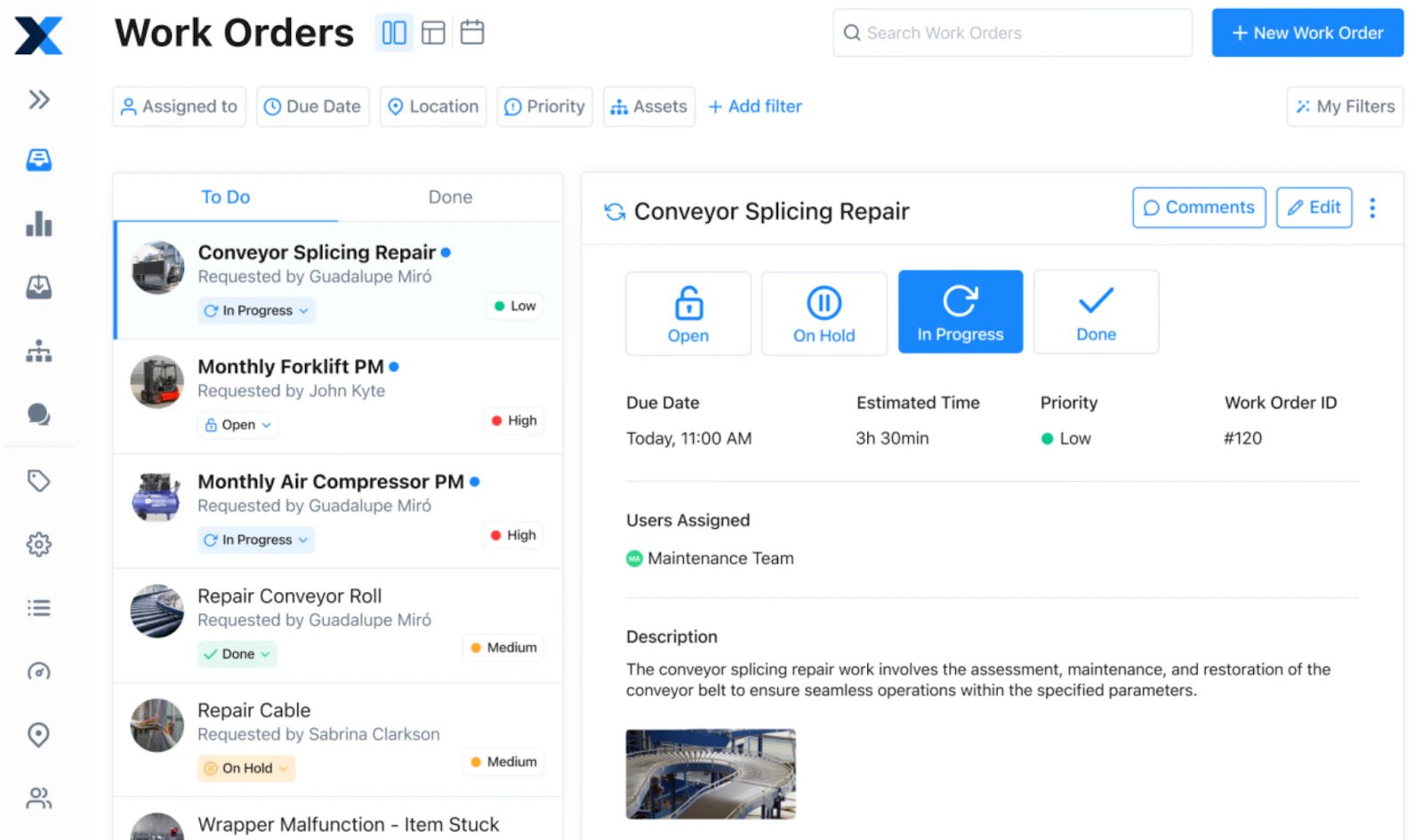
MaintainX is built for teams that work on-site or in the field and need to manage job updates from their phones. It focuses on speed and usability, with features like checklists, photo uploads, and status updates that can be completed on the go. For teams that still rely on paper forms or text messages, MaintainX offers a more organized way to keep track of open and completed tasks.
It’s best for teams that work on-site and need a fast, mobile-friendly way to submit, track, and complete jobs, without relying on paper forms, group chats, or spreadsheets.
Key features
- Unlimited work orders, even on the free plan: Log, assign, and track as many jobs as you need, with no caps or limits.
- Mobile access with offline mode: Field teams can view tasks, add updates, and upload photos directly from their phones, even without a signal.
- Built-in scheduling for recurring jobs: Set up preventive maintenance tasks and attach custom checklists to keep routine work on track.
- Comments and updates on each job: Add notes or instructions to work orders so nothing gets lost between shifts or teams.
- Scan and view asset history instantly: Use barcode scanning to pull up past work on any piece of equipment, no digging through files.
MaintainX pros
- Intuitive interface with little training needed
- Ideal for mobile-first teams replacing paper or chat-based tracking
- The free plan includes unlimited work orders and assets
MaintainX cons
- Limited customization of workflows or user access
- Free plan capped at 3 users
- Less suited for teams that need client portals or flexible data views
Pricing
- Free: Up to 3 users, unlimited work orders, assets, messaging, and limited SOPs
- Essential: $16/user/month – adds SOPs, reports, time tracking, PDF exports
- Premium: $49/user/month – adds API access, dashboards, request portals, user roles
- Enterprise: Custom pricing – includes SSO, onboarding, and organization-wide admin tools
3. UpKeep
best for maintenance teams that need scheduling & asset tracking

UpKeep is a cloud-based CMMS (Computerized Maintenance Management System) that helps teams manage work orders, assets, and inventory in one place.
Jobs can be submitted and updated from a mobile app, and features like asset tracking and preventive maintenance make it easier to log what’s been done and plan what’s next. It’s a practical fit for teams managing day-to-day maintenance who don’t need a complicated setup.
The platform includes a mobile app for submitting, assigning, and updating jobs on the go, plus tools for preventive maintenance and asset tracking. UpKeep is especially useful for teams that need to log equipment history and reduce downtime, but still want something easy to use.
UpKeep is designed for teams that need to schedule tasks, stay on top of repairs, and keep technicians informed while they’re out in the field.
Key features
- Logging, assigning, and tracking in one place: Create work orders, assign them to team members, and monitor progress as jobs move through each stage.
- Recurring tasks with calendar-based scheduling: Schedule inspections or regular maintenance ahead of time so nothing gets missed.
- Trackable asset performance: View equipment service history to spot recurring issues or plan replacements.
- Update jobs from the field using the mobile app: Technicians can upload photos, log notes, and mark work as complete, all from their phones.
UpKeep pros
- Simple setup and user-friendly interface
- Mobile access makes it easy for field teams to stay updated
- Good fit for teams tracking recurring jobs and asset performance
UpKeep cons
- Free plan limited to 1 user, not ideal for team-wide access
- Reporting, integrations, and customizations are paywalled
Pricing
- Lite Plan: $20/user/month – 1 user only, basic work order and asset features
- Starter Plan: $45/user/month – Adds preventive scheduling, checklists, time tracking
- Professional Plan: $75/user/month – Includes inventory controls, advanced reporting, mobile offline mode
- Business Plus Plan: Custom pricing – For teams needing workflow automation, multi-site support, and full analytics
4. Limble CMMS
best for teams needing customizable preventive maintenance and asset tracking

Limble helps you create a system for scheduling jobs, tracking assets, and responding to work requests, all from one central dashboard.
The platform is highly customizable, so you can tailor fields, workflows, and reports to your team’s specific process. It also offers automation tools to cut down on manual work, like triggering jobs based on time, usage, or conditions. While setup may take a bit more planning, it’s a strong fit for teams managing equipment, inspections, or multiple locations.
Limble CMMS is best for teams that need a more structured way to manage recurring maintenance, log asset performance, and automate reminders, all with the flexibility to match their workflow.
Key features
- Maintenance scheduling based on time, usage, or condition: Keep routine tasks on track by triggering jobs when equipment hits certain dates, run hours, or sensor thresholds.
- Customizable work orders to match your process: Tailor forms, fields, and workflows to reflect how your team assigns, updates, and completes jobs.
- Trackable asset history in one place: View past service records, log downtime, and link work orders to the right equipment, no need to dig.
- Reminders and escalation rules: Make sure nothing slips by assigning due dates and routing overdue tasks to the right person.
- Monitor parts and inventory across locations: Track what's used on each job and get alerts when supplies run low or need to be reordered.
- Offline access: Technicians can view tasks, add notes, and log completions, even without a stable connection.
Limble CMMS pros
- Flexible setup with customizable workflows and fields
- Helps automate job scheduling and reduce missed tasks
- Easy to scale from a single site to multi-location teams
Limble CMMS cons
- Takes more time to set up compared to basic tools
- Some features like API access and advanced reporting require higher-tier plans
Pricing
- Free Plan: Limited access for small teams
- Standard Plan: $28/user/month – Adds dashboards, custom fields, reports
- Premium+ Plan: $69/user/month – Includes inventory, time tracking, and mobile offline
- Enterprise Plan: Custom pricing – Offers integrations, SSO, and tailored onboarding
5. Jobber
best for home service businesses that want scheduling, invoicing, and client communication in one tool
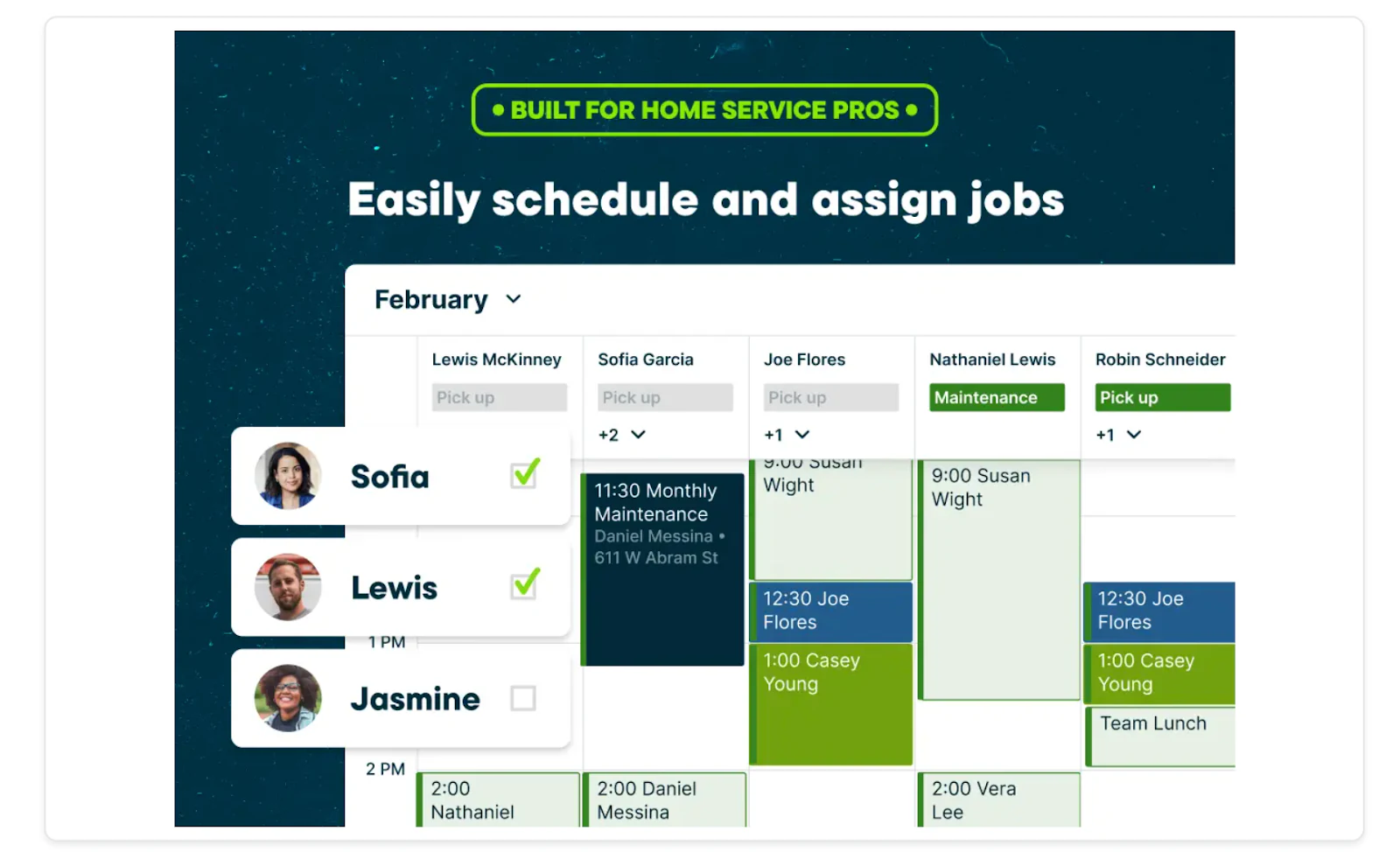
Jobber is built for home service businesses, like cleaning, landscaping, HVAC, and plumbing companies, that need to manage the full job lifecycle from the first quote to the final payment. It combines scheduling, dispatching, client communication, and invoicing in a single mobile app, so technicians and office staff work off the same information.
The platform includes a self-serve client hub where customers can approve quotes, check appointment times, and pay invoices without a phone call. It's a strong fit for teams that spend more time chasing paperwork than doing the actual job.
Key features
- Quoting and scheduling: Send quotes, get client approval, and automatically place the job on the calendar once accepted.
- Client hub portal: Customers can view upcoming visits, approve work, and pay online.
- Invoicing and payments: Generate invoices from completed jobs and accept card payments in the field.
- Route optimization: Plan technician routes to cut down on drive time between jobs.
- Team tracking: See where crews are and reassign jobs on the fly if plans change.
Jobber pros
- Combines job management with client-facing tools like quotes and online payments
- Mobile app is built for technicians working across multiple stops per day
- Client hub cuts down on phone calls and email back-and-forth
Jobber cons
- No permanent free plan, only a 14-day trial
- Less suited for teams that need custom internal workflows beyond service jobs
- Reporting and advanced automation are limited to higher-tier plans
Pricing
- Free: 14-day trial only, no permanent free tier
- Paid: Plans start around $49/month for a single user, with pricing scaling based on team size, online booking, and QuickBooks sync
6. ServiceTitan
best for larger service companies with dispatching and CRM needs
ServiceTitan is built for service teams that manage jobs from first call to final invoice. It brings scheduling, dispatching, and customer updates into one system, so teams don't have to jump between tools or rely on manual tracking.
Technicians get job details through the mobile app, while office staff can see what's scheduled, what's been completed, and what's ready to bill, all in real time. It's a good fit for businesses that want to handle work orders, communication, and payments in one place, especially as they grow.
ServiceTitan is best for teams aiming to centralize their operations, automate repetitive tasks, and gain insights into their business performance to support growth.
Key features
- Scheduling and Dispatching: Drag-and-drop calendar with real-time updates to manage appointments efficiently.
- Invoicing and Payments: Generate invoices and process payments directly through the platform.
- Customer Communication: Automated reminders and notifications to keep clients informed.
- Reporting and Analytics: Customizable dashboards to monitor key performance indicators.
- Mobile App: Field technicians can access job details, update statuses, and communicate with the office on the go.
ServiceTitan pros
- A comprehensive suite of tools reduces the need for multiple software solutions.
- Real-time data access enhances decision-making.
- Mobile capabilities improve field technician efficiency.
ServiceTitan cons
- May require a learning curve for teams new to integrated platforms.
- Pricing details are not publicly disclosed; potential users need to request a quote.
Pricing
ServiceTitan offers customized pricing based on the specific needs of your business. To obtain detailed pricing information, it's recommended to contact their sales team directly.
7. eMaint CMMS
best for teams needing customizable preventive maintenance and asset tracking
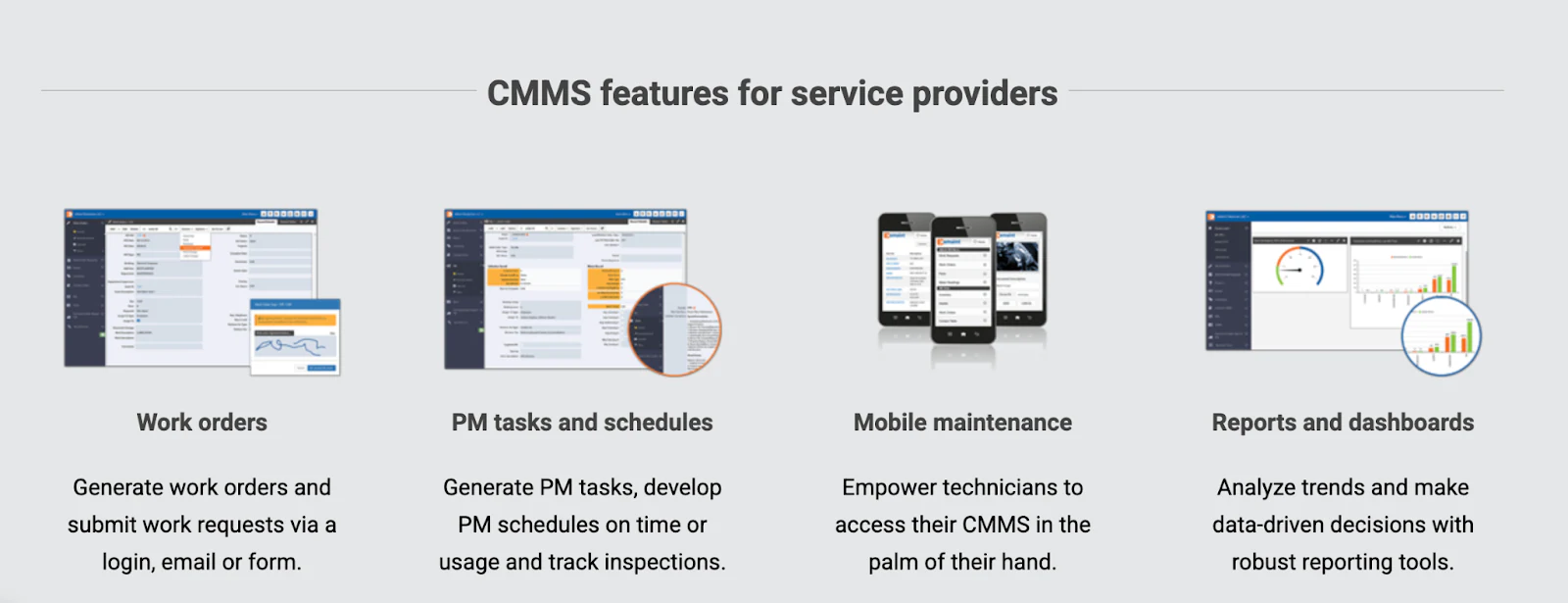
eMaint CMMS is a CMMS designed for teams that manage recurring maintenance, asset records, and multi-site operations. It helps you schedule preventive tasks, log equipment history, and track parts usage, all from a centralized system.
Work orders can be submitted, assigned, and tracked in real time, with custom fields and workflows to match how your team actually works. It also supports compliance documentation, multi-site visibility, and features like floor plan views and calibration tracking.
It’s a good fit for teams responsible for keeping equipment running across multiple locations, especially where audit trails, scheduled tasks, and asset histories are part of the job.
Key features
- Preventive Maintenance Scheduling: Automate tasks based on time, usage, or condition to reduce unplanned downtime.
- Asset Management: Maintain a centralized database of assets with detailed maintenance histories and documentation.
- Work Order Management: Create, assign, and track work orders with customizable fields and workflows.
- Inventory Management: Monitor spare parts inventory levels and automate reordering processes.
- Mobile Access: Technicians can access and update work orders in the field using the mobile app.
eMaint CMMS pros
- Highly customizable to fit specific organizational workflows.
- Intuitive interface that requires minimal training.
- Scalable solution suitable for small teams to large enterprises.
eMaint CMMS cons
- Advanced features like API access and multi-site support are limited to higher-tier plans.
- Initial setup may require time to configure custom fields and workflows.
Pricing
- Team Plan: $69/user/month – Includes standard CMMS features, mobile access, and 24/7 online training.
- Professional Plan: $85/user/month – Adds advanced features like interactive image mapping, automated workflows, and a sandbox staging account.
- Enterprise Plan: Custom pricing – Offers additional capabilities such as unlimited work request user logins, access to web API, and multi-site toolkit.
8. IBM Maximo
best for enterprise teams managing infrastructure or large-scale assets
IBM Maximo Application Suite (MAS) is an integrated platform designed to help organizations manage their assets efficiently. It combines asset management, maintenance scheduling, and predictive analytics into a unified system, enabling teams to optimize operations and reduce downtime.
IBM Maximo is great for organizations looking to centralize asset management, automate maintenance workflows, and leverage AI-driven insights to enhance operational efficiency.
Key features
- Asset Management: Track and manage assets throughout their lifecycle, from acquisition to decommissioning.
- Work Order Management: Create, assign, and monitor work orders with customizable workflows.
- Preventive Maintenance: Schedule routine maintenance tasks based on time, usage, or condition to prevent equipment failures.
- Predictive Analytics: Use AI and IoT data to predict potential issues before they occur, allowing for proactive maintenance.
- Mobile Access: Enable field technicians to access and update information in real-time using mobile devices.
IBM Maximo pros
- Comprehensive suite covering various aspects of asset management.
- Scalable solution suitable for large enterprises with complex operations.
- Advanced analytics and AI capabilities for predictive maintenance.
IBM Maximo cons
- May be complex to implement and require specialized training.
- Pricing details are not publicly disclosed; potential users need to request a quote.
Pricing
IBM Maximo Application Suite offers customized pricing based on the specific needs of your organization. To obtain detailed pricing information, it's recommended to contact IBM's sales team directly.
9. Odoo Maintenance
best for teams already using Odoo who want to integrate maintenance into their existing workflows
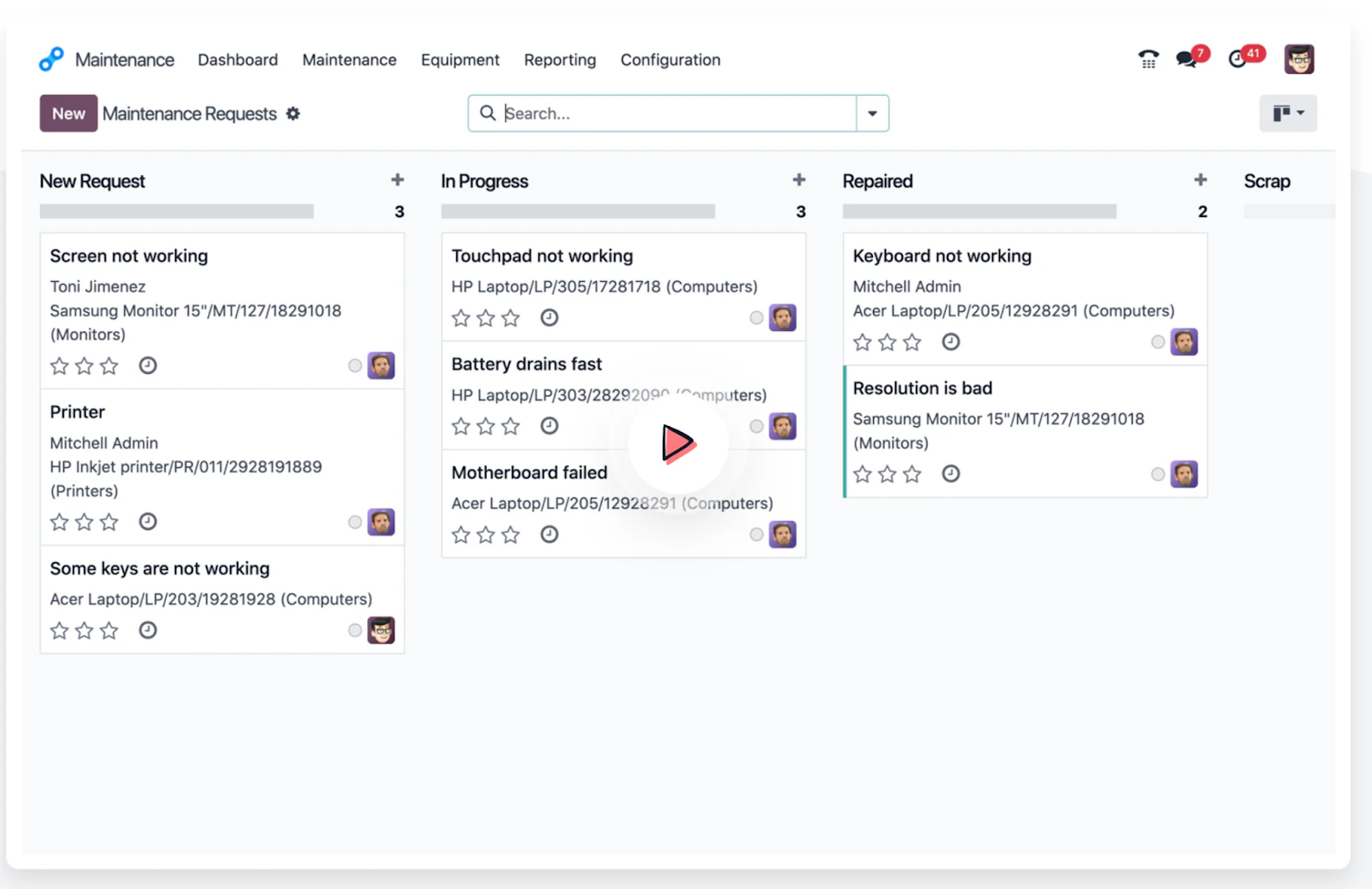
Odoo Maintenance is a module within the Odoo suite that allows teams to manage maintenance activities seamlessly alongside other business processes. If your organization already uses Odoo for operations like inventory, manufacturing, or HR, this module enables you to schedule preventive maintenance, track equipment performance, and handle work orders without switching platforms.
It takes more setup than most tools, but offers flexibility if you’re ready to build out a broader internal system.
It’s great for teams that need more than just a work order system and want to manage other business functions (like HR, inventory, or finance) in the same platform.
Key features
- Preventive Maintenance Scheduling: Automate maintenance tasks based on time intervals or equipment usage to prevent unexpected failures.
- Maintenance Request Management: Submit, track, and prioritize maintenance requests using Kanban and calendar views for better organization.
- Equipment Tracking: Monitor equipment performance metrics like Mean Time Between Failures (MTBF) and Mean Time to Repair (MTTR) to identify areas for improvement.
- Integration with Other Odoo Modules: Link maintenance activities with inventory to manage spare parts, or with manufacturing to schedule maintenance during production downtimes.
- Dashboard & Reporting: Access real-time statistics and dashboards to analyze maintenance efficiency and make informed decisions.
Odoo pros
- Seamless integration with other Odoo applications for a unified workflow.
- User-friendly interface with drag-and-drop scheduling and Kanban boards.
- Customizable to fit specific maintenance processes and requirements.
Odoo cons
- Best suited for organizations already using Odoo; may not be ideal as a standalone solution.
- Advanced features may require additional configuration or customization.
Pricing
- One App Free: Free for a single app with unlimited users, suitable for small teams or those testing the module.
- Standard Plan: $31.10/user/month – Access to all Odoo apps hosted on Odoo Online.
- Custom Plan: $46.70/user/month – Includes all apps with options for custom hosting, multi-company support, and external API access.
Pick the tool that matches how your team actually works
Work order software comes in all shapes, from lightweight mobile apps to full-scale maintenance systems. The best option depends on how your team handles requests, what kind of visibility you need, and how flexible your process is.
If your current setup involves spreadsheets, inboxes, or scattered tools, Softr offers a clear next step. Build on Softr Databases or connect the tools you already use, describe your app to the AI Co-Builder or start from a template, and turn your data into a real-time, role-based system, with job forms, filtered views, and permissions built in.
Try Softr for free and start building your work order system today.
Frequently asked questions
What is the difference between free and paid work order software?
Can I build work order software without any coding experience?
What features should a free work order tool include at minimum?
Can work order software connect to the data I already have in Airtable or Google Sheets?
How do I choose between a mobile-first tool and a full CMMS?