10 best free client onboarding software in 2026

Onboarding sets the tone for a client relationship, and it eats more time than teams expect. In one survey, 76% of businesses said they lost too much time to client follow-ups and reminders during onboarding. Here’s the free client onboarding software worth using, and what each one automates.
Best free client onboarding software at a glance
| Tool | Best for | Standout features | Pricing |
|---|---|---|---|
| Softr | An AI-native builder for onboarding portals and apps | Document and project management, workflow automation, permissions, brand customization, forms | Free plan; paid from $19/month |
| Dock | A customer onboarding portal | File sharing and management, surveys and order forms, branding customizations, third-party integrations | Free plan |
| Ahsuite | A client onboarding portal | File management and sharing, task management, client messaging, integrations | Free plan; paid from $24 |
| Clinked | A client onboarding portal for larger teams | Task and project management, group chat, file sharing and storage, security features | 10-day trial; plans from $299/month |
| SuperOkay | A client onboarding portal on a small budget | Project and task management, document management, branding customizations, interactive documents | Free plan; paid from $9/month |
| Assembly | An all-in-one platform for professional services | Billing and payments, client messaging, document and contract management, workflow automation | 14-day trial; from $29/user/month |
| Paperform | Client intake and onboarding through forms | Branded forms with conditional logic, automated workflow triggers, payments and scheduling, SOC 2 Type II | Free plan; paid from $24/month |
| Rocketlane | Post-sales workflow building | Branding customization, project management, file and document management, workflow automation | 14-day trial; from $19/user/month |
| Process Street | No-code workflow building | Automated workflows with approvals and conditional logic, forms, knowledge base, team role assignments | Free trial; custom pricing |
| Arrows | Onboarding action plans tied to HubSpot | File management, task list, forms, bi-directional HubSpot data sync, branding customizations | Free trial; paid pricing by request |
Why invest in client onboarding software?
By investing in the right client onboarding software, you get the benefit of:
- Lower cost and less time spent on low-impact work: Avoid manual data entry, repetitive errors, miscommunication, and delayed approvals that easily become administrative burdens.
- Consistent onboarding across your client base: Provide all your clients with a high-quality onboarding experience that also guarantees you get the data and resources you need from them to kick off a great partnership.
- Strong data hygiene: Streamline client information into a unified system that’s easy to organize and even easier for clients to access important information when needed.
- Enhanced security compliance: Automate important document collection and compliance checks to avoid penalties and client risks.
- A better first impression: Give new clients a clear, organized start, so they see what you need from them and what happens next from day one.
- Scalable communication: Track all client interactions even as your business grows so you can focus on new client acquisition without worrying about missing any onboarding tasks.
Key features of client onboarding software
In reality, most businesses have unique processes and systems for managing client onboarding. As you evaluate client onboarding software, look for capabilities that help you implement your own custom onboarding processes.
- Customization and personalization: To tailor the onboarding experience with custom branding as well as workflows or UI that match a client’s preferences and nature of work.
- Automated workflows: To automate repetitive tasks throughout onboarding.
- Task management: To help clients track onboarding tasks and deadlines.
- Document management: To share and collect onboarding documents, training resources, and e-signatures.
- Forms: To collect any information or feedback that’s required to start or implement an initial project or solution.
- Communication channels: To give you and your clients easy access to primary communication channels and logs of previous interactions.
- Integrations: To ensure onboarding data is synchronized with a primary customer relationship management (CRM) system, billing platform, project management tool, and more.
- Security and compliance: To ensure all collected data is compliant with industry regulations and supports audit requirements.
10 best free client onboarding software in 2026
From free trials to forever free plans, here are 10 tools that you can try out to streamline your client onboarding workflows.
1. Softr (AI-native builder for onboarding portals and apps)
- G2: 4.8/5 stars (707 reviews)
- Capterra: 4.7/5 stars (63 reviews)
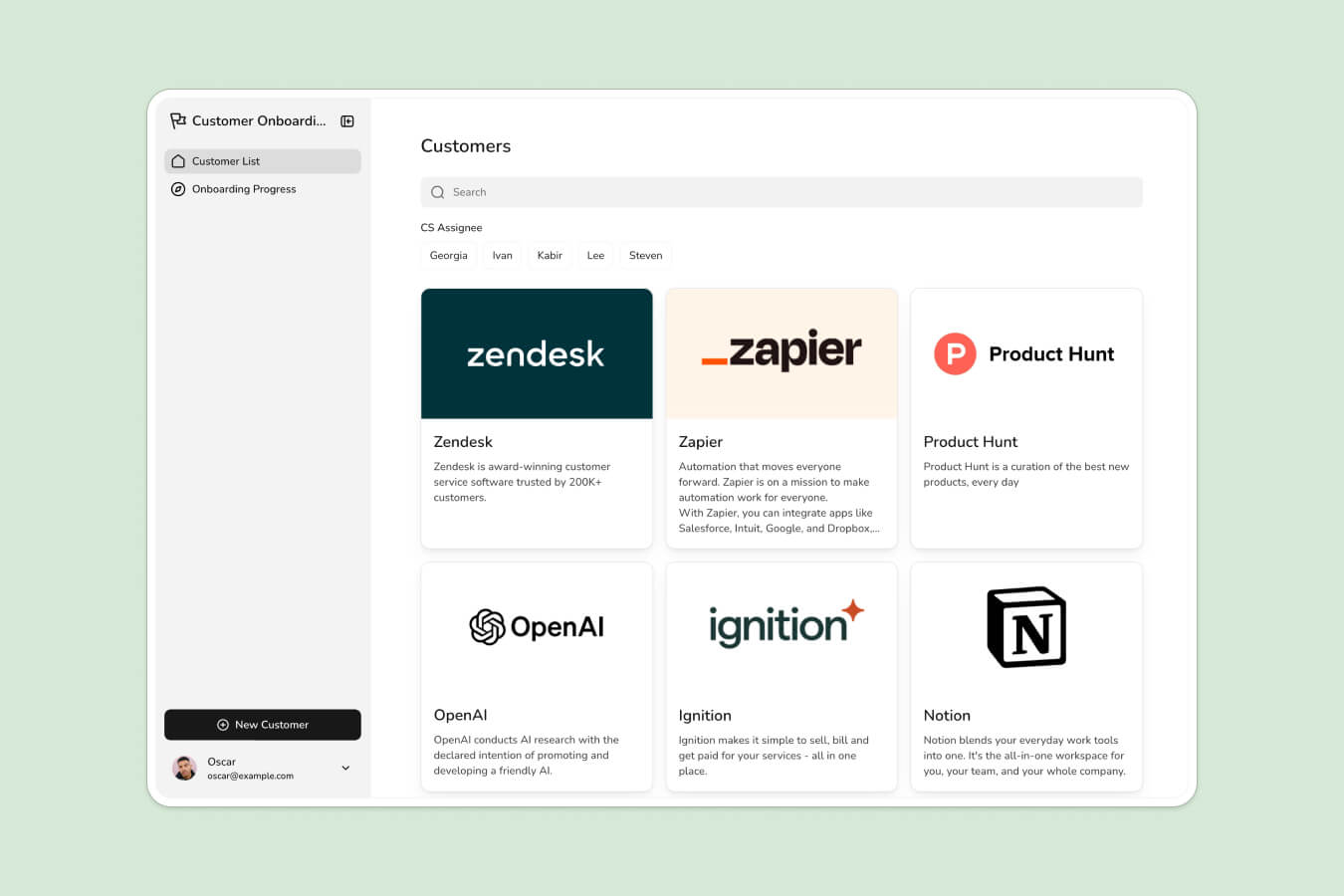
Softr is the first AI-native platform for building business software without code. Describe the onboarding experience you want, and Softr’s AI Co-Builder instantly generates the database, pages, and user permissions, already connected, secure, and ready for real clients. You can also start from a client portal template or build from scratch, then move fluidly between AI-assisted speed and hands-on visual editing at any time.
Unlike vibe-coding tools that hand you fragile generated code, every Softr app ships production-ready from day one with authentication, granular permissions, and hosting built in. That means you can invite clients the moment you publish. For agencies and small businesses, this turns onboarding into a branded client portal that centralizes tasks, document collection, forms, and communication, all synced in real time to your data.
Connect to Softr Databases, the native data source built for speed and scale, or to 21+ external sources like Airtable, HubSpot, and Google Sheets. Map onboarding tasks and collected data straight to your existing systems, and use Softr Workflows to automate the follow-ups and reminders that usually eat up your team’s time.
"Softr lets us create a customer-specific portal with permission control, track tasks, view launch trackers, and share documents in one place. It only took a couple of days to build the entire portal, including permission leveling and custom workflows." - Casey H., Advisor, G2 review
Price:
- Free plan: 5 app users, 5,000 database records, 500 workflow actions, and 5 AI credits, plus unlimited apps and forms for up to 3 builders
- Paid plans start at $19 per month (Basic). Pro at $99 per month adds Team: 10 + Client: 50 app users, removing Softr branding, custom code, and custom user groups, which is the tier most client portals land on
Product features:
- Document management
- Project management
- Workflow automation
- Security and permissions management
- Robust UI and brand customization
- Client communication
- Forms
Key integrations:
- Airtable
- HubSpot
- Google Sheets
- Zapier
2. Dock (Customer onboarding portal)
- G2: 4.9/5 stars (476 reviews)
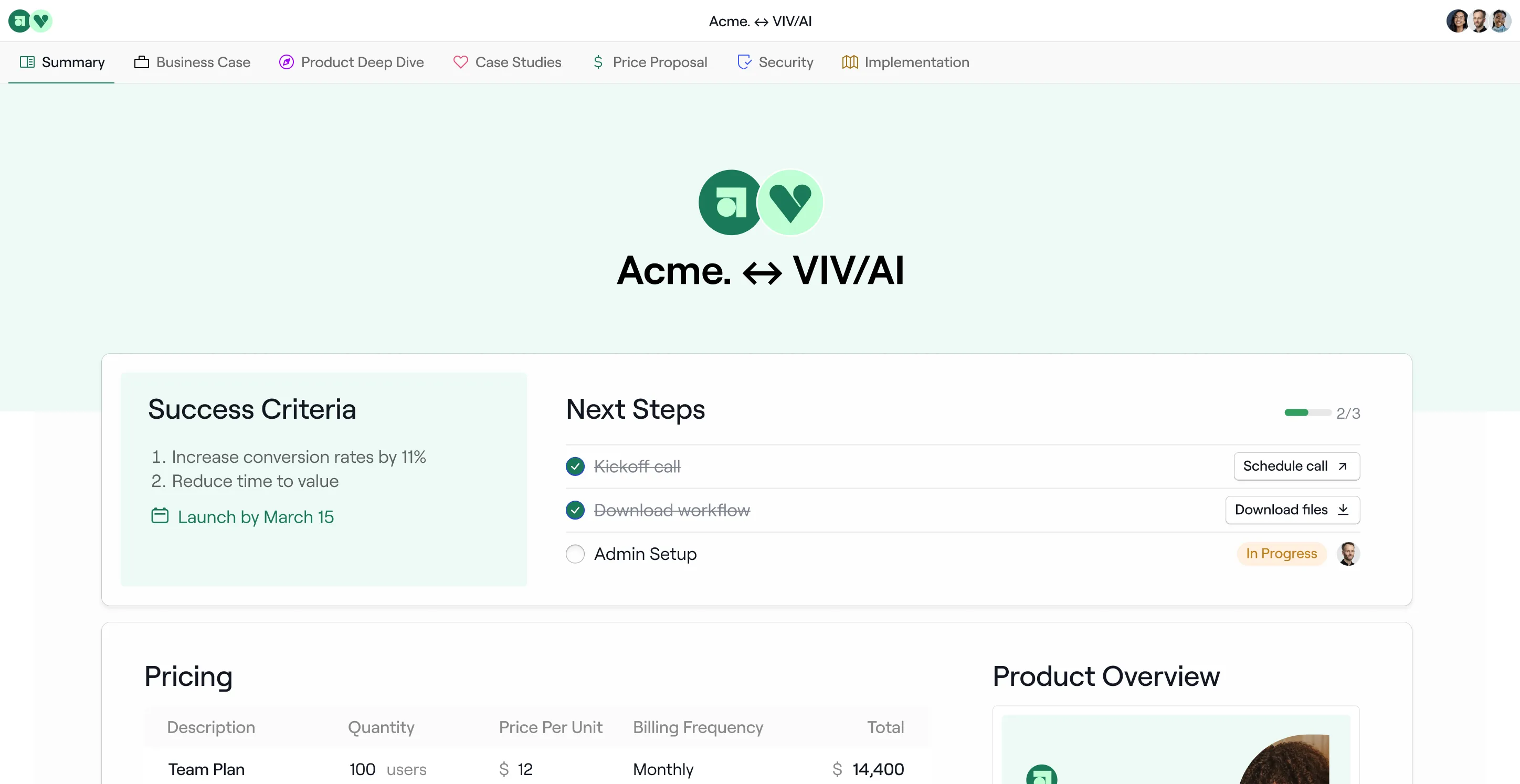
Dock's customer onboarding platform helps companies onboarding tasks into a personalized workspace. It’s best suited for companies with more robust onboarding and implementation processes. Many sales and customer-facing teams use Dock to improve the post-sales process and activate clients within the first few weeks. Dock is also more tailored toward high-growth startups and organizations, which explains its emphasis on features like customer engagement analytics, creating custom quotes, and signing order forms.
Dock’s onboarding features include sharing personalized customer success plans and creating project timelines. This is useful if you have an onboarding plan that spans multiple weeks. Other features include sharing files, sending surveys, and embedding content.
Price:
- Get started with Dock’s free plan
Key features:
- File sharing and management
- Surveys and order forms
- Branding customizations
- Integrations with third-party tools
- Project management
- Client communication
Key integrations:
- Hubspot
- Salesforce
- Slack
3. Ahsuite (Client onboarding portal)
- G2: 4.7/5 stars (97 reviews)
- Capterra: 5/5 stars (19 reviews)
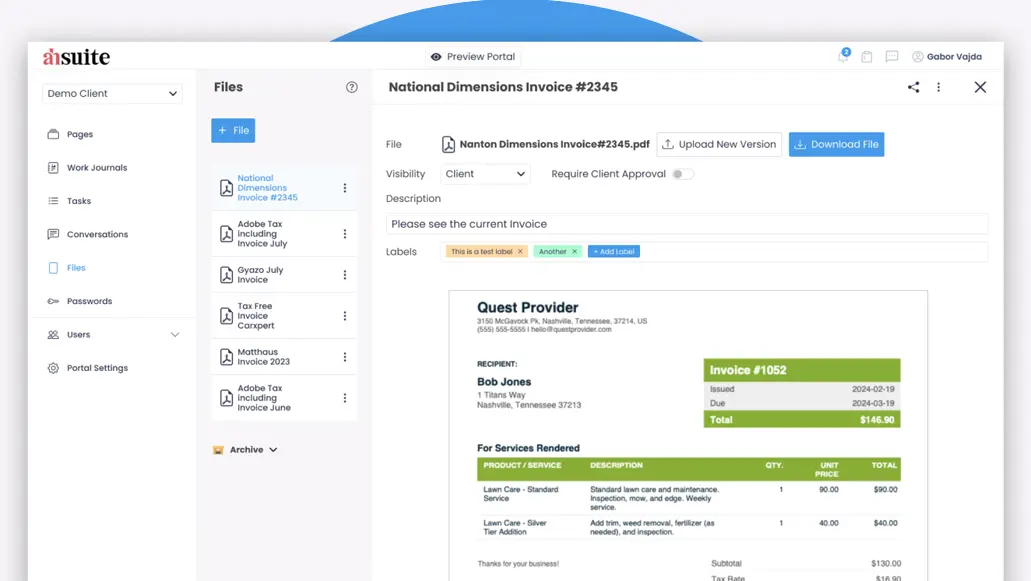
Ahsuite is a client portal for service businesses, agencies, and small businesses. Ahsuite’s client portal can streamline onboarding tasks into a single digital workspace. Guide clients through onboarding by building task lists that clearly outline deadlines and progress tracking so clients always know what they need to do next. You can also use the Ahsuite portal to share important documents and login credentials with client stakeholders.
It’s an easy-to-use platform with a clean and minimal design so clients can navigate their portal to find what they need. Although this helps you reduce the administrative hassle of file sharing and organization, it may limit your ability to customize the portal for different types of clients. Businesses must also embed codes to add content from external tools to Ahsuite pages instead of third-party integrations for bi-directional data syncing.
- Get started with Ahsuite’s free plan
- Paid plans start at $24
Key features:
- File management and sharing
- Task management
- Client messaging
- Integrations
4. Clinked (Client onboarding portal)
- G2: 4.8/5 stars (141 reviews)
- Capterra: 4.9/5 stars (80 reviews)
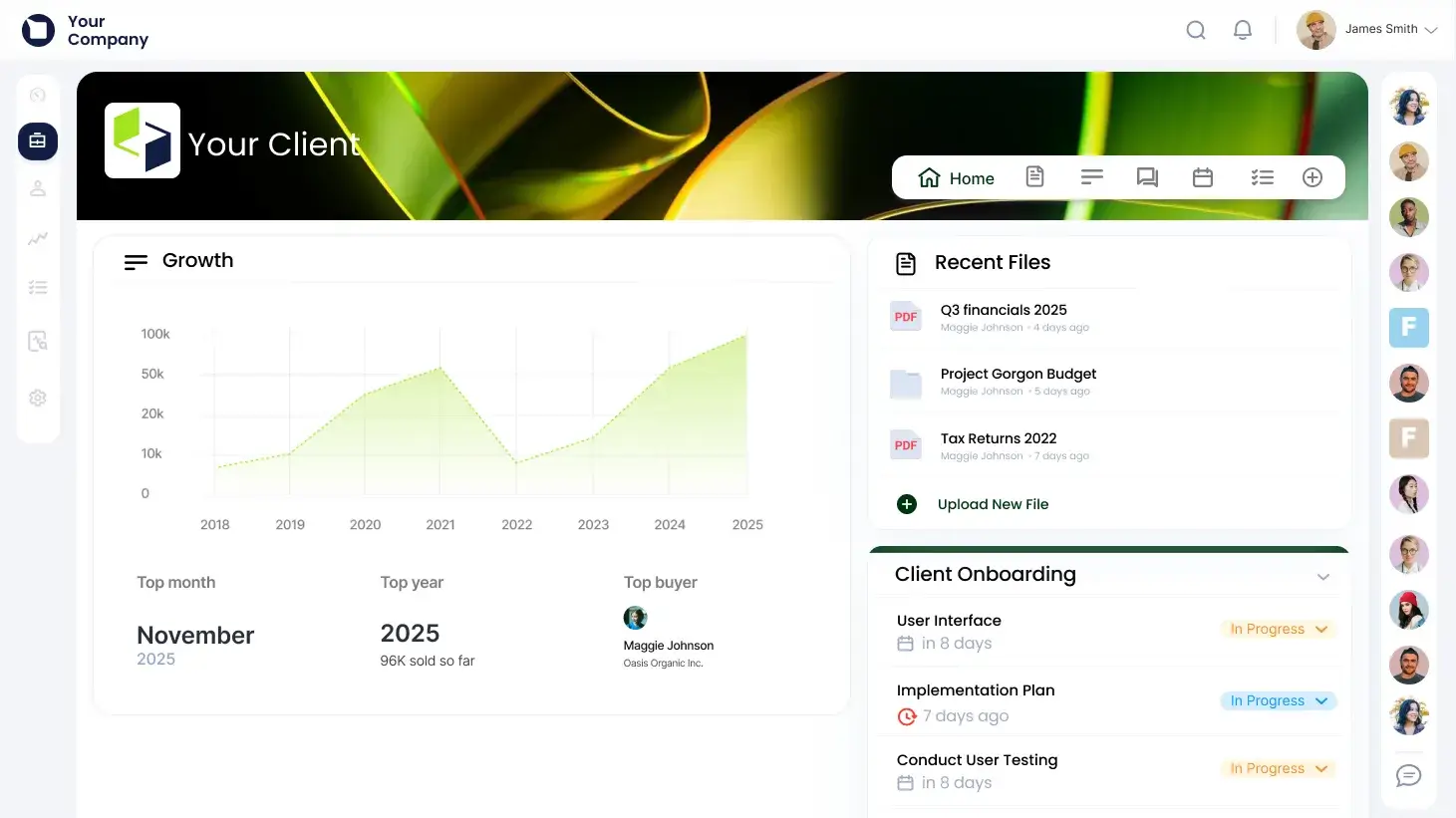
Clinked’s client portal allows businesses to manage onboarding within a secure cloud-based system easily. Set up onboarding tasks for new clients and use Clinked’s robust Zapier integration to create automated workflows triggered by actions by both you and your clients. The portal also helps businesses collect data, sign documents, and manage file sharing in an environment equipped with bank-grade security. This makes it especially beneficial for clients with sensitive information, like those in banking, legal, and accounting. You can also accelerate onboarding with features like document requests, automated approval workflows, calendar scheduling, and direct communication with clients from within the portal.
Clinked gives businesses the option for a quick portal setup with basic customization options or a custom solution that requires a tailored design process. The latter option can take anywhere from two weeks to under a month, making it a better choice for companies who have a complex onboarding process or who have a longer timeline for implementing a client onboarding solution.
Price:
- Try for free for 10 days
- Plans start at $299 a month
Product features:
- Task and project management
- Group chat
- File sharing and storage
- Security features
Key integrations:
- Google Workspace
- Salesforce
- Zapier
5. SuperOkay (Client onboarding portal)
- G2: 4.6/5 stars (44 reviews)
- Capterra: 4.8/5 stars (9 reviews)
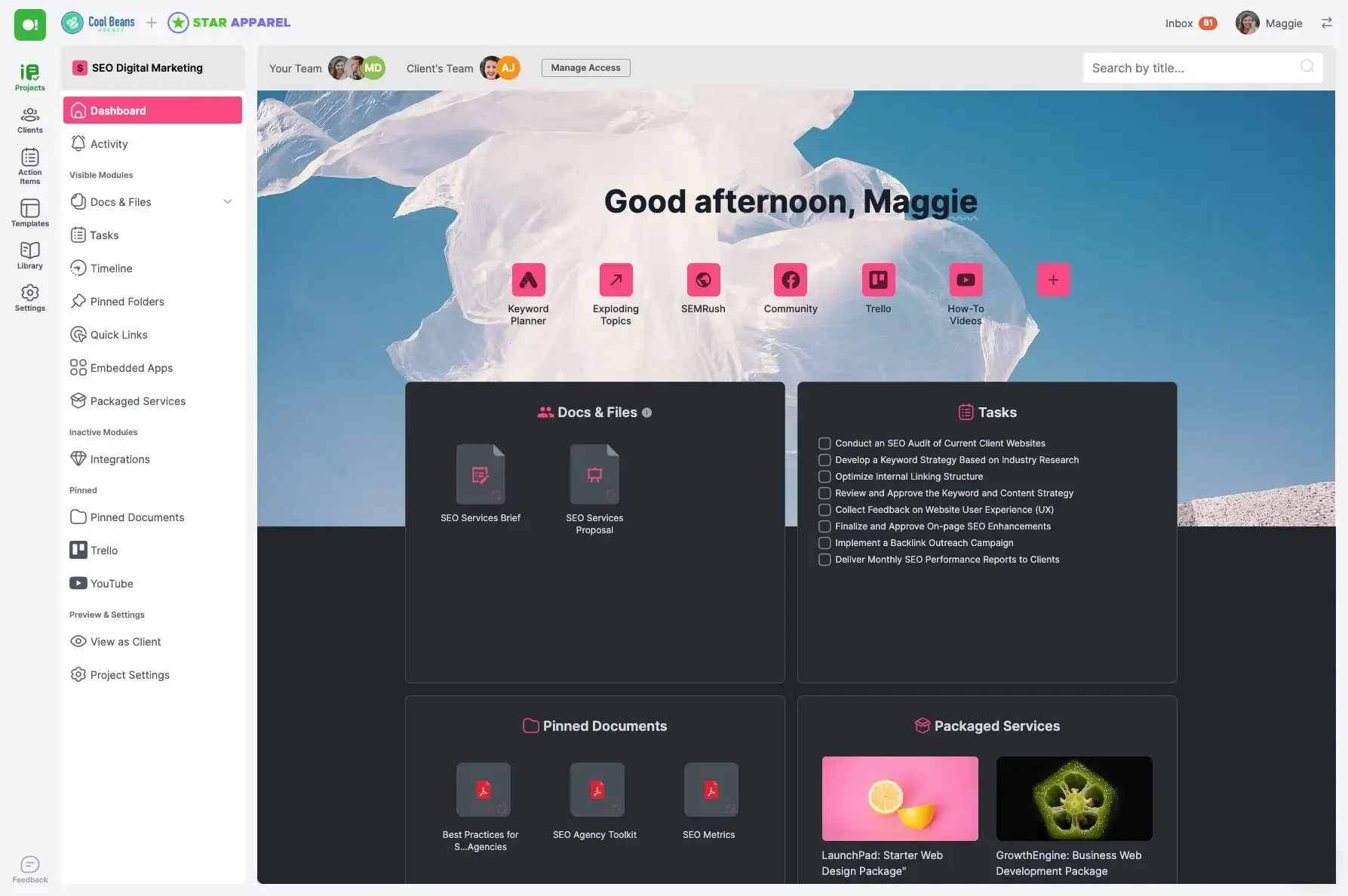
Creative agencies use SuperOkay to onboard and manage clients within a portal built for managing files, sharing designs, and collaborating closely on projects. It’s a simple client onboarding solution that companies use to collect onboarding documents, provide access to shared resources, and give clients faster visibility into project timelines and tasks as soon as they’re ramped up. You can also use SuperOkay to create interactive brief questionnaires or proposal templates to align project expectations as soon as a new client is onboarded.
As a tool used by businesses in the creative field, SuperOkay integrates with popular design and collaboration software. Businesses can share Figma prototypes, Miro boards, and creative assets in Google Drive folders without any clunkiness in the user experience. Although you can customize the onboarding experience within the portal to include your client’s branding colors, fonts, and logos, personalization beyond that is limited.
Price:
- Get started with SuperOkay’s free plan
- Plans start at $9 a month
Product features:
- Project and task management
- Document management
- Branding customizations
- Interactive documents
Key integrations:
- Figma
- Airtable
- Miro
{{cta-1}}
6. Assembly (All-in-one platform for professional services)

- G2: 4.8/5 stars (314 reviews)
- Capterra: 4.9/5 stars (20 reviews)
Professional services businesses use Assembly to manage client operations, including new client onboarding. It’s a robust platform that includes a customer relationship management (CRM) database and the ability to create client intake forms and branded invoices, manage contracts, and message customers directly within the tool. The foundation of this customizable platform are Assembly apps you can add to your workspace. Popular apps for onboarding include Files, Billing, Helpdesk, Forms, and Messaging.
Unlike tools like Softr, Assembly also does not have robust UI editing functionalities. To build a custom web application with Assembly apps, you’ll need developer resources to maximize Assembly's available software development kits (SDKs) and APIs.
Price:
- Try for free for 14 days
- Plans start at $29 a month per user
Key features:
- Billing and payments
- Client messaging
- Document and contract management
- Workflow automation
- Security and permissions management
Key integrations:
- AirTable
- Google Workspace
- Calendly
7. Paperform (Online form builder for client intake and onboarding)
- G2: 4.8/5 stars (82 reviews)
- Capterra: 4.8/5 stars (106 reviews)
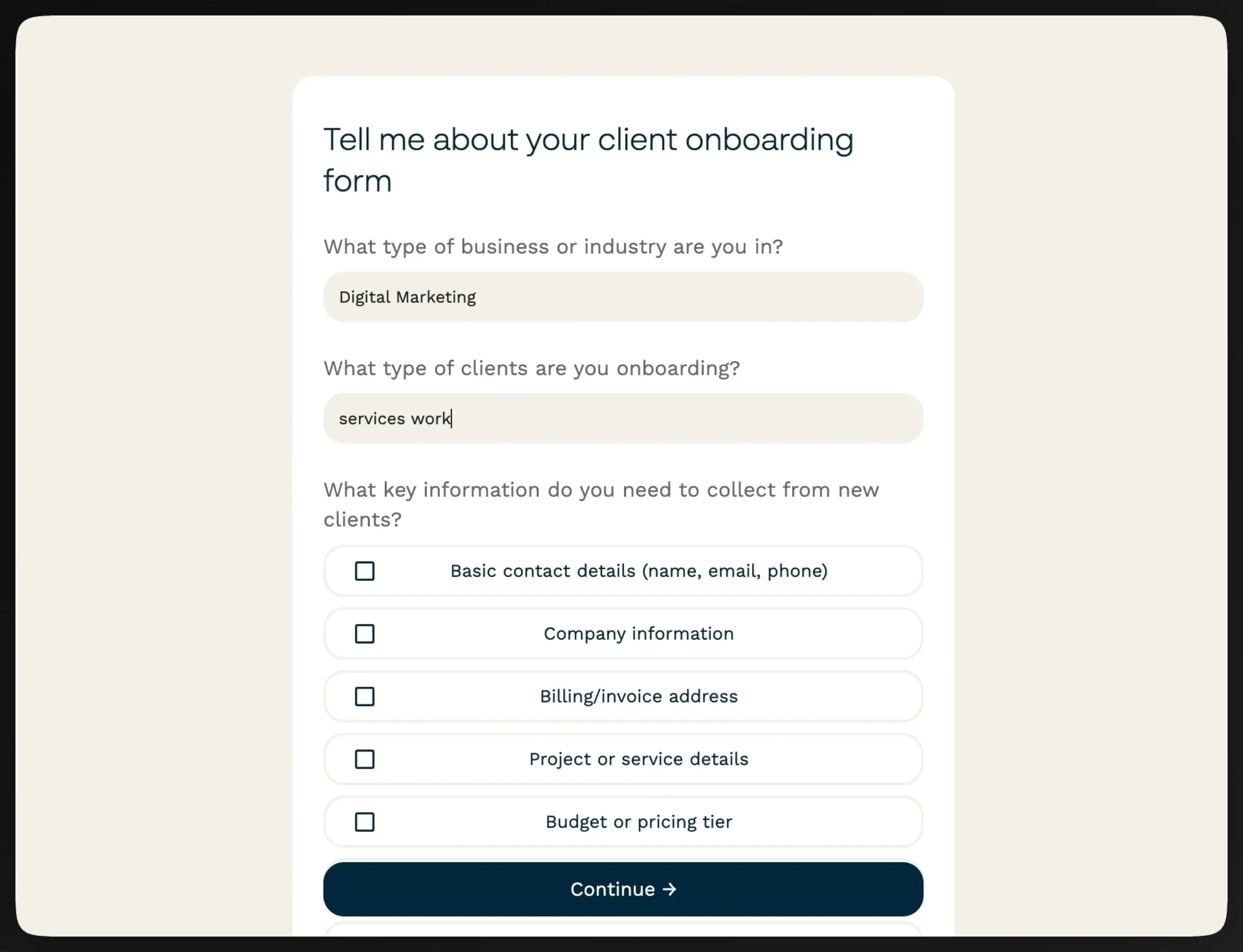
Paperform is a powerful all-in-one online form builder used by small and medium size businesses to collect client information, automate follow-up workflows, and keep onboarding data connected to the tools they already use. Where most onboarding tools treat forms as a feature, Paperform puts them at the center, letting you build branded intake forms and questionnaires that trigger automated next steps as soon as a client hits submit.
Each form supports conditional logic so clients only see questions relevant to them, and every submission can automatically notify your team in Slack, create records in your CRM, or fire a personalized confirmation email (without touching any code). Paperform connects natively to Airtable, HubSpot, Google Sheets, Zapier, and 2,000+ other tools, making it easy to route client data straight into whatever you already use to manage onboarding.
Price:
- Get started with Paperform’s free plan
- Paid plans start at $24 per month
Key features:
- Branded forms with conditional logic and calculations
- Automated workflow triggers on submission
- Payments, booking, and scheduling built in
- AI-powered response summaries
- 40,000 form templates and AI-form builder
- SOC 2 Type II compliance and access management
Key integrations:
- Google Sheets
- Airtable
- HubSpot
- Zapier
8. Rocketlane (Post-sales workflow builder)
- G2: 4.8/5 stars (856 reviews)
- Capterra: 4.7/5 stars (76 reviews)
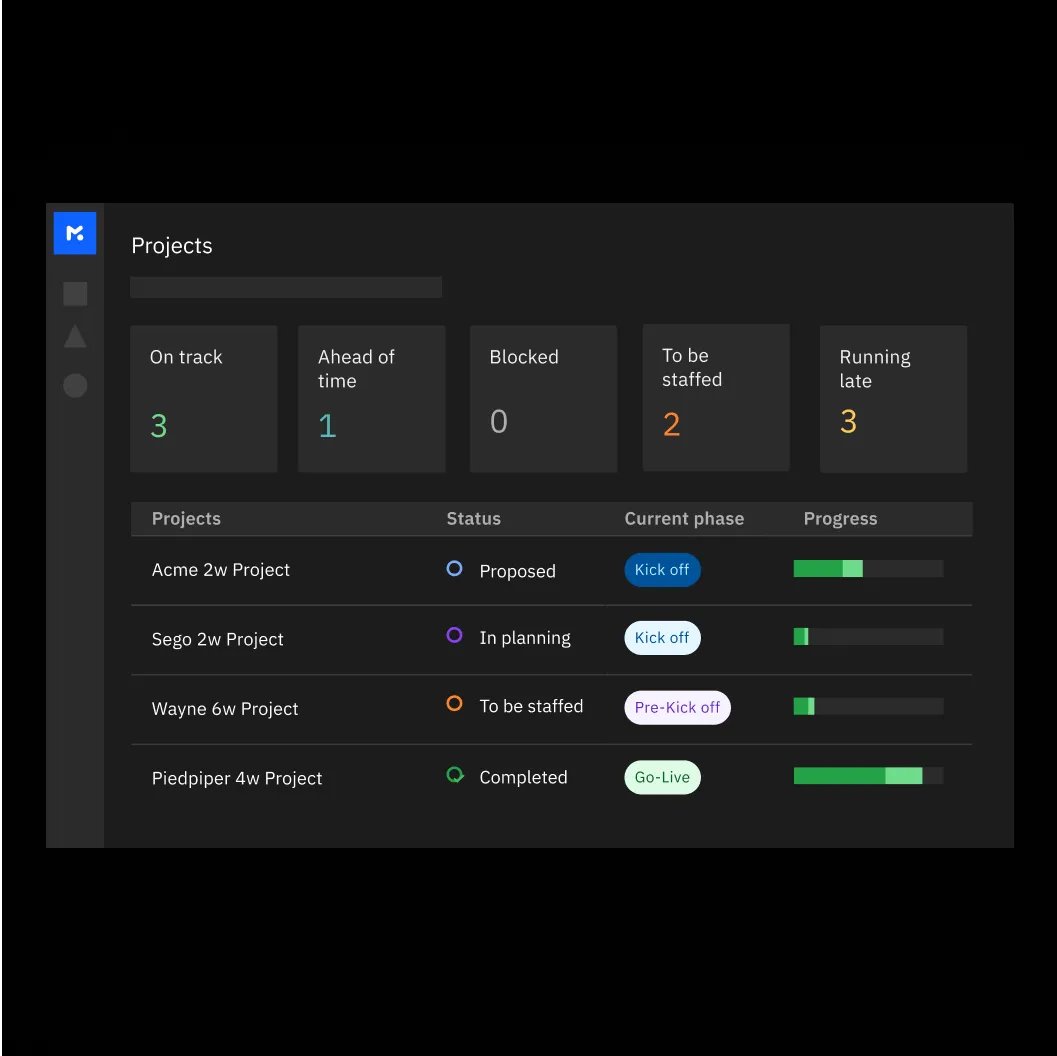
Rocketlane is an onboarding platform for professional services businesses to boost post-sales client engagement, activation, and collaboration. With its collaborative onboarding processes, companies can accelerate onboarding success with features to kick off projects, enable real-time communication, build automated onboarding workflows, and allocate the right hours for onboarding tasks. The goal of this comprehensive platform is to help clients get all the information they need in one place, helping you shorten the onboarding cycle and get projects going faster.
With Rocketlane, you can create different kinds of onboarding templates, whether for projects, documents, or forms. This helps you quickly scale onboarding across your client base. These templates are also dynamic and easy to edit or customize with different tags and filters so you can personalize onboarding plans for different kinds of clients.
Price:
- Try Rocketlane free for 14 days
- Paid plans start at $19/user/month
Key features:
- Branding customization
- Project management
- File and document management
- Workflow automation
Key integrations:
- Zapier
- Hubspot
- Slack
9. Process Street (No-code workflow builder)
- G2: 4.6/5 stars (463 reviews)
- Capterra: 4.7/5 stars (626 reviews)
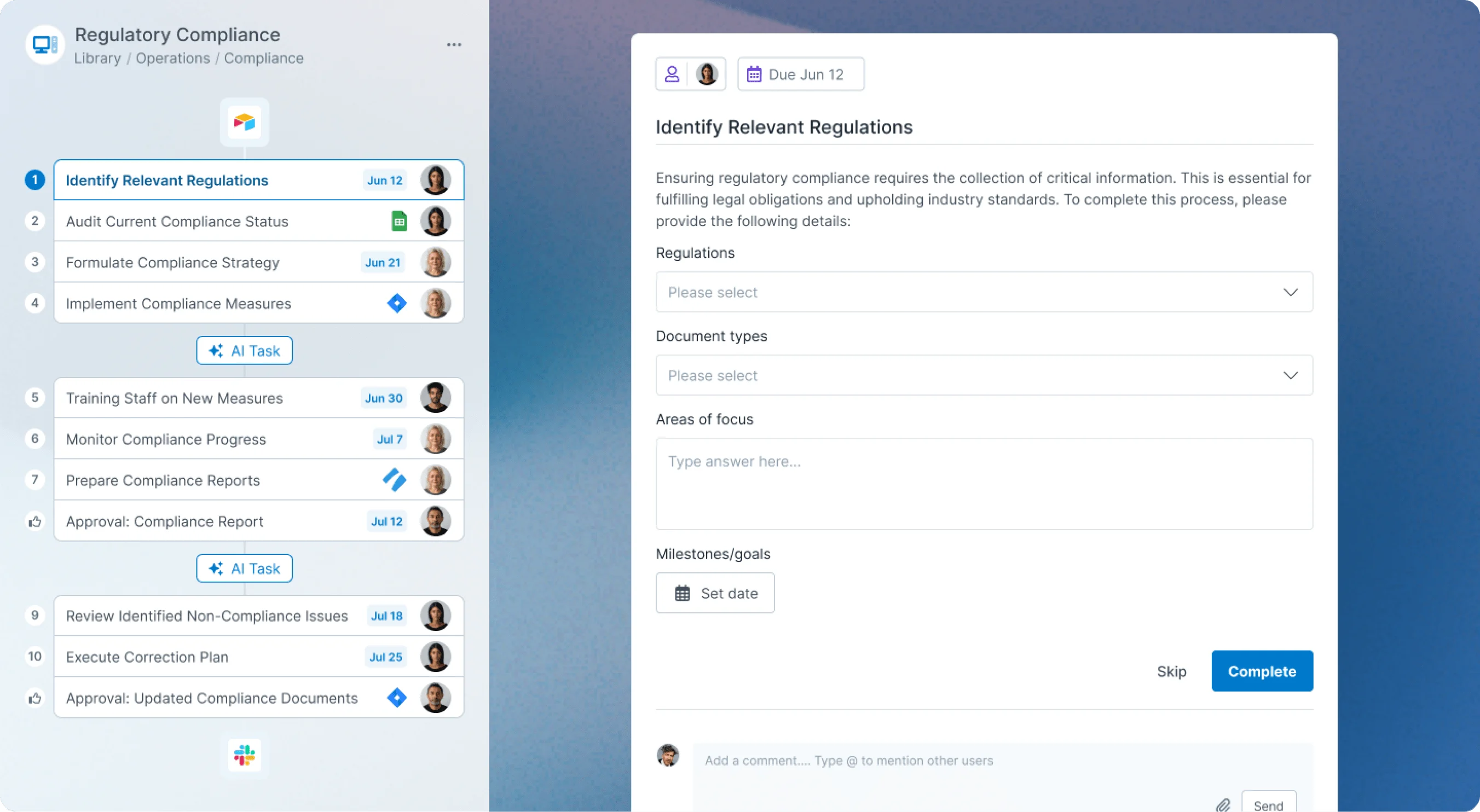
ProcessStreet is a tool that businesses use to turn complex processes into clean, automated workflows. You can break your onboarding plan down into a series of step-by-step workflows that help you ensure that clients are following the right procedures and completing necessary tasks at the right time.
ProcessStreet has robust features that make it more intuitive for you to build onboarding workflows from scratch. All workflows are dynamic and respond to conditional logic, removing the hassle of duplicating onboarding flows for different clients and manually following up on them if certain conditions are met. You can also assign roles and set up approval triggers for each workflow so that the right internal or external stakeholder is notified of an action they must take during onboarding. ProcessStreet also has a library of workflow templates you can edit and add to your onboarding plan to kick things off.
Price:
- Try Process Street for free and contact them for custom pricing
Key features:
- Automated workflows (includes tasks, approvals, and conditional logic)
- Forms
- Knowledge base
- Team role assignments
Key integrations:
- Zapier
- Make
10. Arrows (Onboarding action plans)
- G2: 4.8/5 stars (48 reviews)
- Capterra: N/A
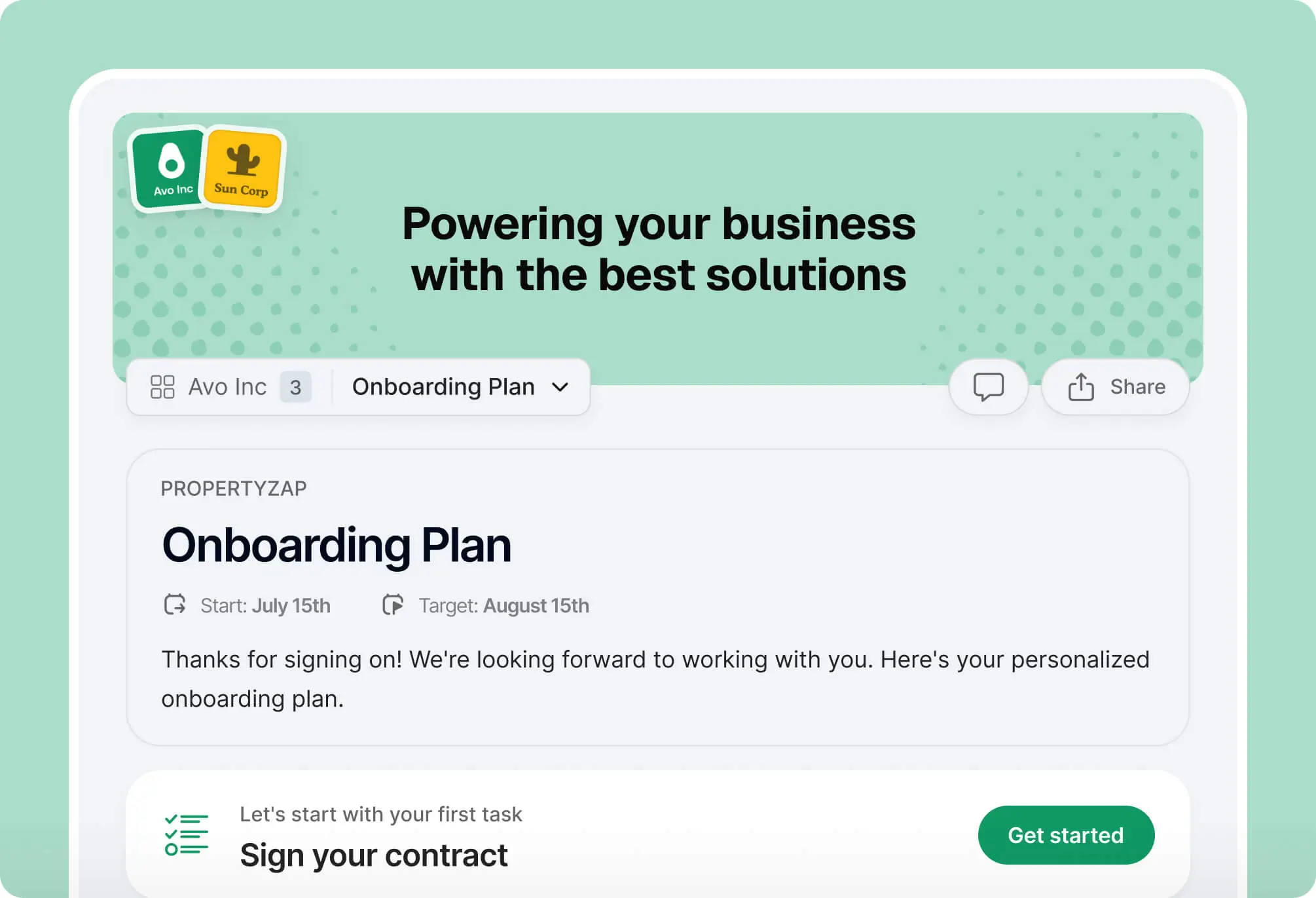
Arrows is an onboarding application for companies that use Hubspot to manage client relationships and collect data. The app allows you to build a personalized onboarding plan for each client that outlines all files, tasks, and forms they need to complete. You can also embed calendars and buttons into a plan to schedule future meetings and share invites easily.
With this all-in-one action plan, you can activate clients with fewer emails and client-facing project management boards. Instead, everything a client needs to do before they kick off a project with you is in a modern, intuitive, and clean client-facing experience. The biggest benefit of Arrows is that it’s completely synchronized with Hubspot data. Everything a client inputs into their action plan flows back into a Hubspot deal, ticket, or custom object in real time.
Price:
- Try Arrows for free
- Pricing for paid plans is by request
Key features:
- File management
- Task list
- Forms
- Bi-directional data sync to Hubspot properties
- Branding customizations
Key integrations:
- Hubspot
How to build your own client onboarding app with Softr
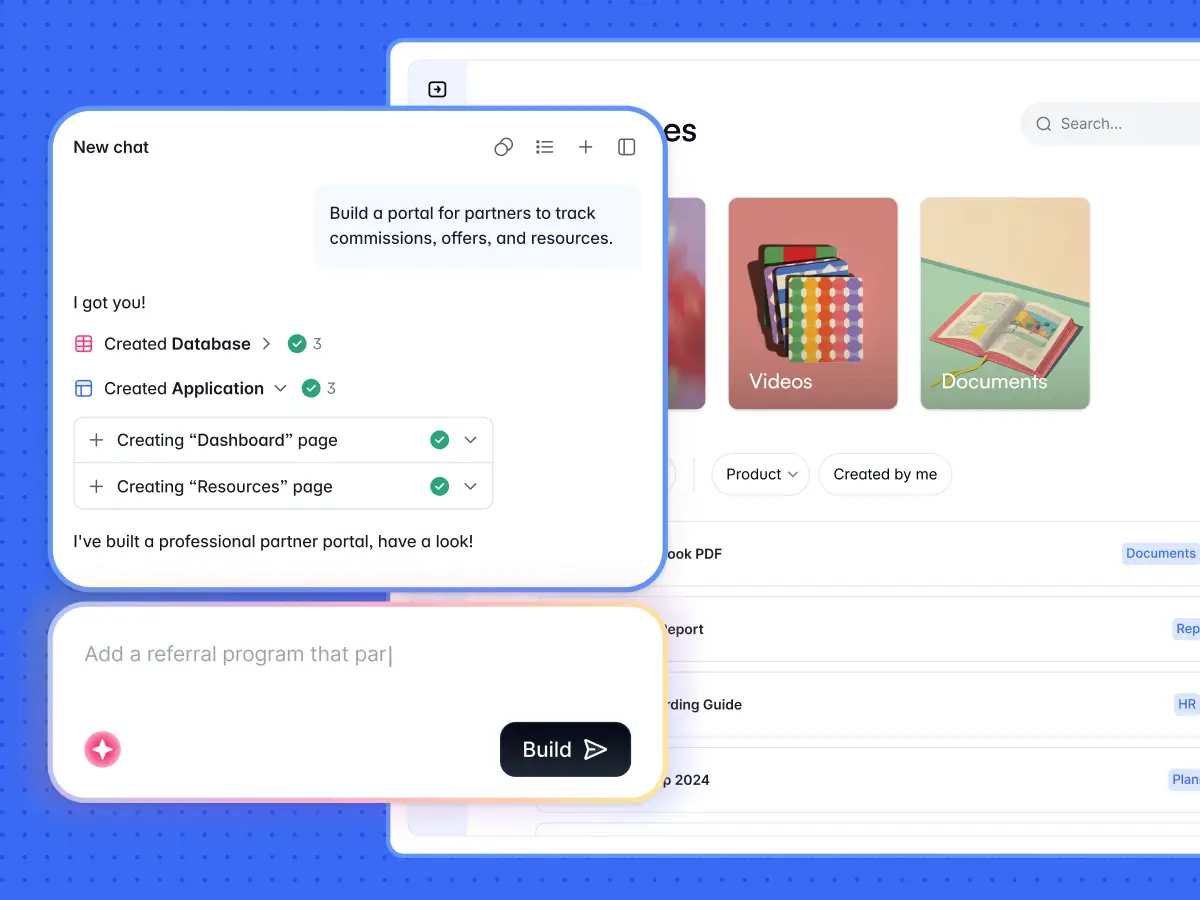
If you decide to build rather than buy, here’s a quick checklist to get a client onboarding app live with Softr:
- Structure your data: Create a Clients table plus tables for Onboarding Tasks, Documents, and Forms. Start with Softr Databases, or connect an existing Airtable or Google Sheets source.
- Generate the app: Describe your onboarding flow to the AI Co-Builder, or start from the client portal template. Softr scaffolds the pages, navigation, and permissions for you.
- Set client permissions: Add user groups (Admin, Client) and apply data restrictions so each client sees only their own onboarding tasks and documents.
- Build the key pages: A progress dashboard, a task checklist, a document upload page, and an intake form cover most onboarding needs.
- Automate the busywork: Use Softr Workflows to send a welcome email on signup, notify your team when a client completes a step, and remind clients of pending tasks.
- Publish and invite: Push the app live in seconds, then invite clients with a magic link. No developer handoff needed.
To start building a custom onboarding experience that checks all your boxes, try Softr's Co-Builder free or get started with this client portal template.
Frequently asked questions
What is client onboarding software?
What is the best customer onboarding software?
What makes a good client onboarding process?
How much does client onboarding software cost?
Should I build my own client onboarding portal instead of buying one?