A guide to choosing the best nonprofit CRM solution

As a nonprofit organization or an NGO, finding a Customer Relationship Management (CRM) solution that fits your budget can be unnecessarily difficult. And you might be tempted to not use one at all, since your business doesn't technically have "customers" and isn't transactional.
However, CRMs are crucial to the growth of nonprofits. Your organization's success relies on keeping track of donor data and interactions in an organized way, and retaining donors through transparent and effective communication.
In this article, you'll read about what these tools can do for your organization, what to look for in CRM solutions for nonprofits, how to go about finding and implementing the platform, and how no-code tools like Softr can provide you with an affordable and customizable alternative to traditional CRM software.
What is CRM software for nonprofits?
In the nonprofit sector, Customer Relationship Management (CRM) software enables organizations to gather, track, and manage the vital information of donors, contacts, and partners. Best thought of as Constituent Relationship Management software, these platforms help nonprofits understand and foster their relationships with donors and maximize fundraising efforts.
Not only can you track donations, use data to draw reports, and automate administrative tasks, you can manage projects between team members and collaborators much more easily.
How non-profit CRM software can help with fundraising & converting donors
While nonprofits and NGOs don’t have “customers,” they still need a system to help them with proper outreach, relationship nurturing, and providing efficient and personalized service.
For example, the right CRM lets you:
- See all your supporters’ donations and interactions in one place.
- Centralize your data and documents so it’s easily accessible whenever you need it.
- Set reminders and notifications so you always know when it’s time to follow up.
- Better understand and communicate with your supporters by organizing your contacts into segments.
- Easily and safely accept donations.
- Automatically email donation receipts to donors after their donation is submitted.
- Track donations over time.
- Launch and track campaigns.
- Create accounts and provide donor self-service.
- Integrate your solution with tools like Mailchimp, Typeform, and various social media platforms.
Without effective software, organizations risk wasting resources and losing the support and engagement of their donors.
"The biggest benefit we've found with Softr is how customizable and flexible it is. We've been able to create a platform that is adapted to our fairly complicated needs." - Isobelle Ford, Head of Community Ventures at TERN
TERN's Skylight Ventures program used Softr to build an applicant and funding tracker that judges and applicants could both log into, replacing a rigid off-the-shelf tool that couldn't handle their scoring and repayment process. The result: outreach to 1,000+ refugee entrepreneurs and more than £150,000 raised.
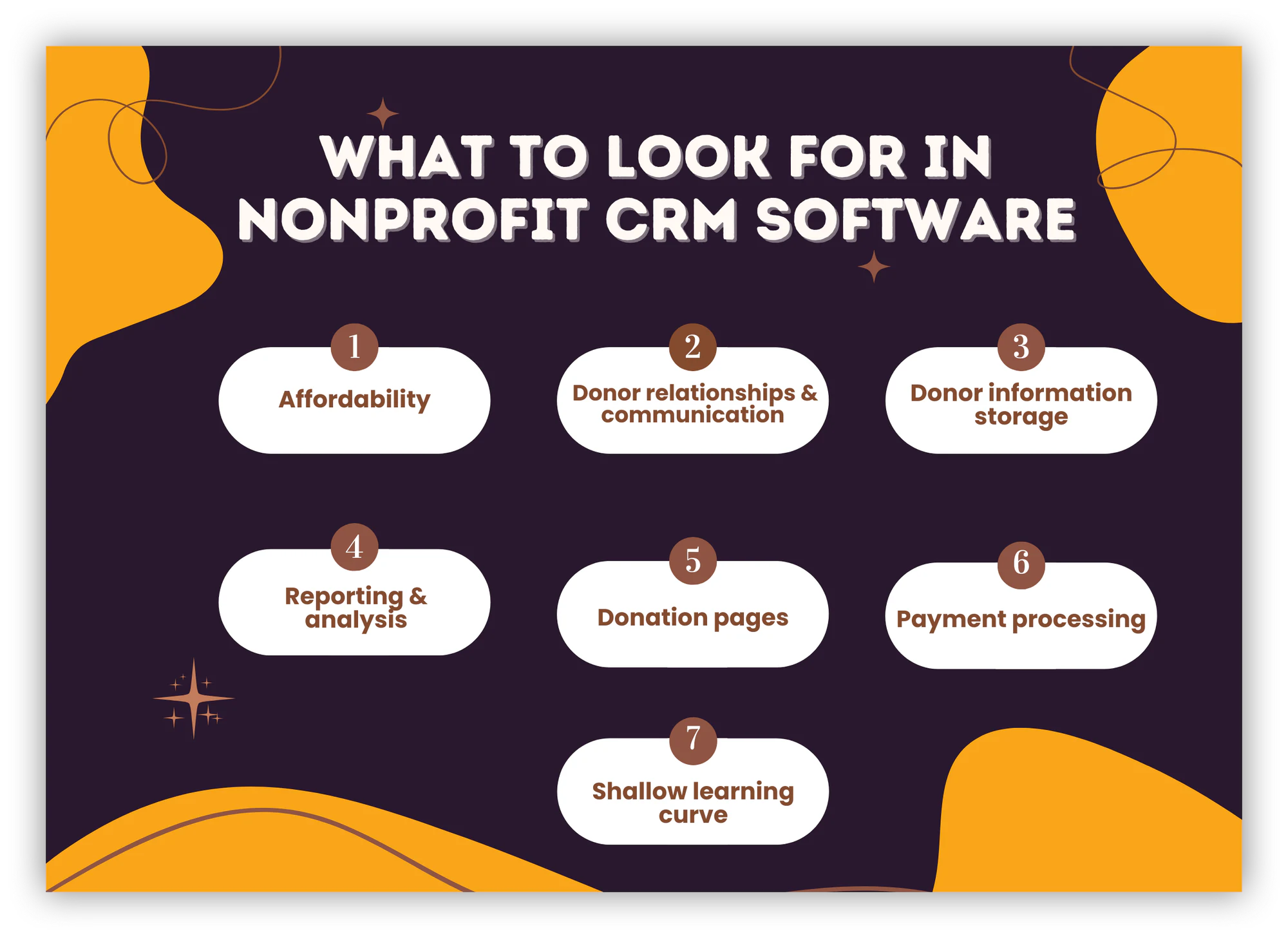
What to look for in nonprofit CRM software
It can be difficult to choose the right CRM tool because of the wide range of features and options available. But there are a few things that any good CRM needs to offer.
Affordability
The high cost of many nonprofit CRM solutions limits organizations in successfully furthering their cause. So before anything, you need to make sure the offered CRM pricing packages match your budget.
Some solutions, like Salesforce, while powerful, are mainly suitable for large organizations that need a lot of functionality and don't mind the price tag. Kindful's donor management pricing, for example, starts from $100 and can go upwards of $700 per month.
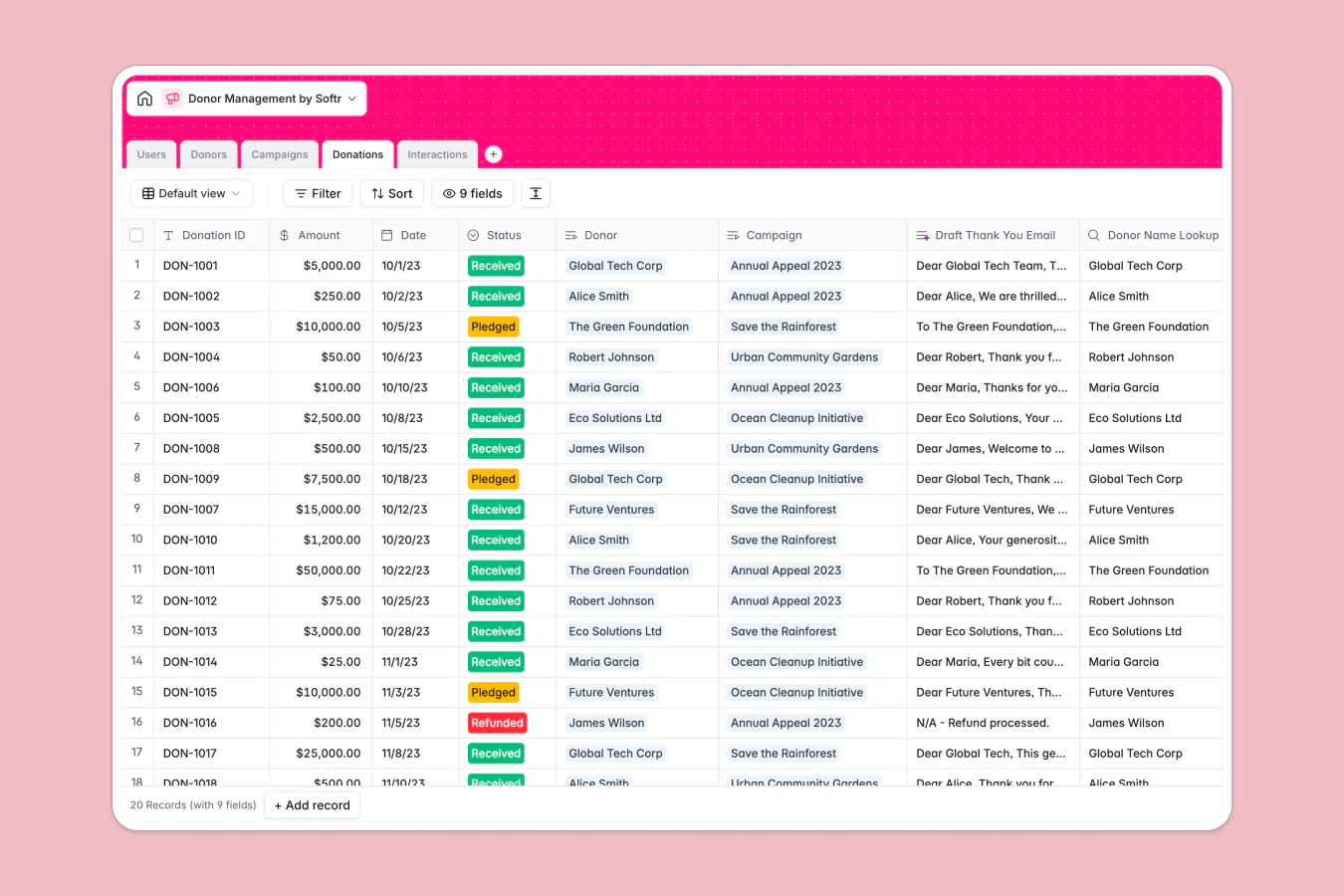
If you're a smaller organization looking for a customized solution, consider building your own operational CRM with a no-code tool instead. With Softr, you can start from Softr Databases, our native database built specifically for business data, or connect your existing Airtable or Google Sheets data. From there, describe what you need to the AI Co-Builder and it assembles a working CRM for you, or start from our Sales CRM or Donation Tracker template and adjust the features to match your needs.
Donor relationships & communication
Donor relationships and communication tools are perhaps the second most important aspect to consider when deciding on a CRM, as the ability to manage donor relationships effectively is crucial to nonprofit work.
Donor management and information storage
These tools help you gather all of your donor data in one central database and easily keep track of essential activities. This empowers you to focus on engaging with your donors instead of getting bogged down by administrative work.
For example, you can:
- Create donor profiles to know your contributors better.
- Build donor accounts and allow constituents to log in and view donation histories, update payment information, and download tax receipts.
- Set tasks and reminders to help maintain relationships and streamline workflows.
- Divide donors and contacts into segments based on sets of criteria, allowing you to easily personalize communication.
- Integrate with accounting software like QuickBooks to easily manage expense tracking and donations.
Using your CRM and outbound dialers to cultivate relationships, keep constituents updated and happy, provide customer support, and show donors the impact of their help all culminates in higher donor retention rates.
If you build your CRM with Softr, you can also set up a Softr Workflow that automatically sends a thank-you email or a receipt the moment a donation record is created, no manual follow-up needed.
Reporting & analysis
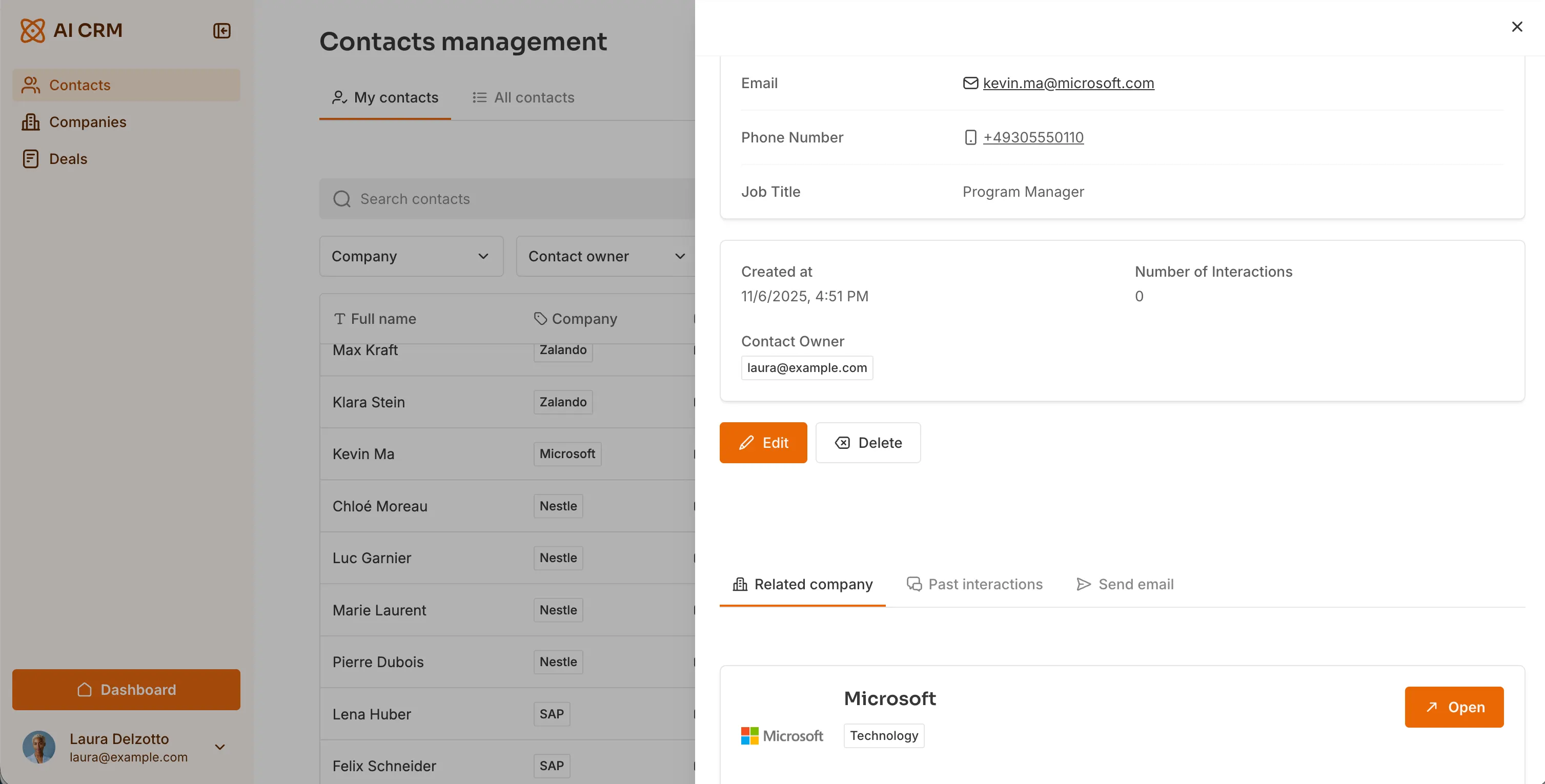
Reporting, tracking, and analysis features give you an in-depth view of your progress toward various goals and help you spot trends. For example, you could view reports on the performance of various fundraising campaigns, and use those metrics to understand what went well, and how you can improve in the future.
However, during your search, keep in mind that some tools might be offering analytics and reporting features you won’t necessarily need. All of which add to the price tag.
Donation pages
Online donation pages are great for increasing your organization’s social presence and attracting potential donors. These pages go on your website and help you collect donations and contributor information that are then streamlined into your CRM platform.
To encourage donor retention and continuous giving, make sure your CRM solution gives you the option to offer recurring payment options on the donation forms.
Payment processing
Payment processors and gateways are essential to nonprofits, as they help with accepting donations, collecting membership fees, and selling online merchandise and event tickets. The important thing is to make sure the payment processors are safe, charge minimal transaction fees, and can be operated with or without a credit card.

Shallow learning curve
Finally, you need to make sure your new CRM system has a shallow learning curve and lets you use it to its full potential without wasting too much time. Especially if you're a smaller organization, too many options and features can quickly get overwhelming and create clutter.
Additionally, the shallower the learning curve, the easier it’s going to be to get your staff on board.
4 steps to find and get started with your nonprofit CRM
Now that you know what to look for in a platform, let’s take a look at how you can find and get started with your CRM in 4 actionable steps.
1. Make a list of the criteria you need in a non-profit CRM software
To help narrow down your options and reduce decision overwhelm, it’s important to start your search by making a list of the key criteria you’re looking for. Let’s look at some examples.
Is the cost of software important to you?
If you’re a smaller organization or have a limited budget, it’s best to look for more affordable or free software right off the bat, instead of spending too much time browsing for complex, more expensive tools.
Would a steep learning curve be a deal breaker?
For the CRM to be beneficial, your entire team needs to be able to use it to its full potential. So if your organization isn’t necessarily tech-savvy, or able to dedicate the time to learn new software, picking a user-friendly and straightforward platform is a must.
How important is the popularity of the tool?
High ratings and user satisfaction are important to choosing new software. So refer to user ratings on platforms like G2 to narrow down your search.
However, remember that what works for one organization, might not work for another. For example, a larger team might leave a 3-star review if the tool doesn’t have specific functions and features. But a simpler CRM might be exactly what you’re looking for. Or maybe, a tool is perfectly adequate as a sales or personal CRM, but might not fit your specific nonprofit needs.
Just take the ratings and reviews with a grain of salt.
What functions are a must?
Make a list that divides features into “must-haves” and “can-live-withouts.” As you’re evaluating your choices, eliminate the ones that have a higher ratio of unnecessary features compared with your must-haves.
💡 Pro tip: Consider what technology you can consolidate or replace. When evaluating your software criteria, look at the full cost of your current tech stack. Choosing an all-in-one fundraising platform and donor CRM like Funraise allows you to replace separate, disconnected tools such as standalone donation form builders, event ticketing software, campaign landing page builders, and peer-to-peer platforms, saving your organization both time and software fees.
And if you’re not pleased with the available functions, or aren’t sure which tools are an immediate need, remember that you can always build your own AI CRM with Softr and adjust the features as you scale.
2. Carry out research to discover the nonprofit CRM software on the market
Once you have your list to use as your North Star, it's time to look for the best nonprofit CRMs out there. If you have the possibility, start your search by asking other nonprofits and NGOs if they recommend a specific tool. This will help give you some direction.
Then, use search engines to find additional solutions and expand your list. As you’re looking, keep an eye out for:
- Implementation costs
- Trial periods
- Automation and integrations
- Offline functions
- Positive mobile experience
- Security
- Scalability
- Documentation and customer service
Pro tip: Different search engines like Google or DuckDuckGo often display different results. So if you want to cast a wide net, try out different search providers.
3. Make sure your team supports the change
Picking the right CRM is only half the battle. Making sure your team members are on board and excited about adopting this new solution is the other half.
To increase adoption rates:
- Involve your team in the planning of your must-have features and functions.
- Discuss the reasoning behind this change and talk about the benefits of a CRM.
- Bring your team into the selection process and gather feedback as you go. Your entire team needs to be using the CRM, so if it's too technically challenging, for example, you might want to put that option on the back burner.
4. Make a plan to set up and implement your non-profit CRM software
Finally, it's time to get started with your new solution. Begin with training your team on the basics of using the system. Use the CRM provider's own documentation, video tutorials, and even YouTube content if you want to keep implementation costs down. If you're building your CRM in Softr, you can also describe changes to the AI Co-Builder (like "add a kanban view of donations by status") instead of configuring every block manually, which speeds up training for less technical team members.
Once the solution’s set up, start creating a step-by-step plan with realistic deadlines to reach full implementation. Without clear deadlines, it’s easy to get distracted by day-to-day responsibilities and end up not utilizing your CRM to its full potential.
To make implementation easier, think about things like:
- What kind of information do you need to capture?
- Who’s your ideal donor type?
- What’s the best way for your team to run reports?
- Do you need to connect your CRM to your social media channels?
Start with your criteria, not the tool
Picking the wrong CRM early on can cost your nonprofit more time and money than sticking with spreadsheets a little longer. Begin your search with clear criteria for affordability, donor communication, reporting, and ease of use, and let those drive your shortlist instead of picking whatever tool a peer organization mentioned first.
If you're looking for an affordable, customized solution and don't have time for extensive training, a no-code tool like Softr is worth a look. Describe your CRM to the AI Co-Builder and it assembles the database, pages, and permissions for you, start from our CRM template and adjust it, or build from scratch by connecting your Airtable, Google Sheets, or Softr Database and arranging the blocks yourself.
Frequently asked questions
Which CRM is best for nonprofits?
Does a nonprofit need a CRM?
How much does a nonprofit CRM cost?
What are the benefits of CRM software for nonprofits?
What is the most popular CRM for nonprofits?