The top 5 Coda alternatives you need to try in 2026

Coda combines documents, spreadsheets, and integrations into one flexible workspace, which makes it a popular choice for teams building custom workflows. As needs grow, users run into slow performance with large datasets, a steep learning curve, and limited integration options. Here are the top Coda alternatives for 2026, all of them simpler and faster.
Best Coda alternatives at a glance
| Tool | Best for | Standout features |
|---|---|---|
| Softr | Building portals, dashboards, and internal tools on top of your existing data | AI app builder, Softr Databases, connects to Coda and 21+ other data sources |
| Notion | Flexible, doc-style workspaces with databases and collaboration built in | Notes, databases, and lightweight project tracking in one customizable workspace |
| Airtable | Teams that need structured data with a spreadsheet-like interface | Spreadsheet familiarity over a lightweight relational database, used for content planning and inventory |
| ClickUp | Teams managing complex projects across multiple departments | Task tracking, docs, goals, and time tracking in a single workspace |
| Smartsheet | Spreadsheet-style project management with automation built in | Grid-based project and resource management, reporting, and approvals |
What is Coda?
Coda, known as a document editor, is a lot more than just that. It's a dynamic and versatile tool designed to streamline collaboration and productivity within teams.
At its core, Coda merges documents, spreadsheets, and powerful integrations into a single platform, allowing users to create custom workflows. Unlike traditional software, Coda combines a document's flexibility with a database's structure and power, making it a popular choice for teams managing complex projects.

Since its inception, Coda has grown in popularity, particularly among developers, project managers, and tech-savvy users who appreciate its complex and extensive functionalities. It's commonly used for project management, tracking tasks, building roadmaps, and creating collaborative spaces where teams can seamlessly organize their information.
What are some limitations of Coda?
As I described before, Coda is one of the most versatile and capable tools you can try, but it's not without drawbacks. Several pain points make users seek alternatives, especially those seeking a more intuitive experience.
1. Steep learning curve
One of the challenges with Coda is its steep learning curve. Designed with technical users and developers in mind, Coda offers a high level of customization, which also means it can be overwhelming for non-technical users. While features like formulas and automations give advanced users the flexibility to build complex workflows, it often requires extensive time and effort to learn and master these functionalities, especially when compared to other no-code tools. For smaller teams or those without a dedicated builder, this setup effort can become a barrier to adoption.
2. Performance and scalability issues
Another major limitation of Coda is its performance. As documents grow in size and complexity, users often experience lagging and slower load times, significantly impacting their productivity. This is especially true for teams managing large tables or connected workflows. Large teams handling heavy datasets might notice slowdowns, making Coda less ideal for large-scale projects or real-time collaboration.
3. Limited integrations
While Coda supports integration through its Coda Packs, the platform still falls short compared to other tools with broader integration capabilities. Coda’s most known competitors often offer more out-of-the-box integrations with popular platforms, such as Jira, Trello, and Slack, which makes them more flexible for teams relying on various tools.
4. Customization and flexibility
Coda offers extensive customization, but the tradeoff is that its complexity can sometimes limit how flexible it feels for the average user. For example, even common workflows like filtered views or task prioritization often need to be built manually. While advanced users may appreciate the ability to create highly specific workflows, non-technical users often struggle to adapt Coda to meet their unique needs without substantial setup time.
5. Pricing structure and value for money
Coda uses a “Doc Maker” pricing model, you only pay for users who create docs, while viewers and editors are free. It can work well for small teams, but costs add up quickly if multiple people need to build or own docs.
For growing teams, this structure can feel limiting. Many Coda alternatives offer unlimited creators or flat-rate team pricing, which makes budgeting simpler and gives more people access to key features.
6. Feature set
While Coda is feature-rich, it doesn't necessarily excel in every area. Teams looking for specific project management capabilities or better visualization options, like complex Kanban boards, Gantt charts, or conditional forms, may find other tools more suited to their needs.
7. Customer support and community
While Coda does offer customer support, users often find that its community and support resources don’t measure up to those of competitors, which boast more vibrant, active communities. Coda’s resources, though helpful, can feel limited when compared to the vast support ecosystems provided by its competitors.

Best Coda alternatives for growing businesses
While Coda is a powerful tool for project management and collaboration, its steep learning curve and performance limitations make it less suitable for some teams. Luckily, several alternatives offer similar flexibility with greater ease of use, stronger integrations, and better scalability.
1. Softr
Best for building portals, dashboards, and internal tools on top of your existing data

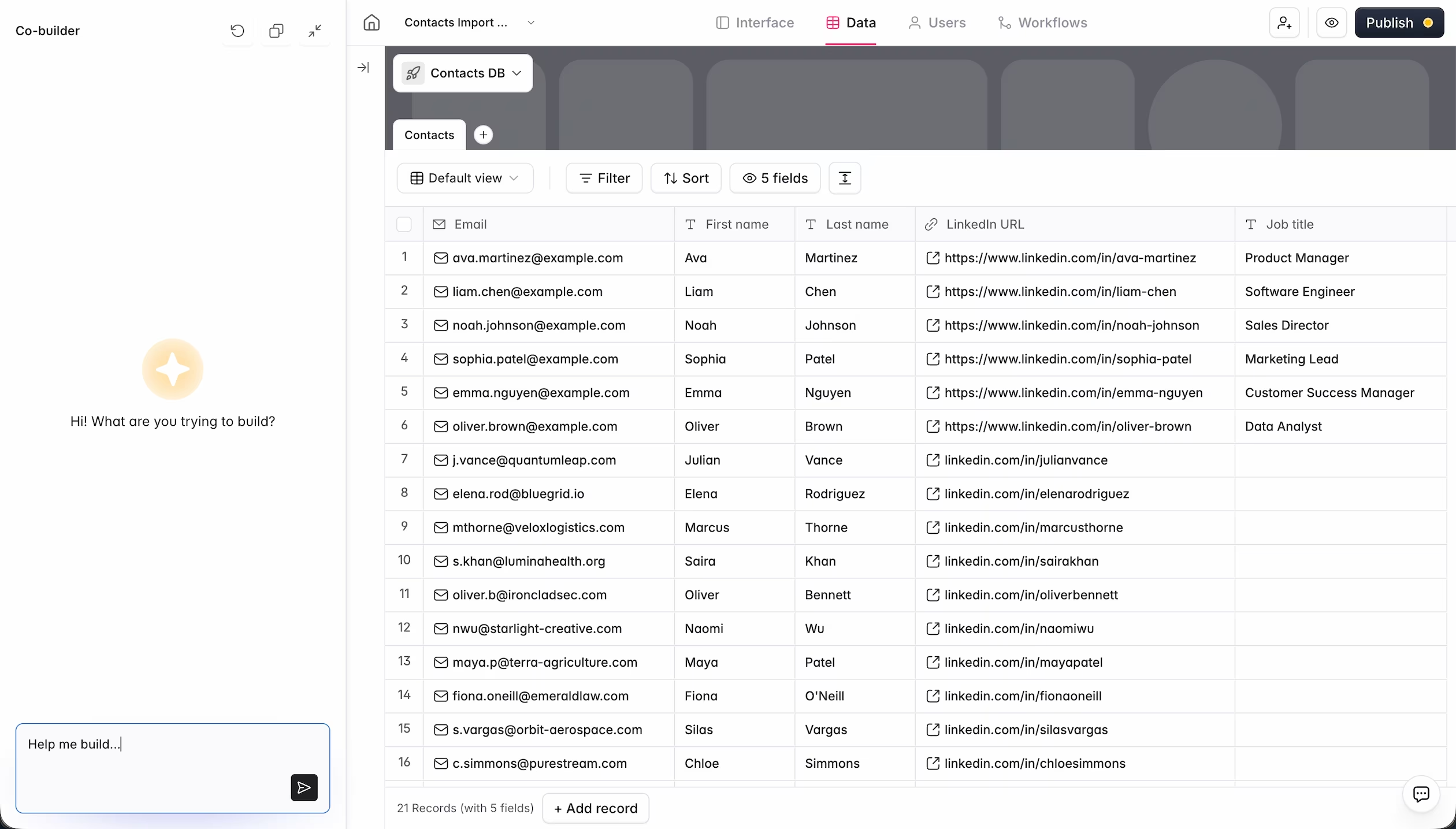
Softr is an AI app builder that helps you create fully functional business software, like client portals, dashboards, or internal tools, on top of Softr Databases, or by connecting to Coda and 21+ other data sources (including Airtable, Notion, HubSpot, and SQL databases). Unlike Coda, Softr gives you a dedicated interface layer, a native database, and an automation engine (Softr Workflows) in one platform, so you're not stretching a document editor into a role it wasn't designed for.
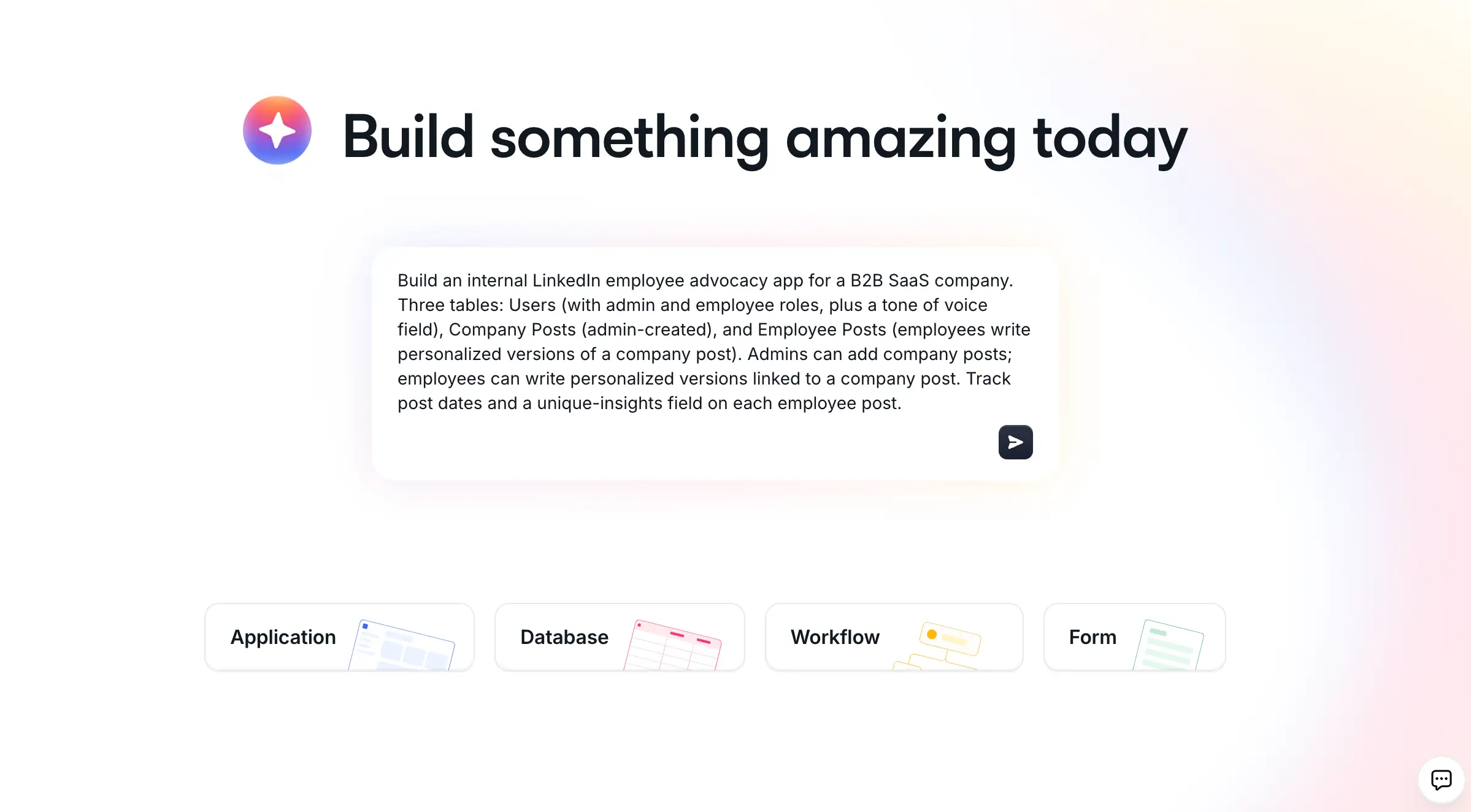
If you're using Coda to store structured information but running into limits around permissions, layout, or shareability with external users, Softr gives you more flexibility. Describe what you need to the AI Co-Builder and it generates a working app (database, pages, and user roles already connected), or start from a template or blank canvas if you'd rather build it yourself.
By building Softr apps on top of your Coda data, your data stays in sync, while you control exactly how it's shared and who can see and edit what. It's especially useful for teams who've outgrown doc-based workflows and need something more polished and scalable.
Key features
- Native integration with Coda: Add secure client portals and apps on top of Coda data (or Softr Databases, Airtable, and 21+ other sources) with role-based visibility and granular permissions per user. Updates in Coda are instantly reflected in Softr.
- AI Co-Builder for databases and workflows: Describe your data structure to the database AI agents and it generates the tables and relationships for you, or describe an automation and the Workflow Co-Builder builds the logic. Manual editing is always available alongside it.
- Fully white-labeled apps: Choose custom domains, logos, fonts, and styling to create a branded experience.
- Vibe Coding block: For the rare custom screen a pre-built block can't cover (a Gantt chart, a pricing calculator), describe it in plain language and Softr generates a component that connects to your data and inherits your app's theme, no separate codebase to maintain.
- Advanced forms: Create multi-step forms with conditional logic and send the data back to Coda (or any other connected data source).
- Softr Workflows: Trigger automations directly from a button click or form submission in your app, with unlimited conditional branching and loops, not just from background data changes.
- Progressive Web App (PWA): Turn your Softr app into a PWA so users can access it like a native app on a desktop or mobile.
- In-app comments: Team members can comment on individual pieces of content, so it's easy to collaborate with external users.
Softr pros:
- Quick to publish: Launch a functional portal or internal tool on top of your data using pre-built templates, the AI Co-Builder, or manual building, no lengthy dev work needed.
- Precise access control: Set permissions at the user, group, page, or record level, ideal for client-facing or internal tools. Restrictions are enforced on the backend, not just hidden in the UI.
- Always up to date: Real-time sync with Coda means your app reflects the latest data automatically.
- Tool consolidation: Softr lets you create client portals, team intranets, and internal workflow tools in the same platform, saving money on multiple software licenses.
- Native automation: Softr Workflows handle logic and multi-step automations natively, so you're not stitching together separate tools just to move data around.
Softr cons:
- Built for business apps, not public marketing sites: Softr is optimized for internal tools and client-facing portals. If your priority is a public-facing site built purely for SEO, a dedicated CMS may fit that specific piece better, though many teams build both together.
- Growing automation library: Softr Workflows cover most day-to-day automation needs natively, but for chaining together dozens of niche third-party apps, dedicated tools like Zapier or Make still offer a broader native integration catalog.
Pricing
- Free for up to 5 users per month
- Paid plans start at $19/month for Team: 5 + Client: 5 app users (when billed annually)
- Pro: Starts at $99/month for Team: 10 + Client: 50 app users (when billed annually)
- Business: Starting at $329/month for Team: 30 + Client: 100 app users (when billed annually)
- Enterprise (custom pricing, contact sales) for enterprise customers
2. Notion
Best for flexible, doc-style workspaces with databases and collaboration built-in
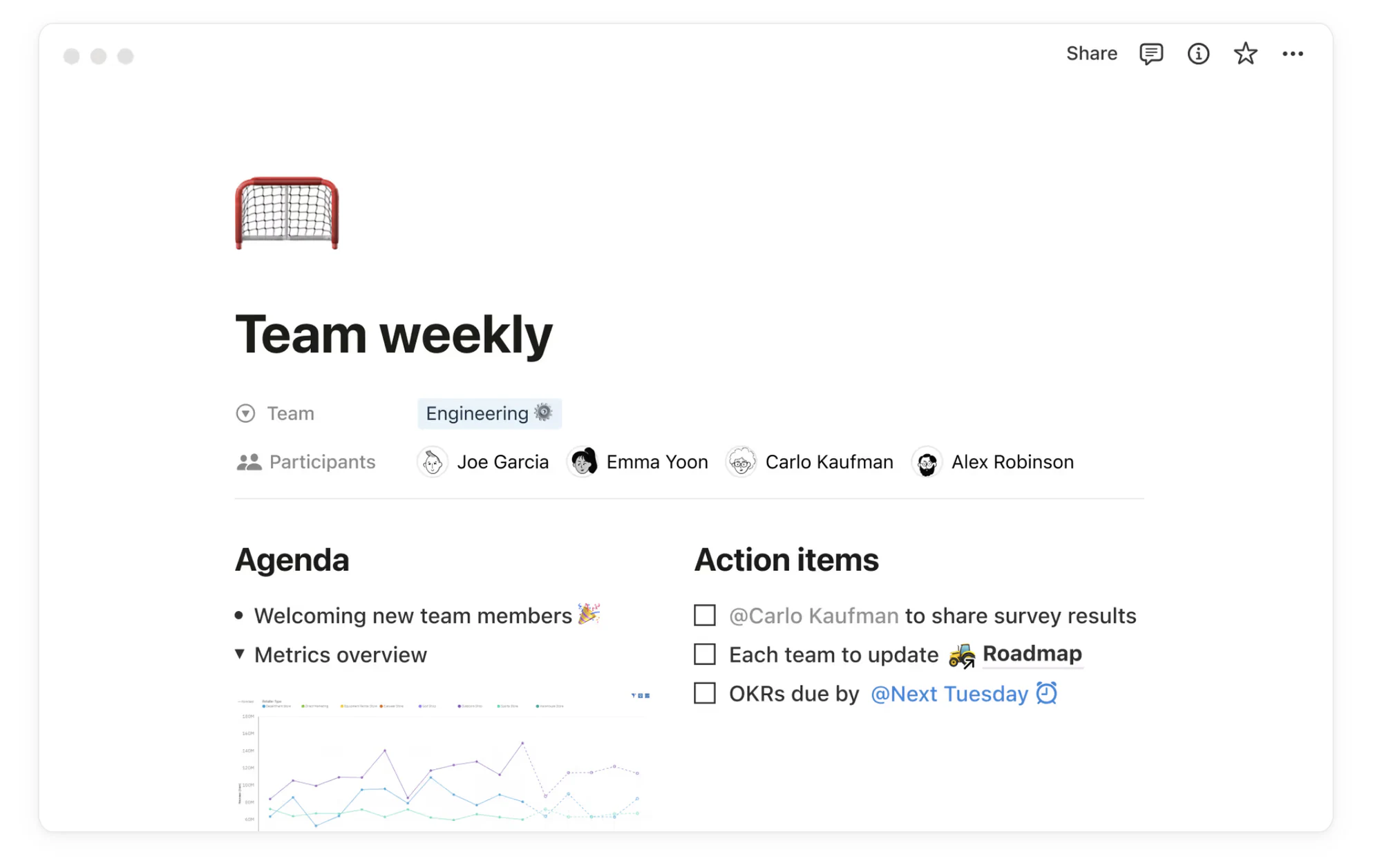
Notion is an all-in-one workspace that combines notes, databases, and lightweight project management in a clean, flexible interface. It's popular for its customization options and ability to serve as a team wiki, task tracker, or content hub. Compared to tools like Softr, Notion is more open-ended but requires more manual setup, especially for structured portals or dashboards.
Notion best features
- Customizable pages that combine text, databases, and embeds
- Real-time collaboration with comments, mentions, and edit history
- Database features for tasks, content calendars, and CRMs
- Integrates with tools like Slack, Google Drive, GitHub, and more
- Extensive template gallery for personal and team use
Notion Pros
- Very flexible, build almost any kind of doc or system
- Easy collaboration and editing for teams
- Great template variety and community resources
Notion Cons
- Can feel unstructured or overwhelming for new users
- Permissions and data views are less granular
- Offline access is limited and not always reliable
"Managing external partners through emails and spreadsheets is a nightmare. A portal allows you to only surface the information that is relevant to them and make approvals on the fly." - Shiran Brodie, Head of Marketing at Softr
Tip: Already using Notion to manage projects with clients? Connect it to Softr to build a client portal or resource hub, so external users can access only what's relevant, without exposing your whole workspace. One Softr customer, Virtuous, built a partner portal on top of Notion in under 5 hours, saving over $30,000 compared to traditional partner management software while keeping Notion as their system of record.
Pricing
- Free for individuals with unlimited pages and blocks
- Plus: $8/user/month, version history, sharing, and integrations
- Business: $15/user/month, advanced permissions and SAML SSO
- Enterprise: Custom pricing for admin controls and audit logs
3. Airtable
Best for teams that need structured data with a spreadsheet-like interface

Airtable combines the familiarity of spreadsheets with the power of a lightweight relational database. It's often used for content planning, project tracking, and inventory.
Airtable best features
- Custom databases with rich field types (attachments, links, select menus)
- Multiple view options: grid, kanban, gallery, timeline, and calendar
- Automations to trigger actions based on changes in records
- Native sync across bases and apps
- Integrates with Slack, Google Drive, Make, and more
Pros
- Easy to adopt for spreadsheet users
- Supports structured workflows and filtered views
- Works well with tools like Softr for building portals or apps
"I found it useful to switch from Airtable's backend to Softr's internal database to avoid API limits. I was able to replace a WordPress site and a management system made in Excel." - Marco D., .NET Analyst Developer, G2 review
Tip: Use Airtable + Softr to turn your base into a fully functional client portal, directory, or internal tool, with custom layouts, user permissions, and branded design. If your base is growing past Airtable's record and API limits, you can also migrate the data straight into Softr Databases and keep the same app running on top.
Cons
- Advanced features and automations locked behind higher-tier plans
- Can become expensive for large teams or heavy usage
- Relational linking is limited compared to full databases
Pricing
- Free: Up to 1,000 records and basic views
- Team: $20/user/month, automations, interfaces, and more storage
- Business: $45/user/month, advanced syncing, admin tools
- Enterprise: Custom pricing with additional support and security
4. ClickUp
Best for teams managing complex projects across multiple departments

ClickUp is a project management platform that aims to replace multiple tools with one. It combines task tracking, docs, goals, and time tracking in a single workspace. It's powerful, but that power can also be overwhelming for new teams or small projects.
ClickUp best features
- Multiple work views: list, board, Gantt, timeline, and calendar
- Task management with subtasks, dependencies, and automations
- Docs, chat, goals, and dashboards in one place
- Time tracking and workload management
- Integrates with Slack, Google Drive, Zoom, and more
Pros
- Feature-rich and highly customizable
- Great for managing multi-team or cross-functional work
- Affordable for small teams
Cons
- Setup and onboarding can be time-consuming
- Some users find the UI cluttered or overwhelming
- Performance can lag with large workspaces
Tip: Using ClickUp? You can connect it to Softr to build a client onboarding portal, dashboard, or internal tool on top of your ClickUp data, no code required.
Pricing
- Free: Unlimited users, basic task features
- Unlimited: $10/user/month, dashboards, integrations, automations
- Business: $19/user/month, workload, timelines, advanced reporting
- Enterprise: Custom pricing for security, SSO, and custom roles
5. Smartsheet
Best for spreadsheet-style project management with automation built-in
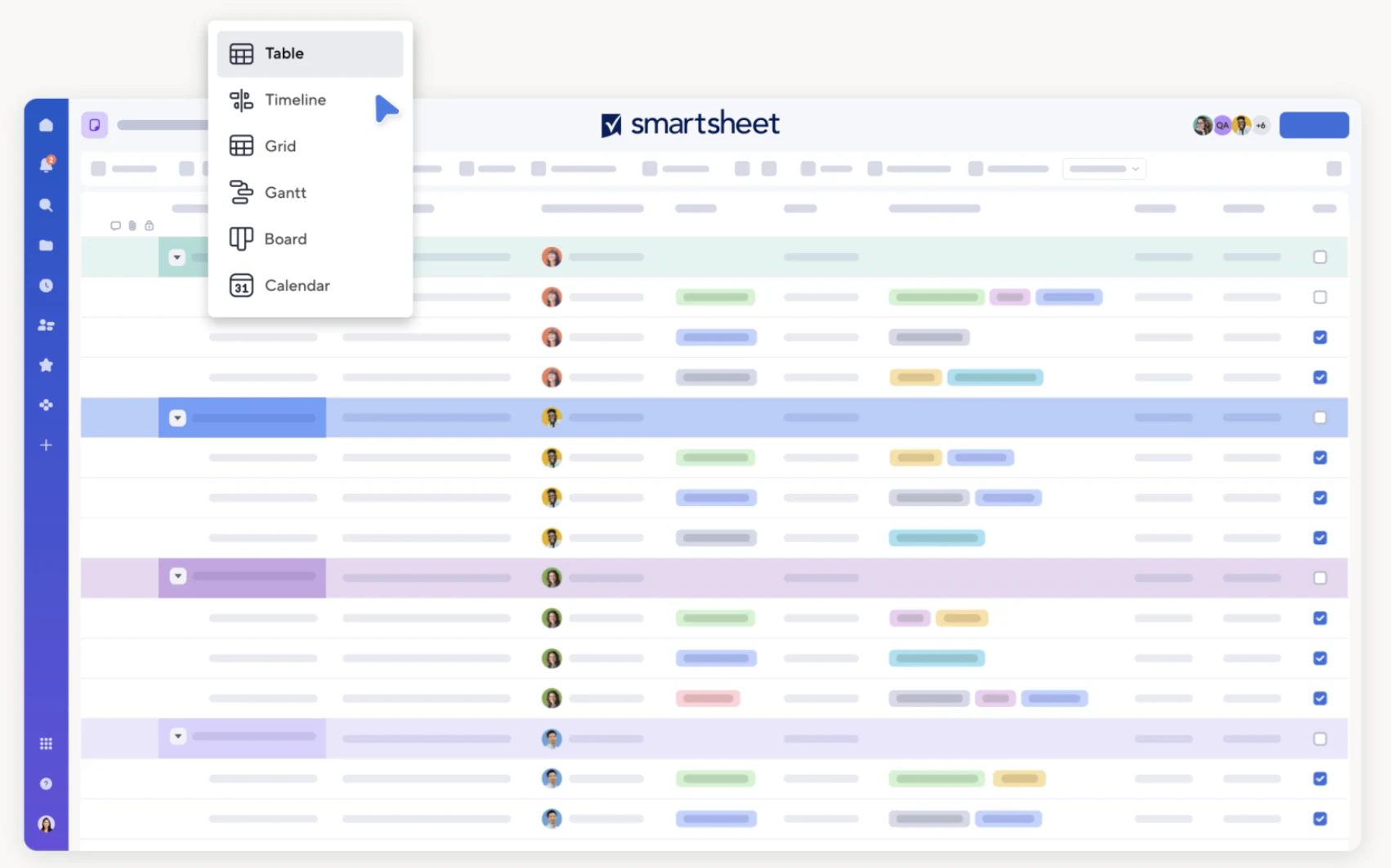
Smartsheet brings the structure of spreadsheets to project and resource management. It's used heavily in enterprise environments for task tracking, reporting, and approvals. While powerful, it's less visual and intuitive than tools like Softr, especially for smaller teams or external use.
Smartsheet best features
- Spreadsheet-style interface with formulas, filters, and cell linking
- Automated workflows for approvals, alerts, and updates
- Project planning with Gantt charts and dependencies
- Built-in resource and budget tracking
- Integrates with Microsoft 365, Google Workspace, Jira, Slack, and more
Pros
- Scales well for large organizations and complex workflows
- Strong automation tools for repetitive processes
- Deep reporting and governance features
Cons
- The interface is less modern or visual than newer tools
- Can feel clunky for light workflows or design-focused teams
- Steeper learning curve for non-spreadsheet users
Pricing
- Pro: $9/user/month, up to 10 users, core sheets and automations
- Business: $32/user/month, advanced controls, reporting, integrations
- Enterprise: Custom pricing with SSO, admin tools, and security features
Finding the right Coda alternative for your team
There's no one-size-fits-all solution when it comes to replacing or extending Coda. Some teams need more structure, others need faster setup or simpler collaboration. The best Coda alternative depends on how your team works, what tools you're already using, and how much flexibility or guidance you need.
If you're looking for a way to keep using Coda or other structured data sources while improving how you organize, present, and control that information for clients or external users, Softr is a strong option. It combines an interface builder, a native database, and Softr Workflows in one platform, giving you a real-time, two-way sync, granular permissions, and clean, professional layouts, all without the heavy lift of coding or building from scratch.
Describe your app to the AI Co-Builder and get a working starting point in minutes, or explore pre-built templates if you'd rather start from a finished layout. You can also see how a creative agency built a custom project management system using Softr. Either way, get started for free, no credit card required.
Frequently asked questions
What's the best free alternative to Coda?
Can I migrate my Coda data to another tool without losing structure?
Is Softr a good replacement for Coda if I need client-facing portals?
Do Coda alternatives support automations and workflows like Coda does?
Which Coda alternative is easiest for non-technical teams to learn?