



.jpeg)
When you’re dealing with just a few hundred business contacts, a basic spreadsheet or address book might work fine. But when that number hits the tens of thousands, you’re going to want something more robust. After a certain point, it becomes impossible to keep track of every conversation, send every follow-up, and organize business relationships without a contact management tool.
If you’ve hit that point but don’t know which software is right for you, you’re in luck. We’ve broken down the top contact management solutions for different use cases, covering lightweight tools, app and database builders, and heavy-hitter CRMs.
Best contact management software at a glance
| Tool | Best for | Standout features | Pricing |
|---|---|---|---|
| Softr | Building contact management apps and databases tailored to your business | - Intuitive visual app builder - Ask AI, Database AI Agents - Granular user permissions - Secure contact portals | Free plan available; Paid plans from $19/month (flat pricing, no per-seat fees) |
| HubSpot | Managing contacts in an all-in-one CRM | - Marketing and customer support features - Extensive integrations | Free plan available; Paid plans from $15/month/seat for the Starter Customer Platform |
| Clay | Automating contact data enrichment | - Enrichment from 150+ sources - Chrome browser extension | Free plan available; Paid plans from $149/month for |
| Pipedrive | Contact management with a focus on sales pipelines | - Drag-and-drop pipelines - AI Sales Assistant | Plans from $24/month/seat |
| Google Contacts | Simple, free contact management | - Lightweight contact directory - Syncs with Google apps across devices | Free; Google Workspace plans from $7/month/seat |
| Nimble | Social-media driven contact management | - Social profile matching - Prospector browser extension | Plans from $24.90/month/seat |
What is contact management software?
Contact management software helps businesses organize, track, and enrich interactions with customers, leads, partners, vendors, influencers, and more. Unlike an address book or spreadsheet that simply stores info, these tools allow sales and marketing teams to take action on their contacts.
Contact management is often a feature within customer relationship management (CRM) software, but it can also be a standalone solution or a custom app tailored to a specific industry. Whereas a CRM is more comprehensive and covers the entire customer lifecycle—from lead generation and sales pipelines to marketing campaigns and post-sale support—contact management focuses on the "system of record" for business relationships.
What to look for in contact management software
The best contact management tools do more than just store information. Here’s what features you should look for as you search:
- Relationship intelligence: Look for tools with AI assistants that suggest when to reach out to leads, summarize past interactions, and analyze sentiment based on conversations.
- Communication tracking: Contact management apps should log emails, calls, meetings, and notes in one central timeline so you can see the complete history of every interaction.
- Auto-enrichment: Consider tools that automatically update contact records with job titles, social profiles, firmographic data, and other information pulled from the web or internal databases.
- Segmentation and filtering capabilities: The ability to quickly segment contacts by industry, location, engagement level, deal stage, or custom criteria helps you target outreach and organize your database effectively.
- Integration ecosystem: The software should sync natively with your email (Gmail/Outlook), databases, and the rest of your tech stack — the more integrations the better.
- Collaboration features: Sales teams should be able to share contacts, internal notes, task assignment, and visibility controls so everyone stays coordinated.
- Workflow automation: Pick a tool that can trigger actions based on contact behavior or data changes — like sending follow-up emails, creating tasks, or updating fields automatically to reduce manual work.
- Custom portal access: Full-stack tools lets you create secure, client-facing portals where contacts can update their own information, schedule meetings, view relevant documents, or track project status.
1. Softr — best for building contact management apps and databases tailored to your business
.webp)
Contact management requires two components: a database where contact information is stored and organized, and an interface where internal teams can access and take action on that data. Softr is an AI-powered solution that lets you build both of these components in a single, unified platform.
Softr offers a full-stack approach to contact management. Start by setting up a relational database to store all your customer or client details, letting Softr AI configure fields based on your specific business logic. Then, use the AI co-builder (or start with a template) to create a working contact management interface powered by your data in minutes.
You can use Softr to spin up a full-fledged CRM with built-in contact management features, or simplify with a lightweight contact directory that sales reps can access and update. Beyond just viewing records, Softr lets you automate workflows like logging interaction history, sending follow-up reminders, and tagging contacts based on their position in the sales funnel.
Softr pros and cons
Pros:
- Tailored to your business: Build contact management systems designed around your specific sales process, team structure, and data requirements instead of forcing your workflow into a generic CRM template.
- Custom contact views: You decide how to visualize contacts — view contacts in tables, organize them on kanban boards by stage, plot them on maps by location, or track them on calendars by follow-up date.
- Speedy implementation: Launch working contact databases and user interfaces in minutes using Softr AI, pre-made templates, and an intuitive visual builder that requires zero coding knowledge.
- Built-in AI: Use Database AI Agents to automatically enrich contact records, or leverage Ask AI to get answers to questions about your live data.
- Flexible data options: Use Softr Databases as your back-end, connect external sources like Google Sheets and Airtable, or combine both approaches to centralize contact information from multiple systems.
- Role-based access control: Build role-specific views for internal teams — sales reps focus on their pipelines, support tracks open tickets, executives monitor key metrics, and managers oversee team contacts.
- Transparent pricing: Flat monthly rates make budgeting predictable and cut down on the surprise costs common to traditional CRMs with per-seat pricing.
Cons:
- Softr integrates with a range of apps and data sources, but it doesn’t have an extensive marketplace of third-party apps and plugins like HubSpot.
Softr best features
- Detailed contact management: Get a centralized view of contact information, interaction details, deal status, transaction records, and more. You choose what information to include and which users can view it.
- Database AI Agents: Deploy intelligent agents that automatically enrich contact records from the web, flag high-priority leads, clean up and standardize data, plus lots of other use cases.
- Ask AI: You can use a built-in chat assistant to get instant answers and sentiment analysis based on your contact data and interaction history.
- Visual app builder: Design your contact management interface with drag-and-drop components, customizable layouts, and pre-made blocks that pull records seamlessly from your Softr Database — no coding required.
- Permissions and access control: Set up role-based access controls for different team members and build client-facing portals where users only see the data they need to see.
- Forms for data capture: Build customizable forms for contact intake with conditional logic, field validation, duplicate detection, and automatic routing directly to your database and workflow automations.
- Workflow automation: Trigger automated flows when contacts are added, updated, or need a follow-up. Some examples include sending welcome emails, assigning tasks, and posting Slack notifications in relevant channels.
- Built-in analytics: Visualize contact pipeline metrics, engagement trends, conversion rates, and even team performance with customizable charts and dashboards that update in real-time.
Softr pricing
Softr has predictable pricing tiers and a generous free plan so you can try before signing up.
Pricing
- Free: Unlimited published apps, with access to Softr Workflows and Softr Databases, 5 app users, and 5,000 records.
- Basic ($19/month): Unlimited apps with 42+ integrations, Team: 5 + Client: 5 app users, and a custom domain.
- Pro ($99/month): Unlimited apps with 45+ integrations and custom code, Team: 10 + Client: 50 app users, advanced permissions, calling external APIs, and e-signature.
- Business ($329/month): Unlimited apps with 52+ integrations, Team: 30 + Client: 100 app users, 1M records, and two-factor authentication.
- Enterprise: Custom pricing, SSO, dedicated success manager, and tailored onboarding
2. HubSpot — best for managing contacts in an all-in-one CRM
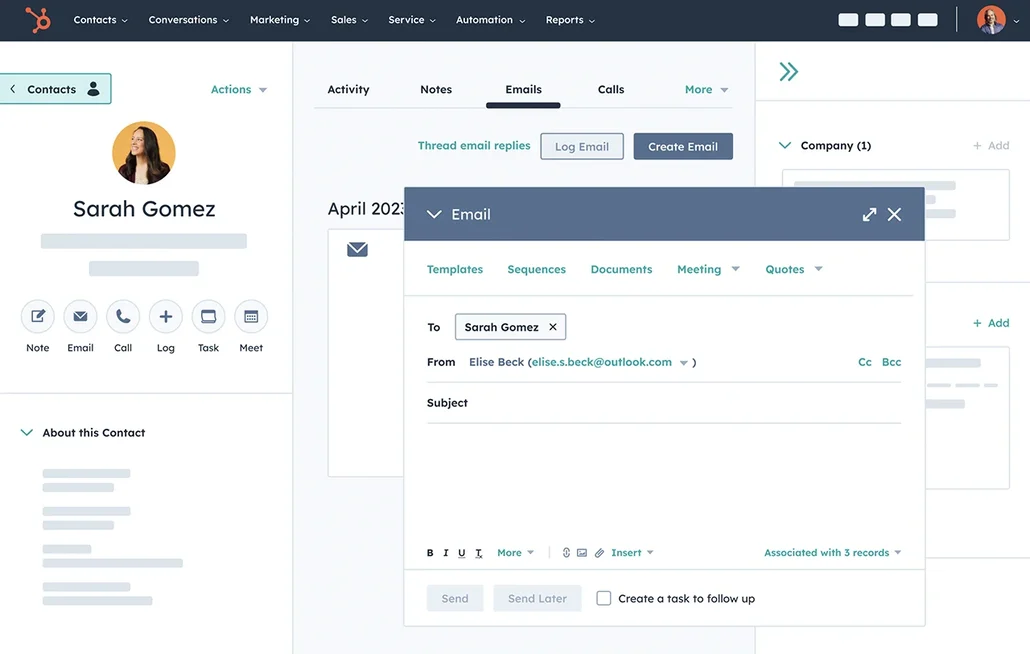
HubSpot CRM serves as a comprehensive business solution that extends well beyond contact storage, combining marketing, sales, customer service, and content management in a unified platform. The contact management system automatically tracks every customer touchpoint with enrichment from a database of over 20 million businesses, reducing manual data entry. Historical records ensure smooth handoffs between departments, while built-in AI tools unlock customer insights and enhance team productivity across the entire customer lifecycle.
HubSpot pros and cons
Pros:
- All-in-one platform: HubSpot combines marketing, sales, service, and content management tools under one umbrella.
- Generous free tier: The free tier lets you try out contact management, email tracking, meeting scheduling, reporting, and other features.
- AI-powered features: Breeze Agents can resolve some customer inquiries automatically.
- Seamless integrations: HubSpot connects natively with Gmail, Outlook, Zoom, Shopify, and hundreds of other third-party apps.
Cons:
- Multiple Hubs, seat types, and marketing contact tiers make it hard to predict total costs
HubSpot best features
- Contact and company records: Store unlimited contacts with automatic enrichment and complete interaction history including emails, calls, website visits, and social media engagement.
- Email integration and tracking: Send emails directly from Gmail or Outlook with tracking for opens and clicks, using customizable templates.
- Pipeline visualization: Create customizable contact pipelines with drag-and-drop deal stages.
- Meeting scheduling: Let contacts book time directly in your calendar with automatic availability syncing.
- Workflow automation: You can configure multi-step sequences triggered by contact behavior like form submissions or email interactions.
HubSpot pricing
- Free: Basic contact management and other tools
- Customer Platform Starter ($15/user/month): Additional features across marketing, sales, service, content, and data management use cases
- Customer Platform Professional ($1450/month for 6 seats): Additional seats start at $50/month
- Customer Platform Enterprise ($4700/month for 8 seats): Additional seats start at $75/month
[.blog-callout]
✨ Bring your HubSpot data into Softr with real-time sync.
Build secure portals and tools on top of HubSpot without sharing full CRM access or paying for extra seats.
[.blog-callout]
3. Clay — best for automating contact data enrichment
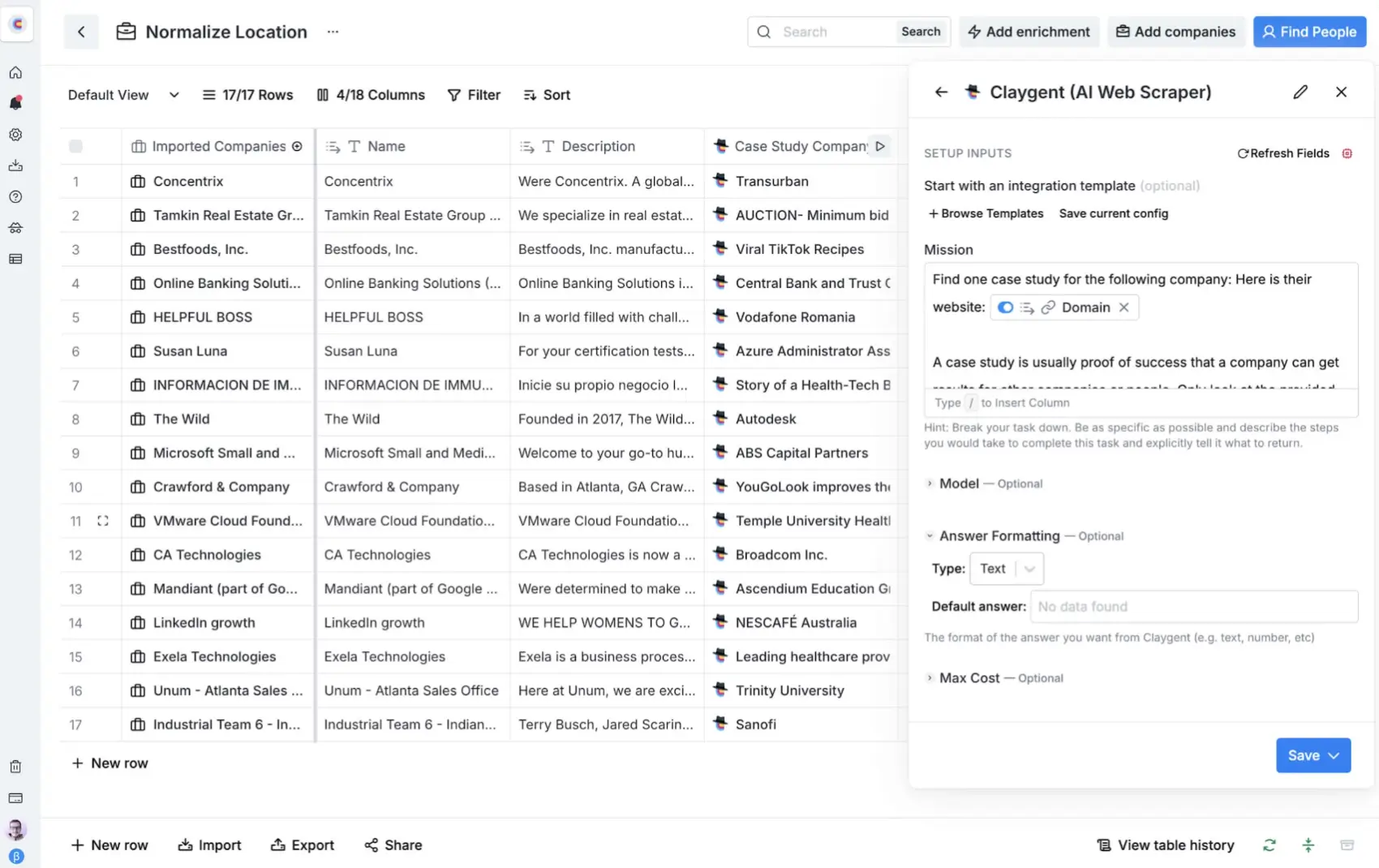
Clay’s best feature for contact management is its automated data enrichment. This means any contacts you add to Clay will have their records populated with key details from more than 150 data providers. Instead of manually crawling the web for contact info or switching between tools, sales and marketing teams can use Clay to automatically add email addresses, job titles, company details, social profiles, and firmographic data to their contact lists. The platform is particularly valuable for businesses who want to build targeted prospect lists or enrich existing CRM databases.
Clay pros and cons
Pros:
- Extensive data sources: Access 150+ enrichment providers including LinkedIn, Hunter, Apollo, and RocketReach — all from one interface.
- AI-powered research: Augment contact enrichment with Claygent AI, which can scrape websites, research companies and employees, and personalize outreach.
- Bulk contact discovery: Find and enrich thousands of contacts matching specific criteria (job title, company size, industry) to rapidly build prospect lists.
- Flexible workflows: Combine enrichment with filtering, scoring, and conditional logic to automate outreach to qualified leads.
Cons:
- Credit-based pricing can become expensive for high-volume contact enrichment
- Clay isn’t always used as a standalone tool, so you many need to pair it with an external CRM
Clay best features
- Multi-source enrichment: Pull data from 150+ providers with waterfall logic that tries sources sequentially until the information you want is surfaced.
- Chrome extension: Enrich contacts directly from LinkedIn, company websites, and other web pages with one click using the Chrome browser extension.
- Integration hub: Clay integrates with CRMs, email tools, and databases to push enriched data directly into your existing platforms and workflows.
- Lead scoring: Clay leverages AI to assign custom lead scores to contacts, making it easier to prioritize the right prospects for outreach and follow-up.
Clay pricing
- Free: 100 credits/month for testing enrichment workflows
- Starter ($149/month): 2,000 credits/month
- Explorer ($349/month): 10,000 credits/month
- Pro ($800/month): 50,000 credits/month
- Enterprise: Custom pricing
If billed annually, you’ll receive the full yearly credit allowance upfront and a 10% discount.
4. Pipedrive — best for contact management with a focus on sales pipelines
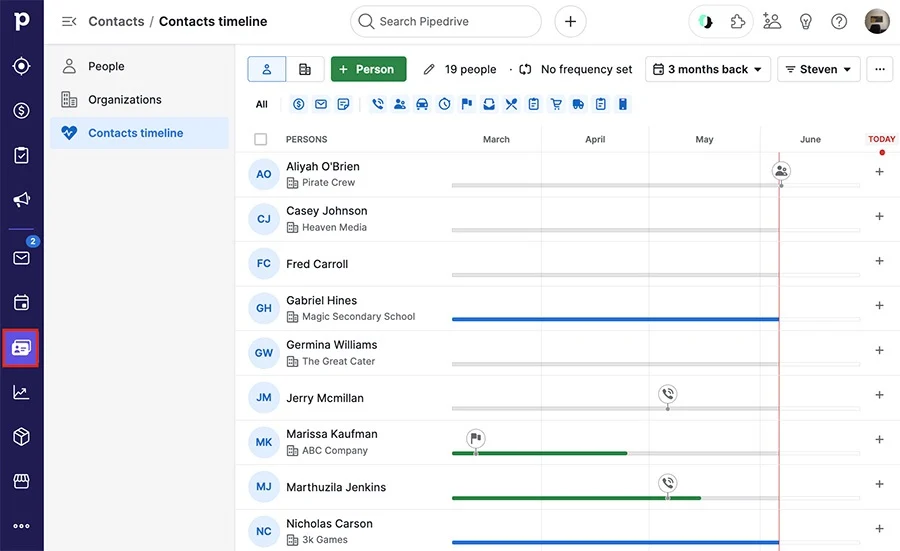
Pipedrive is a sales-focused CRM for teams that prioritize deal tracking and pipeline management alongside contact organization. Central to the platform are visual pipeline boards where sales reps can drag deals between stages — with contact information, communication logs, and actions tied directly to each opportunity. This makes Pipedrive a strong choice for sales teams that need contact management embedded within their sales process rather than a standalone database or directory.
Pipedrive pros and cons
Pros:
- Intuitive pipeline design: The drag-and-drop interface makes it easy to track deals and see exactly where opportunities stand.
- Contact-linked deals: Every deal connects to contact and company records, giving you a full relationship history as leads move through your pipeline.
- AI Sales Assistant: Pipedrive’s AI gives reps intelligent nudges about deals requiring attention, contacts to follow up with, suggested next steps, and sales team performance analytics.
- Mobile CRM app: You’ll also get access to a full-featured mobile app so sales reps can update contacts and move deals through the pipeline from anywhere.
Cons:
- Strictly sales-oriented with fewer use cases than platforms like Softr or HubSpot
- Limited marketing features compared to other CRMs
Pipedrive best features
- Sales-focused contact management: Store detailed contact and organization records with complete communication history and custom fields.
- Activity scheduling: Set calls, meetings, and tasks with automatic reminders so reps don’t forget to follow up.
- Email integration: Sync Gmail or Outlook to automatically log correspondence and send tracked emails from within Pipedrive.
- Contact-powered forecasting: Project future revenue by analyzing metrics like contact engagement and deal velocity.
Pipedrive pricing
- Lite ($24/user/month): Basic contact management and pipeline features
- Growth ($49/user/month): Includes email sync, automations, and more
- Premium ($79/user/month): Includes lean generation, scoring, AI email tools, and more
- Ultimate ($99/user/month): Adds security features and contact data enrichment
Pipedrive doesn’t offer a free plan, but you can start with a 14-day free trial.
5. Google Contacts — best for free, simple contact management
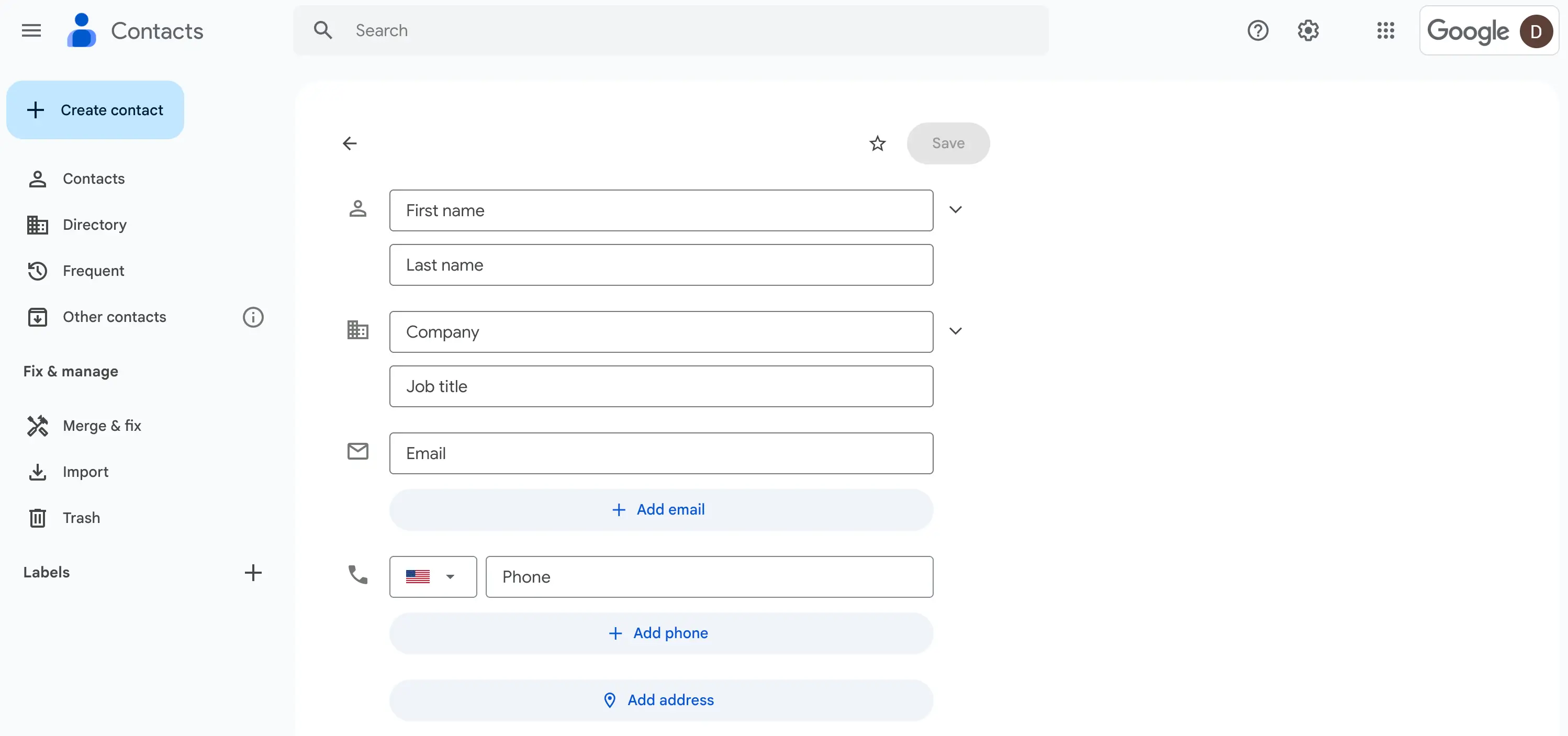
Google Contacts is a completely free, cloud-based contact management tool that automatically syncs across Gmail, Google Calendar, and other Google apps. While it won’t have the bells and whistles of a dedicated contact management app or CRM, its integration with Google's ecosystem and mobile syncing make it the solid choice for solopreneurs and freelancers who need a basic, free contact directory. Just be aware that it’s very barebones compared to the other tools on this list.
Google Contacts pros and cons
Pros:
- Completely free: Store up to 25,000 contacts per account without spending a dime.
- Automatic sync: Contacts sync instantly across Gmail, Android, iOS, and any other devices where you're signed into your Google account.
- Simple interface: It has a clean, intuitive design and minimal learning curve, making it easy for users of all technical levels to master.
- Google ecosystem integration: Google Contacts connects natively with Gmail, Calendar, Meet, Drive and other Google services without any need for manual integration.
Cons:
- Lacks pipeline tracking, deal management, and sales-specific tools found in dedicated CRMs
- No workflow automation, email sequences, or advanced contact management capabilities
Google Contacts best features
- Cloud-based storage: Contacts are safely backed up to your Google account and accessible from anywhere you're signed in.
- Duplicate merging: This built-in feature automatically detects and suggests duplicate contacts to merge with a single click.
- Custom labels: Organize contacts into custom groups like "Work" or "Clients" for basic segmentation and filtering.
- CSV import/export: You can bulk import contacts from spreadsheets or other systems, and export your entire contact directory for backup or migration.
- Shared contacts: For Google Workspace users, the delegate access feature lets team members collaborate on shared contact lists.
Google Contacts pricing
- Google Contacts is free. If you want to use it as part of a Google Workspace, plans for that start at $7/month/user.
6. Nimble — best for social media-driven contact management
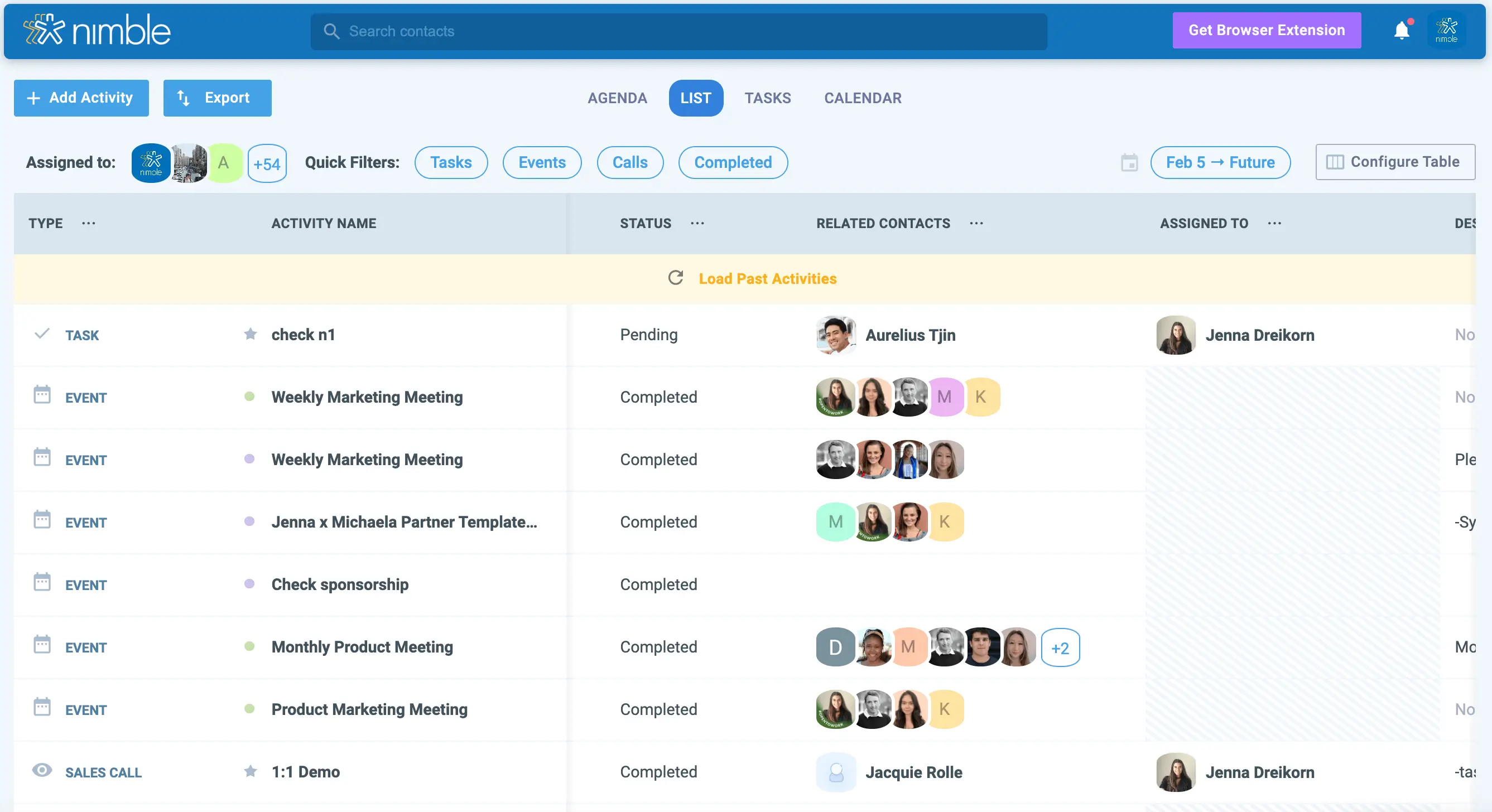
While Nimble is technically a CRM, it’s a lot, well, nimbler, than enterprise-level platforms like HubSpot or Salesforce. It’s a more lightweight solution to contact management aimed at small teams and solopreneurs, with a focus on building and nurturing relationships through social media. Nimble automatically pulls contact information from LinkedIn, X, Facebook, and other social networks, fleshing out contact profiles with both traditional business data and social insights. Plus, its Prospector browser extension lets users capture contact details and social profiles directly from any site you visit.
Nimble pros and cons
Pros:
- Social media integration: Automatically enriches contacts with LinkedIn, Twitter, and Facebook profiles, providing comprehensive social context for every relationship.
- Prospector browser extension: Capture contact information and social profiles from any website, email signature, or social platform with one click.
- Unified inbox: Manage emails, social messages, and contact interactions from Gmail, Outlook, and social networks in a single interface.
- Simple pricing: Single all-inclusive plan at $24.90/user/month with no feature tiers or hidden costs.
Cons:
- Contact and storage limits can make scaling difficult
Nimble best features
- Prospector browser extension: Hover over any name in your inbox, on LinkedIn, or across the web to instantly see enriched contact cards and save profiles to your CRM.
- Social listening: Track social media mentions, interactions, and posts from your contacts to identify engagement opportunities and stay top-of-mind.
- Unified activity stream: View all emails, social messages, meetings, notes, and tasks related to each contact in a single chronological timeline.
- AI email marketing: Send unlimited emails with built-in AI personalization.
Nimble pricing
- Nimble costs $24.90/month/seat when billed annually. There’s no free plan, but you can start with a 14-day trial.
Find a contact management solution that fits your needs
Contact management isn’t a one-size-fits-all process. While many businesses use a comprehensive CRM as their contact management solution, small to mid-sized businesses might prefer a more focused tool that prioritizes ease of use, fast deployment, and flexibility.
Start by mapping out your must-have features, then evaluate which tools align best with how your team actually works. If your main use case is organizing sales pipelines and tracking deals, try a sales-oriented platform like Pipedrive or HubSpot. For enriching contact data at scale, Clay is a strong option.
But if you want to create apps that run on your databases—like lightweight CRMs for sales teams and portals for external users—there’s no better (or more flexible) option than Softr. Build a custom contact management tool in minutes that actually aligns with the way your business runs, with full control over your data structure, workflows, and user interface.
Frequently asked questions
What's the difference between contact management software and a CRM?
Can I use contact management software for personal use?
Does contact management software sync with my email?


