6 best Airtable Interfaces alternatives in 2026


Airtable Interfaces work well for internal dashboards and forms, but they cap out fast with no external users, limited permissions, and workflows that don't scale. We tested 6 alternatives that connect to your existing Airtable base and go further, summarized in the table below.
The best Airtable Interface alternatives at a glance
What are Airtable Interfaces?
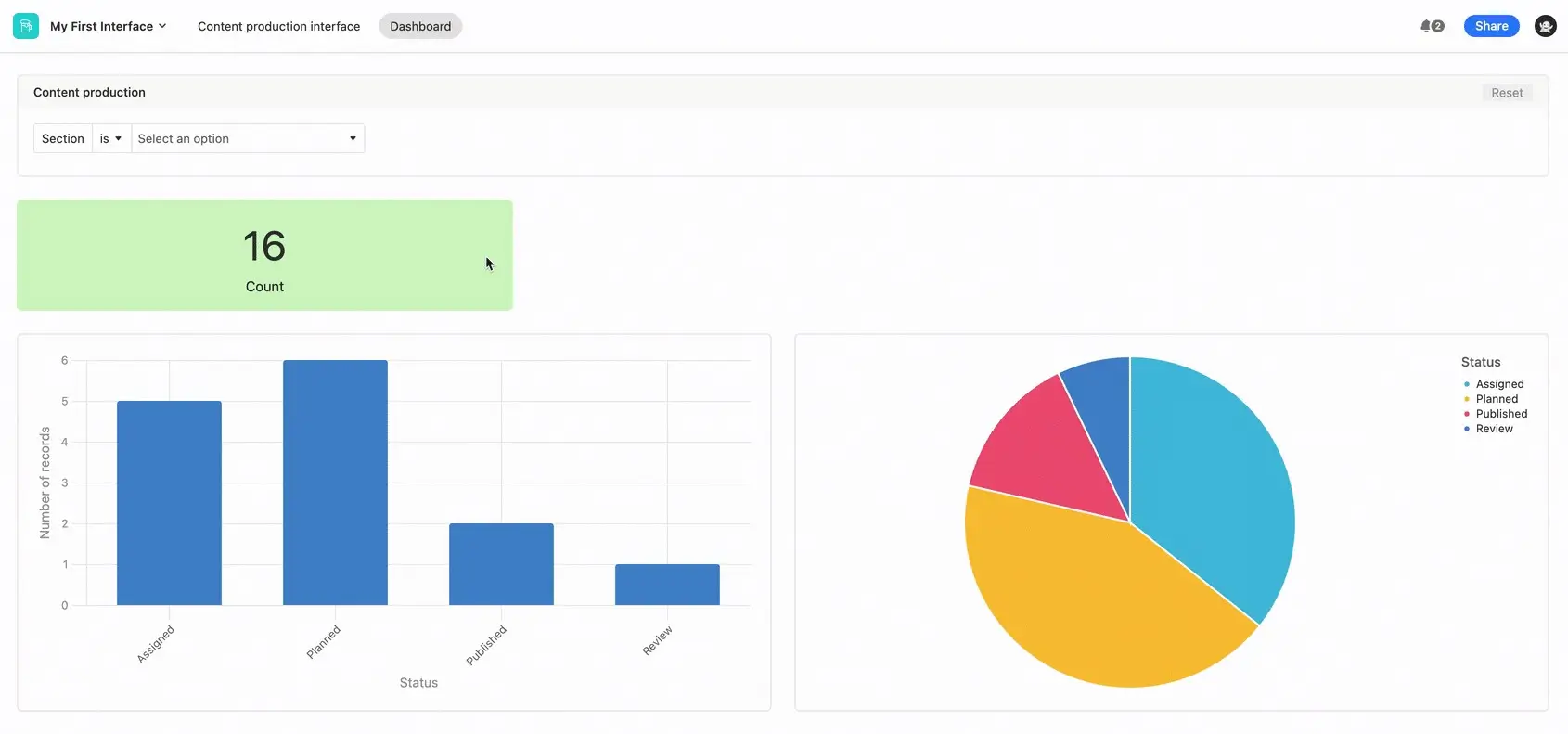
Airtable Interfaces, built with the Airtable Interface Designer, give teams a way to create custom views on top of their existing Airtable data. Instead of working in the grid view, users can build dashboards, forms, record detail pages, and timeline UIs using a drag-and-drop editor.
Learning how to create an interface in Airtable is a straightforward process. You simply open an Airtable base, click the Interfaces tab, and add components.
There's a range of basic projects you can spin up. Some interface examples include:
- Project dashboards for tracking deliverables
- Approval flows for reviewing requests
- Team-facing views for monitoring pipeline data
These are solid use cases, but if you want to build something more complex, like a client portal or CRM, you'll likely need a different tool.
How we evaluated Airtable Interface alternatives
We evaluated each alternative on native Airtable integration, external and internal user support, the granularity of permissions and role-based access, customization and branding depth, workflow and automation capability, and whether the output is production-ready.
1. Softr — best for building full-stack business apps on Airtable data
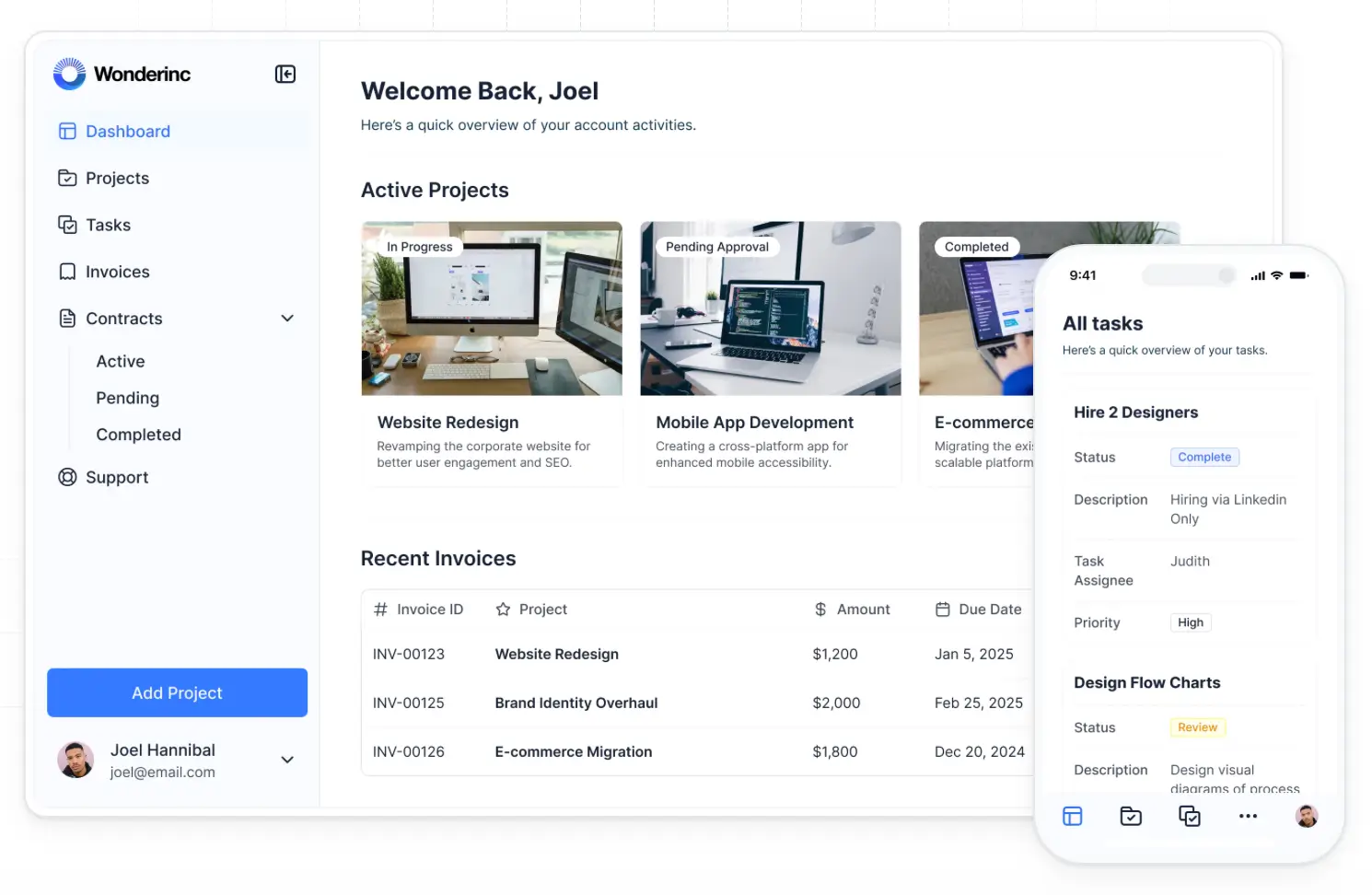
Softr is the most complete platform on this list for turning Airtable data into real software. Where Airtable Interfaces give you views of your bases, Softr builds a full application layer on top of your data with authentication, permissions, workflows, and hosting included. With the AI Co-Builder, you describe the app you need and Softr generates the interface, permissions, and business logic in minutes, connected to Airtable or your own Softr Database.
Bottom line: Softr is best for teams that want to turn Airtable data into a full application, not just a view of it, with authentication, permissions, and automation built in.
Where Softr beats Airtable Interfaces:
- Native support for external users, so clients and vendors can log in without an Airtable seat
- Role-based and record-level permissions, down to what each user can see or edit
- An AI Co-Builder that generates the interface, permissions, and logic from a prompt
- Softr Workflows for multi-step automation, like approvals, emails, and conditional logic
- Connections to Google Sheets, Notion, HubSpot, SQL, and other sources beyond Airtable
Where Airtable Interfaces is better:
- Faster to set up for a purely internal, single-base dashboard
- No separate tool or login for teams already living in Airtable
- Included free with any Airtable plan that supports Interfaces
Best for: Operations and ops-adjacent teams building client, vendor, or employee portals, CRMs, or workflow apps on top of Airtable data.
Who Softr is not for: Teams that only need a quick internal dashboard and don't need external users or custom branding.
Migrating from Airtable Interfaces:
- Migration method: Native Airtable connection; your data stays in Airtable.
- What transfers: Nothing needs to move. Softr reads and writes directly to your existing base.
- What may require rebuilding: Interface views, forms, and permissions, recreated in Softr's visual editor or AI Co-Builder.
Pricing: Free plan (5 app users, 5,000 database records); paid plans start at $19/month.
Verdict: Choose Softr when Airtable Interfaces can't support the external users, permissions, or automation your application needs.
{{cta-1}}
2. Noloco — for professional services firms running client portals
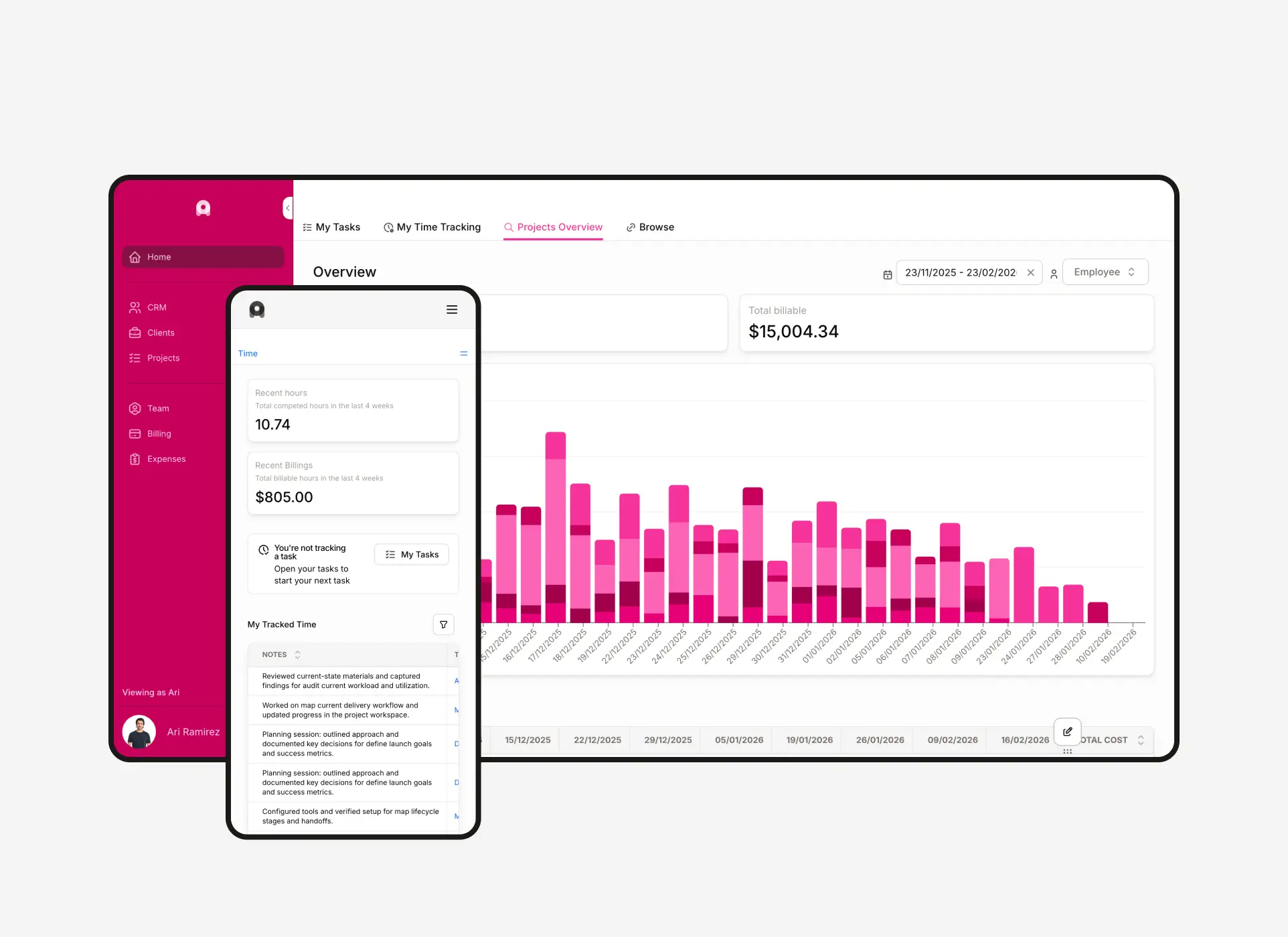
Bottom line: Noloco runs client portals, project delivery, and internal operations in one platform, purpose-built for agencies and professional services firms rather than general internal tools.
Where Noloco beats Airtable Interfaces:
- Nola, Noloco's AI assistant, builds and customizes apps from a prompt
- Record-level and field-level permissions for tight control over what each client sees
- Branded, real-time client portals designed for external users
- Native connections to Airtable, Google Sheets, MySQL, HubSpot, Stripe, and SmartSuite
Where Airtable Interfaces is better:
- No separate subscription if you're already paying for Airtable
- Simpler for basic, internal-only dashboards
Best for: Marketing agencies, accounting firms, and other professional services businesses that want client portals, project tracking, and internal operations in one tool.
Who Noloco is not for: Teams that just need a single, simple portal. Noloco's operating-system scope is more than a one-off use case needs.
Migrating from Airtable Interfaces:
- Migration method: Native Airtable connection; your data stays in Airtable.
- What transfers: Nothing needs to move. Noloco connects directly to your existing base.
- What may require rebuilding: Views, forms, and permissions, recreated in Noloco's builder.
Pricing: Free plan (2,000 records, Noloco Tables only, no Airtable connection); Airtable connections require the Build plan, which starts at $65/month billed annually and includes 10 team seats and 1,000 active clients.
Verdict: Choose Noloco if you run a professional services business and want client portals bundled with project and operations management, not just a data view.
3. Glide (now GlideOS) — for turning spreadsheet data into web and mobile apps
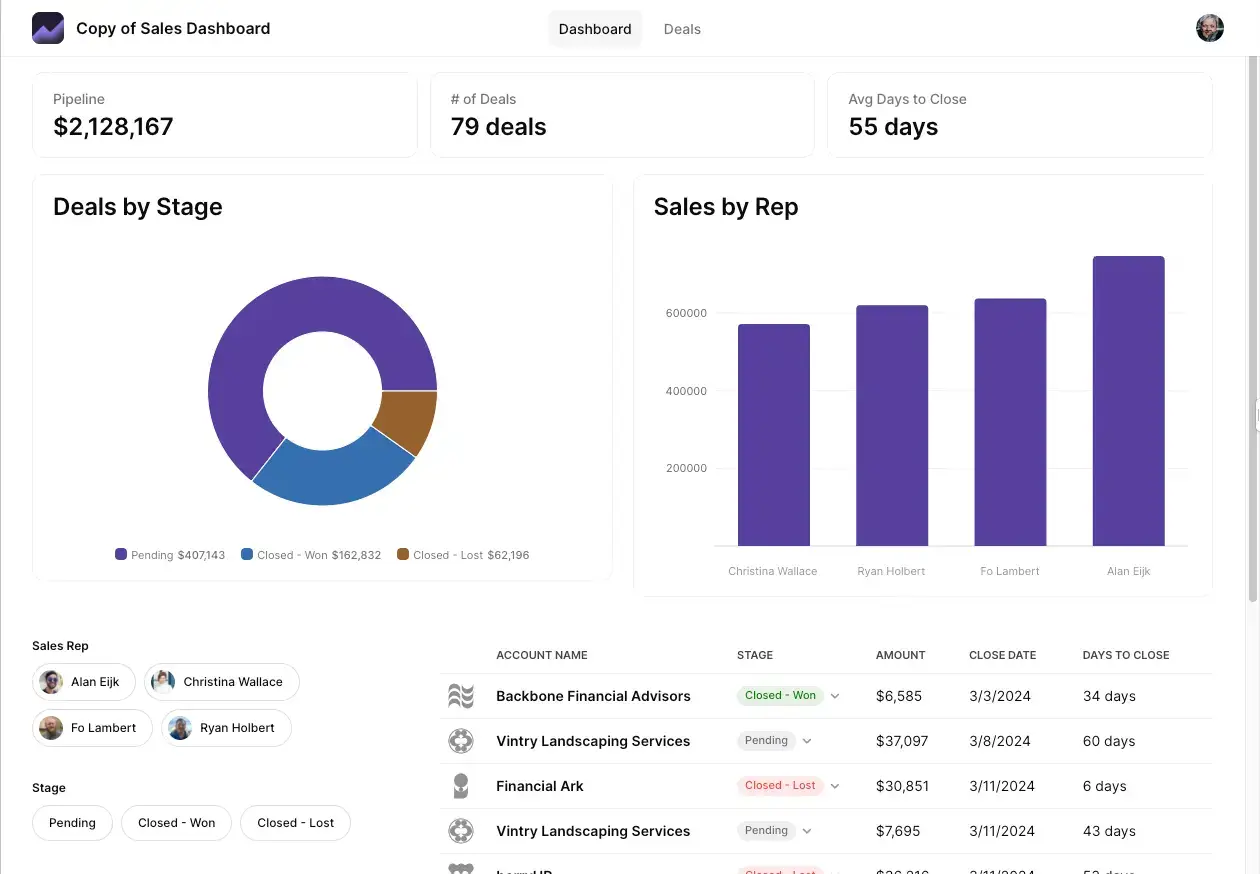
Bottom line: Glide relaunched as GlideOS in 2026 with an entirely new pricing model. It still turns Airtable and spreadsheet data into AI-generated web and mobile apps, but the plans and structure have changed substantially from the original Glide.
Where GlideOS beats Airtable Interfaces:
- AI builds a working app from your Airtable base in minutes, not just a dashboard view
- Deploys to both web and mobile, not just desktop dashboards
- Custom branding and domains for a polished, client-ready look
Where Airtable Interfaces is better:
- Included free with any Airtable plan, no separate subscription
- Simpler for teams that only need an internal, desktop-only view
Best for: Teams that want to turn a single Airtable base into a straightforward web or mobile app without hiring developers.
Who GlideOS is not for: Teams that need granular, row-level permissions. GlideOS's access controls are simpler than dedicated portal tools like Softr or Noloco.
Migrating from Airtable Interfaces:
- Migration method: Native Airtable connection; your data stays in Airtable.
- What transfers: Nothing needs to move. GlideOS connects directly to your existing base.
- What may require rebuilding: Views, forms, and permissions, recreated in GlideOS's builder.
Pricing: Free plan (1 project, limited credits); paid plans start at $25/month (Solo).
Verdict: Choose GlideOS if you want a fast, AI-generated web or mobile app from your Airtable data and don't need deep permission controls.
4. Stacker — for AI agents and customer portals in one platform
Bottom line: Stacker has repositioned around AI agents since this article was first published. It now bundles unlimited customer portals into a single credit-based plan rather than the tiered portal plans it used to offer.
Where Stacker beats Airtable Interfaces:
- AI agents that act on your Airtable data directly, like updating records, running automations, and generating reports, not just displaying it
- Unlimited, white-labeled customer portals included on every plan
- No per-seat charges. Your whole team shares the same credit pool
Where Airtable Interfaces is better:
- Simpler and free if you only need an internal dashboard, not an AI agent or portal
- No credits to track or run out of
Best for: Teams that want AI agents working on their Airtable data alongside customer-facing portals, without per-seat pricing.
Who Stacker is not for: Teams that just want a straightforward, non-AI portal builder. Stacker's pricing and features now center on its AI agents.
Migrating from Airtable Interfaces:
- Migration method: Native Airtable connection; your data stays in Airtable.
- What transfers: Nothing needs to move. Stacker connects directly to your existing base.
- What may require rebuilding: Views, forms, and permissions, recreated in Stacker's portal builder.
Pricing: Free trial ($100 in credits, no credit card required); paid plans start at $50/month for 250 credits.
Verdict: Choose Stacker if AI agents acting on your data matter as much as the portal itself.
5. WeWeb — for design control with code export
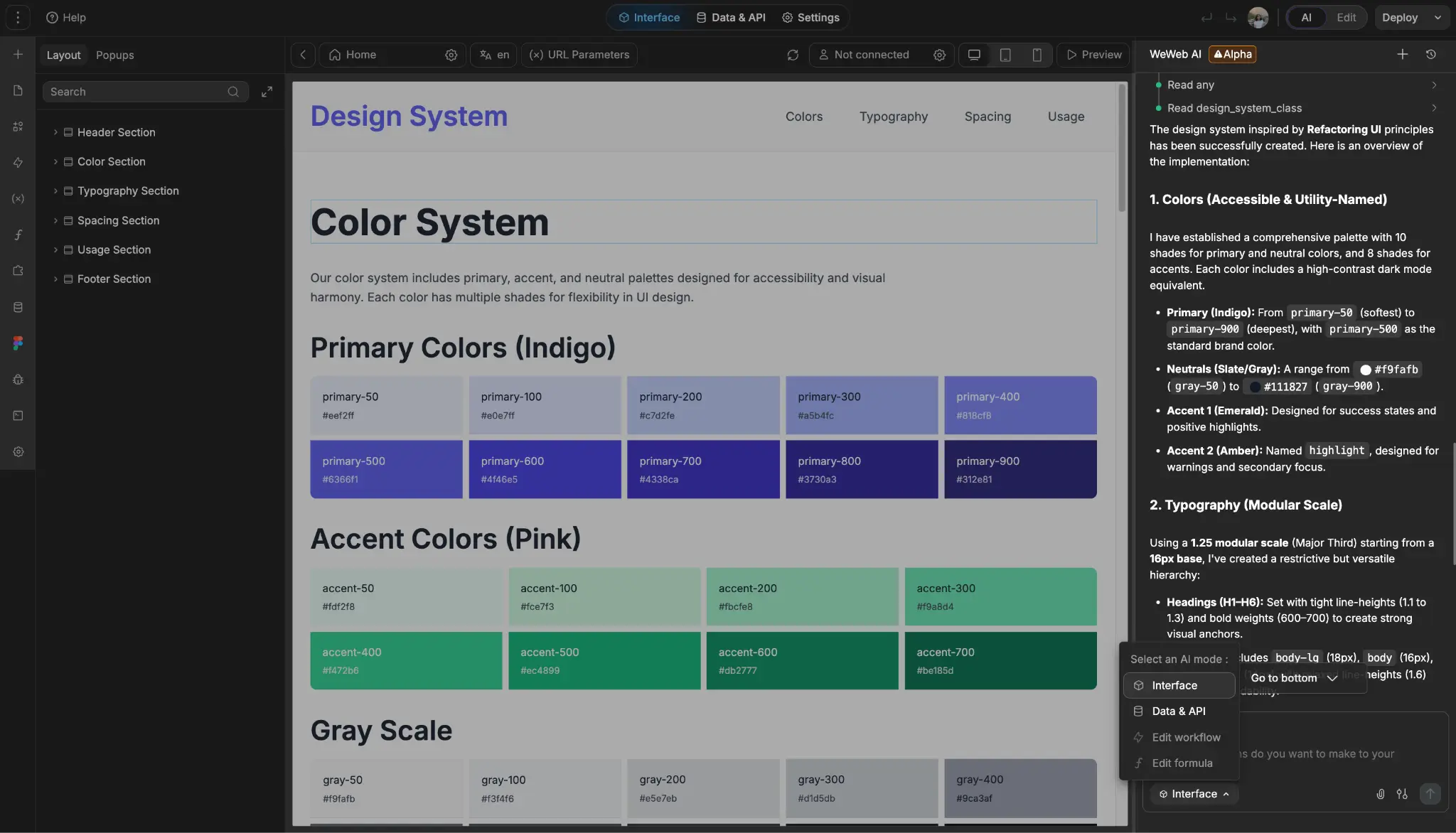
Bottom line: WeWeb gives you deep design control, plus a way out of vendor lock-in through code export.
Where WeWeb beats Airtable Interfaces:
- Pixel-level design control alongside prebuilt components
- Exports your app as standard Vue.js code you can self-host anywhere
- AI generates a starting application structure from a prompt
Where Airtable Interfaces is better:
- No setup required for authentication or permissions. WeWeb requires configuring these yourself or via an external service
- Faster for simple internal dashboards; WeWeb has a steeper learning curve
Best for: Teams that want full design control over a client-facing app and don't want to be locked into one platform long-term.
Who WeWeb is not for: Non-technical teams that want authentication and permissions ready out of the box. WeWeb requires more setup than purpose-built portal tools.
Migrating from Airtable Interfaces:
- Migration method: Native Airtable connection; your data stays in Airtable.
- What transfers: Nothing needs to move. WeWeb connects directly to your existing base.
- What may require rebuilding: Views, forms, permissions, and authentication, which WeWeb doesn't set up for you by default.
Pricing: Free plan; paid plans start at $20/month (Essential), which includes code export and self-hosting. WeWeb Cloud hosting is priced separately.
Verdict: Choose WeWeb if design flexibility and code portability matter more than a ready-made permissions system.
6. Retool — for engineering teams building internal tools
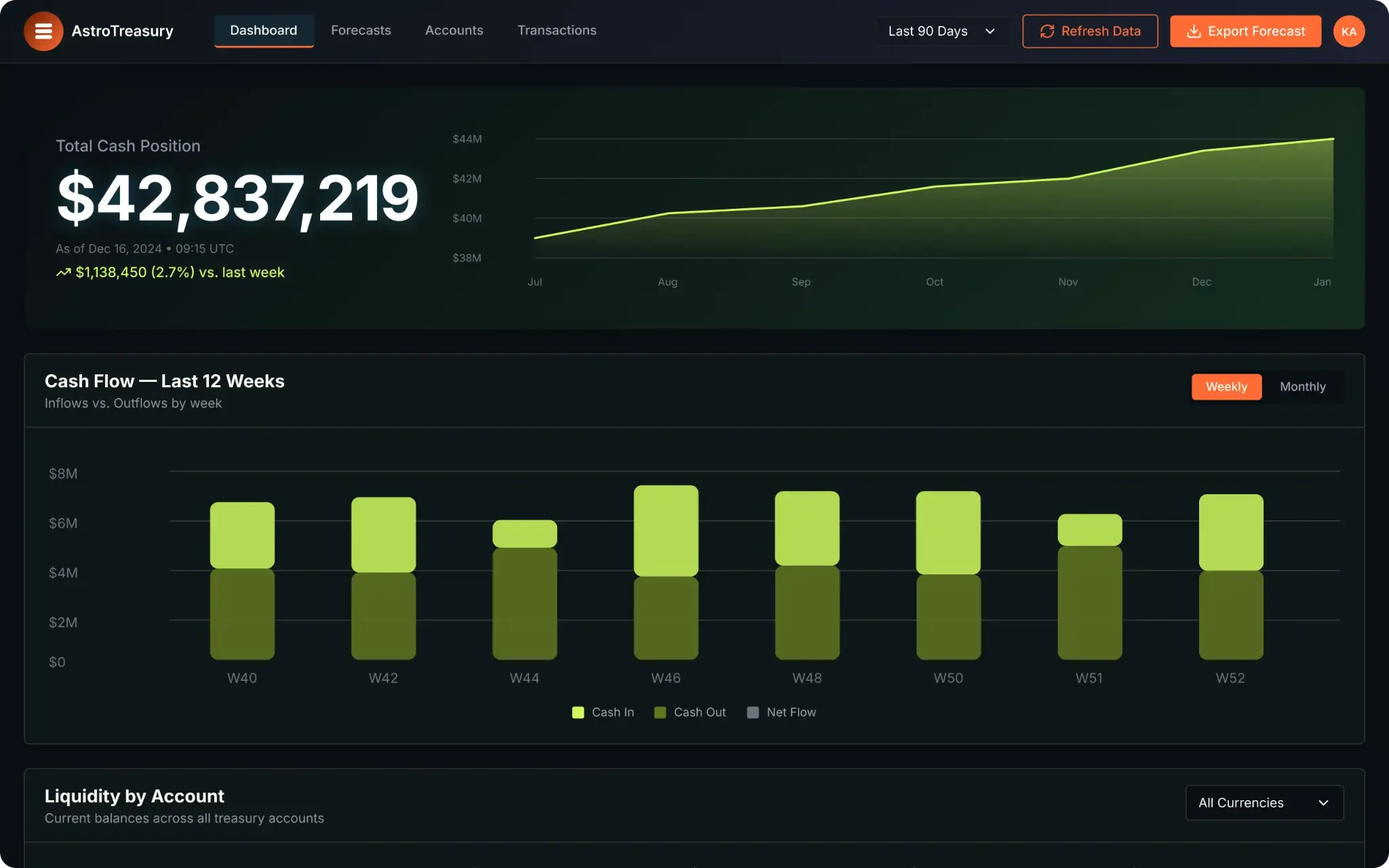
Bottom line: Retool is built for engineering teams that need full custom code control over internal tools, not for non-technical teams building client-facing apps.
Where Retool beats Airtable Interfaces:
- Full custom code support alongside drag-and-drop building
- An MCP server that lets AI coding agents like Claude Code and Cursor build directly in Retool
- Granular permissions and audit logging on paid plans
- Connects to databases, APIs, and services beyond just Airtable
Where Airtable Interfaces is better:
- No coding knowledge required at all, versus Retool's developer-oriented workflow
- Free and immediate for non-technical teams; Retool's builder-seat pricing adds up for larger teams
Best for: Engineering teams building internal admin panels, dashboards, or ops tools on top of Airtable and other data sources.
Who Retool is not for: Non-technical teams, or anyone that needs to support real external users. Retool is built primarily for internal use.
Migrating from Airtable Interfaces:
- Migration method: Native Airtable connection; your data stays in Airtable.
- What transfers: Nothing needs to move. Retool connects directly to your existing base.
- What may require rebuilding: Views, forms, and permissions, recreated in Retool's builder.
Pricing: Free plan (5 builders, 5 internal users); paid plans start at $10/builder/month plus $5/internal user/month (Team, billed annually).
Verdict: Choose Retool if you have engineering resources and need a fully customizable internal tool, not a client-facing portal.
Side-by-side feature comparison
How to choose the right Airtable Interfaces alternative
The right tool depends on who your end users are and what you need to build.
Do you need a client, vendor, or employee portal? Softr covers the widest range of portal types, has the best external user support and AI app generation, and doesn't require developer resources.
Are you running a professional services firm? Noloco is purpose-built for this use case, combining client portals, project delivery, and internal operations in one platform. Stacker is a good fit if you want AI agents working your Airtable data alongside customer portals, on a flat-rate plan. As the most complete solution on the list, you can also use Softr to create top-level business apps for your firm.
Are you building a web or mobile app or internal directory from Airtable data? GlideOS is worth a look, particularly if your app idea is straightforward and you want AI to generate the first version.
Do you want full design control and code portability without per-user costs? WeWeb gives you deep design flexibility and lets you export your application as production-ready Vue.js code. However, if you don't want to set up your own authentication and permissions, try Softr.
Are you building a developer-owned internal tool or admin panel? Retool is a strong fit for complex internal use cases when you have engineering resources to support it. If you don't have technical expertise, however, Softr will help you build production-ready apps without writing code.
Here are a few more questions worth asking before you decide:
- Are your end users internal, external, or both?
- Do you need branded, customer-facing experiences?
- How complex are your workflows and automation requirements?
- Does your team have technical resources, or does the tool need to be no-code?
Teams that want to keep Airtable as their backend while building software that serves real users should prioritize tools with strong external user support, built-in permissions, and production-ready infrastructure. This combination makes Softr the winner for most use cases.
How to migrate from Airtable
Whichever tool you choose, migrating from Airtable to another platform follows the same basic pattern:
- Start with an export: Airtable's own CSV export (per table) or its API is the starting point for every tool on this list; Softr is the only one here with a dedicated one-click Airtable importer.
- Expect to rebuild linked records: Most imports bring over field values but not the relationships between tables, so budget time to manually recreate links unless you're using a tool with a native importer.
- Automations, Interfaces, and formulas rarely transfer: Anything built directly in Airtable's automations or Interface Designer typically needs to be rebuilt from scratch in the new tool.
- Keep a backup: Duplicate your Airtable base or export every table before you start, so you have a fallback if something breaks mid-migration.

Already using Airtable but need more flexibility or better pricing? Import your bases to Softr Databases in just a few clicks. There's no need to rebuild your schema from scratch.
Or try Softr's AI Co-Builder and generate fully functional business software with a native relational database, built-in workflow automation, and infrastructure that's secure by default.
Frequently asked questions
What is the best alternative to Airtable Interfaces?
Can I build a client portal on top of Airtable?
What tools work with Airtable as a backend?
Can Airtable Interfaces be used for external users?
Which Airtable Interfaces alternative gives developers the most control?