This free template from Softr helps you build a custom employee time tracker, fast, no coding required.
Data sources supported





.svg)


Resources


No items found.
Overview
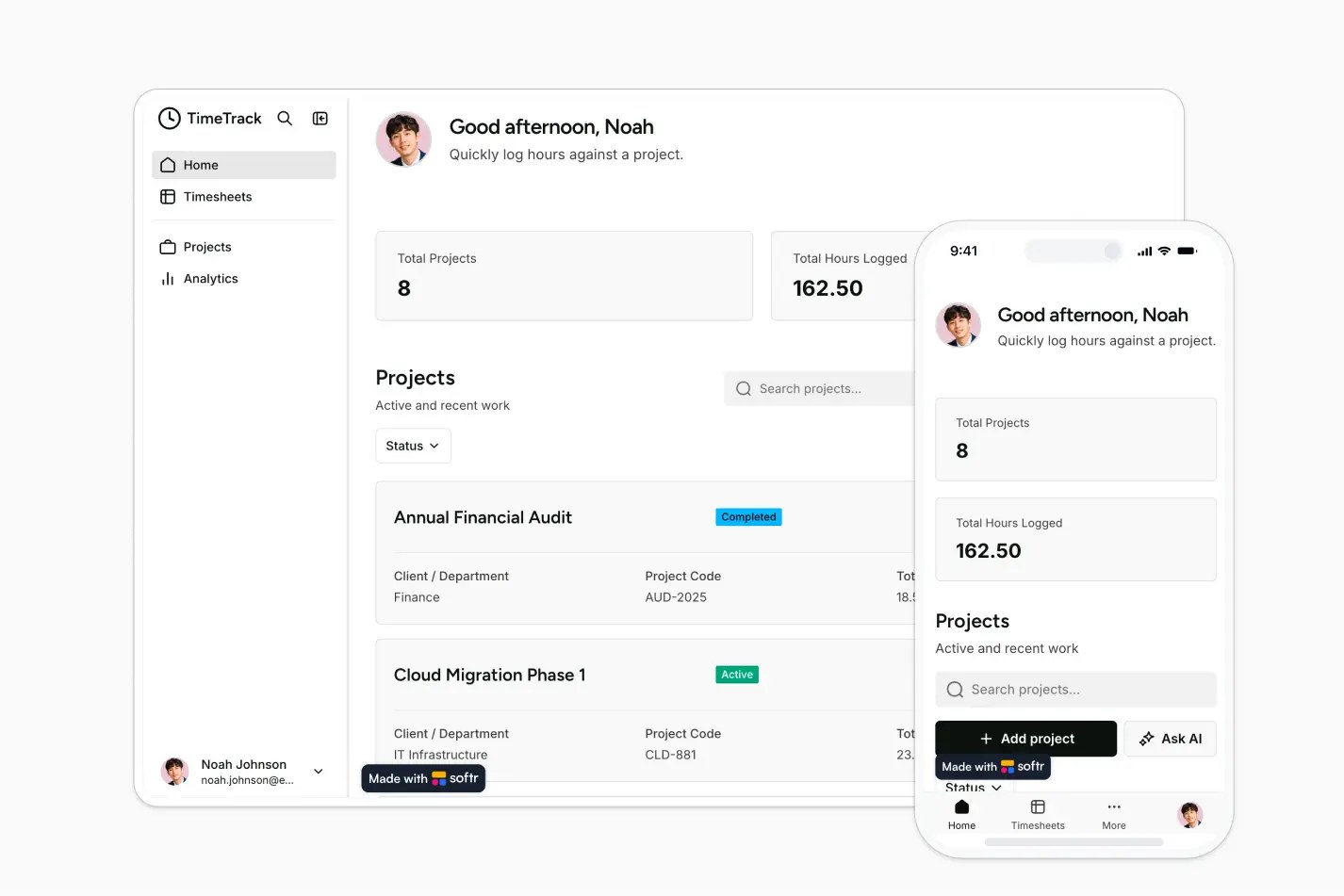
This free template helps you build an employee time tracker to capture work hours, connect time logs to projects, and monitor team activity from one central app.
It includes a sample database for users, projects, and time logs, and you can also connect to any Softr-supported source like Airtable, Google Sheets, Notion, monday.com, HubSpot, and more.
Why use this employee time tracker template
- Centralize time tracking: Give employees one place to submit hours, add notes, and link work to the right project.
- Monitor project workload: Track project totals, time log counts, and employee activity through dashboard metrics and organized records.
- Customize it for your team: Adapt fields, permissions, pages, and workflows to match how your team tracks billable hours, internal projects, or department work.
Template features:
- Employee time logging
- Project tracking
- Dashboard metrics
- Employee profiles
- Role-based access
- Editable time log table
- CSV export
- AI-assisted actions
Who is this employee time tracker template for?
This template is built for teams that need a simple, organized way to record employee hours and understand where time is being spent. It's a great fit for:
- Agencies and client services teams: Track billable hours by project, client, and employee to support reporting and invoicing.
- Operations and admin teams: Centralize timesheets, reduce spreadsheet cleanup, and keep time records easier to review.
- Consultants and professional services firms: Log project work, add notes, and monitor total time across active engagements.
- Internal departments: Track time spent on initiatives, departmental projects, or recurring work without building a system from scratch.

“What we love most about Softr is the instantaneous, customizable power a no-code platform allows.”

- 1
- 2
- 3
- 4
Frequently asked questions
What is an employee time tracker?
What can I use this employee time tracker template for?
Can employees and admins have different access levels?
How do I edit or customize this template?
What data sources does this time tracking app integrate with?
Why build an employee time tracker with Softr?