Baserow vs Airtable: Which is the best no-code database for non-technical teams in 2026?


In this guide, I break down how Baserow and Airtable stack up in 2026 — and show you when a database-first tool does a lot less than Softr. You shouldn’t use Baserow or Airtable when your primary goal is to build a user-facing web application rather than manage data. Softr provides ready-made interfaces, authentication, permissions, and application workflows, while Baserow and Airtable focus more heavily on database and spreadsheet-style data management.
Baserow vs. Airtable vs. Softr at a glance
| Baserow | Airtable | Softr | |
|---|---|---|---|
| Best for | Teams prioritizing self-hosting and infrastructure control | Teams that want a hosted, spreadsheet-style database | Non-technical teams building complete business apps |
| Core strength | Deployment flexibility and ownership | Familiarity and ease of adoption | Database + app layer in one platform |
| Hosting | Cloud or self-hosted | Cloud | Managed cloud |
| Workflow fit | Structured processes with greater backend control | Collaborative database workflows | End-to-end workflows for internal and external users |
| Which option is easiest to maintain without developers? | More setup and technical ownership, especially when self-hosted | Relatively easy for non-technical teams to manage | Softr is easiest when maintaining a complete business app, with visual editing and managed infrastructure |
| Pricing model | Tiered cloud plans + self-hosted option | Per-seat | Plan-based with app-user allowances |
| Main tradeoff | More setup and responsibility | Costs and limits can increase with usage | Less infrastructure control than self-hosted tools |
{{cta-1}}
What is Baserow?
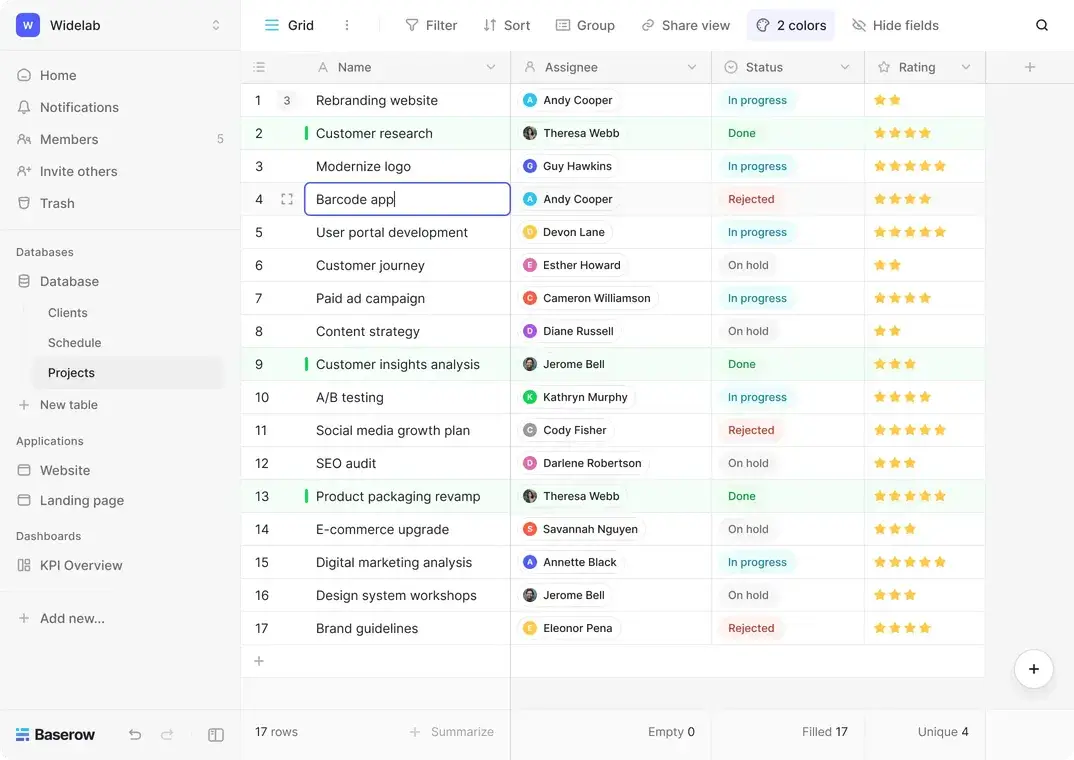
Baserow is an open-source, no-code database platform for teams that want more control over how their data is structured, hosted, and managed. It starts with a spreadsheet-style interface, then lets you build more organized systems with linked records, custom views, automations, and APIs.
Its biggest advantage is deployment control. You can use Baserow Cloud for a managed setup or self-host for deep infrastructure control, data ownership, and more flexibility.
Baserow works well when you need to manage structured processes like client onboarding, vendor approvals, service delivery, or inventory tracking. The main challenge is setup: you have lots of freedom to shape the backend, but you also need to configure the structure, permissions, and workflow logic carefully if you want the end result to be secure.
Key features
- Open source and self-hosted options: Use Baserow Cloud for a managed setup, or run Baserow on your own infrastructure through Docker, AWS, Helm, and other deployment methods.
- Relational database builder: Connect related tables and manage data through grid, gallery, kanban, calendar, timeline, form, and survey views.
- Lightweight app builder: Build simple internal interfaces on top of your data with pages, dashboards, actions, and workflows.
- Native automations: Set up workflow steps using HTTP requests, email actions, webhooks, and third-party connections.
- Dashboards and reporting: Turn live database records into charts and dashboards without exporting data into a separate reporting tool.
- AI features: Use Kuma, AI fields, AI agents, MCP support, and the AI assistant to enrich records, generate values, or add AI-powered steps to workflows.
- Governance control: Manage access with permissions and audit logs, with stronger controls like two-factor authentication and SSO available on higher plans.
Cons
- More setup work: Baserow usually requires more planning upfront. Self-hosting adds technical work, and even the cloud version tends to suit teams comfortable shaping the system before it's ready for daily use.
- Smaller native ecosystem: Baserow supports integrations, APIs, and webhooks, but its ecosystem is smaller than Airtable’s. Teams looking for more templates, extensions, and ready-made starting points may feel that gap.
- Setup decisions carry more weight: The final experience depends heavily on how well the database, permissions, and workflows are designed. Weak foundations can create friction as the process grows.
- Not always a direct Airtable replacement: Mature Airtable setups may need to be rebuilt differently in Baserow rather than copied.
Pricing
Baserow pricing depends on the deployment model. You can use Cloud, where Baserow hosts the product, or Self-host, where they run it on their own infrastructure. Plans scale by features, usage limits, and governance needs.
Cloud pricing
Baserow Cloud is designed for teams that want a managed setup.
- Free: Includes unlimited databases, 3,000 rows per workspace, 2 GB of storage, Grid, Form, and Gallery views, and 65+ templates.
- Premium: $10/user/month billed annually. Adds higher row and storage limits, more views, export options, row comments, row coloring, and stronger collaboration features.
- Advanced: $18/user/month billed annually. Adds more capacity, role-based permissions, free read/comment users, audit logs, and stronger admin controls.
Self-host pricing
Baserow Self-host is designed for teams that want to run the platform on their own infrastructure.
- Open source: Free; includes unlimited databases, unlimited rows, unlimited storage, Grid, Form, and Gallery views, and 65+ templates.
- Premium: $10/user/month billed annually. Adds Calendar, Kanban, and Survey views, export options, row comments, row coloring, personal views, and AI features.
- Advanced: $18/user/month billed annually. Adds role-based permissions, free read/comment users, single sign-on, audit logs, and data sync.
A custom Enterprise plan is available for both Cloud and Self-host.
What is Airtable?
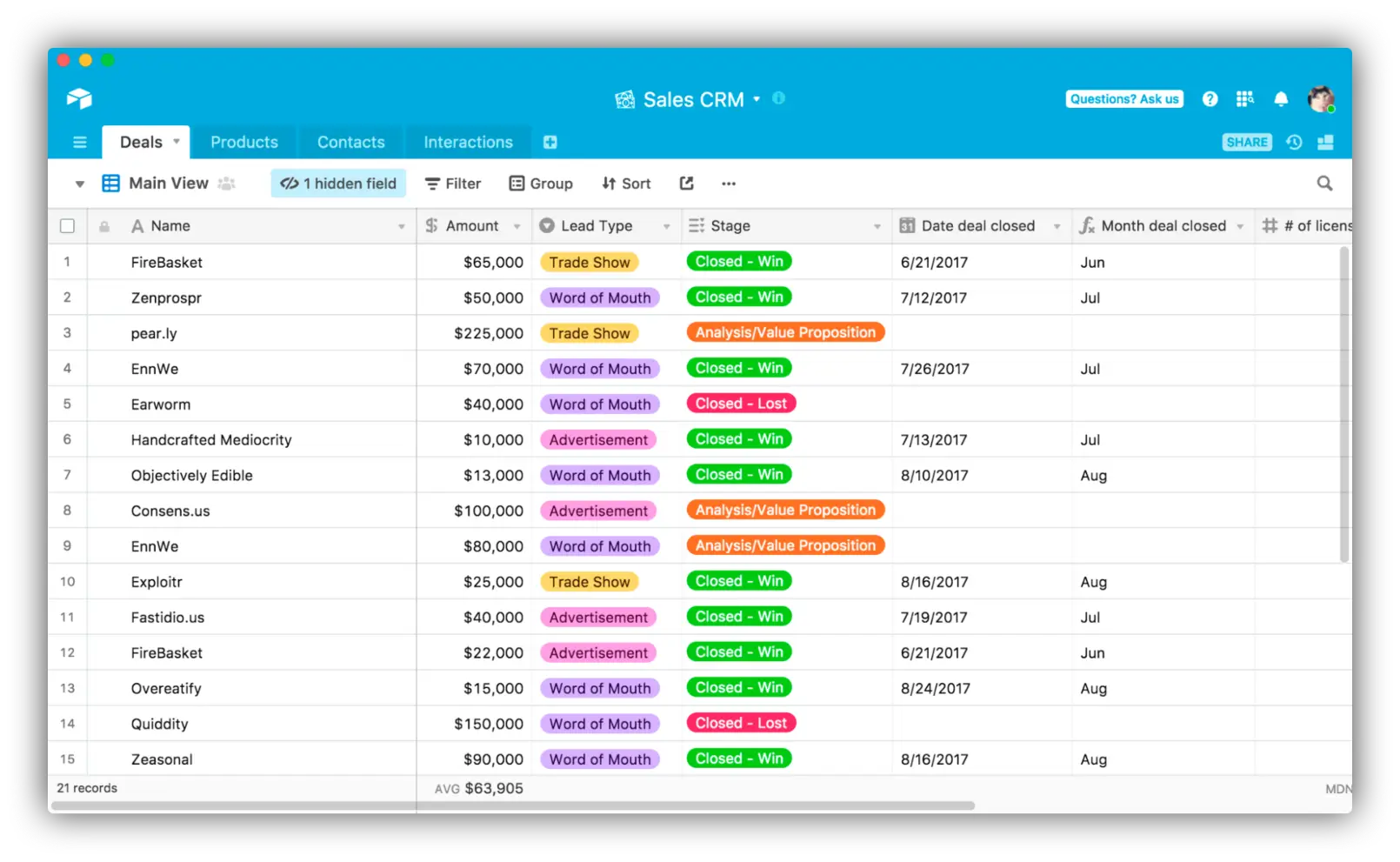
Airtable is a hosted no-code database platform that helps teams turn spreadsheet-style data into shared systems with linked records, views, interfaces, forms, automations, and permissions.
It’s a good fit when you need to formalize a workflow quickly. You can start with a simple tracker for requests, projects, leads, or approvals, then build it into a more organized system with filtered views, intake forms, and basic automation.
Airtable gives you a more established ecosystem than Baserow. Many teams already know how it works, and its templates and integrations make it easier to connect Airtable to the rest of your stack without starting from scratch.
However, that setup can become harder and more expensive to manage as more users, interfaces, and process steps get layered onto the same base.
Key features
- Relational database builder: Connect tables so that projects, people, requests, assets, or deals can relate to each other rather than living in separate spreadsheets.
- Multiple views: Manage work through Grid, Calendar, Timeline, Gantt, Form, and Interface views, depending on how your team needs to plan, collect input, or track progress.
- Custom interfaces: Build role-specific screens on top of the same data so different teams can work from the same base without seeing every table or field.
- Automations and connected handoffs: Trigger actions from record changes, schedules, form submissions, or workflow events to reduce manual follow-up.
- Native integrations: Connect Airtable to tools like Slack, Google Drive, Salesforce, Jira, Zendesk, and other systems your team already uses.
- AI features: Use Airtable AI to generate apps, analyze records, support internal systems, and add AI agents to business processes.
- Permissions and admin controls: Manage access, admin oversight, audit support, and stronger security controls as usage expands.
Cons
- Cloud-only deployment: Airtable is a hosted platform. If self-hosting or infrastructure ownership matters to your team, look to Baserow or another platform.
- Plan limits can become restrictive: Low and mid-tier plans come with fairly restrictive limits on records, storage, and API usage. This might create friction once your system starts supporting high data volume, automations, or multiple teams in one workspace.
- Costs rise with edit access: Airtable charges per seat for users with edit permissions on paid plans. Costs can climb as more teammates need to work directly in the system.
- Permissions can get complicated: Airtable works well for internal collaboration, but client, vendor, partner, or role-specific access often needs careful configuration. Airtable Portals adds controlled login access for external users, but it’s a paid add-on, and more complex client portals or role-specific workflows may still need a dedicated portal layer.
Pricing
Airtable uses per-seat pricing. On paid plans, you’re charged for users with edit access in at least one base in the workspace. Read-only users are free.
- Free: Includes 1,000 records per base, 1 GB of attachment storage per base, 1,000 API calls per workspace per month, 2 weeks of revision history, and 500 AI credits per editor each month.
- Team: $20/user/month billed annually. Includes 50,000 records per base, 20 GB of attachment storage per base, 100,000 API calls per workspace per month, 1 year of revision history, and 15,000 AI credits per editor.
- Business: $45/user/month billed annually. Includes 125,000 records per base, unlimited API calls, 100 GB of attachment storage per base, stronger admin controls, and 20,000 AI credits per editor.
A custom Enterprise plan is also available if you need more scalable app building, governance, administration, and dedicated support.
Baserow vs Airtable: Pricing
Airtable uses hosted, per-seat pricing, where costs rise as more editors need access. That works well when a small team owns the system directly. But once more people across operations, sales, or client-facing teams need to work inside Airtable, seat-based pricing becomes cost-prohibitive.
Baserow also offers hosted plans, but its self-hosted option gives teams another way to control long-term costs. Self-hosting requires more setup and technical ownership, but it can be easier to justify when usage is expected to grow and deployment flexibility matters.
The verdict: Airtable is usually the better choice if you want a familiar hosted tool with straightforward pricing. Baserow is more suitable if you care more about ownership and keeping costs flexible as you add users.
Baserow vs Airtable on Reddit
On Reddit, Airtable usually comes across as the more established option. More people have used it, which makes it feel like the safer choice for teams that want something proven and easy to roll out. Two Redditors share how they use Airtable:
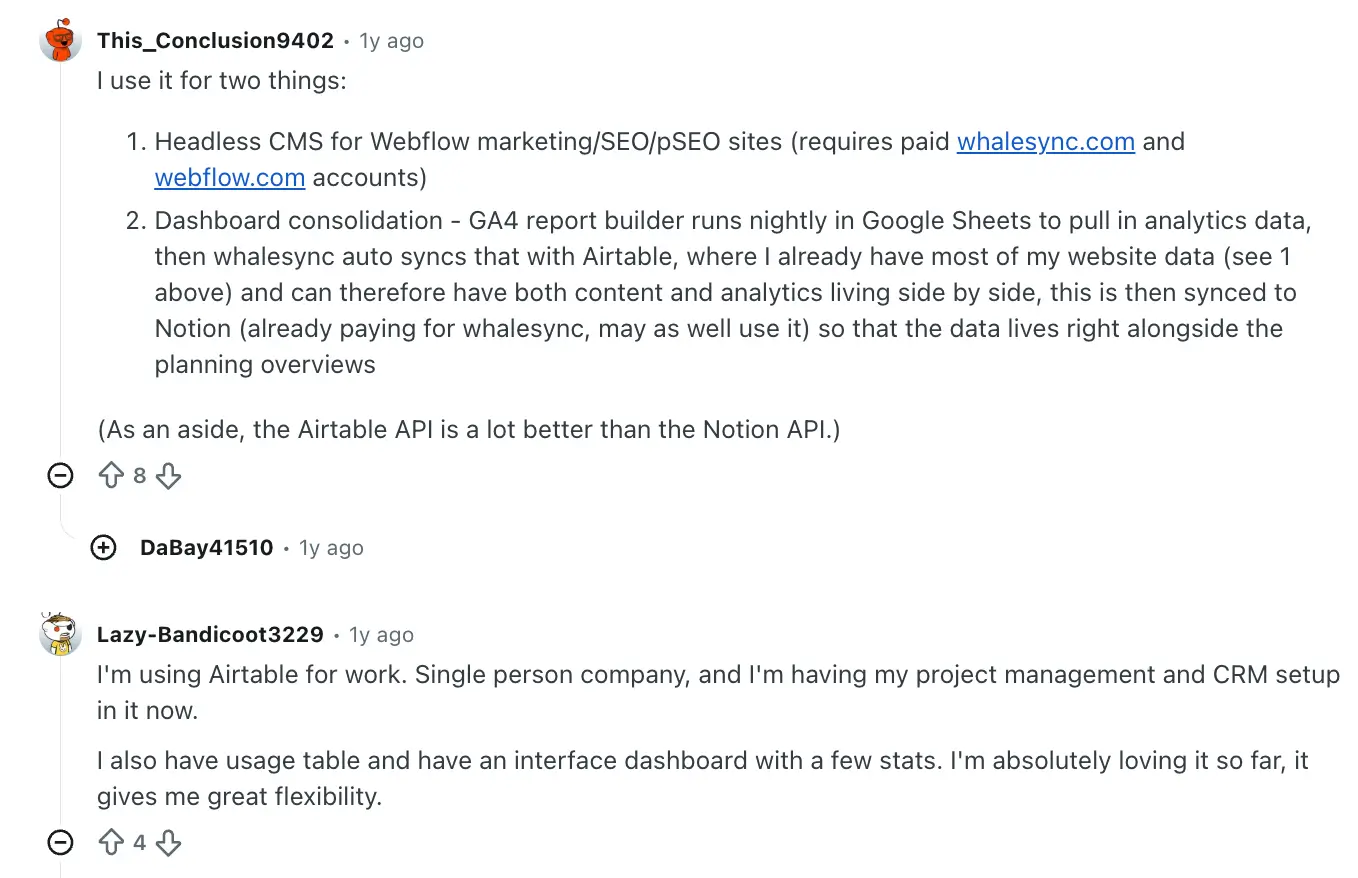
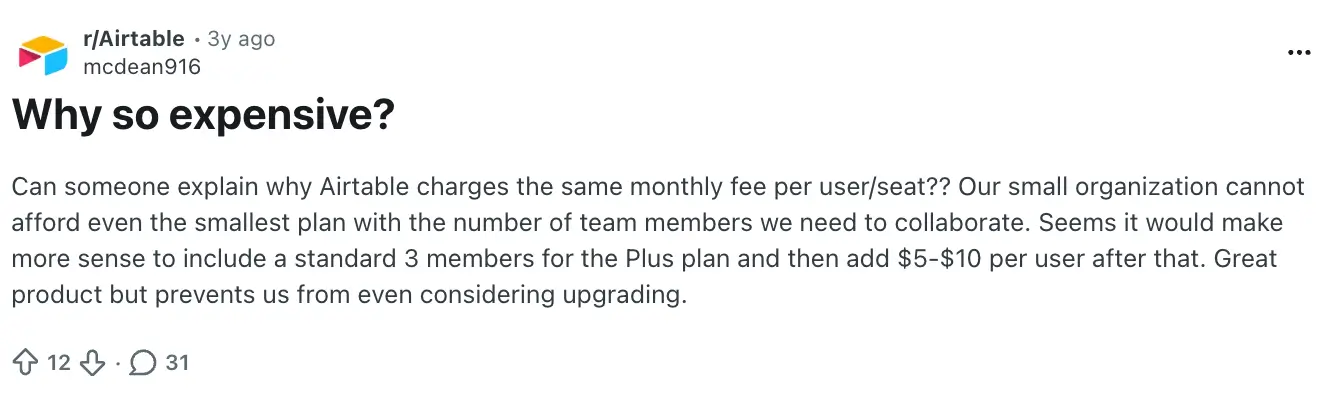
That said, pricing is one of the first pressure points that comes up. Airtable may be reliable, but it’s harder to justify when collaborators need paid access or the setup starts expanding across departments.
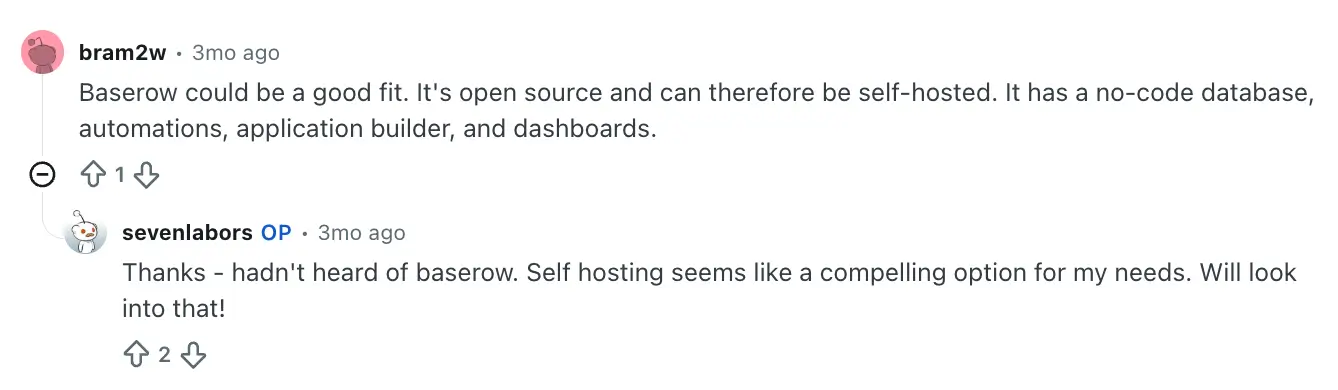
Baserow tends to come up once self-hosting or open-source access enters the discussion. It has less overall mindshare than Airtable, but real interest builds when data ownership is a priority.
Overall, Airtable wins on familiarity and polish. Baserow wins when pricing or infrastructure control carry more weight than ease of use.
Baserow vs Airtable: Summary
- Hosting and control: Airtable is the safer default if you want a hosted database tool your team can pick up quickly. Baserow is a better fit when you want open-source access or tight control over deployment.
- Workflow fit: Airtable works well for project intake, approvals, content calendars, and lightweight CRMs that need to get up and running with little friction. Baserow is better when the process depends on connected records, custom structure, and a highly specific hosting setup.
- Cost over time: Airtable becomes more expensive with every user. Baserow is generally cheaper, and its self-hosted option gives teams another path when long-term cost control or infrastructure ownership matter.
Both platforms are useful when your goal is to organize and connect records and support internal workflows. But some teams hit a different limit: they need to turn their data into a secure user-facing system that can be shared both internally and externally.
When does a team need an app layer rather than only a database?
A database is great for organizing information. But once employees, clients, vendors, or partners need to log in, submit updates, complete workflows, or see personalized information, you're no longer solving a database problem—you're building an application.
That's the point where an app layer becomes more valuable than adding more tables, views, or automations to a database.
When you shouldn’t use Baserow or Airtable
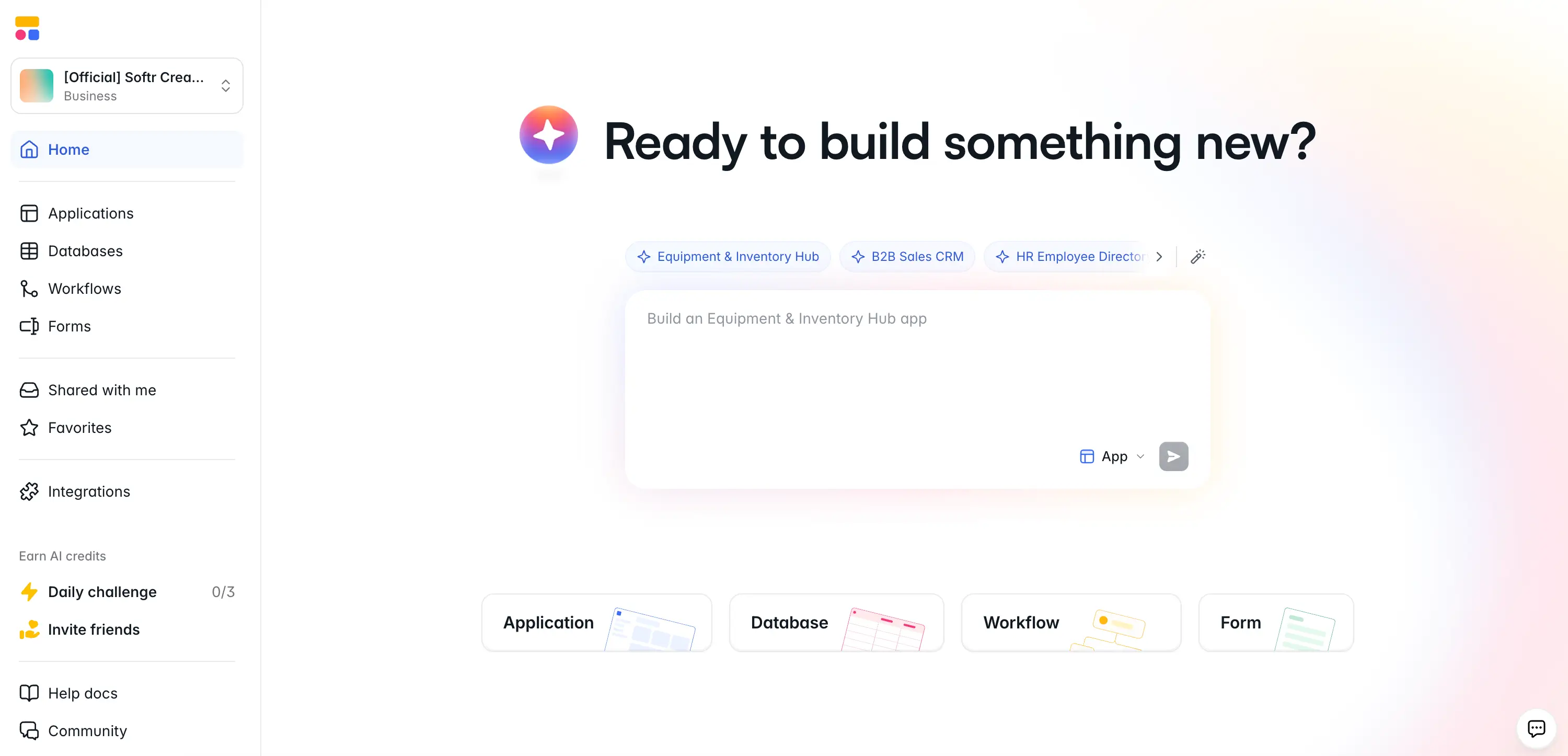
You shouldn’t use Baserow or Airtable when your purpose is to build a user-facing web application on top of that data. Softr is an AI-native, no-code platform for building ready-made interfaces, authentication, permissions, and application workflows, while Baserow and Airtable focus more heavily on database and spreadsheet-style data management.
With Softr, you can turn your data into a secure app experience for employees, clients, vendors, or partners, so they can get work done without touching the database.
That might mean a client portal where customers check project updates, an inventory tool for multiple stock locations, or an internal CRM with different views for sales and operations. In each case, users can see the right information, submit updates, and take action from a sleek interface.
You can build role-based pages, forms, automated workflows, and user-specific views on top of Softr Databases, Airtable, Google Sheets, HubSpot, SQL databases, or another connected source. The AI Co-Builder can generate a fully-featured app with the core pages, permissions, data structure, and logic already connected.
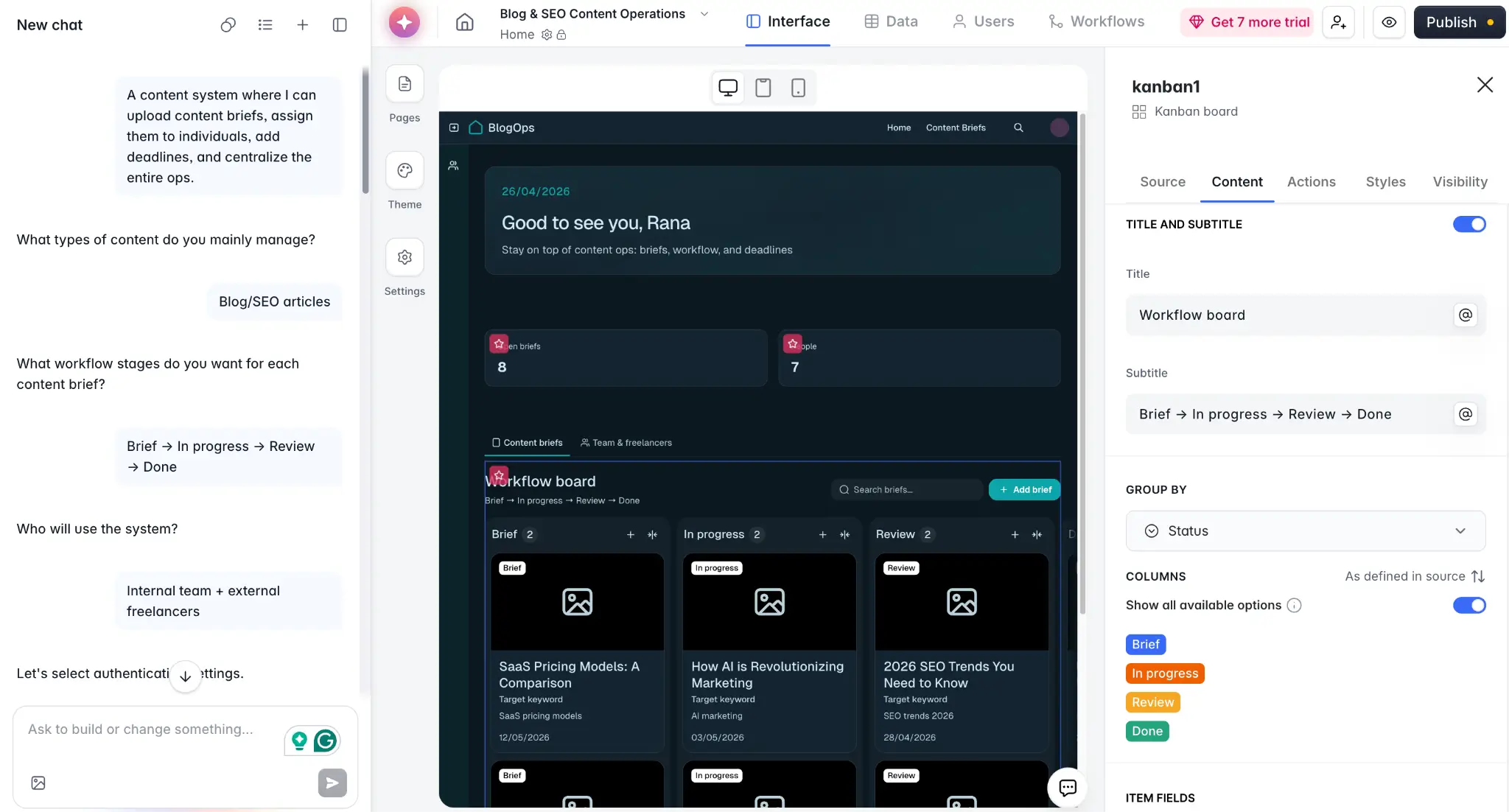
After that, you can use the visual editor to adjust layouts, update content, and change how the app works without rebuilding everything (or re-prompting for minor tweaks). Or, connect your favorite AI assistant through the Softr MCP and manage your databases, build pages, and update workflows directly from chat.
Softr also covers the workflow automation layer that usually pushes teams toward external tools like Zapier, n8n, or Make. You can set up conditional Workflows for approvals, updates, and routine actions.
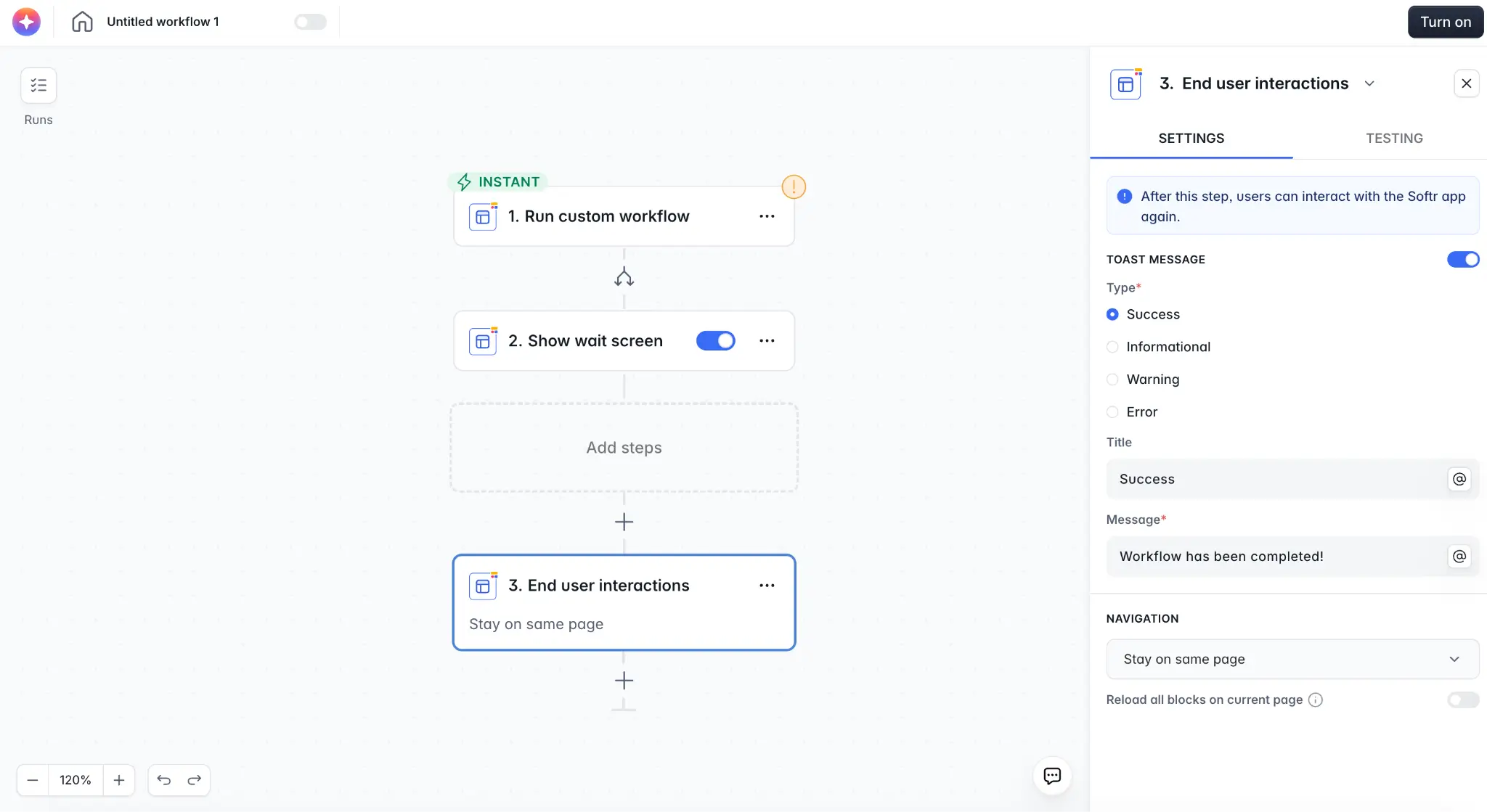
And with Ask AI, your team and clients can ask questions about live data inside the app and get answers without digging through the underlying setup. Behind the scenes, AI agents can also help summarize information and enrich records within your database.
Why teams choose Softr over Baserow or Airtable
- A usable app around your data: Airtable and Baserow are database-first. Softr is the better choice when employees, clients, vendors, or partners need a user-friendly interface to access information, submit updates, and take action.
- Role-based access for different users: Softr includes login settings, user groups, and permissions in the core app setup. Airtable offers external user access through its Portals add-on, and Baserow can support portal-style setups, but Softr is built around controlled external access from the start.
- A faster path from idea to working system: Airtable and Baserow usually start with the data model. Softr’s AI Co-Builder can generate working software from a prompt, with a database, interface, user groups, and app logic connected by default.
- Easier to scale across teams and outside users: Per-seat pricing can get expensive when more people need access. Softr plans include a set number of app users, with additional users available in bundles, making costs easier to plan (and internal collaborators are always unlimited).
- More flexibility around your existing stack: If your data already lives in Airtable, Google Sheets, HubSpot, SQL, or another source, Softr lets you build around it. You do not have to migrate everything and lock in to a single vendor.
🚀 MIT's Project Manus used Softr to replace a custom-coded makerspace portal that cost more than $100,000 to build and maintain. The portal now supports 2,800+ registered users, and the community can update it without going through a traditional development process.
"Softr provided us with a unique combination of robust data management and feature creation tools combined with easy-to-edit content modules. This allowed us to directly engage our community in creating the interactive web application that best met their needs as makers on our campus." — Oliver Thomas, Maker Digital Systems Architect, MIT
Baserow vs Airtable vs Softr: Which one should you choose?
Baserow and Airtable both help teams manage and structure their data, but they suit different needs once that data starts supporting a real workflow.
Airtable is easier to adopt and more polished out of the box. Baserow gives you more control over hosting and setup. But if you need to turn data into a secure app for internal and external users—complete with interfaces, permissions, and workflows—Softr is the best all-around fit.
👉Try the free plan and start building a full-stack app today.
Frequently asked questions
What is the main difference between Baserow and Airtable?
Is Airtable easier to use than Baserow?
What’s the best Airtable alternative?
How do Airtable, Baserow, and NocoDB compare?