Airtable review: Is it the right tool for your business in 2026?


[.blog-callout]
✨TL;DR:
- Airtable is worth it for teams that need a no-code spreadsheet alternative to organize data, link records across tables, and collaborate on projects.
- It's less suited to teams that need extensive UI customization, want to avoid per-seat pricing, or need a true AI app builder rather than a database with interfaces on top.
[.blog-callout]
Airtable is a no-code spreadsheet-database hybrid that lets teams manage data, automate workflows, and build lightweight interfaces. This in-depth review covers Airtable's top features, pros and cons, what it costs as you scale, and which businesses should consider using it in 2026.
Airtable at a glance
What is Airtable?
Airtable is a no-code platform that combines a spreadsheet interface with a relational database. Users build "bases" containing linked tables, then layer on custom views, automations, and AI-powered fields without writing code (no SQL knowledge required).
It's used across project management, CRM, content planning, inventory tracking, HR, and operations use cases. Combined with tools like Softr, Airtable bases can also power customer-facing web apps.
Airtable pros and cons
Pros
- Multiple project views (Grid, Kanban, Calendar, Gantt, Gallery) let each team member view work the way they prefer
- Linked records and relational data make it easy to organize complex projects without needing SQL
- Free plan available with basic database functionality; useful for testing the tool before committing
- Large template library to speed up setup for typical use cases
- Built in AI features for app building and adding agents to workflows
Cons
- Limited visual customization, so your apps will look like Airtable apps
- Modest learning curve if you're coming from non-relational spreadsheet software
- Formula syntax compared to Excel or Google Sheets
- Per-seat pricing scales quickly for growing teams
- No refunds for mid-cycle seat removals as of October 2025
- Advanced features require paid tiers, including more records, automations, integrations, and portals
Airtable features
1. Relational database and custom views
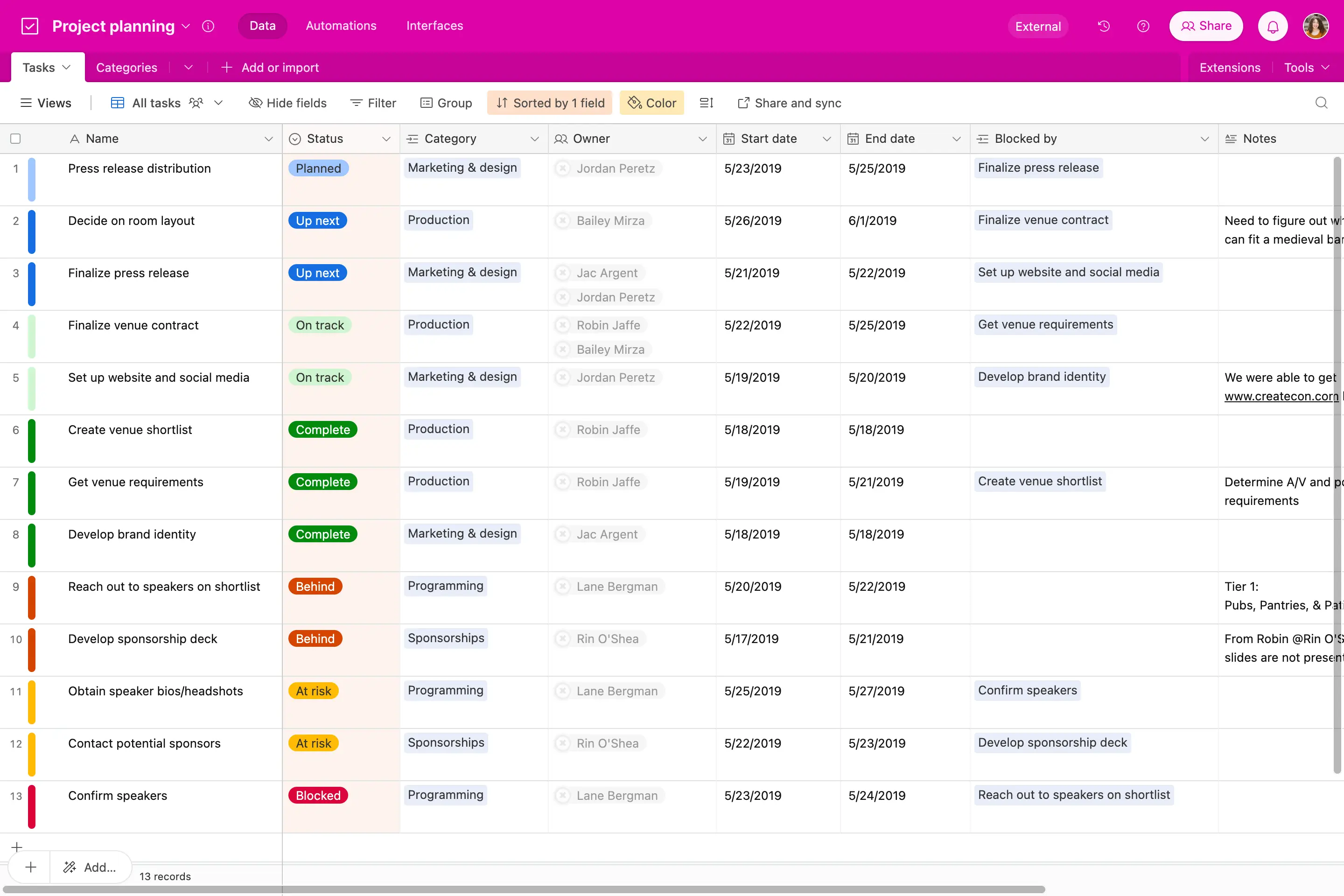
Airtable's core product is a relational database with a spreadsheet interface that'll be familiar to anyone who's used Google Sheets or Microsoft Excel. Users can switch between Grid, Kanban, Calendar, Gantt, Gallery, Timeline, and List views without restructuring their data.
Linked records connect tables—for example, a Clients table linked to a Projects table—so updates flow automatically across related fields.
2. Workflow automations
Airtable automations trigger actions based on record changes, schedules, or form submissions. Common examples include:
- Sending Slack messages when deal status changes
- Auto-assigning team members based on project type
- Creating linked records from form submissions
You can also add AI agents directly to workflows, and configure them to perform tasks like document analysis, web search, and content generation. For complex multi-step workflows, most teams pair Airtable with external tools like Zapier, Make, or Softr.
3. Interface Designer
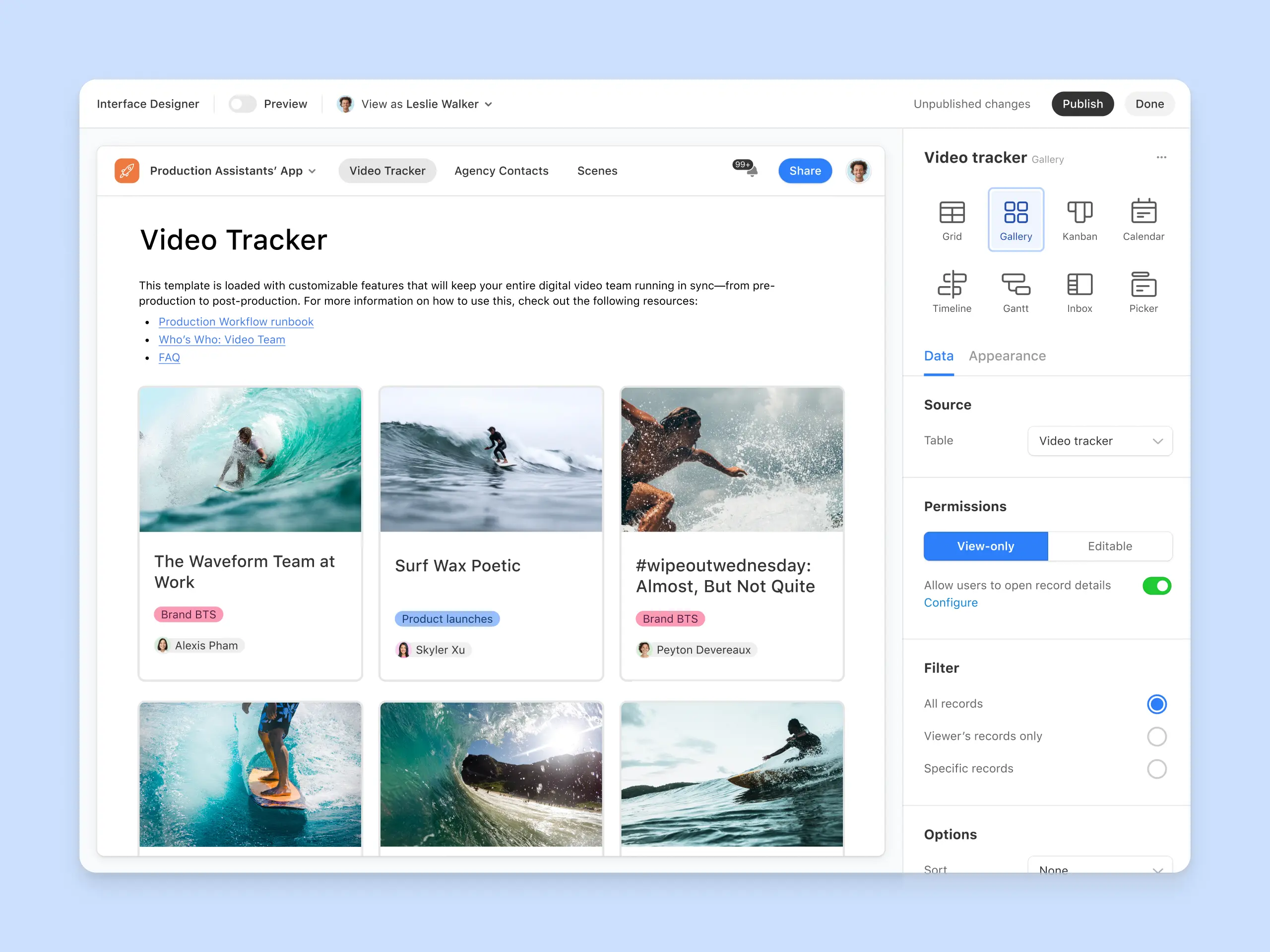
The Interface Designer lets users build front-end dashboards on top of base data. Interfaces support charts, grids, forms, and buttons, and can be shared with collaborators or external users. You can also build branded portals, but this requires a subscription add-on, starting at $120 for 15 guests/month on the Team plan.
4. AI features (Omni and Field Agents)
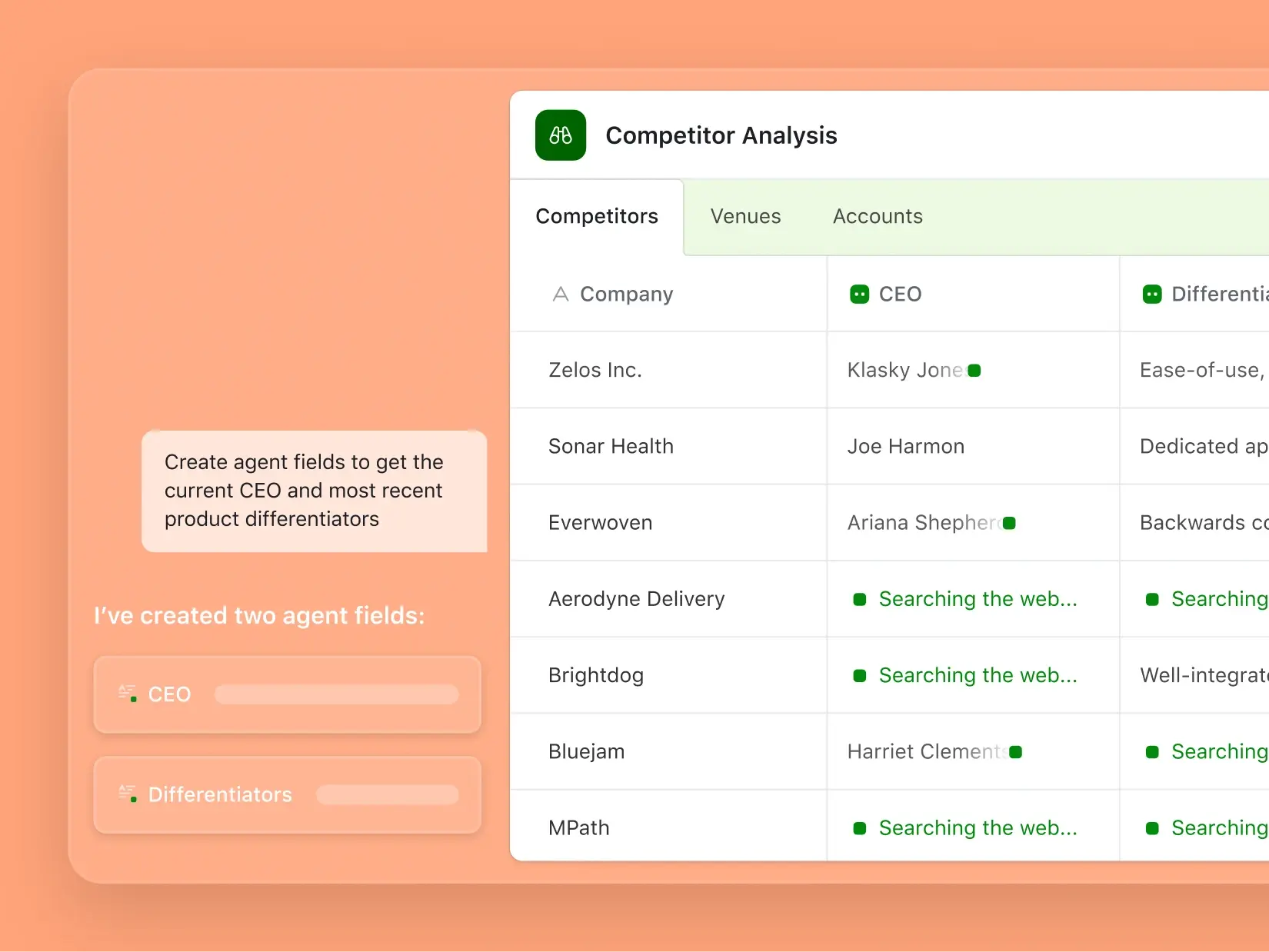
Airtable AI is fully launched and built on an agentic framework. The platform's AI toolkit includes:
- Omni: A conversational app builder. Describe what you want in plain language; Omni creates tables, interfaces, and automations.
- Field Agents: AI-powered fields that work autonomously inside records. They analyze documents, search the web, generate content, classify data, and extract insights.
- AI in automations and formulas: Generate formulas, select options, and run AI-powered steps inside workflows and bases.
Be aware that AI features are usage-based and consume credits for every run.
5. Integrations
Airtable supports a range of native integrations with popular tools. This includes LLMs (Claude, ChatGPT), social media platforms (Facebook, Instagram), email and calendar tools, GitHub, CRMs, and more. In total, Airatble integrates with 27 external apps.
Note that some integrations require an external tool like Zapier or Make. Also, integrations are plan-gated, so to get access to all of them you'll need to sign up for Enterprise Scale.
6. Security and compliance
Airtable is SOC 2 and ISO 27001 compliant, with optional two-factor authentication on all plans. Enterprise plans add SSO, SCIM provisioning, audit logs, HIPAA compliance, and Enterprise Key Management. AI Admin controls are only available on the Business plan or higher.
Airtable pricing in 2026
Airtable's pricing and plans are fairly straightforward. You have four tiers to choose from, as well as options to pay for the Portals add-on or additional AI credits.
If you're coming back to Airtable after a long hiatus, there are two other details to be aware of. First, the Plus and Pro plans were retired during Airtable's 2024 restructure. Second, prorated refunds are no longer offered for mid-cycle seat removals (as of October 2025).
Who is Airtable best for?
Airtable is a good fit if you:
- Need a central database for business operations
- Want linked records and relational logic without SQL
- Automate workflows across multiple tools
- Are comfortable investing time in setup
Airtable may not be the right fit if you:
- Need secure, fully-functional apps with custom UI
- Have a fast-growing team and want to avoid per-seat pricing
- Just need a simple spreadsheet without database complexity
Is Airtable worth it in 2026?
Airtable is worth it for teams that need a flexible no-code database, are comfortable with per-seat pricing, and want native AI features (Omni and Field Agents) built into their data workflows. Its customizable views, linked records, and growing AI toolkit make it a strong backbone for business operations.
But to be upfront, costs do scale quickly with seat count, AI credits, and Portal add-ons. And the October 2025 no-refund policy means you should size your team carefully before committing. It's also not a great pick if you want to build business apps on top of your data, since it really only works for internal data views.
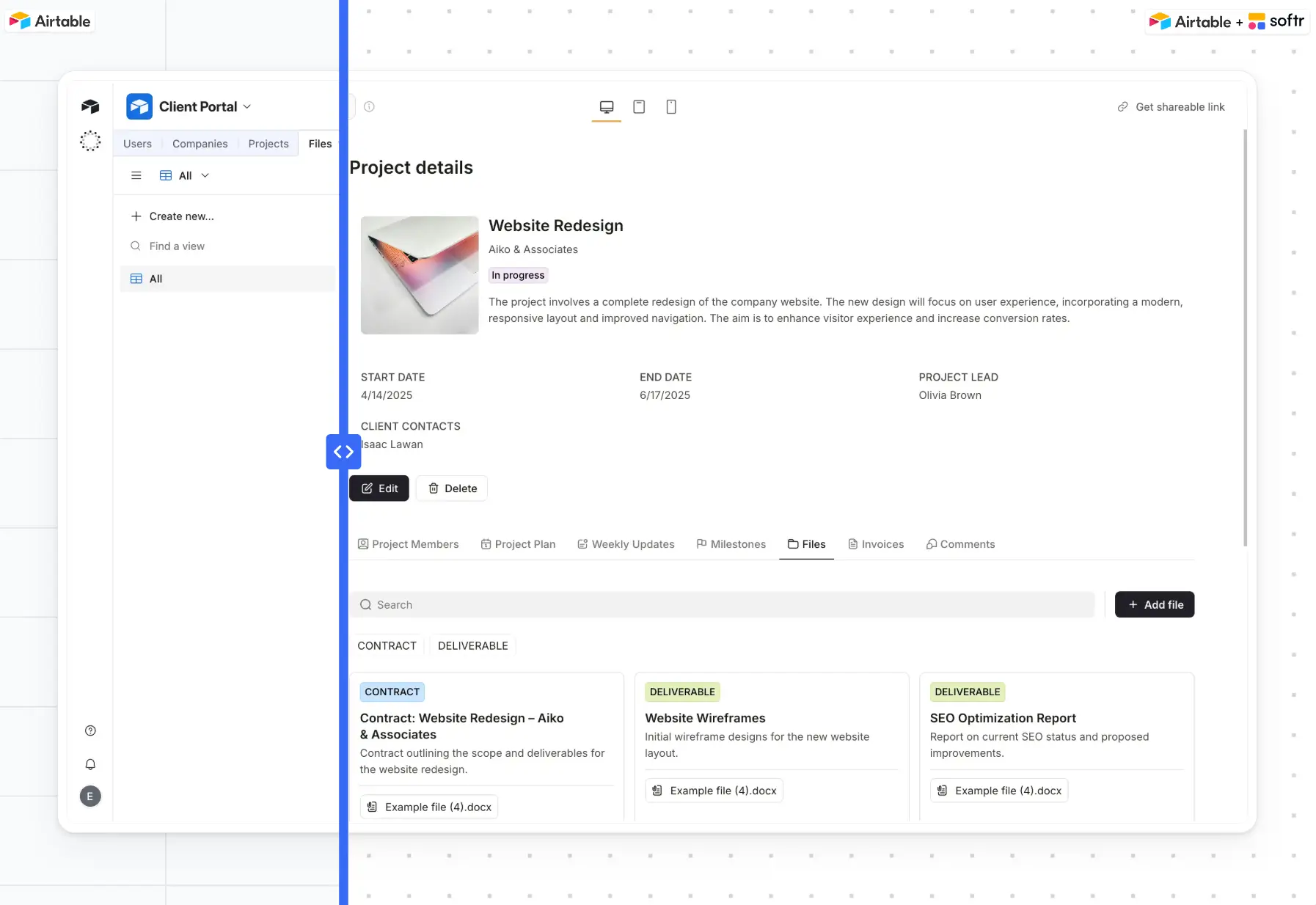
For more complex software you can share with real users, you'll need user groups, granular permissions, white-label portals, and PWA support. For these cases, it's better to turn to an AI app builder like Softr, which lets you create full-stack, branded software in minutes using the Co-Builder. Softr integrates natively with Airtable, so you can even use it to build apps on top of your existing Airtable bases (or import your data to Softr's native database).
However, if you're set on using Airtable for data management, its free plan has no time limit. The best way to evaluate it is to set up a table or two and test it out. Once you've explored its feature set, you should know whether upgrading to a paid plan is worth it for your business.
This article was originally published in April 2025. The most recent update, with contributions from Dylan Reber, was in May 2026.
Frequently asked questions
- Is Airtable free?
- Is Airtable no-code or low-code?
- Is Airtable better than Excel or Google Sheets?
- Can Airtable replace a CRM?