


Transcript
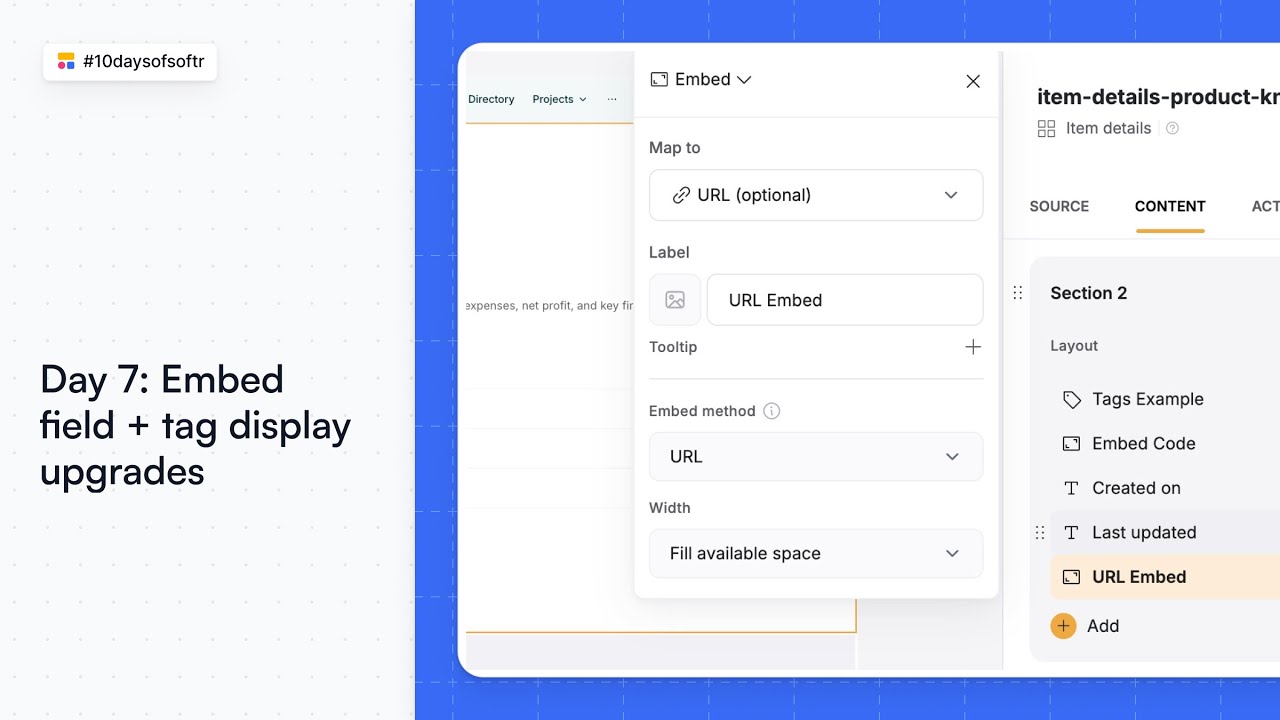
I'm Andrey, a software engineer at Softr, and today I want to demonstrate a new feature. We have implemented some improvements for labels.
In the studio, you can now set up a tooltip for your label and also pick an icon that you need. This helps provide more context and better visual cues for your users.
[.blog-callout]
Note from Softr: Another way to quickly refine your UI is by using the AI co-builder. You can simply prompt the AI to add specific descriptions or icons to your fields, and it will handle the configuration for you.
[.blog-callout]
Let's check out how it will look in the preview. On the preview, you will see the icon positioned close to the label.
There is also a tooltip that appears on hover. This allows you to give users extra information without cluttering the interface. Thank you.

![How to build an Inventory Management App with Softr [Full Course 2025]](https://cdn.prod.website-files.com/67a3700c65457964cf349cd4/6a03257014020bbb7b56b4a0_2197efe9-ebfa-4352-ab9e-70cbbca2349c.jpeg)