Transcript
In 2026, it's finally possible to create your own custom software in just one afternoon. AI and vibe coding can help you build crazy things.
But if you're not an engineer, using something like Claude Code can be quite intimidating. What if you could combine the power of an AI builder with a visual interface?
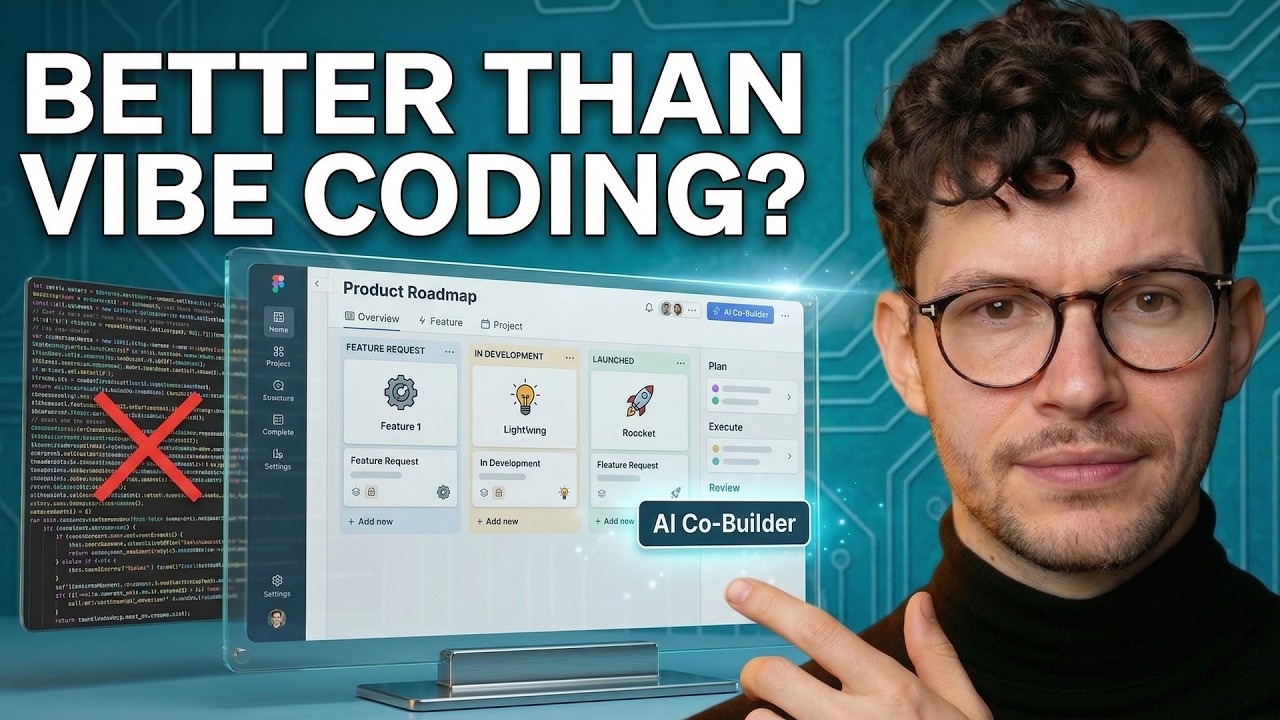
Today we are going to build a fully functional public roadmap app from scratch using AI without the hassle of typical vibe coding solutions.
Before we dive into the builder, it is important to understand the core loop for creating something with AI. This is a three-step process: plan, execute, and review.
I can't stress enough how important it is to have a good plan. 80% of your time should happen before you hand things off to the technology.
AI allows us to spend more time thinking about what we actually want. Execution, building views, and setting up data structures can all be handled by AI.
You can start with pen and paper or your favorite AI tool like Claude or Notion AI to brain dump your thoughts. Tell the AI you're planning to implement this using Softr.
[.blog-callout]
Note from Softr: Instead of using external tools to plan your data structure, you can use the AI co-builder to generate your entire schema and initial pages instantly from a single prompt.
[.blog-callout]
For today's demo, the users include public users who can view the roadmap and submit requests, and admins who manage the entries. The data centers around a feature requests table.
Moving over to Softr, once you're logged in, you can access the AI Co-Builder. You can simply describe what it is that you want to build.
Softr will walk you through steps to ensure a solid start. As we enter builder mode, the AI Co-Builder asks a few more decisions to ensure everything is correct.
We will set up email authentication for admins and decide on a side navigation layout. For the theme, we will choose a modern, sleek black and white look.
While the AI is working, you can see it setting up Softr Databases and building out the main canvas. This visibility is a huge advantage over direct vibe coding.
[.blog-callout]
Note from Softr: While this video shows the AI setting up a database, you can always manually customize your Softr Databases to add complex relationships or primary field configurations.
[.blog-callout]
With vibe coding, maintenance can be difficult for non-technical team members. Softr provides a visual editor where you can still use drag and drop for modifications.
This app took barely three minutes to build. In preview mode, we can see the feature requests and even drag them around to indicate progress.
I noticed the feature request form asks for upload counts and statuses. These should be restricted so public users can only see the title and description fields.
I prefer using dictation to tell the system what to improve. It is much quicker and more convenient than typing out every specific adjustment for the next iteration.
We need to ensure we have a public page that anyone can see without logging in. We also need a detail card to load when someone clicks a feature item.
[.blog-callout]
Note from Softr: If you need a more advanced way to display specific records, try using an item details block. You can also use group permissions to hide or show specific fields based on whether the user is an admin.
[.blog-callout]
You can collapse the AI chat at any time and work on the app manually. This is a regular Softr app, so all blocks are fully modifiable.
I can remove a block or modify the user tab in the settings. I can also go into the database and add a complexity field as a select property myself.
If you want bigger changes faster, you can start a new chat with the AI Co-Builder. I asked it to make the home page accessible to everyone on the web.
If the AI runs into a loop, you can ask it to retry or walk you through the manual steps. Using AI doesn't mean you're completely outsourcing the process.
I want to add a heading and buttons for submitting features and upvoting. The AI can even write custom code to wire these elements up correctly.
[.blog-callout]
Note from Softr: If you need a component that isn't available in the standard library, use the Vibe-Coding block to prompt for a custom UI element that stays connected to your data.
[.blog-callout]
After clicking publish in the top right, we get a custom subdomain. You can also add your own domain if you prefer for a more professional look.
In the front end, we check the visibility settings. We need to make sure the submit feature page is set to be seen by everyone, not just logged-in users.
We can also set up a redirect. After a user fills out the form, they should be sent back to the homepage to see all the existing feature requests.
Our app currently loads from Softr Databases, but you can also connect to external sources like Notion for a two-way sync between your tools.
[.blog-callout]
Note from Softr: Softr supports 17+ data sources, but Softr Databases often provides the fastest performance for project management tools like this.
[.blog-callout]
Softr now offers vibe coding blocks, which give you the best of both worlds: structured blocks and truly custom, prompt-generated components.
I used a vibe coding block to build a custom widget showing the most recently upvoted features. Since it is code-based, I have full control over the behavior.
This is a fully functional public roadmap created from scratch using AI. It is easy to hand off to your team with no black boxes involved.
Softr now offers Unlimited Published Apps across all plans. This makes it easier than ever to experiment with new custom tools or AI CRM templates.
If you want to try the AI Co-Builder yourself, check the link for some credits. This is just one example of how AI can help you streamline your work.