Track sales, manage inventory, and streamline fulfillment from one centralized app.
Data sources supported





.svg)


Resources


Overview
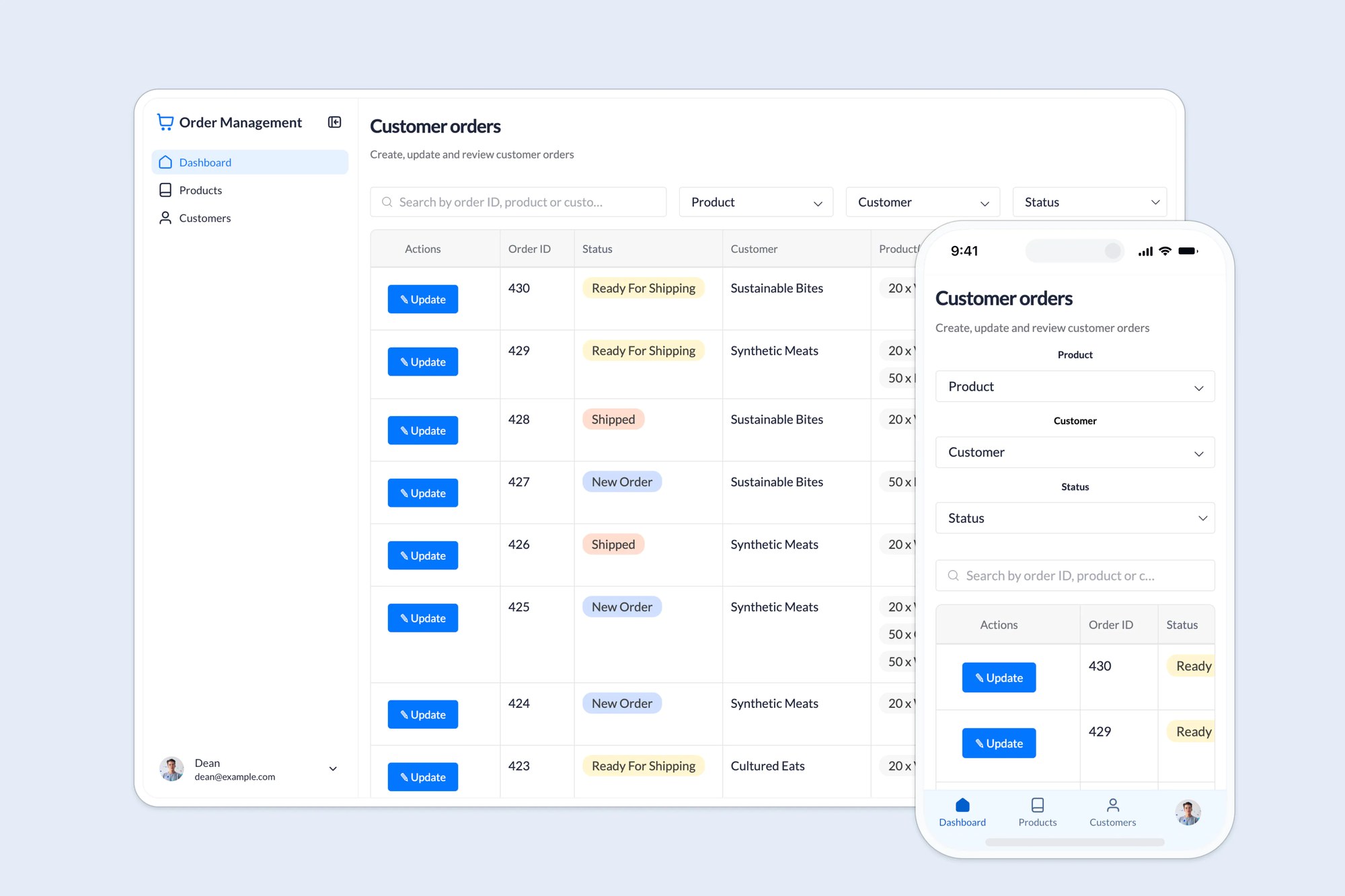
This free order management template helps you create a unified hub for tracking orders, managing inventory, and supporting fulfillment, without juggling spreadsheets, emails, or disconnected systems.
It comes with a sample database so you can see how to structure your data for order workflows. You can also connect Google Sheets, Notion, SQL databases, or any Softr-supported data source to customize the system for your team.
Why use this order management template
- Unify sales, inventory, and fulfillment workflows: Manage everything from order creation to shipment tracking in one place.
- Speed up internal coordination: Sales reps, warehouse teams, and managers can collaborate in real time, with role-based views for each group.
- Minimize costly errors: Standardize data collection and inventory updates to reduce delays, double entry, and stockouts.
Template features:
- Role-based access
- Real-time inventory tracking
- Order creation
- Order status & delivery tracking
- Centralized dashboard
- Works on any device
Who is this order management template for?
This template is designed for teams that need to streamline internal fulfillment workflows, but it’s flexible enough to support external vendors, clients, or franchisees too.
- Retailers & e-commerce teams: Track incoming orders, fulfillment, and shipping in one place.
- Wholesale distributors: Share inventory availability, pricing, and order status with team members or clients.
- Warehouse teams: Stay updated on stock levels and fulfill incoming requests with fewer errors.
- Sales teams: Submit orders quickly and accurately with standardized forms and automatic tracking.
- Field service or construction teams: Coordinate deliveries, parts, and material orders between office and job site.

“What we love most about Softr is the instantaneous, customizable power a no-code platform allows.”

- 1
- 2
- 3
- 4
Frequently asked questions
Do I need to be technical to use this template?
What data sources can I use?
Can different team members have different access?
Can I white-label the app with my branding?
Can I use the order tracking feature for clients too?
How do I customize and automate this order management template?
Built with
AI App Builder
Create business apps with AI
Databases
Store and manage your data
Workflows
Automate manual processes