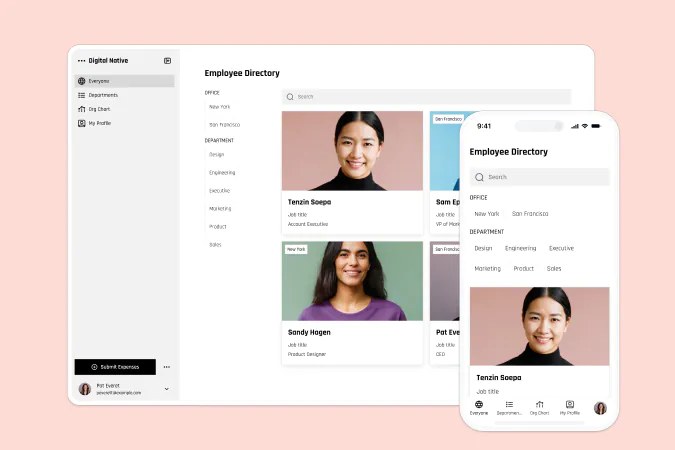
Build an employee directory with a built-in Softr Database, and connect natively to Airtable if you want to bring your own data.

Overview
This free template helps you build a searchable, mobile-friendly employee directory, no complex setup required. It comes with a built-in Softr Database, so you can get started right away with a ready-made structure for your employee records. If you already use Airtable or want to connect your own base, Softr supports that natively, no migration needed.
Why use this Airtable employee directory template
- Keep everyone on the same page: Store and manage employee details (roles, departments, bios, contact info) in a single source of truth.
- Support self-service: Enable employees to update their own info or submit requests (like time off) without emailing HR.
- Built to scale with your org: Easily adapt the template to support contractors, departments, or locations as your team grows.
Template features:
- Role-based access
Create different user groups for managers and employees, allowing you to show different information and edit options depending on who is logged in.
- Employee information
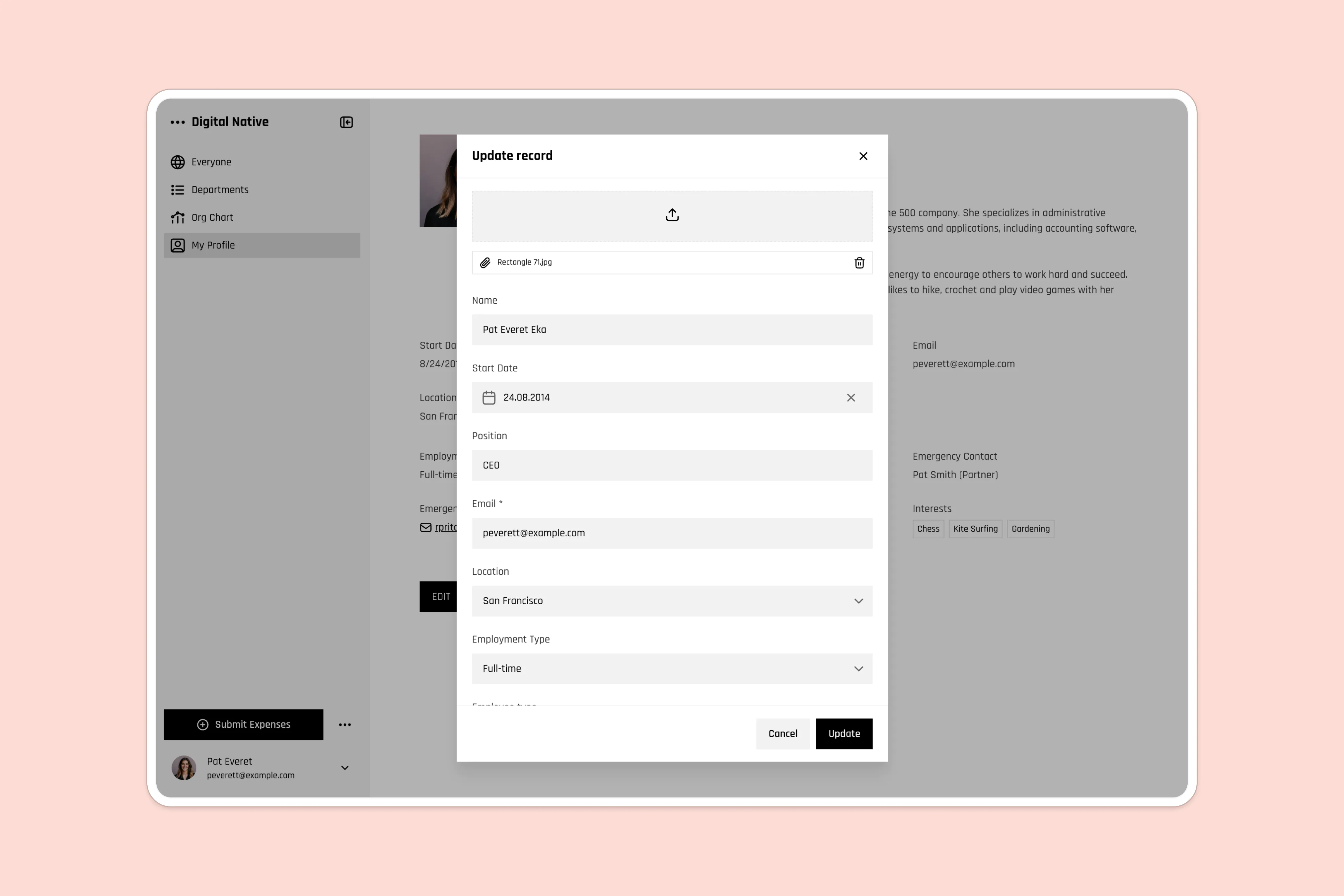
Store each employee's role, department, contact details, start date, bio, and interests in one profile, organized by department for quick browsing.
- New employee forms
Give new users a form to fill out and have them automatically added to the directory, with all the relevant information.
- Time off and update requests
Use built-in forms to submit time off requests or update personal profiles, reducing admin back-and-forth.
- Search & filtering
Allow users to find the person they’re looking for in seconds with a powerful search functionality.
- Works on any device
Allow users to access the platform from any device with a fully responsive design. You can even turn your app into a downloadable mobile app with Softr's PWA feature.
- Automated workflows
Set up a workflow that notifies HR the moment someone submits a time off request, or pings finance when a new expense comes in, so nothing sits unnoticed in the dashboard.
Who is this Airtable employee directory template for?
This template is ideal for fast-moving teams and growing companies that want a simple, no-code way to organize and access team information. Great for:
- People Ops & HR teams: Maintain up-to-date employee info and reduce repetitive questions.
- Startups & agencies: Keep internal contacts organized as your team expands.
- Remote & distributed teams: Help everyone stay connected, no matter where they work.
- Consultants & contractors: Manage both full-time staff and external collaborators in one place.

“What we love most about Softr is the instantaneous, customizable power a no-code platform allows.”
- 1
- 2
- 3
- 4
Frequently asked questions
- What is an employee directory?
An employee directory is a centralized list of team members with key information like name, title, department, contact details, and more.
- Do I need to use Airtable to run this template?
No. The template comes with a built-in Softr Database, so you can get started without any external data source. If you prefer Airtable or already have an existing base you want to connect, Softr supports that natively. You can swap the data source in Softr Studio without rebuilding the app.
- Does this template support mobile use?
Yes. The directory, employee profiles, and request forms are all responsive, so your team can look someone up or submit a time off request from a phone just as easily as a desktop.
You can also turn the app into an installable mobile app using Softr's PWA feature, so it feels native without building anything separately for iOS or Android.
- Can employees submit time off requests?
Yes. The template includes an Employee time off table where staff can log a request with a Time off type (Sick Leave or Vacation) plus start and end dates.
Requests show up against each employee's profile, so managers see who's out and why without checking a separate spreadsheet.
- Can I control who can see or edit information?
Yes. User groups map to the Employee type field (Manager or Employee), so you can show managers extra actions, like editing a teammate's profile or approving time off, while regular employees only see and edit their own.
You can add more groups or tighten rules for specific fields as your org grows.
- How do I customize this template for my team?

Duplicate the template into your Softr workspace, then prompt the AI Co-Builder to do the setup for you, like adding new fields, creating a view filtered by department, or setting up manager-only permissions.
Prefer hands-on control? Open the visual editor to rearrange blocks, adjust user groups, and edit records directly, no prompting required.