7 best Zapier Forms alternatives for seamless automation in 2026

Zapier makes it easy to connect your business apps and automate repetitive work without touching an API, and with Forms you can design simple pages to kick off those automations. That simplicity comes with real limits: anything beyond a basic form or dashboard, or more than 100 users, and Zapier Forms shows its ceiling. We reviewed seven alternatives that pick up where it leaves off.
Best Zapier Forms alternatives at a glance
| Tool | Best for | Standout features | Pricing |
|---|---|---|---|
| Softr | Turning a Zapier Forms front end into a real business app | AI Co-Builder, templates, or visual blocks; CRMs, client portals, and internal tools | Paid plans from $19/month billed annually |
| Airtable Cobuilder | Building forms and light apps directly on an existing Airtable base | AI-generated forms on top of Airtable bases, successor to Interface Designer | Included in all Airtable plans, free to $45/seat/month |
| Microsoft Power Apps | Non-technical users who need advanced logic | Copilot-generated database schemas, refine fields by chat, advanced logic | From $20/user/month for the premium plan |
| Glide | Mobile-first apps that look polished out of the box | Responsive apps by default, PWA support so apps install on phone or desktop | Free for individuals; paid from $49/month, business from $99/month |
| Bubble | Teams willing to trade a learning curve for real customization | Visual programming language with low-code level control and customization | Free plan to try the platform; paid plans available |
| AppSheet | Teams with heavy Google Sheets use | Apps from existing spreadsheet data, data governance, workflow automation | Free plan with basic app and automation features |
| Backendless | Tech-savvy users who want control over every part of the app | Backend-as-a-service with database and service management, plus a UI builder | Free plan for simple applications; paid plans available |
What is workflow automation?
Workflow automation uses software to run repetitive tasks or multi-step processes without manual intervention at each step.
Instead of handling requests one by one, tools like Zapier let you set up "workflows" that trigger actions across different apps. For example, when someone fills out a form on your website, a workflow can add their details to your CRM, send a welcome email, and create a follow-up task automatically.
Why look for Zapier Forms alternatives?
Zapier Forms works well for automating simple workflows and wrapping them in a basic interface, but it's not built to carry the weight of a complex business app.
Here's what users have shared about the limitations they've run into when designing automations and Forms with Zapier:
1. Limited customization options for complex workflows
"Creating complex workflows with multiple triggers and actions may require more advanced knowledge and experience," Susan V.
"Although using Zapier can be easy, it is not always the case, especially for custom and complex Zaps," Gabriella N.
2. Complexity and unreliability of multi-step automations
"Zaps can get complex quickly! Pulling data fields from one source, transforming the data, and then delivering it into another integration in the correct format can require a lot of trial and error. For less experienced users, this can be challenging," Kevin C.
"I appreciate the convenience that Zapier provides when it comes to connecting disparate applications and services, but I have found its scheduling feature for multi-step tasks to be unreliable," Alex H.
"For very complex or multi-step workflows, setting up Zaps can become challenging. While the interface is user-friendly for basic tasks, more advanced automations might require a deeper understanding or even custom coding solutions," Michael F.
3. High costs associated with premium plans
"I've noticed that as we increase our usage, the costs can escalate quite rapidly. It sometimes feels like we're being penalized for maximizing its potential," Brad B.
"As users require more tasks or want to use premium integrations, the cost can escalate quickly. For small businesses or individual users with a high number of automations or those relying on premium apps, the monthly fees can become a significant expense.
Additionally, the pricing tiers dictate the speed at which tasks are executed, meaning users on lower tiers might experience a delay compared to those on premium plans," Leonardo D.
4. Dependence on third-party solutions for critical workflows
"Despite wide compatibility, not all applications offer the same integration depth. In some cases, the actions available for automation may be limited, decreasing the power offered by the tool," Gaetano C.
"With any tool that aims to simplify the complex subject matter, you are shoehorned into how Zapier interacts with APIs. There's a ceiling on how far you can take the tool," Luke E.
5. Difficulty in troubleshooting and debugging automations
"If something goes wrong it is very difficult to troubleshoot…" Brandonn G.
"The error codes it provides are hard to understand as there is no way to decode them unless we raise a ticket. The response is quick, but they don't teach how we can solve the error permanently," Vikrant B.
6. Difficulty integrating apps or workflows not supported by Zapier
"Some apps have limited tasks to automate depending upon the developer. You need to request for the particular task which is time-consuming," Manish S.
"If the app that you want to integrate is not available, is going to take time for the app to be available," Walter B.
7. Performance issues or delays in task execution
"My advice is to regularly observe the execution of the Zaps to be sure that all of them are running correctly and that there are no issues," Estefany P.
"Sometimes there are cases where the zaps might show up errors which might be difficult to diagnose," Verified user.
8. Lack of advanced features for business needs
"When it comes to solving more complex, real-world business problems, you'll find yourself needing to switch to another tool that can handle the increased demands," Verified user.
"Zapier is an excellent tool for automating simple to moderately complex chores, but in terms of scaling and managing more intricate workflows with numerous connectors and conditional actions, I think that it may occasionally be restrictive," Joseph E.
Criteria for choosing the best Zapier Forms alternatives
- Integration capabilities. Beyond confirming that a tool connects with the apps you already use, check the depth of those integrations, and whether the platform lets you connect to other systems' APIs directly.
- Use cases. Think about the specific tasks and processes you want to automate. Look for an alternative that matches your use case. Some platforms offer ready-made templates or dedicated features built around specific needs.
- Scalability. As your business grows, so will your automation needs. Choose a platform that can scale with you, offering plans for larger teams, more workflows, and higher task volumes without a steep jump in cost.
- Community and customer support. Responsive support matters, but an active community can be just as valuable. You can lean on it for implementation ideas, troubleshooting guides, and peer support before you even need to open a ticket.
7 best Zapier Forms alternatives to choose from in 2026
Alternative 1: Softr
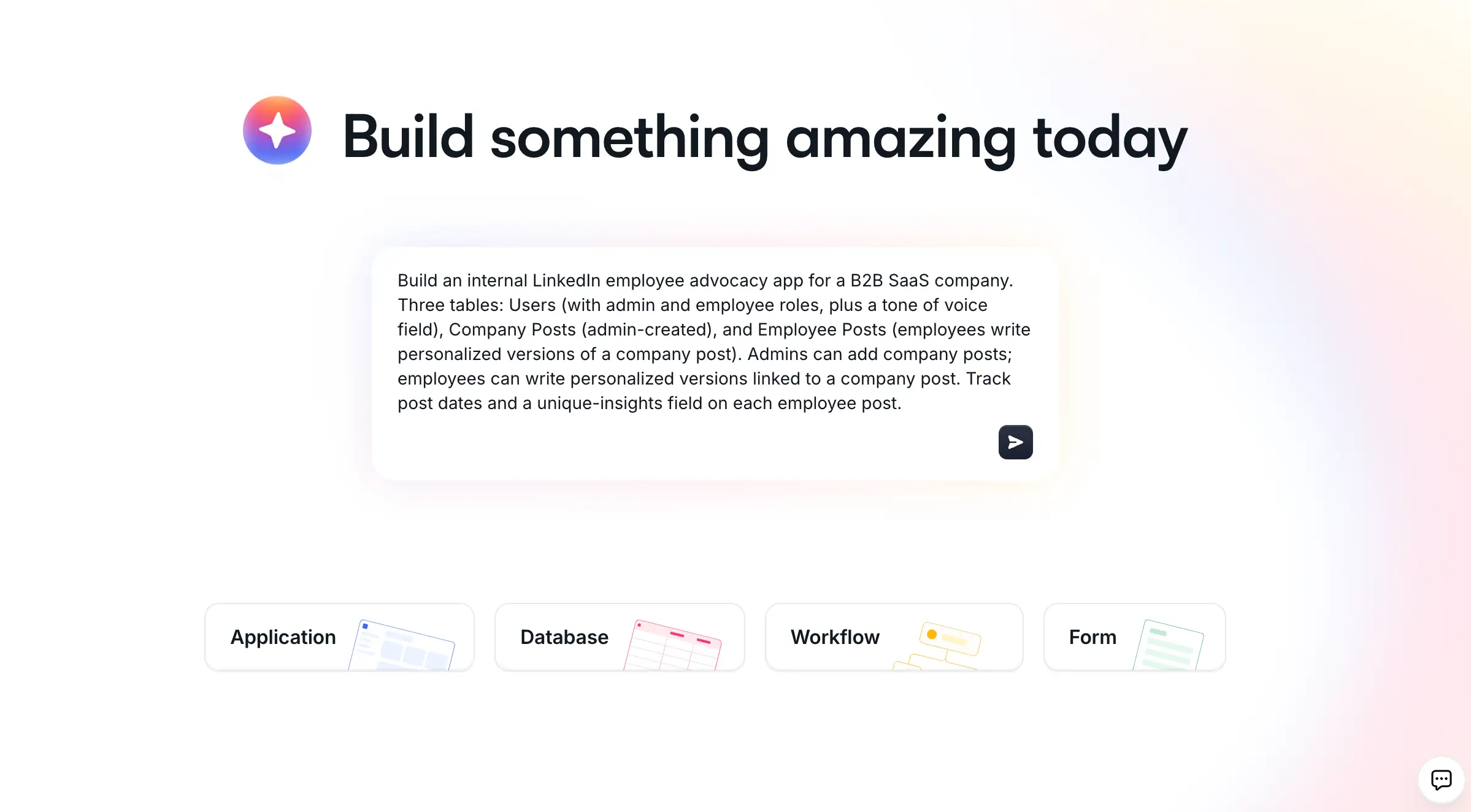
Softr is an AI app builder for creating real business software, like CRMs, client portals, and internal tools, without writing code (unless you want to).
What makes Softr versatile is that it gives you three ways to start: describe your app to the AI Co-Builder and get a working version in minutes, start from a template, or build manually with visual blocks. You can move between these modes freely, and add custom code through the Vibe Coding block whenever you need something a pre-built block can't cover.
Key features
- AI Co-Builder that generates a complete app (database, pages, blocks, and user permissions) from a plain-language description
- Softr Databases, a native relational database, plus connections to 21+ external sources including Airtable, Notion, Google Sheets, and SQL
- No-code app builder with over 100 building blocks
- Vibe Coding block for AI-generated custom UI when a pre-built block isn't enough
- Customizable app templates
- Responsive design, including Progressive Web App (PWA) support
- User authentication and granular permissions
- Softr Workflows for automations triggered directly by what happens inside your app, plus native integrations with Zapier and Make
- Live chat support and community
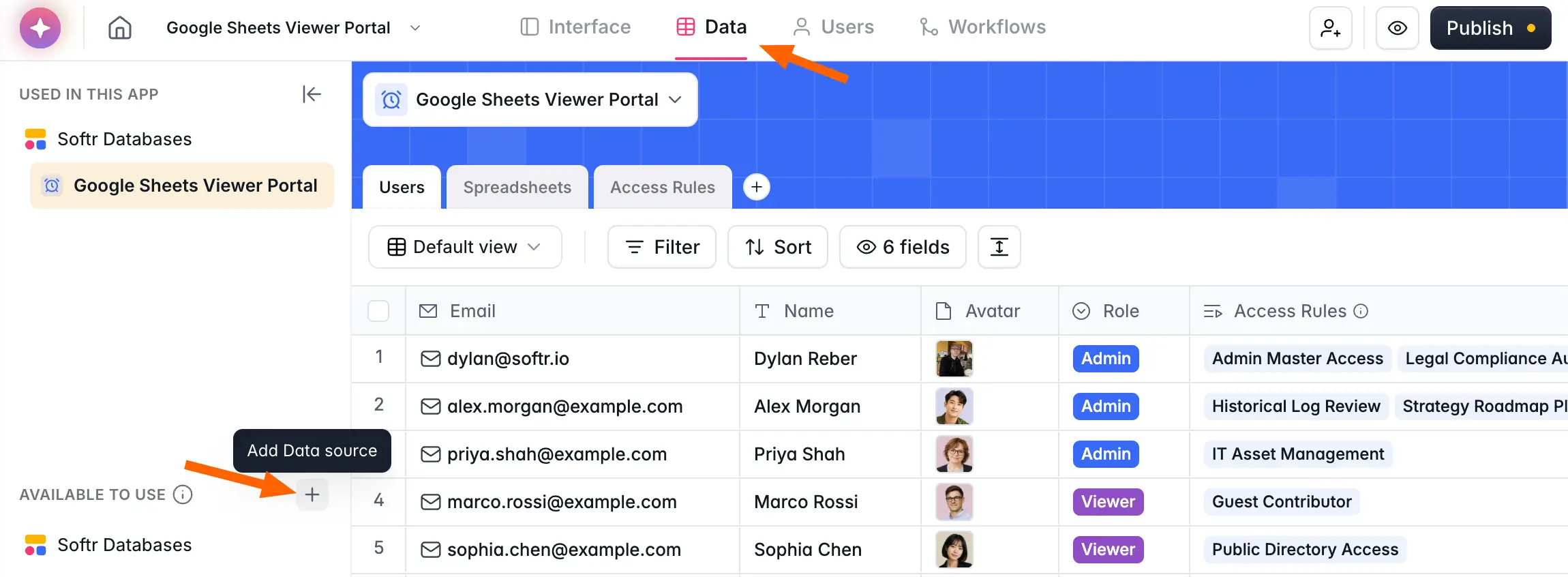
Softr vs Zapier Forms
- Softr leads with its own native database, and also supports direct integrations with 21+ external sources, including Airtable, Notion, Google Sheets, SQL, and others. Zapier Forms is built on its own internal Tables product, with no equivalent to a purpose-built relational database.
- Zapier Forms offers basic templates, mostly for forms. Softr provides ready-made templates for full use cases, from CRM systems to vendor portals, each fully customizable to match your process and brand.
- Softr takes a more complete approach by letting you build full business applications, not just a page that triggers automations between apps.
- Every app built with Softr works on any device, desktop, mobile, or tablet, and can be installed as a Progressive Web App on iOS, Android, macOS, Windows, and Chrome OS. Zapier Forms is limited to desktop.
- Softr offers live chat and email support, plus an active no-code community. Zapier Forms is a newer product without the same community depth, and some users note it feels less actively developed.
- Softr's AI Co-Builder turns a plain-language description into a working app, complete with database, pages, and permissions, not just a single interface page.
- Softr also gives you more room to grow with flexible pricing plans. With Zapier, you pay separately for Zaps, Forms, and any premium apps used inside your automations.
Softr pricing
Softr lets you build and publish your first app for free, ideal if you just need a basic internal tool.
Paid plans start at $19/month (billed annually) for Team: 5 + Client: 5 app users and unlimited viewers, with no cap on task runs. Larger teams can move up to $99/month on the Pro plan for Team: 10 + Client: 50 app users, or $329/month for Team: 30 + Client: 100 app users. Enterprise (custom pricing, contact sales) with higher limits, SSO, and dedicated support are available for enterprise needs.
Alternative 2: Airtable Cobuilder
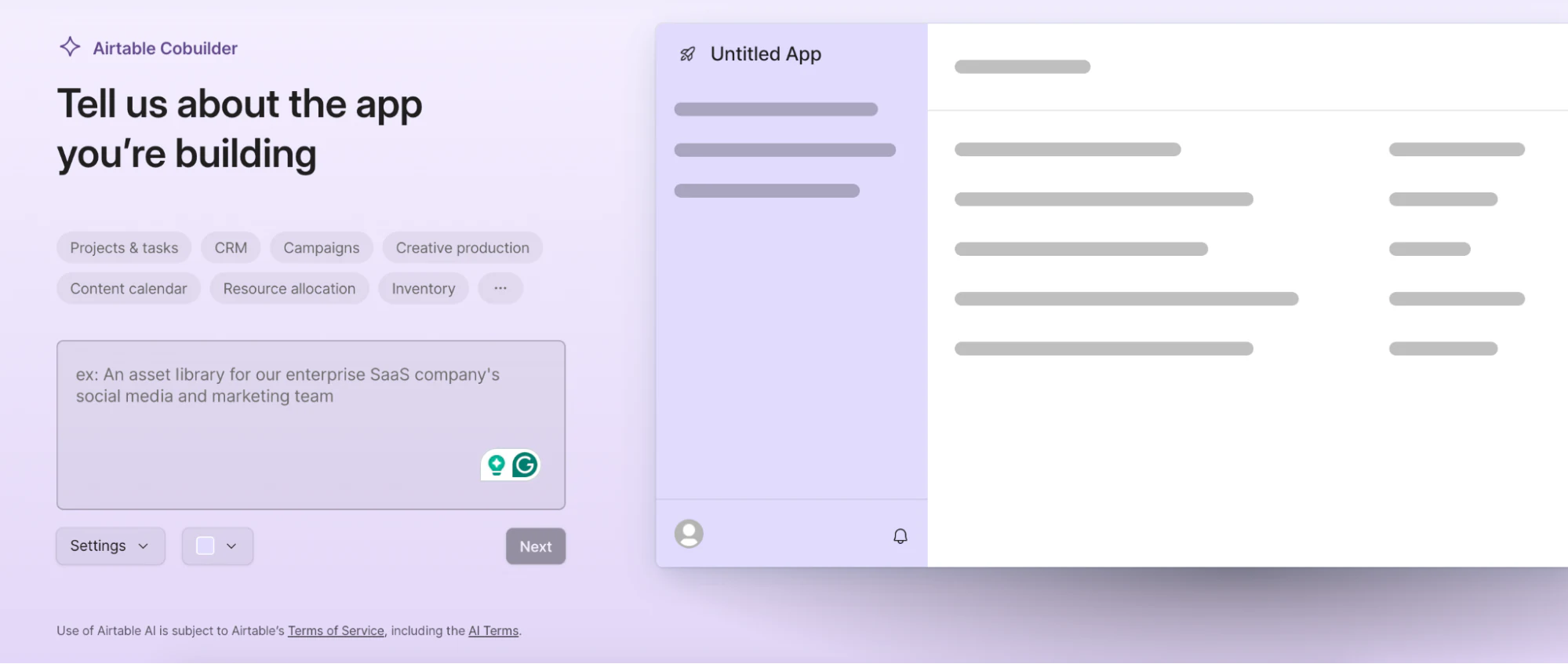
Airtable Cobuilder is a relatively new addition to the no-code space, designed to help you create app Forms on top of your Airtable bases.
Before Cobuilder, users built basic apps using Airtable's Interface Designer. Now, with AI added, Forms can be auto-generated, which makes it a solid choice for building internal apps quickly, provided your company policy allows AI-generated tooling.
Key features
- Drag-and-drop app-building experience
- Instant app creation
- Powered by Airtable data
- Template gallery
- Conditional access control
- Integration with various tools and apps
Airtable Cobuilder vs Zapier Forms
- Airtable Cobuilder uses AI to auto-generate app Forms and does it well. Zapier's AI features are still less mature by comparison.
- Cobuilder integrates natively with your Airtable base. Zapier Forms relies on its own internal Tables product instead.
- Both tools handle simple use cases well and suit users who want a straightforward solution without the complexity of a full app builder.
Airtable Cobuilder pricing
App-building functionality is included in all Airtable plans, from free to $45/month/seat. Granular permissions are only available on paid plans.
Alternative 3: Microsoft Power Apps
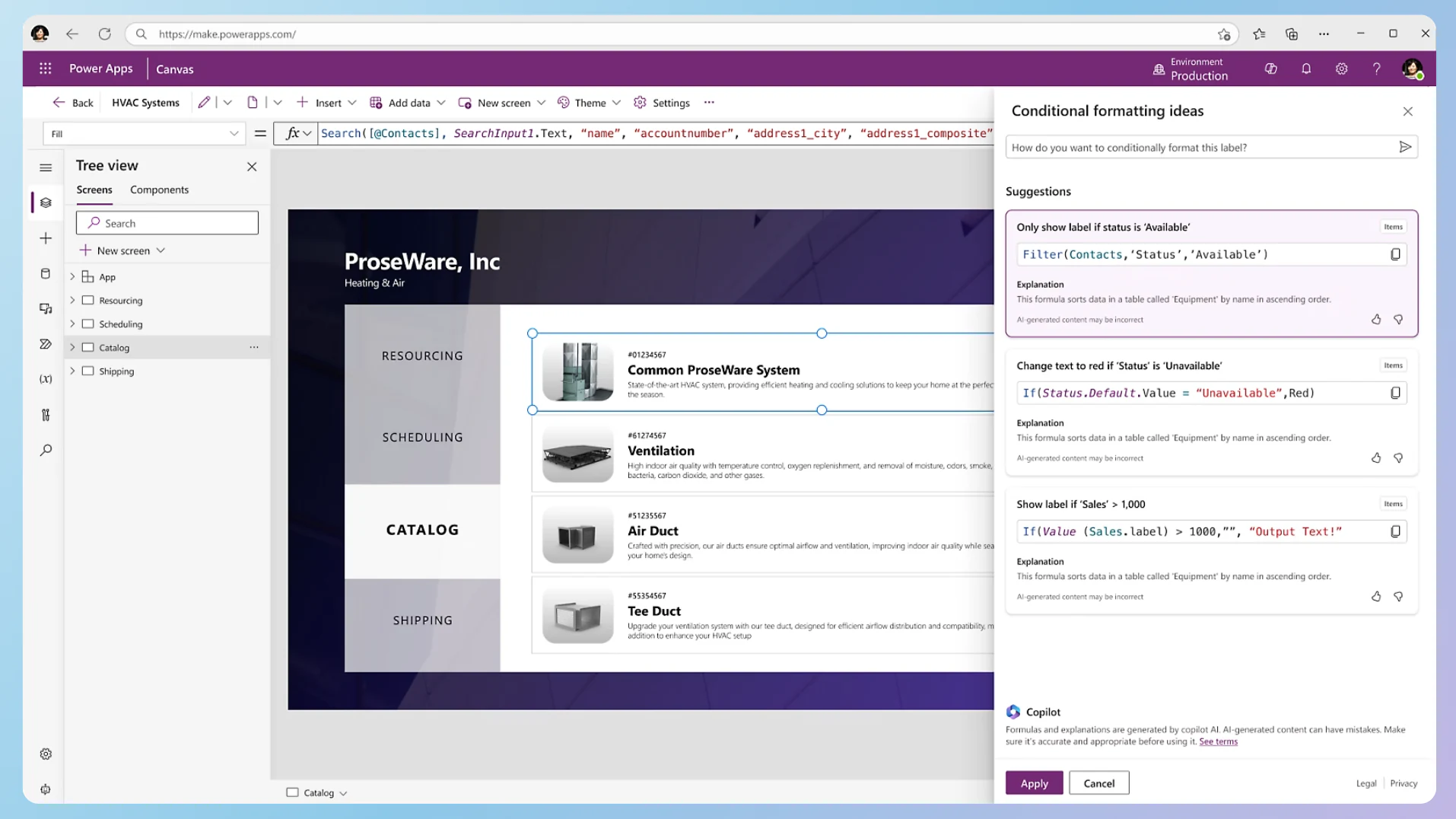
Microsoft Power Apps is a versatile no-code/low-code platform that lets non-technical users implement advanced logic in their apps.
Getting started is relatively straightforward, especially with the Copilot features. You can start a project by prompting it to generate a basic database schema, then refine fields through a chat window, which simplifies the often daunting task of designing a schema. Once you save your setup, Power Apps assembles the main page for interaction.
Key features
- No-code app builder
- Accessible advanced logic for non-technical users
- AI-driven Copilot feature
- Seamless integration with Microsoft products
- Responsive design for desktop and mobile use
- Community support and extensive documentation
- Advanced security measures
Microsoft Power Apps vs Zapier Forms
- With its focus on customization, advanced logic, and robust security, Power Apps is a frequent choice for mid-market companies and enterprises, while Zapier Forms tends to be more popular among solopreneurs and small businesses.
- As a Microsoft product, Power Apps integrates seamlessly with other Microsoft tools like SharePoint and Dynamics 365, as well as various third-party data sources.
- Power Apps is enhanced by the AI-driven Copilot for real-time app development.
- Being on the market for years, Power Apps is backed by a large community and extensive resources.
Microsoft Power Apps pricing
Power Apps pricing starts at $20/user/month for the premium plan. Full access to all features may require subscribing to or configuring additional Microsoft services, such as Dynamics 365 or Azure Cloud.
Alternative 4: Glide
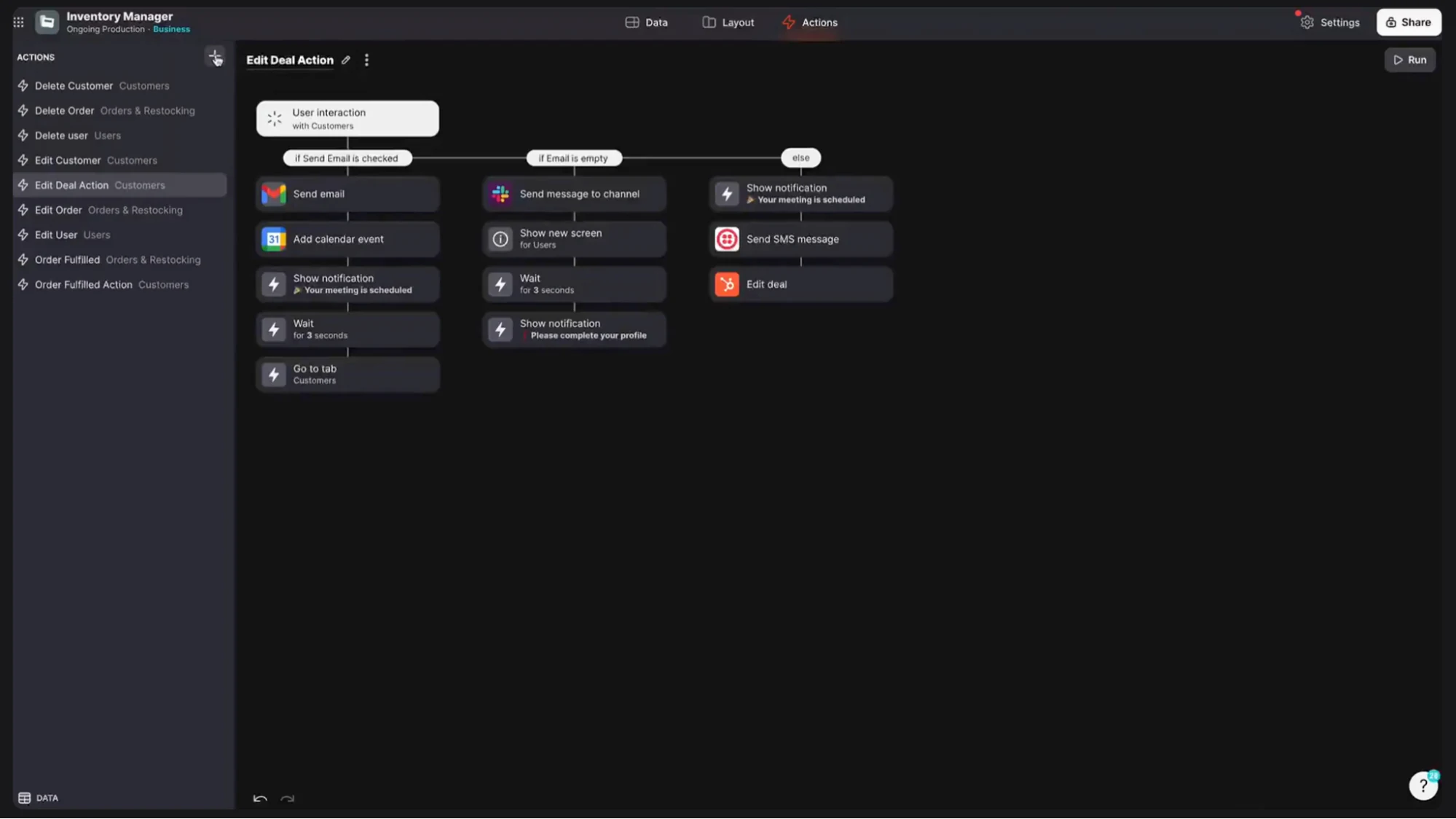
Glide is an intuitive no-code platform for creating polished apps through a user-friendly interface.
It's particularly well-suited for mobile use, since apps look responsive right out of the box. Like Softr, it also offers PWA capabilities, so apps can be installed on computers or phones with a couple of clicks.
Key features
- Drag-and-drop app creation
- Database integrations
- Customizable layouts and components
- Progressive Web App (PWA) support
- AI app builder
- Comprehensive learning resources via Glide University
- Workflow automation through Zapier
Glide vs Zapier Forms
- Glide's ability to generate apps that work seamlessly on mobile devices sets it apart, particularly for users who prioritize mobile-first design.
- Glide's AI app builder lets users quickly prototype apps.
- Both Glide and Zapier Forms are popular among small businesses because of their intuitive interfaces, but Glide has the edge for building relatively complex apps out of the box.
Glide pricing
Glide Classic offers a free plan for individuals, with paid plans starting at $19/month, billed yearly. GlideOS, Glide’s newer AI platform, is a separate subscription from $25/month.
For business use, you'll need plans starting at $199/month, which allow you to invite users with business emails to sign into your apps.
Alternative 5: Bubble
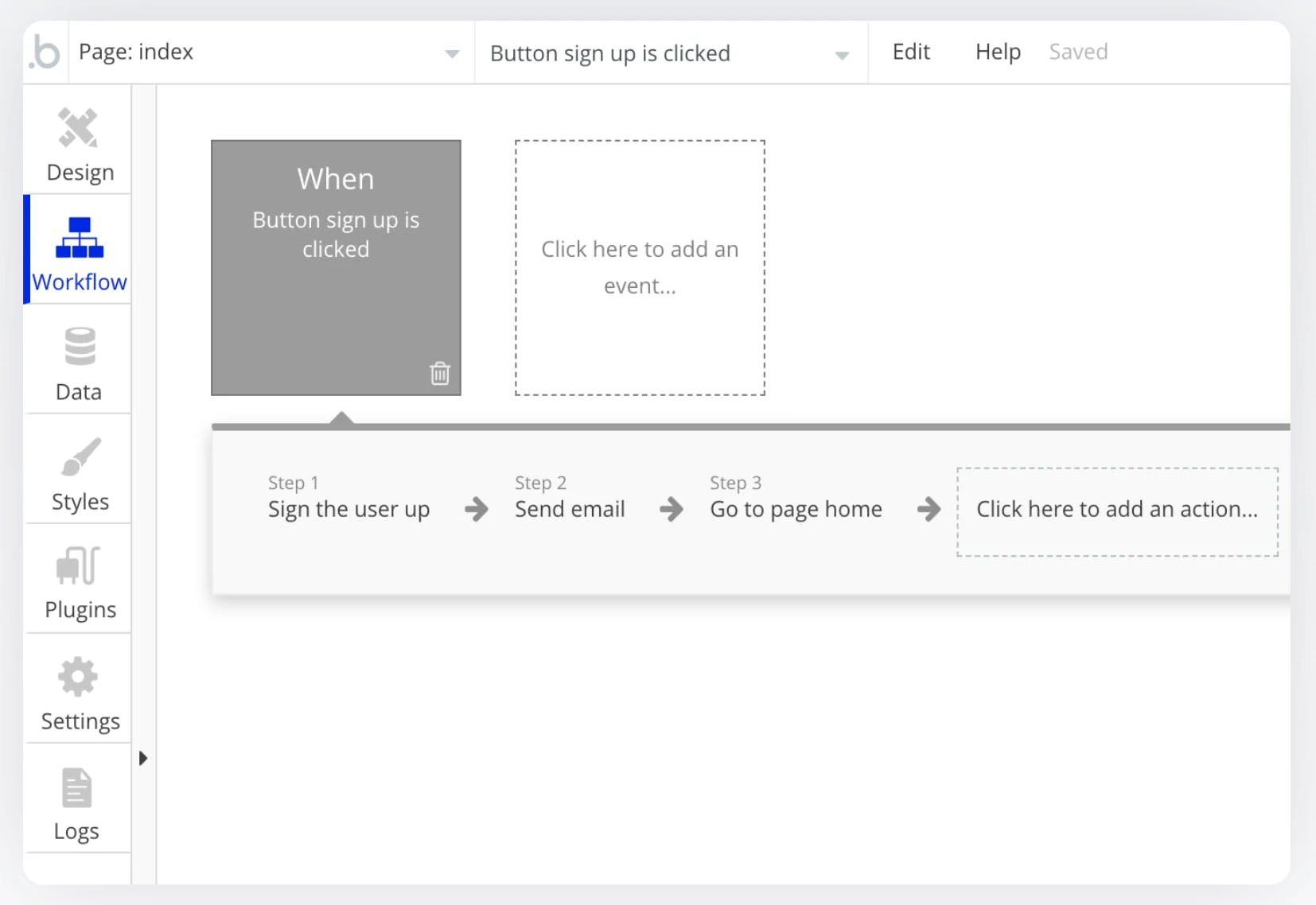
Bubble is a highly flexible no-code platform with a visual programming language that's accessible to beginners while offering the customization and control typically found in low-code tools.
Bubble has a steeper learning curve than most builders on this list, but it's engaging and rewarding once you get familiar with its toolkit.
Key features
- Drag-and-drop app editor
- Pre-built app components and templates
- Advanced logic setup with workflows
- Native mobile apps (beta)
- AI page generator to speed up layout creation
- Workflow automation via Zapier
- Bubble Academy
Bubble vs Zapier Forms
- Bubble is widely used for MVPs and prototypes, while Zapier Formsis designed more for building lightweight internal pages.
- Bubble allows for complex logic and workflows, offering more flexibility than Zapier Forms.
- Unlike Zapier, Bubble doesn't cap the number of end users for your apps. Instead, its pricing is based on workload units, similar to how Zapier prices around task limits: the more you use, the higher the cost.
Bubble pricing
Bubble's free plan includes limited features for trying out the platform. Paid plans start at $29/month, billed annually.
Alternative 6: AppSheet

AppSheet is a no-code platform by Google that lets you automate business processes and create apps from existing data in Google Sheets. It also connects to other data sources, but it's often favored by users with extensive spreadsheet experience.
If you're comfortable with a steeper learning curve and spreadsheet-style formulas instead of custom code, you'll appreciate AppSheet's enterprise-grade features, including advanced data governance and workflow automation.
Key features
- No-code app builder with Google AI integration
- Advanced automation capabilities
- Offline syncing for field data collection
- Strong data governance
- Custom user roles
- Apps for desktop, mobile, and tablet
AppSheet vs Zapier Forms
- Both AppSheet and Zapier Forms offer intuitive ways to build applications, but AppSheet is better equipped to handle complex, data-driven projects.
- AppSheet is a strong fit for teams that already use Google Sheets as their backend and want to build on top of a tool they know.
- The AppSheet community, though small, is active.
AppSheet pricing
AppSheet offers a free plan with basic app and automation features, letting you build and test app prototypes with up to 10 test users at no cost. Paid plans start at $5/user/month.
Alternative 7: Backendless
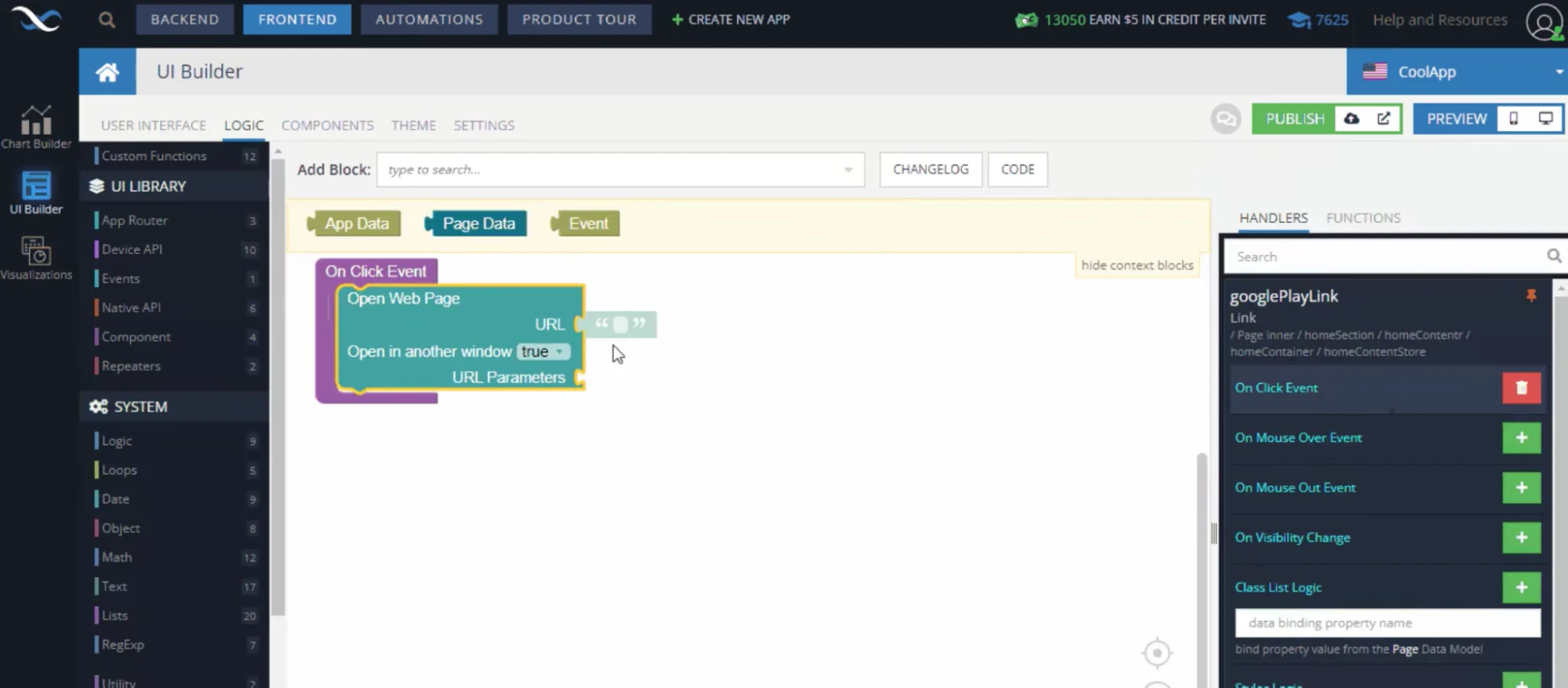
If you want to keep the no-code approach of Zapier Forms while getting more flexibility than typical out-of-the-box tools, Backendless is worth a look. It's designed for tech-savvy users who want control over every part of their application.
Originally a backend-as-a-service solution, Backendless lets developers manage databases and services for websites, apps, and cloud services. It later added a UI builder that lets users create Forms connected to their databases, with or without code.
Key features
- Backendless database
- No-code UI builder
- Custom code
- Granular user access management
- Responsive apps
- Option for self-hosting
Backendless vs Zapier Forms
- Backendless isn't the easiest platform to pick up, but its flexibility is its biggest advantage over Zapier Forms.
- Backendless supports self-hosting, a rare feature among no-code app builders, which adds a layer of control and data privacy.
- Its pricing structure isn't based on the usual "per user" model, making it more predictable and budget-friendly than most no-code builders.
Backendless pricing
Backendless offers a free plan for exploring its features and building simple applications. Paid plans start at $15/month.
Grab the Zapier Forms alternative that fits your needs
Your choice comes down to what you're actually building. If your data already lives in a specific platform, like Google Sheets or Airtable, look for a tool that integrates seamlessly with what you have. If you're open to a steeper learning curve in exchange for more flexibility, pick a builder that gives you that room to grow.
Softr blends no-code simplicity with the flexibility to build more complex business apps as your needs grow, whether you start with the AI Co-Builder, a template, or a blank canvas. See for yourself.
Frequently asked questions
What is the difference between Zapier Interfaces and Zapier automations (Zaps)?
Can I build a client portal or internal tool without Zapier Interfaces?
Is Softr a good alternative to Zapier Interfaces for non-developers?
How many users can I invite to a Zapier Interfaces app compared to alternatives like Softr?
Can I still use Zapier automations alongside a no-code app builder like Softr?