


How to build secure apps on Snowflake: Streamlit, Native Apps, or a no-code app builder


There's more than one way to build apps on your Snowflake data. You can use Snowflake's own tools, which include Streamlit in Snowflake, Snowflake Native Apps, and Snowflake App Runtime. Alternatively, you can use a developer app builder like Retool or Appsmith or a no-code AI app builder like Softr. Each option handles security, access control, and billing differently.
This guide is for IT and data leads who need a method that aligns with their Snowflake setup. It covers how each option works, who can build and use it, and how data access is enforced at the record level.
Which option should you choose?
If your builders write Python and your users already have Snowflake accounts, Streamlit in Snowflake is the most straightforward option. But business teams often build apps for clients, partners, or staff without Snowflake accounts. In these cases, an app builder with its own login and permissions can be a better choice. Native Apps occupy a separate lane, since they're for software companies that need to distribute apps to other Snowflake customers.
Snowflake's app options
Snowflake offers three ways to build apps that run inside its platform. All three are developer tools, meaning someone on your team will have to write and manage the code. I cover each of them in more detail below.
Streamlit in Snowflake
Streamlit is a free, open-source Python library for building data apps. With Streamlit in Snowflake, Snowflake hosts the app inside your account and manages the compute and storage required for it to run. The data stays in Snowflake.
Apps use one of two runtimes. The warehouse runtime hosts the app on a virtual warehouse (Snowflake's unit of compute). The container runtime runs it on a compute pool in Snowpark Container Services, which supports newer Streamlit versions and more features. And to reiterate, Streamlit in Snowflake is designed for data scientists and analysts who have experience in Python.
Snowflake Native Apps
The Native App Framework lets a company package an app and distribute it to other Snowflake accounts. Distribution takes place through Snowflake Marketplace or private listings, and once it's live a customer can install the app from their own account.
Native Apps exist primarily for software vendors and data providers. For an internal tool your own team uses, it's better to use Streamlit in Snowflake or App Runtime.
Snowflake Apps and Snowflake App Runtime
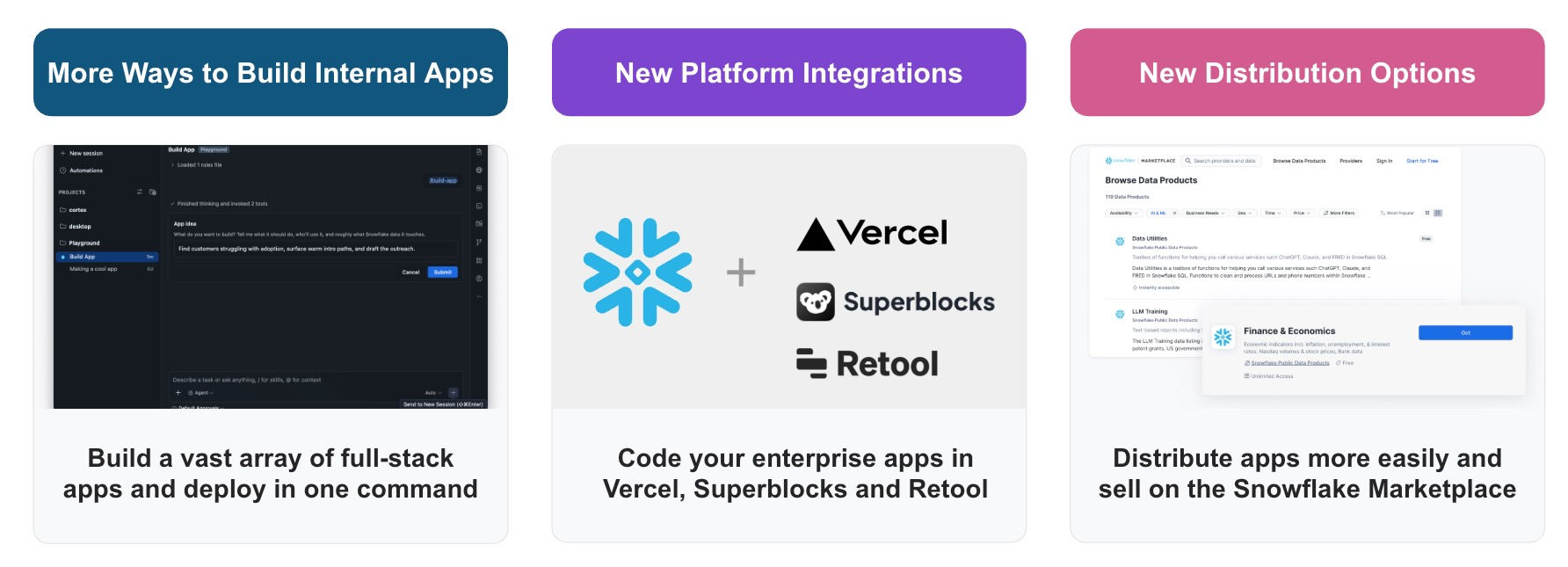
In June 2026, Snowflake announced Snowflake Apps, an umbrella for app building on its platform. It includes Snowflake App Runtime, which runs full-stack apps inside Snowflake, starting with Node.js and Next.js (Python support is forthcoming). App Runtime became widely available in September 2026.
The announcement also covered CoCo, Snowflake's AI coding agent, alongside partner integrations with Retool, Superblocks, and Vercel v0. But despite the AI features, App Runtime is still a tool for developers.
How Snowflake security works when you build an app
Snowflake controls access through the following three surfaces:
- Roles: A role is a named bundle of permissions. Snowflake admins grant roles access to warehouses, databases, and tables, then assign roles to users.
- Row access policies: A row access policy is a rule on a table or view that decides which rows a role can see.
- Masking policies: A masking policy hides some or all of a column's values, such as showing only the last four digits of an ID.
Every app connects to Snowflake as a user, and that user's role decides what the app can access. If an app runs as one shared account, per-user limits usually have to be configured in the app itself.
Note: Row access policies and masking policies need Snowflake Enterprise Edition or higher.
Who each app runs as in Snowflake
The table below shows whose access each app uses to read Snowflake data. OAuth is a standard that lets each person sign in with their own account. A programmatic access token is a secret that Snowflake generates for one user in place of a password.
| Option | Who the app acts as in Snowflake | How per-person limits work |
|---|---|---|
| Streamlit in Snowflake | The app owner's role, by default ("owner's rights") | Viewers need a Snowflake account and access to the app. Restricted caller's rights (container runtime only) lets queries run as the viewer, for privileges an admin allows. |
| Streamlit in Snowflake, embedded for outside viewers | A service user you create | None in Snowflake. Every viewer without an account sees the same data. |
| Snowflake App Runtime | The app's service, or the signed-in user | Signed-in users are Snowflake users. Queries that run as the user follow that user's default role. |
| Retool | A shared credential (token, key pair, or password), or each person's own Snowflake login through OAuth | With a shared credential, limits live in Retool's permissions. With OAuth, Snowflake roles apply per person, but Retool's GUI mode for insert, update, and delete isn't available. |
| Appsmith | A shared credential (password or key pair) | Limits live in the Appsmith app. Its docs don't list per-person Snowflake sign-in. |
| Softr | One Snowflake user with a programmatic access token (Softr recommends a dedicated, read-only user) | Limits live in the Softr app. User groups decide what each person sees, and global data restrictions filter records per person. |
Both models can be secure. Per-person Snowflake roles keep all rules in one place, with the caveat that every user needs a Snowflake account. A shared, read-only user keeps Snowflake simple, but the app itself has to enforce per-person limits reliably.
When Snowflake's native tools are the better fit
Snowflake's native app building options are the right choice in several cases. Choose Streamlit in Snowflake when:
- Your builders write Python.
- The app does analysis, forecasting, or machine learning.
- Everyone who uses the app already has a Snowflake account.
- You want the data and the app to stay inside Snowflake.
Choose Native Apps when you're a software company or data provider distributing an app to Snowflake customers. Choose App Runtime when your developers want a full-stack JavaScript app hosted inside Snowflake.
Limitations of Streamlit in Snowflake
Snowflake's product pages don't cover the trade-offs, but there are several. Teams who run Streamlit in Snowflake report these on r/snowflake and the Streamlit forum, and several are confirmed by Snowflake's own limitations page.
- Cost while apps stay open: On the warehouse runtime, an open app keeps its warehouse active until about 15 minutes after the last activity. Snowflake bills the warehouse for that time. Some users report paying for hours while building or leaving a dashboard open.
- Slow start-up: When a warehouse is suspended, the app takes time to start. Some teams keep warehouses running all day to avoid the wait, which adds to the bill.
- Limited design control: Snowflake blocks scripts and styles from outside domains. Some page settings, like a custom page title and icon, aren't supported.
- Version limits: The warehouse runtime offers a limited choice of Streamlit versions and caps file uploads at 200 MB. The container runtime lifts most of these limits but only supports Python 3.11.
- Release process: Fitting apps into normal code review and deployment can be awkward. On Reddit, some teams say they treat Streamlit as a prototype and move finished apps to a BI tool like Tableau or Power BI.
- Every viewer is a Snowflake user: Sign-in through your identity provider and automatic provisioning make staff access easier. But each person still needs a Snowflake account and the right privileges set up.
- Native Apps that call outside services: An app that calls outside APIs can't do so until the customer approves its app specifications. One builder on r/snowflake said this manual step undercuts the one-click install.
Apps for users without a Snowflake account
Since September 2026, you can embed a Streamlit app in a page you host. All viewers without accounts run as one service user, which means they all see the same data. You also build and host the login, the page, and a backend that requests single-use embed links.
That works when every viewer should see the same data, like in a shared KPI dashboard. But it won't work for something like a client portal where each client sees their own records and no one else's.
When to choose a no-code AI app builder instead
A no-code AI app builder is a better choice when business or operations teams build the app rather than developers, or when your users are clients, partners, or staff who don't have Snowflake accounts. Examples of apps that fall under this umbrella include branded portals, dashboards, and internal tools with their own login.
Softr (a no-code AI app builder) connects to Snowflake on the Enterprise plan. Every Softr app comes equipped with login, user management, permissions, and hosting. Clients and partners sign in to the app through Softr, not Snowflake, and Softr queries Snowflake through one connection without copying any data over.
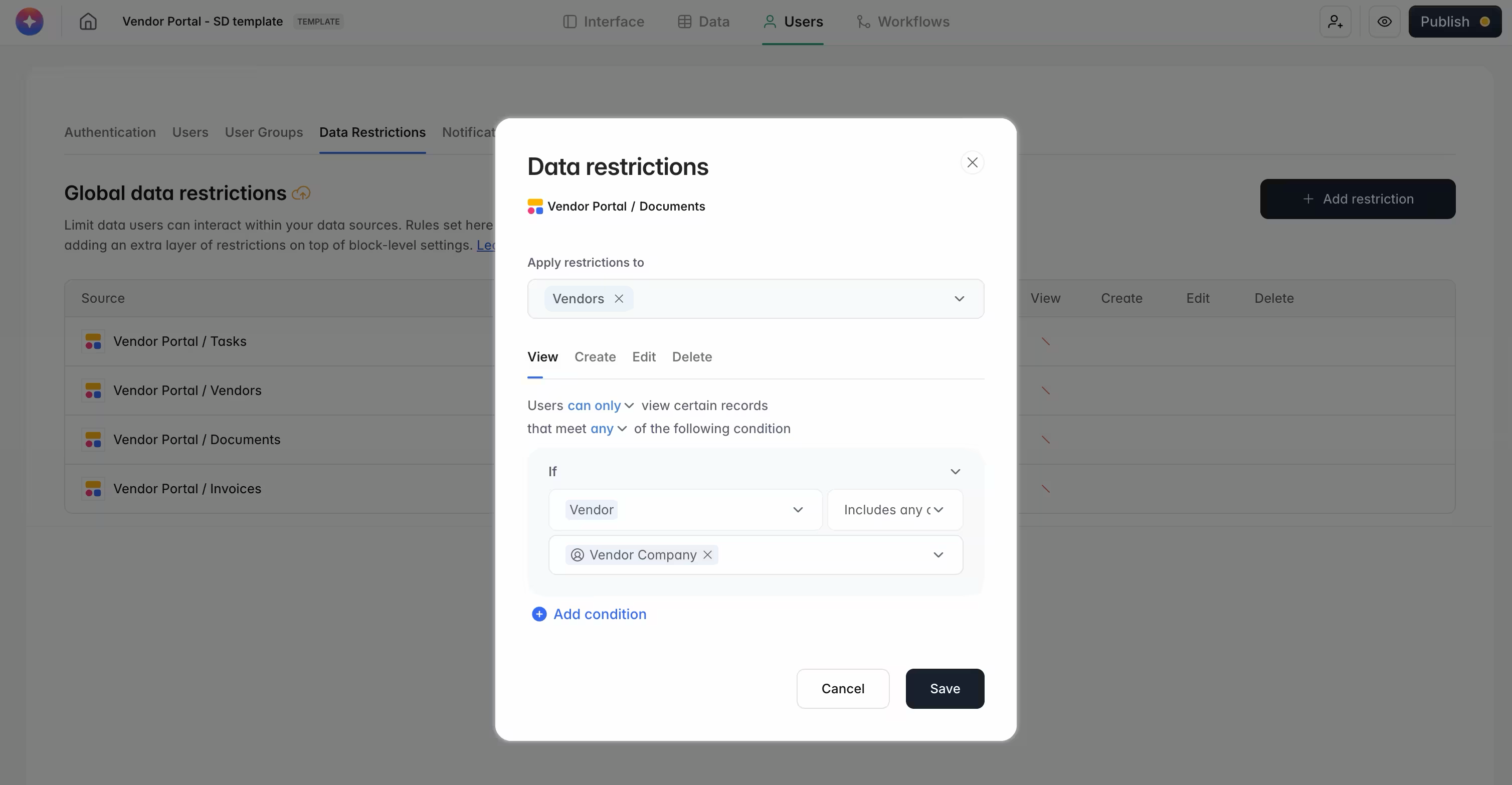
User limits are enforced in the app:
- User groups: User groups control which pages, blocks, and action buttons each person can reach.
- Global data restrictions: Record-level rules apply across the whole app.
- SSO and SCIM: Staff sign in through any standard SAML or OIDC provider (e.g., Okta). SCIM adds and removes users automatically.
- Audit logs: Enterprise audit logs show who changed what and when across every project in your workspace.
Softr connects to 21+ external data sources, so warehouse data can sit next to data from your CRM or project tools. It also has a SOC 2 Type II report and is GDPR compliant.
However, Softr isn't the best choice for every Snowflake app. Consider the following use cases:
- Python and machine learning apps: Use Streamlit in Snowflake.
- Apps you distribute to Snowflake customers: Use Native Apps.
- Apps where people edit Snowflake records: Softr's Snowflake docs cover List, Table, and Chart blocks for viewing data. If your app must write back to Snowflake, talk to our team about your setup first.
Snowflake app options compared
| Option | Who builds | Who uses | Users without a Snowflake account | Edits Snowflake data | Login and permissions | Pricing model |
|---|---|---|---|---|---|---|
| Streamlit in Snowflake | Python developers and data teams | Staff with Snowflake access | Embedding only, as one shared service user | Yes, in code | Snowflake sign-in and roles | No license fee; Snowflake credits for compute |
| Snowflake Native Apps | Software companies and data providers | Other Snowflake customers | No | In the customer's account, with privileges they grant | The customer's Snowflake roles | Set by the provider; runs on the customer's compute |
| Snowflake App Runtime | JavaScript developers | Staff with Snowflake access | Not covered in Snowflake's docs | Yes, in code | Snowflake sign-in and roles | Snowflake credits for compute |
| Retool | Developers (SQL and JavaScript) | Internal teams; external users on paid plans | Yes, with Retool logins | Yes (insert, update, merge) | Retool permissions, or per-person Snowflake OAuth | Per user; free for up to 5 users |
| Appsmith | Developers | Internal teams | Yes, with Appsmith logins | Yes, in SQL queries | Appsmith roles; shared Snowflake credential | Free open-source edition; Business $15/user/month |
| Softr | Business and operations teams, no code | Staff, clients, and partners | Yes, with Softr logins | Viewing data (List, Table, and Chart blocks) | Built-in login, user groups, and data restrictions; SSO and SCIM on Enterprise | Enterprise plan; contact sales |
Teams on Databricks have a similar built-in option, Databricks Apps, which hosts Python and Node.js data apps inside Databricks. For a wider look at these tools, see our guides to Retool alternatives, Appsmith alternatives, internal tool builders, and enterprise app builders.
How to connect Snowflake to Softr
The connection takes just a few steps. More details can be found in our guide on how to connect Snowflake to Softr.
- Prepare a Snowflake user: Create a dedicated user with read-only access to only the warehouse, database, and tables the app needs. In Snowsight, Snowflake’s web interface, generate a programmatic access token for that user. By default, Snowflake also requires a network policy, a list of allowed network addresses, before the token works.
- Connect Snowflake in Softr: Go to Integrations, click Connect new, and choose Snowflake. Enter a name, the account identifier (in
orgname-account_nameformat), the user, and the token, then click Connect. - Add blocks to your app: Add a List, Table, or Chart block. In its source settings, choose the database, schema, and table, then map the columns to the block’s fields.
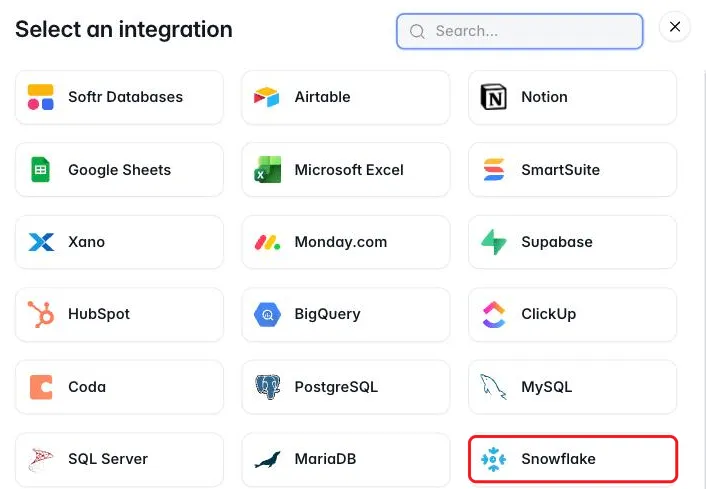
The warehouse, role, and database fields in step 2 are optional. When you leave them empty, Softr uses that user’s defaults in Snowflake. And remember to set up user groups and global data restrictions (if needed) before you share the app.
Security checklist for apps on Snowflake
Use this checklist whichever option you choose:
- Create a dedicated Snowflake user for each app.
- Give that user a role with the least access the app needs.
- Keep the connection read-only unless the app must write data.
- Expose views, not raw tables, so the app sees only the columns it needs.
- Add a network policy that limits where connections can come from.
- Track token expiry, and set a reminder to rotate tokens before they expire.
- Add row access policies to the app's role where you have Enterprise Edition.
- Set per-person limits in the app, and test them by previewing as different users.
- Use SSO and SCIM for app users, so access ends when someone leaves.
- Turn on audit logs in both Snowflake and the app.
Choose by who builds and who uses the app
The right tool depends on two questions: who builds the app, and who uses it. Python teams building for Snowflake users should start with Streamlit in Snowflake. Business teams building portals and dashboards for clients, partners, or wider staff need an app with its own login and per-person limits. See Softr for Enterprise to connect Snowflake and talk to our team about your setup.
Frequently asked questions
What is Streamlit in Snowflake used for?
What are the limitations of Streamlit in Snowflake?
What's the difference between Streamlit in Snowflake and Snowflake Native Apps?
Can people without a Snowflake account use an app built on Snowflake data?
Is Streamlit in Snowflake expensive to run?