



SAP Build, formerly Appgyver, has been struggling to keep users since its acquisition in 2021. With its limited scalability, complex pricing model, and infrequent product updates over the years, SAP Build is no longer the top choice for business builders. Here are the best alternatives for 2026, with better accessibility, pricing, and integrations.
Best SAP Build alternatives at a glance
| Tool | Best for | Standout features | Pricing |
|---|---|---|---|
| Softr | Business apps without code, at any company size | Unlimited apps and forms for up to 3 builders on the free plan, which doubles as a trial | Free plan; paid from $19/month |
| Webflow | Marketing sites with design control | Free Starter plan on a Webflow subdomain, paid Site plans | Starter free; Basic $15/month; Premium $25/month |
| Draftbit | Mobile apps with source code access | Tiered apps, collaborators, and source code access | Free plan; Basic $29/month; Pro $79/month; Team $249/month |
| Airtable | Structured data behind an app | Free up to 5 editors and 1,000 records per base, per-editor paid tiers | Free; Team $20/editor/month; Business $45/editor/month |
| Zapier Forms | Forms attached to existing Zapier automations | Basic Forms on all Zapier plans, custom branding and domains as an add-on | Included in Zapier plans; branding add-on $20/month |
How we chose the best SAP Build alternatives of 2026
Choosing the right SAP Build Apps alternative can completely reshape your app development experience. We’ve thoroughly analyzed different platforms to help you decide based on key factors.
- Cost-effectiveness: We reviewed pricing plans for clarity and flexibility to ensure you get great value. We also considered free options, scalability, and any hidden fees.
- Ease of use: A user-friendly interface and simple learning process make app building easier. We focused on alternatives with drag-and-drop builders, helpful guides, and supportive onboarding.
- Feature set: A strong selection of features is crucial. We evaluated the range of components, templates, and customization options, along with the ability to create complex, data-driven apps.
- Performance and reliability: We check each platform's speed, uptime, and overall reliability before recommending it. We also assess how well apps can scale with each option.
- Customer support and community: Good support and an active user community are key for troubleshooting. We looked for platforms with various support options and engaging forums.
- Integration capabilities: Modern businesses need to connect with other tools for their apps. We evaluate each platform's API, iPaaS support, and pre-built integrations to see how well they work with other data sources.
1. Softr
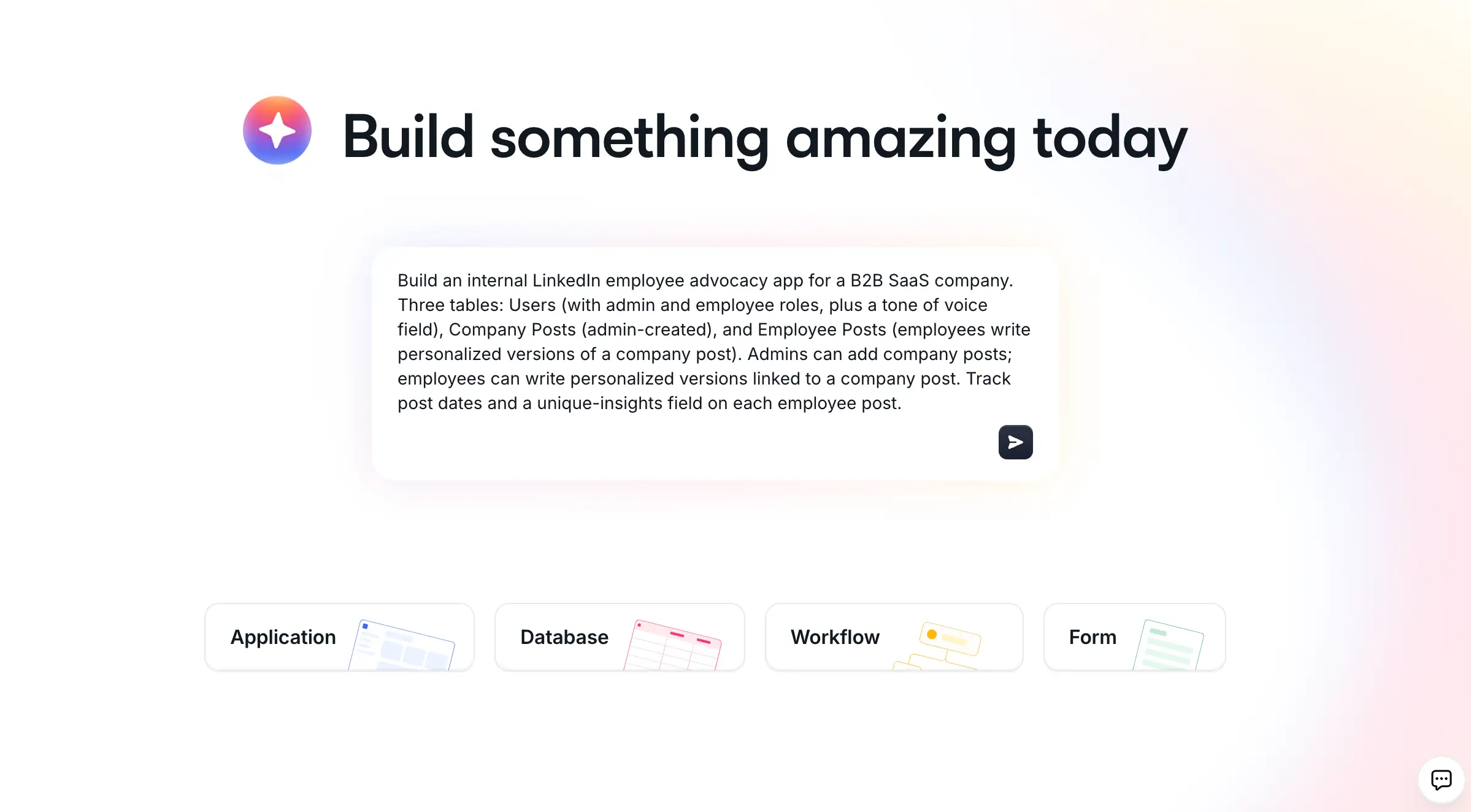
Softr is the first AI-native platform for building business software without code. You describe what you need, and Softr's AI Co-Builder instantly creates the database, app, and business logic, already connected, secure, and ready for real users. It's perfect if you want to build internal tools, client portals, CRMs, or other data-driven business apps without writing a single line of code.
You get three ways to build software (generate with AI, start from a template, or build from scratch), and you can switch fluidly between AI prompting and visual editing at any time. If you already work in Claude, ChatGPT, or Cursor, connect the Softr MCP to create and update your databases, pages, and workflows directly from your chat. The AI accelerates your work without ever becoming a dependency. Every app ships production-ready and secure from day one, instead of the fragile, hard-to-maintain output that vibe-coded apps tend to produce. That's why Softr is trusted by more than 1 million builders and 7,000+ organizations, from startups to teams at Netflix, Google, Stripe, and MIT.
Key features
- AI Co-Builder: Describe your use case and the AI Co-Builder generates a complete, working application: database tables with relationships, pages with navigation, blocks matched to your needs, and user groups with the right permissions. The same Co-Builder keeps helping inside the editor, so you can add pages, configure blocks, or build automations just by describing them.
- Softr Databases first, plus 21+ external sources:Start with Softr Databases, a native, relational, AI-ready database built for business data. If your data lives elsewhere, Softr also connects to 21+ external sources like Airtable, Google Sheets, HubSpot, and SQL databases, with real-time synchronization.
- Softr Workflows for automation: Use native Softr Workflows triggered directly from your app's interface (like an action button or form submission), or connect to Zapier, Make, and n8n via native integrations. Instant data-source triggers, loops, conditional branching, and in-flow AI steps let you orchestrate complex operational logic natively.
- Production-ready and secure from day one: Every app ships with authentication, user management, granular permissions, hosting, and enterprise-grade security (SOC 2 Type II) already built in. There's no generated code to test or deploy, so you can invite clients or employees the moment you publish.
- Vibe Coding block for the last 20%: Pre-built blocks cover roughly 80% of any business app. For unique UI needs, the AI-powered Vibe Coding block generates custom components that safely inherit your app's data, theme, and permissions.
Pros
- AI Co-Builder generates a complete app from a prompt
- Hybrid build: AI-first, not AI-only (switch to visual editing anytime)
- Production-ready and secure from day one
- Native database and workflows, plus extensive integrations
- Unlimited apps on all plans, with up to 3 builders on Free
Cons
- No native app store publishing (apps are web and PWA based)
- Focused on business apps rather than native mobile games or graphics-heavy apps
Pricing
Softr has flexible pricing, making it very cost-effective for businesses of any size. The free plan doubles as a trial, and includes unlimited apps and forms for up to 3 builders. Paid plans start at $19 per month for the Basic plan, with the Pro plan at $99 per month adding custom user groups, removing Softr branding, custom code, and advanced permissions ideal for internal tools and client portals.
Best suited for
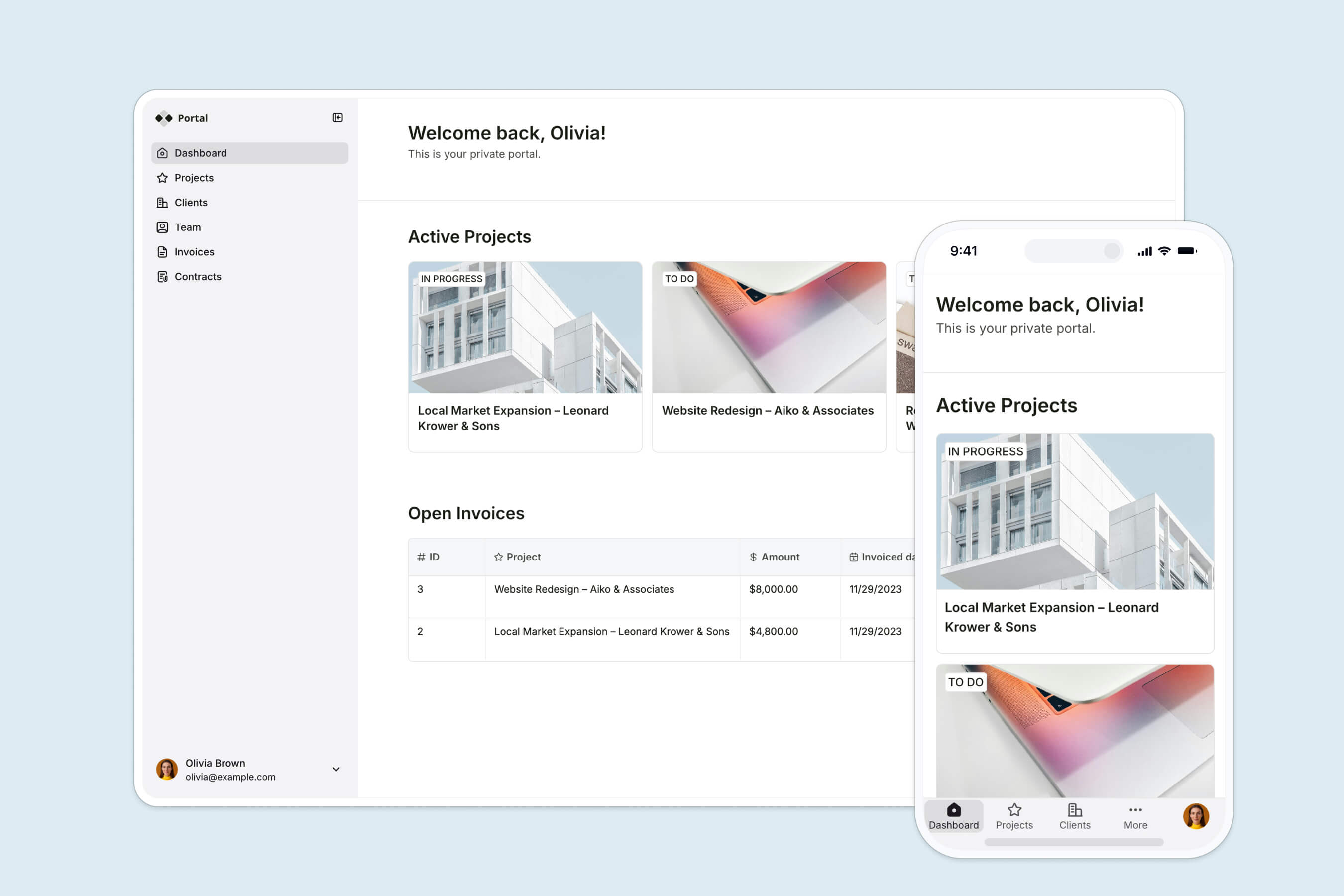
Softr appeals to users across all ends of the business spectrum, from solopreneurs to multinational corporations. It's especially well suited to business operators (ops managers, founders, department heads) who know their business logic inside out but don't want to manage code. Here are some common use cases for Softr:
- CRM system: Build a customer relationship management system to track leads, manage interactions, and monitor sales pipelines, all running on Softr Databases for real-time updates.
- Employee portal: Create an internal portal for employees to access resources, submit requests, and collaborate on projects easily.
- Client portal: Develop a secure client portal where clients can log in to view project updates, access files, and communicate with service providers.
- Vendor and partner portals: Surface only the information relevant to each external partner, with granular permissions controlling who sees what.
- Inventory management: Create an inventory management system to track stock levels, manage orders, and generate reports.
- Project management: Build a project tracker for teams to plan, monitor, and collaborate on work with real-time updates and task management.
How to build your app with Softr
- Open the Softr studio and describe the app you want to build in plain language.
- Answer a couple of quick scoping questions so the AI Co-Builder understands your use case (or skip them and start from a template or blank canvas instead).
- Let the AI Co-Builder generate your database, pages, blocks, and user permissions in minutes.
- Refine anything visually, add Softr Workflows for automation, then publish and invite your users.
2. Webflow
Webflow is a powerful visual development platform for creating advanced web applications without extensive coding skills. It's a strong choice for designers and developers who want to build interactive, tailored, data-driven web applications with a polished interface.
Webflow combines the flexibility of custom code with the convenience of a visual editor. The platform excels at connecting design and development, enabling you to prototype and iterate collaboratively.
Key features
Visual development environment: Webflow's drag-and-drop interface makes it easy to design complex web applications visually, allowing you to build complex layouts and interactions without coding.
CMS, API, and database capabilities: The platform has a powerful content management system for creating dynamic, data-driven applications. You can define custom content structures, establish connections between content types, and create APIs, simplifying the development of sophisticated web applications.
Custom code integration: Webflow lets you integrate custom HTML, CSS, and JavaScript for use cases that go beyond what the visual editor alone can produce.
Interactive animations: Webflow provides tools for crafting complex interactions and animations without coding, making it well suited for interactive web applications with smooth transitions and dynamic elements.
Pros
- Powerful visual development tools
- Extensive design customization
- CMS capabilities
- Custom code integration
Cons
- Steeper learning curve
- Limited backend programming options
- Higher pricing for advanced features
Pricing
Webflow offers a free Starter plan for prototyping on a Webflow subdomain. Paid Site plans are Basic at $15/month and Premium at $25/month (both billed annually), with Enterprise available on custom pricing. The Premium plan consolidates what were previously the CMS and Business tiers, and includes 20,000 CMS items and 40 CMS Collections by default. Workspace seat costs and add-ons like Optimize and Localize stack on top of Site plan pricing depending on your team's needs.
3. Draftbit
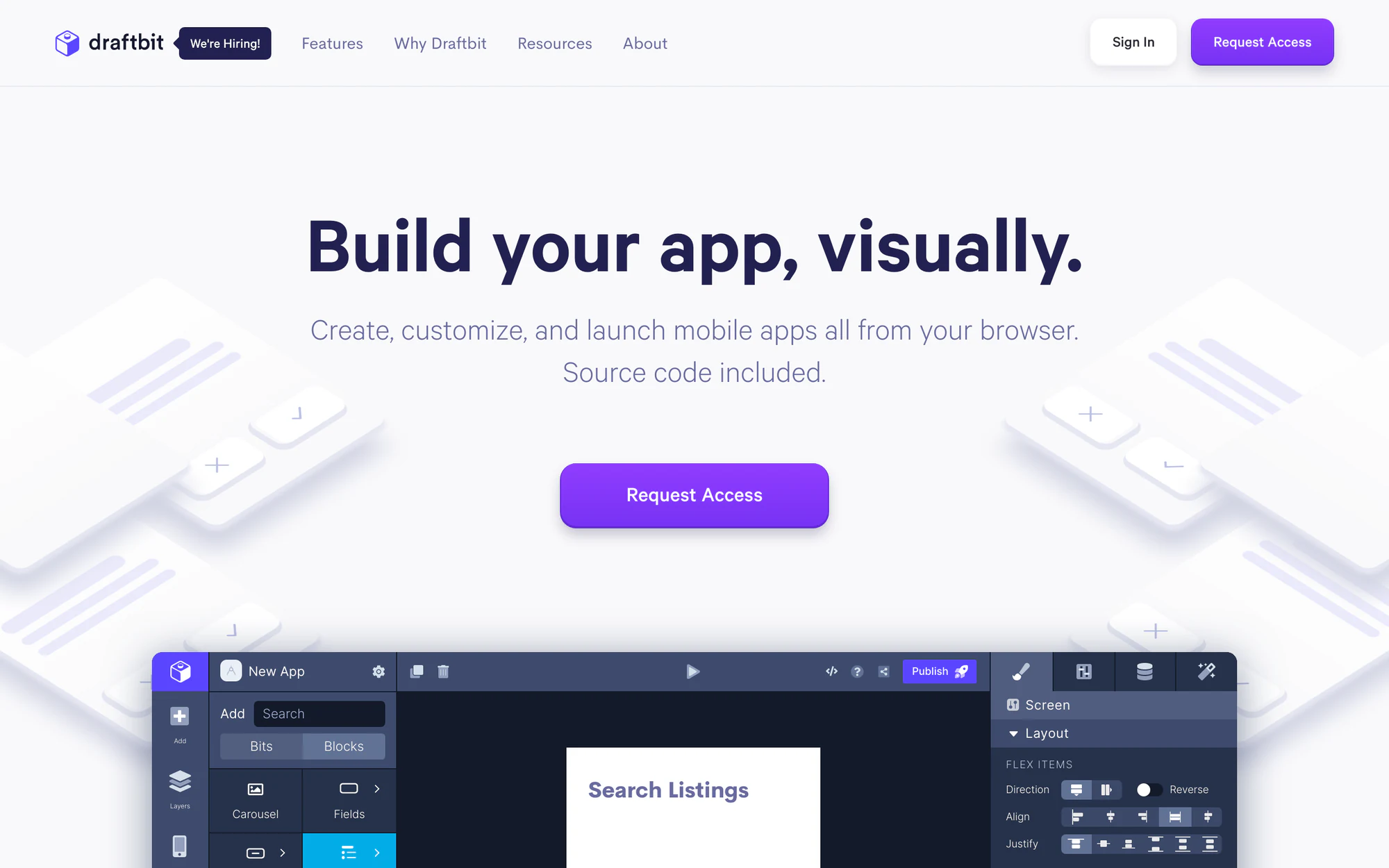
Draftbit is a no-code/low-code platform designed for creating native mobile applications. It excels at generating production-ready apps for both iOS and Android without requiring extensive coding expertise, making it a solid option for startups, entrepreneurs, and small businesses looking to launch mobile apps quickly.
By using React Native, Draftbit lets you create native mobile apps with strong performance and user experience. Its component library supports rapid prototyping for apps that can be published directly to app stores.
Key features
Visual development environment: Draftbit's drag-and-drop UI lets you design and structure mobile apps visually, creating sophisticated applications with native functionality even without deep technical skills.
React foundation: By using React Native, Draftbit ensures apps perform natively and can access device-specific features. This foundation also allows custom code integration for more advanced development.
Extensive component library: The platform provides a wide selection of pre-built, customizable components covering most mobile app functionality, making it easy to assemble complex layouts without coding.
Direct app store publishing: Draftbit simplifies deployment by managing app store submission complexities, allowing users to publish directly to the Apple App Store and Google Play Store from within the platform.
Pros
- Native mobile app creation
- Publish directly to app stores
- Lots of templates to choose from
Cons
- Limited web app capabilities
- Steeper learning curve for non-technical users
- Subscription-based pricing model
Pricing
Draftbit offers a free plan plus paid tiers: Basic at $29/month, Pro at $79/month, and Team at $249/month. Each tier unlocks additional apps, collaborators, and source code access. Given limited recent activity on Draftbit's public pricing page, it's worth confirming current rates directly on their site before committing.
4. Airtable
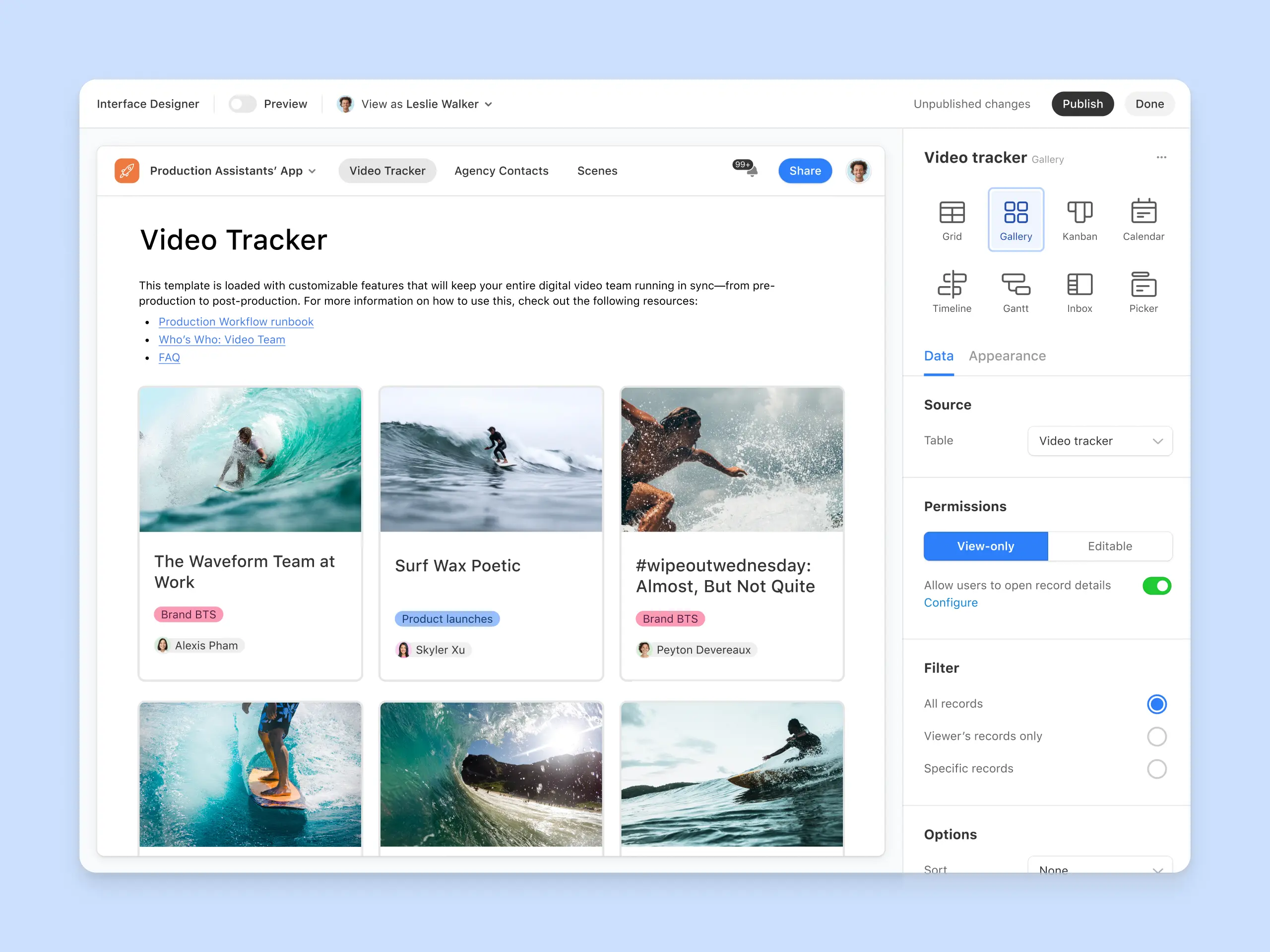
Airtable's AI-powered interface builder lets you generate data-intensive applications from natural language prompts, using Airtable's no-code infrastructure as the foundation. It's a good fit for businesses and teams that want to develop data-heavy applications without extensive technical skills, particularly if their data already lives in Airtable.
The platform combines large language models with Airtable's relational database and interface tools, letting you turn ideas into working applications quickly and making app creation more accessible across an organization.
Key features
Natural language app generation: Airtable's AI tools let you describe your desired app in plain terms and generate a tailored structure, including data tables, interfaces, and basic functionality.
Extensive customization options: Beyond the initial generated structure, you can modify tables, fields, interfaces, and more to match your exact business needs.
Integration with Airtable's ecosystem: Apps built this way work seamlessly with Airtable's existing automations, forms, and interfaces, enabling interconnected workflows with efficient data management.
Intelligent data structuring: Airtable's AI can generate multiple interconnected tables, establish relationships between data, and create example records — giving you a strong foundation for data-driven apps.
Pros
- Rapid app development
- No coding required
- Highly customizable results
- Leverages advanced AI technology
Cons
- Limited to the Airtable ecosystem
- Potential learning curve for customization
- Features may require plan upgrades
Pricing
Airtable's 2026 pricing has four tiers: Free (up to 5 editors, 1,000 records per base), Team at $20/editor/month billed annually, Business at $45/editor/month billed annually, and Enterprise Scale with custom pricing. Note that external client access requires a separate Portals add-on, and AI features run on a monthly credit system that can add meaningfully to your total cost at scale.
5. Zapier Forms

Zapier Forms is a no-code platform that helps you create integrated workflows and custom web applications effortlessly. It connects seamlessly with Zapier's extensive app integrations, making it perfect for businesses wanting to automate and streamline processes across various tools and services.
The platform blends easy visual app building with the strength of Zapier's automation features. This combination lets you design interconnected applications that work with thousands of popular apps and services, all without needing to write any code.
Key features
- Drag-and-drop interface builder: With Zapier Forms, you get a user-friendly visual editor to create custom web applications using ready-made components. Quickly develop forms, landing pages, and interactive dashboards without needing any technical skills.
- Seamless integration with Zapier ecosystem: One of the best parts is its strong connection to Zapier's vast library of app connections. You can easily link your custom interfaces to over 6,000 apps, enabling you to create complex automated workflows across multiple services.
- AI-powered components: Zapier Forms comes with smart features like AI chatbots and AI prompts. You can customize these components for your applications, helping your business use artificial intelligence to improve user interactions and process data more effectively.
- Data management with Zapier Tables: The platform works closely with Zapier Tables, giving you a robust database solution for storing and managing data collected through your interfaces. This integration helps you build dynamic, data-driven applications with real-time updates.
Pros
- Extensive app integration capabilities
- No coding required
- Rapid development and deployment
- AI-enhanced components available
Cons
- Limited design flexibility
- Zapier familiarity required
- Some integrations require additional setup
Pricing
A basic version of Forms is included across all Zapier plans. Custom branding, custom domains, and the ability to remove Zapier branding are available at $20/month on top of your base Zapier subscription. Zapier's base plans in 2026 start with a free tier (100 tasks/month), with the Professional plan from $29.99/month and the Team plan from $103.50/month.
Why we think Softr is the best SAP Build alternative
Softr shines as the leading SAP Build alternative, thanks to its unique blend of power, flexibility, and reliability. With the AI Co-Builder, you describe what you need and get a complete, working app: database, pages, and permissions, all connected and ready for real users. That cuts development time, costs, and IT involvement to a fraction of traditional approaches.
What truly sets Softr apart is that you aren't locked into AI prompt loops. Unlike pure vibe-coding tools that hand non-technical teams hard-to-maintain code, Softr pairs AI speed with a secure no-code foundation. Every app ships production-ready from day one, with authentication, permissions, hosting, and enterprise-grade security built in. When you want precision, you switch from prompting to visual editing without ever starting over.
It's also a full-stack platform. You start with Softr Databases (or connect to 21+ external sources like Airtable and Google Sheets), automate with native Softr Workflows triggered straight from your app's interface, and extend the UI with the Vibe Coding block when pre-built blocks aren't enough. That combination lets you launch and evolve complex business apps far faster than traditional development methods.

Ready to see the future of app development? Try Softr for free today and see how quickly you can bring your app ideas to life.


