Obsidian vs Notion: Which one is right for you? [2026]

.webp)
[.blog-callout]
✨ TL;DR:
- Obsidian is a note-taking app built for personal knowledge management. It gives you full control over your notes, which are stored as local Markdown files on your device. You can link ideas and build a system that fits how you think—but everything is DIY, and it’s not designed for collaboration or managing projects.
- Notion is a flexible workspace for organizing team work and information. It combines docs, databases, and basic workflows in one place, making it easy to manage projects, wikis, and internal systems. But as complexity grows, teams often run into limits around performance, permissions, and automation.
- Softr is a better choice for teams that need to move from managing projects to running real operations. You can build tools like project management portals, client portals, CRMs, and internal tools where people can log in, update data, and move work forward. Unlike Notion and Obsidian, Softr lets non-technical teams use AI to build and manage their apps, data, permissions, and automations on their own.
[.blog-callout]
You’ve already done the hard part.
You’ve built a system that makes sense—your notes are structured, your projects are tracked, and you’re not digging through five tools to find what you need. Whether it’s Notion or Obsidian, you’ve put real thought into how your work is organized.
And for a while, that holds up.
Then the small things start to shift. A tracker turns into something your team depends on. Someone needs access, but not to everything. Updates happen in a doc, then somewhere else. You start adding rules, workarounds, little fixes to keep things moving.
Nothing is technically broken. But the system you built to support your work starts needing support itself.
That’s usually the point where people begin comparing tools—not because they want something new, but because what worked at the start doesn’t quite hold up under real use.
In this guide, we’ll look at where Notion and Obsidian actually shine, where they start to fall short, and how to choose based on what you’re trying to do next.
What is Notion?
.webp)
From jotting down notes to managing doc and tracking projects, Notion’s workspace is downright hybrid.
But if you were to drill it down, you use it to organize information into pages and databases, then view and connect that data in different ways—like tables, boards, or timelines.
Notion also includes built-in AI that can search your workspace, generate content, and update data. Basic automations can run when things change in a database, but they’re limited compared to dedicated tools.
In practice, Notion works best as a place to structure and connect information. Teams often use it instead of separate tools for docs, wikis, and simple trackers.
It starts to struggle when you treat it like a full system. Large datasets can slow down, permissions are hard to manage at scale, and more complex workflows usually need external tools.
Notion's key features
- Relational databases (linked data across pages): Notion’s core system lets you connect databases using relations and rollups, so you can link projects, tasks, clients, or content in one structure. One dataset can power multiple views (table, board, calendar), which makes it flexible for building custom workflows.
- Custom views on the same data: You can switch between Kanban boards, calendars, timelines, and lists without duplicating data. Teams use this to manage the same work from different perspectives (e.g. editorial calendar vs. pipeline tracker).
- Page + block editor: Everything is built with modular blocks inside pages—text, embeds, databases, code, and more. You can nest pages, reuse synced blocks, and create structured docs or dashboards without rigid templates.
- AI across workspace: Notion AI can search across your workspace and connected tools, summarize documents, generate content, and update entries. It works on top of your actual data, not just blank prompts.
- Database automations: You can trigger actions when data changes (e.g. status updates, new entries). This supports basic workflows like assigning tasks, updating fields, or generating content automatically.
- API and integrations: Notion offers an API and supports integrations with tools like Slack, Google Drive, GitHub, and Jira. Synced databases let you bring external data into Notion and keep it updated.
Notion cons
- Performance slows with scale: Large databases (thousands of records) and heavily linked systems can become slow to load, filter, and search. This shows up quickly when teams try to use Notion for CRM-like or operational data at scale.
- Limited permissions for complex setups: Access control is still basic compared to dedicated tools. Managing who sees what—especially across teams, clients, or external users—often requires workarounds and careful structure.
- Shallow automation for real workflows: Native automations handle simple triggers (e.g. status changes) but lack advanced logic, branching, and multi-step orchestration. Teams often rely on tools like Zapier or Make for anything more complex.
- Not built for full operational systems: While flexible, Notion struggles when used as a backend for complex processes. Advanced use cases (inventory, large CRMs, multi-step workflows) can become hard to maintain and require additional tools.
Who Notion is best for
- Small to mid-sized teams managing docs + projects in one place: Notion works well for teams that want to keep documentation, tasks, and project tracking connected. It’s commonly used to manage meeting notes, internal docs, and project workflows without switching tools.
- Operations, product, and marketing teams building custom workflows: Teams that need flexible systems, like campaign tracking or roadmaps, benefit from Notion’s database structure and multiple views.
- Companies building internal knowledge bases (wikis): Notion is widely used as a central hub for SOPs, onboarding materials, and internal documentation. Its page structure and search make it easy to organize and maintain company knowledge.
- Startups and individuals replacing multiple tools with one system: Early-stage teams and solo operators often use Notion to combine docs, task management, and lightweight tracking systems (like simple CRMs) into a single workspace, especially when speed and flexibility matter more than scale.
Notion pricing
Notion uses a per-user pricing model with four tiers, plus AI usage layered on top.
- Free: Basic plan for individuals. Includes pages, simple databases, forms, and limited file uploads. AI features are available as a trial.
- Plus ($10/user/month): Designed for small teams. Adds unlimited blocks and uploads, longer page history, and basic integrations. Still includes limited AI access.
- Business ($20/user/month): Adds more advanced team features like private teamspaces, verified pages, granular database permissions, and admin controls. AI tools (including agents and meeting notes) are included, with usage limits.
- Enterprise (custom pricing): Built for larger organizations.
AI usage (including agents and advanced features) is credit-based on paid plans, which means costs can scale depending on how much you use it.
[.blog-callout]
✨Turn Notion into a real operational system
Notion is great for organizing notes and data, but it’s not built to run workflows or manage user access at scale. With Softr, you can turn your Notion databases into secure apps, like client portals or internal tools, where each user can securely log in, interact with data, and trigger workflows without touching Notion itself.
[.blog-callout]
What is Obsidian?
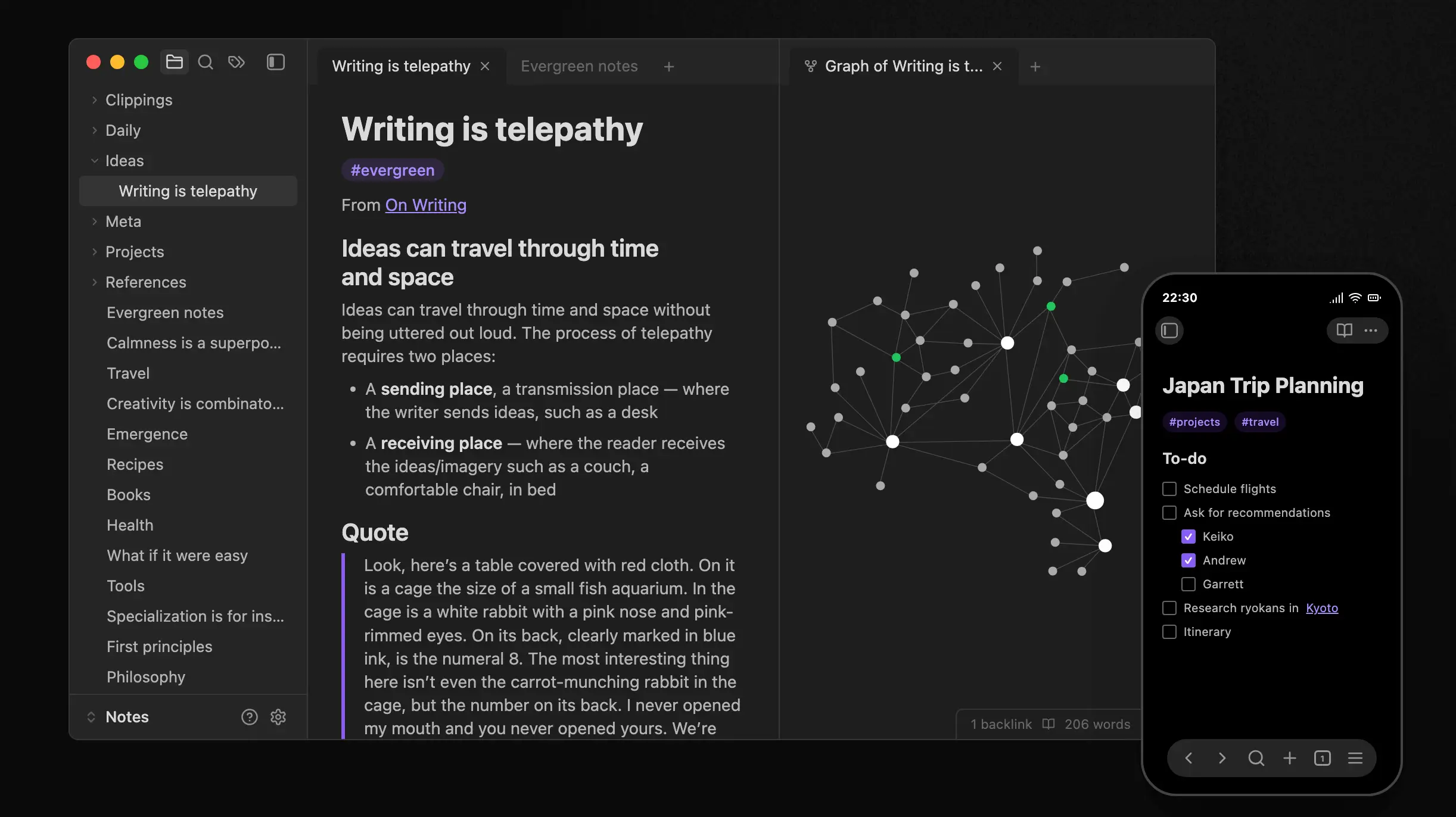
Obsidian is, first and foremost, a note-taking app. Note the emphasis on the word app here: it’s not available on desktop.
It works by storing your notes as simple text files inside what it calls "vaults”, but which really just refers to folders in your operating system. You can use the app to link notes, navigate connections, and organize information—but all this data remains independent of the tool.
People use Obsidian to build personal knowledge systems so they can research notes, writing environments, or long-term archives. It doesn’t come with predefined workflows or structure, so everything depends on how you set it up.
It’s great for your own thoughts and notes, but not for running long-term projects or managing other people.
Obsidian's key features
- Local Markdown files (no lock-in): Notes are stored as plain
.mdfiles on your device. You can access, edit, or move them outside Obsidian at any time. - Bidirectional links: You can link notes together and see where each note is referenced. This makes it easier to build connections across ideas instead of relying on folder structures.
- Graph view: Shows a visual map of how notes are linked. Useful for navigating large sets of notes, though it can get cluttered as they grow.
- Plugin system: Most advanced functionality comes from plugins (e.g. tasks, databases, spaced repetition). This makes the tool flexible, but also means setup takes time.
- Canvas: Lets you arrange notes and files on an open board. Typically used for planning or mapping ideas visually.
- Offline-first (fast, but isolated): Works fully offline and is generally fast because everything is local. Sync and sharing are optional and require additional setup.
Obsidian cons
- Steep learning curve and full DIY setup: Nothing is set up for you—you have to organize everything yourself. To get real value, you need to design your own system, which can be overwhelming without prior experience.
- Heavy reliance on plugins: Many advanced use cases (tasks, databases, automation) depend on community plugins. This adds setup time and can lead to fragile or hard-to-maintain systems.
- Weak mobile experience and quick capture: The mobile app is slower and less reliable than desktop, especially with plugins. Many users rely on separate apps for fast note capture.
Who Obsidian is best for
- Individuals building personal knowledge systems: Obsidian works best for people managing their own notes—researchers, writers, and knowledge workers who want to organize and connect ideas over time.
- Users who care about data ownership and longevity: Those who prefer local storage and open formats (Markdown) use Obsidian to keep full control over their data without relying on a platform.
- Power users who want full control and customization: People comfortable setting up their own workflows can shape Obsidian into anything from a writing tool to a structured note system using plugins.
- Offline-first workflows and focused work: Users who prioritize speed, offline access, and minimal distractions benefit from Obsidian’s local-first setup, especially for deep work and long-form thinking.
Obsidian pricing
Obsidian uses a modular pricing model. The core app is free, and paid add-ons cover sync and publishing. Listed prices reflect annual billing.
- Free (core app): Fully free with no limits. Includes local storage, plugins, and all core features—no account required.
- Sync ($4/user/month): Optional add-on for syncing notes across devices with end-to-end encryption, version history, and shared vaults.
- Publish ($8/site/month): Publish notes as a website with hosting, search, and basic customization.
- Optional licenses:
- Catalyst ($25 one-time): Early access builds and community perks
- Commercial ($50/user/year): License for business use and to support development
Obsidian vs Notion: Pricing compared
Both tools offer a free starting point, but they price very differently. Obsidian keeps the core product free and charges only for optional add-ons. Notion uses a per-user subscription model, with more features unlocked as you move up tiers.
Key differences
- Starting cost: Both offer free plans, but Obsidian’s free version includes all core functionality. Notion’s free plan is more limited and mainly suited for individuals.
- Pricing model: Notion charges per user per month, which scales with team size. Obsidian is free by default, with optional add-ons (Sync, Publish) paid separately if needed.
- What you pay for: With Notion, you pay to unlock features (permissions, admin tools, AI). With Obsidian, you pay for convenience (sync across devices, publishing), not core functionality.
- Scaling costs: Notion costs increase predictably as you add users and upgrade plans. Obsidian remains low-cost for individuals, but costs can add up if you need Sync for multiple users or shared setups.
- AI and advanced features: Notion includes AI features in paid tiers, with usage-based limits. Obsidian doesn’t include native AI—most advanced functionality comes from plugins, often free or community-built.
Verdict
Obsidian is more cost-effective if you’re working individually and don’t need built-in collaboration or AI. Notion is easier to scale across teams, but costs grow with users and feature needs.
Obsidian vs Notion on Reddit
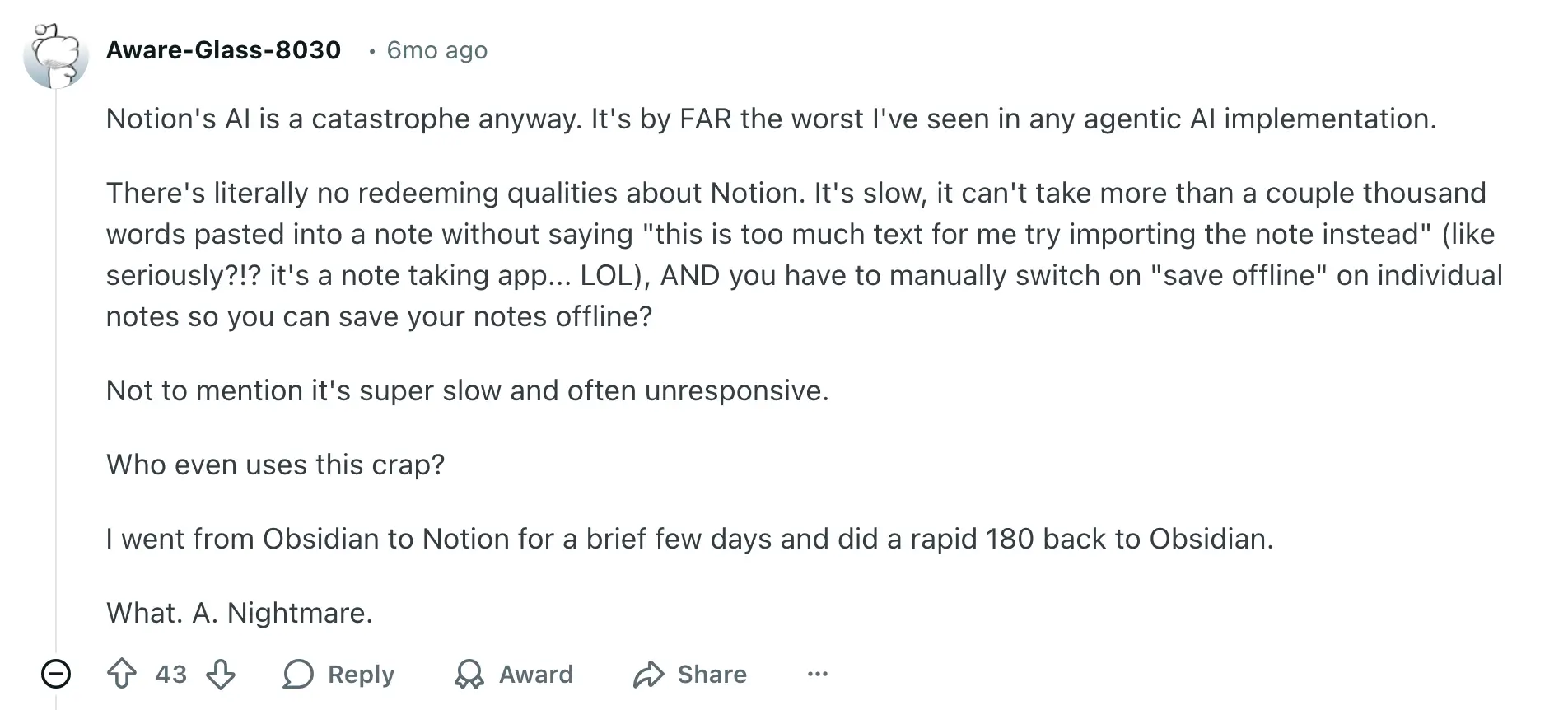
Some users run into performance issues quickly with Notion, especially with large notes or always-online workflows. This reinforces that Notion can struggle as systems grow or depend on constant responsiveness.
On the other hand, even interested users hesitate to switch to Obsidian, because it takes time to learn Markdown, plugins, and customization. The flexibility comes with a real setup cost.

Users who don’t want to spend time configuring tools often prefer Notion because it provides a ready-made system, while Obsidian requires building everything from scratch.

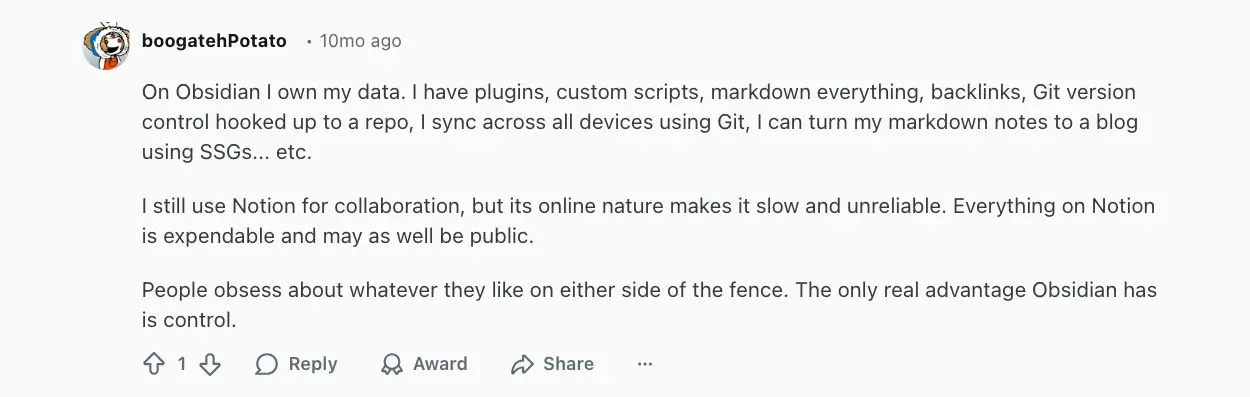
Power users value ownership, local storage, and the ability in Obsidian to customize everything—even if it means using external tools (like Git) and managing their own workflows.
Obsidian vs Notion: a summary
- Notion is a shared workspace, and Obsidian is a personal system: Notion is designed to help teams organize and collaborate around structured data and workflows. Obsidian is built for individual thinking, where notes stay local and connected over time.
- Structure vs flexibility: Notion gives you a starting point—databases, views, and basic workflows you can use immediately. Obsidian gives you full control, but you have to design everything yourself, from structure to workflows. Requires a bit of a technical thinking, and that’s where many users struggle or drop off.
- Operations vs knowledge: Notion can support lightweight workflows and team coordination (until complexity or scale becomes an issue). Obsidian is better for writing, research, and long-term knowledge—but doesn’t support collaboration or real workflows.
- Where friction shows up: Notion users often run into performance and flexibility limits as systems grow. Obsidian users struggle upfront with setup, customization, and maintaining their system over time.
If you want something that works out of the box for a team, Notion is the easier choice.
And if you’re willing to invest time to build a system around how you think, Obsidian gives you more control.
Softr: the best for running entire projects and operations on one platform
%20(1).webp)
Most teams don’t struggle with writing notes or storing data—they struggle with running actual operations on top of that data.
Notion helps you organize work. Obsidian helps you think. But once you need to manage real workflows, like tracking clients, handling requests, or giving users access to specific data without leaking any info, you start stitching tools together or building workarounds.
Softr is built for that layer.
It lets you take structured data and turn it into working systems, such as client portals, knowledge management systems, directories, meeting task managers, and project trackers, where your teams and customers can securely log in, take action, and create automated workflows.
And most importantly, the building process takes literal minutes. You describe the type of app you need and the AI generator takes you there in minutes, compiling the database, interface pages, and business logic already connected. You can continue prompting the AI or switch to the visual builder at any time. Besides, you can always pick a pre-built template to makes things a hundred times easier for you.
Why teams choose Softr over Obsidian vs Notion
- AI App Builder: Generate full-stack apps in minutes from a prompt. It'll structure a secure relational database for you, build an interface on top of it, and configure business logic for utility pages, permissions, and workflows.
- From notes to workflows: Notion and Obsidian help you store and connect information. Softr lets you act on it—submit requests, update records, trigger workflows, and manage processes end to end.
- Built-in user access and permissions: Instead of sharing pages or docs, you can create real user experiences. Each user logs in and sees only their data, with permissions handled at the app and record level.
- Database AI agents: Automate repetitive data work directly inside your database. Agents can clean, enrich, categorize, and summarize records, extract details from files, or pull information from the web to keep datasets accurate without manual updates.
- All parts of the system in one place: Database, frontend, and workflows are connected by default. You don’t need plugins, external automations, or custom setups to make things work together.
- Import data in seconds: Upload spreadsheets or import existing datasets from tools like Google Sheets, Airtable, or CSV files without manual formatting. Softr automatically maps fields and lets you start working with your data immediately.
- Works out of the box, and scales with complexity: Unlike Obsidian, you don’t start from a blank system. Nor are you limited to lightweight workflows with Notion. Instead, you can build structured, repeatable processes that hold up as your team grows.
- No developer dependency: You can build and update your apps yourself, without managing code, debugging plugins, or waiting on engineering resources.
- Enterprise-grade performance and security: Handle large datasets with infrastructure designed for scale while supporting compliance standards like GDPR and SOC 2.
- Builder seats included: Up to 3 builders can work in your databases on the free plan, and app users never need a builder seat.
Softr pricing
Softr’s pricing is flat and predictable. Every plan includes a monthly AI credit allowance, so you can try the AI Co-Builder and Vibe Coding block at no cost.
- Free: Unlimited apps, with access to Softr Workflows and Softr Databases, 5 app users, 5 AI credits, and 5,000 database records
- Basic: $19/month for unlimited apps with 42+ integrations, Team: 5 + Client: 5 app users, 10 AI credits, 50K records
- Pro: $99/month for unlimited apps with 45+ integrations and custom code, Team: 10 + Client: 50 app users, 50 AI credits, and 500K records
- Business: $329/month for unlimited apps with 52+ integrations, Team: 30 + Client: 100 app users, 100 AI credits, and 1M records
- Enterprise: Custom pricing
Obsidian, Notion, or Softr?
Obsidian is a strong fit when your work is personal. It gives you full control over how you think, write, and connect ideas. But that control comes with responsibility. You’re building and maintaining your own system from scratch, and it stays largely individual.
Notion sits in the middle. It helps teams bring docs, projects, and lightweight workflows into one place. It’s easy to get started and flexible enough for many use cases, but over time, teams often run into limits around performance, permissions, or workflow depth.
Softr comes into play when organizing work isn’t enough anymore. When people need to log in, interact with data, and move processes forward—without breaking your setup or relying on workarounds.
So the real question isn’t which tool is better. It’s what you need next.
If you’re building a system for yourself, Obsidian will take you further. If you’re aligning a team around shared work, Notion is the easier starting point. And if you’re ready to turn that work into something structured, repeatable, and highly collaborative, usable by others, Softr is where things start to click.
Try building your system in Softr with AI, so you can go from idea to a working app in minutes.
Frequently asked questions
What’s the main difference between Obsidian, Notion, and Softr?
Can Notion or Obsidian be used to manage workflows?
When should you use Softr instead of Notion or Obsidian?