Best AI app builders for teams: Tested and reviewed in 2026



[.blog-callout]
✨TL;DR
- Most AI app builders generate apps, dashboards, or interfaces from a natural-language prompt. The good ones actually support real users, data, and workflows once the app goes live.
- The right tool depends on your team size, what kind of app you're building (internal tool, client portal, mobile app), how much code ownership you need, and how strict your governance and permissions requirements are.
- Softr is the best AI app builder if you need a production-ready business app that your whole team can build, run, and maintain together without writing code.
[.blog-callout]
Collaborative work calls for tools with great collaboration features. As an editor, I've felt the sting of tools that make it hard to exchange feedback and hand off work. (Don't ask me about the time a certain software auto-saved 73 versions of a document my writing partner and I were editing, and we had no idea which version was current.)
The stakes are even higher when you're building an app with a team, especially one your teammates or clients are going to rely on. If you’re looking for a tool that’ll help you ship a real, working app with AI, keep reading — I’ve extensively tested and reviewed the best AI app builders for teams right now. Here's the list.
Best AI app builders for teams at a glance
| Tool | Best for | Key features | Pricing |
|---|---|---|---|
| Softr | Teams that need to build real business software (not just AI prototypes) collaboratively | AI Co-Builder, native databases, granular permissions, workflow automation, security from day one | Free plan available; paid plans start at $19/month |
| Retool | Technical teams building internal tools with strict governance | Shared component libraries, granular RBAC, Git-based source control, audit logging | Free plan available; paid plans start at $10/month per builder plus $5/month per internal user |
| WeWeb | Designers and developers shipping production-grade external web apps together | Visual editor, Vue.js code export, self-hosting, version control with rollback | Free plan available; paid plans start at $20/month |
| Lovable | Cross-functional teams co-creating prototypes in real time | Real-time multiplayer editing, inline comments, GitHub auto-sync, Chat Mode Agent | Free plan available; paid plans start at $21/month |
| FlutterFlow | Teams building cross-platform mobile apps with Git-style workflows | Real-time collaboration, branching with merge controls, two-way GitHub sync, Firebase backend | Free plan available; paid plans start at $29.25/month |
Note: The prices listed in this article apply to annual billing cycles.
What is an AI app builder?
An AI app builder lets you create apps by describing what you want in plain English instead of building each piece manually. The apps you create might be used internally (for example, admin portals, dashboards, CRMs, approval systems, and employee directories) or you might design them for people outside your company (like client portals, member communities, booking tools, self-service knowledge bases, and lightweight consumer apps).
You just describe what you need in the builder, and AI generates the database, interface, and logic that holds it all together. From there, some builders let you edit visually, add custom code, or do both.
💡AI app builders aren't all designed for the same use cases. Some focus on business software and internal tools, while others are optimized for web apps, mobile apps, or teams that need advanced collaboration features. If you're exploring a specific category, see our guides to the best AI business app builders, best free AI app builders, AI mobile app builders, and overall AI app builders.
What the best AI app builders for teams look like
A lot of tools fit that description above. The ones that actually work well for teams come with strong collaboration features. You should look for details like shared workspaces, role-based access for builders, version control or change management, and features that don't fall apart the moment more than one person needs to touch the app.
If you're trying to find the right builder, you're probably taking a multi-pronged approach: asking AI for the best tools, scrolling Reddit threads, maybe even hunting for unicorns by word of mouth. And once you've shortlisted the most promising builders, you've still got to compare their features and pricing. That's a big task. So I did that work for you and put together my top picks here, all in one place.
1. Softr — Best for teams that need secure, fully-functional business software from day one
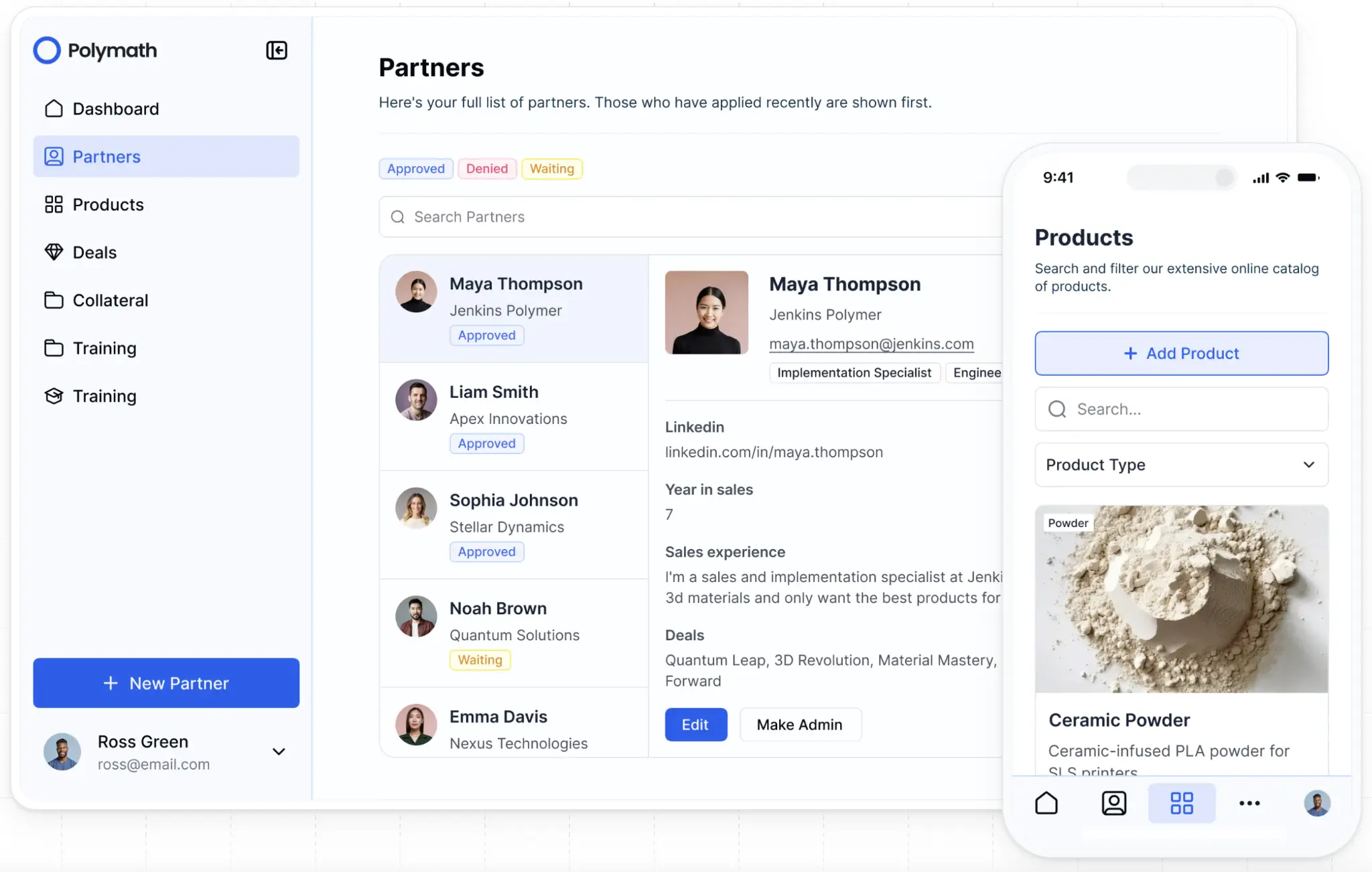
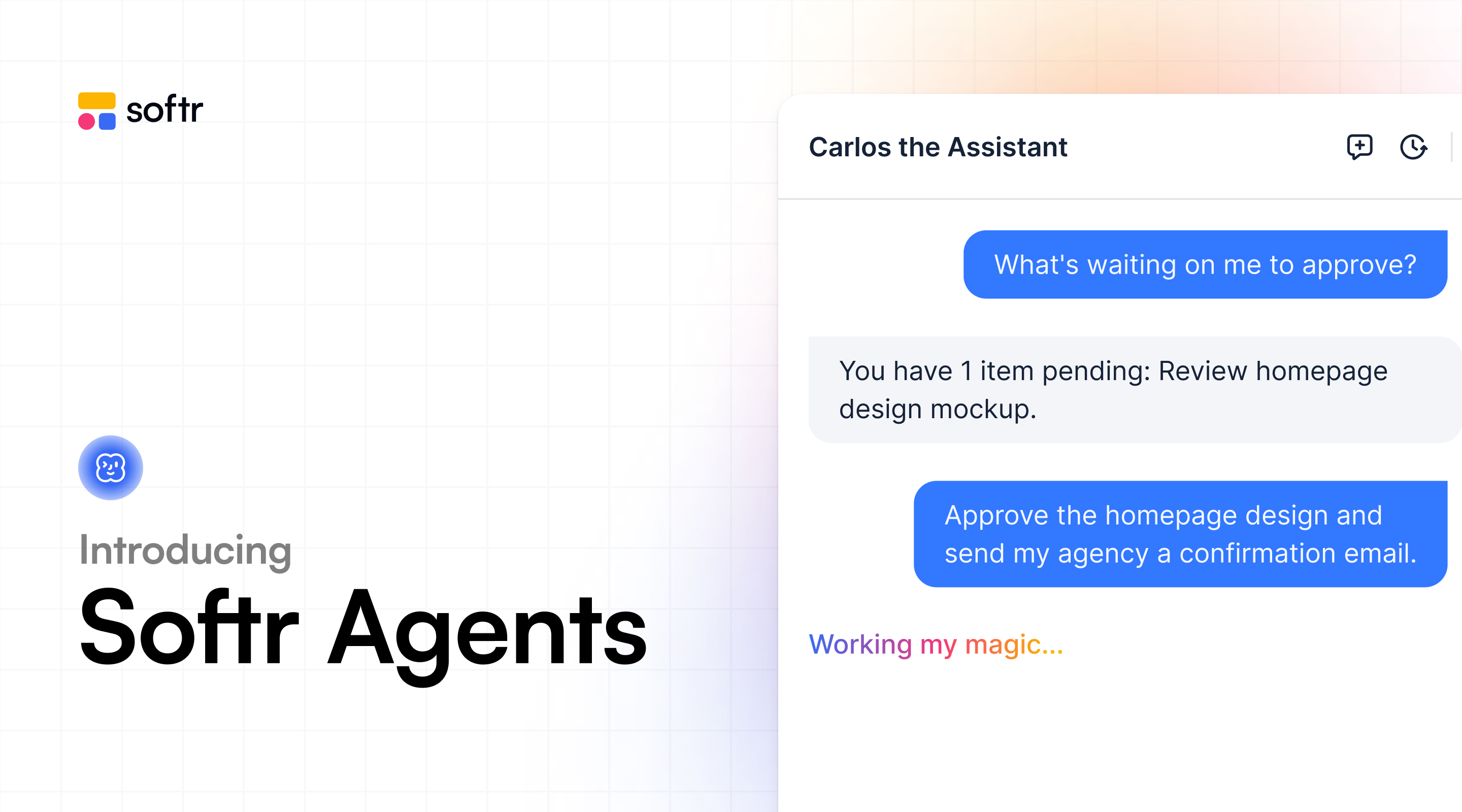
When your team needs to build a working business app without code, Softr’s AI Co-Builder can handle it. Just type in what you need, and it’ll generate a secure, connected app with the database and business logic already in place, authentication and hosting included. When you need to change a detail, you don't have to re-prompt and hope that AI doesn't break what was already working, either. You can just switch into visual editing mode and adjust permissions, fields, or workflows directly at any time.
Softr’s collaboration features are just as strong. Softr organizes work around workspaces that contain all your apps and collaborators, with three distinct roles:
- Owners (they get full control, including billing and app management)
- Collaborators (they can build and invite others but can't delete apps or manage billing)
- Guest Collaborators (they’re scoped to a single app, not the full workspace)
Every role gets exactly the access it needs. And if ownership needs to change hands because someone leaves, a department takes over, or you're handing a finished app to a client, the transfer is clean. You don’t need to rebuild anything. Plus, with seriously helpful features like Ask AI or database AI agents, teams can search, update, and interact with app data using natural language instead of manual workflows.
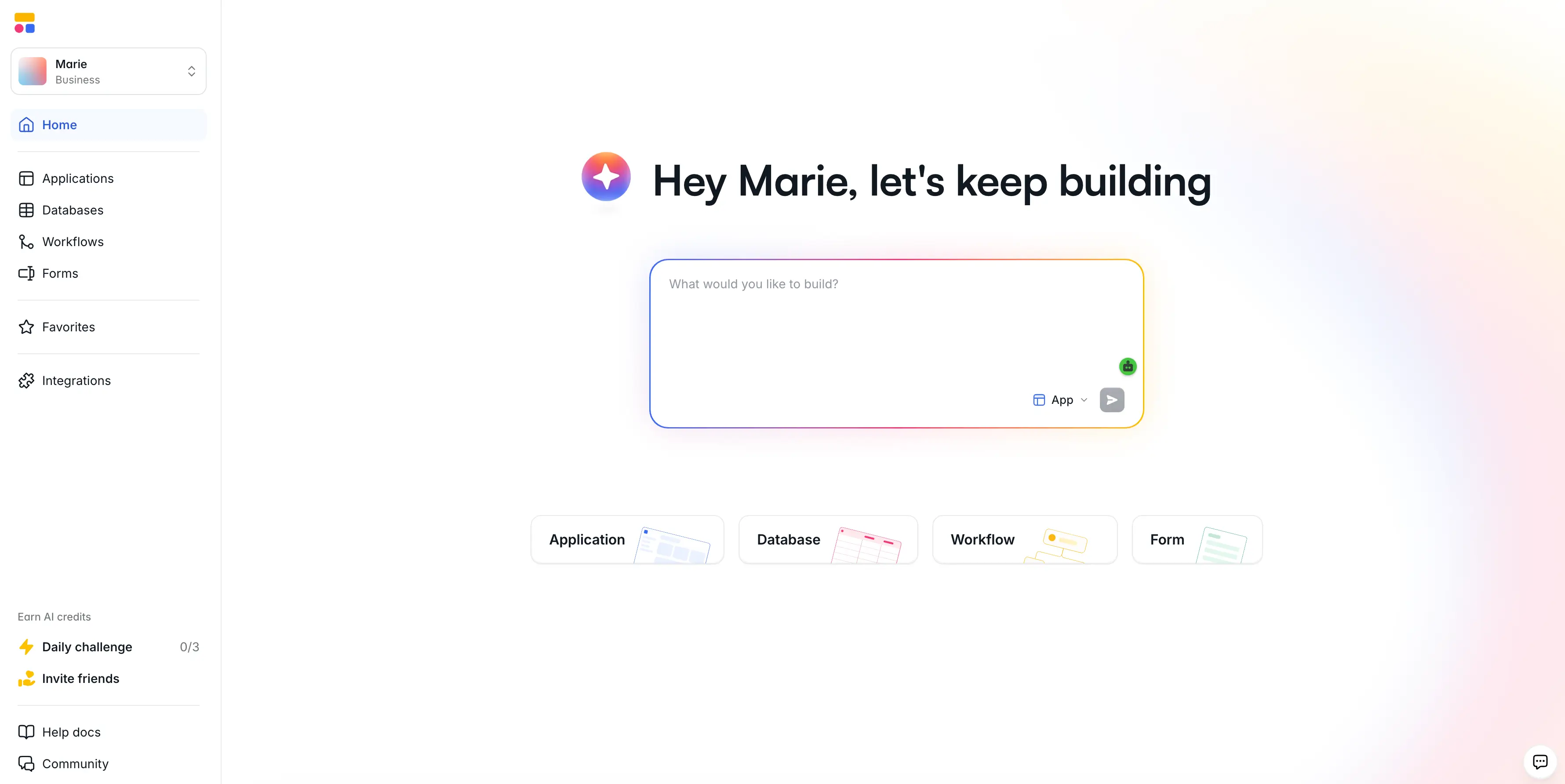
The free plan is seriously generous, too. You can build unlimited apps with up to 10 users. So if you're building a small internal tool or just want to test the platform with your team, you can do a lot before you ever need to upgrade.
Softr pros and cons
Pros:
- AI and no-code building in one platform: Build from a prompt, or switch to a drag-and-drop visual editor whenever you want precision without burning credits on small changes.
- Works with your existing data: Build natively in Softr Databases or connect to 21+ data sources including Airtable, Google Sheets, HubSpot, and Notion. A REST API connector handles everything else.
- All-in-one platform for business ops: Build portals, CRMs, dashboards, project trackers, and internal tools, all powered by a connected database and workflow engine.
- Trusted by teams at scale: Companies like Netflix, Google, Stripe, UPS, and Clay run real operations on Softr, along with thousands of SMBs and agencies.
Cons:
- Softr is a hosted platform and doesn't generate exportable code.
Softr best features
- AI Co-Builder: Describe a CRM, portal, or internal tool, and Softr instantly generates the database, app, and business logic in one connected system.
- Workspaces and role-based collaboration: Organize apps and teammates in workspaces with distinct roles, so everyone has the right level of access without stepping on each other's work.
- Custom user groups and permissions: Build role-based access at the app, page, block, and record level. Different teams, clients, or partners see only what they should.
- Native Softr Databases: These are visual, relational, and editable. You can see and modify your data structure directly, instead of digging through generated code.
- Built-in workflow automation: Map out approval flows, notifications, and multi-step actions visually. Every step is traceable, and you don’t need a separate automation tool.
- Enterprise-grade security: SOC 2 and GDPR compliance, SSO, and built-in encryption come standard at higher tiers.
- Vibe coding blocks: When you need a custom component, AI can generate it inside your app without putting the rest of your build at risk.
Softr pricing
- Free: Unlimited apps, with access to Softr Workflows and Softr Databases, 5 app users, 5,000 Softr Database records, 5 AI credits
- Basic: $19/month. Unlimited apps with 42+ integrations, Team: 5 + Client: 5 app users, 50,000 records, 10 AI credits
- Pro: $99/month. Unlimited apps with 45+ integrations and custom code, Team: 10 + Client: 50 app users, 500,000 records, 50 AI credits
- Business: $329/month. Unlimited apps with 52+ integrations, Team: 30 + Client: 100 app users, 1M records, 100 AI credits
- Enterprise: Custom pricing. Includes SSO, SOC 2 reporting, advanced security, dedicated support
2. Retool — Best for technical teams building internal tools with strict governance
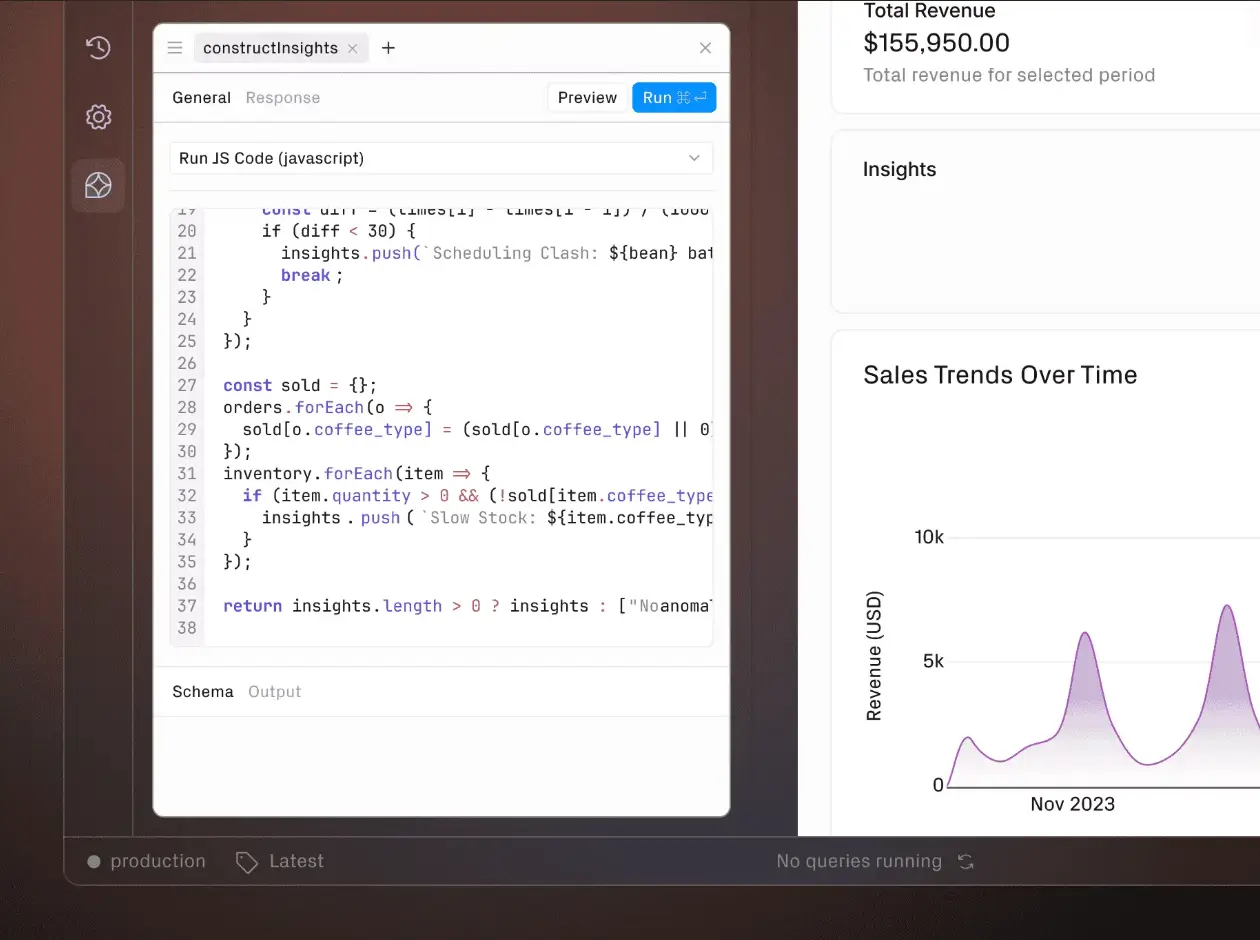
Retool is built for engineering teams that want to create internal tools without compromising on the controls their organization expects. You describe what you need in natural language, and an AI agent plans and executes the build. Everything it generates inherits the security standards your organization has already approved, too. It’s great for apps that run operations behind the scenes, like admin portals, dashboards, and the tools your customer service or ops teams live in all day.
The collaborative features are just as thoughtful. Shared component libraries let one team build reusable pieces that everyone else can pull from, and source control plugs into GitHub with CI/CD pipelines and built-in unit tests. By default, only branch owners can commit changes and merge pull requests. But you can open any branch to let multiple teammates push changes and submit pull requests together. Admins can retain control over resetting or closing collaboration, too, at any time.
Retool pros and cons
Pros
- Retool is purpose-built for admin portals, dashboards, CRMs, and operational tools.
- It has a massive component library and integrates with virtually any database or API.
- Large engineering orgs depend on Retool. You can trust that the platform can handle scale and complex business logic.
- Permissions, audit logging, custom roles, and SSO/SCIM provisioning are baked into higher tiers.
Cons:
- If you're not comfortable with JavaScript or backend concepts, the learning curve is steep. You’ll want developers on your build team.
- Pricing can climb fast if you have lots of internal users or shift toward external use cases.
- It’s a limited fit for client portals or anything you'd want to share via a public URL.
Retool best features
- Source control integration: Connect Retool to GitHub for branch-based development, code review, and rollback, with CI/CD pipelines plugged in.
- Shared component libraries: Build reusable components, queries, and integrations once, then let your whole team pull from them.
- Built-in testing and release management: Unit tests run automatically on changes, and you can promote through environments with version history you can roll back to.
- Granular RBAC: Get custom roles, audit logging, SSO, and SCIM provisioning, the controls that enterprise security teams actually want to see.
- Collaborative branches: Open any branch to let multiple teammates push changes and submit pull requests together, while admins retain control over renaming, resetting, or closing collaboration at any time.
Retool pricing
- Free: Unlimited apps, 500 workflow runs/month, 5GB data storage
- Team: $10/month per builder plus $5/month per internal user. Everything in Free, plus 5,000 workflow runs/month, up to 5 users, staging, app release versions
- Business: $50/month per builder plus $15/month per internal user. Everything in Team, plus audit logging, permissions, portals, embedded apps, unlimited modules and environments
- Enterprise: Custom pricing. Everything in Business, plus SSO, source control, custom branding, workspaces, platform APIs, dedicated support
3. WeWeb — Best for designers and developers shipping production-grade external web apps together
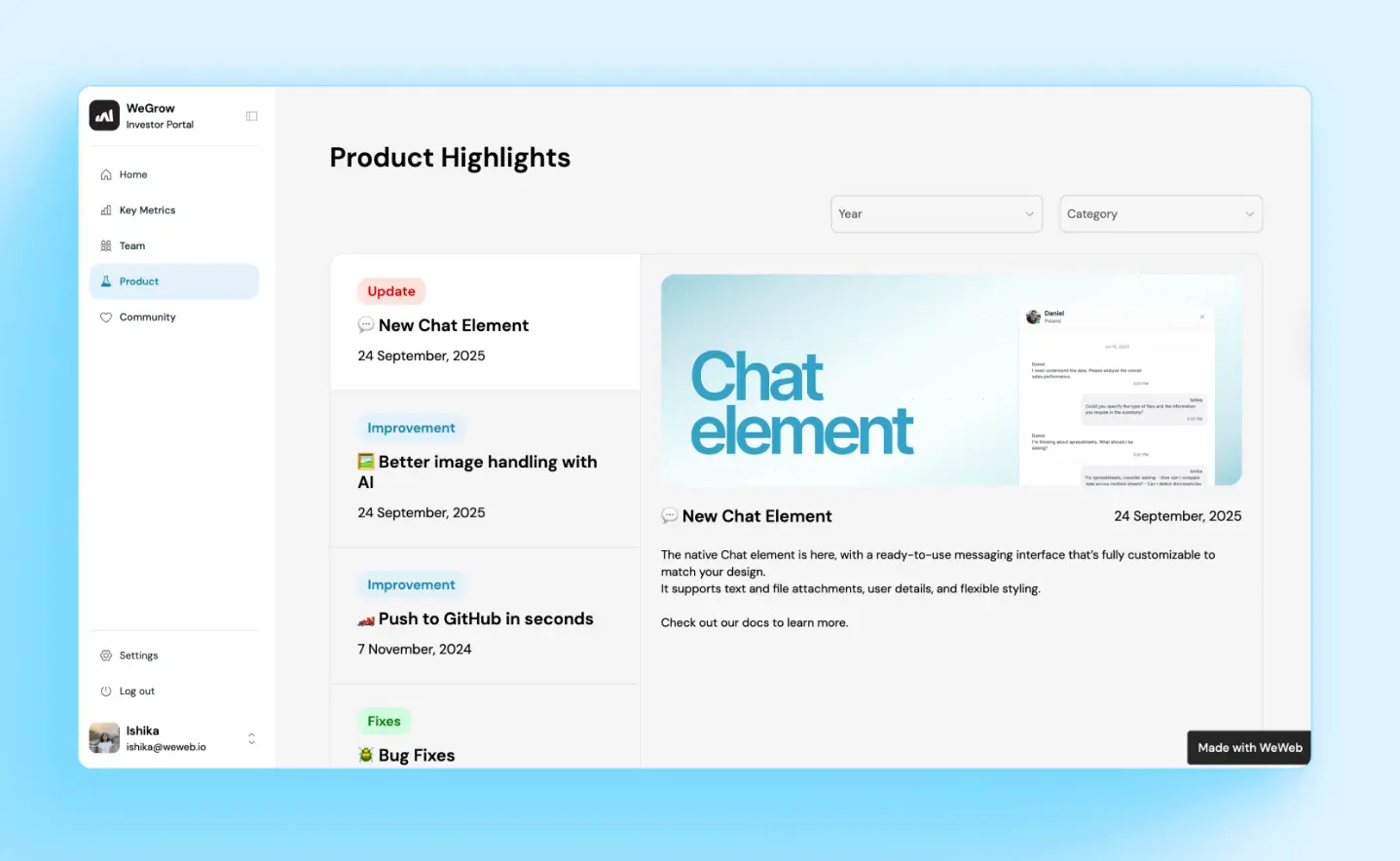
WeWeb is one of the more interesting picks on this list if you're building something meant to live on the open web, like an investment research platform, SaaS product, client website, or community app. What sets it apart from most tools here is that it exports clean Vue.js code. So if you ever outgrow WeWeb or need to hand the project to a dev, you don’t have to start from scratch. You can also self-host on your own server, a genuine differentiator if data residency or infrastructure control matters to you.
The team setup is worth calling out too. Rather than everyone working in the same lane, WeWeb splits work across roles. Designers and product managers can build in the visual editor while developers can add custom code or components alongside them (yes, at the same time).
WeWeb pros and cons
Pros:
- WeWeb builds production-grade frontends. It lets you export clean Vue.js code, so you're never locked into the platform.
- Self-hosting is available, which is rare among tools aimed at external-facing apps. This matters if data residency or infrastructure control is a priority.
- The visual editor opens the door for designers and PMs to contribute without writing code.
Cons:
- Per-developer licensing can get expensive if you're running an agency or a larger team.
- There are no branch deployment or restore features in the development environment, which limits parallel work.
- For the best results, you’ll need to get a developer involved, so it's not purely no-code.
- Role-based access exists, but it isn't as granular as other AI app builders on this list.
WeWeb best features
- Visual editor with developer extensions: Designers and PMs can build in the canvas while developers add custom components and logic alongside them without stepping on each other.
- Vue.js code export: Take your full frontend code with you if you ever move off the platform or hand the project to a developer.
- Self-hosting: For more control over data and infrastructure, you can run your apps on your own server for more control over data and infrastructure.
- Version control with rollback: Preview changes, deploy with confidence, and roll back if something breaks in production.
- API and data source flexibility: Connect to virtually any backend through native integrations or custom API calls.
WeWeb pricing
- Free: 1 million AI tokens, visual drag-and-drop editor, API and data integration, responsive web apps, chat support
- Essential: $20/month. Everything in Free, plus 10 million AI tokens, code export and self-hosting, GitHub sync, daily editor auto-backup
- Pro: Starts at $50/month per developer. Everything in Essential, plus more seats and collaborative features, hourly editor auto-backups, unlimited manual backups
- Partner: Starts at $79/month per developer. Everything in Pro, plus WeWeb subdomain staging, free workspaces, 20% referral commission
- Enterprise: Custom pricing. Everything in Pro, plus higher limits, SLA, editor SSO, prioritized support and training, dedicated WeWeb team access
4. Lovable — Best for cross-functional teams co-creating prototypes in real time

Lovable is the closest thing on this list to a Figma-style collaboration experience for app building. It offers real-time multiplayer editing, inline comments on components, and design-sprint-style workflows that keep remote teams in one place instead of bouncing between Figma, Notion, and Slack.
It's best suited for customer-facing apps: things like SaaS MVPs, marketing sites with app functionality, small-business storefronts, community apps, and founder-led launches.
Lovable pros and cons
Pros:
- Multiplayer editing and inline comments keep teams from bouncing between tools.
- You own your code from day one through GitHub auto-sync, so you can take the React/Vite codebase and continue development anywhere.
- Visual Edits mode lets non-technical teammates adjust the UI without touching or breaking the underlying code.
- The Chat Mode Agent lowers the barrier for non-coders to contribute meaningfully. They can plan features, ask questions, and debug in plain language.
Cons:
- Production scalability has real ceilings. Lovable is fine for MVPs, but it falters when it comes to advanced logic, security, observability, and rate limiting.
- Native change management inside the platform is lighter than what you'd get with other tools on this list.
- Role-based permissions are limited. You can control whether someone can edit or view something, but it doesn’t get much more granular than that.
- It’s not a fit for any team that needs deep RBAC and governance.
Lovable best features
- Real-time multiplayer editing: Multiple people can work on the same project simultaneously, with cursors and presence visible to everyone.
- Inline comments: You can leave feedback directly on components without switching to a separate tool.
- GitHub auto-sync: Every change is reflected in a connected repo, so you have full code ownership from day one.
- Visual Edits mode: You can make UI adjustments without breaking the generated code underneath.
- Chat Mode Agent: Non-coders can plan features, debug issues, and ask questions in natural language.
Lovable pricing
- Free: 5 daily credits (up to 30/month), public projects, unlimited collaborators, 5 lovable.app domains
- Pro: Starts at $21/month. Everything in Free, plus 100 monthly credits, custom and unlimited lovable.app domains, white labeling, user roles and permissions
- Business: Starts at $42/month. Everything in Pro, plus SSO, team workspace, role-based access, security center, design templates
- Enterprise: Custom pricing. Everything in Business, plus SCIM, publishing and sharing controls, audit logs, dedicated support and onboarding
5. FlutterFlow — Best for teams building cross-platform mobile apps
Are you building a mobile app, something that needs to ship to the App Store and Google Play with a Firebase backend? Then FlutterFlow is a smart choice.
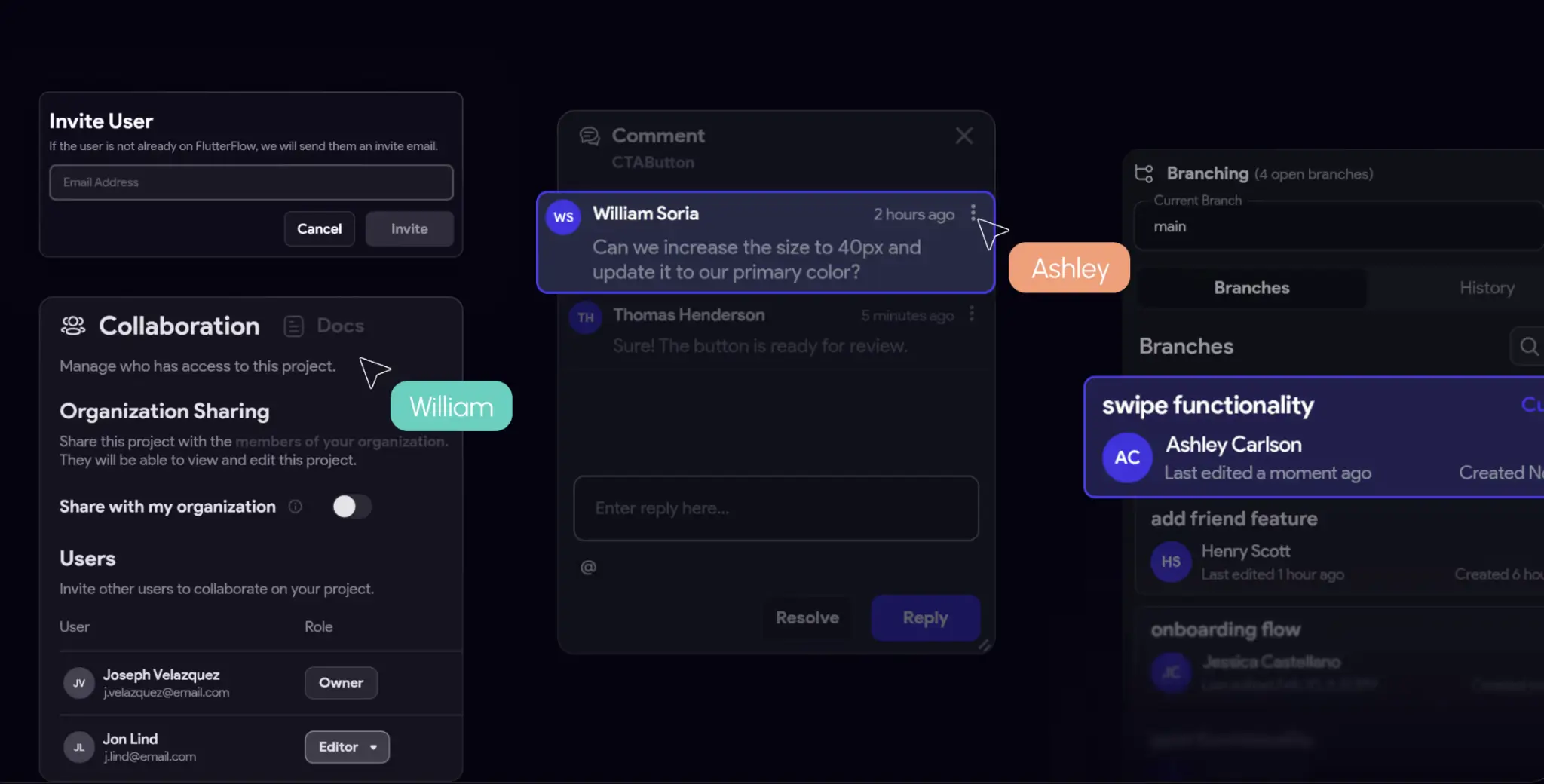
And its collaboration model is sophisticated. Project-level roles combine with branch-level access controls, so “editors” can build while “mergers” handle protected branches without stepping on each other. Real-time collaboration lets multiple builders work on the same project, page, and design system simultaneously. One person can design visually while another connects APIs and a third writes custom Dart code, all at the same time.
FlutterFlow pros and cons
Pros:
- FlutterFlow’s sophisticated branch and merge permissions mirror how engineering teams actually work in Git.
- It's built specifically for cross-platform mobile (iOS, Android, and web) with Firebase as the default backend, so the architecture matches the use case from day one.
- Two-way GitHub sync lets teams export to a real Git repo for pull requests, CI/CD, and code review.
Cons:
- The learning curve is steep. Getting real value across a cross-functional team requires genuine investment.
- It's not designed for internal tooling, admin dashboards, or traditional business apps.
- Collaborator passes are assigned per user, so seat costs add up quickly as the team grows.
- The GitHub sync isn't truly bidirectional between local code edits and the FlutterFlow editor, creating friction for hybrid dev/no-code teams.
FlutterFlow best features
- Real-time collaboration: Multiple builders work simultaneously across pages, design systems, and components.
- Branching and merge controls: Editors can edit while mergers handle protected branches, a permissions model that mirrors how engineering teams work in Git.
- Snapshots, versions, and commits: Auto-backups, manual checkpoints, and branching on paid plans give you a Git-adjacent workflow inside the platform.
- Two-way GitHub sync: You can export your project to a real Git repo for branches, pull requests, and CI/CD pipelines.
- Mobile-first architecture: Built from the ground up for App Store and Google Play deployment, with Firebase as the default backend.
FlutterFlow pricing
- Free: Visual development environment, 1,000 templates, mobile, web, and desktop apps, API and data integration, up to 2 projects
- Basic: $29.25/month. Everything in Free, plus unlimited projects, code and APK download, custom domain web publishing, one-click Apple and Google Play Store deployment
- Growth: $60/month for the first seat, $41.25/month for the second. Up to 2 seats. Everything in Basic, plus GitHub integration, real-time collaboration, 2 open branches per project
- Business: $112.50/month for the first seat, $63.75/month for seats 2-5. Up to 5 seats. Everything in Growth, plus 5 open branches and 3 automated tests per project, Figma frame import
- Enterprise: Custom pricing
Get the best collaborative AI app builder for your team
Building an app that actually works for real users, not just one that looks shiny in a demo, is hard enough that you shouldn't have to do it alone. The right AI app builder can handle the heavy lifting and give you the collaborative features that keep your team in sync.
If you want to whip up something that’s production-ready without any technical knowledge, go with Softr. Your team can try it free today and build a customizable app with AI in minutes.
Frequently asked questions
What are the top AI app builders for enterprise?
What should I look for in a collaborative AI app builder?
What's the difference between an AI app builder and a traditional app builder?