The 7 best Moxo alternatives and competitors in 2026

Does Moxo lack the flexibility you’re expecting from a client portal? Or is it simply more than you need?
Whether you're seeking enhanced customization, specific functionalities, or a more budget-friendly alternative, there are plenty of options to explore beyond Moxo. In this article, we’re reviewing the best seven Moxo alternatives and competitors in 2026.
Best Moxo alternatives at a glance
| Tool | Best for | Standout features | Pricing |
|---|---|---|---|
| Softr | Client portals shaped around your own process and data | Unlimited apps, 42+ integrations, client and team app users, installable PWA on Business | Free plan; Basic $19/month, Pro $99/month |
| FuseBase | Teams wanting a collaboration-led portal | Client collaboration workspace, no free-forever plan | From $39/month for 1 user; Essentials $99/month |
| Clinked | White-labelled portals with per-user entry pricing | White-labeling, custom file upload on higher tiers | From $8.80/user/month; Standard $239/month |
| Assembly | Teams needing forms, billing, and helpdesk together | Forms, billing, helpdesk, and messaging on all plans | From $39/user/month annually with 50 client seats |
| Planhat | Enterprise customer success operations | Customer success platform with analytics and integrations | Not publicly disclosed; older data suggests from ~$1,150/month |
| Zoho | Teams already inside the Zoho ecosystem | Zoho Invoice with a free self-service client portal, Zoho CRM | Zoho Invoice free; CRM free up to 3 users, paid from $14/user/month |
| SuiteDash | Unlimited users on a flat fee | Client portals, project management, white labeling, unlimited users and collaborators | From $19/month |
1. Softr
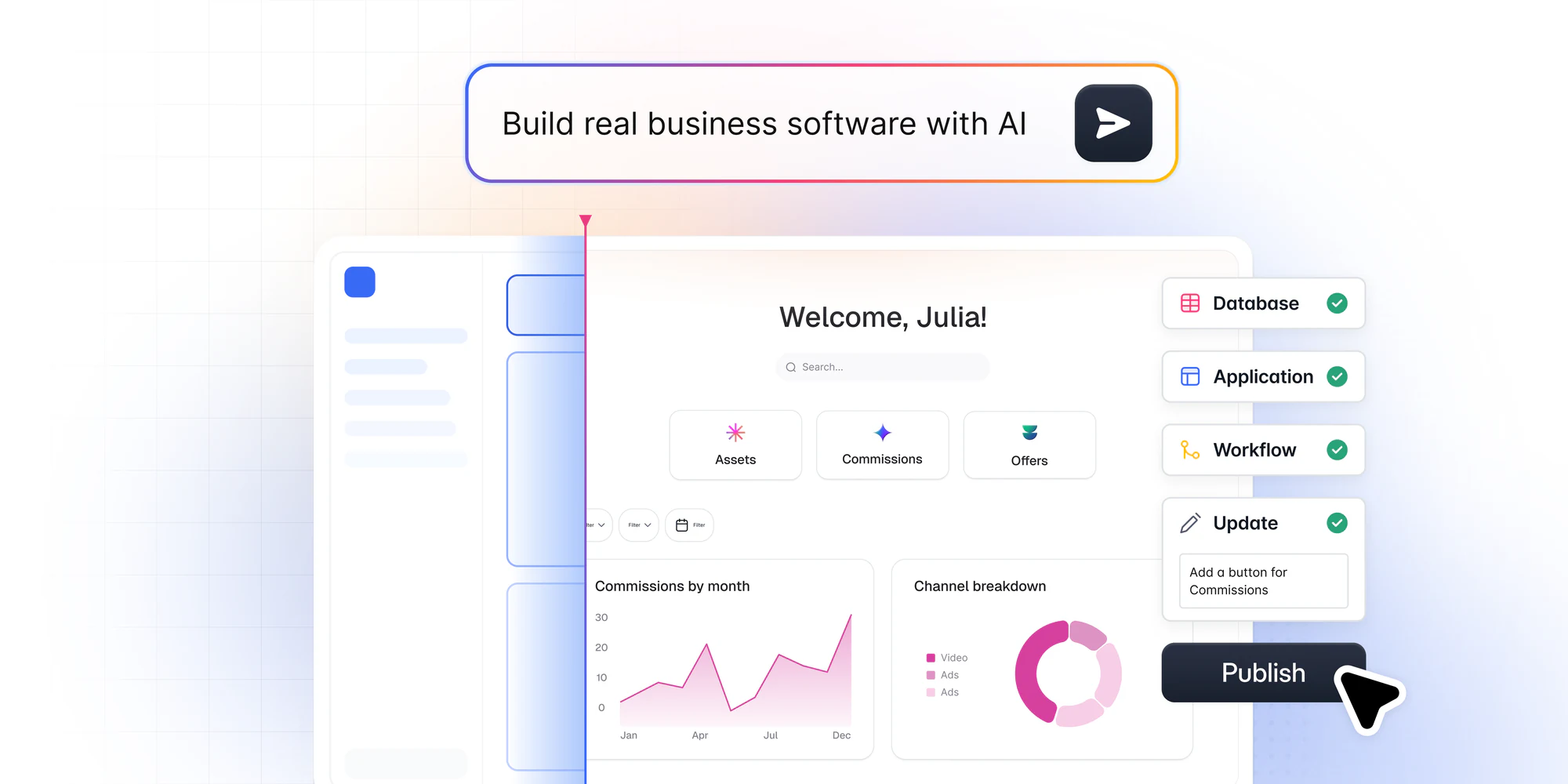
You don’t have to put up with the limitations of ready-made interaction workspaces. With Softr, you can build a custom client portal that meets your needs, with no coding experience required. Describe the portal you need and Softr's AI Co-Builder creates the database, the pages, and the permissions for you, already connected and ready for real users.
This matters because the market has shifted from the prototype era to the production era. Single-prompt vibe-coding tools can produce a shiny demo, but the magic fades the moment a real client tries to log in or something breaks. Softr apps are production-ready and secure from day one, with role-based permissions and reliable infrastructure built in, so your portal holds up as your client base grows.
Need a specific feature Moxo doesn't have? Add it. Want custom filters to group clients? Set them up. For data, you can use Softr Databases as your native, secure backend, or connect to one of 21+ external sources like Airtable, Google Sheets, and HubSpot. To automate the work, use Softr Workflows triggered directly from your app's interface (for example, an action button that updates a project status or notifies a client).
Not sure where to begin? Use Softr's ready-made client portal template as a starting point and you can have a working portal in minutes. It works seamlessly across desktops, tablets, and mobile devices, and comes with essential features like project and task creation, easy search and filtering, user access management, and invoice payments. You can easily tailor the template to add any missing features and match your brand's unique style.
Best of all, you won't have to rely on a vendor's support team to solve issues or build workarounds. You have the power to do it yourself.
Teams already run real operations this way. Officeheads, an accounting firm, built the first version of its client portal in less than two days and now serves 50+ SMB clients with embedded live reports, per-client document access, and advanced permissions that give each client their own view. Designity runs three interconnected portals for 500+ creatives and clients, all managed without an in-house developer.
How to build a client portal with Softr
- Describe the portal you need to the AI Co-Builder, or pick the client portal template.
- Answer a few scoping questions (private app or open signup, theme, navigation layout).
- Connect your data using Softr Databases or one of 21+ external sources.
- Set role-based permissions so each client only sees their own records.
- Add Softr Workflows for actions like status updates, approvals, and client notifications.
- Preview the app as each user group, then publish your updates with one click.
Softr pricing
Softr offers flat, predictable pricing plans. Listed prices reflect annual billing.
- Free: Unlimited apps, with access to Softr Workflows and Softr Databases, 5 app users, 5,000 database records, and 5 AI credits
- Basic: $19/month for unlimited apps with 42+ integrations, Team: 5 + Client: 5 app users, 50K records, and 10 AI credits
- Pro: $99/month for unlimited apps with 45+ integrations and custom code, Team: 10 + Client: 50 app users, 500K records, and 50 AI credits
- Business: $329/month for unlimited apps with 52+ integrations, Team: 30 + Client: 100 app users (the installable mobile app (PWA) feature fits here), 1M records, and 100 AI credits
- Enterprise (custom pricing, contact sales): Custom pricing
Softr vs. Moxo
Softr and Moxo offer rather contrasting approaches to client portals. Moxo provides a ready-made client portal solution. Softr grants you the flexibility to build an interface of any complexity, tailored to your and your clients' unique needs.
Why choose Softr over Moxo:
- Ditch the limitations. If you need features or a user experience that Moxo doesn't offer, Softr gives you full control.
- Grow without constraints. Softr's pricing can be more cost-effective as your client base grows, especially with its free plan for starting out.
- No more waiting. With Softr, you can make changes and solve issues without relying heavily on external support.
- Go beyond portals. Softr also lets you build other solutions like internal tools, CRMs, and intranets. With each tool you create, Softr becomes increasingly cost-effective.
2. FuseBase

FuseBase (formerly Nimbus) is a strong Moxo alternative, particularly focused on client portals and business management. Like Moxo, it offers a suite of tools for communication, project management, team collaboration, and more.
The platform’s strongest feature is bringing together client collaboration and team management into one centralized platform. You can share knowledge with clients, get feedback from them, and assign tasks to your team seamlessly through one interface.
FuseBase pricing
FuseBase offers a free trial but no free-forever plan. Paid plans start at $39/month for 1 user, billed monthly. The Essentials plan includes 5 users for $99/month, and the Advanced plan runs $399/month for 50 users. To get more users you'll have to reach out for a custom quote.
FuseBase vs. Moxo
While Moxo better serves the needs of mid-market businesses, FuseBase is generally a more cost-effective solution for small businesses and solopreneurs.
Why choose FuseBase over Moxo:
- Get AI assistance. FuseBase is powered by AI, enabling you to generate and fine-tune your content faster.
- Manage permissions at a granular level. While Moxo does offer basic permission management options, FuseBase offers more granular control over what clients and team members can see and do within the platform.
- Enjoy the budget-friendly solution. FuseBase's pricing model often works better for smaller teams, offering essential features at a lower cost.
3. Clinked

Clinked functionality is closely aligned with Moxo and FuseBase, offering a dedicated client portal solution. However, it has one distinctive feature: extensive white-labeling options.
With Clinked, you can choose your level of customization, from simply applying your company's logo and color scheme to building a custom portal on the Clinked infrastructure.
Clinked pricing
Clinked starts as low as $8.80/user/month. The Standard plan starts at $239/month. More expensive plans include additional credits and advanced features like the ability to upload custom files (starting at $479/month) and enable SSO (custom price).
Clinked vs. Moxo
While Clinked and Moxo share a lot of features, Clinked is known for higher flexibility and fewer restrictions inherent to a ready-made solution.
Why choose Clinked over Moxo:
- Build a customizable online workspace. Clinked centers on white-labeling and customization. You can tailor the branding, features, and even the user experience to a greater degree.
- Set up and use with ease. Clinked is widely praised for its simplicity and ease of use.
- Know what to expect with transparent pricing. Clinked offers clear pricing tiers, avoiding hidden costs or surprises that may occur when pricing information isn’t disclosed. On top of that, generous user seat limits, even on lower-tier plans, make Clinked a cost-effective solution for larger teams.
4. Assembly

Assembly offers a suite of tools for client management. Aside from handling communication and information sharing, Assembly streamlines processes like billing and data collection.
The platform puts emphasis on client-facing features, meaning it offers less robust project management and internal collaboration capabilities than Moxo or FuseBase.
Assembly pricing
Assembly starts at $39/user/month when paid annually with 50 client seats. All plans include access to forms, billing, helpdesk, and messaging.
Assembly vs. Moxo
Assembly is a relatively new platform compared to Moxo. While it’s actively developing, it’s still lacking essential features like conditional logic, conversation sorting, and archiving. At the same time, Assembly already offers quite a few features that Moxo doesn’t.
Why choose Assembly over Moxo:
- Manage invoices and subscriptions. Assembly's billing features help to streamline payments and automate recurring invoices, saving subscription-based businesses a lot of time and effort.
- Collect client information seamlessly. While Moxo has recently introduced forms, Assembly provides more advanced customization options and data collection capabilities.
- Add a knowledge base to your client portal. In Assembly, you can also create a help center for your clients and control access rights on a granular level.
- Access a robust toolkit even in lower-priced tiers. Assembly offers a broader feature set within its entry-level plans compared to Moxo's equivalent.
5. Planhat

Planhat is a customer success (CS) platform built with SaaS businesses in mind. It offers a centralized platform to manage all touchpoints in the customer lifecycle, from onboarding and adoption to ongoing success and churn management.
The platform has a strong focus on analytics and reporting, giving you all the necessary tools to assess customer experience and product performance. Planhat’s Health Laboratory enables you to build custom Health Scores that help you gauge your customers’ direction toward satisfaction (or churn).
Planhat pricing
While Planhat doesn't publicly disclose pricing, older data suggests plans start around $1,150/month. Contact them for an up-to-date, customized quote.
Planhat vs. Moxo
The key difference between Planhat and Moxo is that Planhat specializes in customer success for SaaS businesses. If you're not a SaaS company, other options on this list will be a better fit.
Why choose Planhat over Moxo:
- Get all CS tools in one place. With Planhat, you don’t need any other tool to manage your customer journeys. You can set up automations, offer support, create onboarding workflows, and drive actionable insights, all through one interface.
- Unlock SaaS-specific insights. Planhat's analytics provides insights into product usage, adoption, and overall customer health.
- Gain a comprehensive view of your CS operations. Planhat offers dashboards and reporting to monitor customer success activities, identify trends, and track progress towards your CS goals.
6. Zoho

Zoho, renowned for its CRM, help desk software, and accounting tools, also provides comprehensive client portal solutions.
It offers three options: a ready-to-use portal integrated with Zoho Invoice, a full-fledged customer portal accessible through Zoho CRM, and a customizable portal built on the Zoho Creator platform.
Zoho Invoice is a simple billing solution, ideal for solopreneurs and freelancers, that includes a free self-service customer portal. Clients can use the portal to access invoices, view project details, communicate with you, and submit payments.
If you use Zoho CRM for contact management, you can access a customer portal that integrates seamlessly with your existing data. With it, you can enable self-service sales, create gated e-catalogs, communicate with vendors, or display project information to your partners.
Zoho Creator offers more flexibility for mid-market businesses. It’s a low-code application development platform that allows you to build custom applications, including client portals. Here you can add customer support functionality, company policies, billing information, product updates, and more.
Zoho pricing
Zoho Invoice, along with its self-service client portal, is free. Zoho CRM is free for up to 3 users, with paid plans starting at $14/user/month billed annually, or $20/user/month billed monthly, on the Standard tier, and the customer portal comes built in. Zoho Creator, the low-code route, starts at around $8 per user per month, with portal access for 3 users included and additional portal users available starting at $100/month for 250 users.
Zoho vs. Moxo
Zoho and Moxo take different paths to a client portal: Moxo offers one ready-made solution, while Zoho builds portals on top of its wider ecosystem of CRM, billing, and business apps.
- Start for free. Zoho Invoice and its client portal cost nothing, and Zoho CRM is free for up to 3 users.
- Tap into a full ecosystem. If you already use Zoho CRM, Books, or Desk, the portal connects straight to your existing data.
- Build it your way. Zoho Creator's low-code platform lets you design a custom portal with the exact fields and workflows you need.
7. SuiteDash

SuiteDash is a fully integrated cloud-based client portal platform for small to medium-sized businesses. It offers a wide array of features, including client relationship management (CRM), project management, billing and invoicing, file sharing, and marketing automation.
It’s worth saying that SuiteDash's broad functionality often feels overwhelming to new users. While it offers many features, it might be overkill for businesses with simpler needs.
SuiteDash pricing
SuiteDash starts at $19/month and includes an unlimited number of users and collaborators. The base plan offers essential features like client portals, project management, and white labeling. Higher-tier plans unlock advanced features like email marketing automations, pipeline management, and live chat, with pricing starting at $49/month.
SuiteDash vs. Moxo
SuiteDash and Moxo both cater to small to medium-sized businesses, but SuiteDash stands out with its comprehensive suite of features and an incredibly budget-friendly pricing model.
- Pay a fixed price, regardless of the size of your team. Unlike many software platforms, SuiteDash offers unlimited users on all plans. You won't face per-user fees as your team expands.
- Consolidate your business tools. SuiteDash acts as a central hub for various functions like CRM, project management, billing, and marketing. If you’re looking for a tool to centralize your client operations, it may be the right choice.
- Customize to match your brand. SuiteDash provides robust white-labeling options on all plans.
Build the right client portal for your team
The core purpose of any client portal is to create the smoothest customer experience possible. Whatever features you’re looking for, your portal must be user-friendly above all else. To ensure your platform meets your clients' needs without unnecessary complexity, consider building your own custom solution. Softr is the perfect partner to help you achieve this, and with the AI Co-Builder you can have a working, production-ready portal up and running faster than ever.
Start building with Softr for free today.