What is a customer portal and why is it important?

The quality of a product or service alone isn't enough to keep customers engaged and loyal. In fact, 88% of customers believe good customer service makes them more likely to purchase a product or service again.
But providing reliable and consistent customer service can be a big challenge if businesses don't properly manage and organize all those customer interactions. Customers increasingly expect to find answers and complete routine tasks themselves, whether that's checking an order, managing billing, submitting a support ticket, or finding information without contacting your team. In this blog, we explore how a customer portal provides this kind of self-service experience and how you can implement a portal that meets customer expectations.
What is a customer portal?
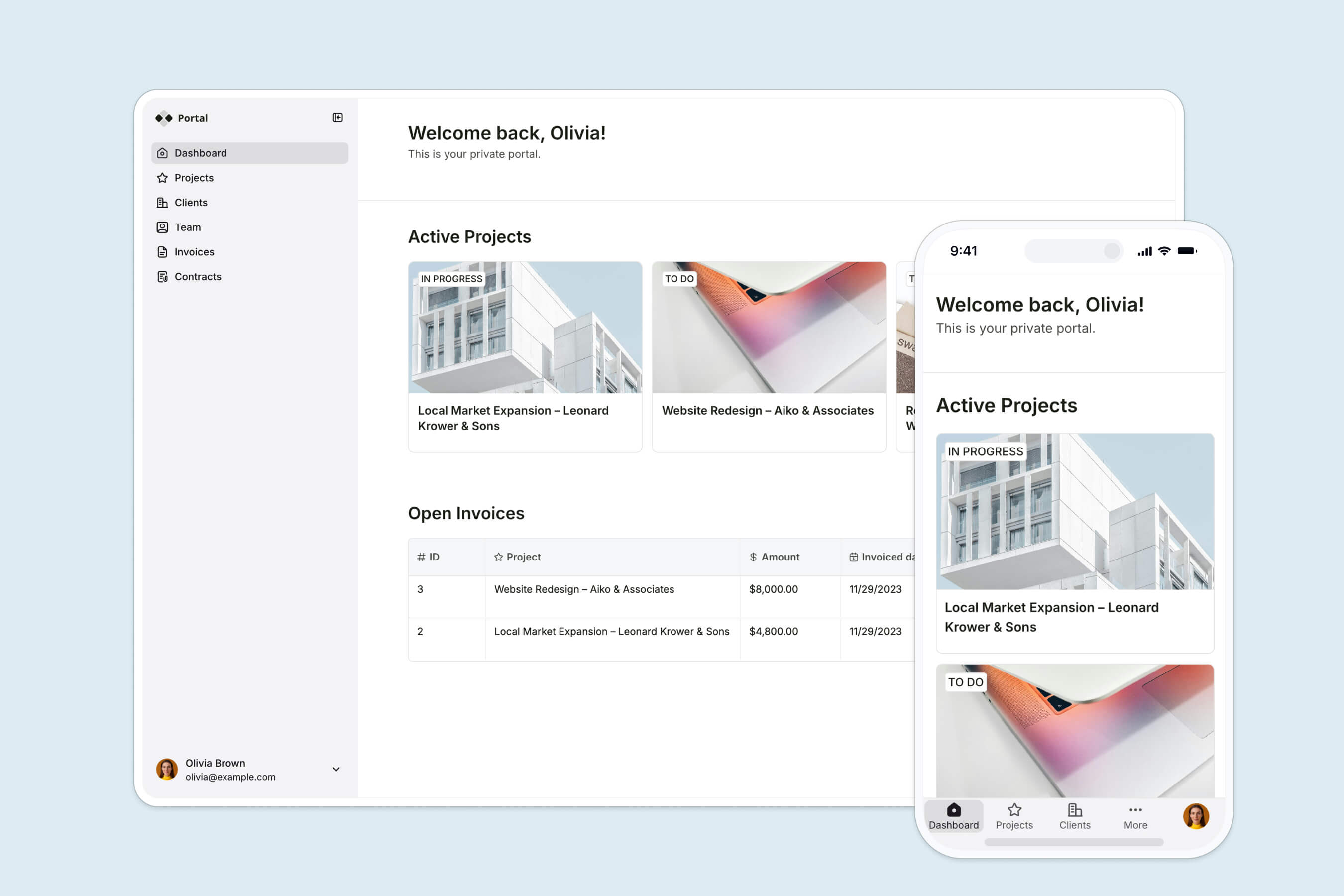
A customer portal is a digital one-stop shop for customers to access resources, services, and administrative tasks for a solution provider. It takes on the role of an online information desk that helps customers get immediate assistance, answer simple questions, and navigate new experiences without waiting for a customer service representative. Some basic portal capabilities include:
- Configuring subscription or account settings
- Tracking current and past orders
- Submitting support tickets and starting live chats for inquiries
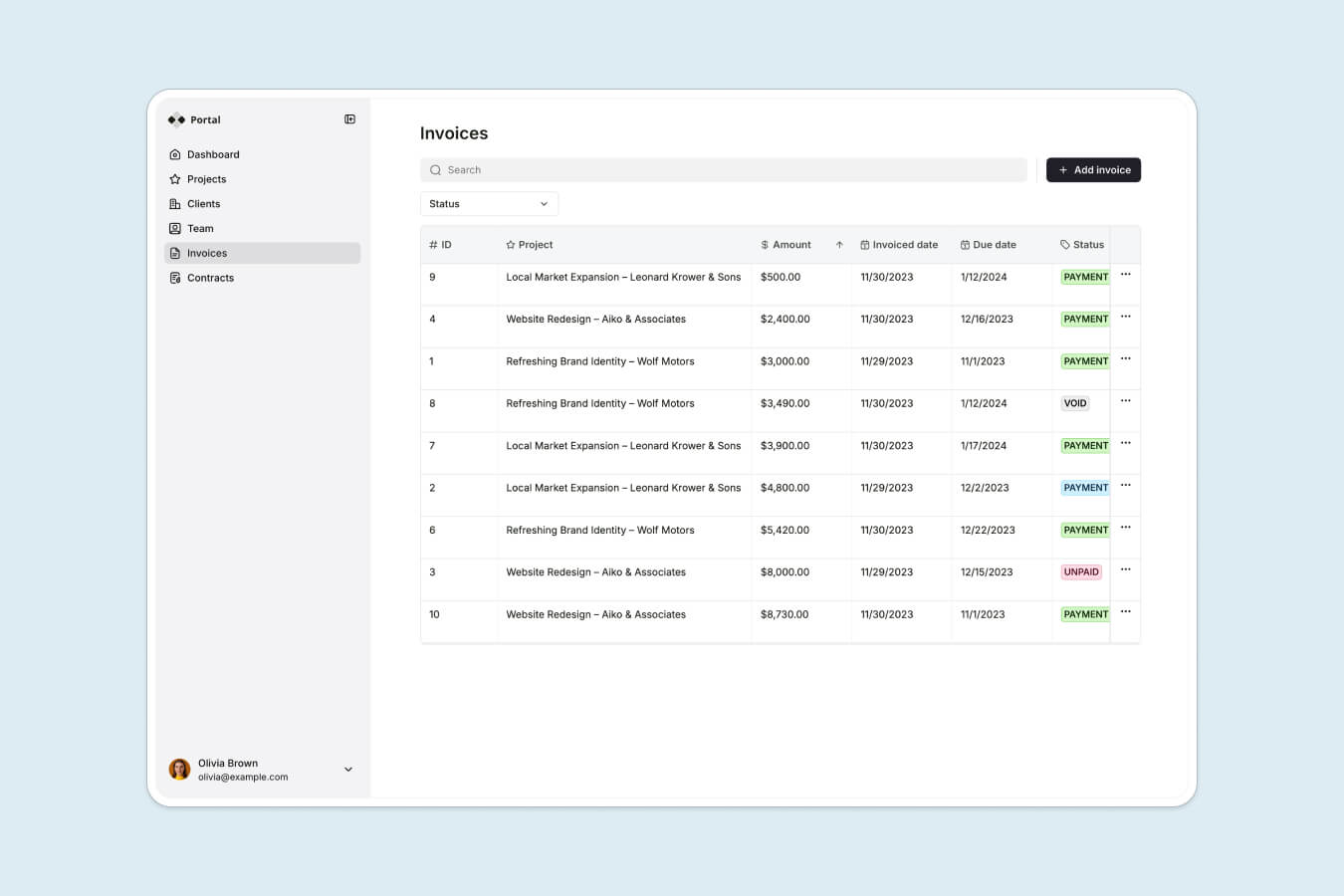
- Managing billing and invoices
- Accessing resources like FAQs, product updates, user manuals, and help center articles
Why is a customer portal important?
Many convenient digital experiences today simply didn't exist decades ago.
Customers used to be required to visit a physical bank to deposit checks and transfer money. You couldn't always schedule doctor's appointments without making a phone call. There was also a time when you needed travel agencies to book cruises and plan big vacations.
Today, you can do all of this through some variation of a customer portal that you can access on your computer, smartphone, or tablet. For a majority of businesses, the customer portal has become table stakes. Here are some reasons why.
Enhanced customer experience
Over half of customers surveyed by Salesforce prefer to engage with businesses digitally. Customer portals are one of the best ways to build a more robust service experience and close the customer communication gap. A solution without a portal is a lot like stepping into a library or office building with no information desk. It makes customers jump through hoops to find what they need, making customer-facing interactions more complex and drawn-out.
Improved efficiency
Customer portals help you offload low-level support questions and routine tasks from a service representative's workload. Empowering customers with product tutorials, FAQs, in-app guidance, and chatbots will reduce the volume of incoming support tickets and decrease wait times for complex requests that need support team intervention. From an operations standpoint, controlling the flow and volume of customer service interactions helps businesses plan their resources more efficiently and optimize their support infrastructure to meet the right goals.
Self-service capabilities
The modern customer doesn't want to be limited by a service provider's schedule, which is why 70% of surveyed businesses have implemented a self-service solution. The same survey highlights customer portals as the top channel for self-service capabilities. Enabling self-service unlocks more engaged and active customers because it allows them to use a product and build proficiency in their own time.
Data security and compliance
From personal account information to billing details and purchase history, customers share lots of data with service providers under the pretense that it's only used for a particular purpose. But what happens if all this data is fragmented across multiple tools and databases? Monitoring all this data becomes harder, increasing the risk of unauthorized access. Centralizing sensitive information into a portal simplifies enforcing compliance protocol and implementing access controls.
Better data management
According to research by HubSpot, businesses with a single source of truth for customer data are 48% more likely to stand behind the effectiveness of their customer service strategy. Organizing your most important customer data and interactions in one place is your first, and arguably most crucial, step toward building data integrity and hygiene. You'll have more control over your data management workflows to standardize protocol, identify issues as they arise, and make the right improvements as your business scales.
Key features of a customer portal
So, what does a customer portal look like in action? The example below is taken from a Softr-built client portal, highlighting one of the many ways you can design a portal to fit your needs.
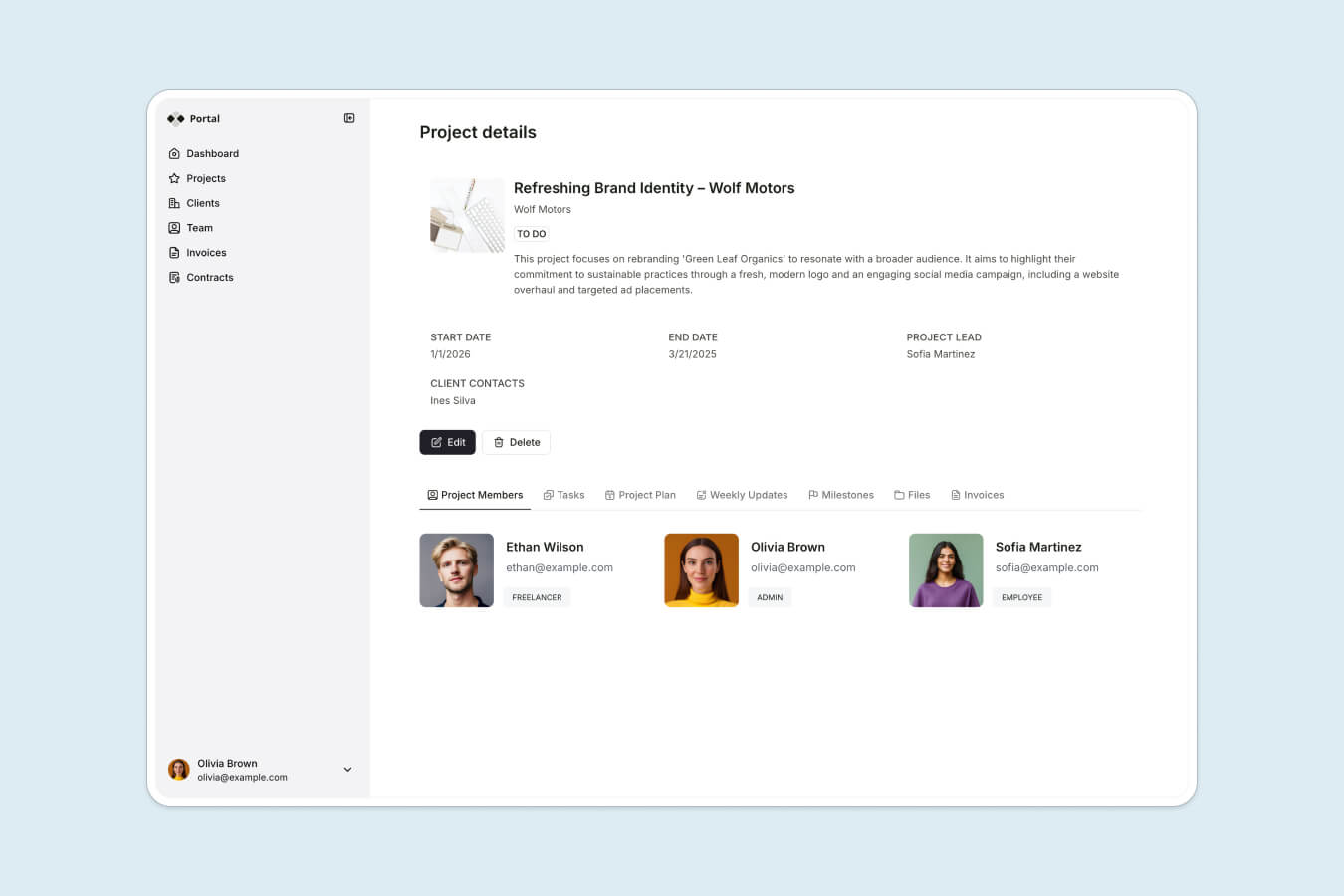
Let's explore some features you might consider including in your customer portal:
- Self-service options: Help customers access essential resources, complete tasks, and resolve issues without contacting your support team. User manuals, FAQs, task management features, and account settings are popular examples of self-service functions.
- User-friendly interface: Provide easy-to-navigate pages and resource hubs equipped with search capabilities, clear categorization, and a logical information flow. Prioritize the features your customers will actually use and build an intuitive interface from there.
- Personalized dashboard: Enable quick and easy visibility into the status of tasks, projects, and performance in a dashboard to encourage engagement. Summarizing important milestones and metrics in a personalized view helps customers stay in the loop with ongoing developments and build rapport with your team.
- Secure login and authentication: Implement security features like multi-factor authentication, data encryption, and user management systems to safeguard information flowing in and out of the portal. Customer portals allow you and your customers to manage user access controls and grant permissions at a granular level.
- Access to account information: Let customers view account information and make the necessary updates to different aspects of their account, like changing their login method, updating their billing details, configuring their subscriptions, downloading invoices, and more.
- Order tracking and history: Allow customers to track and monitor all their transactions with your business. Help customers feel secure by showing how orders are progressing so they can stay informed of updates and issues in real-time.
- Support ticket system: Enable customers to submit inquiries and customer support tickets anytime. Your ticketing system should also give visibility into the status of their tickets and alert customers whenever progress is made.
- Knowledge base and resources: Empower customers with self-help resources like help center articles, product videos, changelogs, tutorials, and more. Your customer portal should hold all the information your customers need to build proficiency with your solution, answer routine questions, and address low-level issues independently.
- Mobile responsiveness: Cater to your customers who are on the go and using your solution from multiple devices. This ensures all features are accessible and fully functional on different screen sizes and browser types.
Benefits of implementing a customer portal
If you're still unsure about your return on investment on a customer portal, here are a few factors that might change your mind.
Competitive advantage
Eighty percent of companies surveyed by Gartner expect to compete in the market solely based on their customer experience. Customer portals play a big role in helping businesses build trust and differentiation. It gives customers more flexibility to engage with your business conveniently while getting a 24/7 self-help service experience. A well-designed portal that's easy to navigate, modern, and visually appealing helps accelerate time to value for your solution.
A good way to go about this is by identifying customer pain points and building a custom portal to reduce these bottlenecks so they can become power users much faster. Your customer portal is an opportunity to showcase your brand's strengths and build a brand identity that's unique from your competitors.
Customer retention
Research shows that in the age of growing software usage, only 45% of application users are truly engaged. If a customer has a bad experience with a solution provider, they're more likely to seek an alternative because they have many options. By doubling down on the customer experience, businesses can reduce the likelihood of customer churn from factors like low product utilization, poor visibility into orders or ongoing projects, or long response times and ticket resolutions.
Businesses can use customer portals as a retention driver by prioritizing features like personalized dashboards, self-service billing and account management, real-time communication, and knowledge management. These capabilities can lead to higher customer satisfaction, which is necessary for building loyalty in your user base.
Scalability
A conversation with a customer support agent costs money, but even more money is spent addressing a delayed or deflected customer support ticket. Research of businesses across 28 countries found that $2.6 billion in sales were at risk due to bad customer experiences.
A customer portal helps companies manage a growing number of customer interactions through automated workflows, self-service options, and organized support ticket systems. These improvements reduce the manual processing of support tickets, decrease time to resolution, and give service teams more bandwidth to tackle complex issues that require their undivided attention. Your customer portal must also be flexible to accommodate future growth or fluctuations in seasonal customer interactions. A solution with cloud-based infrastructure and no-code development gives you the benefit of scalability without being resource-intensive.
Data-driven insights
Customer portals centralize many key actions and services, making them a treasure trove of data for analyzing customer engagement. You can track the types of support tickets customers submit and monitor how customers interact with different portal features, content, and interfaces to determine their pain points and priorities.
For example, you might discover high engagement with specific menu items in your portal. You can use that data to inform your product roadmap and introduce improvements to make those feature experiences more valuable.
Similarly, analyzing your customer support tickets will help you optimize your customer experience and invest resources into initiatives that impact your bottom line.
How to choose the right customer portal software
There's a big market out there for customer portal software. As you evaluate your options, remember to assess your team headcount, bandwidth, technology stack, and customer behavior. Think about how these factors ladder up to the state of your customer experience today, and then imagine what needs to be done to take it to the next level a few months from now.
Now, evaluate your options using the criteria below to see how they can upgrade your customer engagement and operations:
Ease of use
A customer portal with a big learning curve and a long implementation cycle can become a significant source of frustration for your internal team and end users. You want your portal to eliminate friction and shorten processes rather than add to them.
Working with an out-of-the-box portal, a flexible app development solution, or a customer engagement platform can significantly accelerate your rollout plan while enhancing the user experience. Customers should be able to immediately find the resources and services they need within the portal and use all capabilities with minimal guidance and effort.
Customization options
Instead of adopting a customer portal software just because a competitor or market leader uses it, you'll want to choose one that best reflects your unique goals and customer priorities. The last thing you want to do is invest time and money into implementing a solution with underutilized features or costly custom add-ons.
Software with no-code customization capabilities helps you add, remove, and modify functionalities as you need them without lengthy development timelines. You can also ensure high engagement rates and easier navigation by only enabling features that make sense for your customers.
Integration capabilities
Companies can lose time and money on poor data integrity. When your tools don't talk to each other, you're bogged down by manual data entry prone to inconsistencies. These inaccuracies can impact your reporting on customer behavior, payments, and customer service requests.
A portal that integrates seamlessly with tools like your support, CRM, and accounting systems will help your team work faster and align projects to the right goals. You want to choose a solution that provides diverse integration types like native integrations, custom APIs, and compatibility with app connectors like Zapier and Make.
Scalability
A scalable customer portal solution doesn't lock you into features that limit you or add no value to your business. A cloud-based platform allows you to grow your infrastructure as customer interactions increase. You also want to look for providers with flexible pricing models and add-on capabilities to add features as needed without slowing down performance or incurring downtime on your portal.
Customer and community support
Strong customer support is non-negotiable regardless of how easy-to-use a portal platform may be. Work with a software provider that offers reliable omnichannel support so you can troubleshoot complex problems, implement new add-ons to your plan, and get assistance for advanced customizations.
Another valuable customer service resource is a community forum. Software providers with an active user community can help you overcome friction quickly by crowdsourcing best practices, tips, and recommendations.
Building your customer portal with Softr
From large enterprises to small businesses, Softr is a trusted solution for companies who want to deliver high-quality applications tailored toward specific audiences, use cases, and business processes.
"I like how easy Softr is to use, yet it is flexible enough to cover all of the different use cases that we want. It only took a couple of days to build the entire portal, including permission leveling and custom workflows." — Casey H., Advisor, G2 review
Here's a sample of what teams across industries have built:
Vestal Hub — tenant support portal built in under 3 days. A London-based property management company needed tenants to track support tickets without manual follow-ups. The portal went live in less than 3 days, rolled out to 160+ tenants, and cut portal costs by 50% compared to the HubSpot Service Hub alternative.
FUGA — client reporting portal saving 5+ hours per week. A music marketing agency replaced manual PDF reports and Google Sheets sharing with a live client portal. 800+ users now get real-time dashboards instead of waiting for static exports, and the team recovered half a day per week previously spent on stock reporting alone.
Defiant CNC — quote and job management portal saving 10+ hours per week. A manufacturing business built a portal where clients submit 3D models, review quotes, accept orders, and track production progress in real time. Magic link authentication means clients are logged in and seeing their data within seconds.
"It's really easy to set up the system and give access to the users. You set up the permissions for a given user group, send them a magic link, and within a few seconds they're logged in and have access to all the data they need." — Jeremy Taylor, Owner, Defiant CNC
What do you get by using Softr to build a customer portal?
User-friendly and intuitive: Softr's drag-and-drop builder lets you create and customize portals without writing a line of code. Start from a client portal template or describe your use case to the AI Co-Builder, and Softr scaffolds your database structure, app pages, and user permissions in minutes. Clients can navigate your portal and find what they need with minimal guidance.
Robust features: Softr goes beyond a simple no-code app builder to deliver a complete, enterprise-ready solution for customer-facing tools. The platform includes secure logins, multi-factor authentication, user management, forms, support ticket systems, payment gateways, and data dashboards, all out of the box.
"Connecting with Airtable, adding complex logic with Make, or integrating with payment systems like Stripe, everything just works smoothly." — Rahul, Webflow designer, G2 review
Customer onboarding: Accelerate time-to-value with pre-built sign-up pages, login flows, and conditional onboarding forms that sync automatically with your database. Capture the right details from day one without manual setup, so your team can focus on serving clients rather than configuring forms.
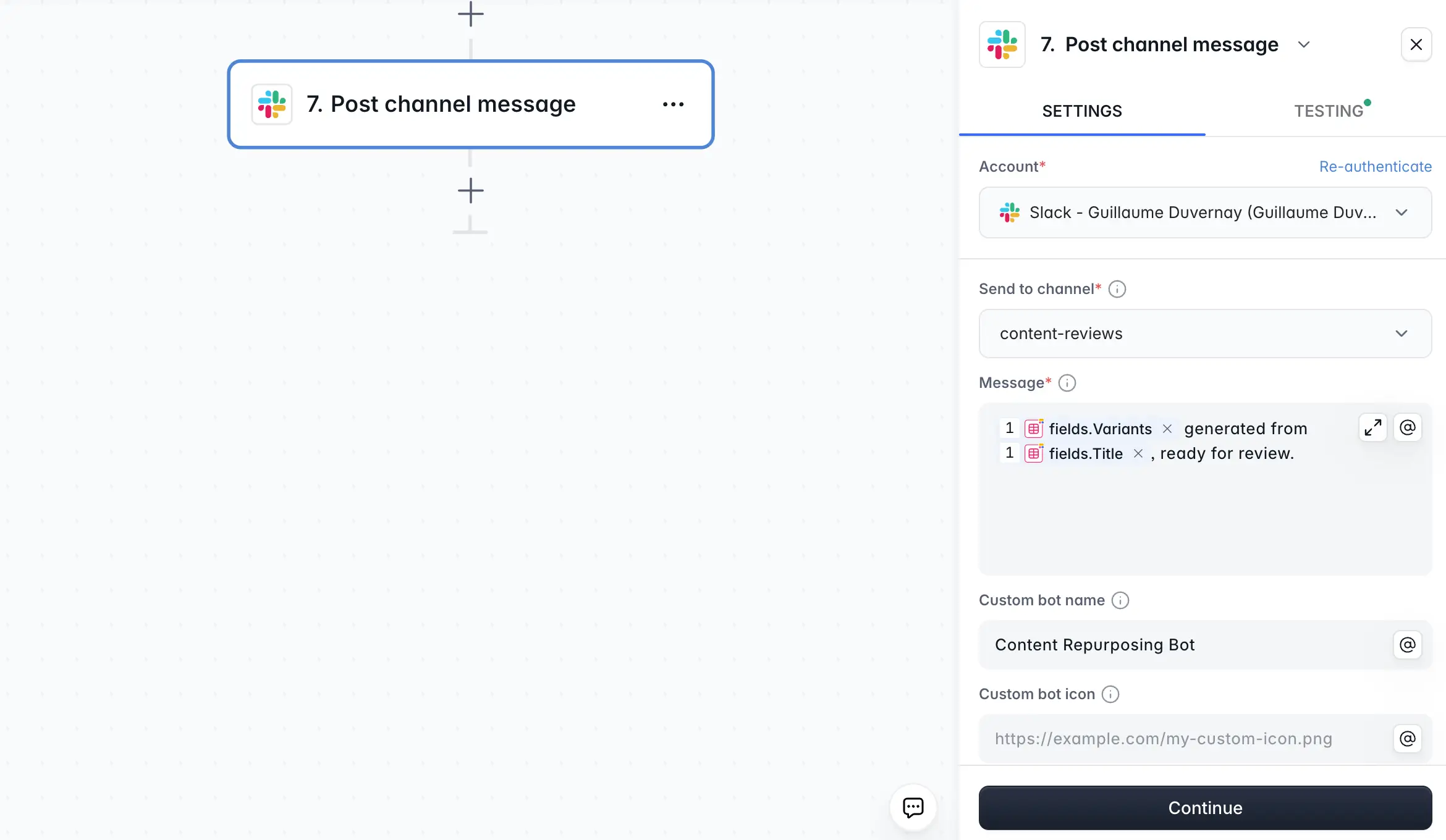
Workflow automation and notifications: Connect portal actions to automated business logic using Softr Workflows. When a client submits a support ticket, updates a record, or reaches a project milestone, your team gets notified instantly via Slack, email, or any connected tool. No code required.
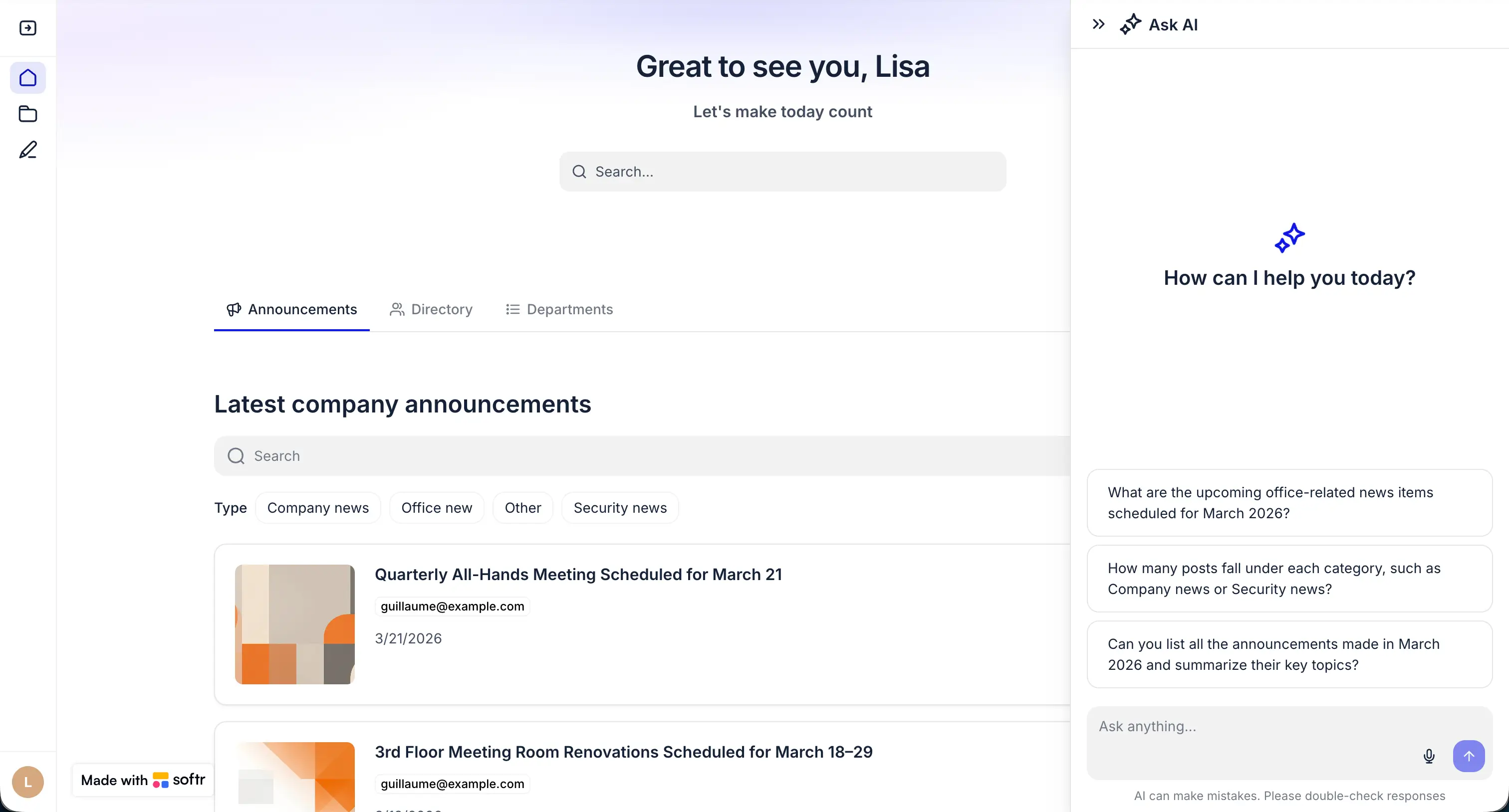
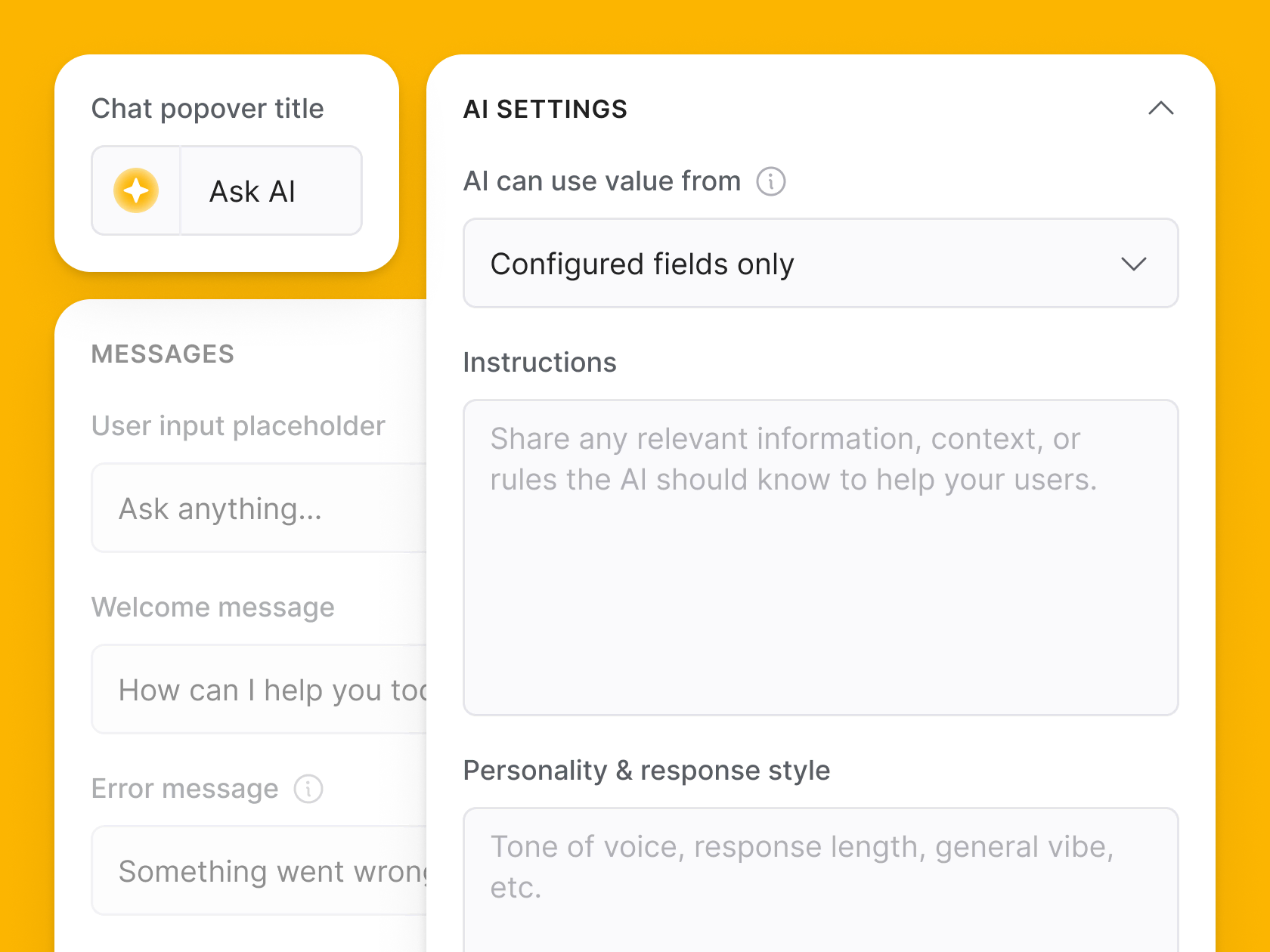
AI-powered client experience: Softr's Ask AI feature lets you add a native AI chat layer to any data block in your portal. When clients log in, they see their own data (projects, invoices, tickets, shared task lists) and can query it in natural language. A client can ask "What's still open from last week?" or "Which invoices are still unpaid?" and get an instant answer without contacting your team. It's a self-service upgrade that reduces support load while making your portal feel genuinely modern.
Integration and scalability: Softr helps businesses build a powerful front-end experience for their most important databases. Map data between your customer portal and the rest of your technology stack with native integrations, custom APIs, and connections via Zapier and Make. Build dynamic logic for your data flow by combining Softr's integration network with workflow automation.
Self-service support: Empower your customers with a self-service resource hub built in Softr. Design an easy-to-use knowledge hub to centralize articles, how-to videos, FAQs, and more, so your customers have 24/7 access to the information they need.
Dashboard and analytics: Softr simplifies giving your customers visibility into important projects, data, and reporting. Embed dashboards and data visualizations directly into your portal, pulling data seamlessly from your internal databases to give customers a personalized view of what they need to know.
Enterprise-ready: Softr gives larger organizations the ease of fast, no-code development without compromising enterprise-grade security. Easily support large volumes of data using Softr's robust integration network and workflow builders. User management systems ensure granular permissions so you can cater to a large and growing user base while keeping data privacy intact.
Community support: On top of reliable customer support, Softr's engaged user community is a big asset for businesses that want to unlock powerful new ways to build and improve their custom applications.
"Having a community of other no-coders — for when you get stuck on a problem, or maybe want some custom code — makes the platform my top choice." — Paul L., G2 review
Mobile responsiveness: Softr applications are fully optimized for mobile devices. Customers can access their portal on a desktop, tablet, or smartphone without dealing with broken layouts, hard-to-read text, or missing interface elements.
How to build a customer portal with Softr
Getting a customer portal live with Softr takes hours, not weeks. Here's how the process works:
1. Set up your database
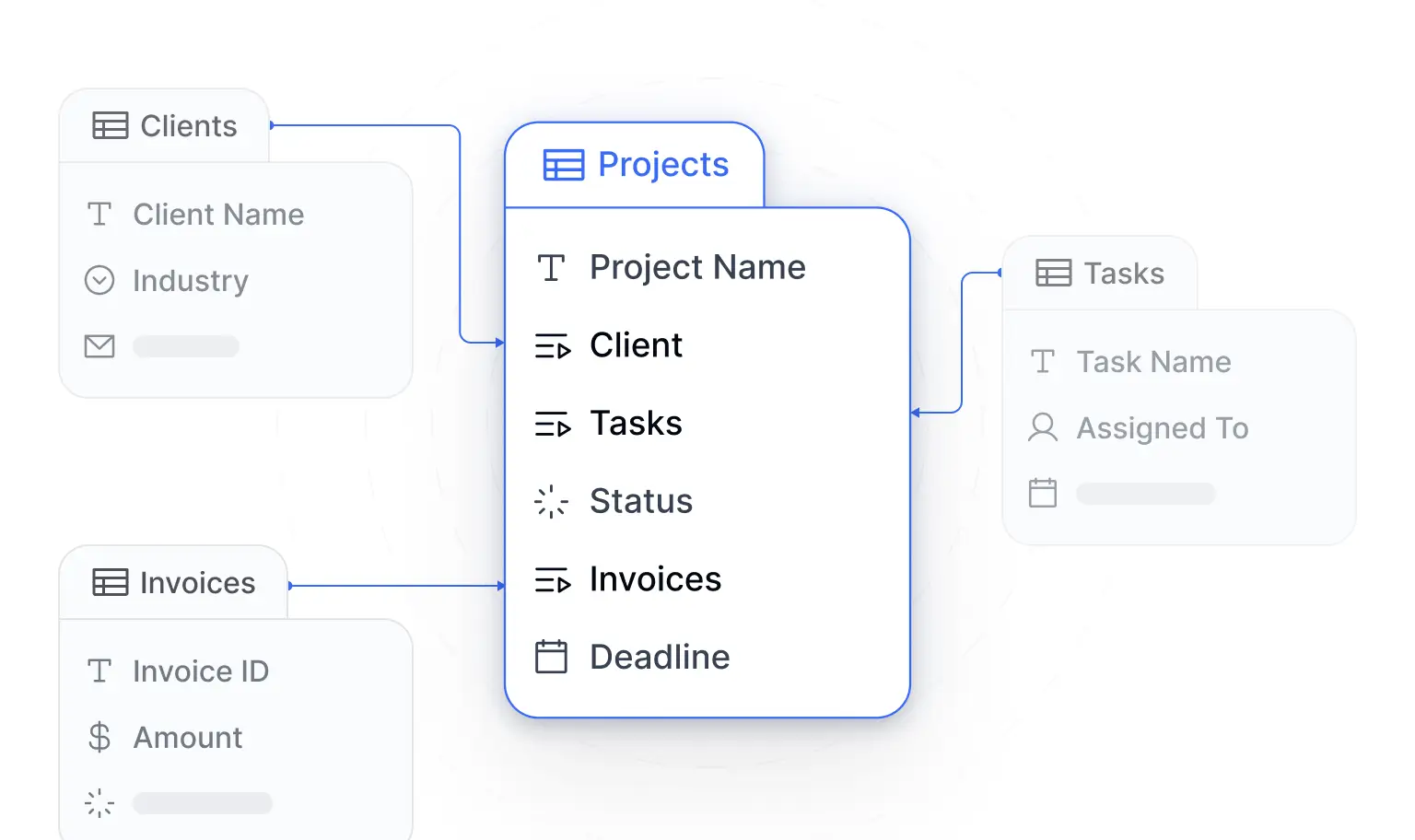
Create a Users table (with email, role, and status fields) and the core tables for your use case (Projects, Invoices, Support Tickets, or similar). Softr Databases is the fastest starting point, or you can connect an existing source like Airtable.
2. Generate or configure your app
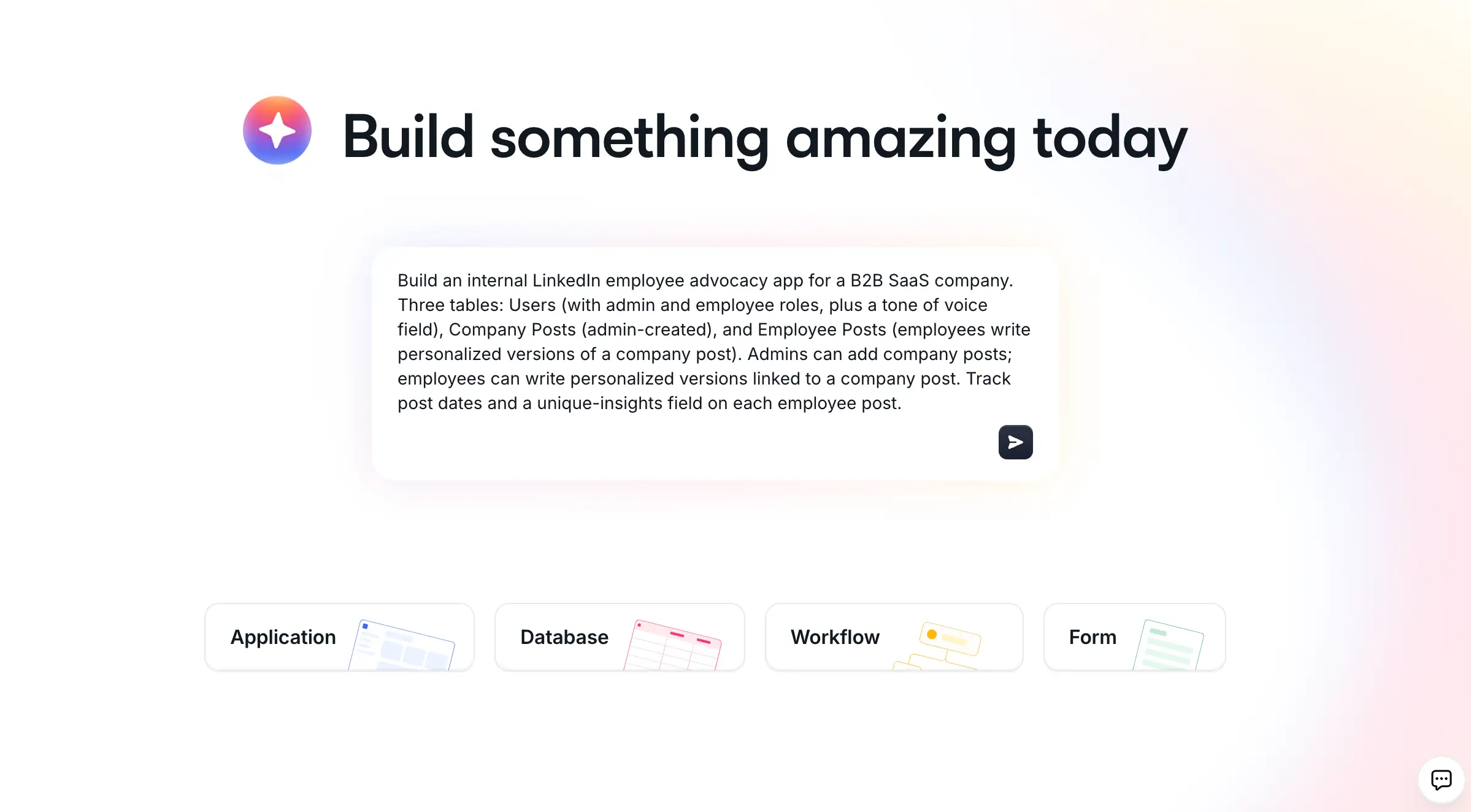
Use the AI Co-Builder (describe your portal in plain language) or start from Softr's client portal template. The Co-Builder scaffolds your entire structure, including pages, navigation, and user permissions, instantly.
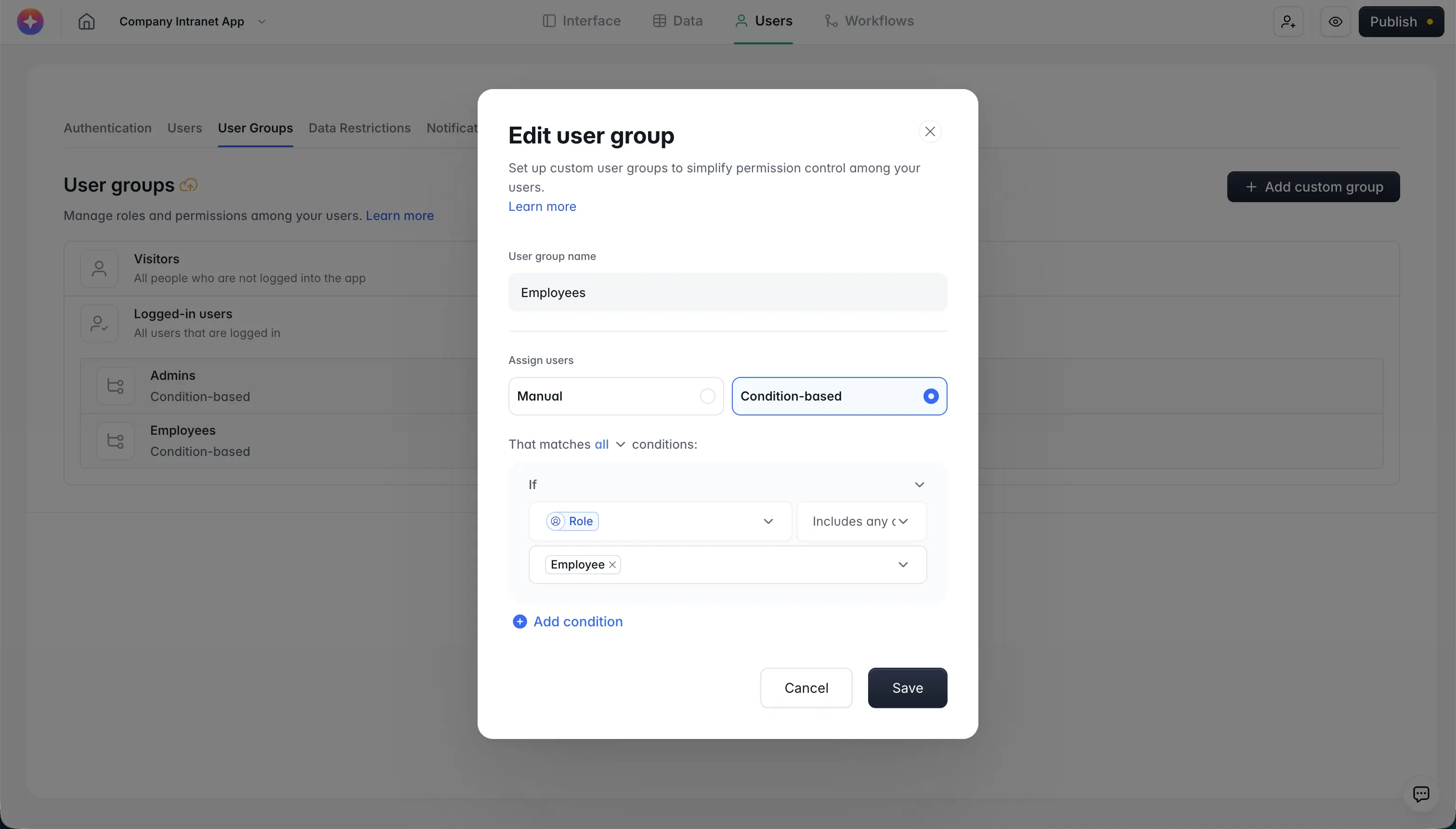
3. Configure user groups and permissions
Set up client vs. admin roles and apply global data restrictions so each client only sees their own records. This row-level security works automatically across every page in your app.
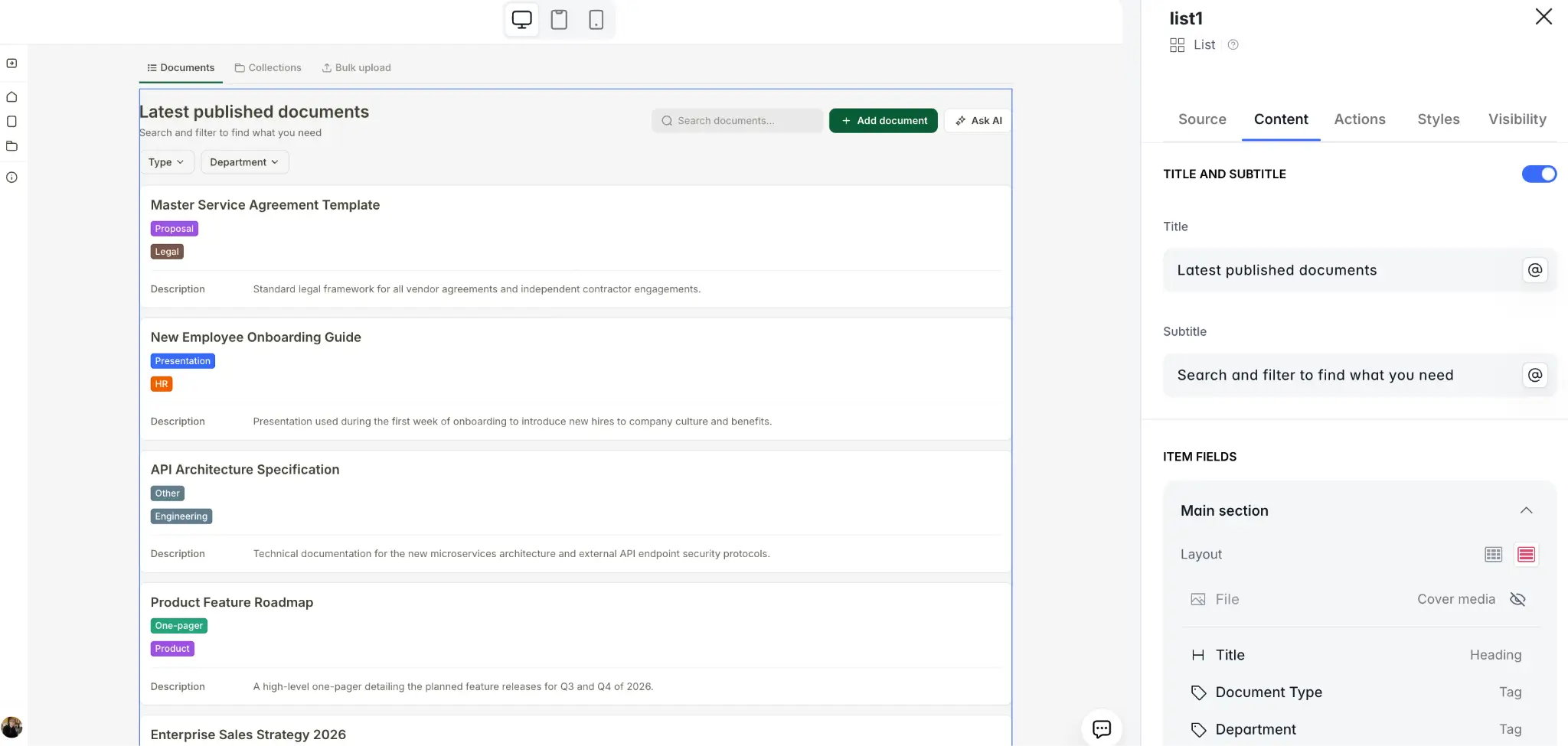
4. Build your pages
A dashboard with KPI cards, a project or ticket detail page, and a knowledge hub cover most portal use cases. Add, modify, or remove blocks visually as needed.
5. Add automation
Configure workflows to send notifications when tickets are submitted, projects are updated, or invoices are issued. Connect Slack, email, or any external tool your team already uses.
6. Enable AI features
Turn on Ask AI on any data block so clients can query their information using natural language. Set the data scope and context prompt once, and your portal becomes more interactive without any extra development.
Customer portals help you make your digital experiences a competitive advantage. With Softr, it's never been easier to create visually appealing portals that have all the features and software integrations you need, without any code.
If you're looking for a no-code solution to accelerate the rollout of your new and improved customer resources, build a customer portal with Softr for free.
Frequently asked questions
What is customer portal software?
What features should a customer portal include?
Are customer portals secure?
How long does it take to build a customer portal?
What's the difference between a client portal and a customer portal?