Sharing updates and documents with clients doesn't have to mean endless email threads or digging through messy folders.
A good client portal changes that by giving your clients one clear place to find everything they need, whether it's a project update, invoice, report, or document. In this post, we'll walk through what to look for in the best client portal software, show what we scored each tool against, and highlight 10 options worth considering, plus four more aimed squarely at small businesses.
Top client portal software at a glance
What is client portal software?
Customer or client portal software lets you build portals where your clients can log in to see their information, track progress, and get what they need, without emailing you every time they need something.

You can use it to:
- Let clients safely upload files or download documents
- Collect forms or service requests
- Show invoices and accept payments
- Keep conversations organized with comments or messages
Some tools focus on one thing (like document sharing). Others let you build a more tailored experience that fits how your business actually works.
How we evaluated these tools
Most "best client portal" lists rank tools without saying what the ranking measures. We scored every tool on five things:
- Client-facing experience: How much explaining a client needs before their first successful login, and whether the portal looks like your business.
- Access control: Whether permissions work per user, group, folder, and record, and whether authentication is server-side rather than a shareable link.
- Cost as your client list grows: What each tool costs at 5, 15, and 30 clients, not just its entry price.
- Workflow depth: Whether the portal handles requests, approvals, payments, and status updates, or only stores files.
- Data and integrations: Whether it reads from the systems you already run on, and how fast a change reaches the client.
In addition to testing these apps, we read each vendor's public pricing page, its security documentation, and its third-party review profiles, recording prices (as of September 2026) at list rates, billed annually where that discount exists.
How to choose the right client portal
A client portal should match the way your team works. Here’s what to think about before you pick the one for your team:
- Ease of use: Both you and your clients should be able to find what they need and make updates without any heavy training.
- Setup: Some tools are plug-and-play. Others let you build from scratch. Think about how hands-on you want to be, and whether you have the time or skills to customize.
- Security: Make sure sensitive info is only visible to the right people. Look for role-based access, secure logins, and encryption.
- Customization: Can you control what each client sees? Can you match the portal to your branding?
- Integrations: If your data lives in different tools and platforms, check that the portal can connect to them easily.
- Scalability: Will it still work as your client list grows or your workflows change?
10 best client portal software picks for 2026
There are too many client and customer portal providers to count. Scored against the criteria above, ten came out ahead. Each entry lists its G2 and Capterra rating so you can weigh our read against several thousand other people's.
1. Softr
Best for sharing real-time updates and data with clients in a secure, branded portal
Reviews: 4.7/5 on G2 (740), 4.7/5 on Capterra (64)

Softr is an AI app builder that turns your data into a fully branded, functional client portal, without developers, plugins, or disconnected solutions. Describe the portal you need and the AI Co-Builder sets up the database, pages, and user permissions for you, or start from a template or blank canvas if you'd rather build it by hand. It's built for businesses and teams that need to organize client-facing work: sharing documents, tracking projects, handling requests, or giving clients visibility into their data.
Instead of managing updates through spreadsheets, shared folders, or long email threads, you create a central place where clients can view their projects, upload files, fill out forms, and stay informed without needing to ask. You control what each client or user group sees with granular visibility settings and pre-built secure login pages.
Your portal connects in real time to Softr Databases, Softr's own native database, or to 21+ external data sources like Airtable, Google Sheets, HubSpot, Notion, monday.com, and ClickUp. Everything stays in sync automatically as your data changes. You can organize information into connected data sets, like clients, projects, documents, and tasks, and display them using dynamic building blocks such as filtered lists, Kanban boards, calendars, or forms.
Key features
- Build with AI or start from a template: Describe your portal to the AI Co-Builder and it generates the database, pages, and user groups for you, or start from the client portal template with sample data and logic already in place if you'd rather learn by example.
- Native data flexibility: Use Softr Databases to manage your data and apps in one place, or connect to 21+ data sources like Airtable, Google Sheets, Notion, HubSpot, monday.com, BigQuery, SQL databases, Supabase, and Xano, with real-time, two-way sync.
- Custom forms with smart fields: Use drag-and-drop forms with hidden fields, conditional logic, and file uploads to collect exactly what you need from clients, like onboarding details or status updates.
- Clear project visibility: Let clients see timelines, tasks, deliverables, and files in one place, so there's no more email back-and-forth or searching for updates.
- Built-in payments: Share invoices or service pages and let clients pay directly through the portal using Stripe or PayPal.
- Role-based permissions: Show different content to clients, internal teams, or partners based on their assigned role.
- Custom UI when you need it: Pre-built blocks cover most of what a client portal needs (tables, forms, kanbans, calendars), but the Vibe Coding block generates custom, AI-built components for the rest, like a branded onboarding wizard or a unique progress tracker, without touching your app's security or data connections.
- Automations without extra tools: Use Softr Workflows to trigger emails, Slack alerts, or status updates the moment a client submits a form, uploads a file, or a project record changes, no Zapier or Make subscription required.
- Fewer tools, lower costs: Replace shared drives, dashboards, onboarding forms, and internal tools with one app built on Softr.
- Privacy and control built-in: Secure logins, SOC 2 Type II compliance, and flexible access settings help you manage sensitive data safely.
Pricing
- Free for up to 5 users total per month
- Paid plans start at $19/month (Team: 5 + Client: 5 app users) (billed annually)
- Pro: Starts at $99/month (Team: 10 + Client: 50 app users) (billed annually)
- Business: Starting at $329/month (Team: 30 + Client: 100 app users) (billed annually)
- Enterprise (custom pricing, contact sales) for enterprise customers
👉🏻 See how FUGA, a global music distribution company, built a custom client portal with Softr that automates 4+ client workflows and saves the team 5+ hours a week on reporting.
2. Dock
Reviews: 4.6/5 on G2 (481)
For client-facing teams managing projects, updates, and onboarding in one place
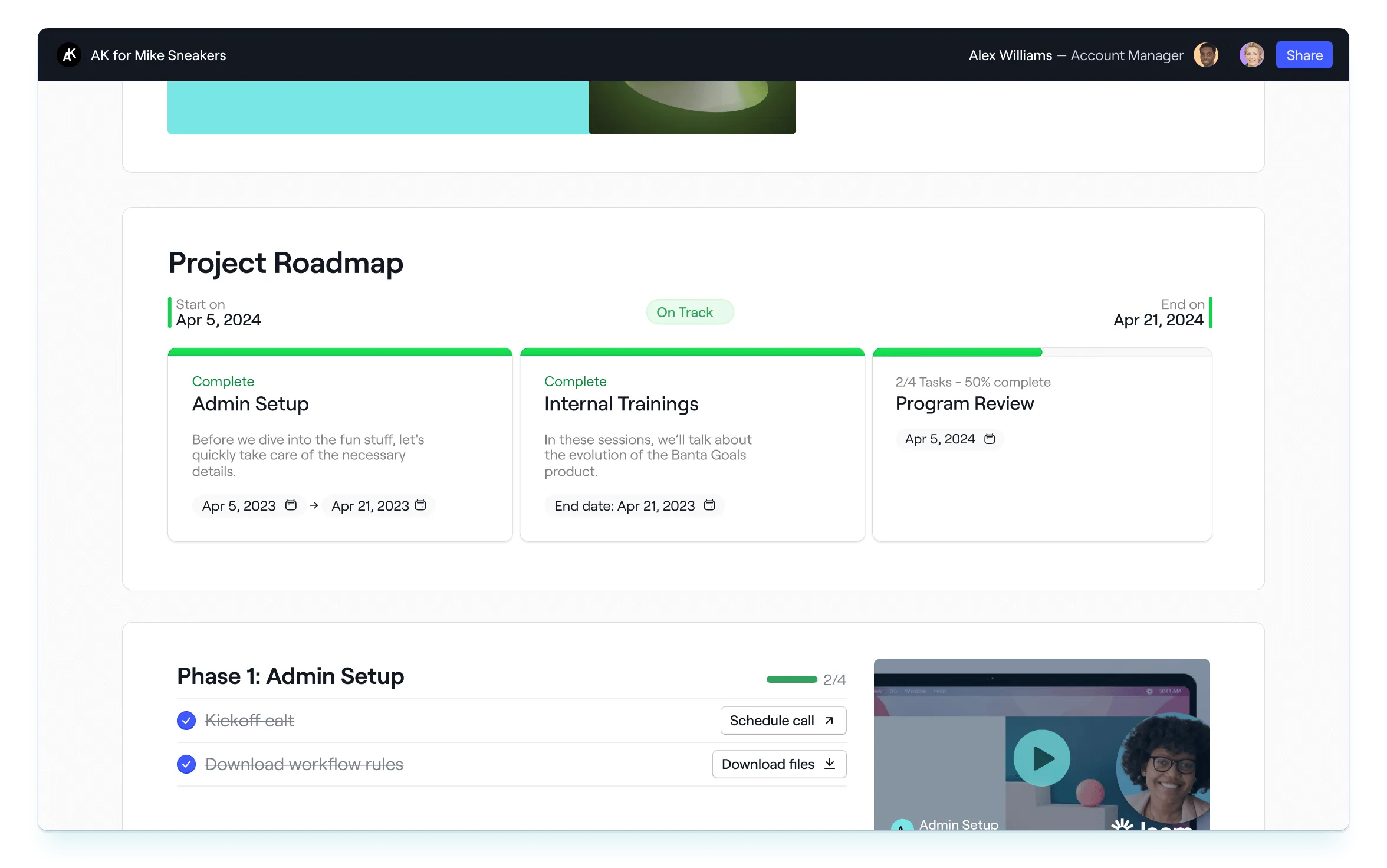
Dock is a versatile client portal tool designed to help businesses deliver a seamless customer experience across the entire customer lifecycle, from onboarding to renewal. Its client portals act as a centralized hub where businesses can collaborate with clients, share resources, and keep everyone aligned.
Key features:
- Collaborative workspaces: Create shared spaces where you can track progress, assign tasks, and manage projects alongside clients.
- Secure document sharing: Upload and share documents, contracts, and presentations with the right permissions to ensure data privacy.
- Custom branding: Make every portal feel like an extension of your business with custom colors, logos, and domains.
- Templates for every stage: From sales handoffs to onboarding checklists, Dock offers pre-built templates to speed up your workflow.
- Lifecycle tracking: Dock isn’t just for onboarding; it also tracks milestones, shares quarterly updates, and manages renewals all in one place.
- Analytics and insights: Understand how clients interact with your portal and ensure they’re engaging with key materials.
Pricing
Dock charges only for internal team members. Clients, prospects, and partners get free access, so the cost depends on your team size and how many workspaces you need.
- Starter: For startups. Includes all the basic workspace integrations and sales content management, $49 per user.
- Growth: For scaling companies. Includes the HubSpot integration, more reporting features, project management integrations, and more. $59 per user.
- Enterprise: For mid to large enterprises. Includes the Salesforce integrations, SSO, custom domains, automation, and more.
- Order forms: An add-on package for sales order forms with e-signature. $10 per user.
3. SuiteDash
For running client management, CRM, automation, and billing on one flat-fee subscription
Reviews: 4.8/5 on G2 (619), 4.8/5 on Capterra (633)

SuiteDash's platform is both a client portal and CRM in one package. This no-code, ready-to-use software puts an emphasis on automation tools.
Key features
- Automation tools. One of SuiteDash’s noteworthy portal features is the ability to automate lead generation and onboarding processes.
- Advanced customization tools. Along with the usual white label features, advanced users can also use custom CSS and other sophisticated options.
- Robust security. SuiteDash provides free SSL for the custom domain users set up and link to their account, adding an extra layer of security.
- Email and drip marketing tool. Users can create and schedule email campaigns for a particular date and time. They can also set up Autoresponders/Drips to send messages on an automatic schedule to any new email address they add to their ‘Audiences’ list.
Pricing
SuiteDash offers a 14-day, full-featured trial. Otherwise, their paid plans are:
- Start: Designed for smaller businesses starting out and includes their core features, $19 per month.
- Thrive: Meant for growing businesses that want enhanced features from the ‘Start’ plan and exclusive functionality, $49 per month.
- Pinnacle: Perfect for bigger organizations with more complex needs. Includes SuiteDash’s full range of features, $99 per month.
4. Clinked
For secure file-sharing and collaboration in industries with strict compliance needs
Reviews: 4.8/5 on G2 (143), 4.9/5 on Capterra (110)

Clinked offers a cloud-based client portal solution that enhances team collaboration and client engagement through personalized and secure workspaces. It's designed to streamline project management, document sharing, and communication for businesses of all sizes.
Key features
- Custom Branding: Clinked allows for a fully white-labeled experience, enabling businesses to present the portal in their branding.
- Secure File Sharing: Offers bank-grade security for file sharing and storage, ensuring that sensitive information is protected.
- Integrated Collaboration Tools: Includes features such as task management, calendars, discussions, and instant chat for seamless collaboration.
- Mobile Access: Provides a mobile app for both iOS and Android, allowing users and clients to access information and communicate on the go.
- Real-Time Notifications: Keeps team members and clients updated with instant notifications on document updates, project changes, and communication threads, ensuring everyone stays informed.
- Customizable Workspaces: Offers the ability to customize and configure workspaces to match project requirements and client needs, making it easier to manage specific workflows and enhance productivity.
- File Approvals: Streamlines the review and approval process for documents and files directly within the portal, simplifying workflows and ensuring that all materials meet required standards before finalization. This feature supports efficient collaboration and decision-making.
Pricing
Start Up runs $11/user/month for up to 25 users. Above that, Standard is $239/month for 100 members and Premium $599/month for 250. Clients count toward the user total, so the bill grows with your client list.
Clinked offers a range of pricing plans to suit various business needs, starting from a basic plan for small teams to enterprise solutions for larger organizations. Each plan is designed to scale with the growth of your business.
5. Zoho Creator
For custom low-code portals that connect to broader business systems
Reviews: 4.3/5 on G2 (165), 4.3/5 on Capterra (170)

Zoho Creator is a low-code application development platform that helps users design, develop, and run business software, including customer portals.
Key features
- Multiplatform portals. Users and team members alike can access Zoho Creator portals on computers or mobile devices, and you can keep customers connected with web, email, and mobile push notifications.
- Efficient user management. You can add portal users individually or import them in bulk and group them based on approval status. You can also add users dynamically using scripts.
- Strong authentication mechanisms. In addition to Zoho’s log-in page, you can also choose between two different authentication mechanisms: single sign-on (SSO) using a third-party identity provider, or federated logins (Google, Facebook).
- Customizable notification preferences. Set up personalized email notifications to communicate with your users more effectively.
Pricing
Zoho Creator offers a 15-day free trial, but beyond that, there are two main plans:
- Professional: Designed for companies that have multiple software and functionality needs with a five-app limit and flexible user count, $25 a month (billed annually).
- Ultimate: Suitable for large organizations with complex software needs and includes unlimited apps and records, $400 a month (billed annually).
6. Ideagen Collaboration Portal
Reviews: 4.2/5 on G2 (142), 4.5/5 on Capterra (68)
For managing sensitive client docs with enterprise-grade security and oversight

Ideagen Collaboration Portal (formerly Huddle, a name Ideagen has retired) is a client portal solution with the usual portal functionality, but a strong emphasis on security.
Key features
- Enhanced security. Ideagen Collaboration Portal was the first SaaS collaboration vendor to achieve FedRAMP ATO in the United States and SAS 70 Type II and SSAE 16 data center accreditation.
- Strong authentication. Ideagen Collaboration Portal supports multi-factor authentication and enterprise-grade SSO across mobile and desktop applications. MDM / MAM / EMM support adds further protection for mobile devices.
- Track user activity. A timestamped summary of all content and user activity makes checking whether an important report has been read easy.
- Comment streams. Every document in Ideagen Collaboration Portal has its own comment stream, and you can @mention individuals or entire teams to keep conversations connected with content.
Pricing
Ideagen does not publish pricing for the Collaboration Portal. There is no self-serve plan or public rate card, so the only way to get a figure is to request a quote. Third-party trackers put it in the region of $10 to $11 per user per month, but Ideagen does not confirm that, so treat it as a starting point for a sales conversation rather than a price.
7. HappyFox
For ticket-based client support with help desk tools and self-service options
Reviews: 4.5/5 on G2 (138), 4.6/5 on Capterra (93)

HappyFox is a help desk and customer support software solution that stands out due to its support ticket system, self-service knowledge base, and community forums.
Key features
- Unified ticketing system. Manage email, phone, chat, and web requests by converting them into tickets.
- Smart help desk software. Automate redundant and complex workflows with the help of a powerful smart rules engine, which automatically marks tickets as closed or re-opened when they meet certain criteria.
- Help desk analytics. With a ticketing system that crunches your support process data, you can analyze help desk metrics and take solid actions. With help desk and ticketing systems that crunches your support process data, you can analyze help desk metrics and take solid actions.
- Customizable support ticket system. Personalize the customer experience by creating custom fields and workflows.
Pricing
HappyFox charges per support agent, billed annually. End users who submit tickets are not billed.
- Basic: Essentials for small teams, $24 per agent per month, capped at 5 agents.
- Team: For growing support teams, $49 per agent per month.
- Pro: For scaling support operations, $99 per agent per month.
- Enterprise: Custom pricing for larger deployments.
8. Rocketlane
For structured client onboarding with shared timelines and approval tracking
Reviews: 4.7/5 on G2 (862), 4.7/5 on Capterra (127)

Rocketlane is built for teams managing client onboarding and implementation. It combines project tracking, status sharing, and client collaboration in one secure workspace, making it easier to keep everyone aligned from kickoff to go-live.
Key features:
- Pre-built onboarding templates: Launch faster with ready-made project workflows.
- Client-facing views: Share timelines, milestones, and updates without showing internal notes.
- Feedback and approvals: Collect client input or sign-offs without leaving the portal.
- Branded workspaces: Customize the look and feel to reflect your business.
- Automated reminders: Keep clients engaged and on track without chasing them manually.
Pricing
Paid plans start at $49/user/month (billed annually) with a five-seat minimum, so roughly $245/month to start. Customer members are unlimited and free.
9. Zendo
For selling services with built-in chat, orders, and payment tools

Zendo is a client portal tool made for service-based businesses that sell custom work. It combines messaging, billing, and project tracking in one place, so clients can place orders, ask questions, and pay invoices without switching tools.
Key features
- Built-in chat: Centralized conversations between clients and your team.
- Order forms with payments: Let clients request services and pay directly from the portal.
- Service catalog: Offer predefined or custom services with flexible pricing.
- Document uploads and approvals: Share files, collect signatures, and move work forward.
Pricing
Free Essential plan (1 seat, 3 clients). Core is $25/month billed annually, Pro $49/month, Agency $79/month, each with one seat included and extra internal users from $8/month. Clients are unlimited on every paid plan.
10. FuseBase (formerly Nimbus)
For high-touch client work with branded docs, tasks, and granular permissions
Reviews: 4.7/5 on G2 (106), 4.7/5 on Capterra (176)

FuseBase offers secure, branded workspaces for SMBs that need to organize documents, tasks, and communication for external clients. With robust permissions and an AI assistant, it’s designed for teams handling complex projects or lots of content.
You can create nested folders, share updates, and collaborate in real time, while keeping everything secure and on-brand.
Key features:
- Client-specific workspaces: Create dedicated portals for each client with tasks, updates, and docs.
- AI assistant: Summarize meetings or content with built-in AI tools.
- Custom branding: Add your own logos, colors, and domains to make it feel like your own.
- Granular permissions: Control what each user can see or edit.
- Templates and reuse: Speed up setup with reusable workspace templates.
Pricing
FuseBase bills per plan rather than per client. Solo is $32/month (1 member, 1 portal), Essentials $82/month (5 members, 10 portals, 100 clients), and Advanced $266/month (50 members, 100+ portals). Extra client portals are $20/month each. There is a 14-day trial, not a free plan.
Best client portals for small businesses
Small businesses buy portals under tighter constraints: nobody is assigned to administer the tool, per-seat pricing eats the budget as the client list grows, and a three-week rollout never finishes. Softr fits that case while still being scalable for enterprise teams. Four more are worth adding.:
vcita
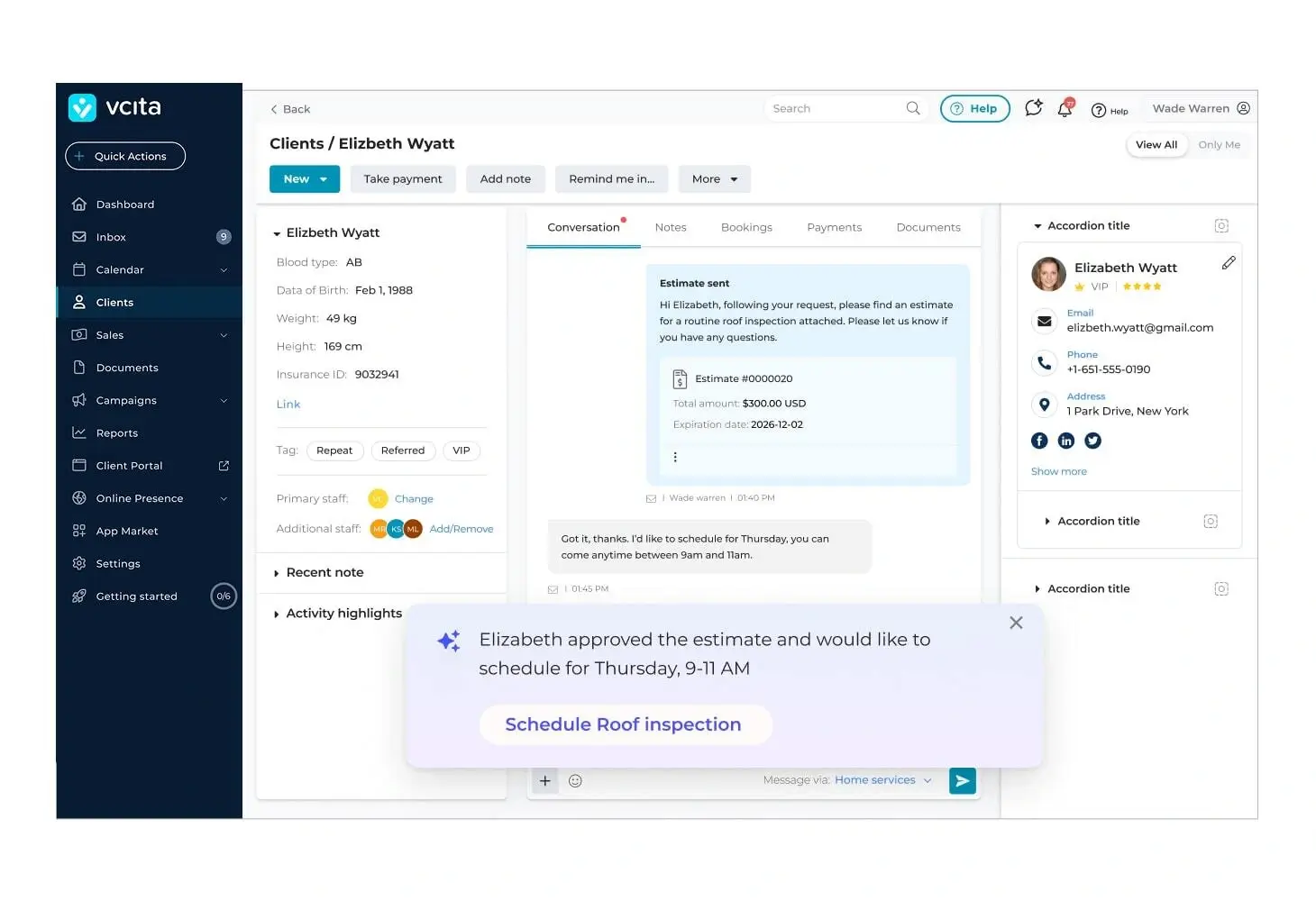
vcita combines client records, scheduling, invoicing, payments, and messaging in one subscription. Its portal lets customers book appointments, view invoices, and upload documents. It fits clinics, tutors, trades, and small practices, where scheduling and payment are the whole relationship. If you already run a separate CRM, you'll pay for overlap.
Reviews: 4.5/5 on G2 (81), 4.4/5 on Capterra (292)
Pricing: From $35/month (Kickstart), billed annually.
SuperOkay
Reviews: 4.6/5 on G2 (44)
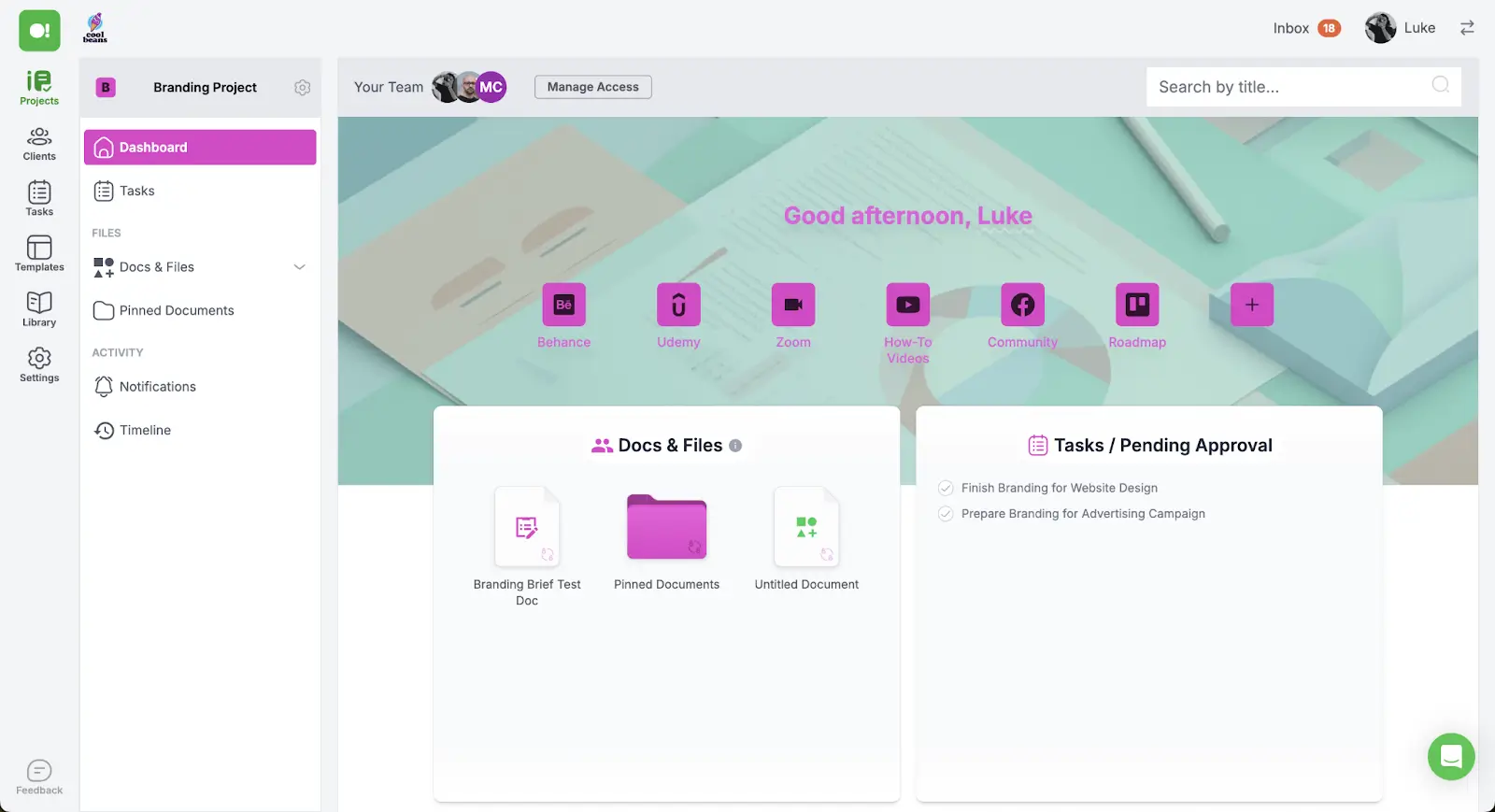
SuperOkay gives each client one page holding every document, asset, link, and update for the project, with Figma, Drive, and Airtable views embedded directly. It sets up in an afternoon and looks designed rather than configured. There's no built-in invoicing, and plans are tiered by client count, so costs step up as you grow.
Pricing: Free plan; paid from $9/month.
Onehub
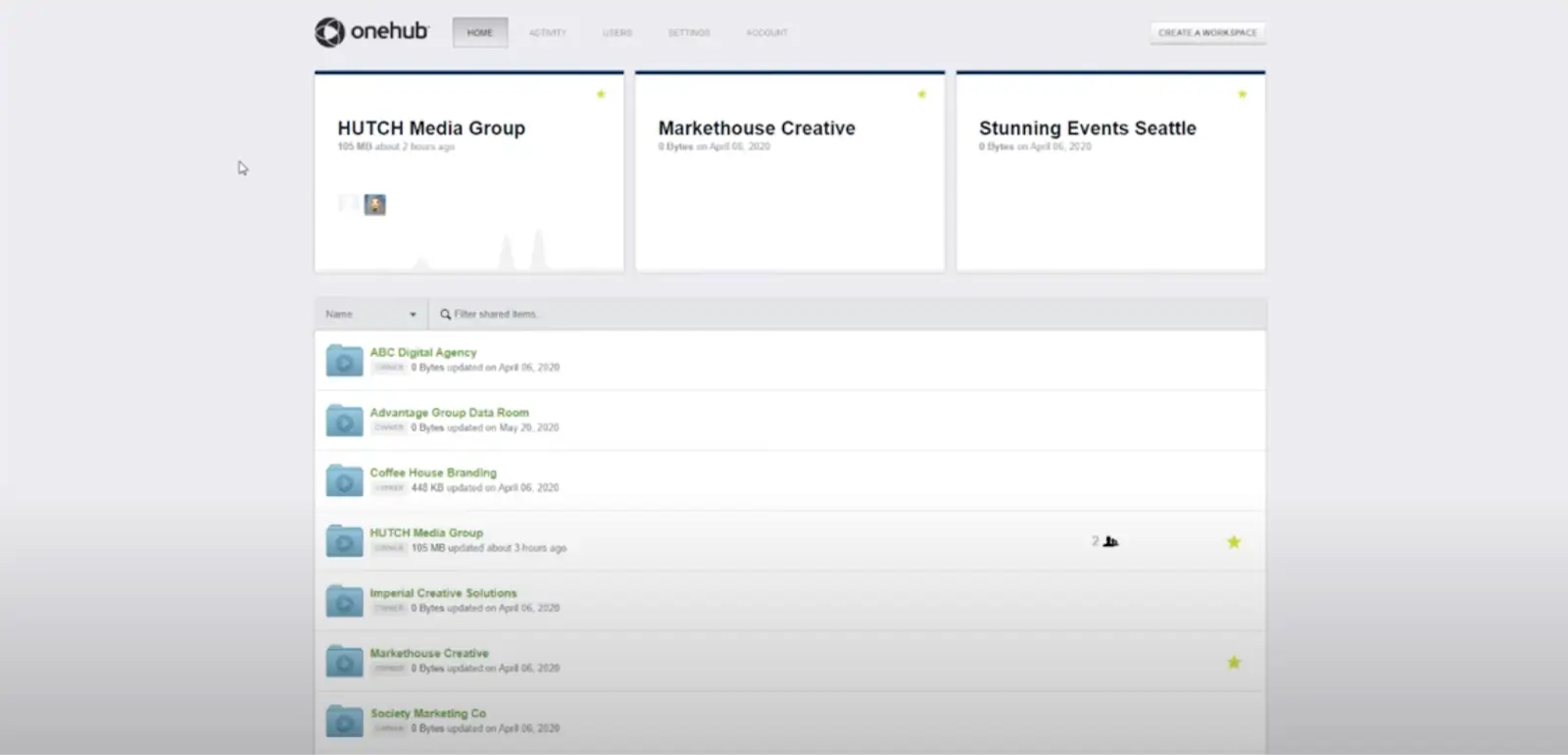
Onehub is built for sharing documents with clients under tight access control: audit trails, role-based permissions, and virtual data rooms for financing rounds, legal work, and investor relations. It shares files rather than managing projects, and pricing is per seat, so it climbs as the team grows.
Reviews: 4.2/5 on G2 (45), 4.6/5 on Capterra (41)
Pricing: From $12.50/user/month, billed annually.
Wrike
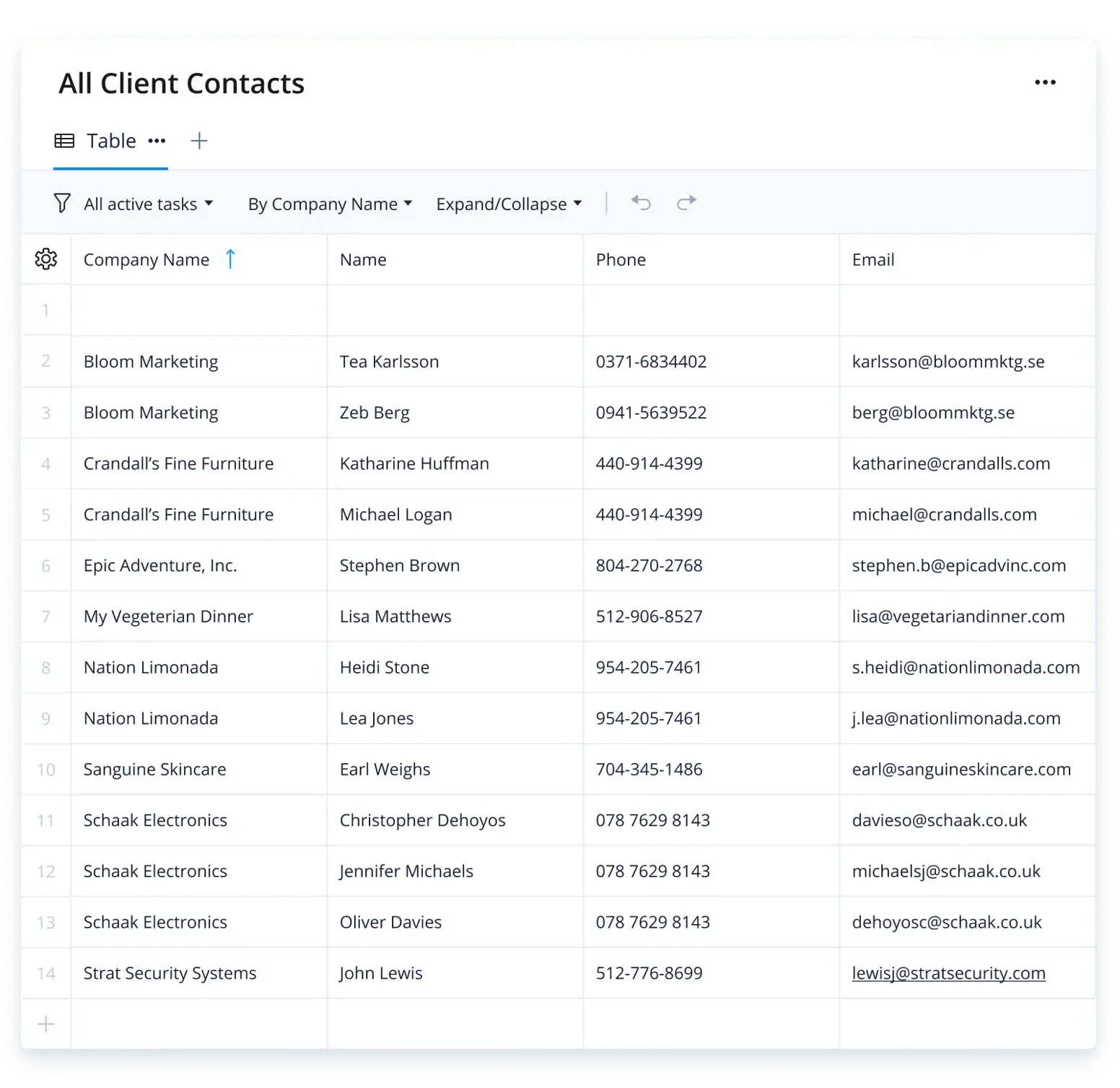
Wrike is a project management tool with portal features layered on. You invite clients into specific projects to follow progress, open files, comment, and approve work without seeing how it gets done internally. It won't look like your brand, and the feature set takes time to learn, which costs you when the people learning it are clients.
Reviews: 4.2/5 on G2 (4,540), 4.4/5 on Capterra (3,038)
Pricing: Free plan; paid from $10/user/month.
What client portals cost at 5, 15, and 30 clients
Entry prices are the wrong number to compare. What matters is what you pay once the client list grows, and that depends entirely on which of three models a vendor uses.
- Flat fee, unlimited clients. You pay one subscription no matter how many people log in. Cheapest at scale, and the price you see is the price you keep.
- Per client seat. Every client login adds cost, usually in tiers. Fine at five clients, painful at thirty.
- Per internal seat, clients free. You pay for your own team; clients join as guests. This looks cheap until you find that guest access is capped or stripped back on lower plans.
The table below prices each tool for a business with one to three internal team members, at 5, 15, and 30 client logins, using list pricing billed annually.
Keep in mind that all of these apps besides Softr will likely require you to pay for a separate database, workflow automation tool, and AI agent subscription. Softr bundles these features together in one platform, making it the most cost-effective choice for many businesses.
Choose a better way to manage clients
The best client portal software should align precisely with your team's needs. Whether you're sharing files, tracking tasks, collecting requests, or keeping clients informed, the right tool helps you do it all from one place. From simple file-sharing portals to flexible, AI-powered platforms like Softr, there's something on this list for every business.
"Our web portal for individual clients and enthusiasts could not have been built and launched so quickly if it were not for Softr. We now have solutions for heavy-lift clients who want API solutions, and lightweight clients who want bits of info on a web platform." - Ken N., Director, G2 review
The next step? Try the free client portal template on Softr, or describe your portal to the AI Co-Builder, to launch faster with the features your clients actually need.
Frequently asked questions
Are client portals safe?
How do I make a free client portal?
What is a secure client portal?
What's the difference between a client portal and a customer portal?
How much does client portal software cost?