Claude Cowork vs OpenClaw: Which AI tool should you use in 2026?

[.blog-callout]
✨ TL;DR:
- Choose Claude Cowork if you want a managed, plug-and-play agent that works inside the Claude desktop app with safety guardrails built in.
- Choose OpenClaw for a free, open-source agent whose security concerns you’re able and willing to handle yourself.
- Cowork is easier and safer for most people. OpenClaw is more flexible and powerful, but technically demanding. And it’s risky enough that several companies have banned internal use.
- Choose Softr if your actual problem is that your team’s processes are scattered. It lets non-technical teams build ready-to-use (and share) apps and portals with AI, so there's less manual work for an agent to do in the first place.
[.blog-callout]
I remember when OpenClaw came out. I'd heard of early adopters installing it and then backpedaling after their work security teams said it was too risky. Every podcast I listened to in the weeks after the release covered it feverishly. My LinkedIn feed filled up with memes of AI-generated lobsters for weeks. People were freaking out about its powers. I was, too.
Then Claude Cowork showed up. A lot of people saw it as Anthropic's safer, more polished answer to the open-source agent that had taken over the internet. Both can browse, read files, run multi-step tasks, and coordinate across apps. But they differ in many other ways.
In this post, I’ll walk through each tool's strengths and weak spots and help you decide which one fits your needs, or whether you’re better off with a different kind of solution altogether, like Softr.
Claude Cowork vs OpenClaw comparison
| Feature | Claude Cowork | OpenClaw |
|---|---|---|
| Ease of use | Accessible in the Claude Desktop app. Simple to set up and prompt. | Technically demanding. Requires Node.js, API keys, config files, and ideally a virtual machine (VM). |
| Supported programming languages | Not language-specific. Runs as an agent. Skills can support Python, JavaScript, and shell commands (quick, text-based instructions that automate tasks on your computer). | Model-agnostic and language-agnostic. Skills can run shell commands and any programming environment you've set up on your machine. |
| Reasoning capabilities | Powered by Claude Opus 4.7. Thinks through complex problems. Plans multi-step tasks. Checks its own answers before reporting back. | Depends entirely on the model you connect, whether that’s Claude, GPT, Gemini, or a local model like Qwen. |
| Reliability | More reliable since reaching general availability in April 2026. Early users reported occasional crashes and session resets, but the GA release addressed those rough edges. | Community logs show runaway loops, malicious skills, and unattended deletions. Most of these risks are manageable only if you're a developer who knows how to set guardrails. |
| Collaboration features | Teams can save and share reusable skills. Team and Enterprise plan users can build shared, Claude-powered workflows. | OpenClaw can connect to messaging apps like Slack and Teams, so your team can send tasks and get results without leaving those tools. For shared agents, you'll need to self-host or bring in a community-built tool. |
| Integrations | Connects nearly 40 apps natively through its connector directory, plus any external or internal app that connects to the MCP. | Connects to 50+ apps natively, 100s more in community-built integrations and skills, and any external or internal app that connects to the MCP. |
| Pricing | Available only on paid plans. | Free. You pay for hosting and LLM API tokens. |
| Target audience | Mainly for non-technical people working in ops, marketing, finance, legal, or research. | Developers and power users comfortable with terminals, VMs, and managing their own security. |
What is Claude Cowork?

Claude Cowork is Anthropic's AI agentic assistant, built into the Claude Desktop app. You tell it what you want in plain English, and Cowork comes up with a plan. Then it opens the necessary apps, edits your files, and shares the results with you.
Unlike OpenClaw, which is a self-hosted framework you configure yourself, Cowork is a managed product. It has a single, polished interface. And Anthropic's safety guardrails are built in, so it’s unlikely to go rogue and email your contacts some cuckoo bananas email without your permission.
Who is Claude Cowork best for?
If you’re intrigued by OpenClaw but intimidated by its complexity, Claude Cowork provides a safer environment to play with similar capabilities. It’s also more tailored to work than personal productivity. It’s particularly helpful if your day involves a lot of, say, file shuffling, document drafting, data pulling, and report assembly that you’d rather offload to computers.
How Claude Cowork works
You open the Claude Desktop app and toggle to the Cowork tab. Type in any task, and Claude will respond with a plan for your approval, then execute it step by step. For example, you could ask it to synthesize research from the web and various knowledge sources, then draft a coherent report. It comes with two modes: “ask before acting” or “act without asking,” depending on how much oversight you want.
If you’d rather not repeat the same prompt over and over, you can create a skill. Skills are reusable, saved instructions that an agent can run on demand. And you can package those skills into plugins, which are bundles of skills, connections, and any sub-agents you’ve built, all existing in one big unit. You can schedule tasks to run on a recurring basis, too, but those will only work if your computer and the Claude Desktop app are open.
What is OpenClaw?

OpenClaw is a free, open-source AI agent framework started by Peter Steinberger. It lets you run an AI agent locally and connect it to your tools, files, and messaging apps. OpenClaw doesn’t lock you into a platform or AI model, either. You can bring your own LLM API key and configure whatever integrations you want.
That’s why it went viral earlier this year. Community members have reported doing wild things with it: rebuilding their entire personal website in minutes, wiring up their Oura ring data to a comprehensive personal health assistant, and building a complete iOS app just by chatting with OpenClaw.
As powerful as it is for personal productivity, it can wreak havoc, too. In March 2026, the Chinese government banned anyone from running OpenClaw on office computers, citing unauthorized data deletion, leaks, and excessive energy use. That being said, on April 30, Peter Steinberger published a candid account of OpenClaw’s security story. It’s improved considerably since launch: the codebase shrank, authentication bugs got fixed, and the skill registry has dedicated moderation.
Who is OpenClaw best for?
For now, OpenClaw is squarely for developers and power users. If you like tinkering with AI, by all means, dive in if you’d like. Just know what you’re up against. Without proper guardrails, OpenClaw is capable of deleting files it wasn’t meant to touch, contacting people without your consent, and making random, unauthorized purchases.
To wield it safely, you’ll want to be comfortable with Node.js, environment variables, VMs, and reading skill source code. This tool isn’t gentle, nor is it forgiving if you misconfigure it.
How OpenClaw works
You install OpenClaw on a local machine or a VM, so your agent can keep running when your computer is closed. It runs as a gateway process, which is just a long-running program that sits between an LLM and your tools, routing messages back and forth. You message the agent through Telegram, Discord, WhatsApp, Slack, Signal, or a built-in web UI. And it responds and takes action on your behalf.
Skills define what the agent can do: shell commands, browser automation, file management, API calls, and so on. The OpenClaw community has published hundreds of skills, but vetting in the past was uneven. In February 2026, OpenClaw's skill registry had to remove almost 400 malicious skills that were trying to siphon credentials and data from users who’d installed them.
Claude Cowork vs OpenClaw: Features compared
Okay, here’s how the two stack up across the most important features:
Which is easier to use and set up?
Cowork wins this by a wide margin. You install the Claude Desktop app, sign in, click the Cowork tab, and start typing. There are no API keys to manage, no VM to provision, and no config files to edit.
Using OpenClaw is…involved. You're configuring Node.js, picking a model provider, generating API keys, hardcoding credentials into config files, picking and vetting skills, and ideally setting up a VM for safety. One of OpenClaw's own maintainers warned: "If you can't understand how to run a command line, this is far too dangerous of a project for you to use safely."
Verdict: Cowork for anyone who isn't a developer. Use OpenClaw if complexity isn't a barrier and you want full control.
Which has better reasoning and task execution?
Cowork runs on Claude Opus 4.7. It’s incredible at analysis when it’s connected to data sources, and it drops finished files to all the right folders. But long workflows still break. It works more effectively if you chain shorter tasks together rather than running, say, a single 15-step one.
OpenClaw's reasoning quality depends entirely on the model you plug in. With a frontier model, it can match Cowork's output on similar tasks. With a budget model, results degrade. Power users often juggle models to balance cost and quality. The model-agnostic design is genuinely useful, but it pushes the burden of model selection onto you.
Verdict: Cowork is more consistent out of the box because the model and harness are tuned together. OpenClaw can match that power, but only with the right configuration.
Which is more reliable?
Cowork has come a long way on this front. It launched in January as a research preview and behaved like one. Users reported crashes and interrupted sessions and external app connections breaking for whole companies. Since reaching general availability in April, those rough edges have largely been addressed. The GA release also brought enterprise-grade infrastructure that makes it a meaningfully more stable product than it was three months ago.
OpenClaw has? had? real reliability problems. Runaway loops burned through API tokens, and skills misbehaved in ways that weren't visible until something broke. But Steinberger is telling a new story now. He’s stated that authentication bugs have been fixed, there’s a smaller core, signed releases, better secrets handling, and dedicated moderation on the skill registry. The number of incoming security reports has dropped significantly, too. So I'm curious to see where things go from here.
Verdict: Cowork still wins on reliability. It's stable, Anthropic-backed, and has a clear support structure. But keep an eye on OpenClaw.
Which is best for collaboration and team features?
With Cowork, Teams can save and share reusable skills through a shared plugin folder. Plus, Team and Enterprise plans come with admin controls for distributing workflows across an org. That said, it's still desktop-bound. It runs on your machine, against your local files, in your session. Sharing outputs beyond skills and plugins still requires manual steps.
OpenClaw lives in messaging platforms by default. Which sounds collaborative, but isn't really. You can run multi-agent setups coordinating through shared databases, but you're building that yourself. There's no team admin layer, no permission inheritance, and no shared workspace concept out of the box.
Verdict: Cowork has a slight edge here. It’s got a real admin layer and shared skill infrastructure. OpenClaw is a personal tool first. Any team setup requires you to build it yourself.
Which is better for integrations?
Cowork connects to Google Drive, Gmail, Slack, GitHub, Notion, and around 40 other tools through Claude's connector ecosystem. There's also a growing library of skills and plugins, and Claude in Chrome handles browser-based tasks.
OpenClaw has a little more raw breadth. It’s got more than 50 official integrations and hundreds of community-built skills. The tradeoff is that community skills are uneven in quality. And as the malicious skill incidents showed, vetting what you install matters.
Verdict: OpenClaw wins in terms of breadth and flexibility. You just have to be able and willing to vet what you install.
Popular use cases for Claude Cowork vs OpenClaw
Here's where each tool tends to shine:
Best use cases for Claude Cowork
- Document and report assembly — Point Cowork at a folder of source files and have it produce a structured draft, executive summary, or formatted spreadsheet.
- File organization at scale — Rename, sort, deduplicate, and convert files across messy folders (docx to PDF, image compression, format normalization).
- Meeting prep and research synthesis — Pull from email, calendar, and reference docs to create a one-page brief with talking points.
- Repetitive batch work — Draft outreach emails from a list, generate captions, and extract action items from transcripts.
Best use cases for OpenClaw
- Always-on personal automation — 24/7 agents can monitor inboxes, check websites for changes, run cron jobs, and message you when something needs review.
- Messaging-first workflows — Agents can talk to you from your phone via WhatsApp, Telegram, or Discord while you're away from your computer.
- Highly customized agent stacks — Setups can mix multiple models, route tasks dynamically, and integrate with tools that don't have a Cowork connector.
- Developer and DevOps automation — Coding agents can work overnight, manage repos, run scheduled jobs, and trigger off webhooks.
Claude Cowork vs. OpenClaw on Reddit
The conversation on Reddit mirrors the story I’ve woven throughout this piece.
What real users are saying about OpenClaw
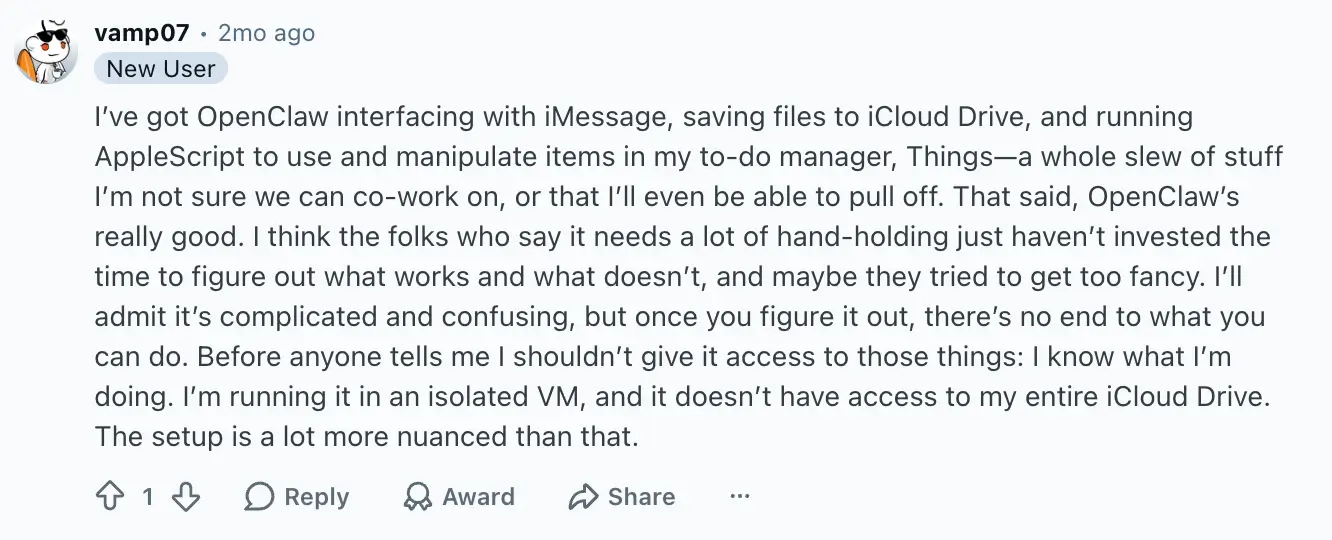
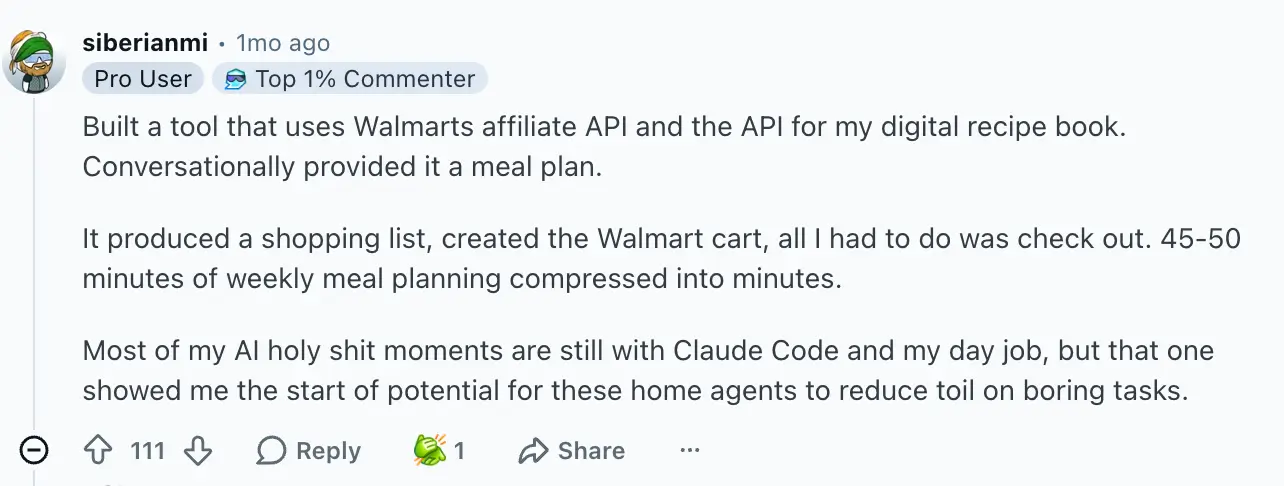
The OpenClaw stans are ride or die. One Reddit user describes a surprisingly sophisticated personal productivity setup, while another built an AI-powered meal-planning workflow that automatically generated shopping lists and populated their Walmart cart from a conversational prompt.
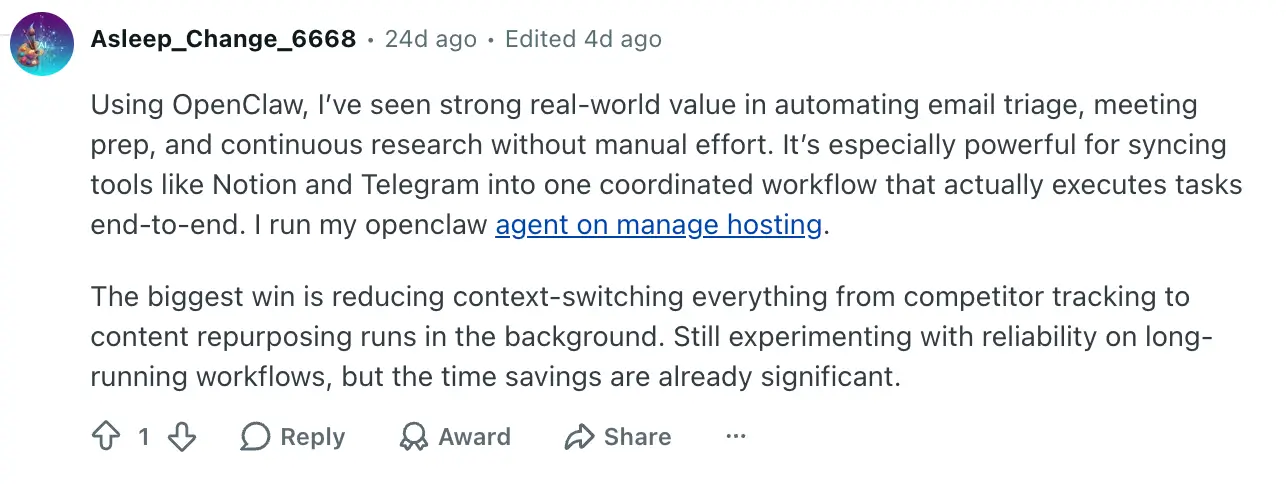
Even with the security concerns, people love it for work. One Reddit user deploys it for email triage and research, while another runs invoicing, shipping, and inventory workflows through OpenClaw.
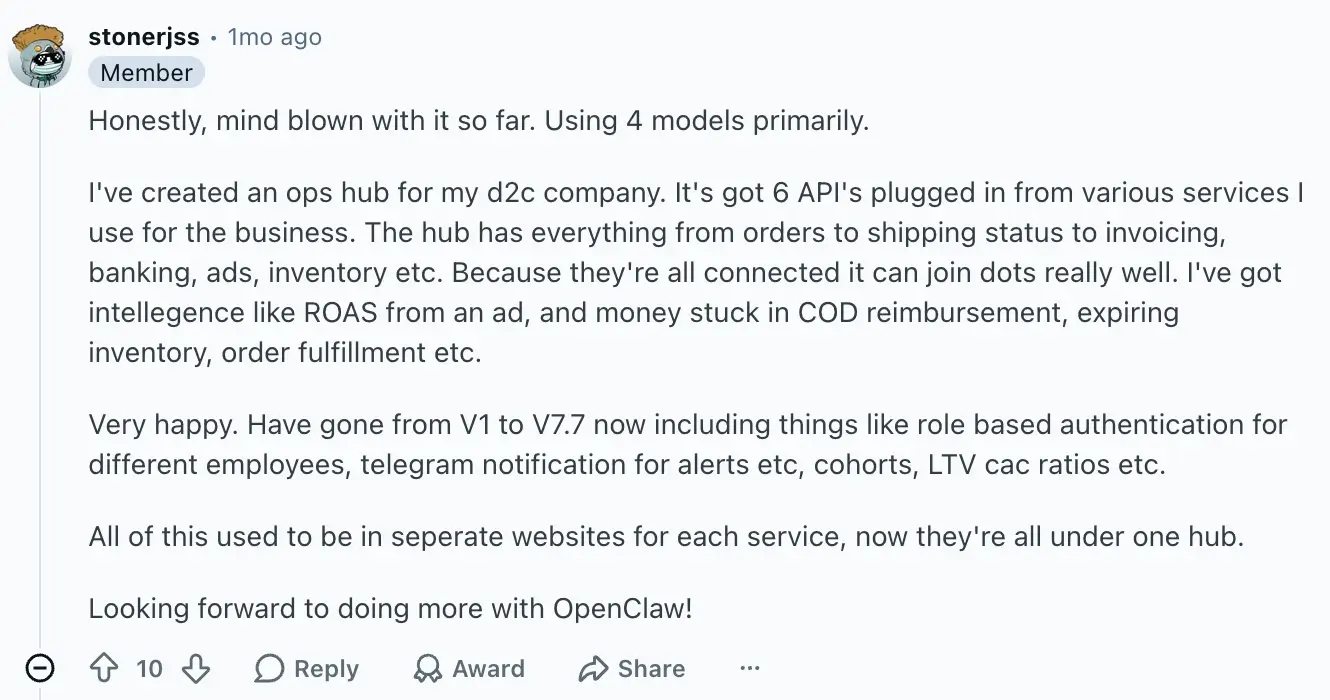
That last user noted that the closest commercial SaaS doing the same job cost significantly more, which was a big win for them. But it took them time and effort to get their OpenClaw setup working.
This person’s setup is particularly impressive. A personal CIA? Sign me up.
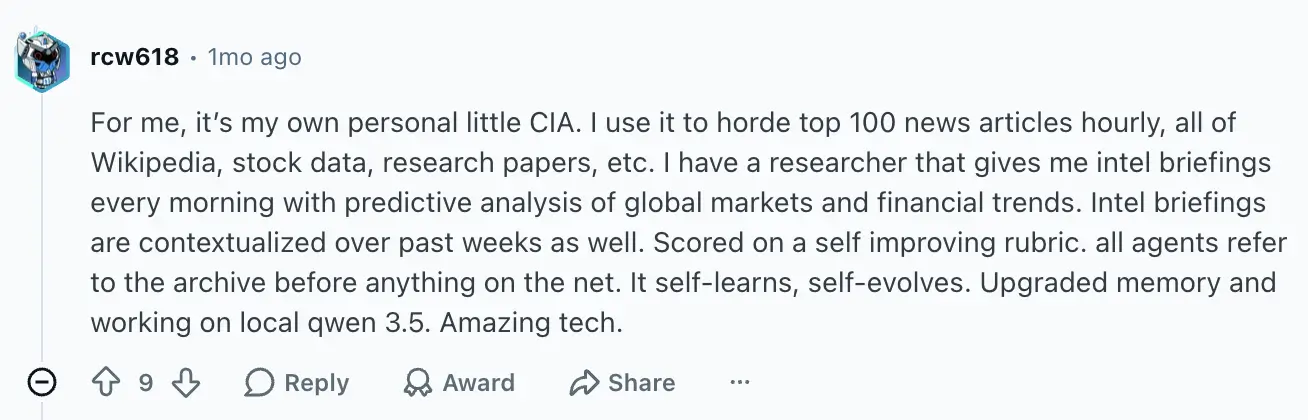
They did admit that they constantly juggle models to balance cost and quality, though. They run it on a local open-source model, Qwen, which delivers solid results but demands a top-tier PC with a lot of memory. That kind of hardware gets expensive fast. So there’s that.
What real users are saying about Claude Cowork
When asked to pick between Cowork and OpenClaw, people tend to say that OpenClaw's automation is more powerful. But if you're worried about burning through credits or doing something you can't undo, Cowork is the safer pick.
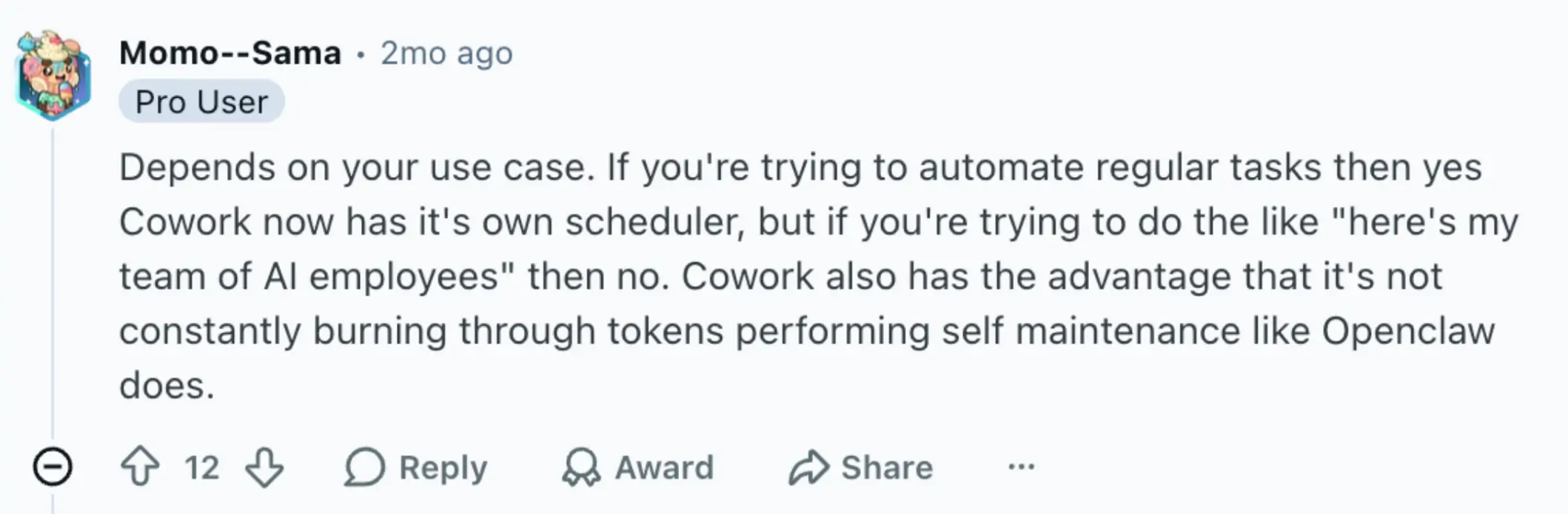
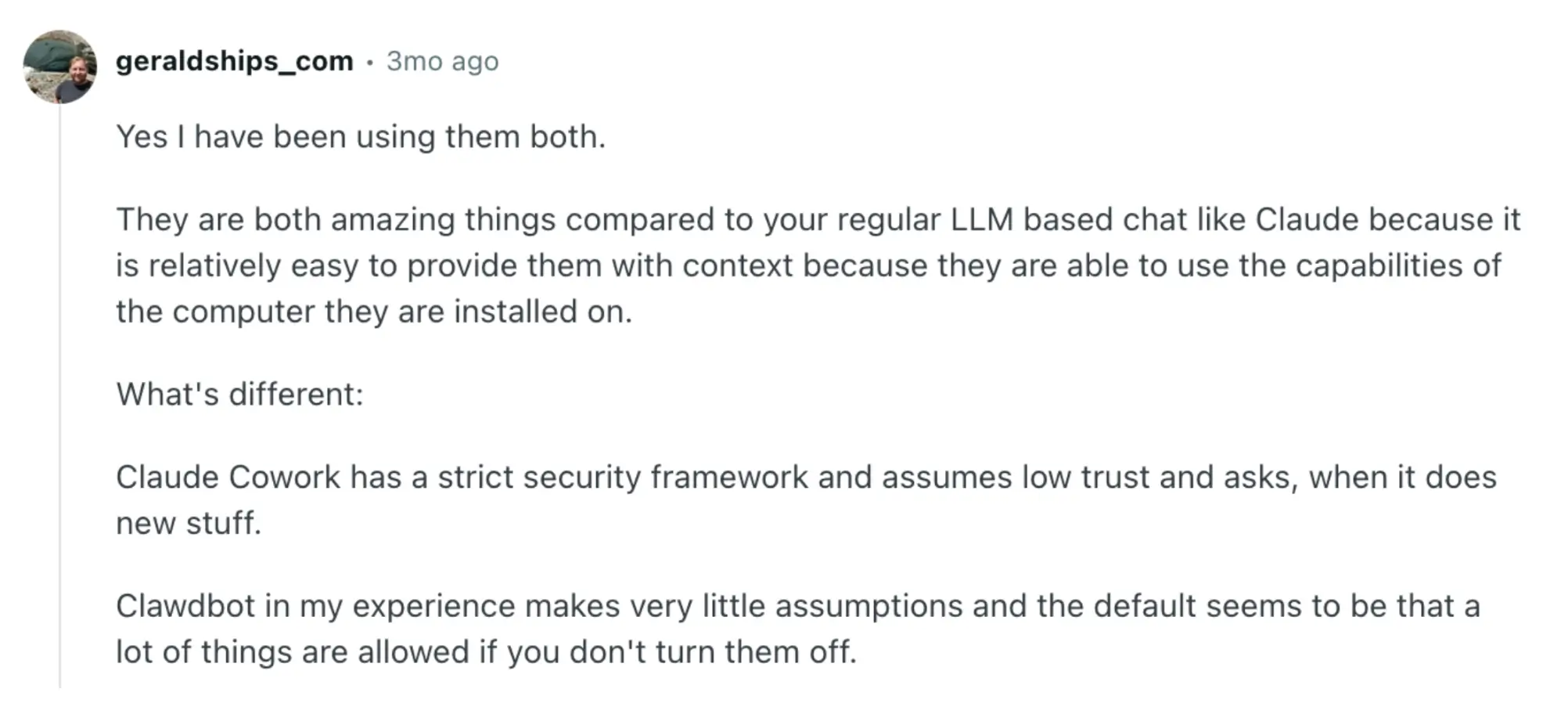
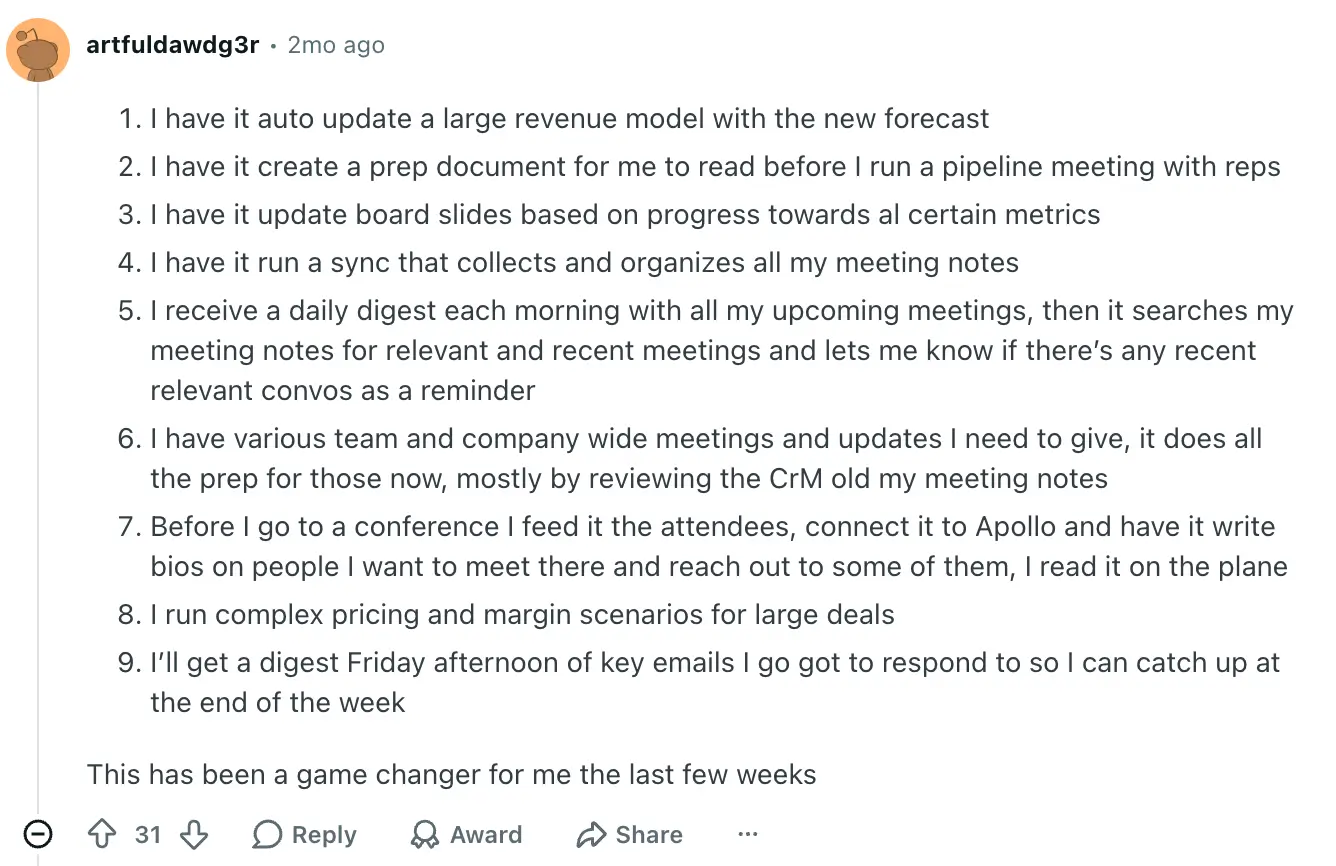
One user mentions genuinely liking what Cowork can do.
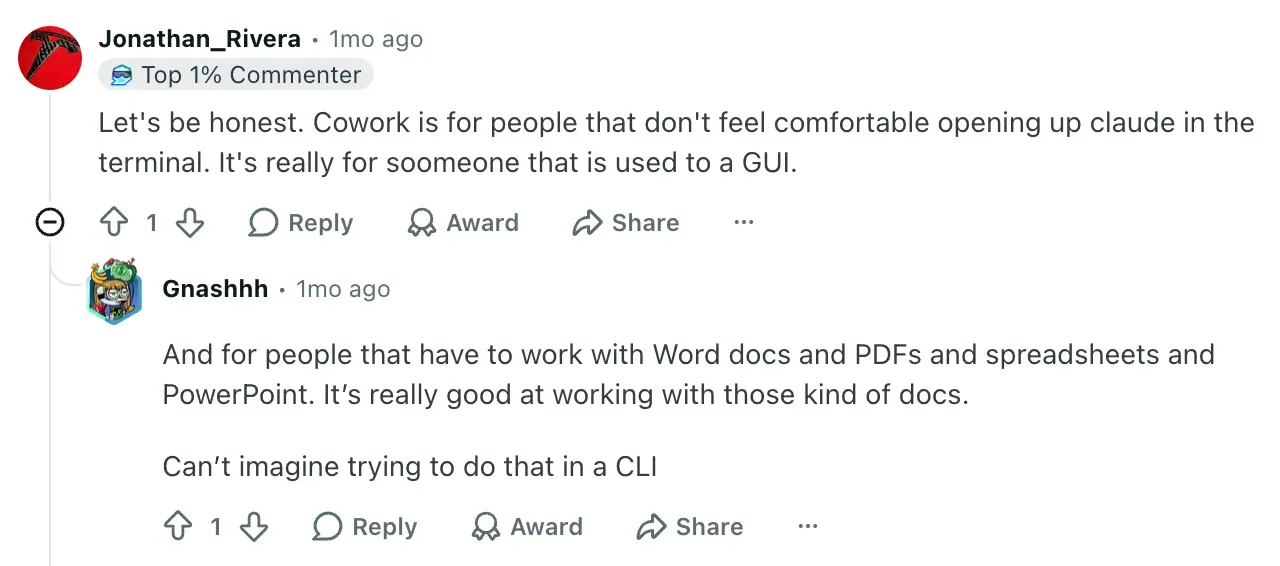
And users repeatedly say that Cowork and Claude Code are doing similar work under the hood. Cowork is just a better fit for non-technical people.
Common pros and cons mentioned
For OpenClaw:
- Free and open source
- Model-agnostic, bring whatever LLM you want
- True 24/7 automation when self-hosted
- Deep customization ceiling for those who can build it
- Large, active community
- Your data stays on your own hardware
- Steep technical learning curve
- Banned at many companies for security reasons
- Unreliable scheduler
- Malicious third-party skills have shipped at scale
- Runaway API costs are a common complaint
- Self-hosting a model often needs expensive hardware
For Cowork
- Easy to set up and use without a coding background
- Transparent step-by-step execution, so you can see what it's doing
- Sensible permission prompts before it takes action
- Works with the connectors you already use
- Much safer than running an open-source agent on a work machine
- Buggy in early preview, though more stable since GA
- Locked to Claude's model
- Naming gets confusing alongside Claude Code and Claude Chat
- Expensive at the Max tier
How pricing compares between Claude Cowork and OpenClaw
Cowork is a managed subscription. The costs are predictable because they’re tied to your Anthropic plan. OpenClaw is free, and VM hosting doesn’t cost much. But every time the agent thinks or responds, it’ll call an AI model, and you’ll pay for that.
| Plan tier | Claude Cowork | OpenClaw |
|---|---|---|
| Free | Claude Cowork not included. | The software is free. |
| Mid-tier | Pro is $20/month. | - |
| Top-tier | Max starts at $100/month. Team and Enterprise plans are priced higher per seat. | - |
Cowork's pricing is straightforward. Pick a plan, get access, run tasks until you hit usage limits. Heavy Cowork tasks burn through usage faster than chat, so frequent users might need the Max plan even if their underlying chat use is lighter.
OpenClaw's pricing is deceptively simple. The software itself is free, but the real costs come from API token spend, a highly volatile expense. Light personal use of OpenClaw might land at $5–$15/month. But if you’re running a heavier setup, you might be talking up to $1,000/month, or even more. One reported case of unmonitored runaway workflows hit $3,600/month.
For predictable budgets, Cowork is the safer bet. OpenClaw can, theoretically, be cheaper. But that’s only if you actively keep an eye on things.
Meet Softr: the platform that gives your team less manual work to do in the first place

Both Cowork and OpenClaw are personal agents. They sit on top of whatever system your team currently uses — spreadsheets, shared drives, scattered tools — and try to automate the work of bridging it. That's useful. But it doesn't solve the underlying problem. Most teams have stitched-together workarounds, and adding on an agent is just one more layer to manage.
Softr takes a different approach. It's the AI platform for building real business software without any code. That includes client portals, vendor portals, company intranets, CRMs, project trackers, and the operational systems your team actually logs into. AI is built directly into the apps, not bolted on as a separate agent.
Why choose Softr over Claude Cowork or OpenClaw
Cowork and OpenClaw are largely solo productivity tools. Softr is what you use when more than one person needs to depend on the work. If you're reaching for an agent to compensate for not having real internal tools, that’s a sign you need Softr more than you need an agent.
Build the apps your team and clients actually use
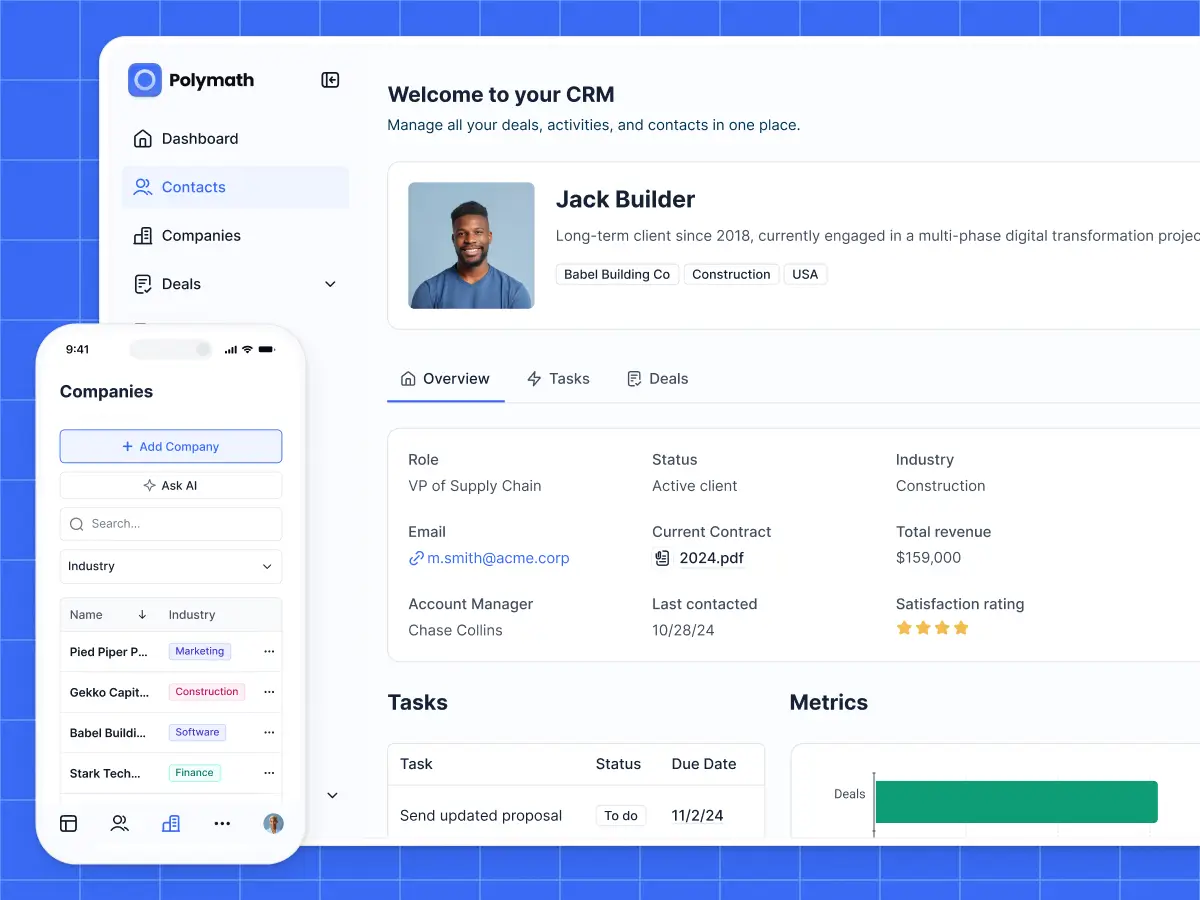
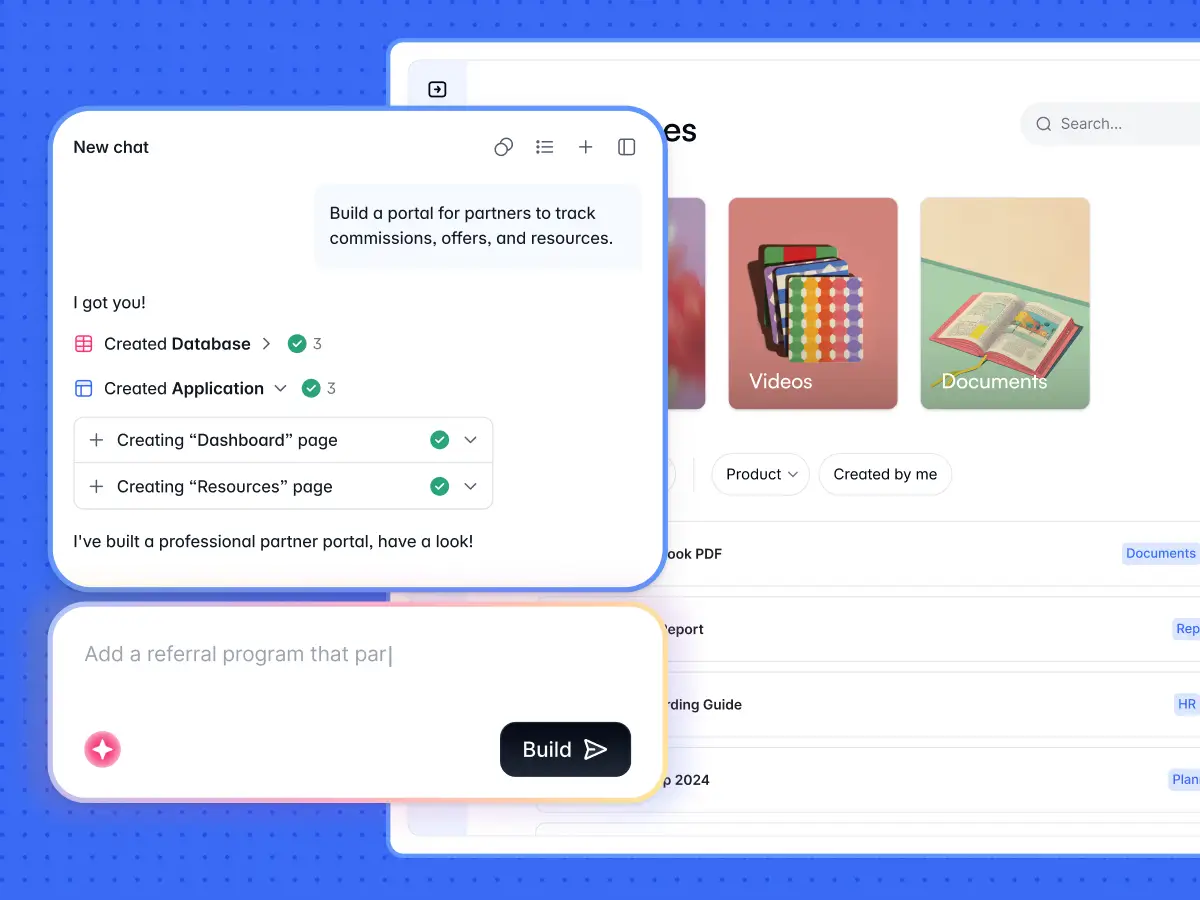
Cowork helps you finish a report. OpenClaw helps you automate your own inbox. Softr’s focus is elsewhere: you build the portal where your clients log in, see their projects, submit forms, and approve work. Or the internal CRM your sales team runs on. Or the dashboard your operations lead checks every morning. Just describe what you need, and Softr's AI Co-Builder creates the database, the application, and the business logic.
Secure and fully functional from day one
Every business app needs the same foundation of authentication, user management, permissions, hosting, and security. With Softr, it's already built in and has been for years. Auth out of the box, roles and permissions you can visually configure, and a hosting layer you don't manage. Every app works the moment you publish it. You're not waiting for a security post to tell you things have improved, or wondering whether a GA release will be better than the preview.
One platform for your data, apps, and workflows
Manage your business data in a visual, relational database. Build portals and internal tools on top of it, or sync external data sources like Airtable, Google Sheets, HubSpot, Notion, and SQL databases with real-time, two-way sync. Automate workflows across your stack. Connect to the third-party tools you already use. You’re working with a single platform instead of an agent that's trying to bridge five.
Granular permissions that actually scale
On Softr, you can define exactly what each user can see and do. Cowork has added admin controls at the Team and Enterprise tier, but it's still an agent running on one person's desktop. OpenClaw has no team permission layer out of the box. Softr's user groups and access controls are built for software that real customers and teammates depend on.
Switch between AI and visual editing at any time
Build with AI when you want speed. Switch to visual editing when you want precision. Add a field, change a permission, update a workflow…with Softr, you can make these changes directly without re-prompting and hoping the AI gets it right. You're never locked into one mode. And you're never afraid to touch what you've built in case it messes up what’s working.
What you can build with Softr
- Client, partner, vendor, and supplier portals
- Internal tools like CRMs, project trackers, team intranets, and inventory management
- Custom ERPs and operational dashboards
- Conditional intake forms and onboarding flows
- Branded membership sites, learning platforms, and much more
Claude Cowork vs OpenClaw vs Softr: which one should you choose?
Honestly, these tools solve different problems.
Pick Cowork if you're non-technical and want an AI agent that just works. It's the best fit for you if you’re handling document-heavy, file-heavy work, like drafting reports, organizing folders, synthesizing research, automating personal task runs. Just expect bugs, accept the macOS or Windows desktop dependency, and don't rely on it for anything mission-critical yet.
Pick OpenClaw if you're a developer or power user who wants total control over your AI agent stack. It's the right tool for always-on personal automation, messaging-first workflows, and setups where you're willing to trade convenience for flexibility and cost control. Just know the security risks, run it in a sandboxed VM, vet every skill before installing it, and watch your API spend.
Pick Softr if your processes are scattered across too many tools, and you need real software to run on. Cowork and OpenClaw can automate the seams between systems. Softr replaces the seams with a single platform: a database, the apps your team and clients use, and the workflows that connect everything. There’s less manual work to do from the get go, and less reason to need an agent at all.
Try Softr for free today and see how easy it is to turn a simple prompt into a powerful solution that your team will actually use. No developers required. No coding needed.
Frequently asked questions
Is Claude Cowork better than OpenClaw?
Is OpenClaw safe to use for business?
Can I build a client portal or CRM with Claude Cowork or OpenClaw?