Service Hub makes sense when your support setup is closely tied to HubSpot and relatively straightforward. But as operations grow, teams run into limits: fixed workflows, rising costs as you unlock features, or the need to manage more than just tickets. This guide breaks down the five best HubSpot Service Hub alternatives in 2026, and how to pick between them.
Best alternatives to HubSpot Service Hub at a glance
| Tool | Best for | Top features | Pricing |
|---|---|---|---|
| Softr | Building custom client portals on top of HubSpot data (without per-seat costs) | - Secure client portals (no extra seats) - Role-based access & permissions - Request intake forms & workflows - Dashboards, invoices, knowledge bases - AI-assistants | Free plan available; paid plans from $19/month (flat pricing, not per agent) |
| Zendesk | Large teams running high-volume, multi-channel support | - Omnichannel ticketing - SLA management & routing - AI automation & knowledge base | From $19 per agent/month (billed annually) |
| Intercom | Product-led companies focused on live chat and AI support | - In-app messaging & live chat - Proactive onboarding messages - Unified conversation inbox | From $29 per seat/month + AI usage fees |
| Freshdesk (Freshworks) | SMBs wanting an affordable omnichannel help desk | - Unified ticket system - Automation & SLAs - Knowledge base portal | Free plan available; paid plans from $29/user/month |
| Salesforce Service Cloud | Enterprises managing complex global support operations | - Advanced case management - Deep CRM integration - Omnichannel workspace | From $25/user/month; enterprise tiers significantly higher |
Why look for a HubSpot Service Hub alternative
HubSpot Service Hub works well for teams that want support tightly connected to their CRM. You might start exploring other options if:
| Reason | What it means in practice |
|---|---|
| 1. You’ve outgrown a ticket-centric model | Service Hub is built around tickets and structured support flows. The system can start to feel restrictive if your team now handles onboarding, ongoing requests, client communication, and operational tasks that don’t fit neatly into tickets. |
| 2. You need more flexible workflows | As more teams get involved in customer work, fixed pipelines can slow things down. If your processes require custom stages, cross-department coordination, or non-standard approval flows, tools designed for more complex operations may fit better. |
| 3. You want advanced features without jumping to higher tiers | Many teams hit a point where key capabilities (e.g., deeper automation, custom reporting, etc.) sit behind more expensive plans. If costs start rising faster than your needs, alternatives with different pricing models become appealing. |
| 4. You’re managing more than just support | Customer work often expands beyond answering issues. Client portals, onboarding hubs, shared dashboards, and resource centers don’t always live comfortably inside a traditional help desk. |
| 5. Your support volume or complexity has changed | What worked when requests were predictable can struggle once volume spikes or cases become more nuanced. Teams handling high-volume support, multiple product lines, or global customers often need systems built specifically for scale. |
What to look for in a HubSpot Service Hub alternative
- Workflow flexibility & customization: If inflexible pipelines are the issue, look for a system that lets you adapt stages, routing, and processes to how your team actually works.
- Automation depth: Basic triggers are rarely enough at scale. Check whether the tool supports complex logic, multi-step workflows, and cross-team automations without requiring heavy technical setup.
- Pricing structure as you scale: Many teams leave when costs climb with seats, features, or volume. Look for transparent pricing that won’t spike as support demand increases.
- Support for non-ticket workflows: If your customer work includes onboarding, account management, or operational requests, choose a platform that handles more than traditional ticket queues.
- Omnichannel capabilities: Make sure it can manage conversations across email, chat, forms, and other channels in one place without losing context.
- Reporting and insights: Leadership teams often need deeper visibility into response times, workload, and customer health. Strong analytics shouldn’t require a top-tier plan.
- Integration with your existing stack: Your support platform should connect cleanly to your CRM, product data, communication tools, and internal systems so information stays consistent.
- Customer self-service options: Knowledge bases, portals, and AI assistance can reduce incoming requests. Look for tools that help customers solve common issues on their own.
- Ease of adoption for your team: A powerful tool only helps if people actually use it. Consider how quickly agents, managers, and other teams can learn and operate the system day to day.
1. Softr — best for building custom client portals on top of HubSpot data (without per-seat costs)
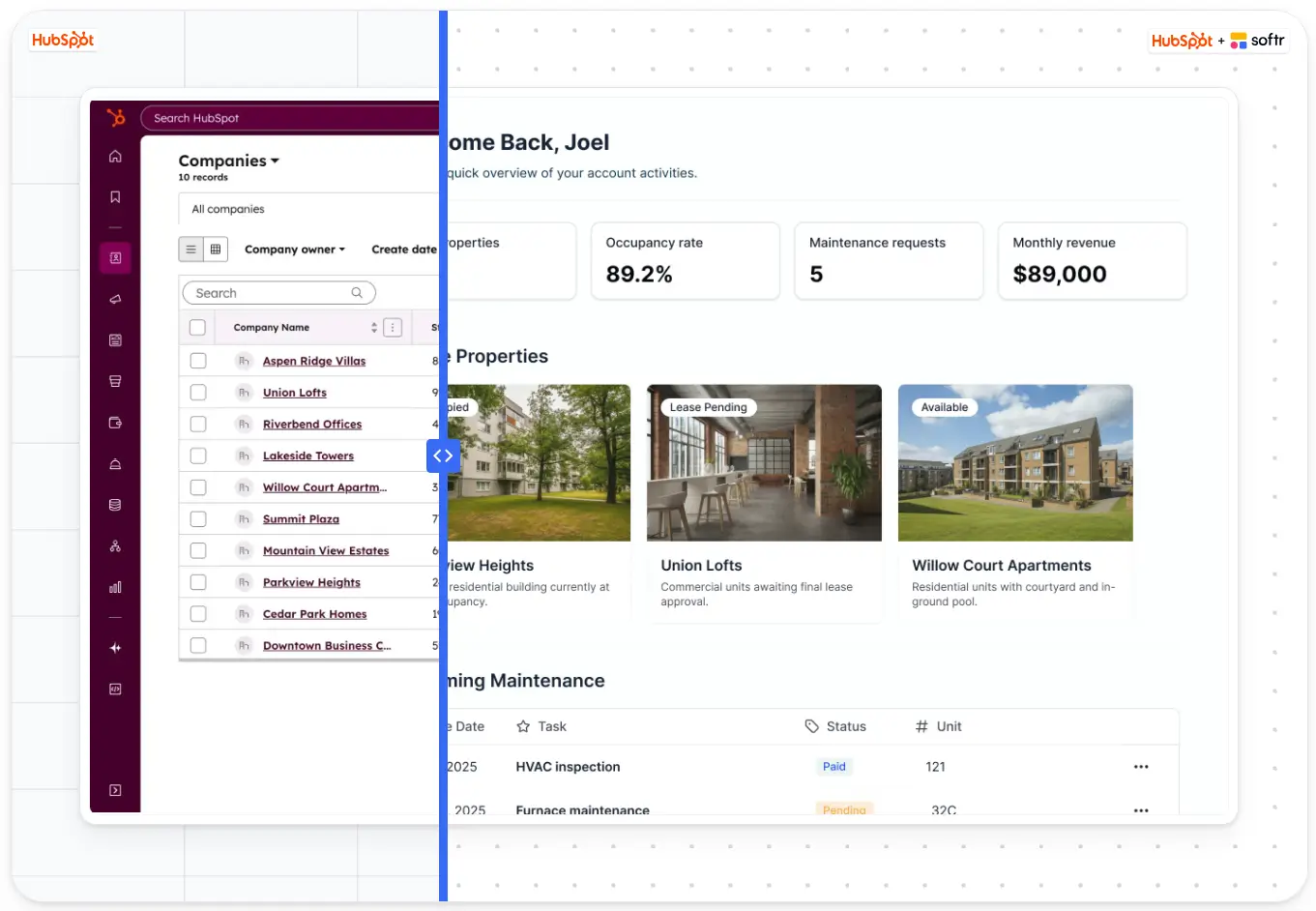
If you’re looking for a HubSpot Service Hub alternative, then perhaps your customer work no longer fits neatly into a help-desk model. In this situation, Softr can do the heavy lifting for you. You can build fully branded client portals where users log in to submit requests, track deals or tickets, access documents, pay invoices, book meetings, and see real-time project updates. Because authentication, user groups, and access controls are built in, you can safely give external users access to information that would normally stay locked inside your CRM.
The portal runs on your data, so everything stays in two-way sync. When your team updates a deal, uploads a file, or changes a status in HubSpot, clients see it instantly in their portal. Granular permissions ensure each customer only sees what’s relevant to them, which is critical for agencies, service firms, property managers, and operations teams handling multiple accounts.
Teams often use Softr to replace messy email updates, shared folders, and manual status reporting with a single, structured client workspace. Here’s an example 👇🏻
[.blog-callout]
✨ Using HubSpot as the data layer, Outremer created a dedicated portal where owners can follow their boat’s build progress, access documents, and get support without back-and-forth emails. It turned a complex, multi-year process into a self-serve experience.
[.blog-callout]
Softr pros and cons
Pros:
- All-in-one platform: Combines databases and front-facing interfaces like portals, CRM systems, project tracking, billing, and dashboards so teams can manage the entire client relationship in one system.
- Fast to build and easy to maintain: Start quickly with the AI co-builder or from a pre-made template without months of technical setup. Customize as you go.
- Client portals instead of ticket queues: Gives customers a dedicated place to submit requests, check status, and access resources.
- White-label branding and custom experience: Launch a fully branded portal on your own domain with your logo, colors, and navigation so it feels like part of your product, not a third-party tool.
- Scales without per-seat costs: Add more clients, partners, or external users to the portal as you grow without paying for additional CRM or Service Hub seats. You can expand services, workflows, and account types while keeping one system.
- Works on top of HubSpot data: Softr lets you keep HubSpot as your system of record while adding a front-end experience for clients and partners.
Cons:
- Not a traditional help desk: It doesn’t include an out-of-the-box ticketing engine for high-volume support teams that primarily handle incoming issues.
Softr best features
- Client portals on HubSpot data: You can build secure, login-enabled portals where customers interact directly with their requests, projects, and records.
- Knowledge bases and resource hubs: Offer self-service materials tailored to each client by building comprehensive knowledge bases.
- Request submission systems: Replace unstructured emails with conditional forms that capture the right information upfront, and keep your data up-to-date with the right automations in place.
- Role-based access control: Define user groups (employees, managers, contractors, clients) and set exactly what each group can view, edit, or delete. Permissions work at the record level, not just the page level, following best practices for secure data access.
- Dashboards and real-time visibility: Give clients and internal teams a live view of what’s happening. Request status, project progress, documents, invoices, and key updates without asking for updates every time.
- Invoices and payment visibility: Allow clients to see past and current invoices, payment status, and outstanding balances, and pay securely through integrated payment options like Stripe or PayPal.
- Native workflow automation: Automate the processes that typically cause delays or errors, such as asset requests, approvals, tasks, and resource planning. Workflows can trigger when records update or when users submit forms, keeping data accurate.
- AI-assisted insights(Ask AI) and automation support: Use built-in AI assitants, vibe-coding block, and co-builders to analyze data, summarize reports, or assist with workflow actions, reducing manual analysis work.
Softr pricing
Softr offers flat, predictable pricing with a generous free plan:
- Free: Unlimited apps, with access to Softr Workflows, Softr Databases, Softr MCP, 5 app users, 5,000 database records, 5 AI credits.
- Basic ($19/month): Unlimited apps with 42+ integrations, Team: 5 + Client: 5 app users, 50,000 database records, 10 AI credits, custom domain, conditional section visibility.
- Pro ($99/month): Unlimited apps with 45+ integrations and custom code, Team: 10 + Client: 50 app users, 500,000 database records, 50 AI credits, advanced forms, calling external APIs, and e-signatures.
- Business ($329/month): Unlimited apps with 52+ integrations, Team: 30 + Client: 100 app users, 1,000,000 database records, 100 AI credits, and advanced data sources.
- Enterprise (custom pricing, contact sales): SSO, dedicated success manager, and tailored onboarding.
Why it’s better than HubSpot Service Hub pricing
Instead of paying for additional Service Hub seats just to give clients visibility, you can provide portal access through Softr while keeping HubSpot as your backend — which can significantly reduce costs when many external users need access.
Who Softr is best for
Softr is best for service teams that manage ongoing client work. This means agencies, consultants, property managers, and operations-heavy businesses where customers need visibility and interaction beyond submitting support tickets.
Verdict: Softr vs HubSpot Service Hub
Choose Softr if you’re moving from reactive support to structured customer operations and want clients to participate in the process instead of emailing requests. Stick with Service Hub if your needs are primarily ticket-driven support. The trade-off is replacing a ready-made help desk with a system tailored to how your service actually runs.
2. Zendesk — best for large teams running high-volume, multi-channel support
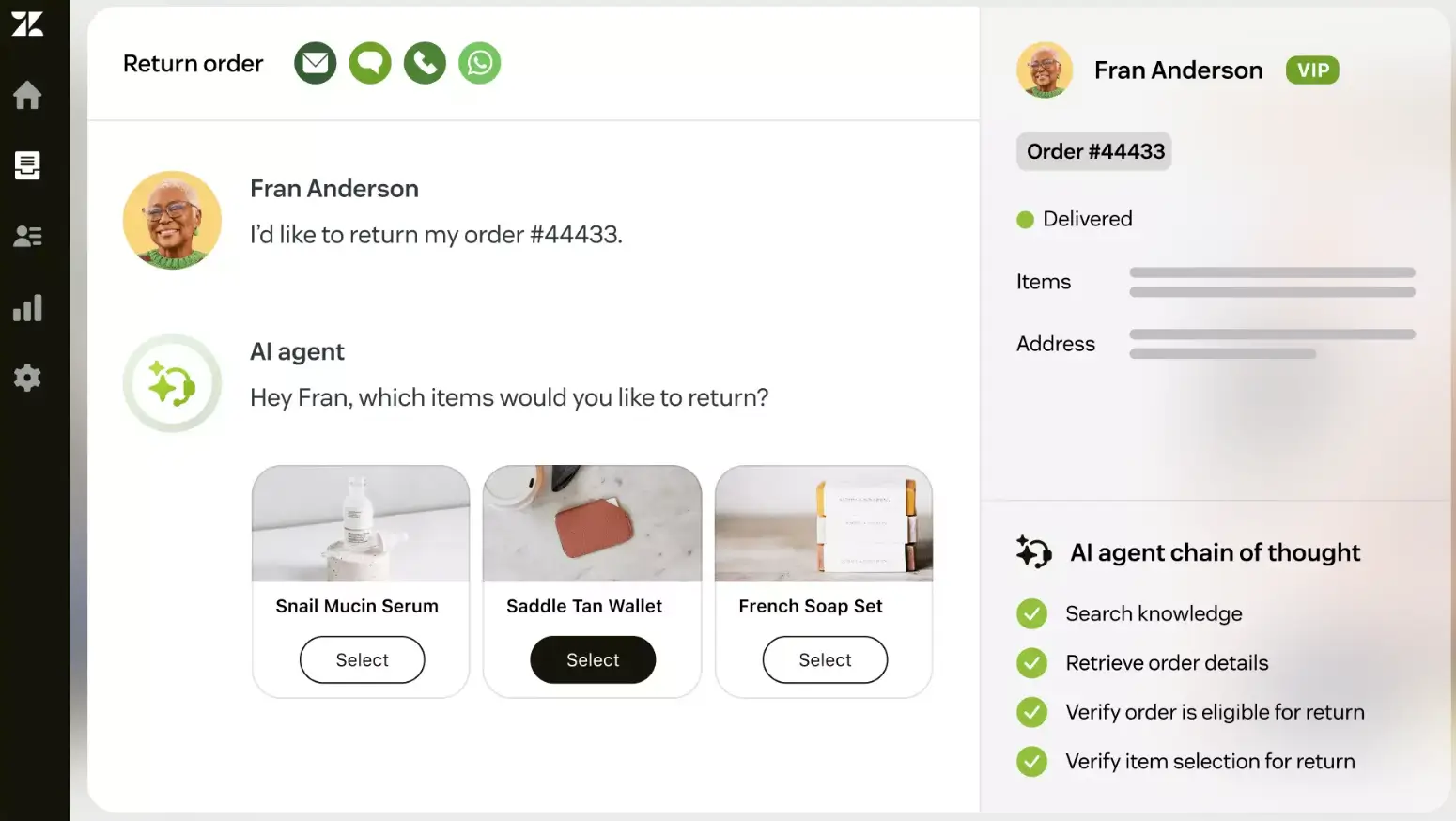
Zendesk is built for companies that run large, structured support operations. Everything revolves around managing incoming requests at scale: routing tickets, tracking response times, enforcing SLAs, and measuring agent performance. If your team handles a steady stream of issues across email, chat, phone, and social channels, Zendesk gives you the systems to keep that work organized and predictable.
It’s strongest when support is the main job, not one part of a broader customer process. Teams that mainly resolve problems rather than manage ongoing client work tend to get the most value from it.
Zendesk pros and cons
Pros:
- Omnichannel ticketing: Centralizes conversations from multiple channels into one queue so agents can respond without switching tools.
- Automation and routing: Automatically assigns tickets, prioritizes urgent cases, and enforces SLAs to keep support operations organized.
- Advanced reporting: Provides detailed dashboards on response times, workload, and performance to help managers optimize teams.
- Scalable infrastructure: Handles high request volumes reliably, which is critical for enterprise support environments.
- Extensive integrations: Connects with many business tools, allowing companies to fit it into complex tech stacks.
Cons:
- Expensive at scale: Pricing increases significantly as you add agents or unlock advanced features, which can strain growing teams.
- Complex to configure: Setting up workflows, reporting, and custom processes often requires training or technical support.
- Ticket-centric limitations: The system can feel restrictive for teams managing onboarding, projects, or ongoing client work beyond support issues.
Zendesk best features
- Multi-channel ticket management: Tracks and organizes customer requests from email, chat, phone, and social in one system.
- SLA management tools: Monitors response and resolution times to ensure service commitments are met.
- Knowledge base and self-service: Helps customers solve common issues without contacting support.
- AI and automation tools: Uses AI to suggest responses, categorize tickets, and reduce manual workload.
Zendesk pricing
Pricing is per agent and billed annually:
- Support Team: $19 per agent/month
- Suite Team: $55 per agent/month
- Suite Professional: $115 per agent/month
- Suite Enterprise: $169 per agent/month (contact sales for details)
Who Zendesk is best for:
Large support teams handling high ticket volumes across multiple channels with strict service processes and performance metrics.
Verdict: Zendesk vs HubSpot Service Hub
Zendesk is a better fit for organizations focused on enterprise-grade support operations and complex ticket management. However, teams comparing HubSpot Service Hub vs Zendesk alternatives and looking for flexibility beyond a traditional help desk may find it similarly restrictive to Service Hub, with comparable cost and complexity trade-offs.
3. Intercom — best for AI-first customer support and live chat experiences
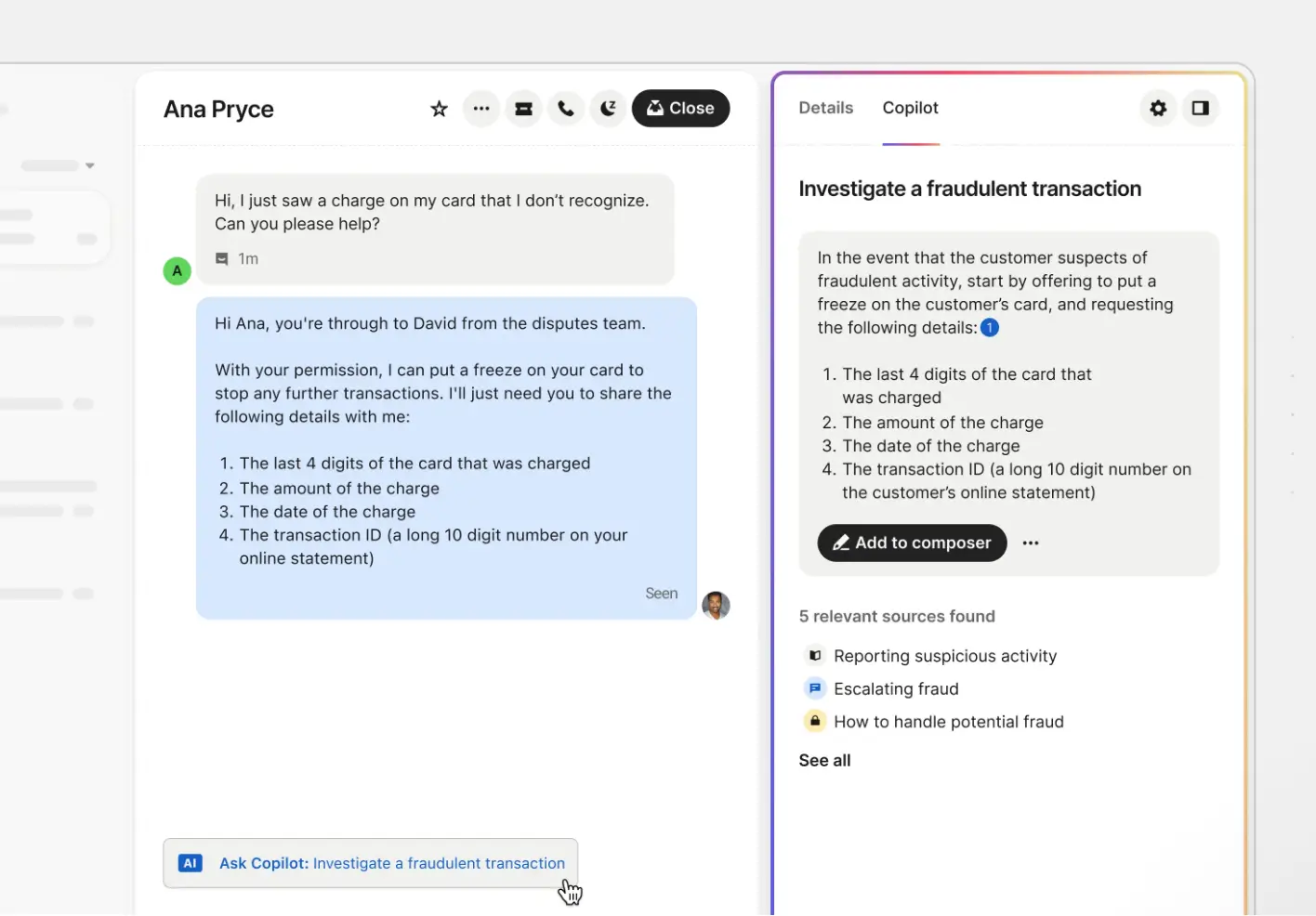
Intercom is designed for companies that support customers through conversations rather than formal ticket queues. Instead of waiting for issues to arrive via email, teams can talk to users in real time inside their product, website, or app. It combines live chat, chatbots, help articles, and automation so customers can get help quickly without leaving what they’re doing.
It works best for product-led businesses where customer communication happens continuously — onboarding questions, usage help, and quick troubleshooting — not just traditional support requests.
Intercom pros and cons
Pros:
- Real-time messaging focus: Built around live chat and in-app conversations, making it ideal for product-led companies that support users inside their apps instead of via email tickets.
- AI automation (Fin): Uses an AI agent trained on your help center to answer questions automatically and reduce human workload on repetitive requests.
- Unified inbox: Combines chat, email, and other channels into one workspace so agents don’t have to jump between tools.
- Proactive support tools: Enables outbound messages, onboarding prompts, and contextual help inside your product to prevent issues before they become tickets.
- Customer data context: Stores conversation history and user details together so agents can respond with full context.
Cons:
- Pricing can escalate with usage: AI resolution fees and add-ons can significantly increase monthly costs as conversation volume grows.
- Less suited for traditional service operations: Teams that rely heavily on structured ticket workflows or non-chat requests may find it limiting.
- Setup complexity for advanced automation: Custom workflows and integrations often require more configuration as needs grow.
Intercom best features
- Live chat and in-app messaging: Support customers directly inside websites or products for faster resolution.
- AI support agent (Fin): Automatically answers questions using your knowledge base content.
- Shared team inbox: Centralizes conversations from multiple channels in one place.
- Knowledge base and self-service: Publish help articles customers can search before contacting support.
Intercom pricing
Pricing is seat-based and billed annually, with additional usage fees for AI resolutions:
- Essential: $29 per seat/month
- Advanced: $85 per seat/month
- Expert: $132 per seat/month
Add-ons:
- Copilot (AI assistant for agents): $29 per agent/month
- Proactive Support Plus: $99/month
Who Intercom is best for
Product-led companies, SaaS teams, and digital businesses that support customers inside their apps and want AI-driven chat as the primary support channel.
Verdict: Intercom vs HubSpot Service Hub
Intercom is a stronger fit if you want fast, conversational support powered by chat and AI rather than structured ticket pipelines. The trade-off is cost predictability and flexibility for teams managing complex service operations beyond messaging.
4. Freshdesk (Freshworks) — best for teams that want an affordable omnichannel help desk
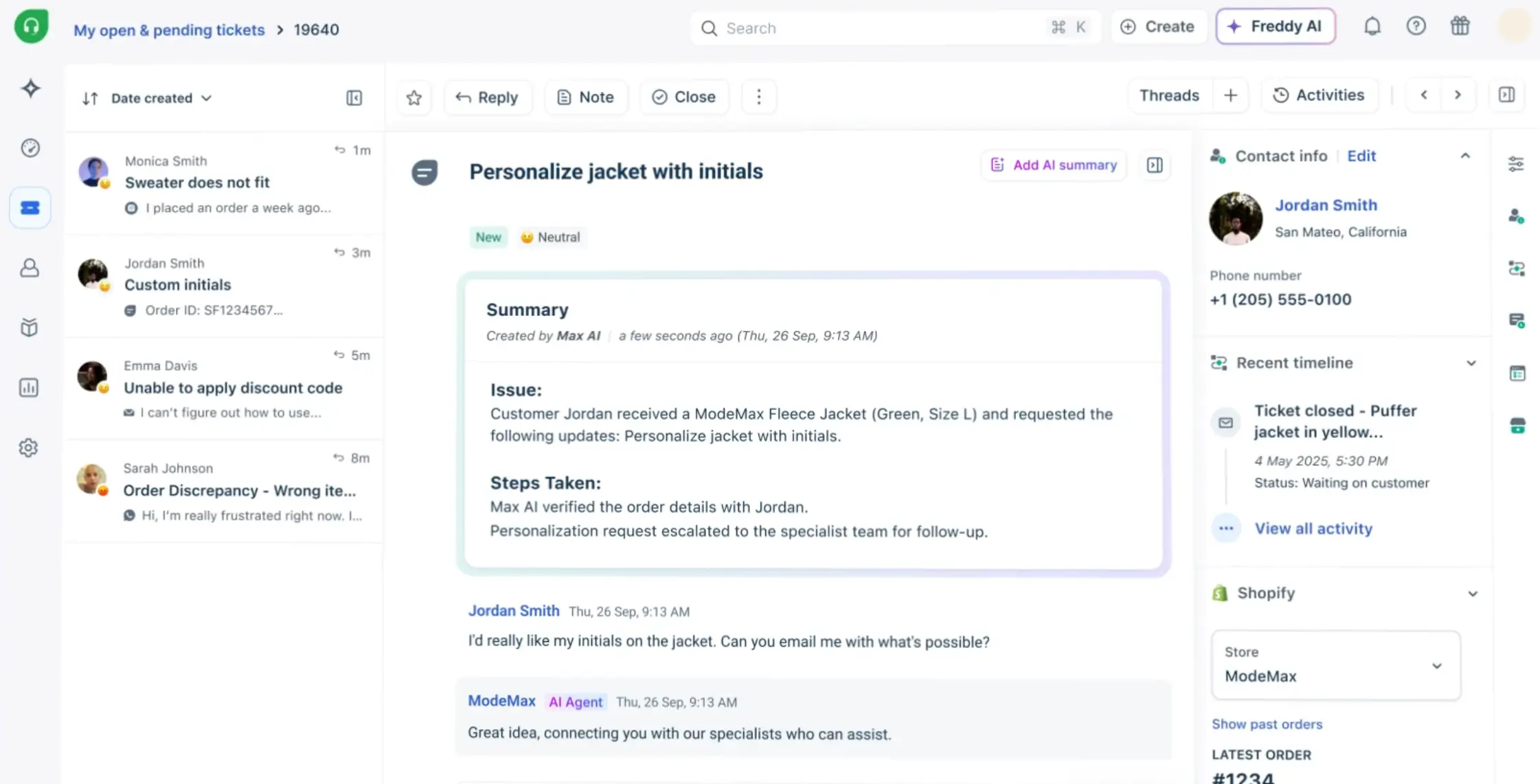
Freshdesk is a traditional customer support platform built around managing incoming requests efficiently. It pulls conversations from email, chat, phone, and social channels into a single ticketing system so teams can track issues, assign work, and measure response times in one place. Many companies choose it when spreadsheets, shared inboxes, or lightweight tools stop working but they’re not ready for something as heavy or expensive as enterprise systems.
It’s especially useful for teams that want structure and automation without a long setup process. If your support model is still primarily reactive — handling questions, issues, and requests as they come in — Freshdesk gives you the core tools to keep things organized as volume grows.
Freshdesk pros and cons
Pros:
- Omnichannel ticketing: Consolidates requests from email, chat, phone, and social into one workspace so agents don’t lose context switching between tools.
- Ease of setup and use: Known for quick deployment and a clean interface, which makes onboarding new agents faster than many enterprise alternatives.
- Strong automation and AI support: Includes workflow automation, collision detection, and AI assistance to reduce manual routing and repetitive tasks.
- Accessible pricing: Offers a free plan and lower entry pricing, making it appealing for growing teams that can’t justify enterprise costs yet.
Cons:
- Limited deep customization: While flexible for most teams, it doesn’t match the extensive customization capabilities of larger enterprise platforms.
- Reporting complexity at scale: Advanced analytics and custom reports can become harder to configure as operations grow more complex.
- Ticket-centric structure: Like many help desks, it’s optimized for reactive support rather than broader client operations or non-ticket workflows.
Freshdesk best features
- Unified ticket management: Track, prioritize, and resolve requests across channels from one dashboard.
- Automation and routing rules: Automatically assign tickets, escalate issues, and enforce SLAs.
- Knowledge base and self-service portal: Let customers find answers without contacting support.
- Analytics and performance reporting: Monitor response times, workload, and service quality.
Freshdesk pricing
Freshdesk offers a free plan and 21-day free trial for paid plans:
- Free: up to 3 users
- Growth: from $29 per user/month
- Pro: from $79 per user/month.
- Enterprise: from $119 per user/month
Who Freshdesk is best for:
Customer support teams that want a capable, traditional help desk with omnichannel coverage and predictable pricing — especially SMBs scaling beyond email-only support.
Verdict: Freshdesk vs HubSpot Service Hub
Freshdesk is a strong alternative if you want a dedicated support platform that’s easier to adopt and often more affordable. The trade-off is that it stays focused on ticket management, so teams needing broader customer portals or operational workflows may still outgrow it.
5. Salesforce Service Cloud — best for large enterprises running complex, high-volume support operations
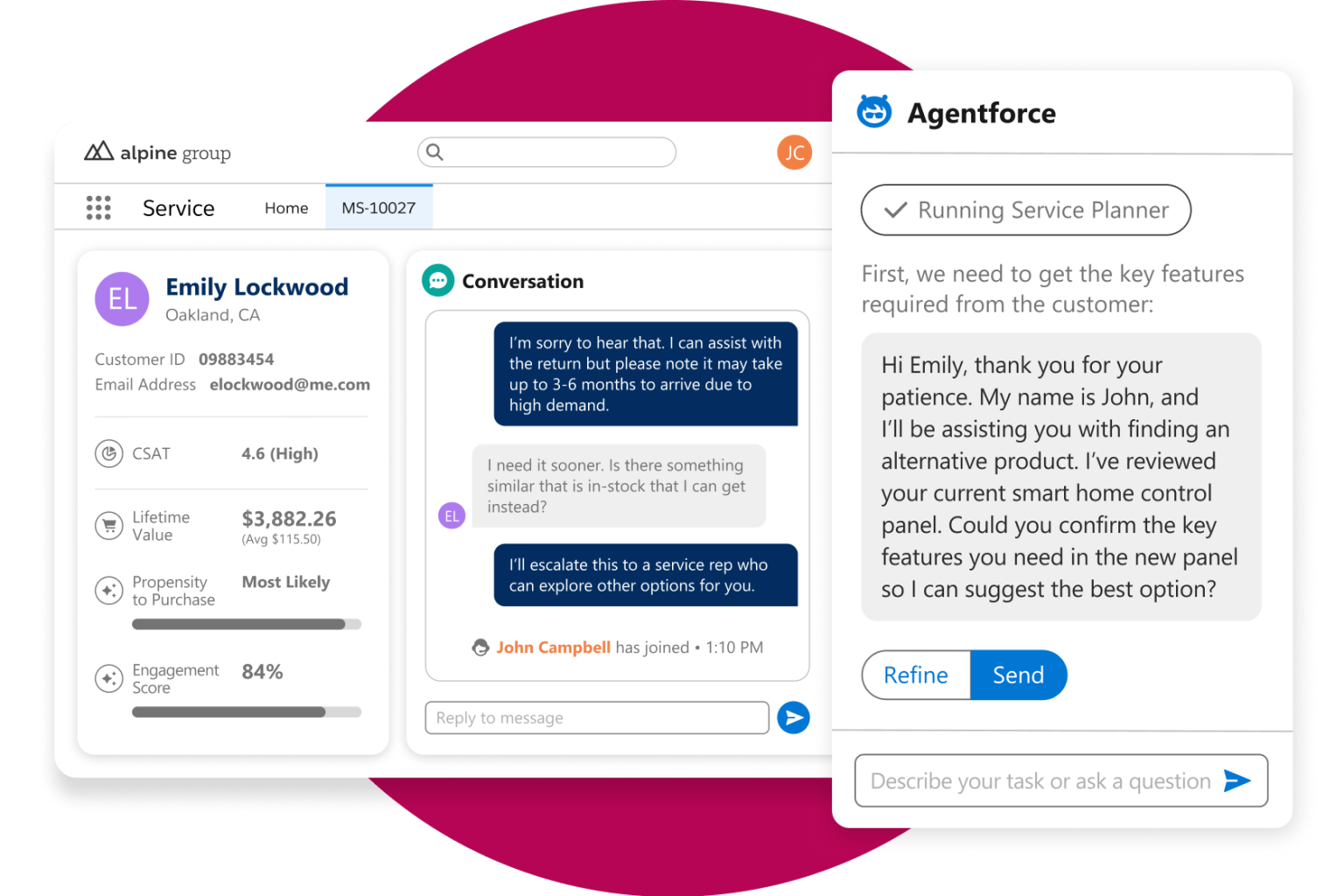
Salesforce Service Cloud is a full-scale customer service platform built for companies that handle large volumes of support across many teams, products, and regions. It centralizes cases from email, chat, phone, social, and other channels, then routes them using advanced automation, AI, and rules so agents can respond faster and consistently.
Because it sits on the broader Salesforce platform, service teams can connect support with sales data, account history, field service, and custom business processes. That makes it useful for enterprises where customer service isn’t just answering tickets but coordinating complex operations across departments.
The trade-off is complexity. Implementing and maintaining Service Cloud usually requires dedicated admins, technical resources, and a clear process structure — which is why it’s most often chosen by large organizations rather than growing teams looking for something lighter.
Salesforce Service Cloud pros and cons of using
Pros:
- Deep CRM integration: Because it runs on the Salesforce platform, support teams can see full customer history, contracts, and account activity without switching tools.
- Advanced case management: Built for complex support environments with routing, escalation rules, service levels, and automation across large teams.
- Enterprise scalability: Designed to handle high ticket volume, global teams, and strict compliance requirements.
- Extensive customization: Nearly every workflow, field, and interface can be tailored to match specific operational processes.
- Omnichannel support: Handles email, chat, phone, social, and messaging in one system with unified case tracking.
- Ecosystem & integrations: Thousands of apps and integrations available through AppExchange.
Cons:
- High cost at scale: Pricing increases quickly as you add users, features, and add-ons, especially for advanced capabilities.
- Complex implementation: Most teams need dedicated admins, consultants, or developers to set it up and maintain it.
- Heavy for simpler use cases: Smaller teams or straightforward support workflows often find it overly complex.
Salesforce Service Cloud best features
- Case management & routing: Centralize customer issues and automatically assign them based on rules, priority, or agent skills.
- Knowledge base & self-service: Create help centers and resources to reduce incoming tickets.
- Omnichannel workspace: Manage conversations from multiple channels in a single agent interface.
- Automation & AI tools: Automate workflows, recommendations, and responses using built-in automation and AI capabilities.
Salesforce Service Cloud pricing
- Free Suite available
- Starter Suite: $25/user/month
- Pro Suite: $100/user/month
- Enterprise: $175/user/month
- Unlimited: $350/user/mont
Who Salesforce Service Cloud is best for
Large organizations with complex support operations, strict compliance needs, and an existing investment in Salesforce CRM — especially companies running global customer service teams.
Verdict: Salesforce Service Cloud vs HubSpot Service Hub
Choose Salesforce Service Cloud if your support operation is enterprise-level and deeply tied to CRM data across departments. The trade-off is cost and complexity — it’s powerful, but far heavier to implement and maintain than mid-market tools.
Choose the right HubSpot Service Hub alternative for your team
If you’ve made it this far, you’re probably not just browsing tools. You’re trying to solve something that’s slowing your team down. The right alternative depends less on feature lists and more on what your customer work actually looks like now.
If your team mainly handles incoming issues, an out-of-the-box help desk can help you scale. But if you’re coordinating onboarding, ongoing requests, deliverables, and updates across accounts, switching to another ticket system won’t fix the underlying friction.
That’s where a different approach starts to make sense. Instead of managing conversations about the work, you give customers a place to see the work itself — requests, progress, documents, approvals, and next steps in one shared space. Teams moving toward structured client portals often find this removes the constant back-and-forth that made support tools feel limiting in the first place.
If your operations already run on HubSpot, you don’t have to replace it to get there. You can extend it with a portal that fits how your service actually works now.
Explore how Softr turns HubSpot data into secure client portals your team and customers can use.