5 best extranet software tools for small businesses in 2026

An extranet gives your clients, vendors, or partners a secure place to access shared files, updates, and information they need to do their jobs, whenever they need it.
It saves time and keeps important information from getting buried in long email threads or disorganized shared drives. Extranets also reduce the risk of external users accessing internal data — depending on the software you choose.
With several out-of-the-box options and custom builders available, choosing the right fit for your needs can feel overwhelming. To help, we compared five extranet tools based on pricing, features, security, and overall fit for different use cases.
Best extranet portal software at a glance
| Tool | Best for | Key features | Pricing |
|---|---|---|---|
| Softr | Custom extranets with AI features and automation | AI Co-Builder, built-in relational database and workflow automation, role-based permissions, AI assistant, 21+ data sources, API, webhooks | Generous free plan; paid plans from $19/month |
| Clinked | Ready-made extranet portals | White-label branding, secure file sharing, task management, audit trails, real-time chat, multilingual support | From $239/month |
| SuiteDash | All-in-one portal, CRM, and invoicing | White-label portal, CRM, invoicing, e-signatures, onboarding flows, support tickets | From $19/month |
| Microsoft SharePoint | Teams already using Microsoft 365 | External sharing, Power Automate workflows, Microsoft Entra B2B, audit logging, and Teams integration | Included with Microsoft 365 plans from $6/user/month |
| Assembly | Modern client portals with built-in billing | White-label portal, messaging, invoicing, e-signatures, CRM, automations, storefronts, SOC 2/HIPAA compliance | From $39/month |
What is extranet software?
Extranet software is a private, login-protected portal that gives clients, vendors, or partners access to the files, updates, and tools they need to work with your team. Unlike an intranet, which is only for employees, an extranet is for working with people outside your organization while limiting what they can see.
Common use cases include:
- Client portal for sharing project deliverables, timelines, and feedback
- Partner portal for sharing resources and data with distributors or franchisees
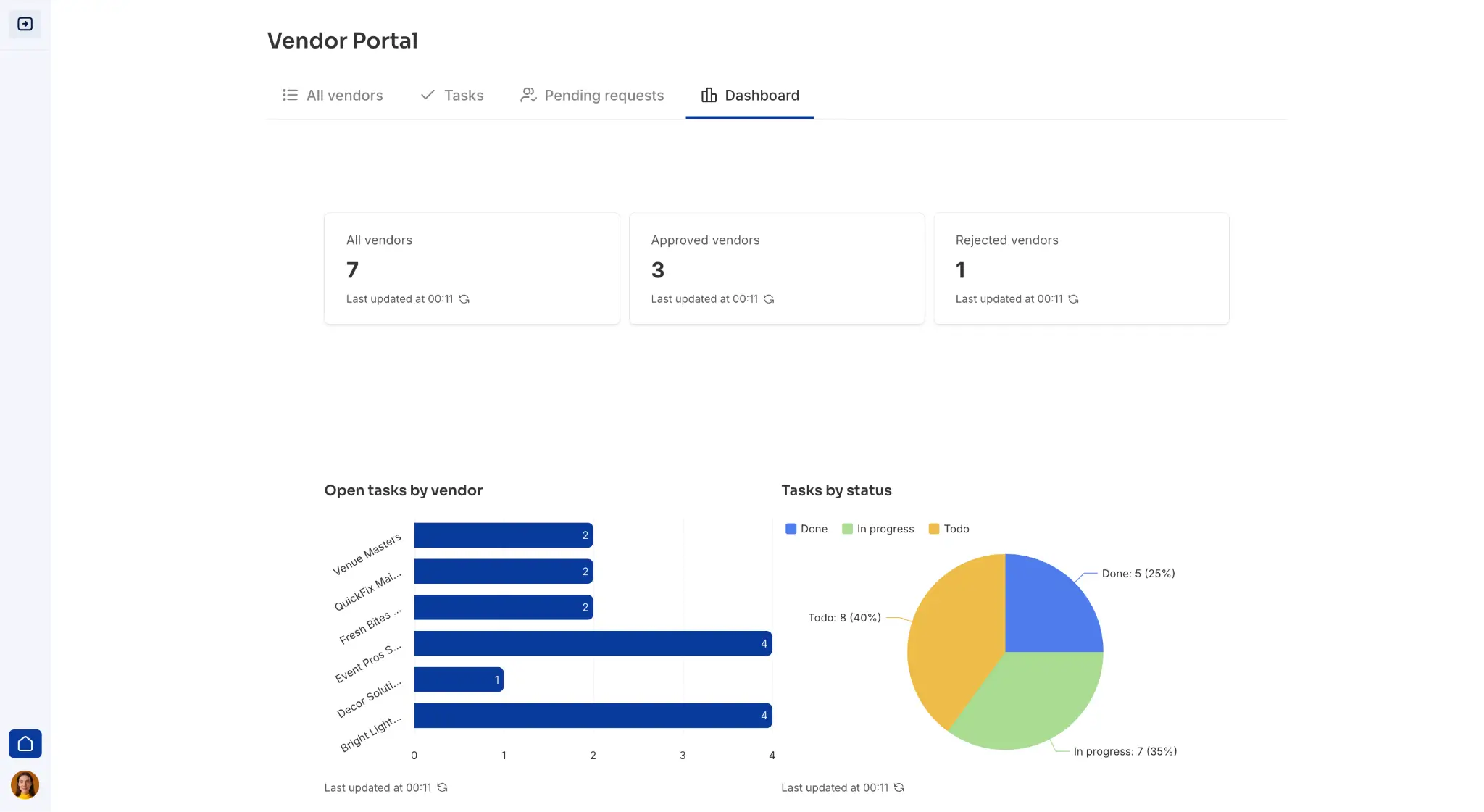
- Vendor management portal for managing purchase orders and invoices and tracking delivery schedules
- Content management portal to manage writers, assign projects, track submissions, and process invoices
What to look for in extranet software
The right extranet software depends on who you need to work with, what information or tasks you need to share with them, and how much control you need over what each person can see or do.
Here are key features to prioritize:
- Role-based access control: Look for a tool that lets you define exactly what each user or group can view, edit, or download based on their role.
- Security: Check whether the platform provides encryption, multi-factor authentication, and compliance standards like SOC 2 or GDPR.
- Document sharing and management: Look for features like version control, document approvals, folder organization, and file size limits.
- Ease of use: Prioritize software that people can navigate on their own from their first login, with little or no training.
- Customization and branding: Look for options like custom logos, brand colors, custom domains, and login pages.
- Integrations: Choose software that connects with the systems you already use, such as your CRM, accounting software, or database.
- Workflow automation: Look for built-in automation that can trigger notifications or follow-up actions for important workflows.
- Scalability and pricing transparency: Make sure the pricing still makes sense as more users, files, or workflows are added. Some tools charge per external user, others charge a flat fee or only bill for internal seats.
1. Softr — best for building a custom extranet with AI features and workflow automation
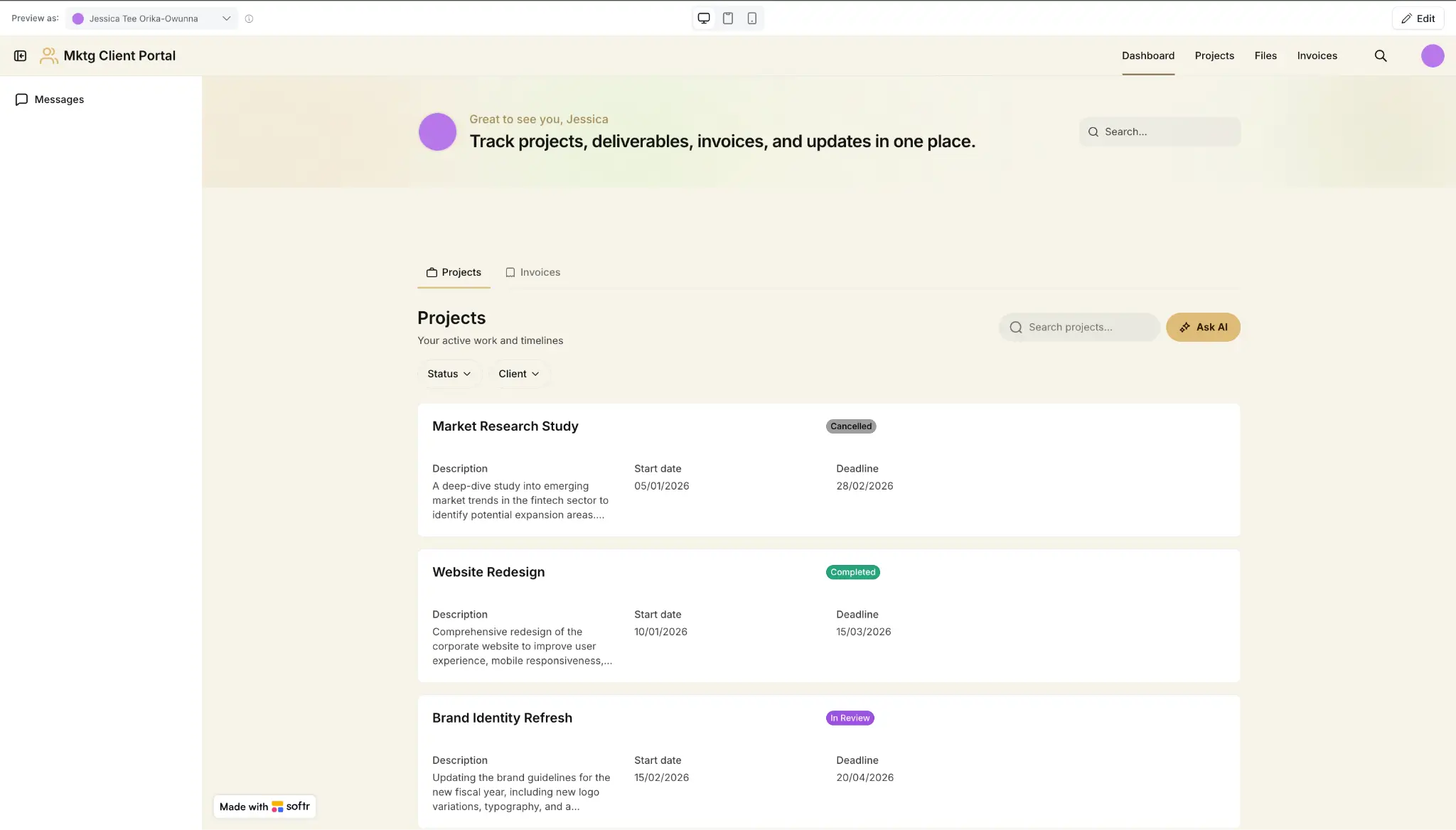
Softr is an AI-native no-code platform that lets you build custom extranet portals that match how your business works with external partners, clients, or vendors.
Describe the kind of extranet you want and Softr's AI Co-Builder generates a complete first version in minutes, with pages, database, user roles, permissions, and core business logic already connected.
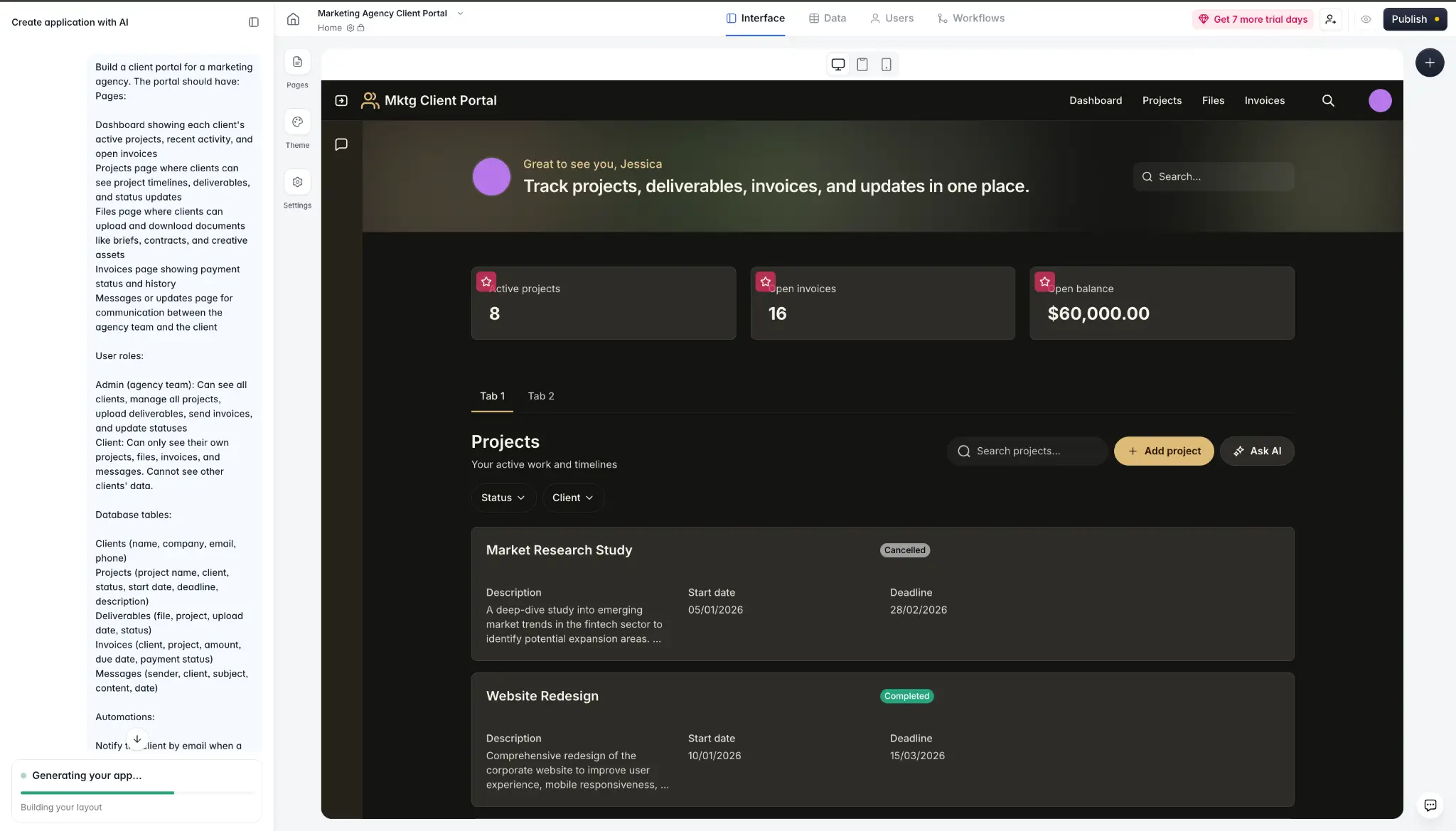
From there, customize the app to fit your workflow. Use the drag-and-drop visual editor to make quick changes like updating text, changing colors, or adding blocks (without spending AI credits).
Or use the built-in Vibe Coding block to add custom components like interactive dashboards or drag-and-drop schedulers, without reworking the rest of the app.
Your data can live in Softr’s Databases, in external tools you already use like Airtable, Google Sheets, HubSpot, or SQL databases, or across multiple sources at the same time. For example, a vendor portal could pull order data from Google Sheets while storing approval statuses and uploaded documents in Softr.
Automate repetitive tasks with Softr Workflows. Set up triggers to send a notification when a client uploads a document, create a follow-up task when a client submits a form, or build multi-step processes with conditions for complex workflows.
You can also embed Ask AI — Softr’s native AI assistant — directly in your extranet, so external users can ask questions in plain language and get instant answers from live data, based on their permission level.
Pros and cons of Softr
Pros
- Faster to set up and customize using AI than building an extranet portal manually or trying to force an out-of-the-box extranet tool to fit your workflow.
- Hosting, security, and user management are included out of the box, so your portal is ready for real users from day one.
- No per-user pricing, so onboarding more clients, vendors, or partners doesn't increase your bill.
- One platform instead of four — you get a relational database, AI app builder, automation tool, and AI assistant without paying for separate subscriptions.
- Flexible customization options — drag-and-drop visual editor for quick changes (without using AI credits) or the Vibe Coding block to add custom components that go beyond standard blocks.
- Granular role-based permissions at the page, block, and action level, so each external user only sees the data and actions meant for them.
Cons
- Doesn’t generate exportable code, so it’s not the right fit if you need a fully custom-coded backend or a highly customized engineering setup.
Softr’s key features
- AI Co-Builder: Describe the extranet you want, and Softr generates it right away — with the pages, layout, database, and core logic already set up.
- Softr Databases: Store and manage your data directly, so updating a record once automatically reflects everywhere it appears in your portal.
- Vibe Coding blocks: Use AI to add custom components to your portal — like interactive dashboards or drag-and-drop schedulers — while still using the same data sources, theme, and permissions as the rest of your app.
- Role-based access control: Set user groups and control what each external user can view, edit, or download, down to specific pages, blocks, or actions.
- Softr Workflows: Automate approvals, notifications, status updates, record changes, and other multi-step workflows directly inside your portal.
- Native AI assistant: Let external users ask questions in plain language and get instant answers based on live portal data and their permission level.
- Integrations: Extend your portal with tools for payments, chat, notifications, and e-signatures, or automate workflows through Zapier, Make, or n8n. Or connect other systems through REST API and webhooks.
- Data sources: Connects to 21+ data sources many teams already use, like Airtable, Google Sheets, HubSpot, SQL databases, and Notion.
- Progressive web app (PWA) support: Turn your portal into a mobile-friendly app users can operate on their phones without building a separate app.
- Enterprise-grade security: Protect your extranet software data with built-in authentication, encryption in transit and at rest, and compliance support for standards like SOC 2 and GDPR.
Softr pricing
- Free: Unlimited apps, with access to Softr Workflows and Softr Databases, 5 app users, 5,000 database records, 5 AI credits
- Basic ($19/month): Unlimited apps with 42+ integrations, Team: 5 + Client: 5 app users, 10 AI credits
- Pro ($99/month): Unlimited apps with 45+ integrations and custom code, Team: 10 + Client: 50 app users, advanced forms, calling external APIs, e-signatures, 50 AI credits
- Business ($329/month): Unlimited apps with 52+ integrations, Team: 30 + Client: 100 app users, 1M records, advanced data sources, 100 AI credits
- Enterprise: Custom pricing and onboarding, SSO, dedicated success manager
Who Softr is best for
Softr is best for agencies, consultancies, operations teams, and SMBs that need to give external users controlled access to data and workflows without relying on in-house developers. If off-the-shelf extranet software doesn't match the way your business works, use Softr to build one that does.
2. Clinked — best for teams that want ready-made extranet portal software
.webp)
Clinked is a white-label client portal and collaboration platform that combines document management, task tracking, messaging, and file sharing in one place. You can apply your own branding, control who can view or edit content, and give clients a structured place to collaborate with your team.
Pros and cons of Clinked
Pros
- Quick to set up and easy to use, especially for teams that don't need customization beyond what Clinked offers out of the box.
- Offers secure document sharing features like version control, file approvals, file locking, file requests, and guest access.
- Includes built-in chat, discussions, @mentions, and notifications, so client communication stays inside the portal instead of scattered across email.
Cons
- Can feel limiting if you want more control over layout and customization
- Starting price is high for smaller teams compared to simpler alternatives
- Some security and white-label features are locked to higher-tier plans
Clinked’s key features
- White-label portal: Brand each portal with your logo, colors, custom domain, and email domain, so clients or partners get a more polished experience.
- Secure file sharing: Share files in one place with version control, file approvals, file locking, file requests, and guest access.
- Task management: Assign tasks, set deadlines, and track progress inside the portal, with Kanban boards available on higher plans.
- Audit trail: Track who viewed, downloaded, edited, or uploaded files, so you have a record of activity across the portal.
- Role-based permissions: Control who can view, edit, download, or manage content based on their role.
- Integrations: Connect Clinked with tools like Google Workspace, Microsoft OneDrive, DocuSign, Acrobat Sign, Jotform, and Power BI, or extend it further through Zapier.
- Multilingual support: Make the portal easier to use for global teams with support for multiple languages.
- Security and compliance: Protect portal data with encryption, two-factor authentication, SSO on supported plans, and compliance support for standards like ISO 27001, GDPR, and HIPAA.
Clinked pricing
- Standard ($239/month): 100 members, 1 TB storage, chat, tasks, custom domain, audit trail
- Premium ($479/month): 250 members, 3 TB storage, enforced 2FA, role-based permissions
- Enterprise: Custom pricing, 1,000+ members, 5 TB+ storage, white-label mobile app
Who Clinked is best for
Clinked is great for agencies, consultancies, legal teams, and other professional services firms that want a polished, branded client portal with strong document controls and collaboration features — without building one from scratch.
3. Microsoft SharePoint — best for teams already using Microsoft 365 who want to use what they have
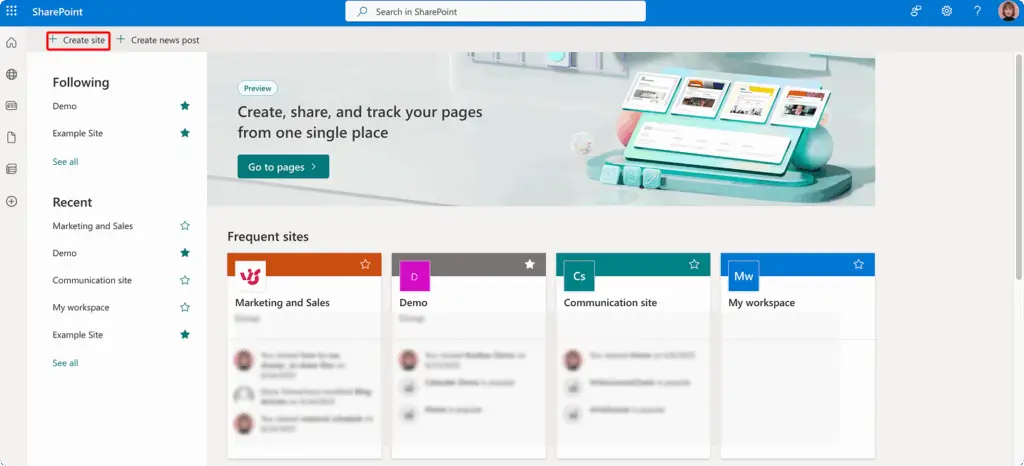
Microsoft SharePoint is a document management and collaboration platform included with Microsoft 365. Microsoft supports using it as a B2B extranet, so you can give external users access to specific SharePoint sites or Teams shared channels, control what they can see, and manage security through Microsoft Entra B2B, Power Automate, and Microsoft Purview.
Pros and cons of Microsoft SharePoint
Pros
- Already included in most Microsoft 365 plans, so there's no extra software to buy if you're already a subscriber.
- Works natively with the Microsoft ecosystem, including Teams, OneDrive, Outlook, Power Automate, and Microsoft Entra ID.
- Strong security and compliance controls, including audit logging, data loss prevention, and conditional access policies.
- Gives you detailed external sharing controls, including guest access restrictions, expiration settings, and site-level sharing policies.
Cons
- Can be complex to configure for external collaboration
- Is more suited for existing Microsoft users, versus smaller teams who need to get going quickly
- The interface can feel confusing for non-technical external users
- Creating a more polished, branded client-facing experience usually takes more setup and technical effort
Microsoft SharePoint key features
- External sharing: Invite external users to specific SharePoint sites or Teams shared channels without exposing unrelated content.
- Permission controls: Restrict access by site, library, folder, or document, and manage guest identity through Microsoft Entra B2B.
- Document management: Use version control, co-authoring, metadata, and search across document libraries.
- Power Automate integration: Build workflows for approvals, notifications, and status updates across SharePoint and other Microsoft 365 apps.
- Compliance and auditing: Track access and activity through Microsoft Purview and apply data loss prevention policies for sensitive information.
- Teams integration: Combine chat, calls, and file collaboration through Teams shared channels tied to SharePoint content.
Microsoft SharePoint pricing
SharePoint is now included with Microsoft 365 subscriptions.
- Microsoft 365 Business Basic ($6/user/month): SharePoint, Teams, OneDrive, web versions of Office apps
- Microsoft 365 Business Standard ($12.50/user/month): Everything in Basic plus desktop Office apps
- Microsoft 365 Business Premium ($22/user/month): Everything in Standard plus advanced security and device management
- Microsoft 365 E3 ($39/user/month): Enterprise security, compliance, and unlimited storage
- Microsoft 365 E5 ($60/user/month): Advanced compliance, analytics, and voice capabilities
*Microsoft has announced pricing updates that take effect July 1, 2026, so check current plan pricing before deciding.
Who Microsoft SharePoint is best for
Microsoft SharePoint is a practical option for businesses that already use Microsoft 365 and have the IT support to configure external sharing properly.
4. SuiteDash — best for service businesses that want an all-in-one white-label client portal
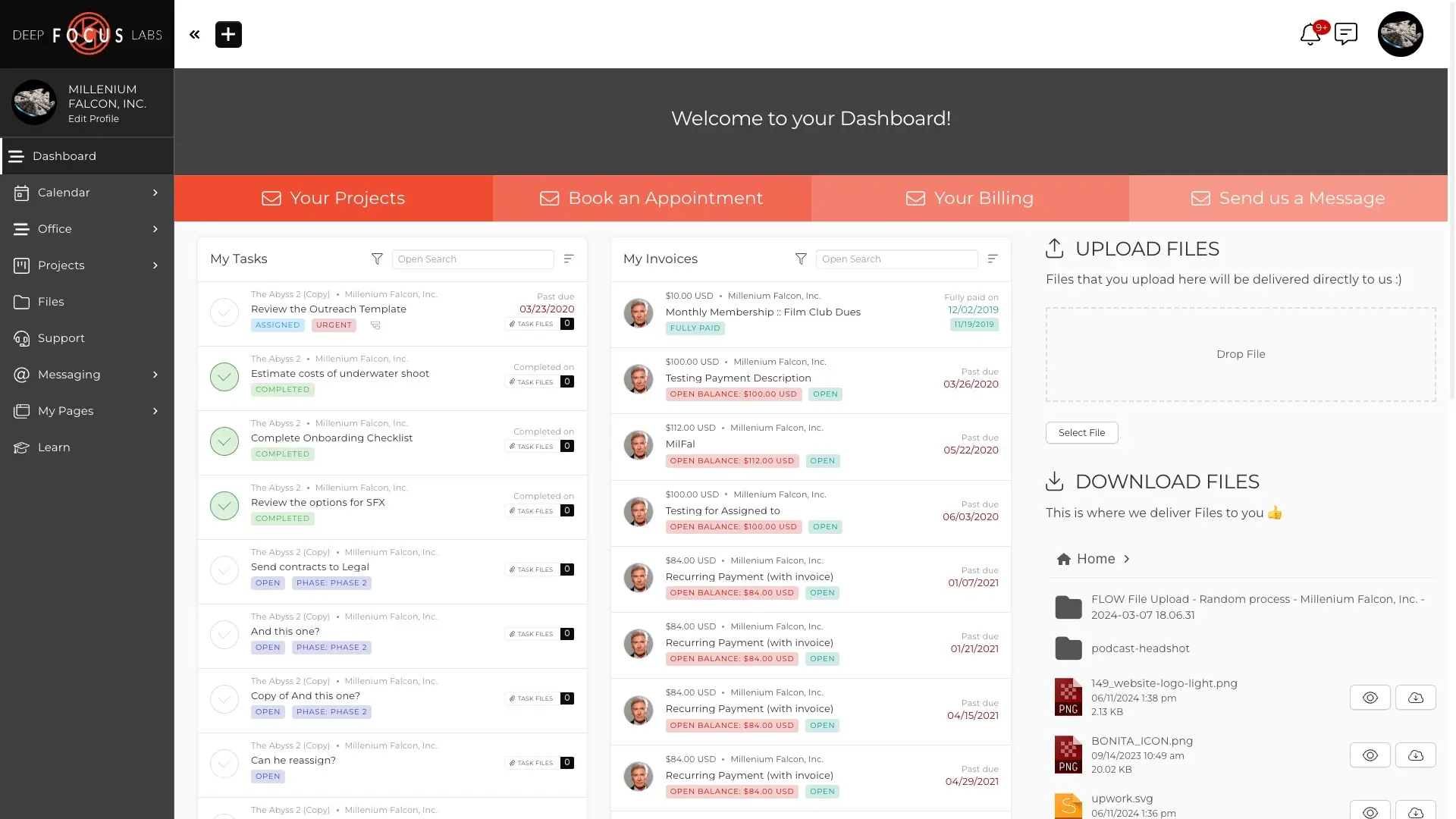
SuiteDash is an all-in-one business management platform that combines a white-label client portal with tools for CRM, billing, contracts, project management, scheduling, and client communication. Instead of paying for separate software for each function, you get them in one place.
Pros and cons of SuiteDash
Pros
- Replaces multiple tools by combining client portal, CRM, billing, contracts, project management, onboarding, and communication in one system.
- Unlimited staff, clients, and portals on every plan, so your cost doesn’t increase as you onboard more users.
- Includes full white-labeling on every plan, with a custom URL, branded login, branded emails, and a branded mobile app.
- Makes client onboarding easier with automated flows for forms and reminders.
- Supports secure client communication inside the platform instead of relying on scattered emails and separate tools.
Cons
- Interface can feel overwhelming because there are many tools and settings to configure for new or less tech-savvy users.
- Not a good fit if you want to connect external databases like Airtable, Google Sheets, or SQL directly into the portal.
- Advanced reporting features can be lacking, meaning you need to add other tools to your stack.
- Native integrations are more limited, so you may need the API or third-party automation tools if your workflow depends on many external tools.
SuiteDash key features
- White-label portal: Brand the portal with your custom URL, login page, emails, and mobile app, so clients get a more polished experience.
- CRM with automation: Manage contacts, pipelines, and client activity in one place, with automation tied to forms, status changes, and other actions.
- Invoicing and subscriptions: Create invoices, accept one-time or recurring payments, and manage billing inside the same system.
- Proposals and e-signatures: Send proposals clients can review and sign online, then trigger follow-up actions automatically.
- Onboarding FLOWs: Guide new clients through forms, file uploads, signatures, and next steps with automated onboarding sequences.
- Project and task management: Assign tasks, track time, manage projects, and keep delivery work connected to the client portal.
- Secure messaging: Keep client communication inside the platform with secure messaging and live chat instead of relying on email.
SuiteDash pricing
- Start ($19/month): CRM, portal, white-label branding, mobile app, email campaigns, 100 GB storage
- Thrive ($49/month): Everything in Start plus drip marketing, dynamic proposals, deal pipelines, client-side live chat, 500 GB storage
- Pinnacle ($99/month): Everything in Thrive plus automation toolkit, onboarding FLOWs, LMS, support tickets, task dependencies, 2 TB storage
Who SuiteDash is best for
SuiteDash works well for service businesses, agencies, consultants, accountants, and coaches that want to manage client relationships, billing, onboarding, and communication in one white-label platform instead of paying for separate tools.
5. Assembly — best for professional service firms that want a client portal with built-in billing and contracts
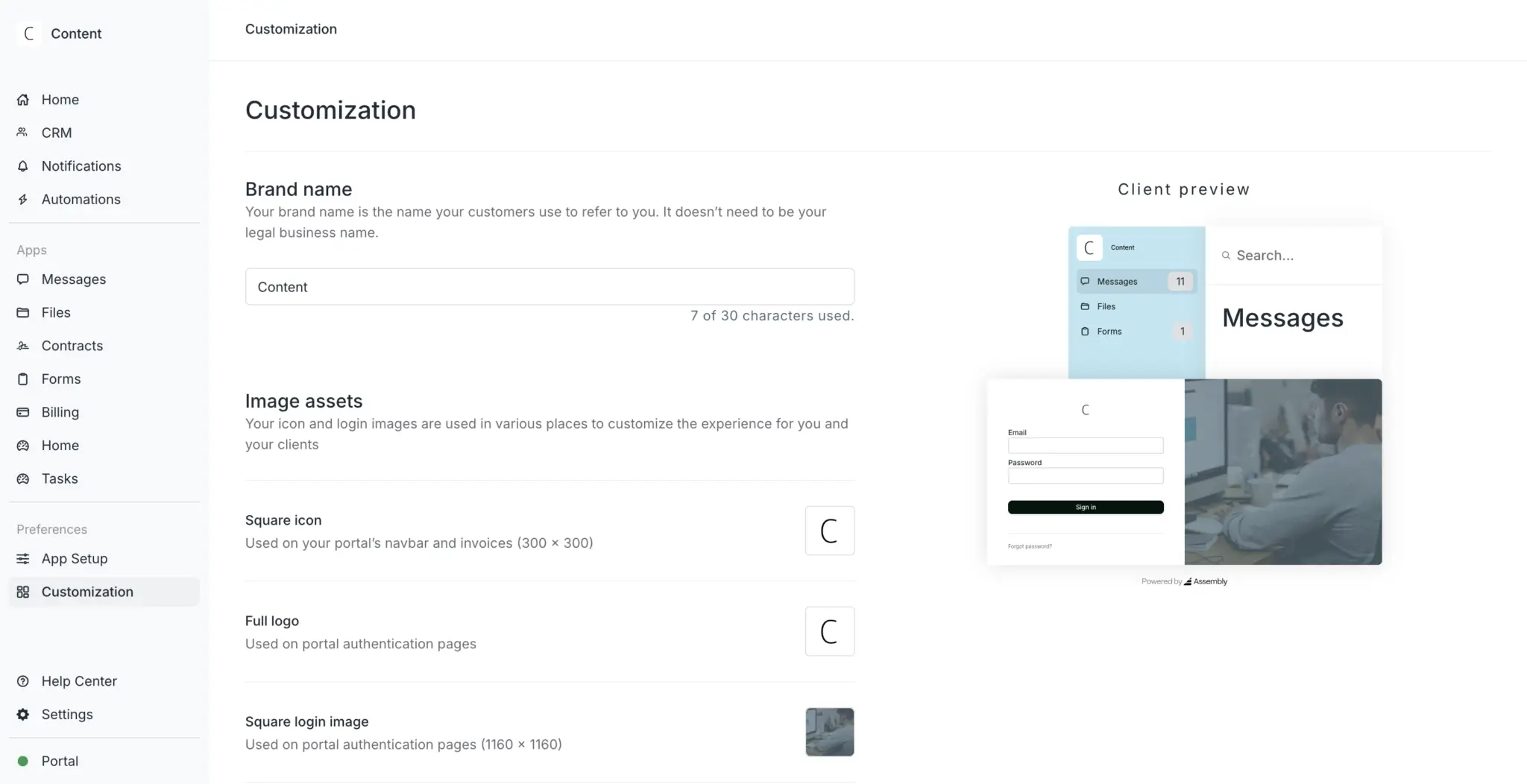
Assembly is a client portal platform built for service businesses like accounting firms, consultancies, law firms, and agencies. It brings messaging, file sharing, billing, contracts, forms, and client management into one portal.
Clients can log in to view invoices, sign contracts, upload documents, and reply to messages from email without always needing to log in.
Pros and cons of Assembly
Pros
- Includes automations for onboarding, follow-ups, and other client workflows.
- Makes client communication easier with secure messaging, magic-link access, and reply-via-email support.
- Billing, e-signatures, and invoicing are built in, so you don’t need to pay for separate tools or spend time connecting them.
Cons
- Less flexibility to customize the portal layout.
- Per-user pricing can get expensive as your internal team grows.
- If your workflow depends on many external tools, you may need embeds, Zapier, Make, or the API to connect everything cleanly.
Assembly's key features
- White-label client portal: Brand the portal with your custom domain, colors, and email identity so clients see your brand, not Assembly’s.
- Messaging: Keep client communication inside the portal, with email replies and magic-link access to reduce login friction.
- Invoicing and billing: Send invoices, accept payments, and manage recurring billing inside the same system.
- Client management: Organize client records, share files, collect information through intake forms, and send contracts for e-signature — in one place.
- Automations: Trigger onboarding, follow-up, and client workflow actions automatically.
- Embeds and integrations: Extend the portal with embedded tools and supported connections like Zapier, Make, API access, and Airtable embeds.
- Security: SOC 2 and HIPAA compliance for supported use cases.
Assembly pricing
- Starter ($39/month): 1 internal user, 50 clients, CRM, portal, messaging, invoicing, contracts, tasks, files, forms
- Professional ($149/month): 3 internal users (+$39/user), 500 clients, custom domain, custom email domain, API access
- Advanced ($399/month): 5 internal users (+$59/user), unlimited clients, full white-labeling, HIPAA compliance with BAA, client access permissions
- Enterprise ($2,000/month): Custom internal users, unlimited clients, custom SSO, dedicated success manager, shared Slack channel
Who Assembly is best for
Assembly is best for accounting firms, consultancies, law firms, agencies, and other service businesses that want a polished client portal where clients can pay, sign, message, upload files, and complete next steps in one place.
What’s the best extranet software for your workflow?
The right choice depends on who you're collaborating with, what you need to share, and how much control you want over the experience:
- If you need a ready-made, branded portal with strong document controls and built-in chat, Clinked gets you up and running fast.
- If you want a portal, CRM, invoicing, and automation bundled together with unlimited users at a flat rate, SuiteDash covers a lot of ground.
- If your team already works in Microsoft 365 and you have IT support to configure external sharing, SharePoint lets you extend what you already have.
- If you're a professional service firm that wants a modern client portal with built-in billing, contracts, and e-signatures, Assembly is built for that.
- But if you want to build a fully-functional, custom extranet around your exact workflow using AI, connect your own data sources, and automate processes without a developer, Softr is the most flexible option on this list.
👉 Try Softr free and launch your first extranet portal in minutes.
Frequently asked questions
What's the difference between an intranet and an extranet?
What software is used to create an extranet?
How do you create an extranet?