


If you’re running sales, you’re probably managing too many things at once: prospecting, writing outreach, qualifying leads, chasing replies, and updating your CRM. Most teams handle these steps across different tools, which slows things down and makes it hard to stay consistent.
The best AI tools for sales help close that gap. They score leads, enrich contact data, draft messages, and keep follow-ups moving, so your team isn’t buried in admin or “follow up” work. The right tool can sharpen your targeting, speed up outreach, and give you a clearer view of your pipeline.
In this guide, you’ll find the best AI sales tools. We break down what each one is best for, and how to pick a tool that fits your existing workflow without adding complexity or unpredictable costs.
Best AI tools for sales at a glance
| Tool | Best for | Standout Features | Pricing |
|---|---|---|---|
| Softr | Teams that want an AI-powered, fully custom CRM without custom dev or starting from scratch | • Public lead-capture forms • Role-based permissions • Workflow automation with AI agents (including integrated email outreach) • Dashboards + reports • AI Co-Builder | Free: unlimited apps Basic: $19/mo |
| HubSpot Sales Hub | Teams wanting an all-in-one CRM | • Sales automations • Email tracking + meeting tools • Customizable pipelines • AI assistance (on higher plans) | Free: basic CRM + emails Starter: $10/seat/mo |
| Pipedrive | Teams needing a simple, visual CRM | • AI assistant • Drag-and-drop pipelines • Email sync + templates • Automations (higher tiers) | Starter (Lite): $19/user/mo |
| Apollo.io | Prospecting teams needing outbound automation + B2B data | • Lead database + enrichment • Email + dialer sequences • Call recording • AI search + recommendations | Free: limited credits Starter (Basic): $59/user/mo |
| Clay.com | Teams needing automated lead research + enrichment | • Automated enrichment • CRM + outreach integrations • Custom filters + scoring logic | Free: $0/mo Starter: $149/mo |
| Regie.ai | SMBs scaling AI-generated outreach sequences | • AI sequence creation • Persona-based messaging • Template library | No free plan Starter: from ~$35,000/year |
| Gong.io | Teams needing conversation intelligence + coaching | • Call recording + AI analysis • Deal warnings • Coaching insights | Starter: custom pricing only |
| Vtiger CRM | Small teams wanting a budget-friendly all-in-one CRM | • One View records• Sales pipelines • Marketing tools • Automations across sales, marketing, support | Starter (Standard): ~$15/user/mo |
What are AI sales tools?
AI sales tools help teams find prospects, personalize outreach, and stay on top of follow-ups without doing everything manually. They use machine learning to score leads, enrich contact details, and draft messages, so sales teams can focus on real conversations instead of admin work.
These tools often sit alongside your CRM and support day-to-day sales workflows, especially when you need a faster, more consistent way to manage prospecting and outreach.
Types of AI tools for sales
| Category & tools | What it’s for |
|---|---|
| AI CRMs & workflow platforms (such as Softr, Vtiger CRM, HubSpot Sales Hub) | Centralize leads, automate follow-ups, manage pipelines, store data, and more. |
| Pipeline-first sales CRMs (Pipedrive) | Simple, visual deal tracking with light AI support. |
| Prospecting & outbound automation tools (Apollo.io, Clay.com) | Find leads, enrich contact data, and scale outbound workflows. |
| AI outreach & sequence-generation tools (such as Regie.ai) | Generate and personalize outreach messages across channels. |
| Conversation intelligence & coaching tools (such as Gong.io) | Analyze calls, flag risks, and improve rep performance. |
What to look for in the best AI tools for sales
Here’s what to evaluate when choosing an AI tool for your sales process:
- Keeps accurate, up-to-date data: The tool should return reliable contact details and clean enrichment. Outdated emails and bad numbers are one of the biggest sources of frustration for sales teams.
- Fits your existing workflow: It should support how you prospect, follow up, and track deals, and not force you into a new system or add extra steps.
- Generates clear, useful AI outputs: Whether it's lead scoring or message drafts, the AI's suggestions should be easy to understand and tailored enough that your team trusts and uses them.
- Smooth CRM integrations: Data should sync cleanly with your usual tools so you don't have to handle duplicate records or manual updates.
- Easy for business operators and ops teams: A simple interface matters. If searching, filtering, or launching outreach feels like too much work, adoption drops quickly.
- Predictable pricing as you scale: Many tools charge by usage or credits, so look for a plan that won't surprise you when outreach volume increases.
- Responsive support: When automations fail or deliverability dips, you need a team that resolves issues fast.
1. Softr — best for building a secure, custom CRM with AI
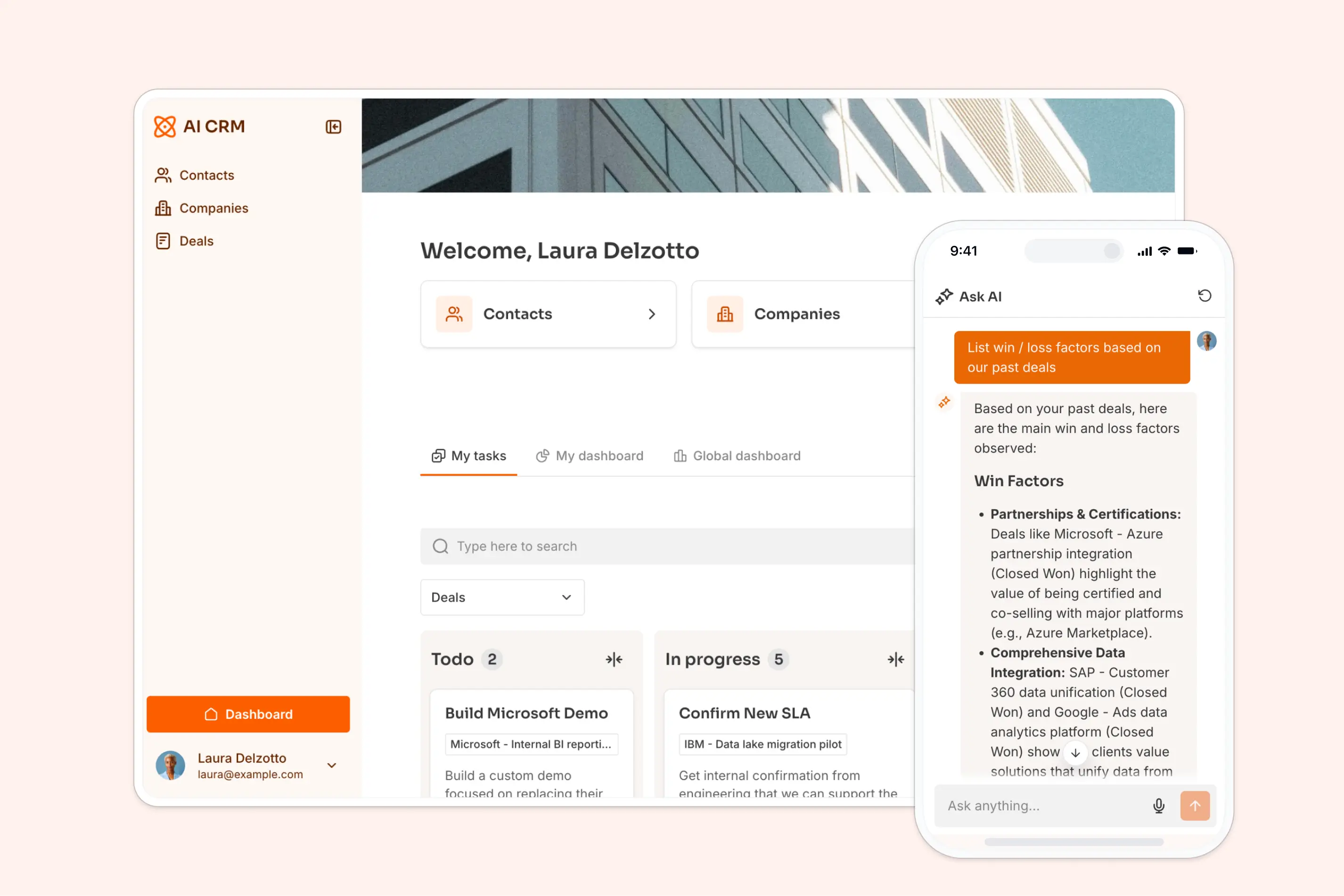
Softr is more than a CRM: it’s a platform that lets you build a fully custom, AI-powered CRM (and other tools) around the way your team actually works.
It brings lead capture, deal tracking, task management, and email outreach into one place, all supported by a secure CRM database. You can manage everything inside Softr's own native relational database, or connect directly to tools you already use — Airtable, Google Sheets, HubSpot, Notion, monday.com, BigQuery, SQL, and more.
What makes Softr stand out is its AI Co-Builder, which lets you generate a secure CRM in minutes: one that won't break as soon as you introduce real users and real data. For teams that live in an AI assistant, the Softr MCP lets you build and update your CRM's databases, pages, and workflows directly from Claude or ChatGPT. And once your app is built, AI agents can enrich leads, summarize calls, qualify prospects, generate insights, or draft follow-up emails automatically. Ask AI gives every rep a built-in assistant that can answer questions about your CRM data in plain English, always respecting user permissions.
The result: a CRM you can customize endlessly, with AI that handles most of the manual work and gives your sales team quick answers from live data.
Softr pros and cons
Pros:
- Fully customizable CRM that adapts to your sales process (pipelines, layouts, dashboards)
- AI built in: enable enrichment, summaries, insights, and email drafts without extra tools
- Ask AI assistant for instant, permission-aware answers from your CRM
- Integrated automations and email outreach to reduce manual follow-ups
- Public lead-capture forms that feed straight into your databases and CRM
Cons:
- “Enterprise-grade” features (like heavy analytics beyond basic dashboards, advanced forecasting, quota/territory management) are not presented as core built-in capabilities.
Softr best features
- AI Co-Builder: Generate CRMs and other sales apps that are secure, reliable, and fully-featured from day one.
- Customizable CRM builder with Vibe Coding Block: Build your CRM structure, pipelines, dashboards, and views from scratch—and use AI prompts to instantly generate calculators, trackers, and performance widgets tailored to your process.
- Role-based permissions: Set granular view and edit access for admins, reps, clients, contractors, or partners, so nobody ‘accidentally’ views something they shouldn’t have.
- AI Agents for sales operations: Automate tasks directly on your database or inside workflows, including enrichment, call summaries, deal insights, lead qualification, and follow-up drafting.
- Ask AI (built-in chat assistant): Query CRM data in plain English (“Which deals slipped this month?”) and get precise, permission-safe answers.
- Data flexibility: Connect Airtable, Google Sheets, HubSpot, Notion, monday.com, SQL, BigQuery, or use Softr’s native relational database.
- Customizable workflow automation & integrations: Automate deal creation, lead assignment, and follow-ups with Softr Workflows (no external automation tools needed).
- Custom dashboards & reports: Build performance dashboards or pipeline analytics views tailored to your business’s specific needs, look, and feel.
- Public lead-capture forms: Add branded forms that feed new prospects directly into your pipeline.
- Live chat support + active community: Access live chat and a strong builder community for quick help and inspiration.
Here’s how you can summarize CRM prospect interactions with a click of a button:
{{cta-1}}
Softr pricing
Softr offers flat, transparent pricing with a generous free plan.
- Free: Unlimited apps, with access to Softr Workflows and Softr Databases, 5 app users, 5 AI credits, 5,000 database records, and 500 workflow actions
- Basic: $19/month for unlimited apps with 42+ integrations, Team: 5 + Client: 5 app users, 10 AI credits, 50K records, 2.5K workflow actions
- Pro: $99/month for unlimited apps with 45+ integrations and custom code, Team: 10 + Client: 50 app users, 50 AI credits, 500K records, and 10K workflow actions
- Business: $329/month for unlimited apps with 52+ integrations, Team: 30 + Client: 100 app users, 100 AI credits, 1M records, and 25K workflow actions
- Enterprise: Custom pricing
2. HubSpot Sales Hub — best for SMBs wanting an all-in-one CRM
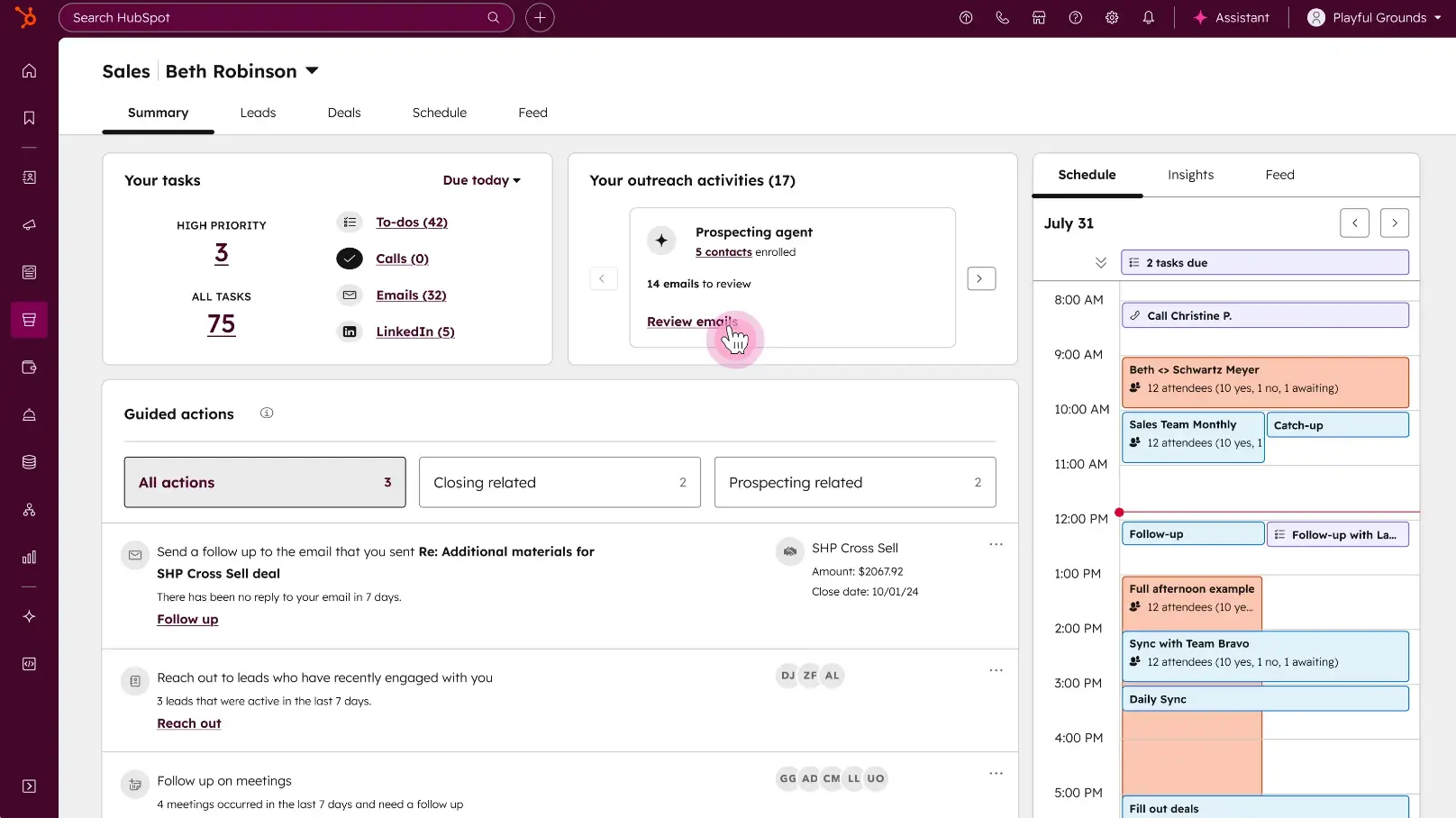
HubSpot Sales Hub gives small and mid-sized teams one place to manage contacts, track deals, automate outreach, and analyze pipeline performance. It's easy to adopt, works well for business operators and ops teams, and integrates tightly with HubSpot's marketing and customer service tools if you want to expand later.
HubSpot Sales Hub pros and cons
Pros:
- Easy to set up and use for non-technical teams
- Strong automation: sequences, tasks, email tracking, and lead scoring
- Native integrations with HubSpot’s marketing and service hubs
- Generous free tier for early-stage teams
Cons:
- AI and advanced automation features require paid tiers
- Pricing increases quickly as contacts and feature needs grow
HubSpot Sales Hub best features
- Sales automations: Includes sequences, task triggers, and pipeline workflows for your sales processes.
- Email tracking & meeting tools: You can enable link tracking, call logging, and meeting scheduling.
- Deal pipelines: Set up fully customizable stages and views.
- AI assistance: With AI, you can enable email suggestions, content help, and lead insights on higher plans.
HubSpot Sales Hub pricing
Pricing varies based on seats and required marketing contact tiering.
- Free plan: includes CRM, basic email tools, meetings, and pipelines
- Starter: from $10/month per seat
- Professional: from $100/month per seat
- Enterprise: from $150/month per seat
3. Pipedrive — best for teams that want a simple, visual sales CRM

Pipedrive is a pipeline-focused CRM built for SMBs that want an easy, visual way to manage deals. It’s quick to set up, offers clear activity tracking, and includes AI assistance for forecasting and task suggestions.
Pipedrive pros and cons
Pros:
- Very simple UI for business operators and department heads
- Customizable pipelines and activity tracking
- AI sales assistant for forecasting and recommendations
- Affordable entry-level pricing
Cons:
- No native enrichment or prospecting tools
- Advanced automations require higher plans
Pipedrive best features
- AI assistant: AI-powered sales assistant that flags at-risk deals and suggests next actions.
- Pipeline management: drag-and-drop deal tracking that matches how many SMBs run sales.
- Email sync & templates: connected inbox + outreach tools for consistent follow-up workflows.
- Automations: workflow automations on higher tiers
Pipedrive pricing
Pipedrive has a per-seat pricing:
- Lite:$19/user/month
- Growth:$34/user/month
- Premium:$64/user/month
- Ultimate:$89/user/month
4. Apollo.io — best for prospecting and outbound automation
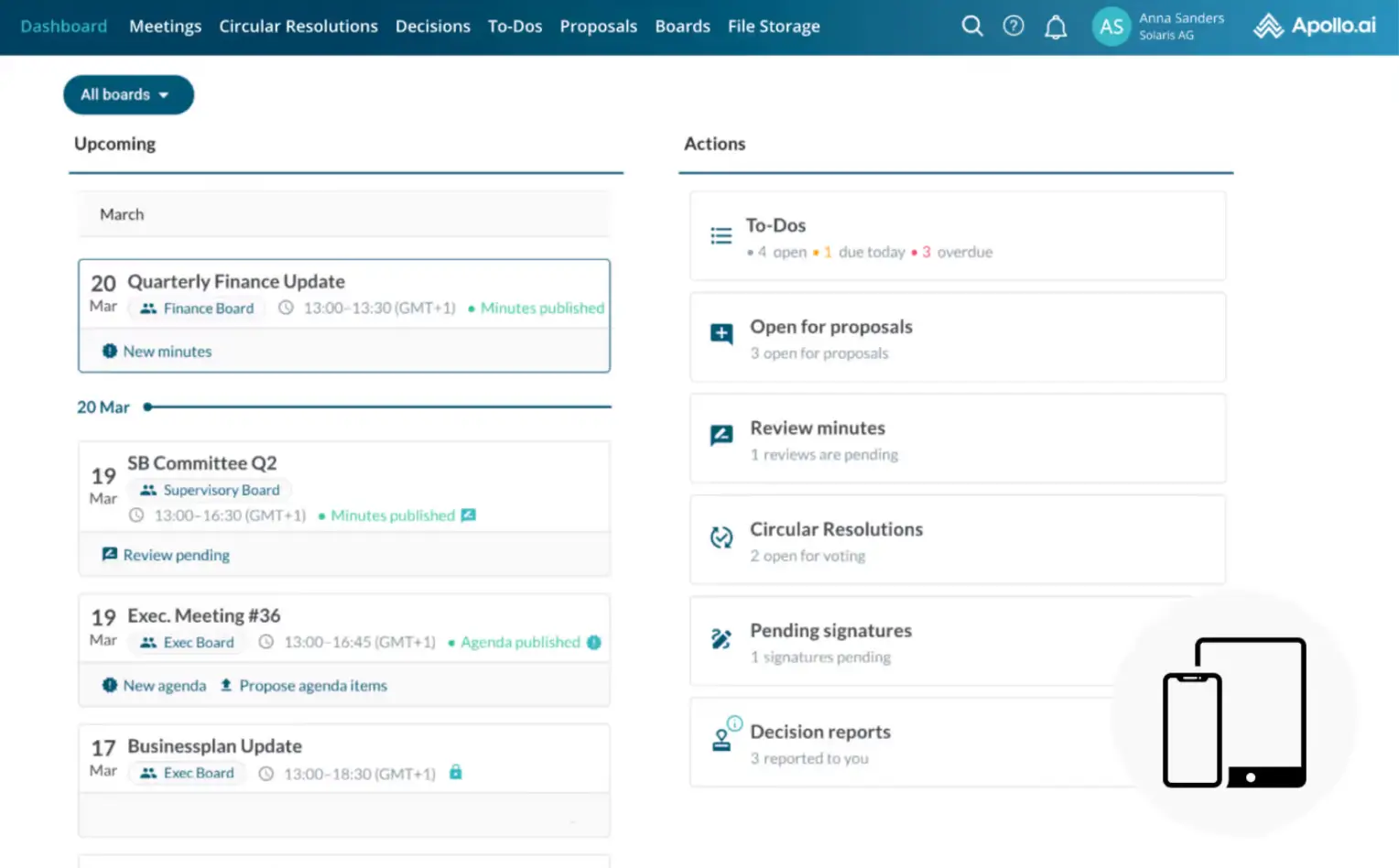
Apollo.io is an all-in-one prospecting platform with a large B2B database, enrichment tools, and multichannel outreach. Ideal for SMBs needing accurate contact data and scalable outbound sequences.
Apollo.io pros and cons
Pros:
- Large B2B database with email + phone data
- Sequencing tools built in (email, dialer, tasks)
- Good enrichment for SMB outbound teams
Cons:
- Data accuracy varies by industry
- Advanced features (like phone-verified data) require higher tiers
Apollo.io best features
- Lead database & enrichment: Extensive B2B 275M+ contacts & company database for new lead sourcing.
- Outbound sequences: Built-in outreach tools for email sequencing, workflow automation, and task management.
- Dialer and call recording: Place calls directly from the platform and automatically log them to each contact. Calls can also be recorded and reviewed, giving teams a clear history of conversations.
- AI search and recommendations: Apollo uses AI to surface prospects that better match your criteria, helping you narrow large lists into high-potential targets.
Apollo.io pricing
- Free: limited monthly credits
- Basic:$59/user/month
- Professional:$99/user/month
- Organization:$149/user/month
5. Clay.com — best for teams that need automated lead research and enrichment
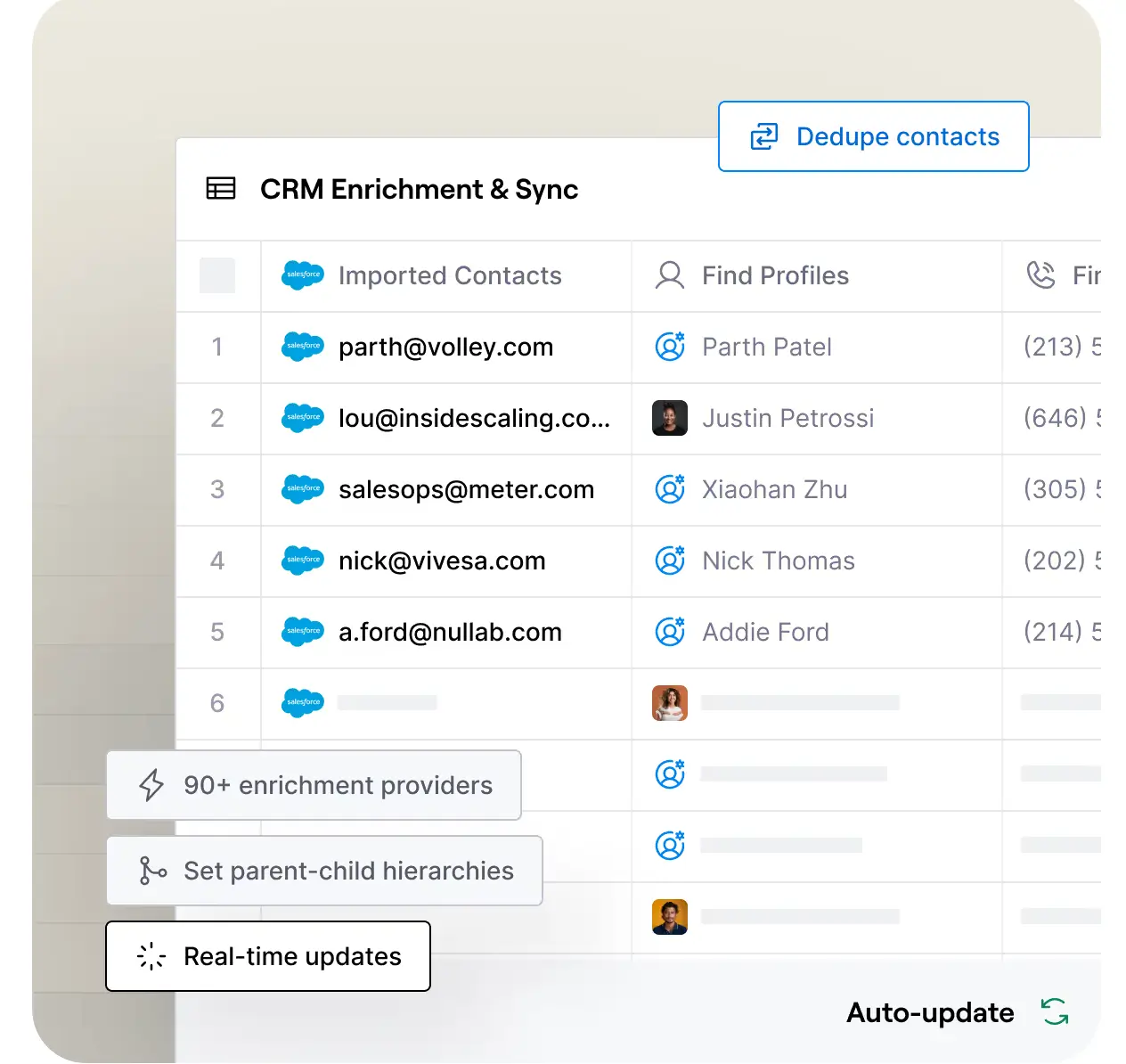
Clay automates prospect research by pulling data from hundreds of sources, enriching lists, and triggering outreach workflows. Great for SMBs without dedicated research roles.
Clay.com pros and cons
Pros:
- Excellent enrichment and data aggregation
- Flexible workflows that plug into outbound tools
- Useful for teams without an in-house research capability
Cons:
- Requires time to learn (spreadsheet-like interface)
- Usage-based pricing can add up for large lists
Clay.com best features
- Automated enrichment: Clay automatically fills in details like job titles, tech stack, firmographics, social links, or company size by pulling data from sources such as LinkedIn, BuiltWith, or public company records.
- Integrations: Clay connects with CRMs and outreach tools so enriched data can sync directly into your existing workflows.
- Custom logic: Clay lets you build rules such as “only keep companies using Shopify,” “score leads with 50–500 employees,” or “find founders who recently changed roles,” then runs multi-step workflows to qualify and sort them automatically.
Clay.com pricing
- Free: $0/mo
- Starter: $149/month
- Explorer: $349/month
- Pro: $800/month
- Enterprise: custom
6. Regie.ai — best for AI-generated outreach sequences
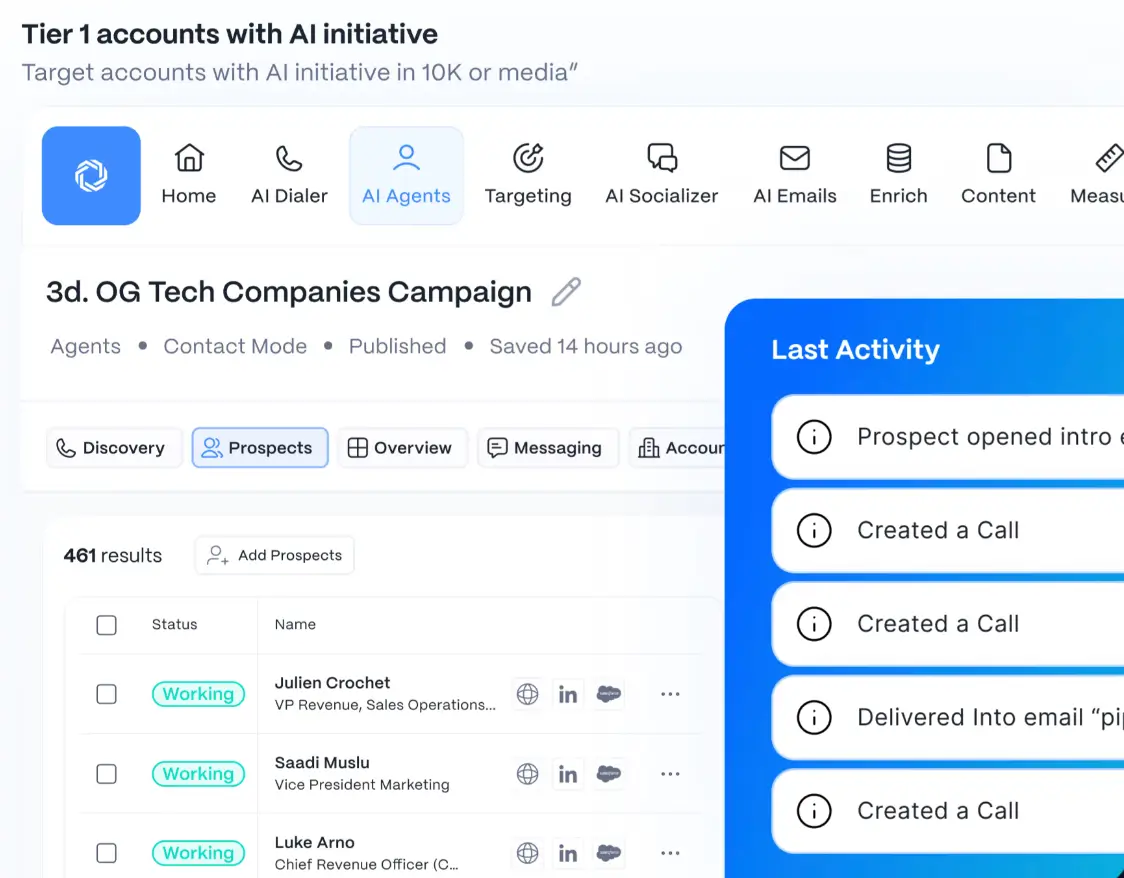
Regie.ai helps teams generate personalized sales messaging and build outreach sequences across email, LinkedIn, and other channels. Best for SMBs wanting to scale copywriting without losing personalization.
Regie.ai pros and cons
Pros:
- Strong AI-written outreach content
- Easy sequence builder
- Integrates with outreach tools like HubSpot, Salesloft, and Outreach
Cons:
- Not a CRM or data provider — must be used alongside other tools
- Quality depends on inputs and team oversight
Regie.ai best features
- AI sequence creation: It can generate full, multichannel outreach sequences (email, LinkedIn, phone) in minutes, each tailored to target personas and automatically scheduled.
- Persona-based messaging: Regie.ai can create personalized messages based on prospect persona, firmographics, or intent data, which helps ensure outreach feels relevant to each lead’s context.
- Template library: Offers a library of pre-written templates and content blocks that you can reuse or adapt — useful when you need to scale outreach without writing every message from scratch.
Regie.ai pricing
Priced for enterprise-scale use. No publicly listed monthly subscription or freemium tier. Instead, pricing starts at about $35 000 per year, and the final price depends on the package and number of reps.
7. Gong.io — best for conversation intelligence and sales coaching
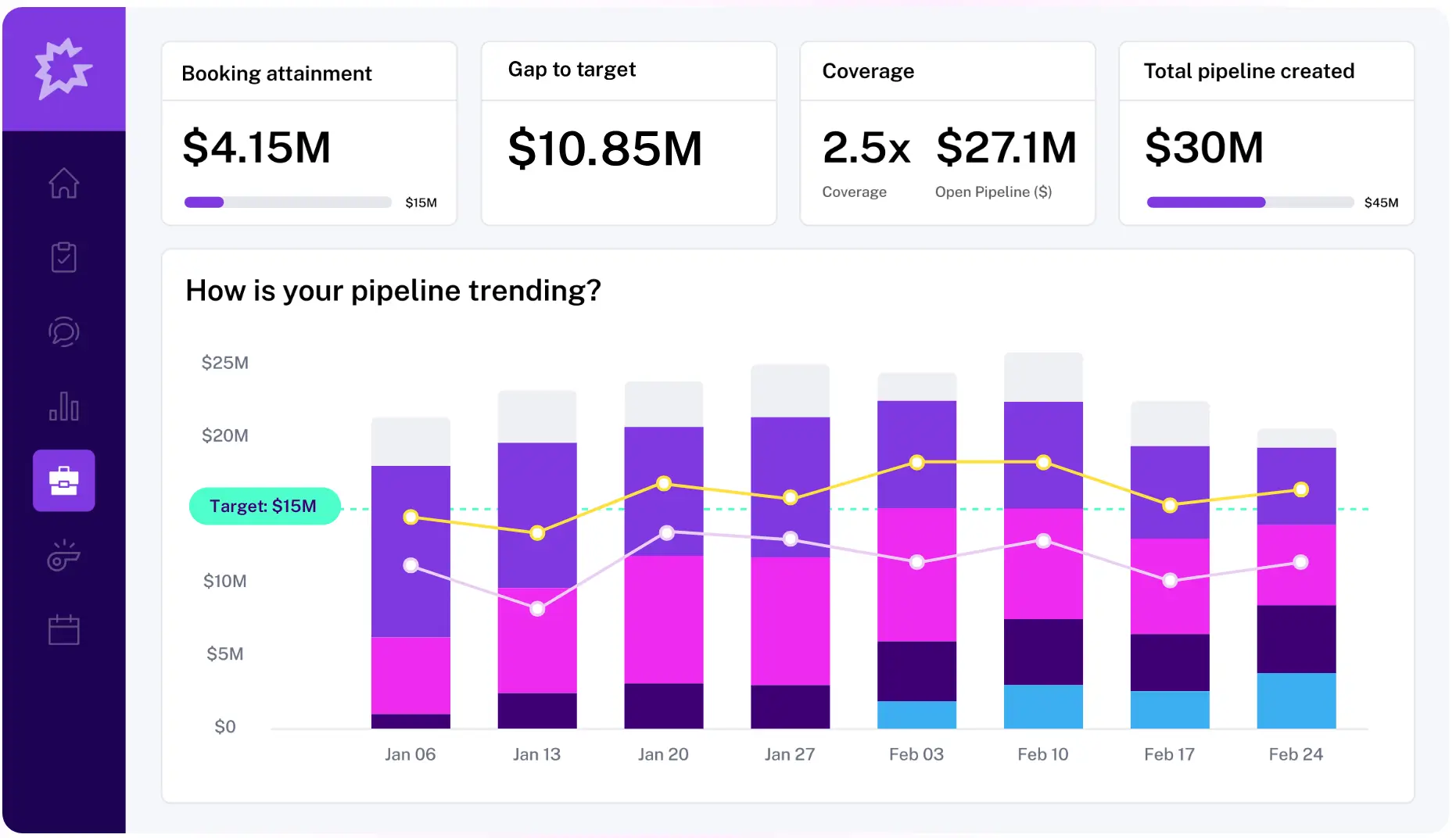
Gong analyzes sales calls and meetings using AI to show what drives wins, where deals stall, and how reps can improve. Powerful for teams handling demos, client calls, or field service consultations.
Gong.io pros and cons
Pros:
- Excellent call transcription + analysis
- Deal insights help prevent pipeline risks
- Strong coaching tools for improving rep performance
Cons:
- Pricey for small teams
- Value depends on call volume
Gong.io best features
- Call recording and AI analysis: Gong records sales calls and meetings, transcribes them, and highlights patterns such as talk ratios, common objections, and topics that tend to move deals forward.
- Deal warnings: Gong reviews communication activity across calls, emails, and meetings and flags opportunities that are stalling or missing next steps so teams can step in before deals lose momentum.
- Coaching insights: Identifies behaviors linked to successful outcomes and gives managers concrete feedback they can use to coach reps and improve team-wide performance.
Gong.io pricing
- Pricing not publicly listed and custom to your team
- Typically involves platform fee + per-seat cost.
8. Vtiger CRM — best for small teams wanting a budget-friendly all-in-one CRM
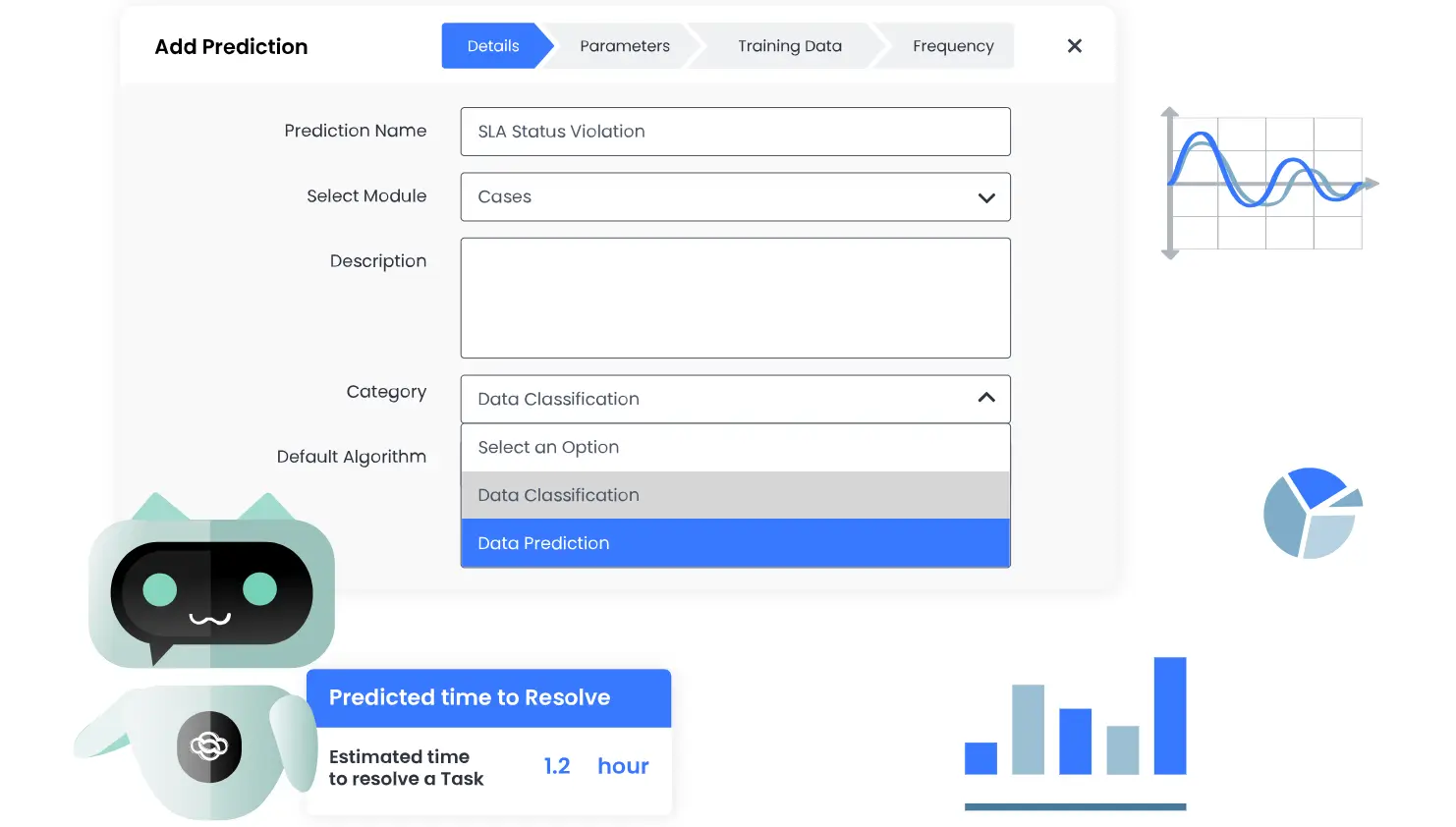
Vtiger CRM combines sales, marketing, and customer support tools into a single affordable platform. It’s designed for SMBs that want the essentials of an all-in-one CRM—pipelines, email campaigns, ticketing, and reporting—without the high price tag of larger platforms.
Pros and cons of using Vtiger CRM
Pros:
- Affordable entry-level pricing compared to most CRMs
- All-in-one platform with sales, marketing, and support modules
- “One View” record system centralizes customer data in one place
- Solid feature depth for small teams (campaigns, pipelines, help desk)
Cons:
- Interface feels older and less modern than peers like Monday or Freshsales
- Not as customizable as Zoho or Salesforce
- Advanced features (AI, deeper automation) live on higher plans
- Smaller integration ecosystem
Vtiger key features
- One View: This unified view includes the full history of interactions (calls, emails, social, support tickets), purchase history, deals, and support cases, so everyone sees the full context when they pick up the customer.
- Sales pipelines: You get lead and opportunity management (lead capture, scoring, segmentation), deal journey management, notifications/events/alerts, and quoting/invoices if your business includes products or services.
- Marketing tools: You can create email campaigns, manage mailing lists/segments, run lead-nurturing sequences, and use web forms or landing pages to capture leads that flow into your CRM.
- Automations: Workflows cover sales, marketing, and support — e.g. automated lead nurturing, triggered emails, ticket escalations, SLA alerts, follow-up tasks.
Vtiger CRM pricing
Pricing
A 15-day free trial is available.
- Standard: ~$15/user/month
- Professional: ~$42/user/month
- Enterprise: $58/user/month
- One AI: ~ $66, depending on features
AI sales tools to build with Softr
Finally, let’s explore the different AI sales tools you can create inside Softr, all designed to help you simplify your stack and keep everything in one place.
- AI prospect data enrichment tool
- AI demo request enrichment tools
- ERP (enterprise resource planning) system
- SaaS customer portal
- Sales KPIs dashboard
- B2B SaaS CRM
- Sales CRM
Find the best AI sales tools that fit your needs
Before choosing a tool, focus on what actually slows your team down. Is it prospecting, enrichment, outreach, or follow-up? Then, match the software to that bottleneck. Look for accurate data, clear AI outputs, simple workflows, and pricing that won’t spike as you grow.
If you want a practical starting point, try building a CRM that brings your data, outreach, and AI workflows together smoothly in one place.
👉 Try Softr for free and build a custom CRM, pipeline management system, or client portal for your business in minutes.


