


Most teams don’t start by building databases. They start with spreadsheets.
At first, that works. But as data grows and workflows become more complex, spreadsheets start to break down. Teams begin looking for tools that behave more like real databases—structured, relational, and easier to scale.
Baserow and NocoDB are both open-source platforms aiming to make working with relational databases easier through a spreadsheet-style interface.
Baserow works as a standalone database platform. You can create structured datasets, build simple tools around them, and collaborate without writing backend code. NocoDB takes a different approach: it sits on top of your existing SQL database and provides a visual interface for browsing, editing, and connecting that data through APIs.
At first glance, the two tools can look similar. Both support relational tables, multiple views, and self-hosted deployments. But they’re usually adopted for different cases. Teams deciding between them often need to understand whether they’re building a new database system from scratch or managing an existing one.
In many real-world use cases, however, managing the database is only part of the daily operational challange. Teams also need ways to turn that data into portals, dashboards, and internal tools people can actually use every day.
In this guide, we’ll break down how Baserow and NocoDB compare across usability, integrations, and pricing so you can decide which platform fits your workflow and technical resources best — and how Softr compares in this landscape.
Baserow vs NocoDB at a glance
| Baserow | NocoDB | |
|---|---|---|
| Best for | Teams building new collaborative databases or internal tools without writing backend code | Teams that already run SQL databases and want a visual interface to manage them |
| Ease of use | Spreadsheet-like interface that’s easier for non-technical teams to adopt | Simpler for developers familiar with databases; can require technical knowledge for advanced setups |
| Key strengths | Built-in relational database, flexible views (grid, kanban, form, gallery), collaborative editing | Works directly with existing SQL databases; automatic API generation and flexible database connections |
| Database approach | Standalone no-code database platform with its own database layer | Interface layer that sits on top of databases like PostgreSQL, MySQL, or SQL Server |
| Automation & integrations | Built-in automations and webhooks, but a smaller integration ecosystem than larger SaaS tools | APIs and webhooks make it easy to integrate with external systems and developer workflows |
| Deployment & hosting | Cloud version plus self-hosted open-source deployment | Cloud plans plus self-hosted open-source version |
| Pricing model | Cloud pricing scales per user and workspace capacity | Cloud pricing based on editor seats with usage limits; only the first nine editors are billed |
What is Baserow?
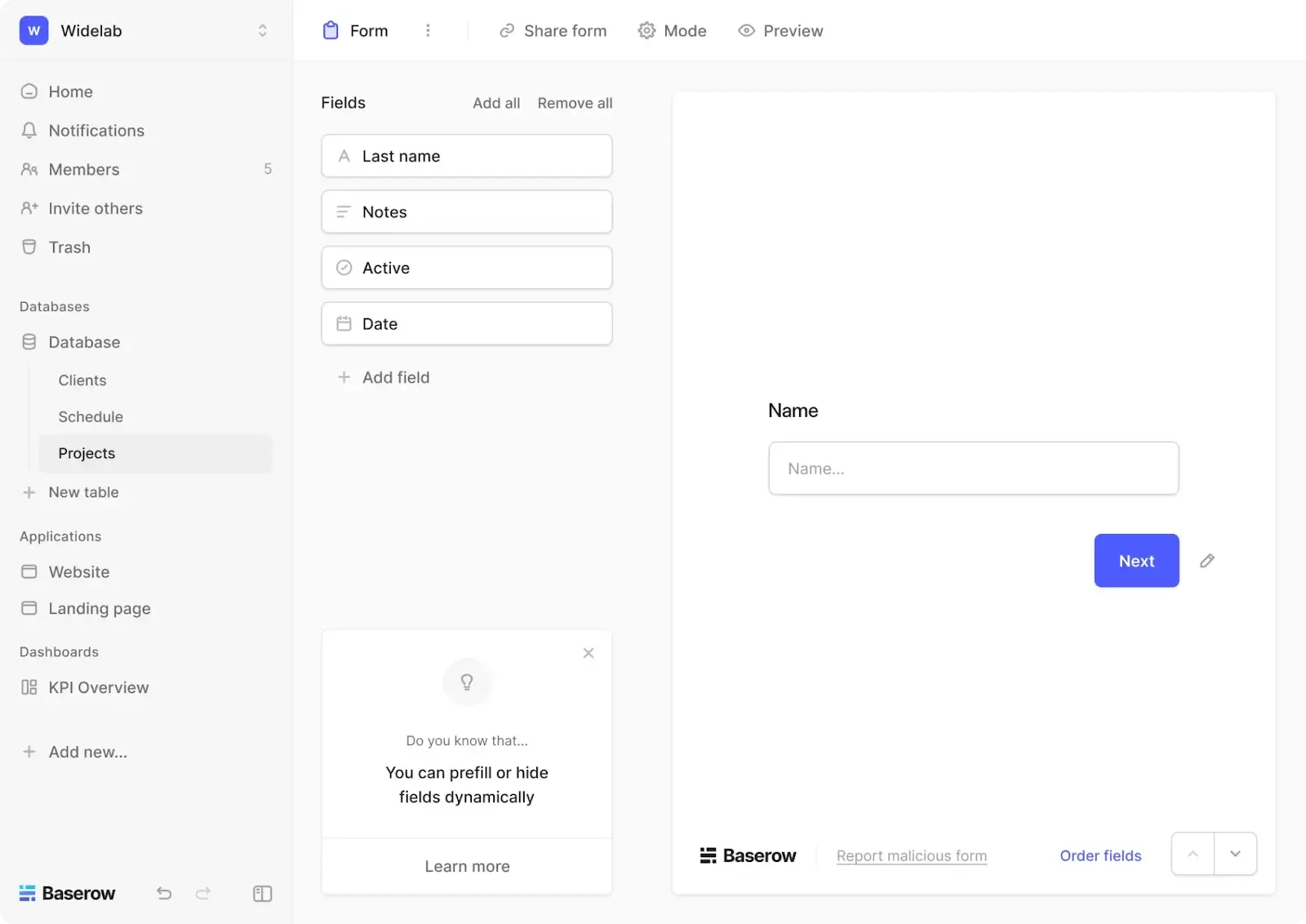
Baserow is an open-source database platform that lets teams organize structured data and turn it into simple internal tools without writing backend code. The interface feels familiar. Tables look like spreadsheets But the system behind them behaves like a relational database.
Teams can create linked tables, build forms to collect data, view records in different layouts, and connect the database to other systems through APIs and automations.
Unlike many SaaS database tools, Baserow can also be self-hosted, which makes it attractive to businesses that want full control over their infrastructure and data.
That flexibility also comes with trade-offs. Many users report that Baserow still feels more like a database backend than a complete application platform. While the data structuring features are strong, building polished interfaces or full operational tools often requires connecting it to another frontend or writing additional code.
The ecosystem of native integrations and automation options is also smaller than in more mature SaaS platforms, which means teams often rely on APIs or third-party tools to extend workflows. For teams without technical resources or technical people, the option to self-host can introduce extra complexity. It can mean managing servers, updates, and scaling infrastructure becomes part of the responsibility.
Baserow key features
- Open-source and self-hosted deployment: Baserow is an open-source platform that can run either in the cloud or on your own infrastructure. This gives organizations more control over their data, security, and scalability compared to fully managed SaaS tools.
- Relational database structure: Instead of flat spreadsheets, Baserow lets teams create structured tables and link records across them. This allows users to model relationships between different datasets and manage information more like a traditional database.
- Spreadsheet-style data management: Data can be edited in a grid layout that looks and behaves similarly to a spreadsheet, making it easy for non-technical users to work with structured datasets.
- Multiple data views: The same table can be displayed in different formats such as grid, gallery, form, kanban, or calendar views. These views allow teams to organize and interact with the same data in ways that match their workflows.
- API-first connectivity: Baserow automatically generates REST API endpoints for databases, allowing developers to programmatically create, read, update, and delete records or integrate the database with other applications.
- Automations and webhooks: Built-in triggers can run workflows when events occur, such as when rows are created, updated, or deleted. Webhooks notify external systems in real time, enabling integrations and automated processes.
Baserow cons
- Limited built-in integrations: Baserow’s native integration ecosystem is still relatively small, so teams often rely on APIs, webhooks, or external automation tools to connect it with other systems—for example, automatically sending a maintenance request submitted in a Baserow form to Slack or a project management tool.
- Requires technical knowledge for advanced setups: While basic databases are easy to create, more complex workflows—especially self-hosting, scaling infrastructure, or optimizing performance—often require technical expertise.
- Learning curve for new users: Some users report that understanding relational database concepts, formulas, or advanced features takes time, particularly for teams coming from simple spreadsheets.
- Limited mobile support and ecosystem maturity: Unlike some competitors, Baserow lacks a dedicated native mobile app and still trails more established platforms in terms of ecosystem depth and feature parity.
Who is Baserow best for?
- Teams that want an open-source database platform: Organizations that prefer open infrastructure and the option to self-host their tools often choose Baserow to keep full control over data, security, and customization.
- Developers or technical teams building internal tools: Because every database exposes a REST API, Baserow works well as a backend for internal applications, dashboards, or custom portals built with other front-end tools.
- Companies that need flexible data modeling: Teams managing complex datasets—such as project tracking, inventory systems, or internal CRMs—can structure relationships between tables and visualize data through different views like grid, kanban, or forms.
- Organizations building customizable no-code stacks: Baserow is often used as a data layer that connects to other tools through APIs, automation platforms, or custom applications
Baserow pricing
Baserow offers cloud-hosted plans billed per user, plus a self-hosted open-source version for teams that want to run the platform on their own infrastructure. Below is the cloud pricing (billed annually) and what each tier is typically suited for.
- Free: Best for individuals or small teams testing Baserow, building prototypes, or managing small datasets before scaling. Includes unlimited databases, 3,000 rows per workspace, 2 GB storage, and core views like Grid, Form, and Gallery.
- Premium: $10/user/month, expands capacity to 50,000 rows and 20 GB of storage per workspace, and adds views like Kanban, Survey, and Calendar. Built for growing teams that manage tools too large or complex to manage in spreadsheets.
- Advanced: $18/user/month, introduces governance features like role-based permissions, free read/comment users, and audit logs. Best for larger teams that need more structured access control and oversight as their databases scale.
- Enterprise: custom pricing (self-hosted). This tier is designed for businesses that need dedicated infrastructure, advanced security controls, and managed deployment support on top of the self-hosted platform. Best for large companies that want full control over their Baserow environment and implementation.
Baserow also provides a self-hosted open-source version with unlimited rows, storage, and databases, though advanced features require paid licenses.
What is NocoDB?
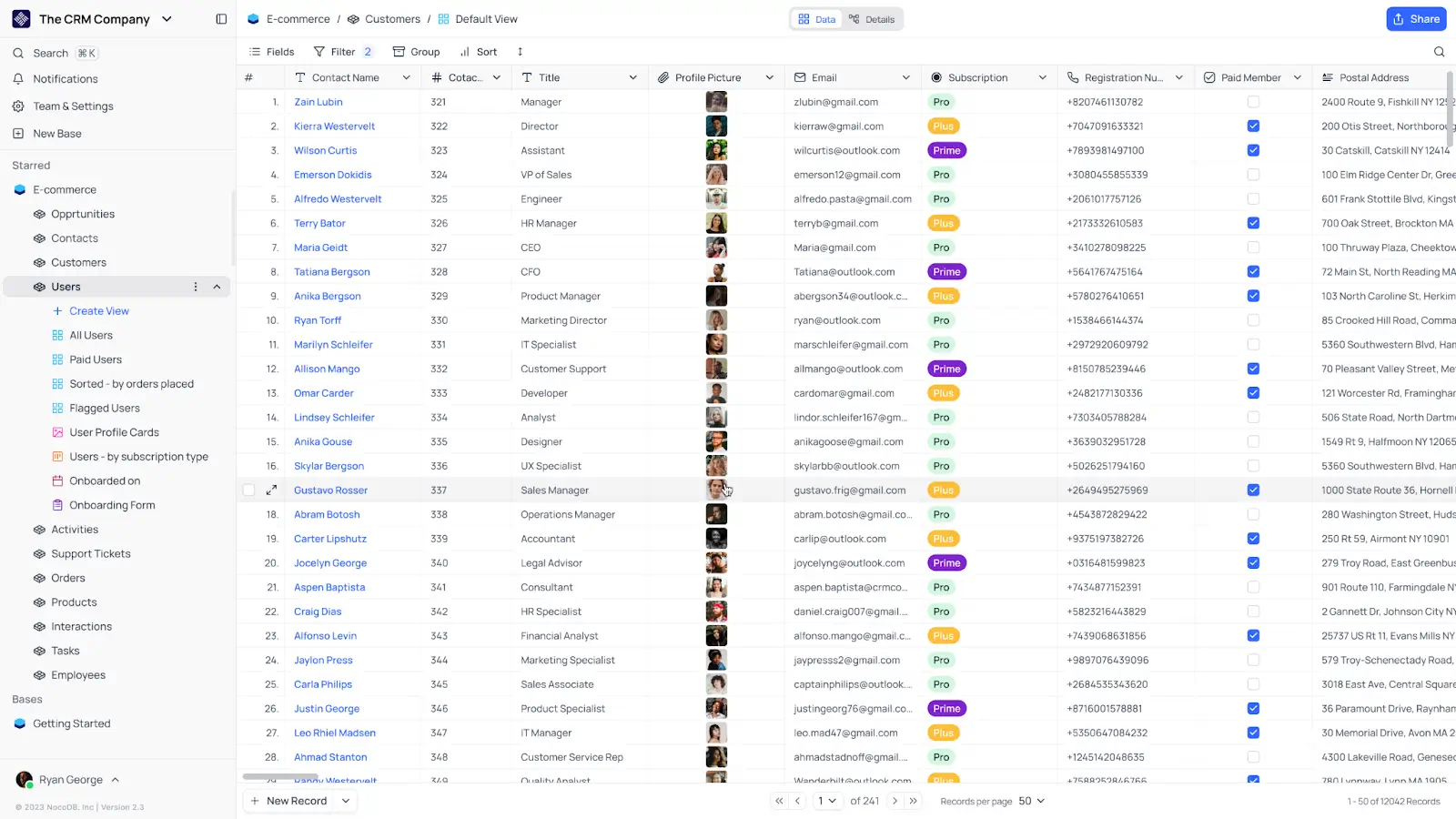
NocoDB is an open-source platform that lets teams manage relational databases through a spreadsheet-style interface. Instead of querying tables with SQL or building custom admin panels, you can browse and edit records in a visual grid. Rows can be filtered, updated, and linked together like a spreadsheet, while the data continues to live in the underlying database.
The platform connects directly to databases such as PostgreSQL, MySQL, SQL Server, or SQLite and exposes their tables through views like grid, kanban, gallery, or forms. It also generates APIs automatically, so developers can connect the same data to other applications or workflows.
Unlike Baserow, which mainly works as a standalone no-code database platform, NocoDB is often used as a visual layer on top of existing SQL databases. Many teams adopt it as a lightweight admin interface for production databases or as a collaborative way to manage structured data without building custom internal tools.
NocoDB key features
- Flexible database architecture: NocoDB can run with a built-in SQLite database for simple projects or connect to external SQL databases such as PostgreSQL, MySQL, SQL Server, MariaDB, or SQLite. This allows teams to either create new datasets or manage existing databases through the same interface.
- Spreadsheet-style data interface: Tables appear in a grid layout that behaves like a spreadsheet. Users can edit records, filter rows, sort data, and configure fields without writing SQL queries.
- Relational data modeling: Tables can be linked together through relationships. This allows teams to structure datasets — for example connecting projects, clients, and tasks — while still working visually.
- Multiple data views: The same dataset can be displayed in different formats such as grid, gallery, kanban, calendar, or forms. Teams can interact with the same data in ways that match their workflows.
- Automatic API generation: NocoDB automatically exposes tables through APIs, allowing developers to connect external applications, automation tools, or dashboards to the same data.
- Self-hosted deployment: Because NocoDB is open source, teams can run it on their own infrastructure. This gives organizations control over their data storage, security, and deployment environment.
NocoDB cons
- Still requires database knowledge for complex setups: While the interface simplifies data editing, teams working with production databases often still need to understand relational schemas, migrations, and database administration.
- Schema changes can introduce risk: Since NocoDB interacts directly with underlying databases, structural changes — such as modifying column types — can affect the original schema and require careful management.
- Interface maturity varies: Compared with more established SaaS tools, parts of the UI and workflow features are still evolving and may feel less polished.
- Performance depends on the underlying database: Because NocoDB runs on top of a database rather than replacing it, performance and scaling depend heavily on the configuration of the connected database and infrastructure.
Who is NocoDB best for?
- Teams managing existing SQL databases: Organizations that already run PostgreSQL or MySQL can use NocoDB as a visual interface instead of building internal admin dashboards from scratch.
- Developers building internal tools: Because NocoDB automatically exposes APIs, it is often used as a backend layer for internal dashboards, automation systems, or lightweight applications.
- Organizations that prefer open infrastructure: Companies that want full control over hosting and data management often choose NocoDB because it can run entirely on their own servers.
- Projects that need a database UI rather than a full no-code platform: Compared with Baserow, which focuses on creating new no-code databases, NocoDB is frequently used to manage or expose existing production databases through a collaborative interface.
NocoDB pricing
NocoDB offers several cloud plans based on editor seats, while only the first nine editors are billed. Teams can also self-host the open-source version for free on their own infrastructure. Listed prices are annual billing:
- Free: Best for individuals testing NocoDB, personal projects, or small prototypes before committing to a larger setup. This plan gives access to core database features but has tight limits on dataset size and usage
- Plus: $12/seat/month: Built for small teams starting to manage real datasets and collaborate on operational workflows. It expands capacity to 50,000 records, 20 GB of storage, 10,000 webhook runs per month, and 100,000 API calls per month. Here, it caps paid seats at nine editors, allowing larger teams to collaborate without paying for every user.
- Business: $24/seat/month: Designed for growing teams running production workflows that require higher data limits and more advanced capabilities. This plan increases limits to 300,000 records, 100 GB of storage, 50,000 webhook runs per month, while adding capabilities like external database connections and advanced authentication options.
- Enterprise: custom pricing: Intended for established organizations that need advanced security, governance, or dedicated deployment environments.
Baserow vs NocoDB: pricing comparison
Both NocoDB and Baserow offer free open-source versions that can be self-hosted, but their cloud pricing models scale differently. NocoDB focuses on editor-based pricing with limits on usage and records, while Baserow scales per user with increasing database capacity and governance features. Listed prices are annual billing.
Key differences
- Free plans: Both platforms provide a free entry point and allow self-hosting. NocoDB’s free tier is mainly for testing small projects with strict dataset limits, while Baserow’s free cloud plan allows unlimited databases but caps workspaces at 3,000 rows and 2 GB of storage.
- Scaling limits: NocoDB’s Plus plan ($12/seat/month) increases limits to 50,000 records and 20 GB of storage, similar to Baserow’s Premium plan ($10/user/month), which expands capacity to 50,000 rows and 20 GB storage. However, NocoDB caps billing at nine editors, while Baserow charges per active user.
- Advanced features: NocoDB’s Business plan ($24/seat/month) adds external database connections and advanced authentication, aimed at teams integrating existing databases. Baserow’s Advanced plan ($18/user/month) focuses more on governance features, including role-based permissions, audit logs, and free read/comment users.
- Enterprise deployments: Both tools offer enterprise options with custom pricing. These plans are intended for organizations needing dedicated infrastructure, advanced security controls, or managed deployments.
Verdict:
NocoDB’s pricing is structured around connecting and managing existing databases with predictable editor costs, which can be appealing for teams integrating with existing infrastructure. Baserow’s pricing scales more directly with database size and collaboration features, making it easier to start small but potentially more expensive as the number of active users grows.
Baserow vs NocoDB: on Reddit
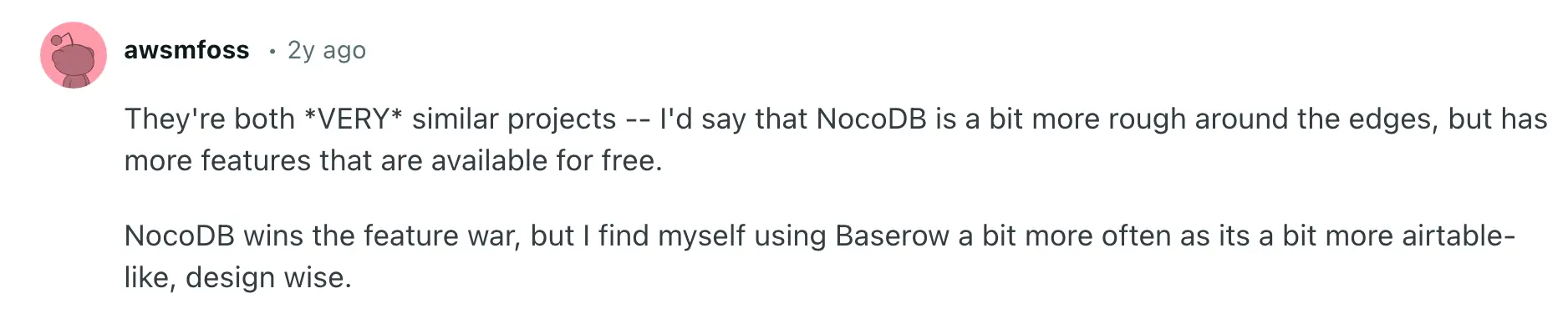
Users on Reddit generally frame NocoDB and Baserow as solving slightly different problems rather than being alternatives. NocoDB is usually described as a developer-oriented database interface: a tool that sits on top of an existing SQL database and exposes it through a spreadsheet-like UI and APIs. Baserow, on the other hand, is more often described as a collaborative Airtable-style workspace, with a built-in database and a cleaner interface that’s easier for teams to use. Most users keep using both for several reasons. For example:

In discussions about self-hosting and internal tools, users often say NocoDB offers more flexibility for developers, while Baserow feels more polished and accessible for non-technical users.
Some threads also mention practical considerations such as feature tiers (for example, advanced form features in Baserow requiring paid plans) and deployment setups.
Softr Databases — best AI-powered Baserow vs NocoDB alternative for managing data & building apps without code
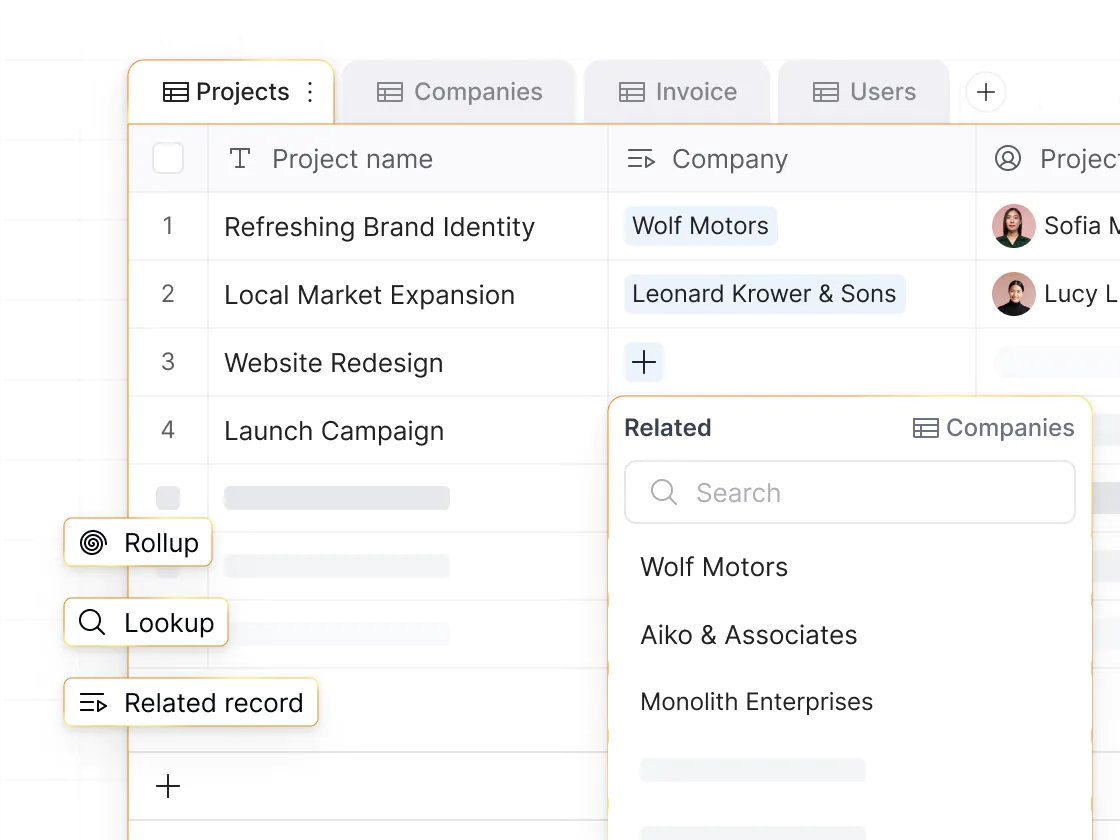
Baserow and NocoDB both focus on making relational databases easier to work with. But they still operate primarily as data layers. Teams usually use them either to structure data (Baserow) or to manage existing SQL databases through a visual interface (NocoDB). Besides, in some trickier cases, they need technical people or teams to handle infrastructure, database configuration, integrations, or the frontend layer that turns the data into a usable tool.
Unlike any of the two platforms above, or other database options in the market, Softr Databases combines data storage with all the necessary tools and features needed to build applications around that data. The spreadsheet interface handles linked records, flexible field types (including AI fields), custom views, and hundreds of thousands of rows without slowing down.
.webp)
Teams can create linked tables, structure records, and manage shared datasets in a familiar grid view.
But the database isn’t only for storage. The same data can quickly power client portals, internal dashboards, CRMs, or workflow systems built directly inside Softr studio (without migrating the data to another system.) For teams that don’t want to configure everything from scratch, Softr’s AI Co-builder can generate a complete database structure based on a plain-language description of the system you want to build.
AI usage is credit-based, meaning you only spend credits when generating prompts. Once the app or database structure is created, teams can continue refining and expanding it visually without needing to keep spending AI credits.
In practice, this changes how teams build internal tools:
- Baserow: strong relational database for organizing structured data
- NocoDB: visual interface for existing SQL databases
- Softr Databases: relational database plus the ability to turn that data into working apps in the same environment with permissions, infrastructure, hosting, user management, and security built in.
Best for: All-in-one structured data management, app building, and AI-powered workflow automation — without code.
- Turning databases into working business apps: Use the same dataset to build custom, fully production-ready client portals, internal dashboards, CRMs, or workflow systems without exporting data or building a separate frontend.
- Import data in seconds: Upload spreadsheets or import existing datasets from tools like Google Sheets, Airtable, or CSV files without manual formatting. Softr automatically maps fields and lets you start working with your data immediately.
- Database AI agents: Automate repetitive data work directly inside your database. Agents can clean, enrich, categorize, and summarize records, extract details from files, or pull information from the web to keep datasets accurate without manual updates.
- AI-assisted database setup: Generate database structures and fields writing natural-language prompts to the AI Co-builder to speed up setup and reduce manual configuration.
- Builder seats included: Up to 3 builders can work in your databases on the free plan, and app users never need a builder seat.
- Pre-built templates with sample data: With Softr, there’s no need to build from scratch or have technical coding knowledge. You can start buidling apps on top of your data with the help of a library of 90+ app templates.
- Vibe Coding Block: Generate app layouts, dashboards, pipelines, and custom tools using AI prompts. Vibe coding helps teams go from idea to working system faster, so they can start benefiting from automation and AI sooner.
- Enterprise-grade performance and security: Handle large datasets with infrastructure designed for scale while supporting compliance standards like GDPR and SOC 2.
- Works on any device: Softr-made apps are fully responsive by default, and can be turned into downloadable mobile apps using Softr’s PWA feature.
Why teams choose Softr over Baserow and NocoDB
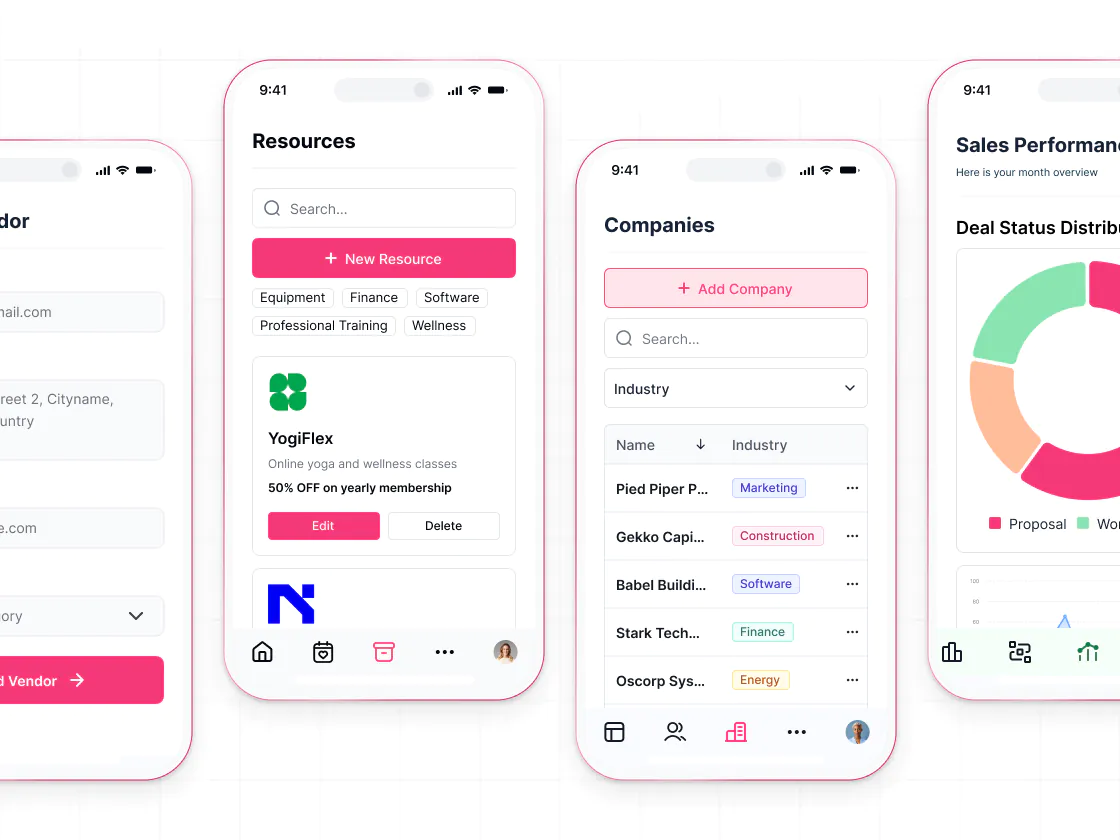
Teams comparing Baserow and NocoDB are usually looking for a better way to organize structured data than spreadsheets. Both tools improve how data is stored and managed, but teams often still need another platform to turn that data into real operational systems.
Softr removes that extra step.
Teams can structure their data and immediately use it to power portals, dashboards, internal tools, and automated workflows. Data, permissions, automation, and interfaces live in the same environment, which helps maintain a single source of truth and reduces the number of tools required to run day-to-day operations.
Here’s what you can build with Softr:
- Customer and partner portals: Create secure, branded spaces where users can submit requests, track progress, and access their own data. Permissions and authentication are built in, instead of custom-coded.
- Internal tools and operational apps: Build CRMs, project trackers, and inventory systems that teams actually run their business on. Softr provides relational databases, workflow automation, and user roles out of the box.
- Knowledge bases and directories: Organize company knowledge or resources into searchable, easy-to-use apps your team or customers can actually navigate—without worrying about backend logic or governance.
Baserow, NocoDB, or Softr
Baserow and NocoDB both solve an important problem: making relational databases easier to work with through a spreadsheet-style interface. Baserow works well for teams building new structured datasets, while NocoDB is often used to manage existing SQL databases through a visual layer.
But for many organizations, managing the database is only the first step. The real goal is to turn that data into systems people can actually use—client portals, internal dashboards, CRMs, or workflow tools that support day-to-day operations.
That’s where Softr fits in.
Softr Databases combines structured data management with the ability to turn that data into fully functional apps, all in the same environment. Teams can organize their data, control access, automate workflows, and publish production-ready tools without needing separate frontend builders or developer-heavy setups.
If you’re simply looking for an open-source database interface, Baserow or NocoDB may be enough. But if your goal is to move from structured data to real business apps, Softr gives you a faster path from database to working application.
👉 Try Softr for free and start building portals, dashboards, and internal tools on top of your data.


