[.blog-callout]
TL;DR
- AI agents turn a CRM from a passive data container into an active engine that researches, enriches, and drafts on your behalf.
- With Softr Databases and Softr Workflows, you can build lead deduplication, company enrichment, interaction summaries, and a conversational "Ask AI" layer, all natively, without writing code.
- For advanced Go-To-Market motions, use Softr as the human-friendly frontend for backend tools like Clay or n8n, so reps review and approve AI-drafted outreach before it ever gets sent.
- Agentic AI adoption is projected to jump from 23% to 74% of companies within two years, and 88% of early adopters already report positive ROI, so building this now is a competitive edge, not a nice-to-have. [.blog-callout]
This guide explores how to transform your CRM from a passive data container into an active, intelligent engine using AI automation.
We will cover native Softr automations you can build in minutes, as well as advanced "Human-in-the-loop" workflows that combine backend power with frontend simplicity. If you want to skip straight to a working setup, clone the AI CRM template and follow along.
The problem: The "admin fatigue" of traditional CRMs
Running a CRM usually involves two realities. There is the dream: a perfectly organized engine that helps you close deals faster. And then there is the reality: a data-entry graveyard where sales reps waste hours manually inputting data, switching tabs to research prospects on LinkedIn, and writing generic follow-up emails.
AI automation changes this equation. Instead of your team working for the CRM, the CRM should work for your team.
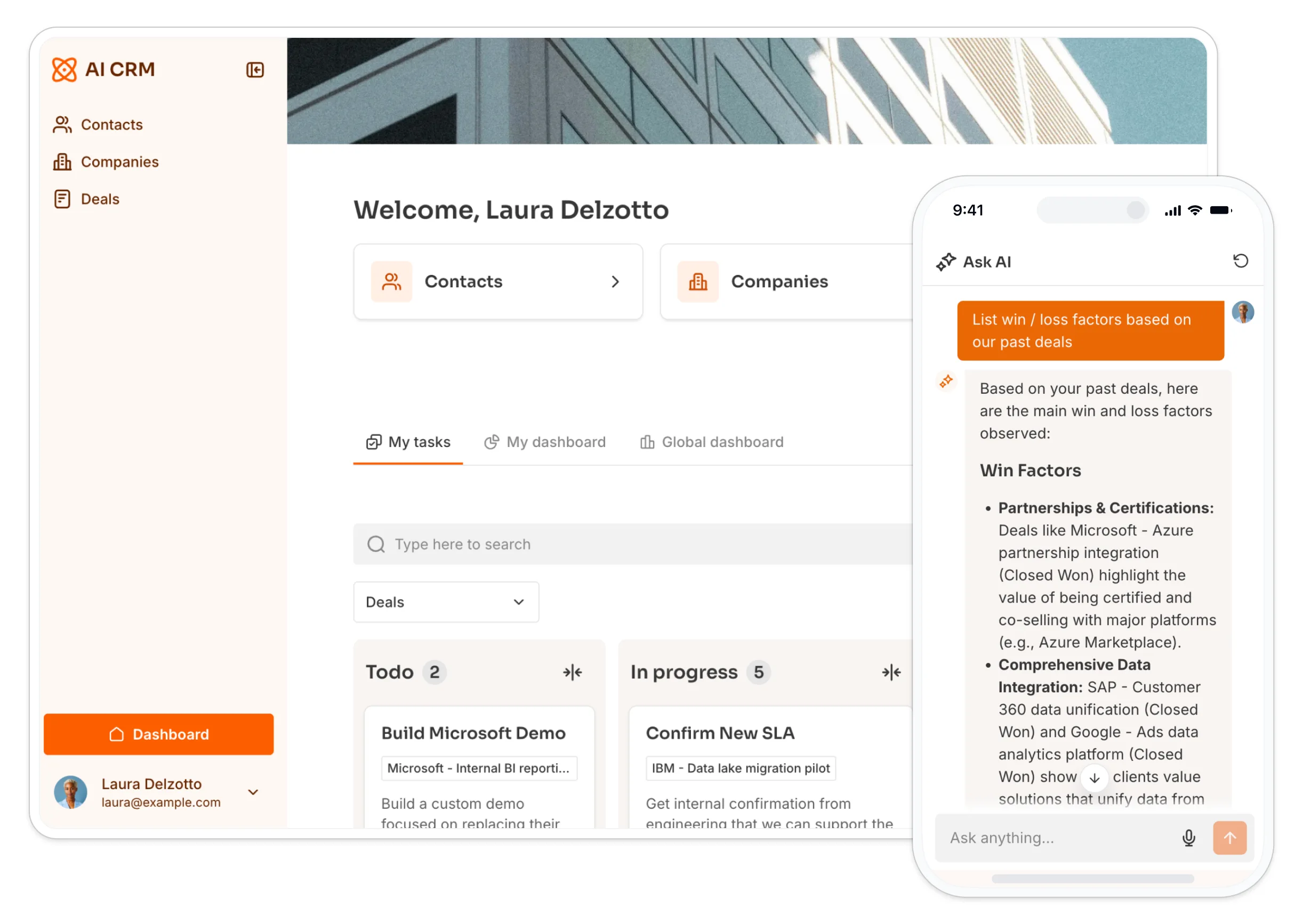
Because Softr is a full-stack app builder, combining your database, your interface, and your workflows in one platform, you can deploy AI agents that handle the busy work automatically.
Why leverage AI workflows and agents in your CRM?
By embedding AI agents and automation directly into your Softr app, you achieve three strategic advantages:
- Higher conversion rates: You can shorten your public forms (asking only for an email) because AI will fill in the rest of the data for you. Less friction means more leads.
- Zero-click context: Instead of reading 20 emails to catch up on a deal, AI gives you a 3-bullet summary instantly.
- Human-in-the-loop scalability: You can run complex automation in the background while giving sales reps a simple, clean interface to review and approve actions.
This is not a niche bet. According to Deloitte, the share of companies using agentic AI at least moderately is set to jump from 23% to 74% within two years, and Google found that 88% of early AI agent adopters already report positive ROI. The teams that wire agents into their CRM now build the habit (and the muscle) before it becomes table stakes.
4 examples of CRM automations leveraging AI and Softr
If you followed our guide to building a free CRM, you know that Softr Databases come with built-in AI capabilities. For a deeper look at the relational structure behind these automations, see our guide on how to build a CRM database. Here is how to implement AI agents to put your data on autopilot.
1. Demo request matching & enrichment
The Use Case: A lead submits a "Request a Demo" form on your site. Usually, this creates a mess of duplicates or requires manual data cleanup.
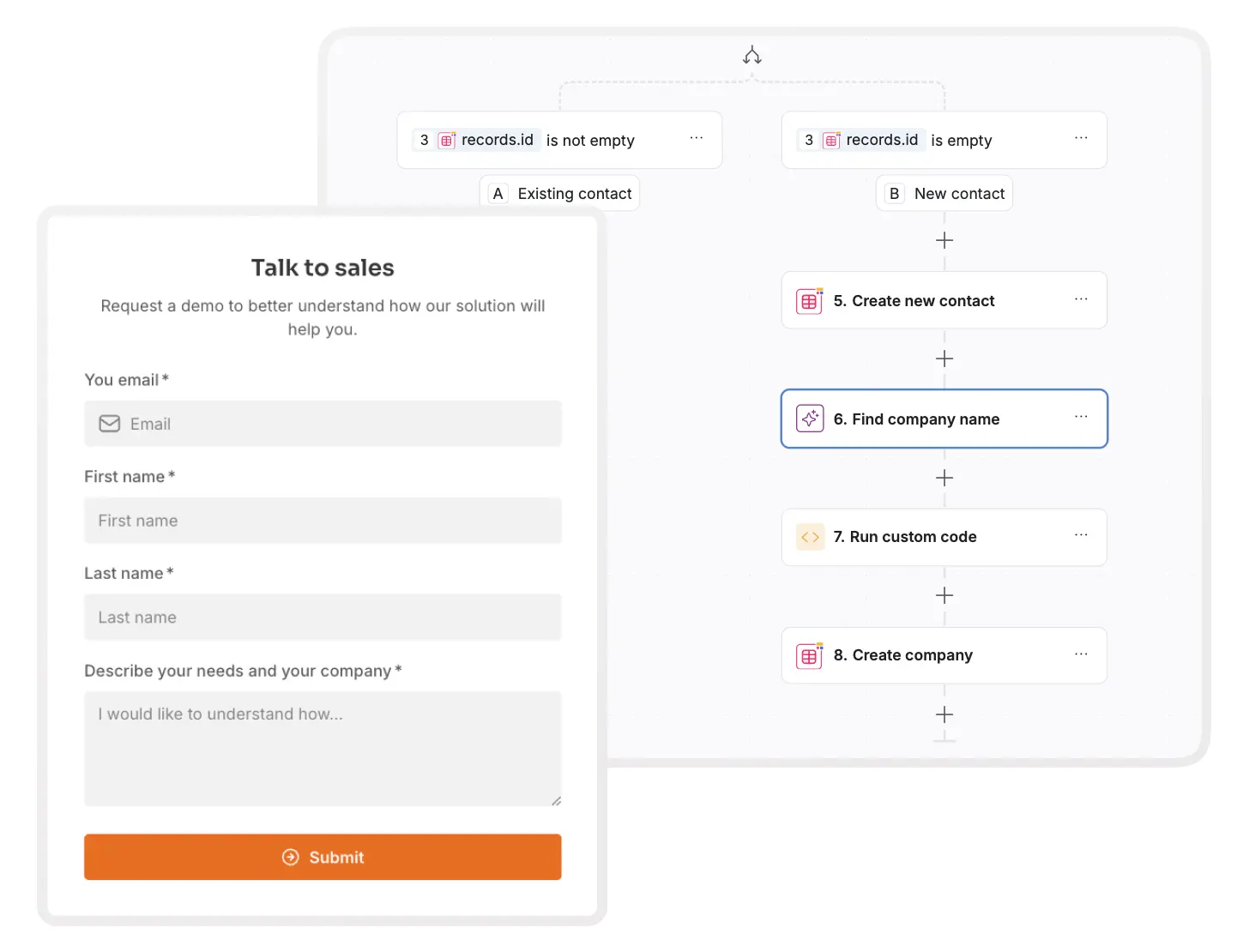
- How to build it: Create a Custom Workflow in Softr triggered by a form submission, or describe the deduplication and enrichment logic to the Workflow AI Co-Builder and let it assemble the steps for you. You can also describe it to Claude or ChatGPT, which builds the workflow through the Softr MCP.
- Deduplication: The workflow first checks your
Contactstable. If the email exists, it links the new request to the old contact. - Domain extraction: If it's new, the workflow extracts the domain (e.g.,
softr.iofromjane@softr.io). - Company identification: An AI step uses the domain to identify the exact Company Name and creates the company record automatically.
- Deduplication: The workflow first checks your
- The result: You don't have to ask for "Company Name" on your form. This reduces friction for the user while ensuring your data is accurate.
2. Database autopilot (company and prospect enrichment)
The Use Case: Once a company is added to your CRM, sales reps usually open multiple tabs to find the industry, size, and description.
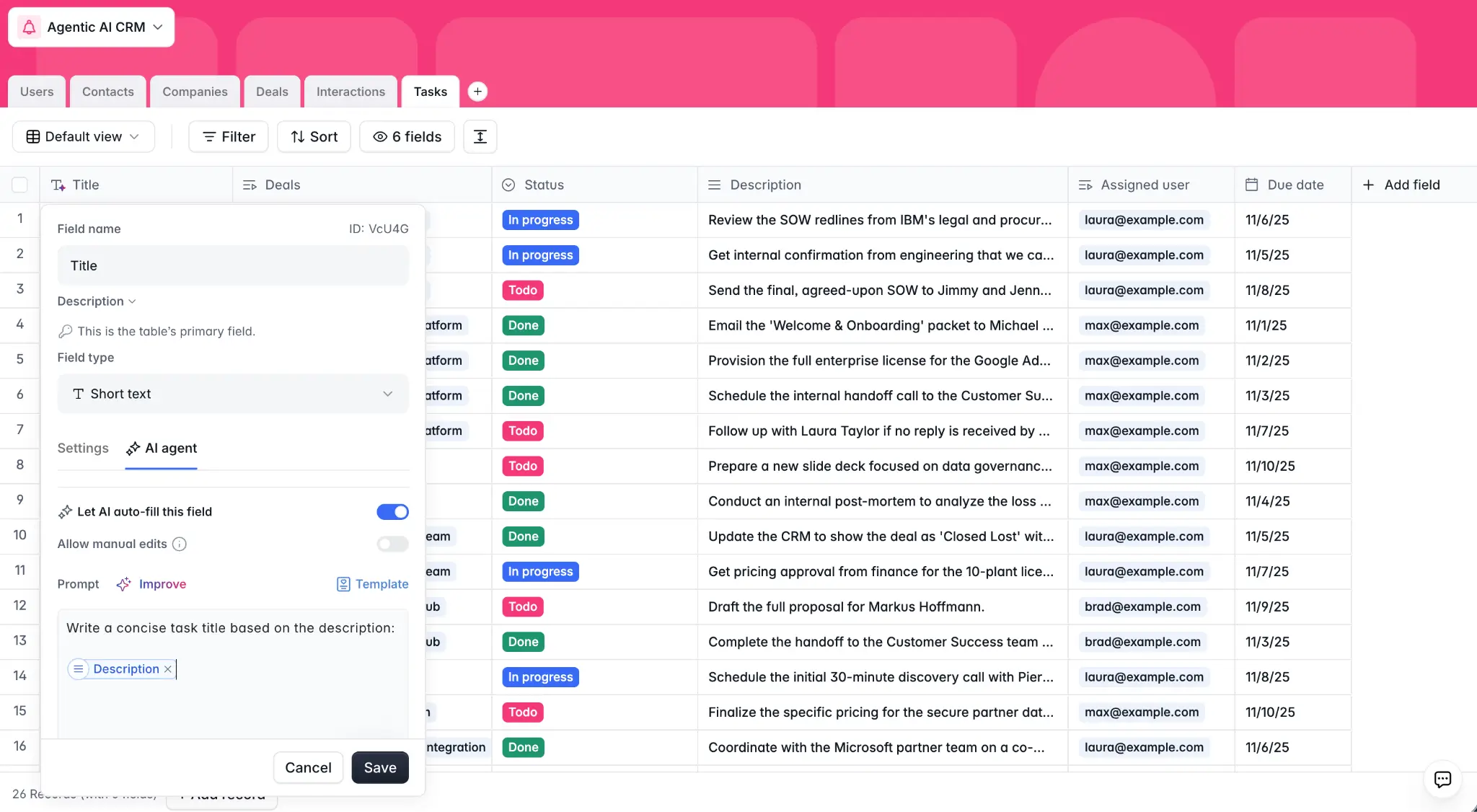
- How to build it: Use Softr Database AI Agents on your
Companiestable.- Add a text field for
Activity Descriptionand select AI Agent, or describe the enrichment you want to the Database AI Co-Builder and it will create the field and configuration for you. - Set the prompt: "Generate a concise 3-bullet description of this company based on their website."
- Enable web search and set the trigger to run whenever a
WebsiteURL is added.
- Add a text field for
- The result: As soon as a lead arrives, the database "wakes up," browses the web, and fills in the firmographic details. Your sales rep sees a fully enriched profile without lifting a finger.

3. Instant interaction summaries
The Use Case: Sales reps juggle dozens of deals. Remembering exactly what was discussed in a meeting three weeks ago is difficult and time-consuming.
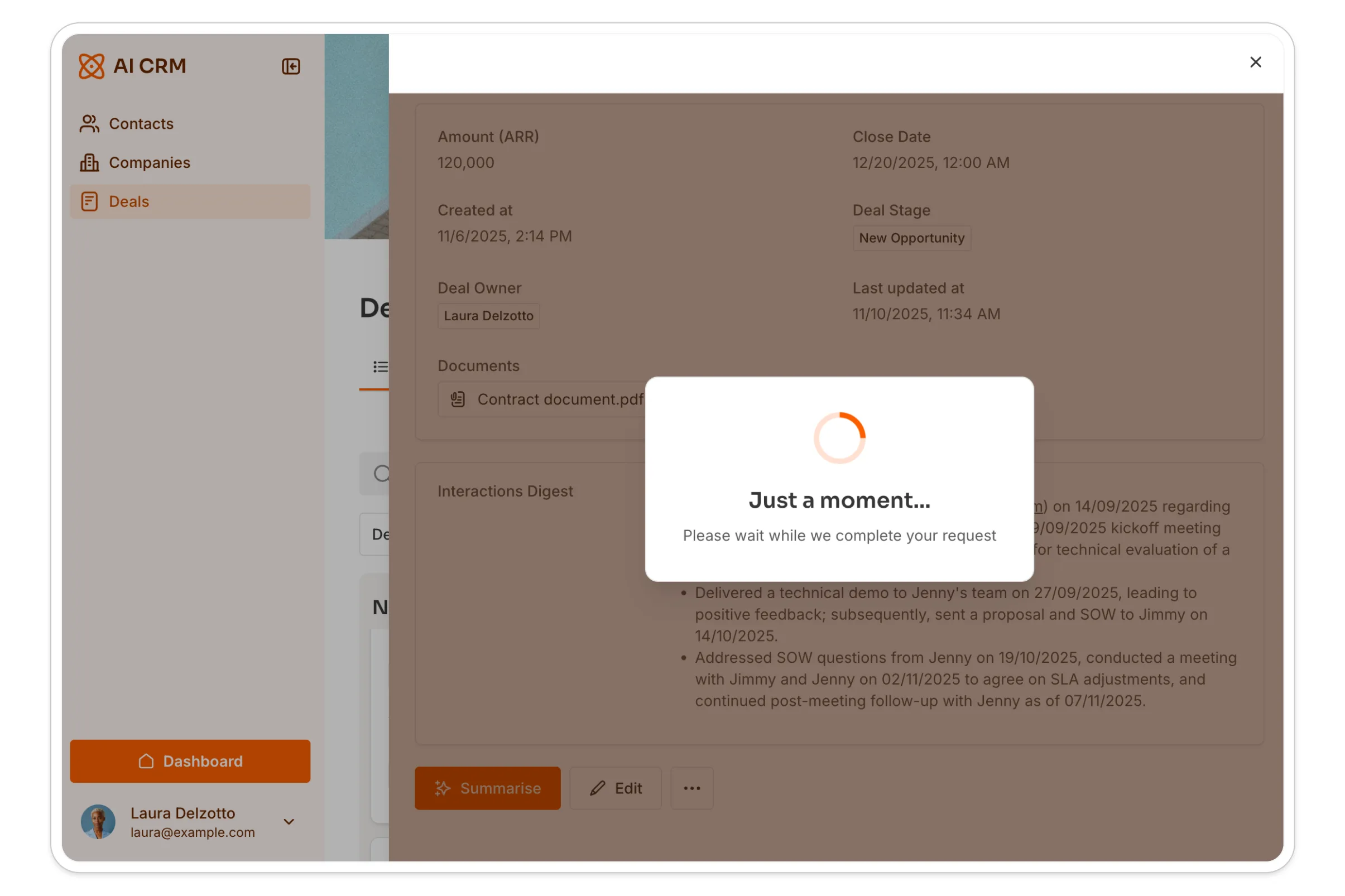
- How to build it:
- Create a "Summarize" button on your Deal Details page, or ask the AI Co-Builder to add the action button and connect it for you.
- Link it to a workflow that fetches all linked records from your
Interactionstable (emails, call logs). - Send this text to an AI action with the prompt: "Summarize the deal status, potential blockers, and next steps based on these interactions."
- Update a "Digest" text field in your deal record.
- The result: A clear, up-to-date status report available on demand.
"A single action button can trigger a custom workflow that runs AI analysis over past interactions, giving sales reps an instant history briefing." - Guillaume Duvernay, Builder at Softr
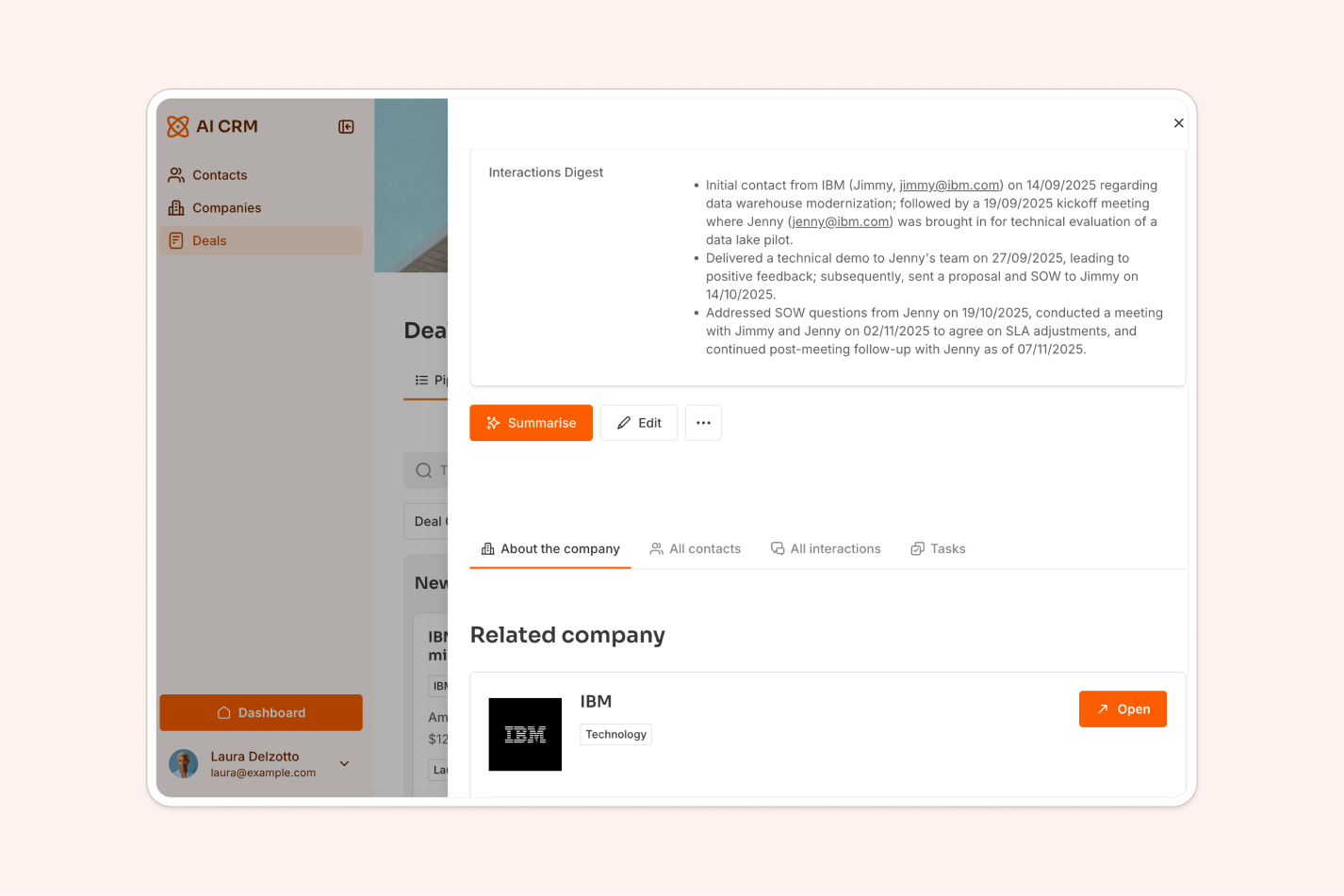
See it here being implemented live:
4. Conversational intelligence (Ask AI)
The Use Case: Sometimes you don't need a summary; you need a specific answer.

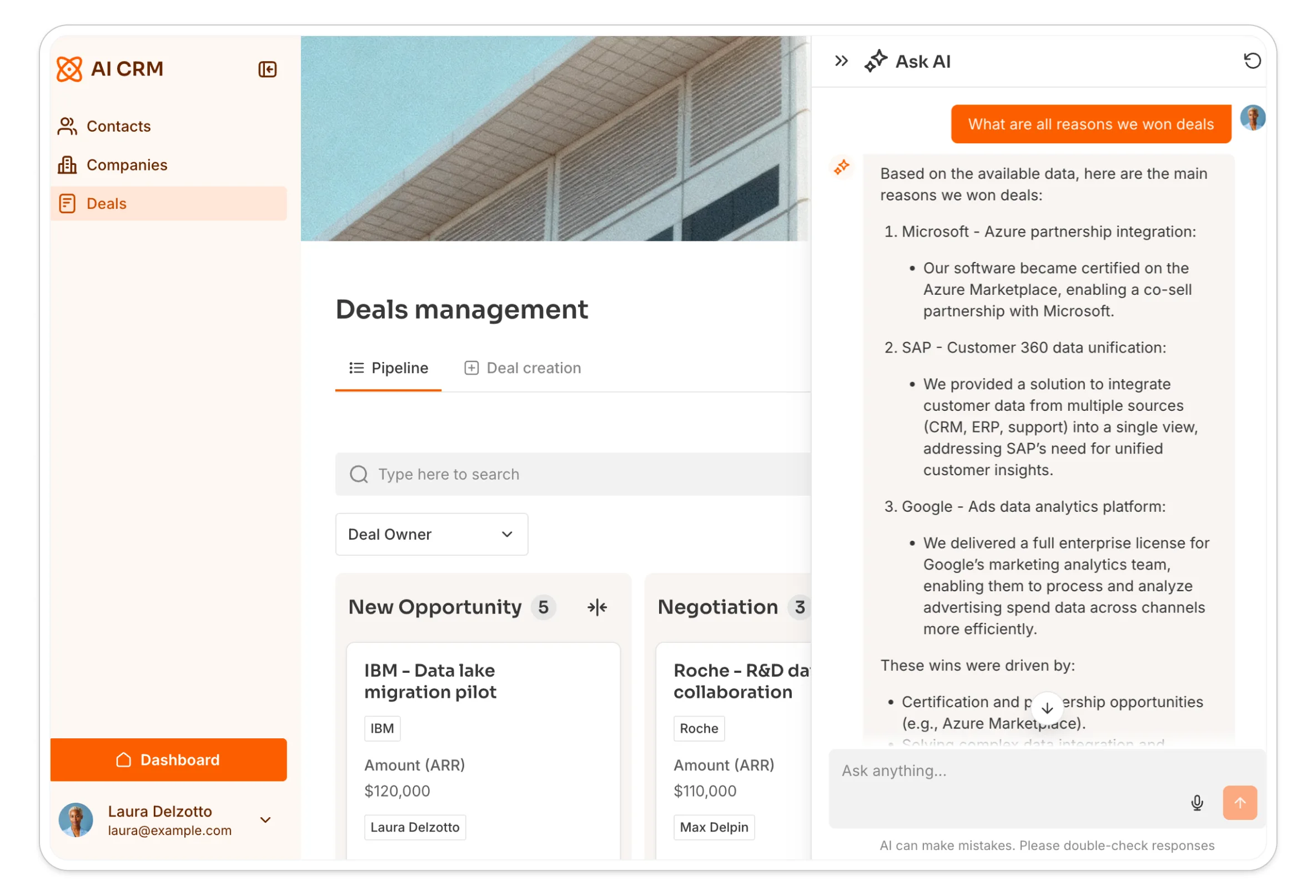
- How to build it: simply toggle on the Ask AI feature on any List block (like your Interactions list).
- The result: Your sales reps get a chatbot interface that "knows" everything about that specific client. They can ask: "What was their main objection in the last call?" or "Who is the decision-maker involved in this thread?" and get an instant answer based on your actual data.
Focusing on an advanced automation: Softr + Clay for AI-personalized outreach
Native automation is powerful, but sophisticated sales teams often need to run complex Go-To-Market (GTM) strategies, like scraping signals, scoring leads, and writing hyper-personalized emails.
Many GTM Engineers and growth teams use tools like Clay for backend heavy-lifting, but those tools are often too complex for sales reps to use daily. You can solve this by using Softr as the Frontend for your Clay Backend GTM workflows. See more AI agent use cases you can build the same way.
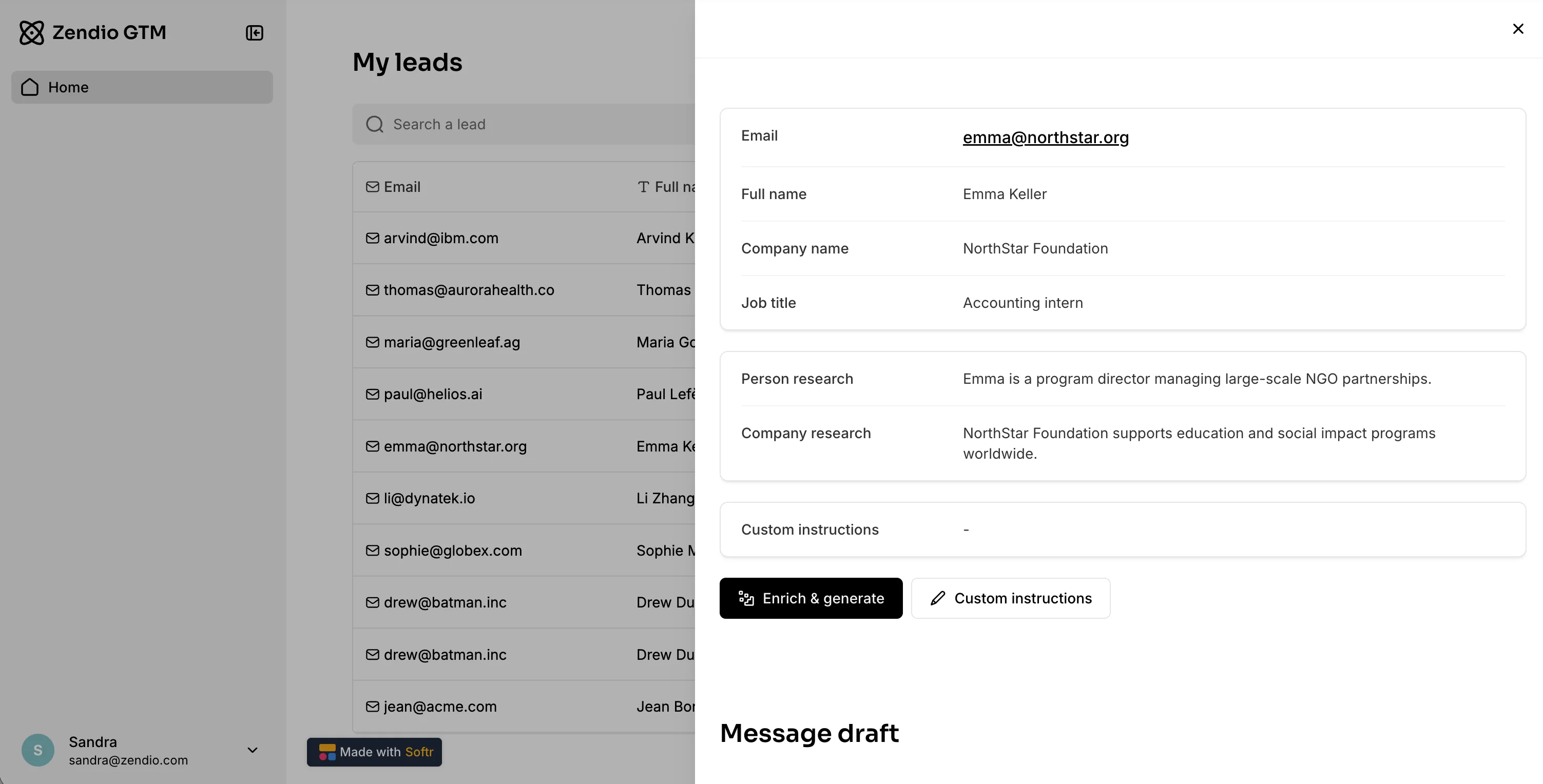
Watch how we built an AI-powered outreach tool to boost sales performance:
The "Human-in-the-loop" workflow
As demonstrated in the video transcript above, you can build a prospecting machine that combines AI speed with human quality control:
1. The backend (heavy lifting):
- You use a tool like Clay or n8n to ingest leads.
- The system scrapes data (tech stack, revenue, recent news) and scores the leads (Tier 1, 2, 3).
- Tier 1 leads are pushed directly into your Softr Database.
2. The frontend (Softr Interface):
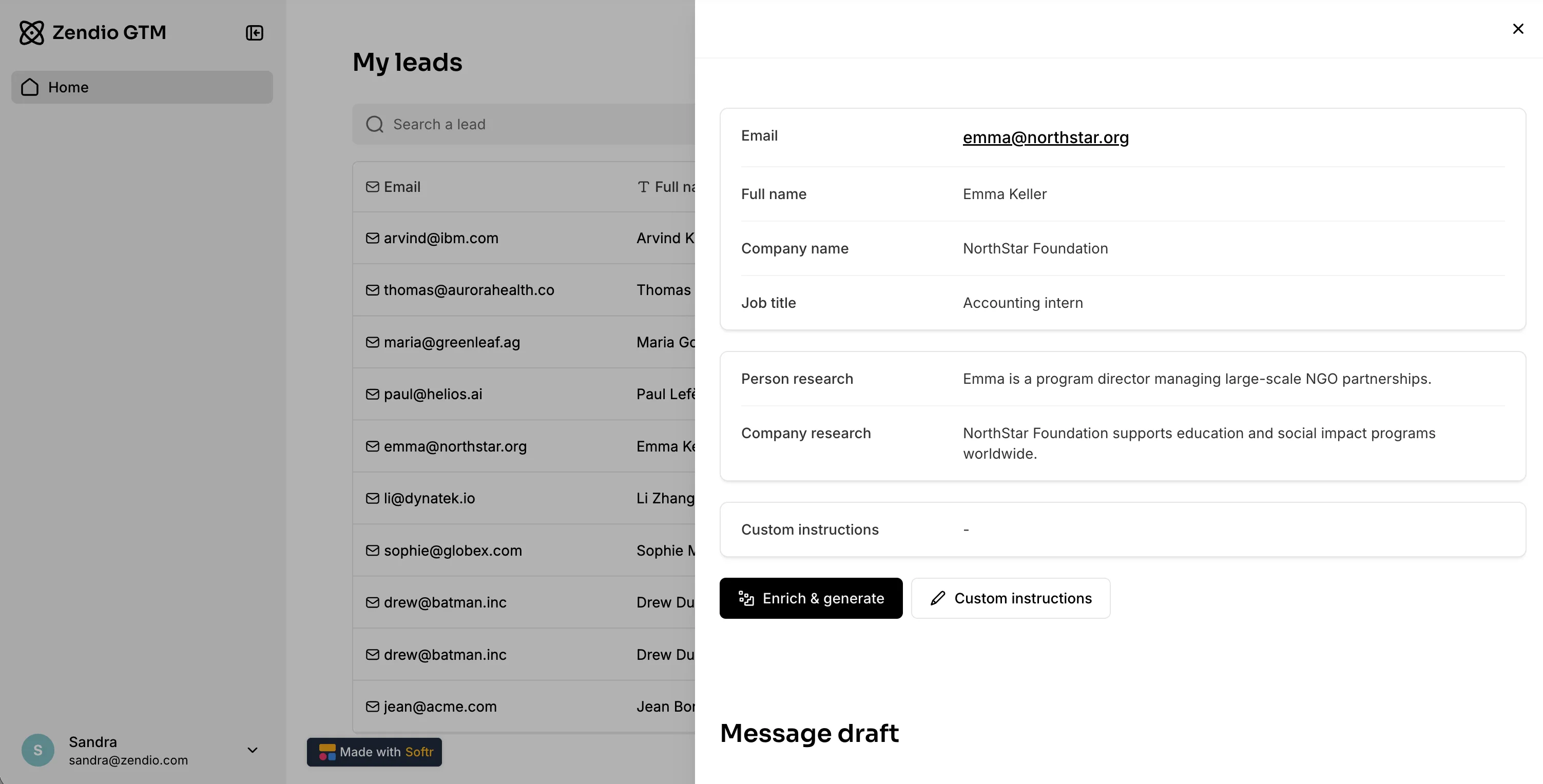
- Your sales rep logs into their Softr CRM. They don't see the complex backend; they just see a prioritized list of Tier 1 leads.
- On the lead's detail page, they see all the enriched data (revenue, tech stack) clearly displayed.
3. The AI drafting (The magic moment):
- The rep adds a quick "Custom Instruction" in a simple text box (e.g., "Mention that we are both in Paris").
- They click a "Generate Draft" button.
- This triggers a workflow that sends the context + the instruction to an AI model, writes a personalized email, and pushes it back to Softr.
If a standard text field and button don't give you the exact review experience you want (side-by-side draft comparison, inline editing, a custom approval flow), you can build that specific screen with the Vibe Coding block. It connects to the same workflow via webhook, so the AI draft still comes back and displays in a fully custom interface, without touching the rest of your app's code.
4. The review:
- Crucially, the email is not sent yet. The rep sees the AI draft right there in Softr.
- They can tweak the last 5% (making it sound truly human) and then click "Send."
- Only then is the email pushed to your sequencing tool (like Lemlist or Smartlead).
Why this matters
This workflow solves the biggest problem in AI sales: Trust.
- Pure automation often feels robotic and risks mistakes.
- Pure manual writing is too slow to scale.
- Softr + AI gives you the best of both: The backend automates 80% of the work, and the Softr interface empowers the human to perfect the final 20%.
"The next generation of software will not be code, it is actually going to be a combination of no-code and AI. AI brings the speed and personalization, and no-code brings the guardrails and reliability." - Mariam Hakobyan, CEO & Co-founder of Softr
Your CRM is ready to work
Whether you stick to the native AI Agents in Softr Databases or build advanced integrations with tools like Clay, the goal remains the same: stop doing busy work and start selling.
Pro tips: For even more advanced automation, consider calling specific APIs thanks to Softr workflow (e.g. Apollo for leads data, Lookio for AI knowledge retrieval based on your documents, Intercom for customer interactions data…).
By building your CRM on Softr, you aren't just storing data; you are creating an intelligent layer that researches, organizes, and drafts content for you.
- Learn how to build the foundation: How to build a free AI CRM with Softr
- Compare your options: The best AI CRM tools
- Get the Template: Clone the AI CRM template
Happy building!
Frequently asked questions
How do AI agents transform traditional CRM management?
What are the best examples of AI automation for CRM in Softr?
How do Database AI agents work for lead enrichment?
What is "Human-in-the-loop" AI automation for CRM?
Can I build AI agents for my CRM without coding?