


7 best apps for client management in 2026

Client management isn't just about tracking emails or project timelines. It's about keeping client interactions organized so nothing falls through the cracks. But when you're juggling service delivery, internal operations, and team coordination at once, staying on top of it all can quickly become overwhelming.
Whether you manage a large team or run a business solo, the right client management software can change how your daily processes run.
This review breaks down seven client management systems, each suited to different business sizes and needs, so you can get your workflows organized without a lengthy evaluation process.
Best apps for client management at a glance
| Tool | Standout features | Pricing |
|---|---|---|
| Softr | Customizable CRM layout and logic, Softr Databases or your existing data, AI Co-Builder, granular user groups and permissions | Free to build your first app |
| HubSpot CRM | Lead management, contact database, email automation, sales pipeline management | Starter Customer Platform $20/seat/month |
| Zoho CRM | Lead and contact management, omnichannel communication, workflow automation | Free plan for up to 3 users |
| monday.com | Customizable dashboards, contact and lead management, team and task management, workflows | From $12/seat/month (3 seat minimum) |
| Salesforce | Lead and contact management, opportunity tracking, customizable dashboards and reports | From $25/user/month |
| Pipedrive | Lead and pipeline management, revenue forecasting, contract and proposal management | Essential features on the entry plan |
| Trello | Visual task tracking, customizable boards, flexible data views, workflow automation | Free plan with 10 boards per workspace |
| Copper CRM | Deep Gmail integration, contact management, deal tracking, task automation, custom reports | From $9/user/month |
Why use client management apps?
Using a spreadsheet to manage a small amount of client data is simple and clutter-free, but there comes a point when it just isn't enough.

Many businesses stick with outdated systems, not because they work, but because switching to new software feels overwhelming, expensive, or disruptive. Today's apps for client management make things easier, no matter your experience with technology.
Here's what client relationship management tools have to offer that spreadsheets don't:
- Centralizing client data: Put all your important client information, like contact details, communication history, and project updates, into one place. No more digging through emails or spreadsheets; everything is easily accessible for your whole team whenever they need it.
- Simplifying client operations: With a centralized system, you don't just have access to data, you have all your workflows at your fingertips. From scheduling meetings to sending follow-up messages, you can manage everything in one platform.
- Automating tasks and workflows: The software takes repetitive tasks off your plate by automating things like data entry, follow-ups, task assignments, and more.
- Improving client relationships: With all of the above, it's easier to be a reliable partner to your clients and stay on top of your responsibilities.
- Scalability: As your business grows, your client management app scales with you. It allows you to handle more clients and projects without losing track of important details or sacrificing service quality.
- Data insights: Built-in analytics provide insights into client behavior, project performance, and teamwork efficiency. It also eliminates the need to bring in additional reporting software.
- Secure data handling: The best client-tracking apps let you adjust user access and security settings, ensuring sensitive client data stays protected.
This is what you get with a client relationship management (CRM) platform. Now you just need to pick the right one.
What should you look for in client management apps?
A quick search for ‘CRM software’ brings up hundreds of nearly identical options. So how do you filter out the noise and find the right solution?
You can narrow down your choices by defining the must-have features your ideal solution should offer. We suggest starting with these:
Fundamental features
What are you looking for in the first place?
Even all-in-one CRM platforms typically excel in some areas more than others. Before you start your search, pinpoint the core features you need, rather than getting distracted by the “nice-to-haves.” These can be:
- Client communication tracking,
- Project and task management,
- Workflow automation,
- Centralized data storage,
- Sales and pipeline tracking,
- Analytics and client reporting,
Decide which of these are your top priorities, then look for a CRM tool that offers the best functionality in those areas.
Mobile accessibility
Unfortunately, client communication doesn’t stop when the workday ends. You know better than anyone that issues can happen anytime, anywhere, and being able to access your CRM on the go will save you a lot of stress. Therefore, it’s best to choose a platform that offers a mobile app to access client details, updates, or messages quickly.
Scalability
It's important to pick a system that can grow with you, so think about what your needs might be months or even years down the line.
A scalable CRM should grow with you, not trap you in hidden costs. Many platforms seem affordable at first, but as your client list expands, so do the add-ons, seat limits, and paywalled features. With Softr, you start simple and scale easily, without surprise expenses or forced upgrades.
Integration capabilities
Your client management system can become a place where you organize all your client operations. To make that possible, choose one that seamlessly integrates with your existing tech stack, from internal communication tools like Slack to meeting scheduling tools like Calendly.
Customization
Can you create custom attributes for your client data? Does the system let you incorporate your brand style into client reports? What about custom roles and permissions?
A lot of out-of-the-box CRM solutions don't offer much flexibility, which can become an issue if you have a specific way you want things done. Verify that your software provides the customization options you need, and most importantly, that you can access them without complicated workarounds or code.
Ease of use
As many as 84% of employees experience frustration or difficulty using software at work at least sometimes. While the main goal of any business software is to simplify your life, it often ends up making things more complicated.
That’s why it’s crucial to choose a client management tool that truly is easy to use. Look for a platform with an intuitive interface, helpful tutorials, or some kind of community.
7 best client management software for 2026
We’ve put together a list of client management software, each with its strengths. Some shine in customization, some simplify revenue management, and others are perfect for getting up and running quickly.
1. Softr
"I have taken our client database and turned it into a client portal in a single day." - G2 review
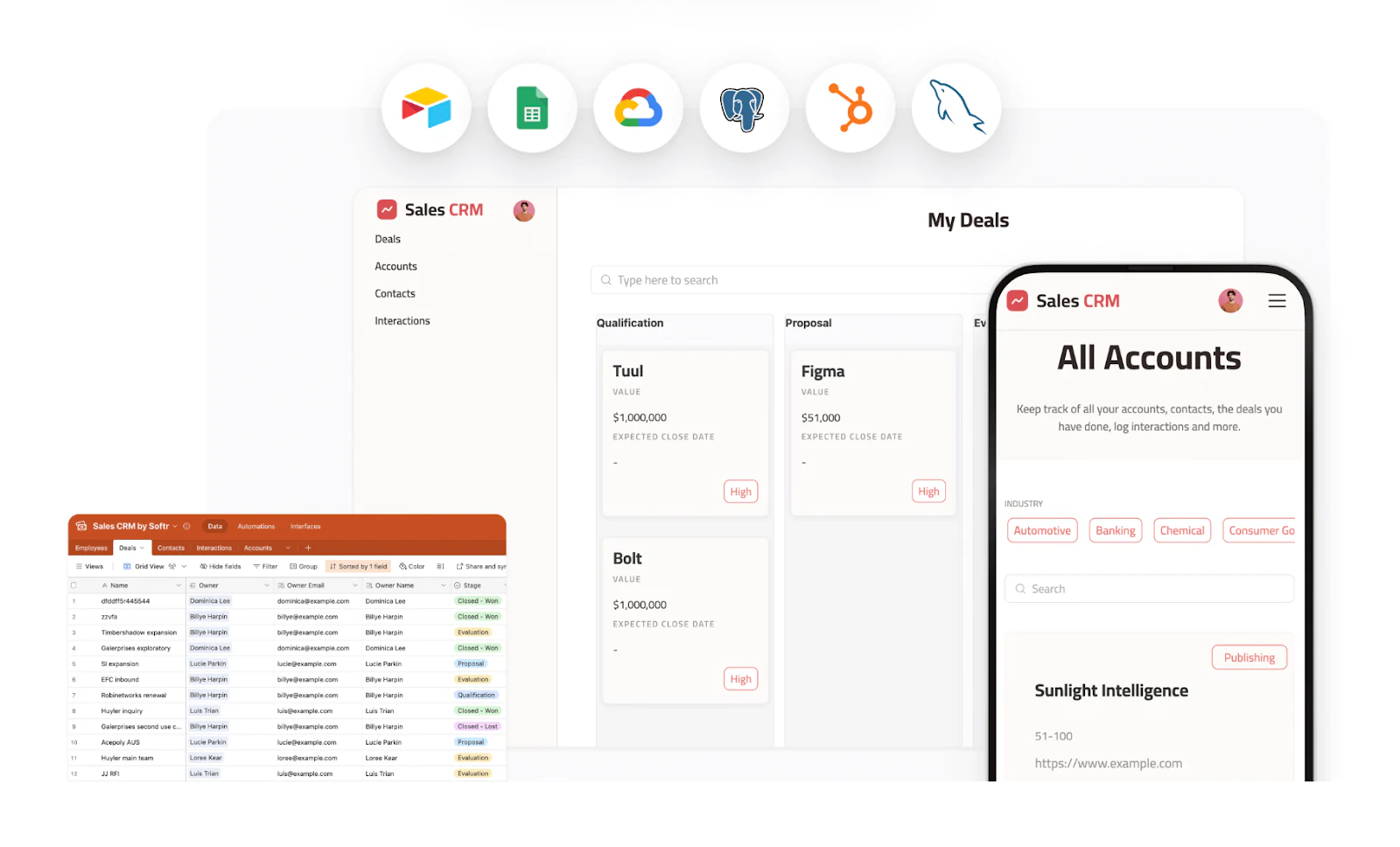
Softr is an AI app builder that lets you create a client management system, complete with its own database, interface, and automations, without resource-consuming coding and maintenance work. It's a full-stack platform: Softr Databases store and structure your client data, the interface builder turns that data into a working CRM or portal, and Softr Workflows handle the automations that keep everything moving (like assigning a new lead to the right rep or sending a follow-up when a deal goes cold). Additionally, Softr allows you to:
- Customize your CRM's layout, responsiveness, and logic,
- Use Softr Databases as your native data layer, or connect to 21+ external sources like Airtable, Google Sheets, and HubSpot,
- Get access to a reliable community of experts and support specialists available around the clock.
Build a custom CRM tool without a single line of code
Describe the client management system you need to the AI Co-Builder and it generates a working database, pages, and user roles in minutes. Prefer a head start instead? Start with the CRM template, or build your client app from scratch by connecting to your data source via Softr Databases, Google Sheets, Airtable, HubSpot, SmartSuite, monday.com, and more. No matter what you pick, you can set up your custom client management system in just a few hours, no coding or developer help needed.
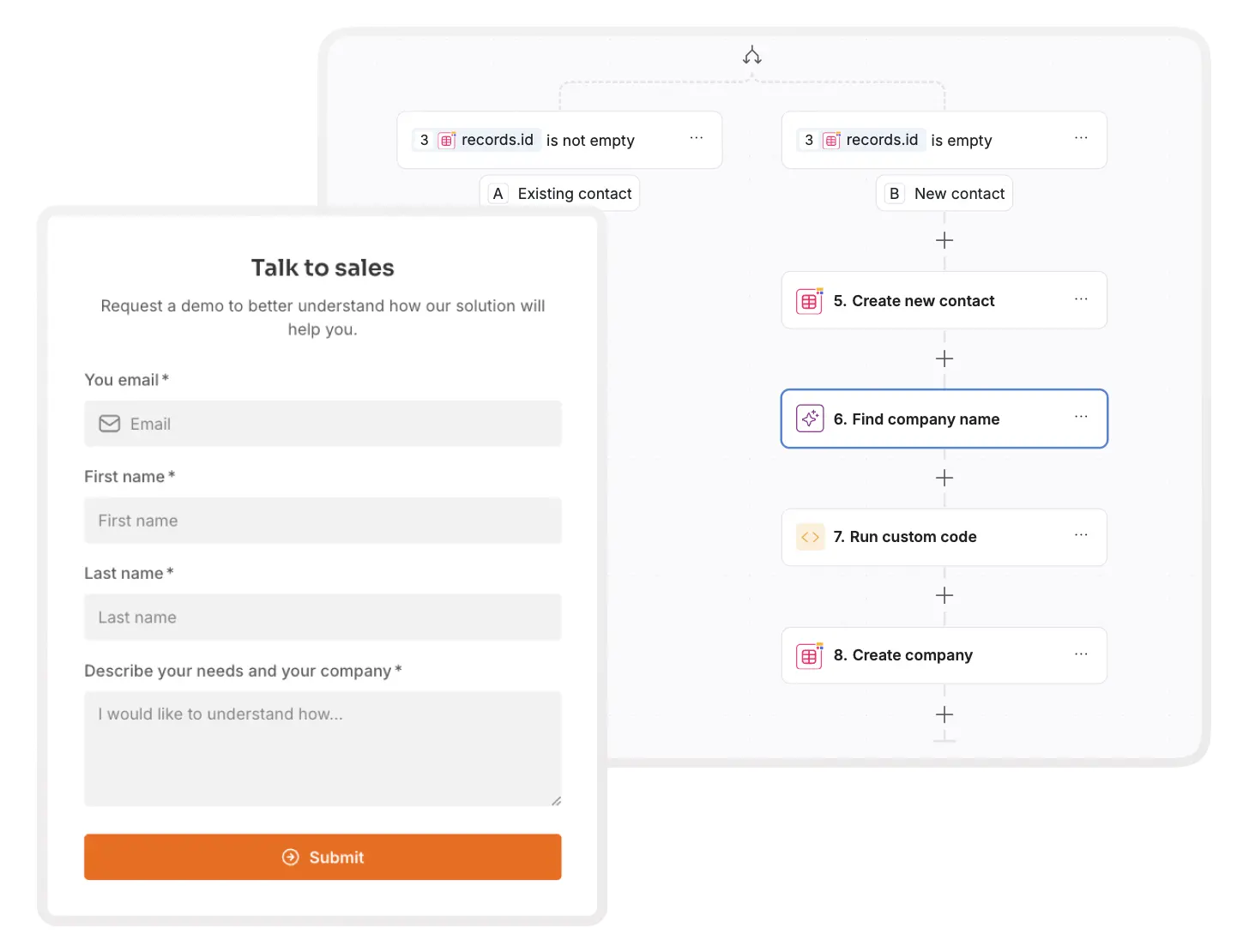
Improve client experience with conditional forms
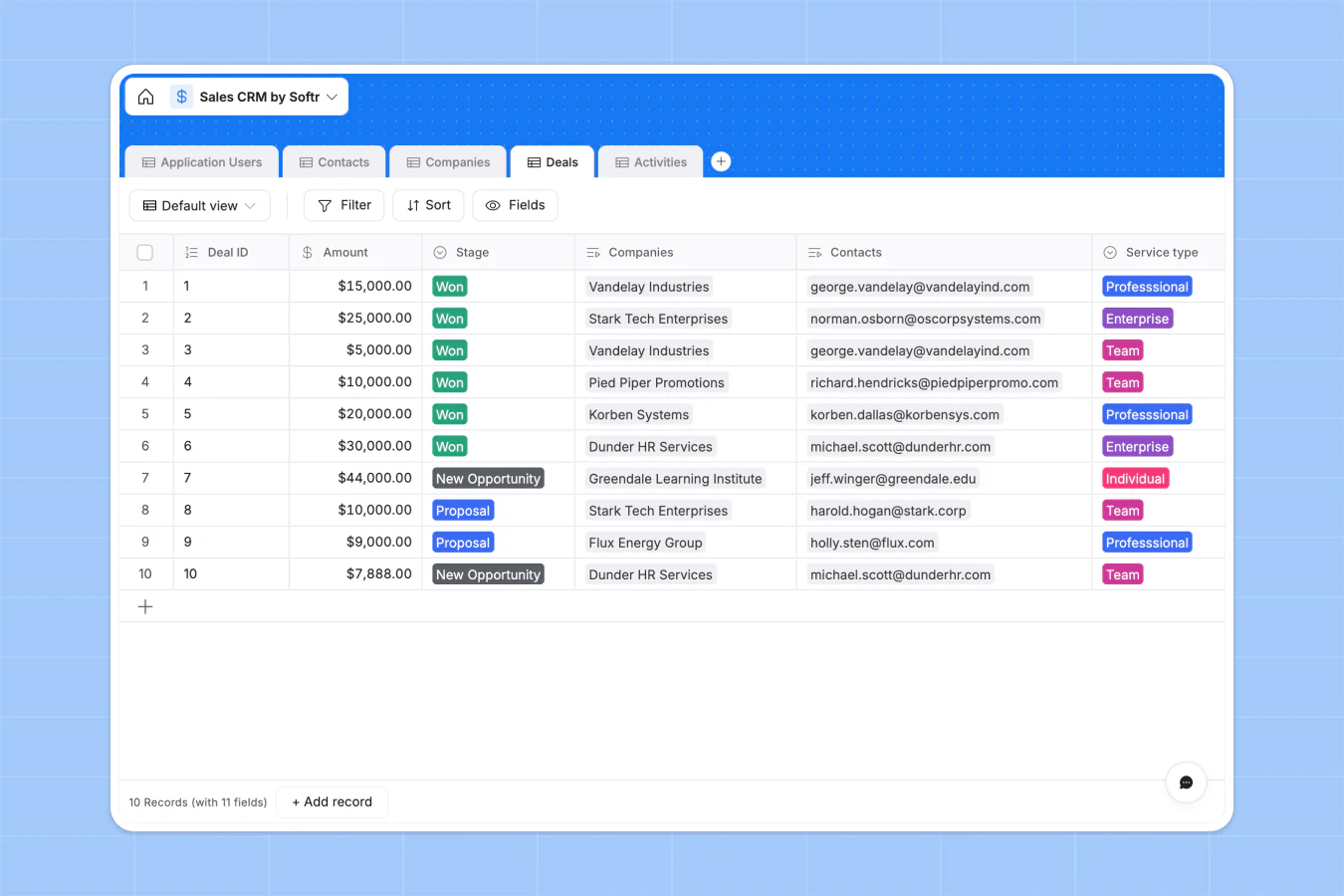
Within Softr, you can create logic-driven conditional forms to gather only the most relevant data from your clients. Your forms will be tailored dynamically based on previous responses to questions or existing user information (e.g. their role, the type of service they've signed up for, etc.). For example, if a user selects "Freelancer" as their role, they might get different follow-up questions than someone who chooses "Business Owner." Here's a visual demonstration of how conditional forms work below:
Design flexible dashboards
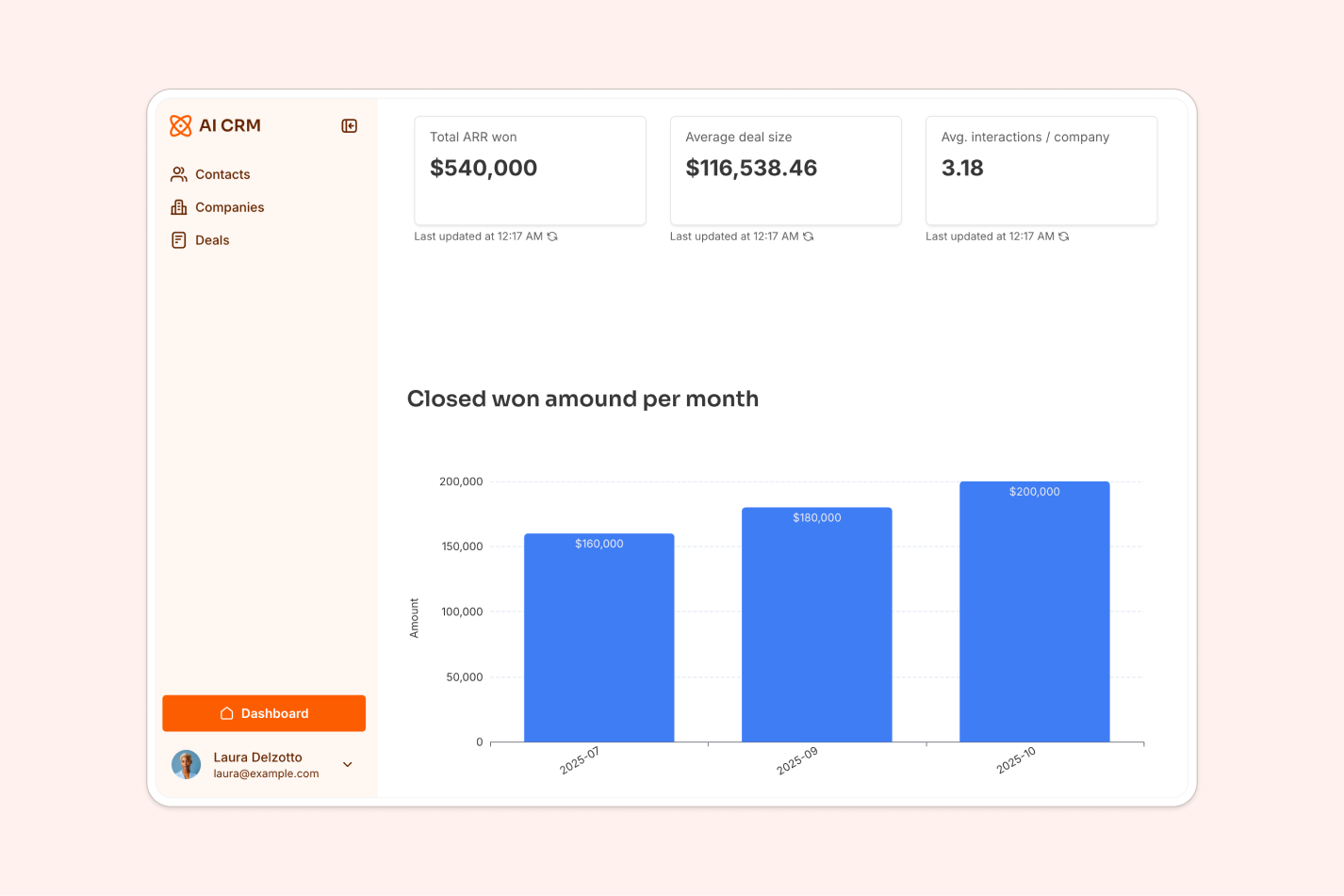
You can connect to multiple data sources and build flexible performance dashboards for your clients and team members in minutes. With a wide range of building blocks like Tables, Summary Cards, Charts, and more, you can present your client data however you want. Pre-built blocks cover most dashboard needs, but if you need something more specific, like a custom pipeline visualization or a branded client-facing widget, the Vibe Coding block lets you generate it from a plain-language prompt while it still connects securely to your data and inherits your app's design.
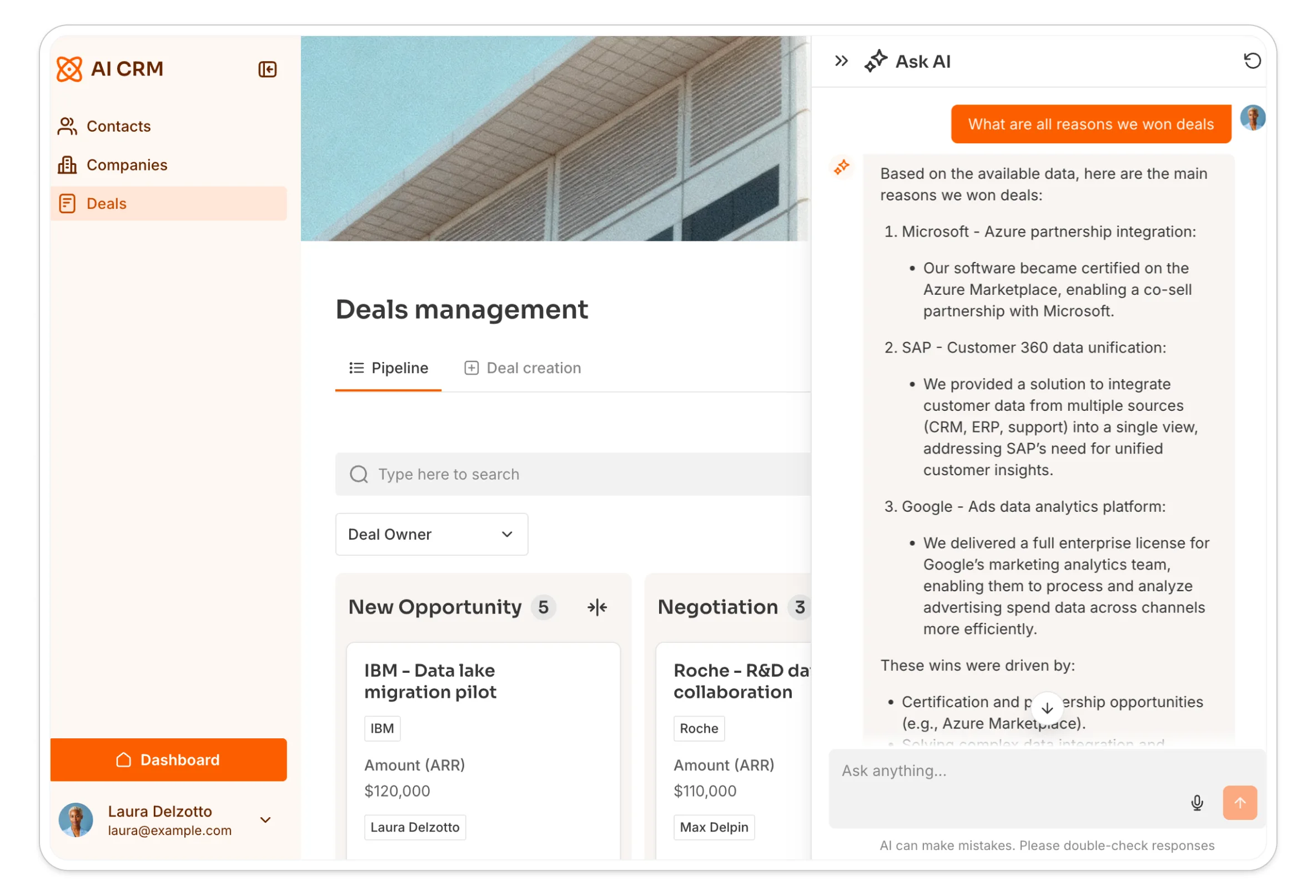
Ask AI to answer questions about your client data
Instead of scrolling through a long list of deals or contacts to find an answer, you can enable Ask AI on any table or list block. It lets you or your team ask plain-language questions about the data shown, like "which deals in my pipeline haven't been touched in two weeks," and get an instant answer that respects your existing permissions.
Manage advanced user permissions with ease
If you're creating a system for both internal and external use, it's easy to keep sensitive data secure. With advanced permission settings, you can define who sees what and what actions they can take within your app, whether that's an account manager, an external client, or a vendor.

Real-time reporting and custom dashboards: gain clear visibility into client activities, project statuses, and team performance through interactive tables, charts, and filters, without needing extra reporting tools.
Security and access controls: protect client data with granular permissions, role-based access, and conditional visibility settings. Softr secures data through SOC 2 Type II compliance, GDPR adherence, and hosting in Europe, without storing or duplicating your business data.
Conditional forms for smarter data collection: create logic-driven forms that adapt based on user inputs. Show or hide fields dynamically, collect relevant client details, and streamline onboarding or data entry without unnecessary manual steps.
Unified data and 17+ deep integrations: centralize client information using Softr Databases as your native data layer, or connect to Google Workspace, Slack, HubSpot, monday.com, Notion, BigQuery, and SQL databases like MySQL and PostgreSQL, with two-way real-time sync.
Two-way sync: any user added to your data source automatically appears in Softr and vice versa. This removes the need for manual updates, keeping user records accurate and up to date across your systems.
Softr pros and cons
Pros:
- Describe your CRM or client portal to the AI Co-Builder and get a working app, or start from a template, or build it manually. All three paths stay fully editable afterward.
- Native database (Softr Databases) means your CRM isn't dependent on a third-party spreadsheet tool for performance or uptime.
- Granular user groups and permissions make it straightforward to give clients, vendors, and internal teams different views of the same data.
- Softr Workflows automate follow-ups, lead assignment, and notifications natively, triggered directly by actions in your app.
- Pricing scales by app user, not by every team member with a login, so it stays predictable as you add clients.
- The Vibe Coding block covers the custom UI needs that pre-built blocks can't, without needing a developer.
Cons:
- Softr isn't built for public-facing marketing sites or SEO-heavy content; it's focused on internal tools and client-facing apps.
- Advanced automation logic and custom UI still benefit from some familiarity with how data and permissions work, even though no code is required.
Best for
Businesses of all sizes looking for customizable client management tools.
Pricing
Start building your first app for free, perfect if you need a simple CRM without upfront costs.
Paid plans start at $19/month, with Team: 5 + Client: 5 app users.
Advanced features, like conditional forms and condition-based visibility settings, are available at $99/month (paid monthly), with unlimited apps and Team: 10 + Client: 50 app users.
2. HubSpot CRM
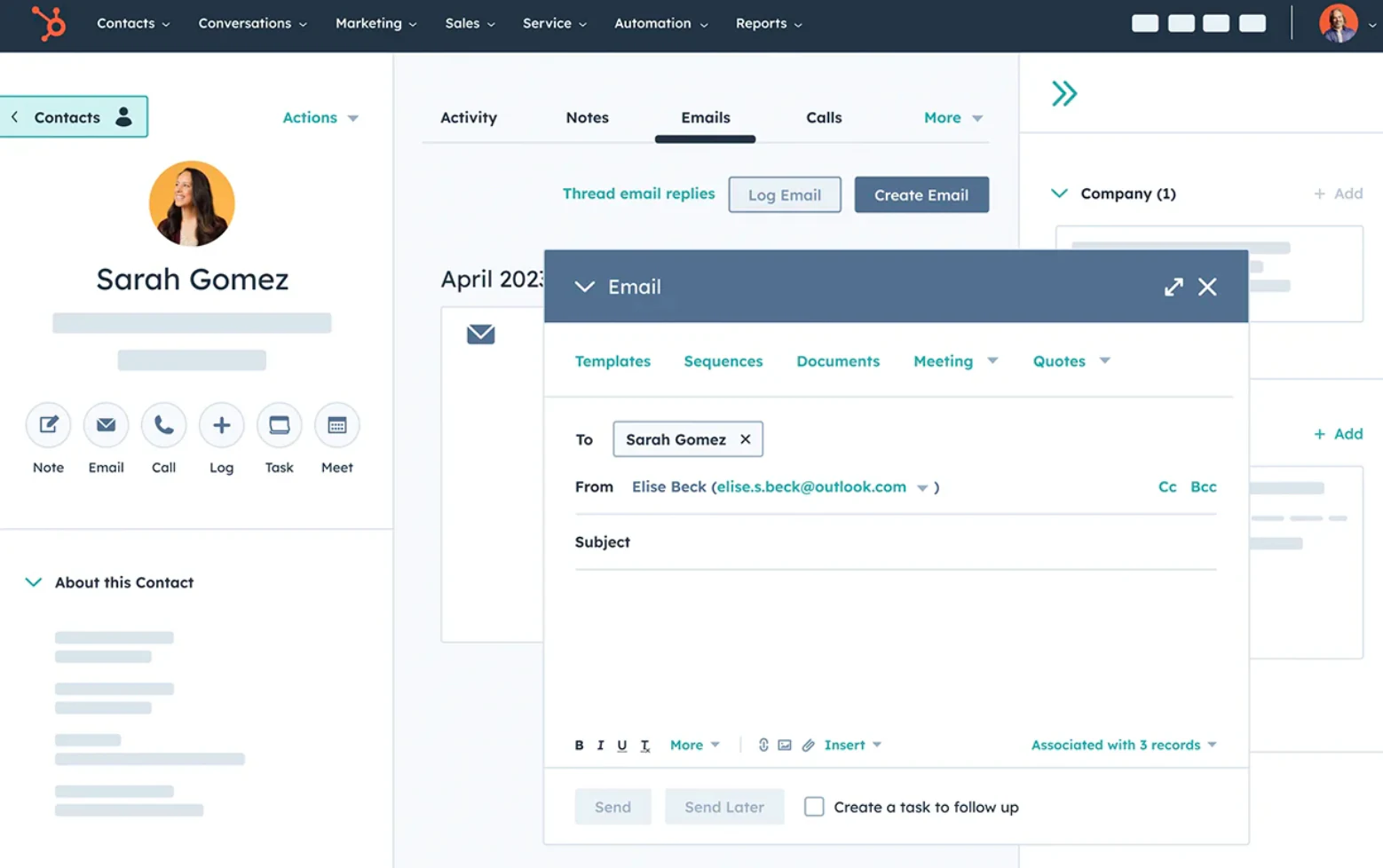
HubSpot CRM is one of the most widely used systems, offering a full suite of tools for managing client data.
With HubSpot, you get everything from lead generation and email marketing to customer segmentation and analytics. While its extensive capabilities make it a strong choice, the learning curve can be steep, and pricing increases quickly as you move beyond the basics.
HubSpot stands out as one of the most flexible options among ready-made solutions. While it offers plenty of features right out of the box, HubSpot Smart CRM lets businesses go a step further. Users can easily customize default spaces and even design new UI elements.
Key features
- Lead management,
- Contact database & management,
- Email automation,
- Sales pipeline management,
- Document tracking,
- Meeting scheduling,
- Ticketing,
- Task management,
- Data analytics,
- Mobile app,
Best for
Small to mid-sized businesses looking for an all-in-one CRM.
Pricing
As of now, the Starter Customer Platform is priced at $20 per month per seat, or $15 per month per seat with an annual commitment and upfront payment. HubSpot's free CRM lets you store up to 1,000,000 contacts at no cost, but features like marketing emails (capped at 2,000 per month) and automation are limited.
3. Zoho CRM
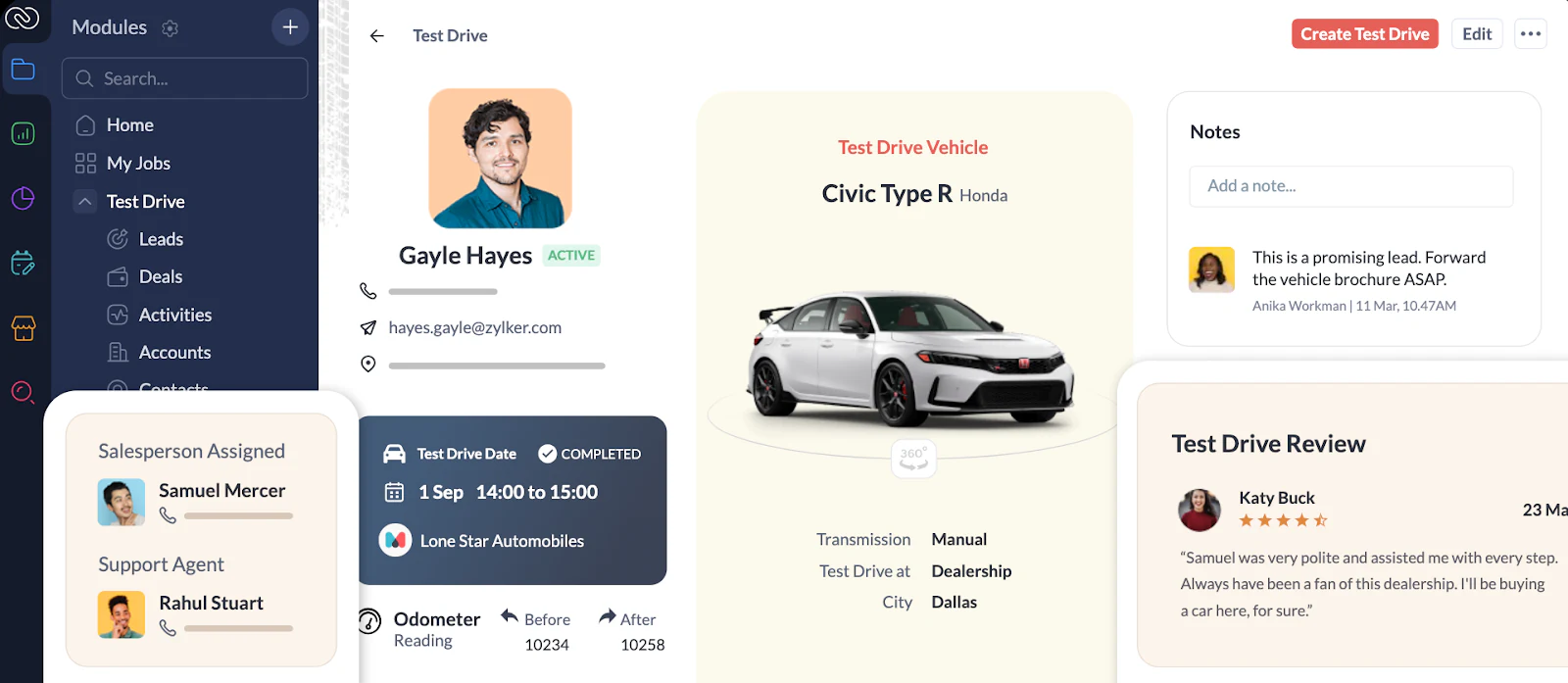
Zoho CRM is a centralized system for all your client interactions, like emails, phone calls, sales activities, and documents.
Zoho offers a large suite of tools outside its CRM platform, including helpdesk software, an accounting platform, and an HR management system, all of which integrate seamlessly. The latter is probably the platform’s biggest strength.
Key features
- Lead management,
- Contact management,
- Omnichannel communication,
- Workflow automation,
- Sales tools,
- Document tracking,
- Team collaboration,
- Analytics and reporting,
- Integrations with Zoho’s own software and third-party business tools,
- Mobile app,
Best for
Small to mid-sized businesses looking to tap into the power of Zoho’s comprehensive toolkit.
Pricing
Zoho CRM has a free plan that supports up to 3 users and comes with the essentials like lead management, documents, and mobile apps.
Workflow automation features are unlocked starting at $14/user/month.
4. monday.com
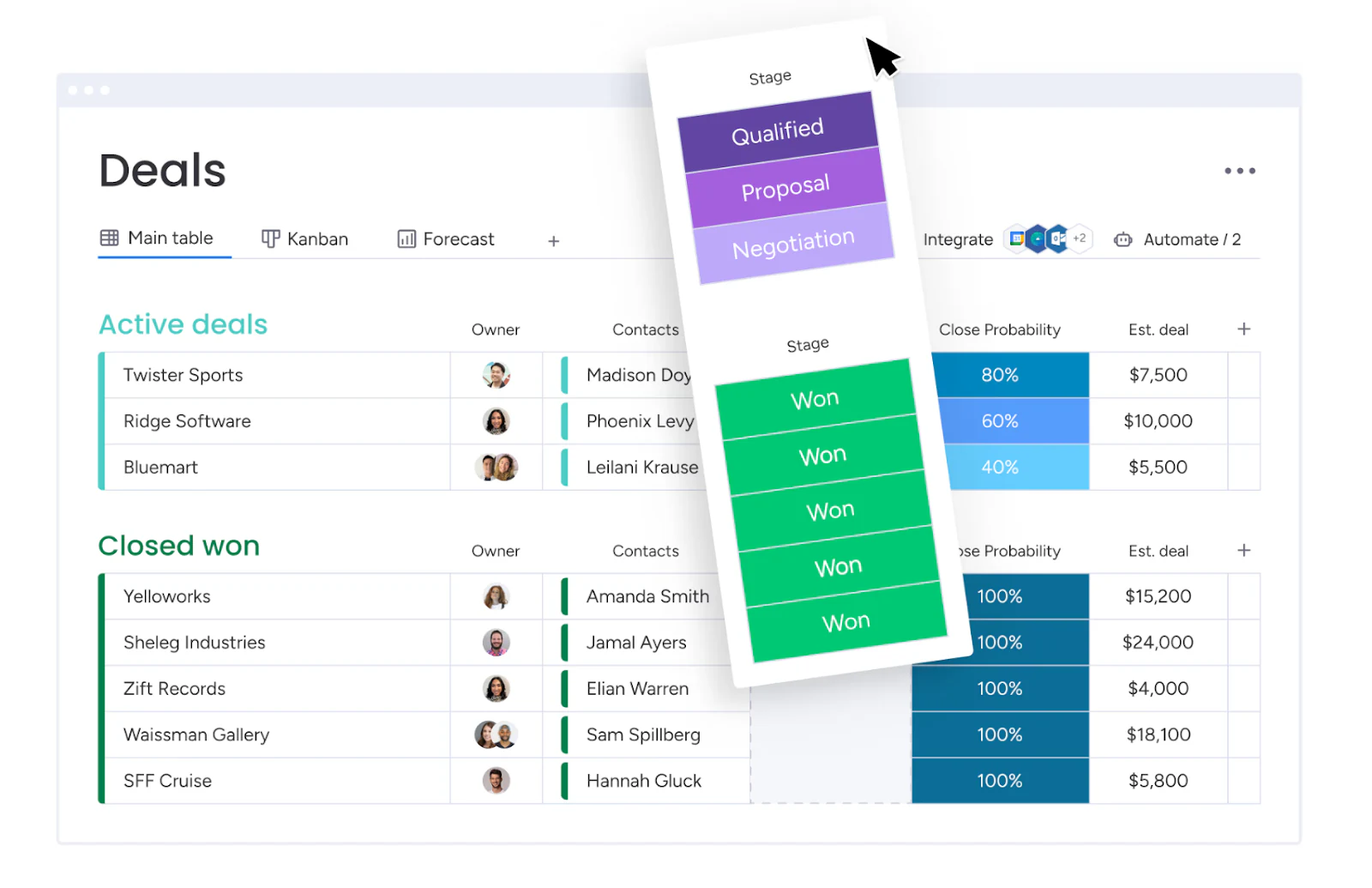
monday.com started as a project management tool but has steadily expanded into areas like CRM, customer service, and product development.
For client management, monday sales CRM is the best fit in their suite. It's packed with features to streamline sales operations and handle post-sales processes once a deal is closed.
While businesses often use monday.com to manage client databases, some run into challenges when inviting clients to collaborate on the platform's boards, which can be tricky to navigate for external users. Softr's native integration with monday.com lets you build a more flexible, permission-aware client portal on top of your existing monday.com data.
Key features
- Customizable dashboards,
- Contact management,
- Lead management,
- Team & task management,
- Workflow automation,
- Sales operations,
- Integrations,
- Mobile apps for iOS and Android,
Best for
Agencies and teams managing client projects alongside a familiar interface for task tracking.
Pricing
monday sales CRM pricing starts at $12 per seat per month, with a minimum of 3 seats per package. All plans include an unlimited contact database and unlimited viewers.
5. Salesforce
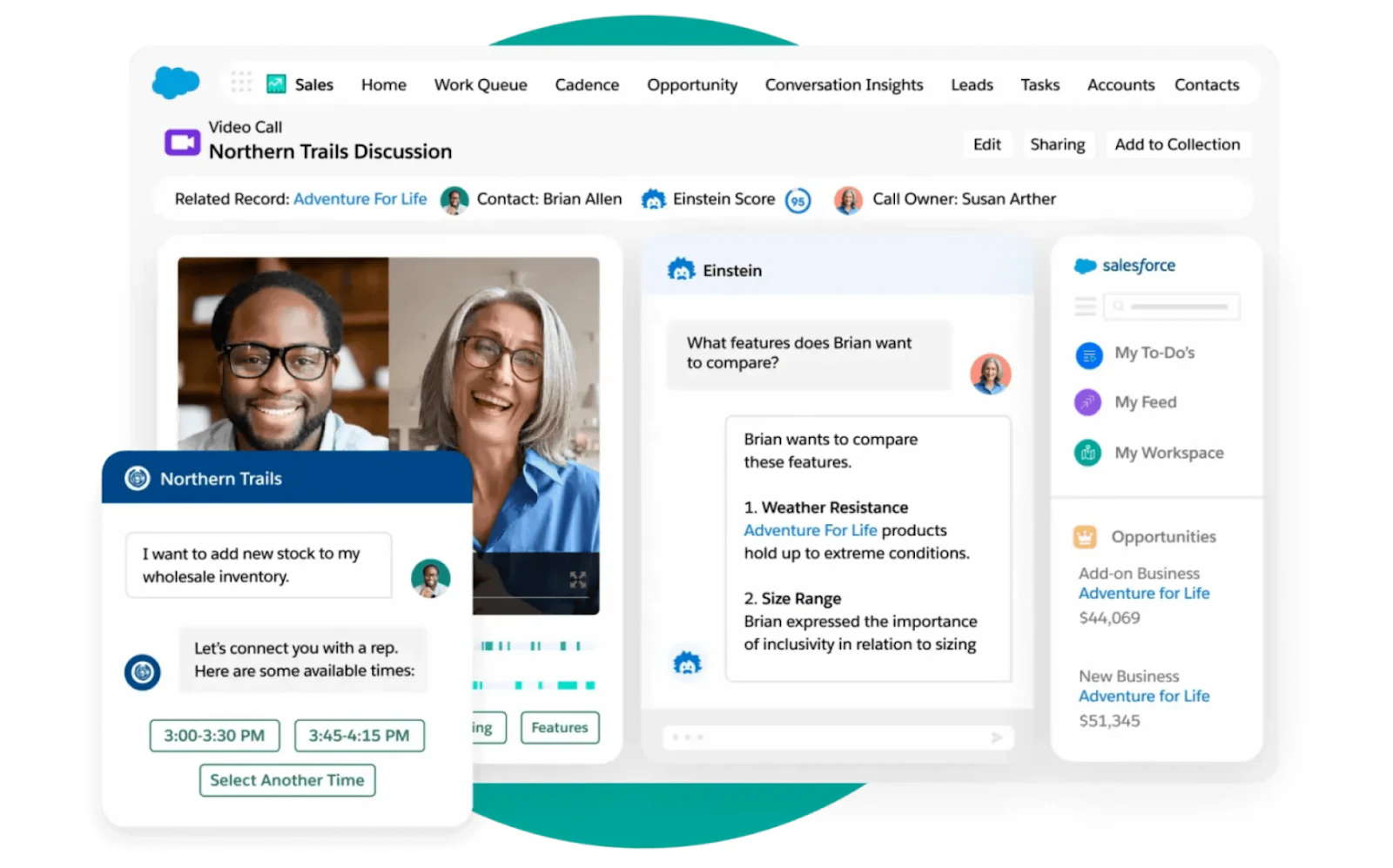
Salesforce is a comprehensive CRM platform built for large organizations looking to manage clients, sales, and marketing at scale.
It's the most customizable CRM system out there: users can tailor it to fit almost any workflow. However, unlike HubSpot, which is easier to set up and use right out of the box, Salesforce requires a significant investment in customization. It's a great choice if you're ready to put in the time and resources to adapt the system to your business needs.
Key features
- Lead and contact management,
- Opportunity tracking,
- Customizable dashboards and reports,
- Workflow automation,
- AI-powered insights with Salesforce Einstein,
- Extensive integration ecosystem,
- Mobile apps for iOS and Android,
Best for
Large enterprises that need advanced client management capabilities.
Pricing
Salesforce’s basic plan starts at $25/user/month, offering basic sales and marketing tools.
For advanced customization options and web API access, plans start at $165/user/month.
6. Pipedrive
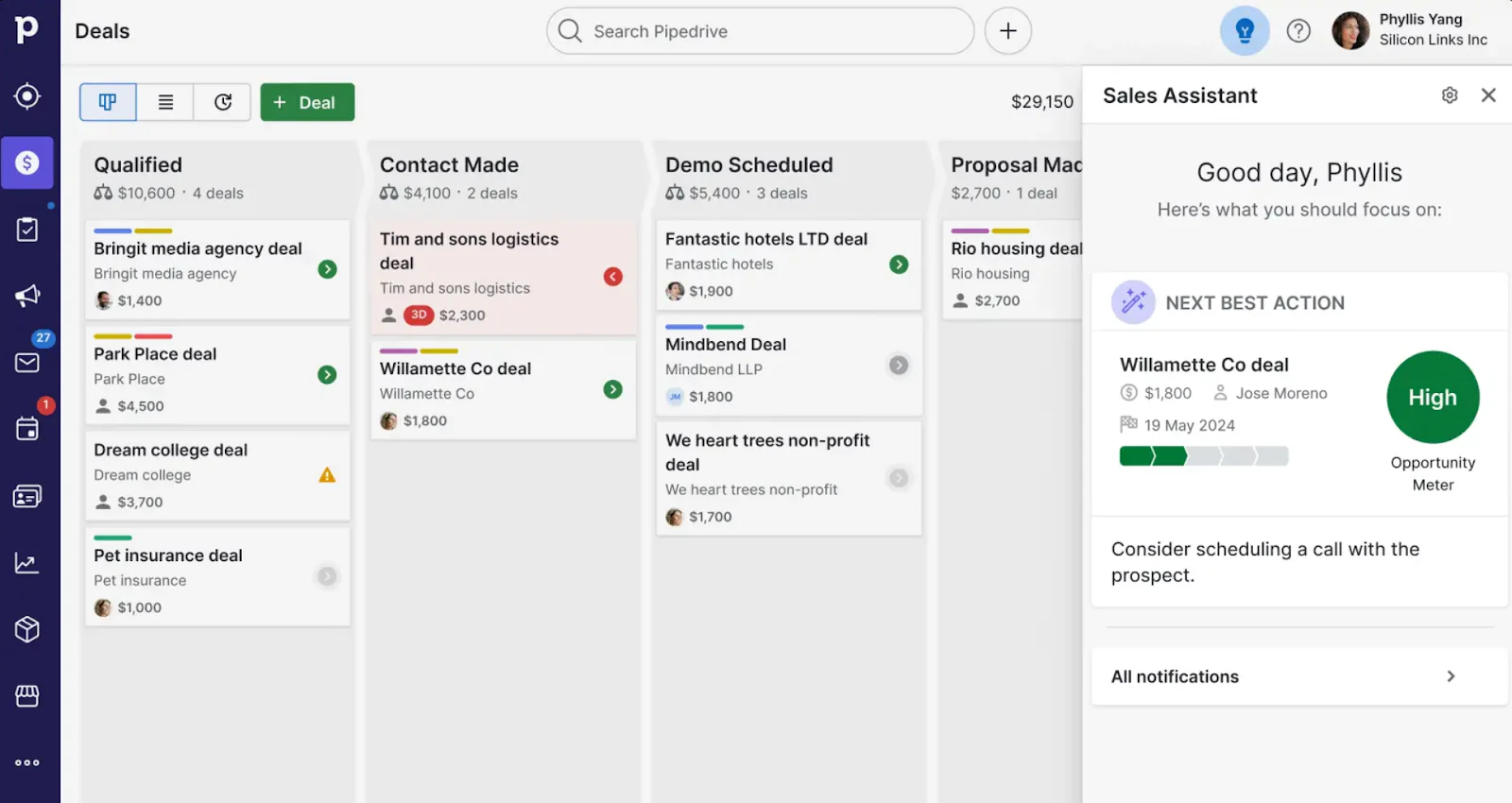
Pipedrive is a sales suite that helps to manage leads and clients through a sales pipeline.
It's built primarily for sales and revenue teams, so if your main focus is keeping your pipeline and revenue operations in check, Pipedrive is a great choice.
Key features
- Lead management,
- Pipeline management,
- Revenue forecasting,
- Contract and proposal management,
- Sales performance reports,
- Workflow automation,
- Team management,
- Mobile CRM,
Best for
Sales and revOps teams in small to medium-sized businesses.
Pricing
Pipedrive’s essential features like lead management and sales reporting are available at $14/user/month.
More advanced capabilities like CUSTOM automations, meeting scheduling, and subscription tracking start at $34/user/month.
7. Trello
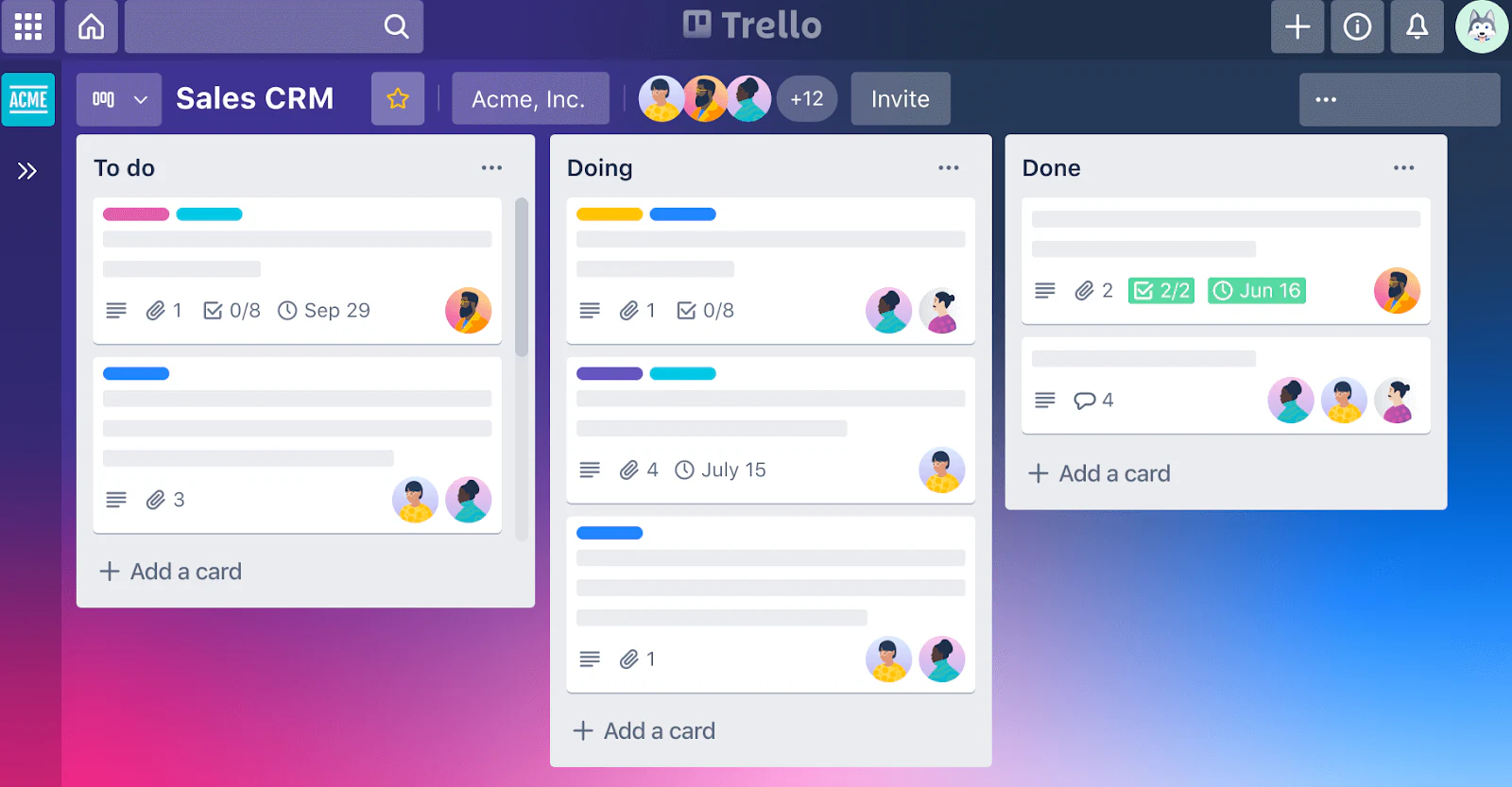
Trello is a simple and affordable project and task management platform with an additional capacity to track client interactions and tasks.
Trello doesn’t come with a built-in CRM like monday.com, but you can easily create one yourself. Its simple, uncluttered interface makes it easy for anyone, regardless of experience, to organize client management workflows quickly.
Key features
- Visual task tracking,
- Customizable boards,
- Flexible data views,
- Workflow automation,
- Integrations,
- iOS and Android mobile apps,
Best for
Teams that need a lightweight, visual way to manage client projects.
Pricing
Trello has a free plan that offers up to 10 boards per workspace and unlimited cards. Paid plans start at $5 per user per month.
8. Bonus app: Copper CRM

Copper CRM is a client management system popular with power Google Workspace users.
Businesses usually choose Copper CRM because of its deep integration with Google apps. Copper syncs a year’s worth of your team’s email communication with customers and leads straight into the CRM as soon as you create an account.
Key features
- Deep Gmail integration,
- Contact management,
- Deal tracking,
- Task automation,
- Custom reporting,
- Mobile apps,
Best for
Small businesses and teams that heavily rely on Google Workspace.
Pricing
Copper CRM pricing starts at $9/user/month, which includes Google Workspace integration, up to 1,000 contacts, and basic productivity tools.
Most sales and marketing tools such as workflow automation, bulk emails, and revenue tracking are available at $59/seat/month.
Pick the tool that fits how you actually work
Most CRMs on this list force you into their structure: their fields, their pricing tiers, their permission model. That works if your process matches theirs closely enough. If it doesn't, you'll spend more time working around the tool than working in it.
If you want a client management system that adapts to your workflow instead of the other way around, start free with Softr. Describe your CRM to the AI Co-Builder, start from the CRM template, or build it from scratch, and add a client-facing portal on top whenever you're ready.
Frequently asked questions
What is client management software and why do I need it?
What's the difference between a CRM and a client portal?
Can I build a client management app without coding experience?
How much does client management software cost?
Is client data secure in a custom-built client management app?


